跳至主要內容

Amazon QuickSight

從您的所有企業資料取得洞見

使用 Amazon Q in QuickSight 統一結構化和非結構化資料的洞察

概觀

QuickSight 中的 Amazon Q 為使用者提供跨所有企業資料的統一洞見。QuickSight 從傳統的 BI 資料來源中取得洞見,並使用 Q Business 從文文件儲存庫、網站、訊息、呼叫日誌等來源提供的相關資訊對其進行擴充。
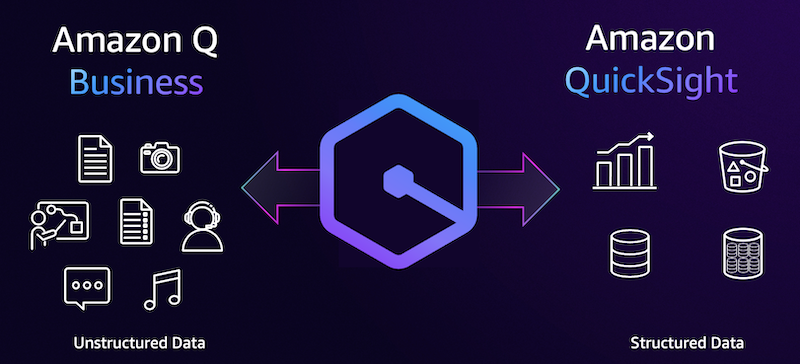
Diagram illustrating the integration between Amazon Q Business and Amazon QuickSight, comparing unstructured data (documents, photos, audio, video, chat) with structured data (charts, databases, tables).

取得更完整的洞見

從所有企業資料中取得洞見,以更全面地提供決策所需的資訊。透過結合資料湖、資料庫和資料倉儲、文件儲存庫、網站、訊息等,統一結構化和非結構化資料的洞見。

取得帶有其他內容的問題回應

QuickSight 中的 Amazon Q 現在可以使用文件、Web 連結和其他非結構化來源增強您的問答回應,以提供更多內容。如果您想更深入了解資料,Amazon Q 還引用相關的來源和連結。 
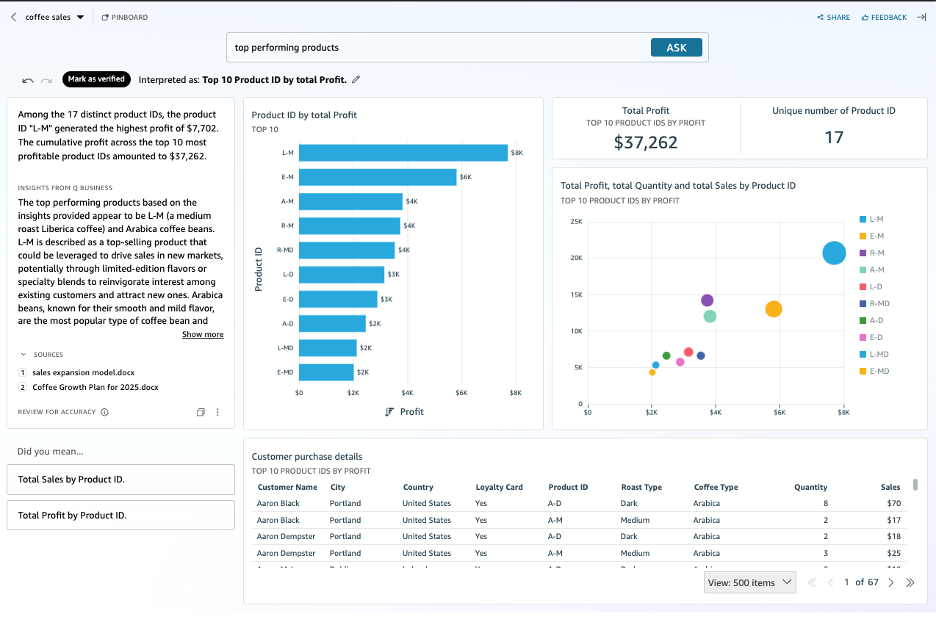
Screenshot of an Amazon QuickSight dashboard showing a data analysis for top-performing coffee products by profit. The dashboard displays visualizations such as a bar chart for Top 10 Product ID by Total Profit, a scatter chart of total profit, quantity, and sales, along with key metrics including total profit ($37,262), unique number of product IDs (17), and customer purchase details. The text analysis highlights insights based on unstructured data QA, product trends, and supporting business sources.

將資料案例敘述提升到新高度

Amazon Q 使用相關文件、報告和其他非結構化來源增強資料案例中的敘述,使您的資料案例更具吸引力。此外,您還可以上傳本機檔案,以作為 QuickSight 資料案例中透過 Amazon Q 敘述資料案例的來源。資料案例提供來源引用,為您提供所有必要的資料。
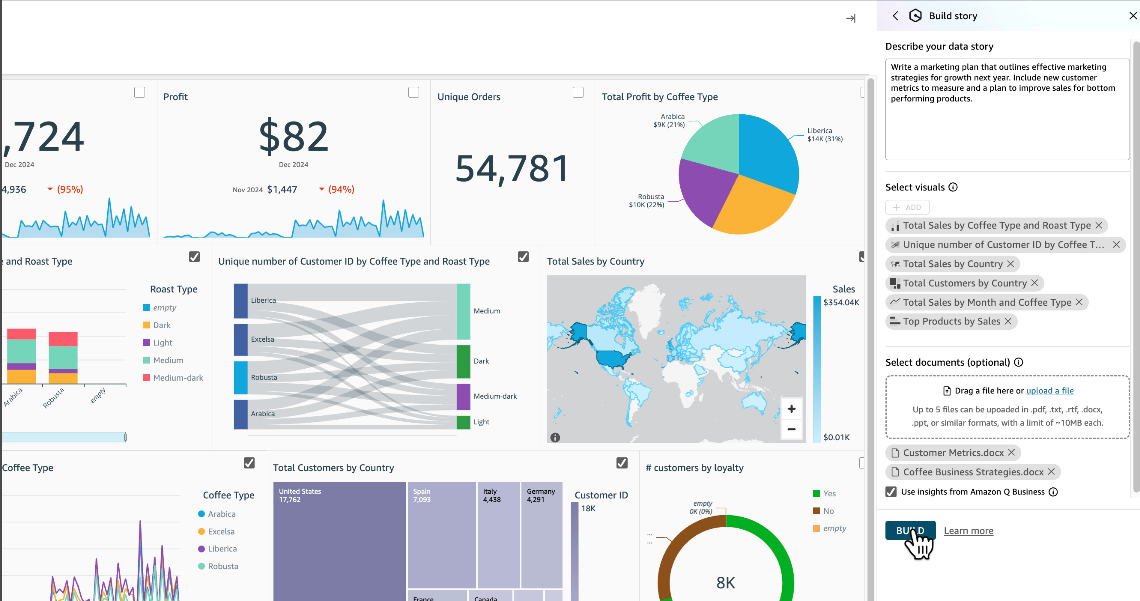
Screenshot of an AWS QuickSight dashboard displaying coffee sales analytics, including metrics such as profit, unique orders, total sales by country, coffee type breakdowns, customer loyalty, and interactive data visualizations.

簡化管理

QuickSight 中的 Amazon Q 與 Amazon Q Business 緊密整合,從而簡化管理。為使用者提供統一的洞見比以往更加輕鬆,並且僅需為使用者佈建一次。  支援所有 QuickSight 身分,並且不再需要 IAM IdC。

找到今天所需的資訊了嗎?

讓我們知道,以便我們改善頁面內容的品質