- AWS Solutions Library›
- Guidance for Automated Setup for AWS Transform
Guidance for Automated Setup for AWS Transform
Overview
This Guidance provides an automated approach to deploy AWS Transform using infrastructure as code (IaC). It simplifies deployment by automatically provisioning AWS services and security controls required by AWS Transform. The guidance accelerates time-to-value for organizations migrating and modernizing their workloads while ensuring adherence to AWS best practices and security standards. AWS Transform is the first agentic AI service developed to accelerate enterprise modernization of workloads.
Benefits
Infrastructure as Code automates AWS Transform deployment and configuration, reducing setup time and manual steps.
Implements AWS security best practices through IAM Identity Center configuration and role-based access control.
Provides step-by-step instructions and templates for configuring AWS Transform and associated services.
How it works - VMware
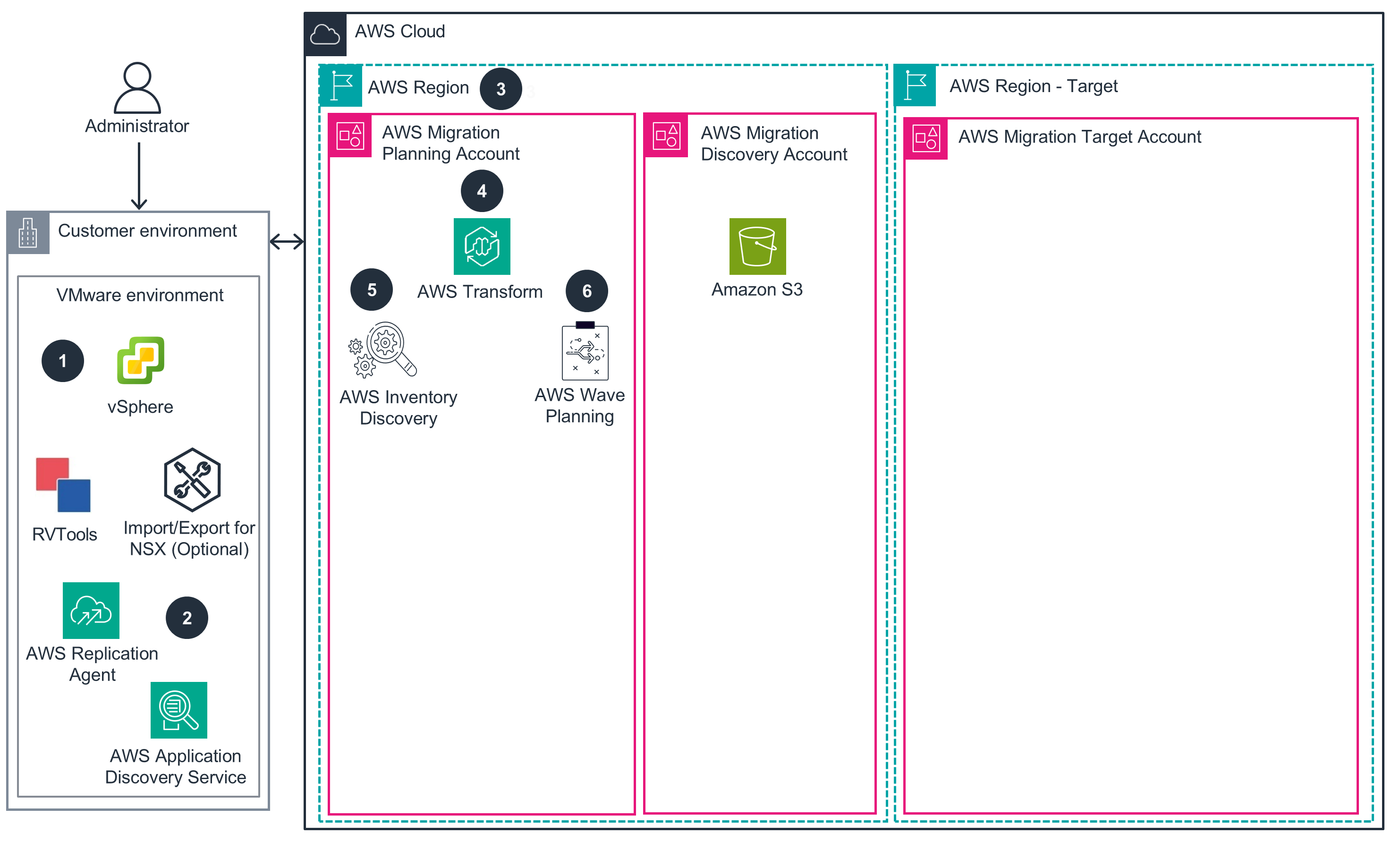
Phase 1
This architecture diagram shows environment setup and access configuration.
Phase 2
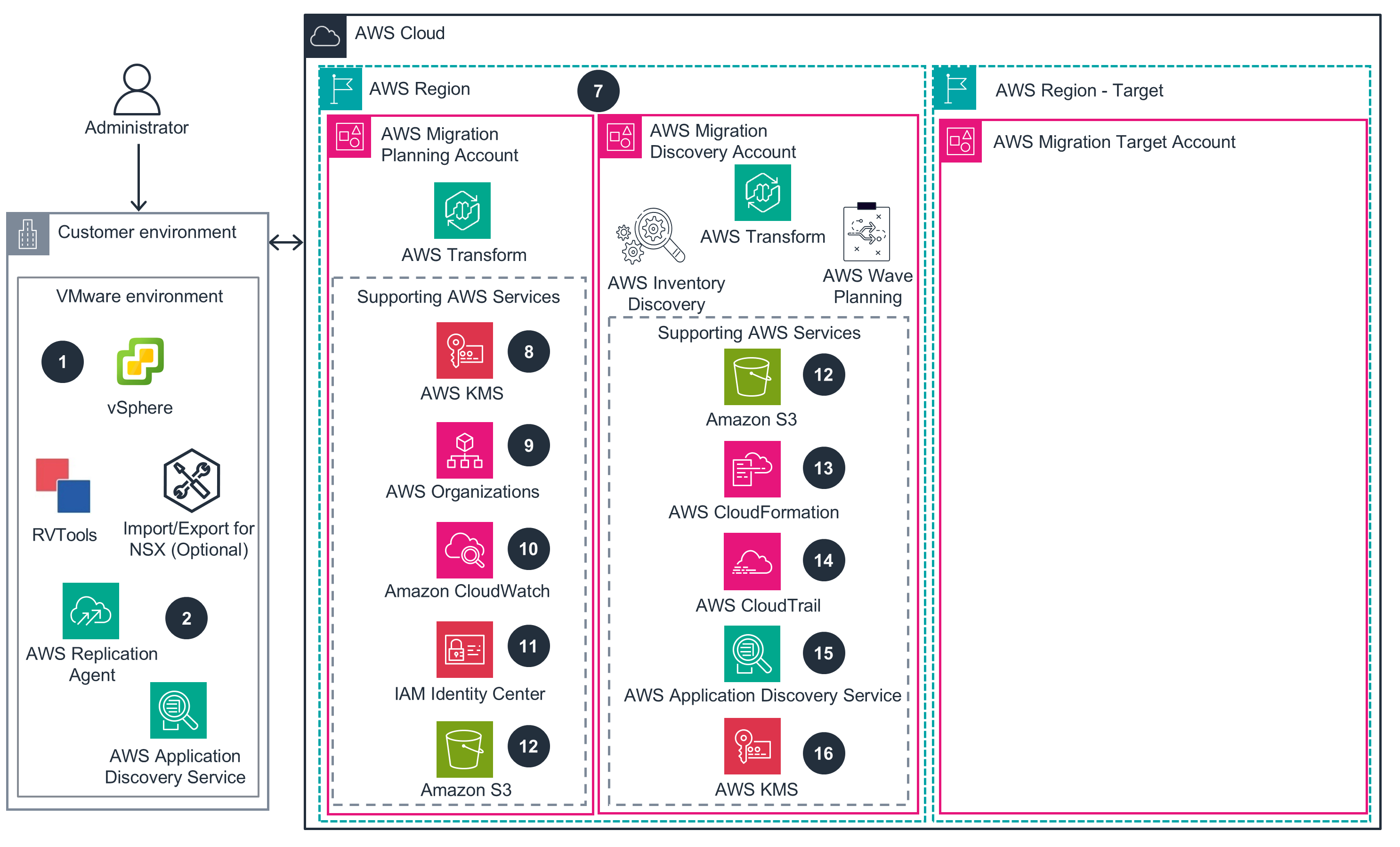
This architecture diagram shows data collection and initial migration planning.
Phase 3
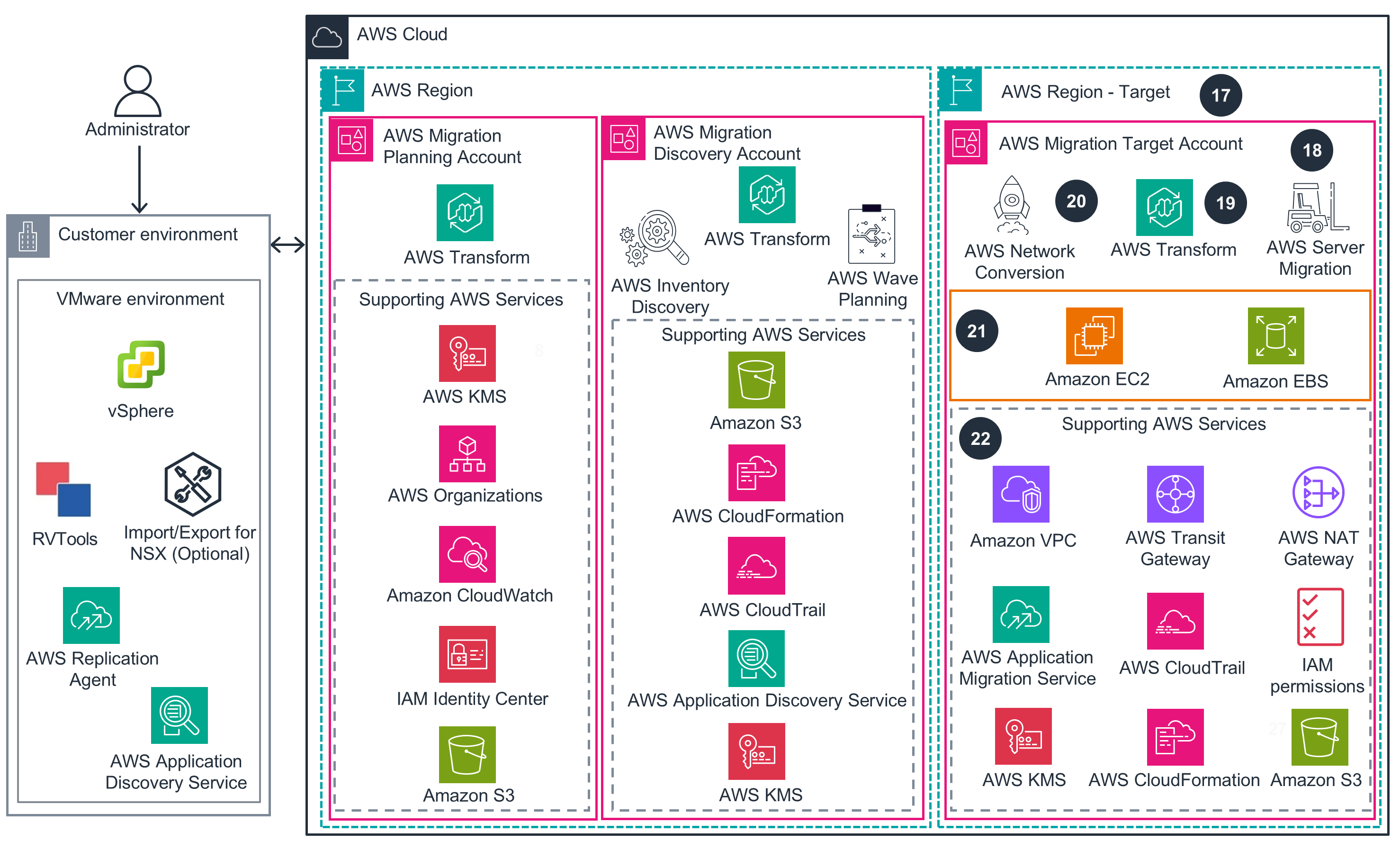
This architecture diagram shows workload migration and network conversion to AWS.
How it works - .NET
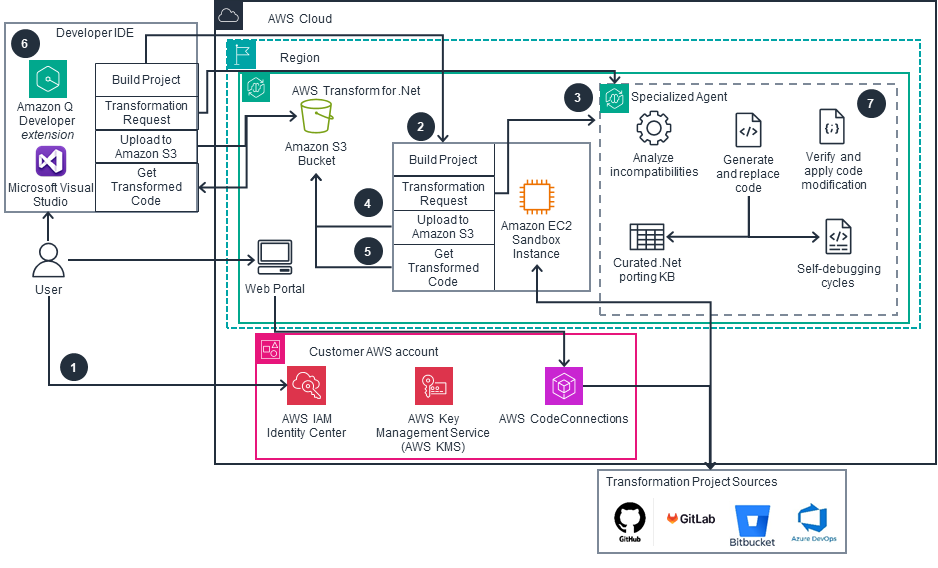
Standard .NET Transform Process
This architecture illustrates how to transform .NET code using AWS Transform for .Net, integrating developer IDE and web portal workflow with AWS services for secure, scalable code modification and deployment.
Web Experience-Specific
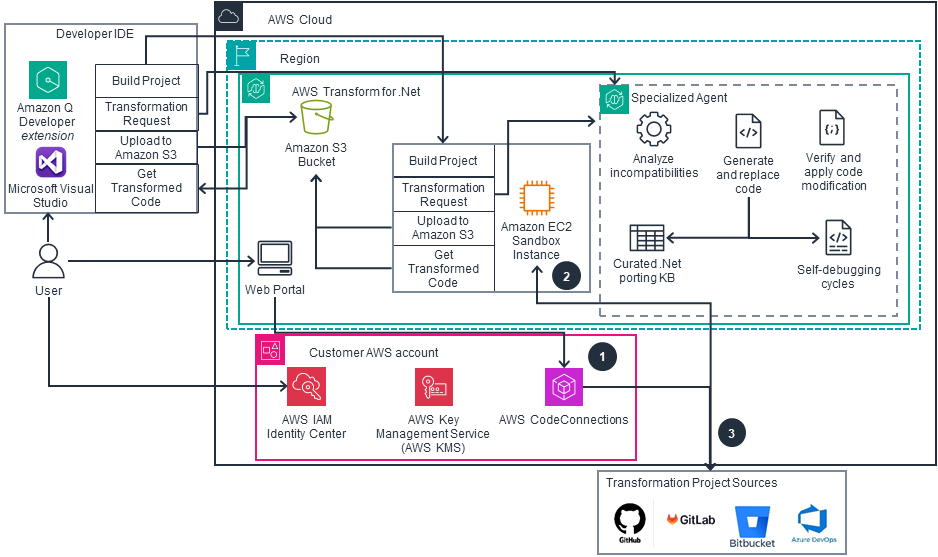
This architecture illustrates how to transform .NET code using AWS Transform for .Net, integrating developer IDE and web portal workflow with AWS services for secure, scalable code modification and deployment.
Supporting Services
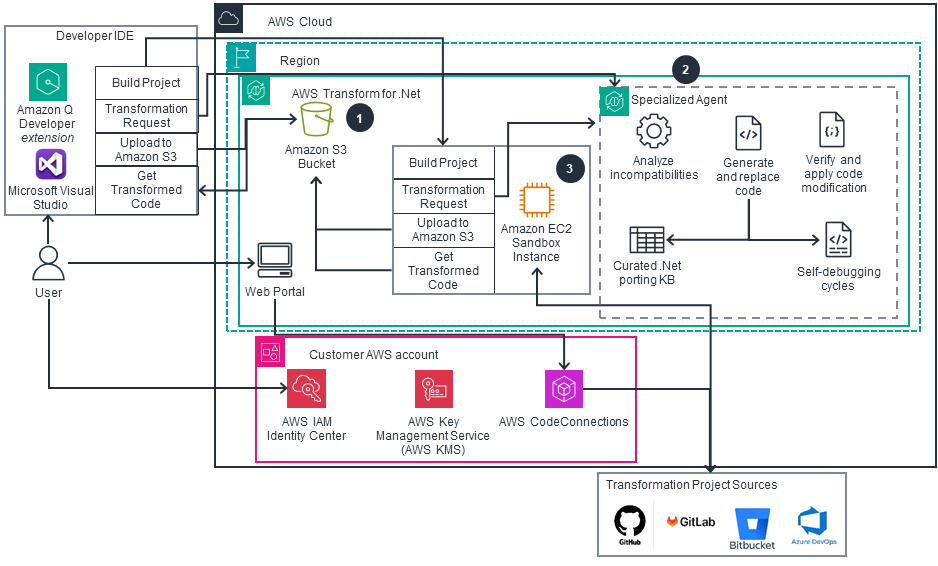
This architecture illustrates how to transform .NET code using AWS Transform for .Net, integrating developer IDE and web portal workflowwith AWS services for secure, scalable code modification and deployment.
Deploy with confidence
Ready to deploy? Review the sample code on GitHub for detailed deployment instructions to deploy as-is or customize to fit your needs.
Disclaimer
The sample code; software libraries; command line tools; proofs of concept; templates; or other related technology (including any of the foregoing that are provided by our personnel) is provided to you as AWS Content under the AWS Customer Agreement, or the relevant written agreement between you and AWS (whichever applies). You should not use this AWS Content in your production accounts, or on production or other critical data. You are responsible for testing, securing, and optimizing the AWS Content, such as sample code, as appropriate for production grade use based on your specific quality control practices and standards. Deploying AWS Content may incur AWS charges for creating or using AWS chargeable resources, such as running Amazon EC2 instances or using Amazon S3 storage.
References to third-party services or organizations in this Guidance do not imply an endorsement, sponsorship, or affiliation between Amazon or AWS and the third party. Guidance from AWS is a technical starting point, and you can customize your integration with third-party services when you deploy the architecture.
Did you find what you were looking for today?
Let us know so we can improve the quality of the content on our pages