跳至主要内容

Amazon Quick Sight

从所有企业数据中获取见解

使用 QuickSight 中的 Amazon Q 统一对结构化和非结构化数据的见解

概览

QuickSight 中的 Amazon Q 为用户提供对所有企业数据的统一见解。QuickSight 从传统商业智能数据来源中获取见解,并利用 Q 企业版从文档存储库、网站、消息、通话记录等来源提供的相关信息对其进行补充。
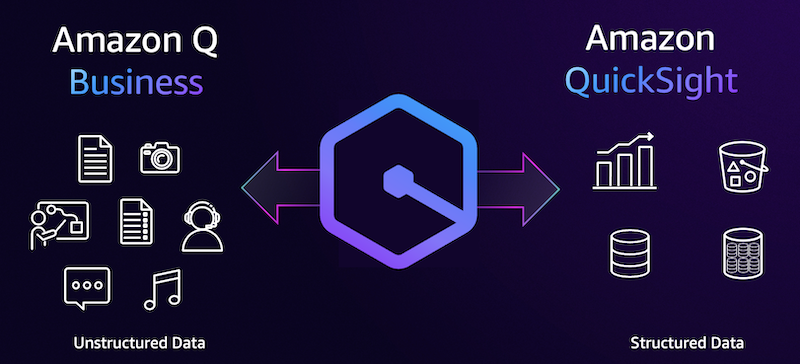
Diagram illustrating the integration between Amazon Q Business and Amazon QuickSight, comparing unstructured data (documents, photos, audio, video, chat) with structured data (charts, databases, tables).

获取更完整的见解

从所有企业数据中获取见解,为决策提供更好的依据。通过整合数据湖、数据库和数据仓库、文档存储库、网站、消息等,统一对结构化和非结构化数据的见解。

获取包含更多背景信息的问题的答案

QuickSight 中的 Amazon Q 现在可以使用文档、网络链接和其他非结构化资源,以扩充您对问题的回复,从而提供更多背景信息。如果您想深入了解数据,Amazon Q 还会引用相关的来源和链接。 
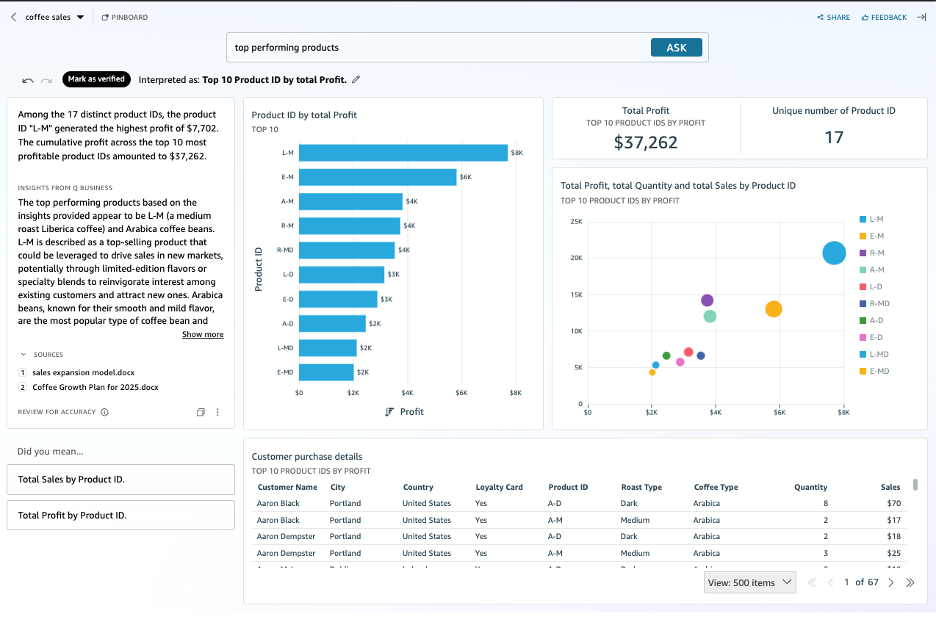
Screenshot of an Amazon QuickSight dashboard showing a data analysis for top-performing coffee products by profit. The dashboard displays visualizations such as a bar chart for Top 10 Product ID by Total Profit, a scatter chart of total profit, quantity, and sales, along with key metrics including total profit ($37,262), unique number of product IDs (17), and customer purchase details. The text analysis highlights insights based on unstructured data QA, product trends, and supporting business sources.

将数据叙事提升到新的水平

Amazon Q 可利用相关文档、报告和其他非结构化来源来增强数据故事中的叙述,让您的数据故事更加引人入胜。此外,还可上传本地文件,以便在 QuickSight 数据故事中使用 Amazon Q 时将本地文件作为叙述性数据故事的来源。数据故事提供来源引用,让您所有所需的数据触手可及。
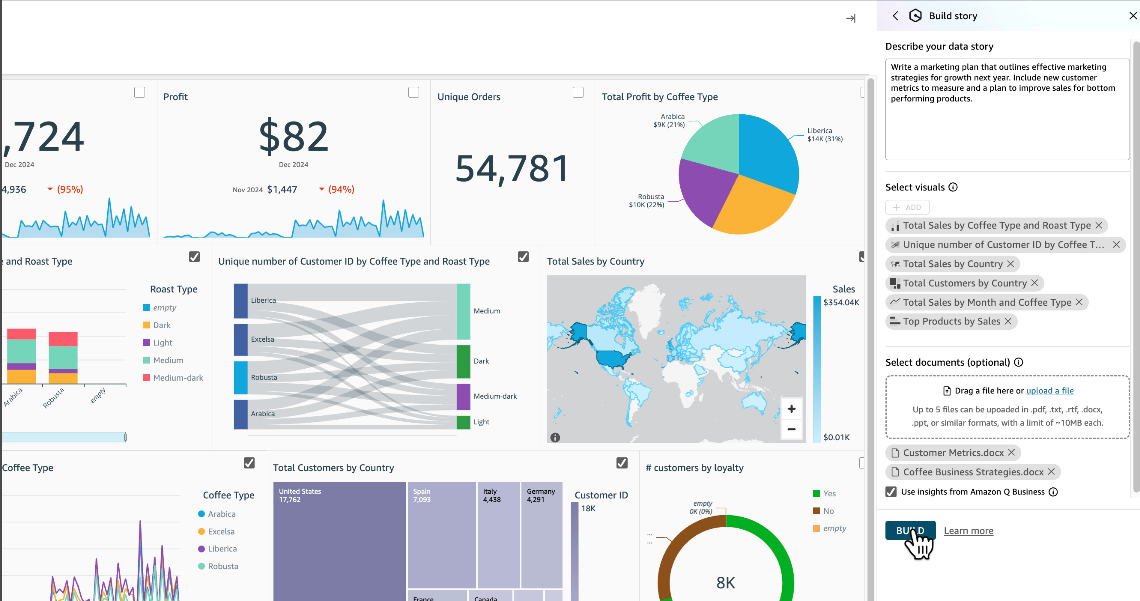
Screenshot of an AWS QuickSight dashboard displaying coffee sales analytics, including metrics such as profit, unique orders, total sales by country, coffee type breakdowns, customer loyalty, and interactive data visualizations.

简化管理

QuickSight 中的 Amazon Q 与 Amazon Q 企业版紧密集成,简化了管理。为用户提供统一的见解比以往任何时候都更容易,只需为用户进行一次配置即可无忧。  支持所有 QuickSight 身份,不再需要 IAM IdC。

找到今天要查找的内容了吗?

请提供您的意见,以便我们改进网页内容的质量。