Migration & Modernization
AWS Transform: Comprehensive Codebase Analysis for Modernization
Application modernization often begins with a difficult task: comprehensive legacy codebase analysis to understand how the system works. Many legacy applications evolve over years of incremental changes, leaving teams with limited documentation, tightly coupled dependencies, and business logic spread across multiple services and modules. For engineering teams, this lack of visibility creates a common challenge. Before modernization can begin, developers must spend time reviewing source code to understand application architecture, behavioral patterns, and hidden dependencies. Even with this effort, key insights such as cross-service dependencies, architectural constraints, or embedded business rules often get revealed later in the project when changes are more complex and costly.
AWS Transform comprehensive codebase analysis managed transformation addresses these challenges by providing a clear, evidence-based understanding of your application. This saves you months of manual effort and accelerates your modernization initiatives. In this post, we’ll walk through how the transformation works, prerequisites, execution steps, how to interpret the results, including a practical scenario, relationship with broader modernization efforts, best practices, and troubleshooting guidance. By the end, you’ll have a repeatable approach for turning undocumented legacy codebases into structured, navigable knowledge bases.
How AWS Transform Comprehensive Codebase Analysis works
This transformation operates strictly on static code analysis. It combines deterministic tools, foundational models (FMs), large language models (LLMs), graph neural networks, and automated reasoning to analyze four critical aspects of your application codebase:
- Component relationships and dependencies across the entire system.
- Behavioral patterns that reveal how code functions.
- Architectural decisions embedded in the implementation.
- Business logic extracted in plain language for stakeholder communication.
This multi-layered analysis produces structured documentation that helps both technical teams and business leaders make informed modernization decisions before problems arise during implementation.
Prerequisites
Before you begin, confirm you have:
- AWS Transform Command Line Interface (CLI) installed: Follow the getting started guide.
- AWS credentials configured: Set up your AWS CLI with appropriate permissions and verify your AWS credentials have permissions to call the AWS Transform service as outlined here. At minimum, you need transform-custom: * permissions.
- Git source code repository with readable files in a clean state: commit or stash uncommitted changes
Estimated completion time: 30-45 minutes (excluding analysis runtime, which varies by codebase size)
Step-by-Step Guide: Running Comprehensive Codebase Analysis
The following steps walk you through the complete process of running AWS Transform’s comprehensive codebase analysis on your legacy application, sharing results with key stakeholders, and acting on insights.
Step 1: Verify your environment
First, confirm you have installed and configured AWS Transform properly:
bash
atx -version
atx custom def list
The above command displays available AWS Transform managed transformations like AWS/early-access-comprehensive-codebase-analysis.
Note: Early access transformations are functional but might be frequently updated based on customer feedback. Over time, you’ll eventually see the name of the transformation listed as “AWS/comprehensive-codebase-analysis”
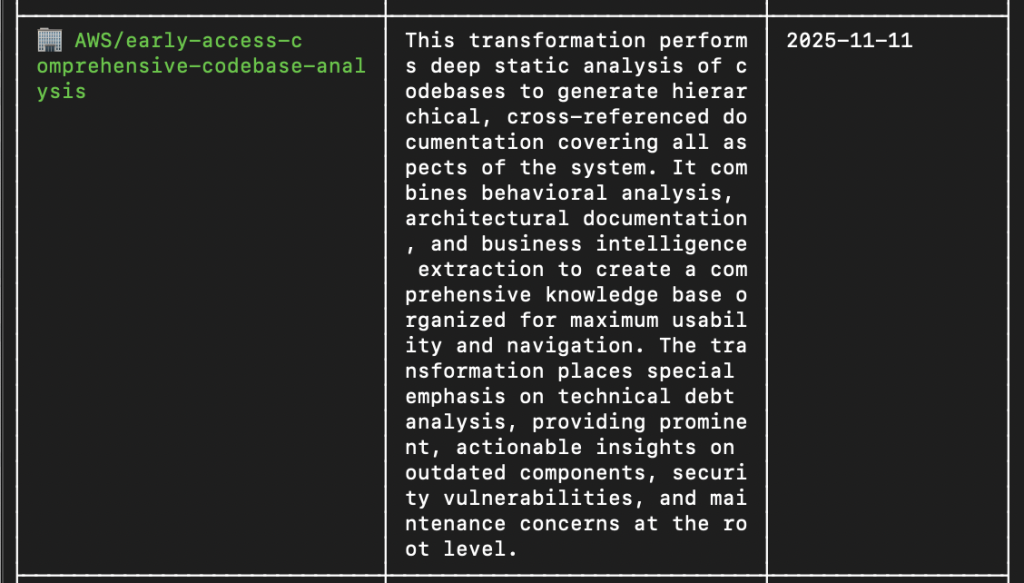
Figure 1: Confirming the comprehensive codebase analysis transformation is available in the list of AWS-managed transformation
Step 2: Prepare your codebase
Confirm your Git repository is in a clean state:
bash
git status

Figure 2: Verifying Git repository is in a clean state before running analysis
Clone an existing source code repository:
bash
git clone <repository-url>
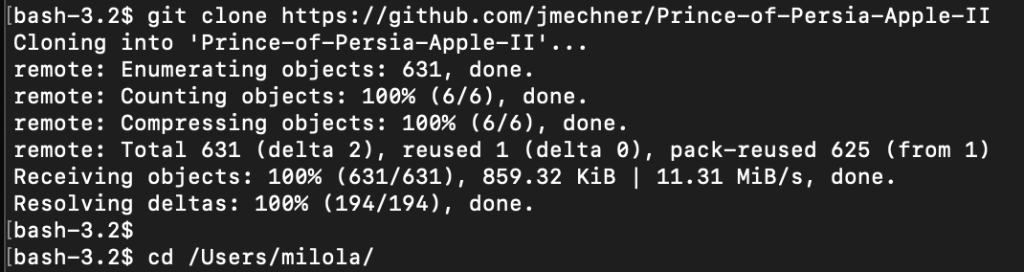
Figure 3: Cloning a legacy codebase repository for comprehensive analysis.
Step 3: Execute the following command in your terminal
Start a comprehensive analysis using AWS Transform, which performs deep static analysis across every file and dependency in your repository.
bash
cd /path/to/your/project atx custom def exec -p /path/to/your/repository -n AWS/early-access-comprehensive-codebase-analysis -c "noop" -x -t
Note:
-n specifies the transformation name
-c "noop" - Build command (no operation - skips build step)
-x - Auto-trust/execute tools without confirmation prompts
-t - Enable interactive terminal mode

Figure 4: Executing the comprehensive codebase analysis transformation with AWS Transform CLI
Step 4: Provide additional context (Optional)
For more targeted analysis, you can provide additional guidance using a configuration file:
Create a file named transform-config.yaml:
bash
cat > transform-config.yaml << 'EOF'codeRepositoryPath: /Users/milola/Prince-of-Persia-Apple-IItransformationName: AWS/early-access-comprehensive-codebase-analysisbuildCommand: noopadditionalPlanContext: | Focus analysis on the following areas: - Document the overall architecture and code structure - Identify deprecated or outdated coding patterns - Highlight areas that may benefit from modernization - Analyze dependencies and their relationshipsEOF
Execute the custom config file:
atx custom def exec -g file://transform-config.yaml -x -t
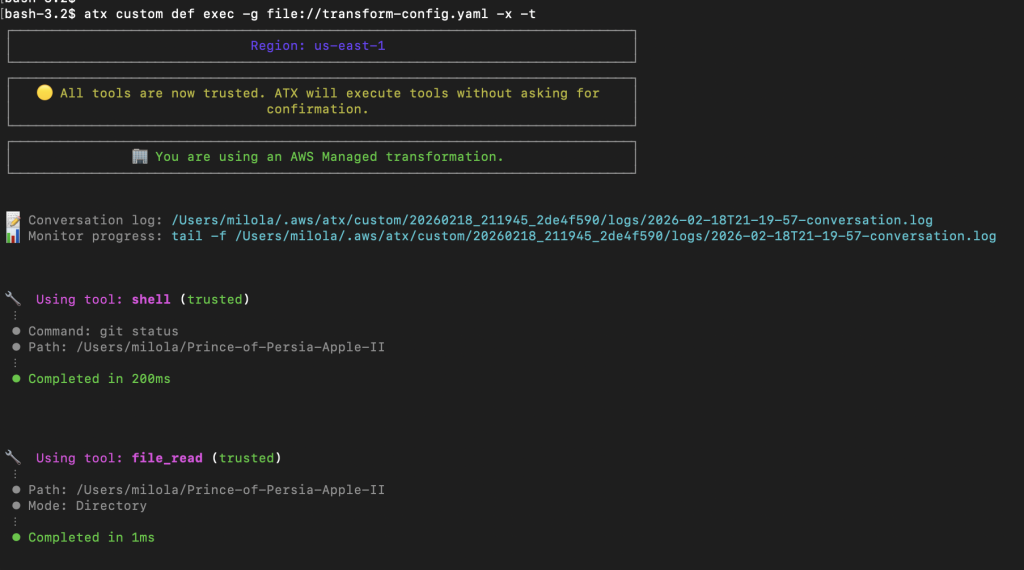
Figure 5: Running analysis with additional context using a YAML configuration file
Step 5: Monitor the analysis
As things progress, you receive findings organized into a hierarchical documentation structure, get prioritized technical debt insights, and access a cross-referenced knowledge base that you can easily navigate. Depending on the size and complexity of your codebase, the full process typically takes between 45 minutes to 2 hours or more.
Step 6: Review the results
When the analysis completes, you’ll see a comprehensive set of documentation organized across four areas:
- Technical debt report: A prioritized view of outdated components, security issues ranked by severity, and maintenance concerns assessed for their long-term impact.
- Architectural documentation: A system-wide overview, including component dependency graphs, service interaction patterns, and data flow diagrams.
- Business logic extraction: Plain-language descriptions of complex processes, surfacing key business rules, validation logic, and external integration points.
- Code analysis: A file-by-file breakdown of the codebase, presenting complexity metrics, code quality indicators, and specific refactoring opportunities.
The following are screenshots of the project overview, technical debt report, code analysis output, and system architecture overview.
Project Overview:
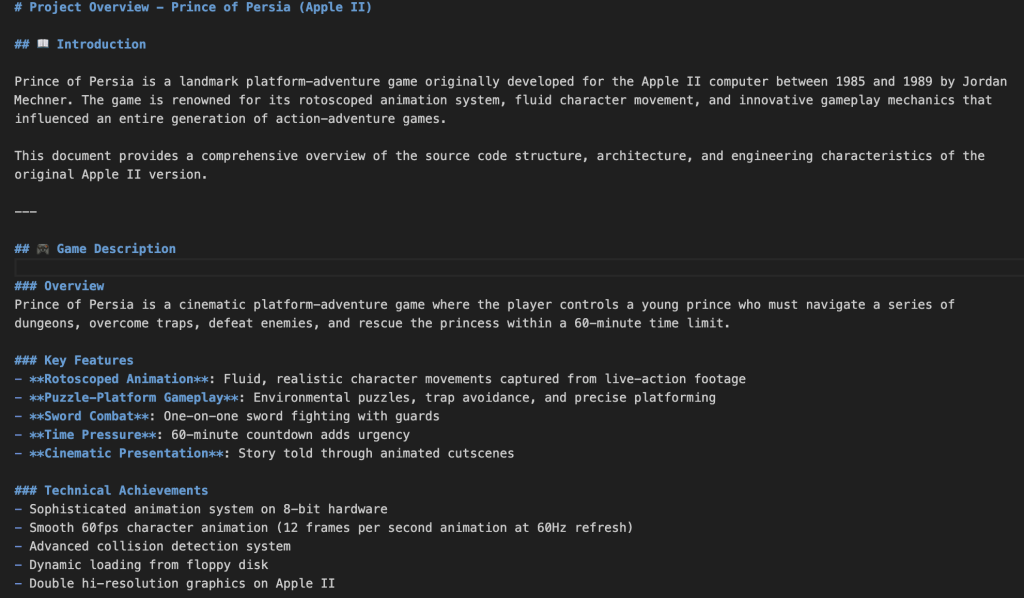
Figure 6: Project overview documentation generated by comprehensive codebase analysis, including business context and technical achievements
Technical Debt Report:
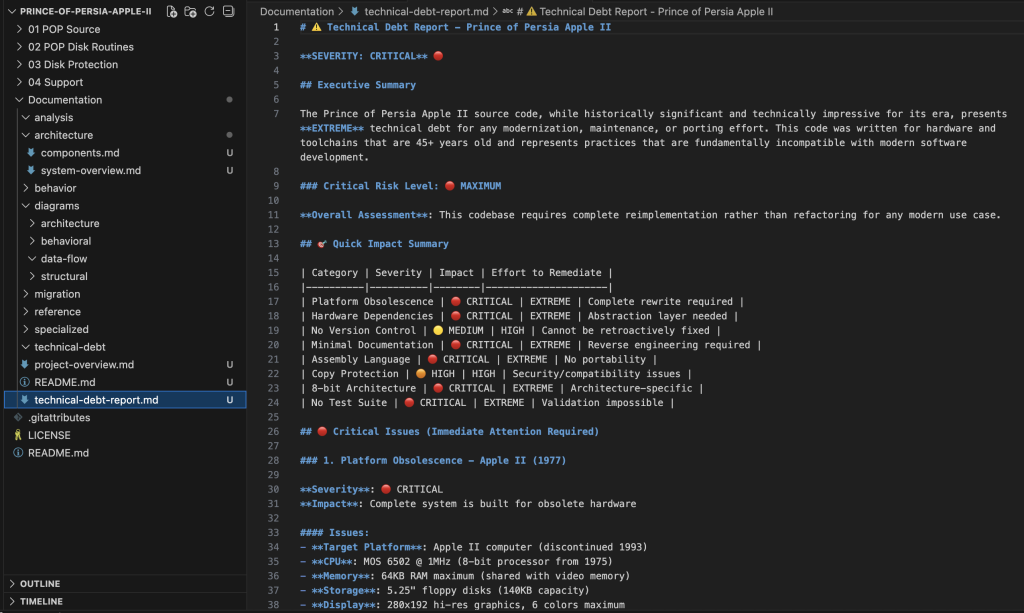
Figure 7: Technical debt report highlighting critical issues prioritized by severity, including platform obsolescence and hardware dependencies
Code Analysis:
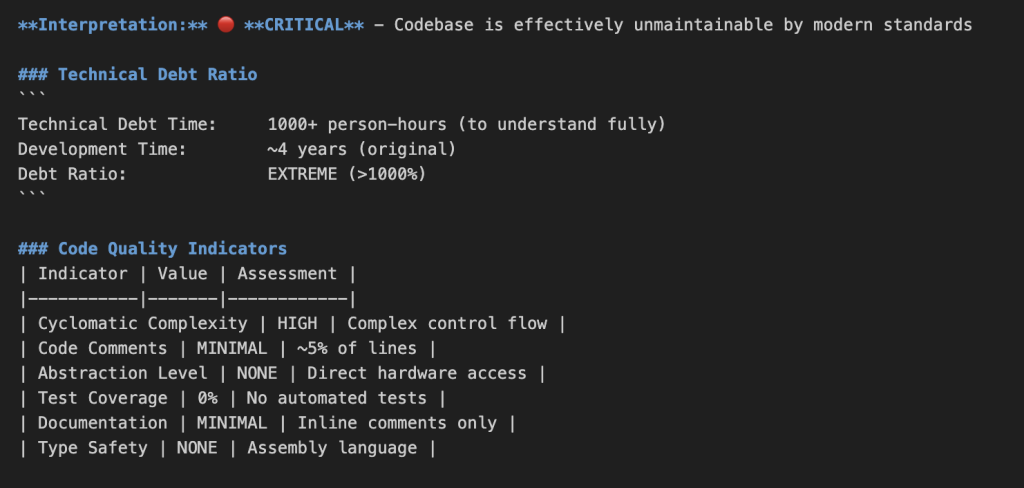
Figure 8: Code analysis metrics showing complexity, maintainability indicators, and quality assessment
System Architecture Overview:
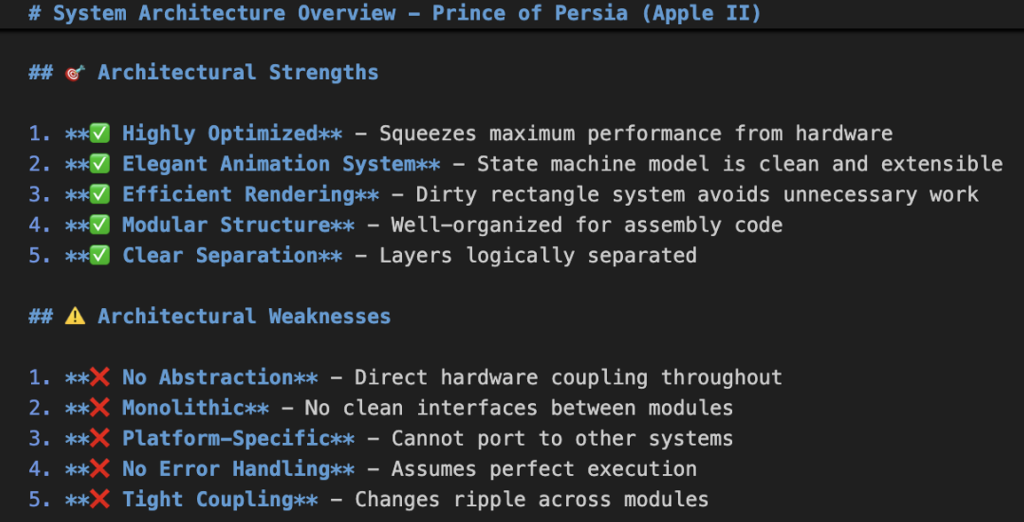
Figure 9: Architectural documentation showing system strengths and weaknesses with specific assessment of modularity and coupling
Step 7: Navigate the knowledge base
The generated documentation is structured to support both high-level review and deep investigation.
At the root level, an executive summary appears alongside the most important technical debt findings, which reveals insights that demand immediate attention. Moving down, the domain level groups related components into logical clusters, while the component level provides detailed analysis of individual modules.
Throughout the documentation, cross-references connect related components and dependencies, which makes it easier for teams to trace relationships across the system without losing context.
Start at the top, then analyze the areas that are most relevant to your modernization priorities.
Step 8: Export and share
Tailor what each group receives based on their specific responsibilities and decision-making needs. This targeted approach lets each team act on the insights most relevant to their role in the modernization effort immediately.
Start by presenting the technical debt report to your engineering teams, as this will inform refactoring priorities and architectural constraints they’ll encounter during modernization.
Architecture teams will find the system-wide documentation invaluable for planning the target state and identifying integration points that need careful consideration.
Business stakeholders benefit significantly from the plain-language business logic extraction, which helps them verify that critical workflows and rules are preserved during the transformation.
Security teams can also review the dependency analysis and architectural insights to identify potential security considerations early in the modernization process.
Step 9: Act on the insights
The output is only as valuable as what you do with it. In the near term, focus on addressing pertinent security issues, formally documenting high-priority technical debt, and incorporating findings into upcoming sprint planning. Strategically, architectural insights inform decomposition decisions for monolithic systems, while dependency analysis shapes the sequencing of your modernization waves. The technical debt data provides the foundation for building a compelling business case grounded in measurable risk and impact.
Practical scenario
You’ve inherited a monolithic application with decades of history, minimal documentation, and a shrinking pool of developers who understand it, and business stakeholders need modernization timelines within weeks, not months. Comprehensive codebase analysis accelerates the discovery phase that would otherwise require extensive manual effort, delivering actionable results in hours rather than weeks. It generates complete dependency graphs showing how components interact, identifies technical debt hotspots prioritized by risk and impact, extracts business logic that bridges technical and business understanding, and provides architectural insights that inform decomposition strategies. This foundation helps you make informed decisions about whether to refactor, re-platform, or replace specific components, providing business stakeholders with realistic modernization timelines backed by evidence, not guesswork.
Relationship with broader modernization efforts
Comprehensive codebase analysis is designed to work alongside broader modernization capabilities, not in isolation. The insights it generates can be used throughout your modernization journey. For decomposition planning, the insights provide an understanding of how to break down monolithic applications into manageable domains based on actual dependencies and architectural boundaries. The technical debt analysis prioritizes your modernization waves, ensuring sequential work based on risk, impact, and business value. The detailed component analysis clarifies refactoring decisions, showing which parts of the system are candidates for transformation versus full replacement. For business stakeholders, the extracted business logic provides the narrative needed to build a business case for modernization investment. Think of it as the foundation that makes every subsequent step more deliberate and better informed.
Best practices
Before you run the transformation, document known issues or limitations that might affect the results and identify the specific areas of concern you want it to focus on.
Provide clear additional context to guide the transformation toward targeted insights and include relevant architectural diagrams or documentation that can enrich the output.
After the analysis completes, review the technical debt findings as a team and prioritize remediation based on business impact, not technical severity alone.
Use the insights to inform sprint planning and longer-term roadmaps and share the documentation with both technical and non-technical stakeholders so everyone understands the full picture of the system.
Troubleshooting
Results lack specific insights
If the output feels too general, the most effective fix is to provide more detailed context through additionalPlanContext that gives the agent clearer direction. Specify the focus areas or domains you care most about, such as authentication, payment processing, or a particular service layer, and consider including existing architectural documentation or diagrams as reference material, so the agent can produce more targeted findings.
Analysis fails to complete
If the analysis cannot complete, check for missing dependencies or configuration files that the agent might not resolve on its own, and confirm that your Git repository is in a clean state with no uncommitted changes that could interfere with the process. For large or complex codebases, provide focused additionalPlanContext to guide the agent.
Documentation is too broad
If the generated documentation covers more ground than you need, narrow the scope by specifying modules or domains in your additionalPlanContext. You can also run the analysis on a specific subdirectory instead of the full repository, which allows you to get focused, actionable insights on the areas that matter most without wading through system-wide output.
Conclusion & next steps
Understanding your codebase is the foundation for modernization success. AWS Transform’s comprehensive codebase analysis transforms months of manual documentation into hours of AI-powered insight generation. This gives you the clarity to make informed decisions before modifying the code. With this foundation, you can modernize strategically rather than reactively, turning legacy applications into scalable, maintainable systems that drive your business forward.
As for next steps, start with a pilot modernization project. Review the additional resources below and run the comprehensive codebase analysis on a legacy codebase. Use the architectural insights to inform decomposition planning, prioritize your modernization waves based on technical debt findings, and share the extracted business logic with stakeholders to build alignment. You can re-run this periodically to track progress and validate that your modernization efforts are delivering the outcomes you planned for.
Additional Resources
AWS Transform custom Documentation
AWS Comprehensive Codebase Analysis
Getting Started with AWS Transform
Quotas for AWS Transform
Ask questions on re:Post