Amazon Connect Customer Tasks
Resolve issues quickly and improve agent productivity by prioritizing, tracking, managing, and automating agent tasks
Route, track, and automate tasks for agents
Amazon Connect Customer Tasks unifies agent workflow by centralizing task management and customer follow-up in one interface. By eliminating the need to switch between multiple systems and automating routine work, agents can focus on what matters most - delivering exceptional customer experiences. Managers can create automated workflows that boost productivity and accelerate issue resolution.

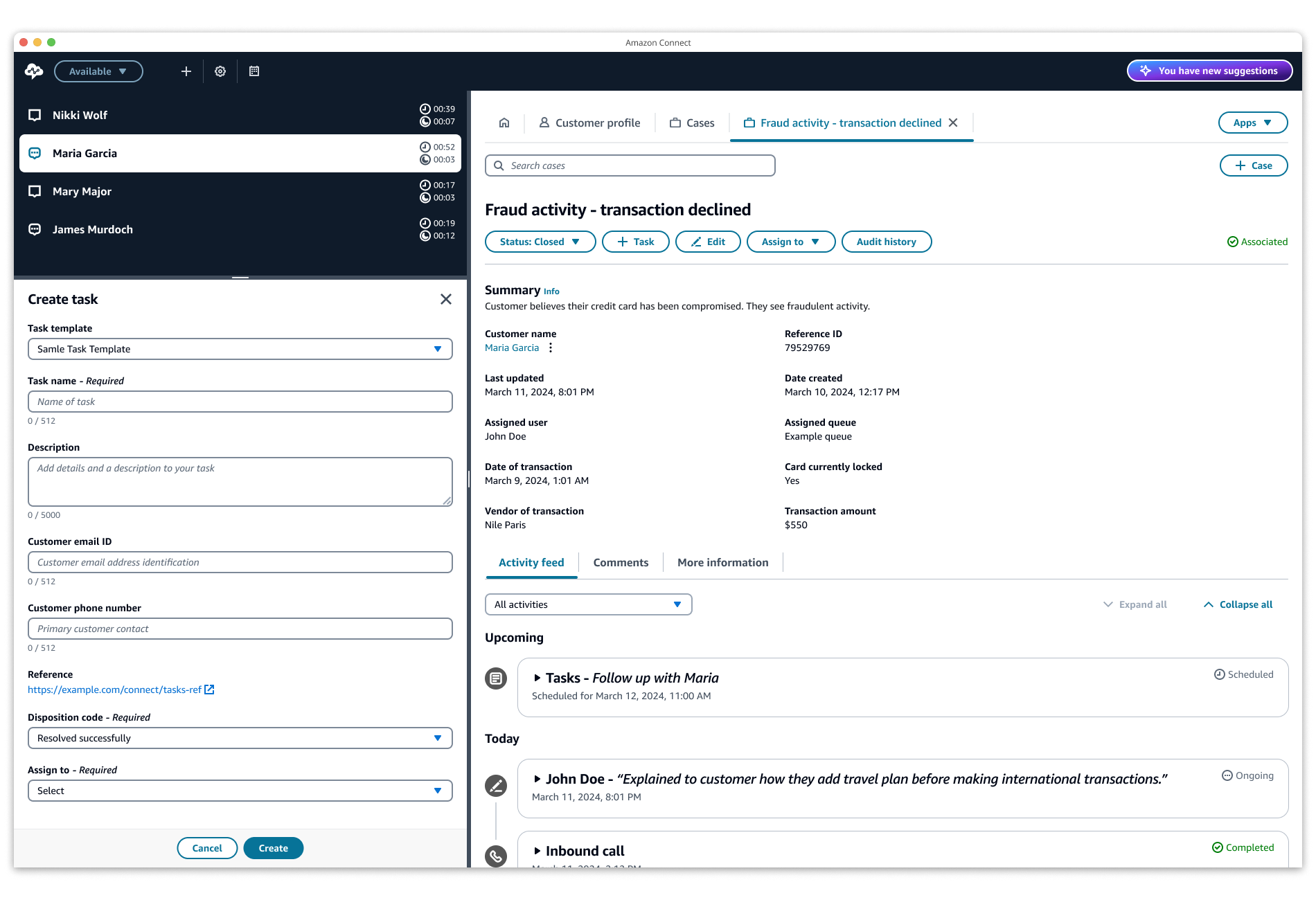
Consolidate all agent work in one interface
Work smarter with a single interface that consolidates all tasks, calls, and chats. Use customizable task templates for common activities like payments and appointments, eliminating the need to switch between tools.
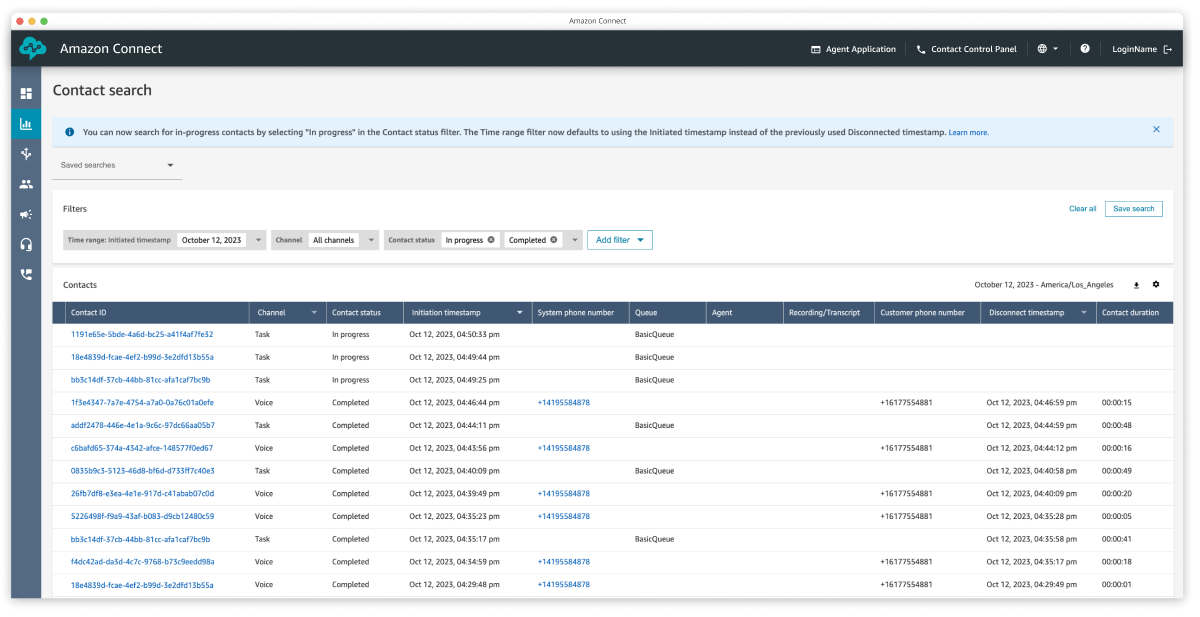
Track and monitor agent work
Track agent productivity across all work types with real-time and historical dashboards. Monitor key metrics like handle time, task status, and workload distribution to optimize staffing and identify coaching opportunities.
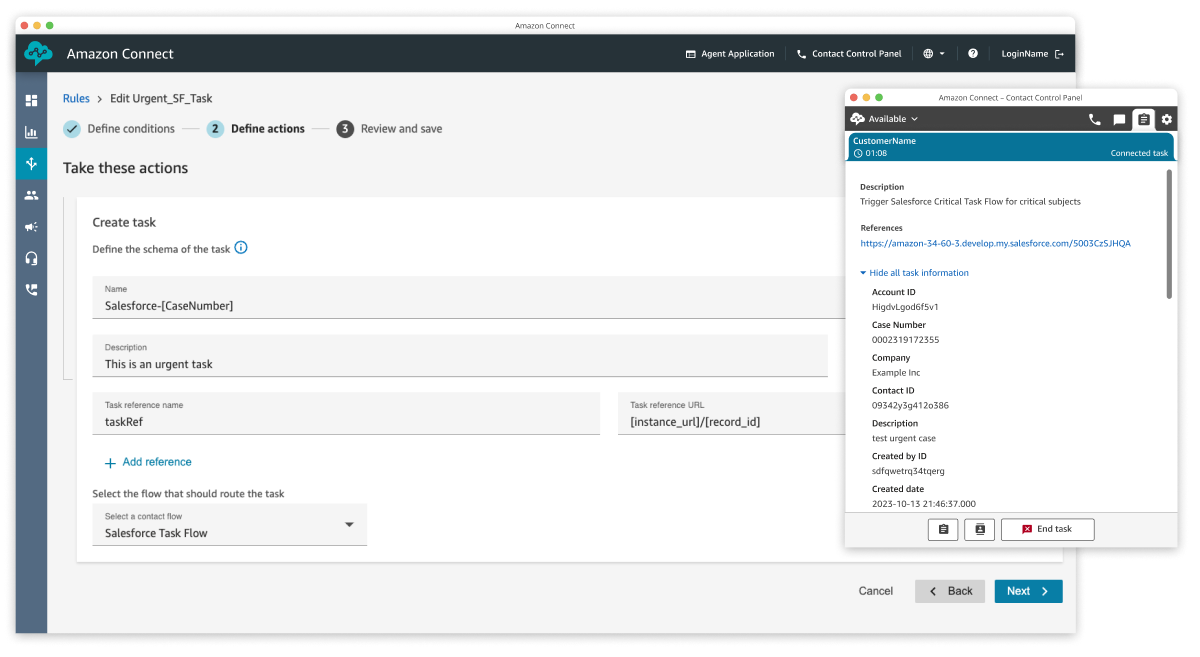
Prioritize and distribute work across disparate applications
Automatically route tasks to the right agents based on priority and skills. Attach relevant information from external tools to give agents full context without application switching.
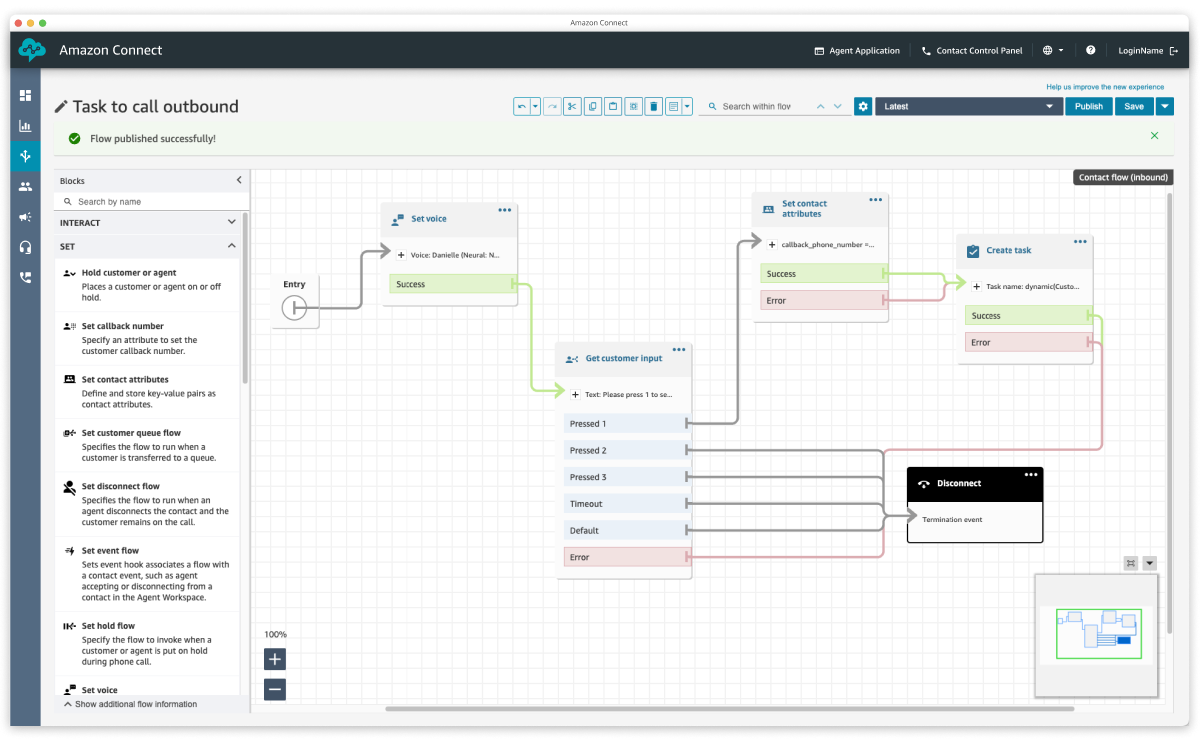
Automate agent tasks and repetitive workflows
Streamline operations by automating repetitive workflows and connecting data across applications. Set up automated processes for common service tasks, letting agents focus on delivering personalized customer experiences.
Link Tasks with native features and business applications
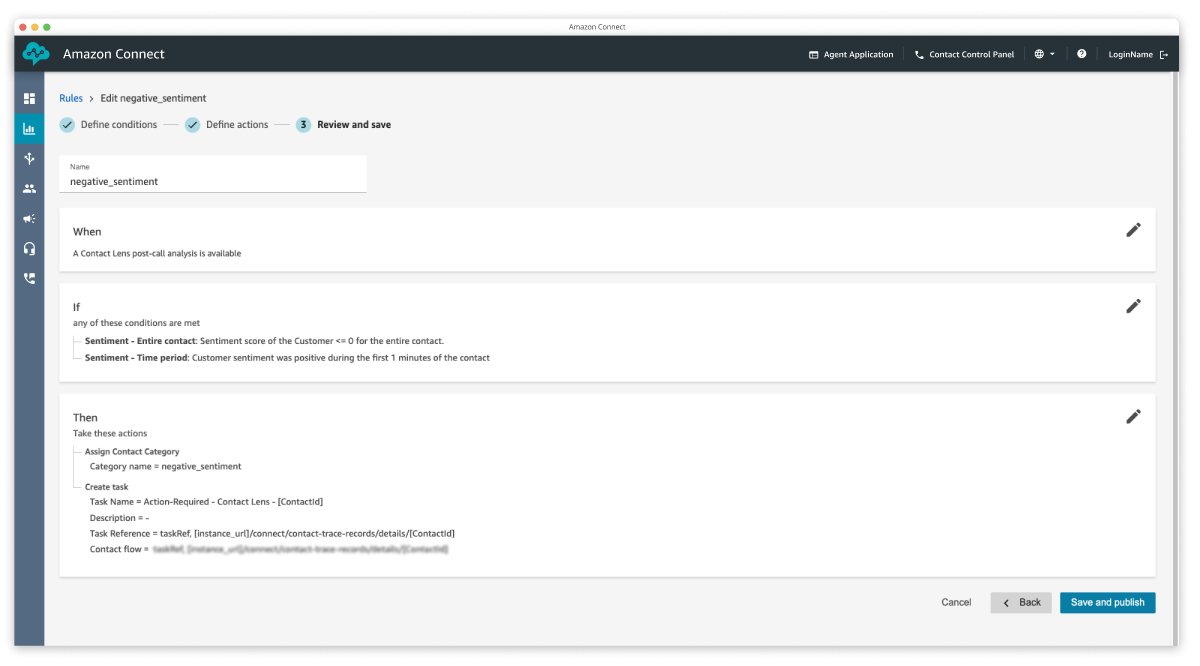
Connect Customer Tasks with other Amazon Connect Customer features and external business applications through built-in connectors and APIs. Automatically create tasks based on customer sentiment, agent performance, or activity in systems like Salesforce and Zendesk.
Customer stories
Arbonne
Learn how Arbonne used Amazon Connect Customer Tasks to automate and prioritize agent tasks for faster resolutions.

Fujitsu
Fujitsu is an innovative, global information technology and services provider that helps organizations across multiple industries thrive in the modern digital world by driving new value from cutting-edge digital technologies.
"At Fujitsu, our IT services exist to keep our customers’ businesses running, and Amazon Connect Customer empowers 5,300 of our contact center agents to better serve customers. Outside the 300,000 interactions our agents handle each month, they have to spend hours each day on additional tasks such as resolving open emails and tickets. This is a manual, time-consuming process that often leaves important tasks incomplete. Amazon Connect Customer Tasks will allow our managers to prioritize, assign, and track all tasks. Through connectors to external applications such as Salesforce, Amazon Lex chatbots, and Amazon Pinpoint, we can automate tasks like follow-ups to customers. With Amazon Connect Customer Tasks, we expect our agent productivity to improve 30% and expect to refine our customer experience even further with other Amazon Connect Customer innovations."
Alex Sanchez, Head of Global Offering Technology and GDC Networks

Blogs



FAQs
Open allFor more information, see Amazon Connect Customer.
To get started with Tasks, log in to your Amazon Connect Customer instance and enable Tasks in your routing profile. This blog post provides instructions on how to set up Amazon Connect Customer Tasks for your contact center. To learn more, see our help documentation.
Tasks provides companies with built-in connectors to CRM applications (such as Salesforce and Zendesk) and APIs to integrate with any homegrown or business-specific applications.
For pricing of Tasks and other Amazon Connect Customer capabilities, see Amazon Connect Customer pricing.
A case represents a record of a customer’s unique issue, such as an insurance claim. A task can track the actions or work that must be done to resolve the customer’s issue (for example, review claim details, discuss with a claims adjuster, find a collision shop, and call to follow up with the customer). With the addition of Tasks, a case will record all prior and pending tasks associated with resolving the issue, including call and chat information. For every case, tasks can be created and accessed within the case UI, which is natively integrated in the agent workspace. For more information, see Amazon Connect Customer Cases.
For latest region availability, see Amazon Connect Customer feature availability by region.