AWS Cloud Financial Management
Automate AWS Cost Reporting with Scheduled Dashboard Email Delivery
Imagine it’s Monday morning and your CFO, engineering directors, and finance team all receive a comprehensive AWS cost report in their inbox, without anyone on your FinOps team lifting a finger. The report shows last week’s spending trends, Savings Plans utilization, and cost breakdowns by service, all formatted professionally and ready for review during the weekly business review. AWS Billing and Cost Management Dashboards delivers this with scheduled email delivery, available today. For many organizations, distributing cloud cost insights to stakeholders has been a time-consuming manual process. FinOps teams repeatedly spend valuable time logging into the AWS Console, generating reports, taking screenshots, formatting presentations, and emailing materials to executives and engineering leaders who don’t have AWS Console access. With scheduled email delivery for Billing and Cost Management Dashboards, you can now automate this entire workflow.
In this post you will learn why you should use the new email reports capability in Billing and Cost Management Dashboards, key features of the launch, and step-by-step guidance on how to get started.
Why should you use Billing and Cost Management Dashboard email reports?
Reduce repetitive manual reporting work
The reporting cycle repeats itself week after week and month after month, pulling FinOps teams away from higher-value work each time it comes around. With scheduled email delivery, configure your report once and the system handles generation and distribution automatically.
Provide offline access for non-technical stakeholders
Senior executives, board members, and finance teams need regular visibility into cloud costs, yet many don’t have AWS Console access or time to navigate reporting tools. Scheduled email delivery sends password-protected PDF reports directly to their inboxes, ready for review during board meetings, budget reviews, or strategic planning sessions. No AWS account access required.
Allow consistent, timely distribution of financial intelligence
Manual reporting is prone to delays and inconsistencies. Competing priorities push reports past deadlines and some recipients never receive them. Automated email delivery sends all stakeholders the same professionally formatted reports at the same time, on a predictable schedule.
Key features of Billing and Cost Management Dashboard email reports
Schedule reports that fit your workflow
Configure daily, weekly, or monthly delivery at specific times that align with your organization’s review cadence, with optional start and end dates.
Share cost reports without compromising security
Recipients receive secure, time-limited links to password-protected PDF reports stored encrypted in AWS-managed S3 buckets, with pre-signed download URLs expiring after 15 days.
The right report for every audience
Export entire dashboards for executive reviews or individual widgets for focused team discussions, with a PDF preview to verify layout and make adjustments before generating the final file.
Integrate reporting into your existing workflows
Scheduled reports are available via AWS SDKs and CLI, letting you integrate report scheduling into infrastructure-as-code or custom automation workflows using the Billing and Cost Management Dashboards API.
Stay in control of who sees your cost data
The feature respects your existing Billing and Cost Management Dashboard permissions, with validation at report creation to confirm you have access to all underlying data sources.
Easily manage who receives your reports
Manage recipients centrally through AWS User Notifications, with a one-time email verification and reusable contact lists across multiple dashboard reports.
How to get started
Before getting started, you will need permissions to view, list, create, update and delete AWS User Notification (UNO) Notification configurations.
Getting started with scheduled email delivery takes just a few minutes. Here’s the high-level workflow:
1. Navigate to Dashboards in the Billing and Cost Management console, select the dashboard you want to export, and from the Actions menu choose “Manage email reports” → Create a new report.
2. Give your report a name and description, configure whether to send the entire dashboard or a single widget, and optionally set a reporting period (e.g., last 7 days, last month, year to date). Use the preview to verify the layout before proceeding.
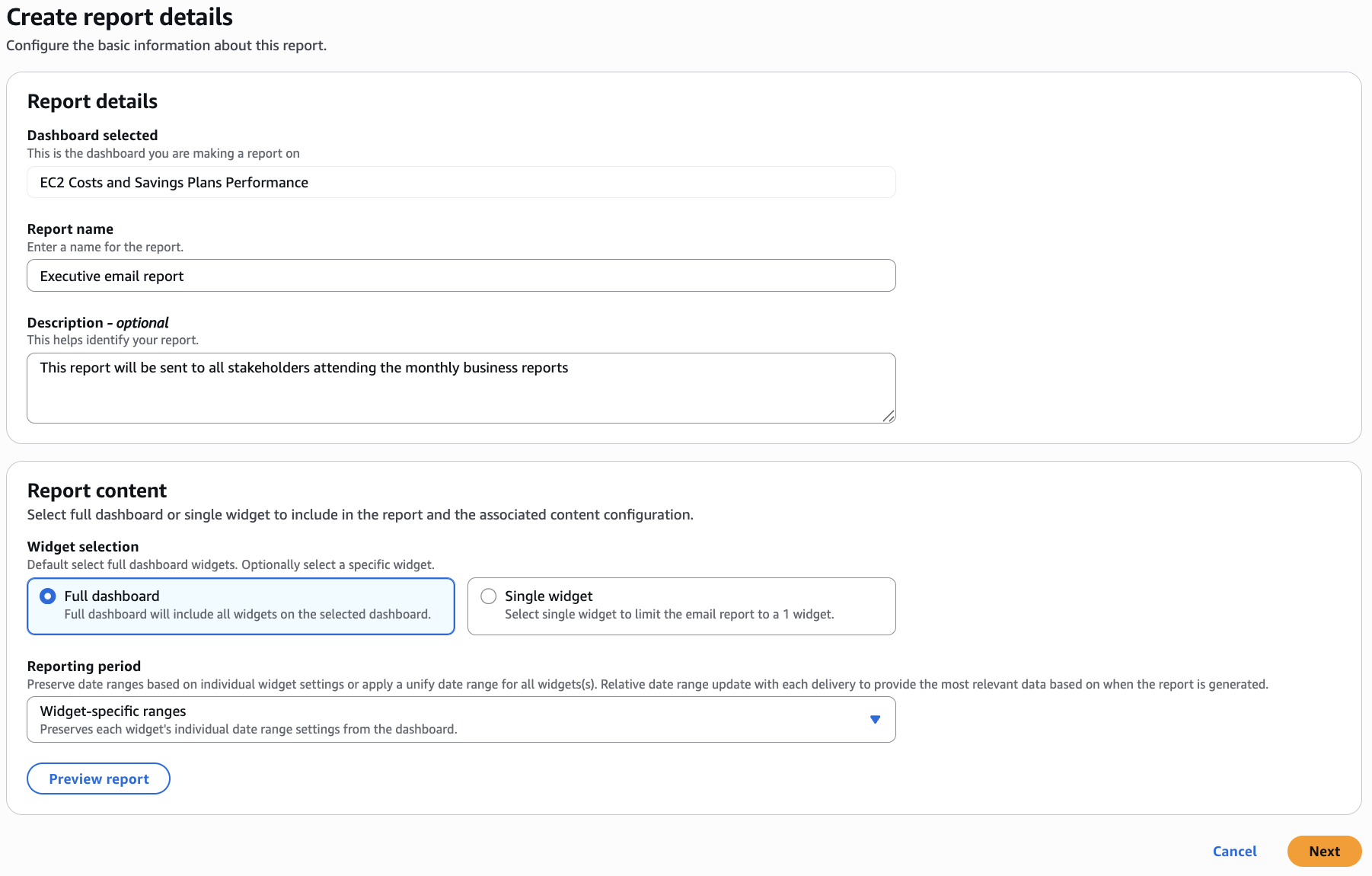
Figure 1: Report details and content
3. Specify recipients by selecting an existing AWS User Notifications configuration or creating a new one. For stakeholders without AWS Console access, use an email distribution list, as any member with console access can complete the one-time verification on behalf of the group.
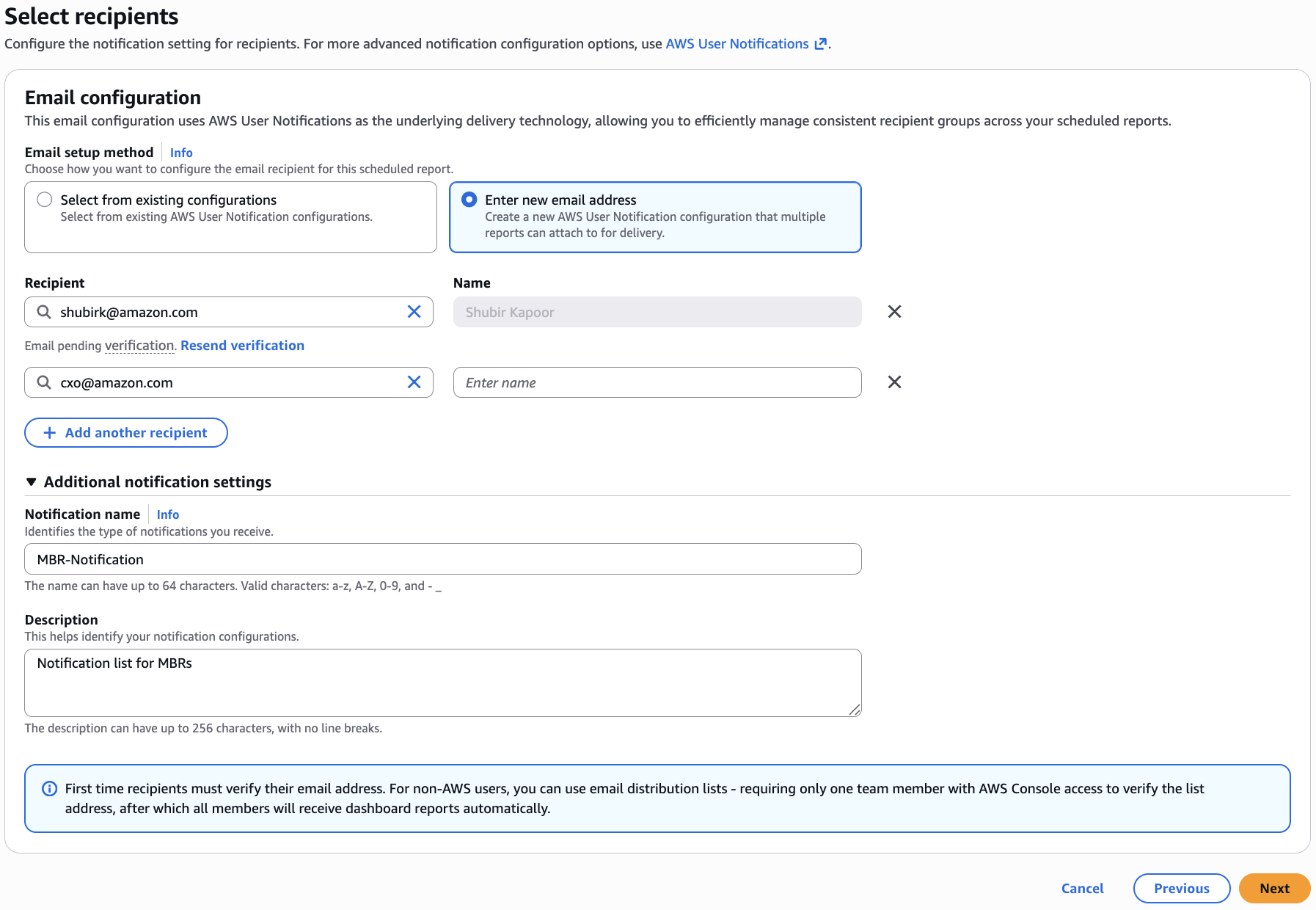
Figure 2: Configuring email recipients
4. Configure your delivery schedule (daily, weekly, or monthly), delivery time, and an end date (maximum 3 years from creation).
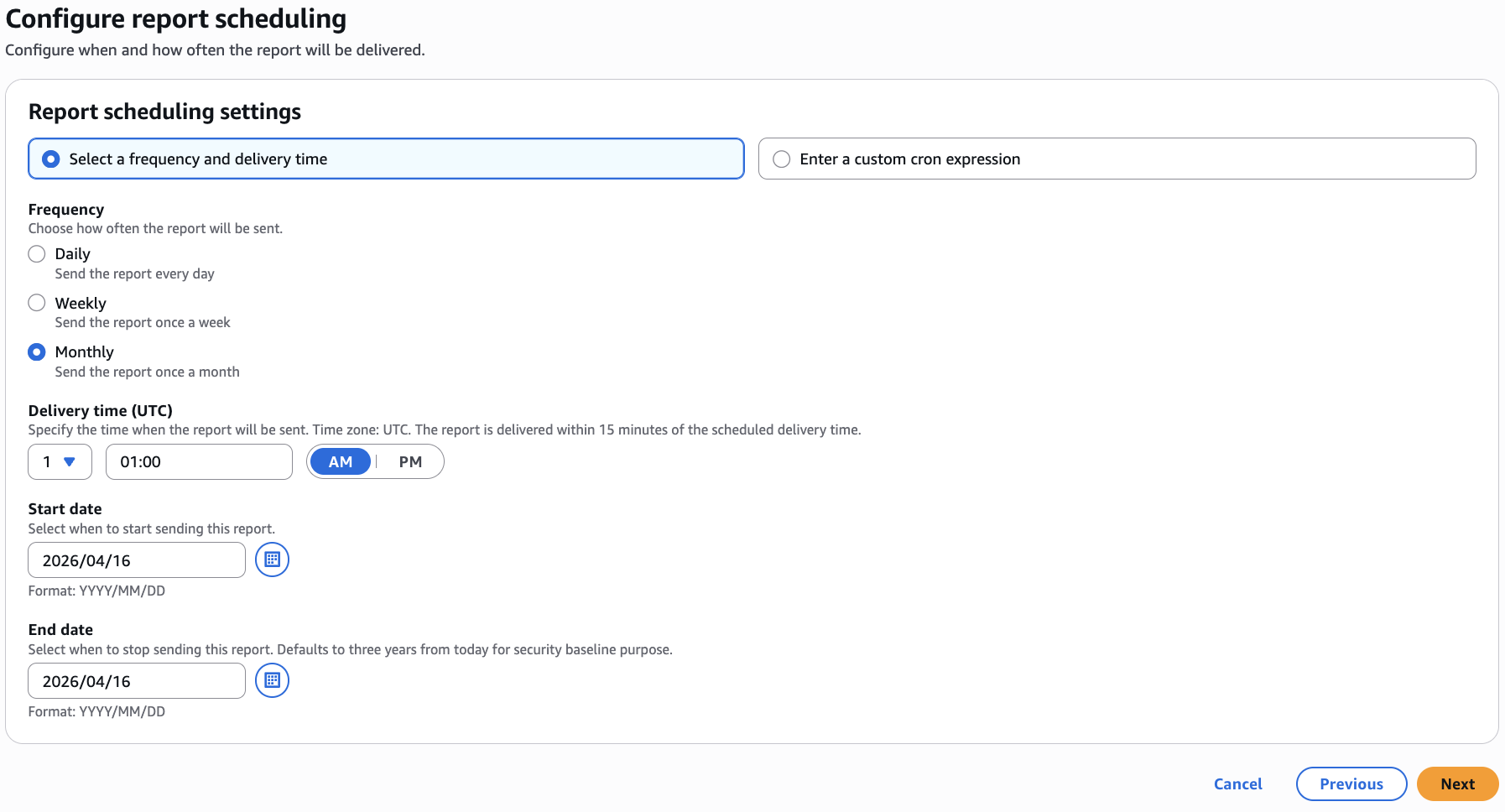
Figure 3: Configure report schedules
5. Grant permissions for the service to generate and deliver reports by creating or selecting a service role.
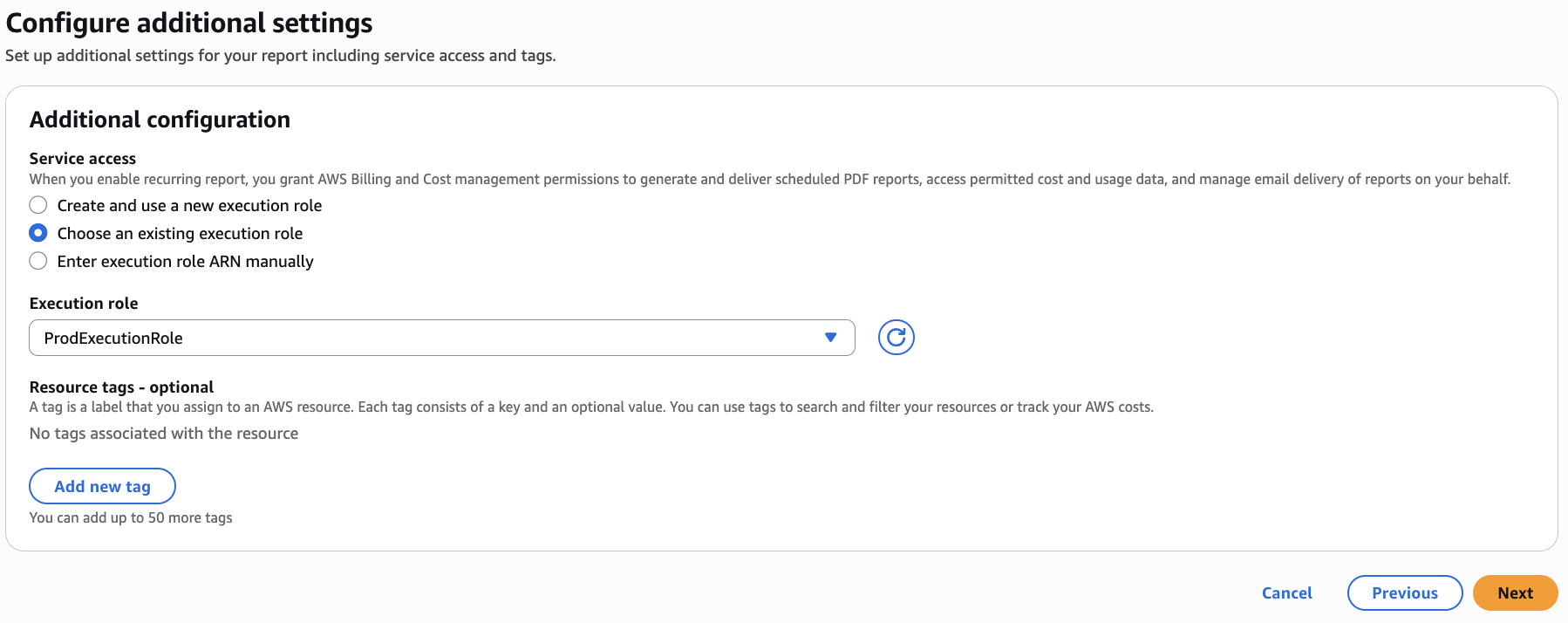
Figure 4: Manage security and permissions
6. Review all selections and click Create.
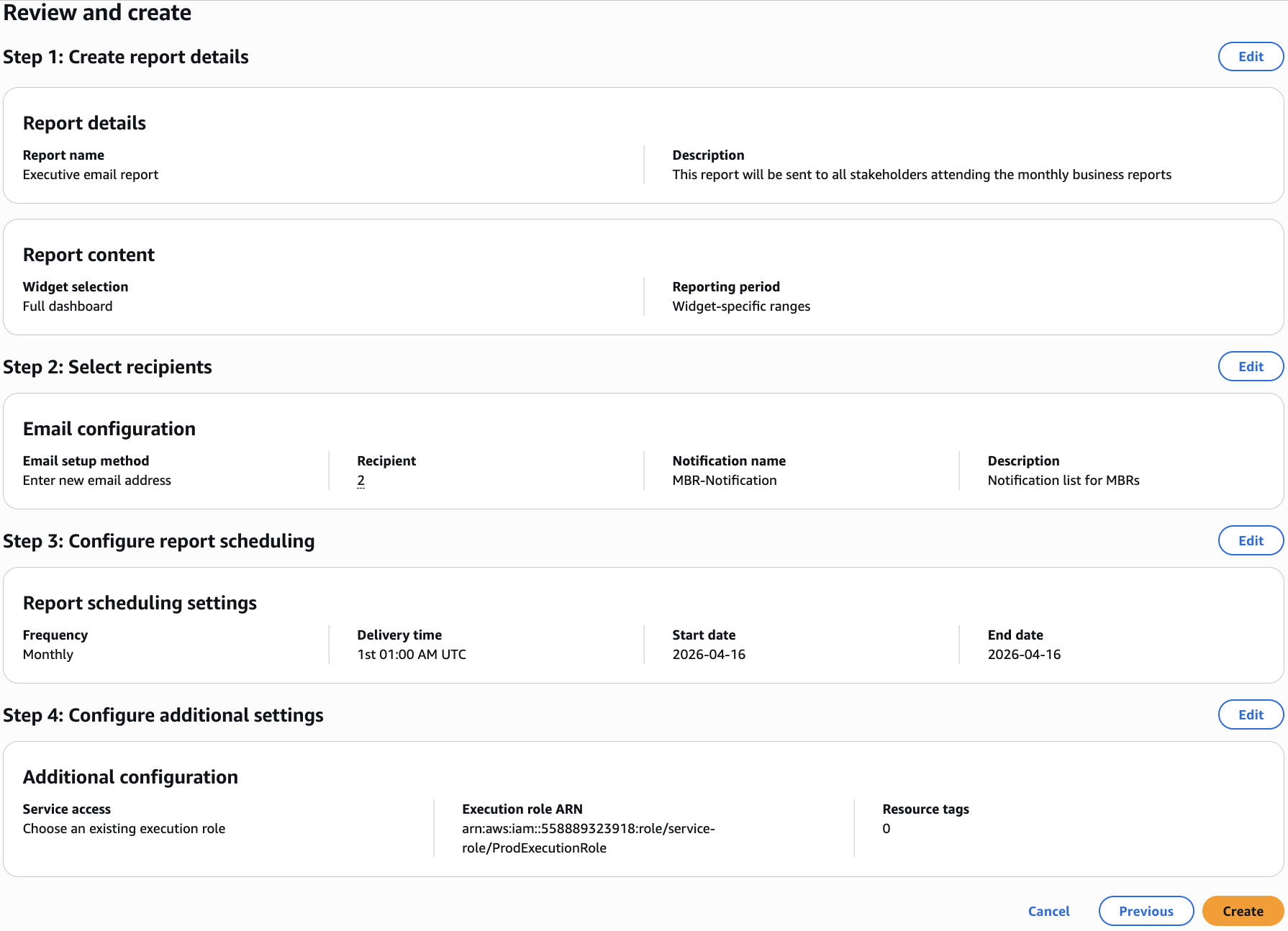
Figure 5: Review and submit
For programmatic setup, use the bcm-dashboards:CreateScheduledReport API to configure your report schedule, then manage recipients through AWS User Notifications. For detailed instructions and API examples, see the AWS Billing and Cost Management Dashboards API user guide.
Conclusion
Scheduled email delivery for Billing and Cost Management Dashboards shifts cloud financial reporting from a time-consuming manual process into an automated, consistent workflow. By eliminating repetitive reporting work, your FinOps teams can redirect efforts toward strategic cost optimization while stakeholders across your organization, from executives to engineering leaders, gain reliable, timely access to the financial intelligence they need.
This feature is available today at no additional cost in US East (N. Virginia) Region. To get started, visit Dashboards in the AWS Billing and Cost Management Console and select “Manage email report” from the Actions menu. For more information, see the AWS Billing and Cost Management Dashboards user guide and API reference. Stay current with the latest FinOps best practices and product announcements from the AWS Cloud Financial Management blog.