- Generative AI
- Amazon Q
- Amazon Q Developer
Amazon Q Developer
The most capable generative AI–powered assistant for software development
Download Amazon Q Developer
Amazon Q Developer is available for use in your code editor. Download a plugin or extension below and get started on the Amazon Q Developer Free Tier in a few minutes.
Build faster
To accelerate building across the entire software development lifecycle, Amazon Q Developer agentic capabilities can autonomously perform a range of tasks–everything from implementing features, documenting, testing, reviewing, and refactoring code, to performing software upgrades.
Amazon Q Developer makes the whole development lifecycle easier
Acceptance rate. The highest reported* code acceptance rate among assistants that perform multiline code suggestions.
Operate on AWS
Amazon Q Developer is an expert on AWS and is in the AWS Management Console and available in Microsoft Teams and Slack to help optimize your cloud costs and resources, provide guidance on architectural best practices, investigate operational incidents, and diagnose and resolve networking issues.
Transform applications
Amazon Q Developer agents accelerate .NET porting from Windows to Linux and Java upgrades to streamline processes and reduce costs.
Upgrade from Java 8 to Java 17
Average per application
To upgrade
Leverage data and AI
Amazon Q Developer helps you get the most from your data to easily build analytics, AI/ML, and generative AI applications faster. Create queries using natural language, get coding help for data pipelines, design ML models, and collaborate on AI projects with built-in data governance.
How Amazon Q Developer accelerates development tasks
Get expert assistance on AWS
Start a conversation with Amazon Q to explore new AWS capabilities, review your resources, analyze your bill, and architect solutions—it’s an expert in AWS well-architected patterns, documentation, solutions implementation, and more.
Code faster
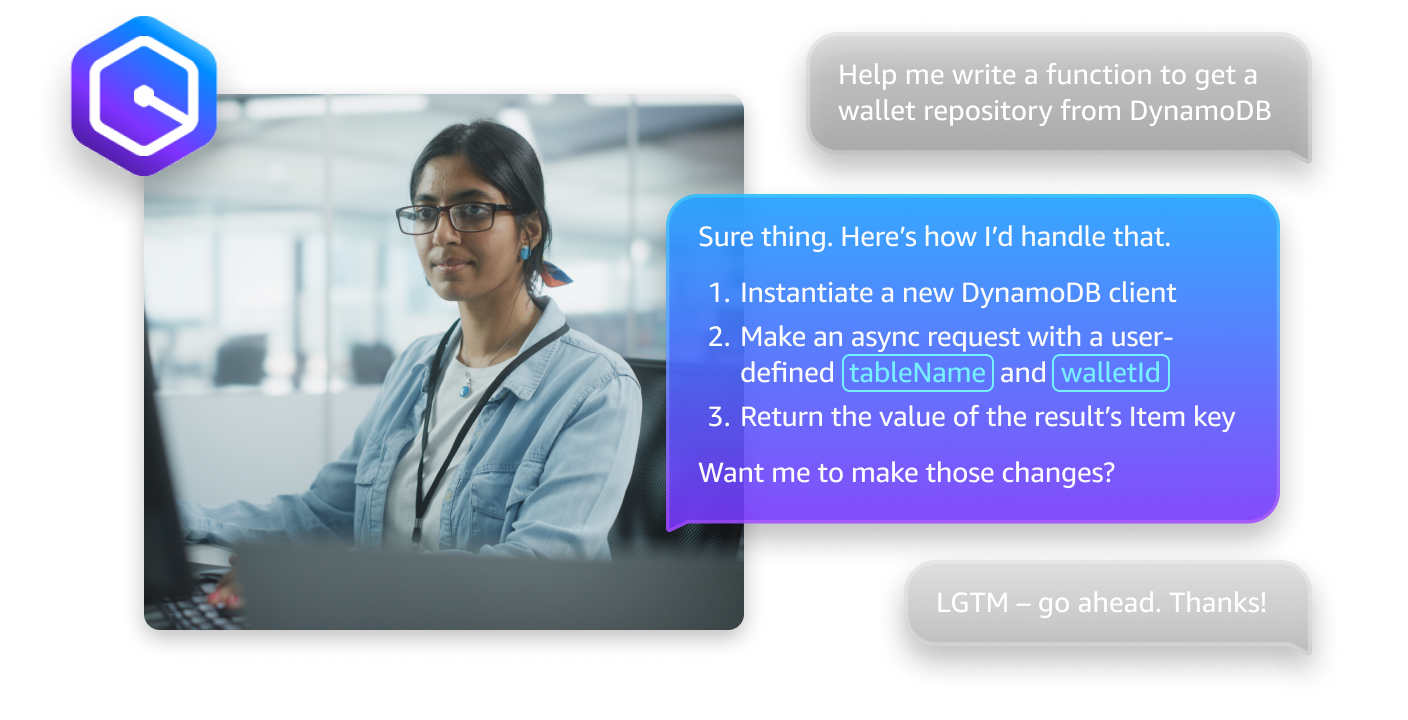
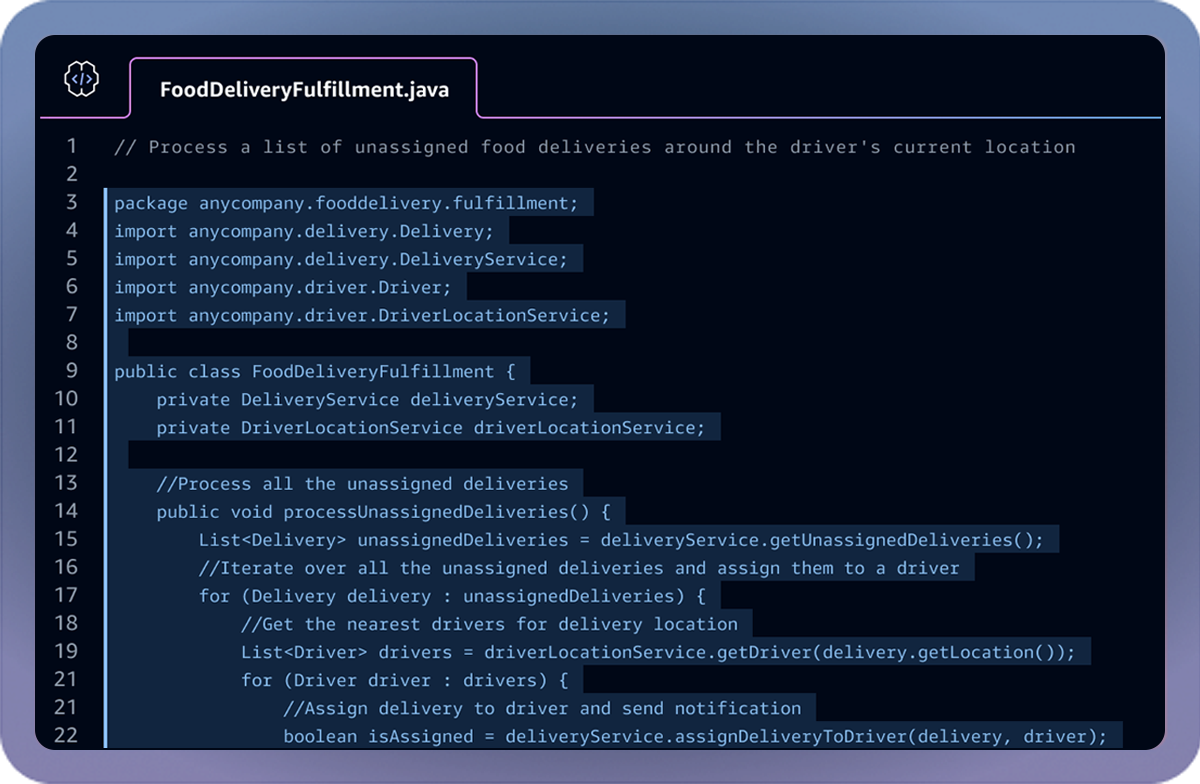
Amazon Q Developer generates real-time code suggestions ranging from snippets to full functions based on your comments and existing code. It also supports inline chat directly in the code editor, and CLI completions and natural language–to-bash translation in the command line.
Customize code recommendations
Securely connect Amazon Q Developer to your private repositories to generate even more relevant code recommendations, ask questions about your company code, and understand your internal code bases faster.
Improve reliability and security
Write unit tests, optimize code, and scan for vulnerabilities. Amazon Q will suggest remediations that help fix your code instantaneously. Amazon Q Developer security scanning outperforms leading publicly benchmarkable tools on detection across most popular programming languages.
Build with agentic capabilities
Amazon Q Developer agentic coding experience eliminates much of the work involved in complex multistep tasks such as unit testing, documentation, and code reviews. The agentic coding experience can intelligently perform tasks on your behalf by automatically reading and writing files, generating code diffs, and running shell commands, while incorporating your feedback and providing real-time updates along the way. Amazon Q Developer agentic capabilities have achieved the highest scores on the SWE-Bench Leaderboard and Leaderboard Lite.
Amazon Q Developer pricing and the AWS Free Tier
Try Amazon Q Developer at no cost with the AWS Free Tier. The Amazon Q Developer perpetual Free Tier gives you 50 agentic chat interactions per month. You can also transform up to 1,000 lines of code per month. To learn about pricing and the Amazon Q Developer Free Tier, visit Amazon Q Developer pricing.











By your side wherever you work...
IDE
Amazon Q Developer provides inline code suggestions, vulnerability scanning, and chat in popular integrated development environments (IDEs), including JetBrains, IntelliJ IDEA, Visual Studio, VS Code, and Eclipse (preview).
CLI
Get CLI autocompletions and AI chat in your favorite terminal (locally and over Secure Shell).
AWS CONSOLE
Want extra help in the console? Open the Amazon Q panel and you've got it—even in the AWS Console Mobile Application for iOS and Android.
GITLAB
Use GitLab Duo with Amazon Q to accelerate team productivity and development velocity using the GitLab workflows you already know.
By your side wherever you work...
CHAT APPLICATIONS
Amazon Q Developer is available in Microsoft Teams and Slack to help you monitor operational events, troubleshoot issues, and operate AWS resources.
GITHUB.COM AND GITHUB ENTERPRISE CLOUD
Use Amazon Q Developer within GitHub to implement features, perform code reviews, and transform Java applications to streamline the developer experience (preview).
The privacy you expect...
Your content is yours
When you use Amazon Q Developer Pro, your proprietary content is not used for service improvement.
Enterprise-grade access controls
Amazon Q provides familiar security and access controls and can understand and respect your existing AWS IAM Identity Center governance identities, roles, and permissions to personalize its interactions.