AWS Open Source Blog
Introducing MCP server for Registry of Open Data on AWS
Today, we are launching an open source Model Context Protocol (MCP) server that brings AI-powered dataset discovery to Registry of Open Data on AWS (RODA). As of today, RODA hosts over 1,100 high-value datasets from more than 400 organizations, spanning satellite imagery, life sciences, climate, geospatial, and more. Ask a research question in Kiro, Claude Code, or any MCP-compatible AI assistant, and get back relevant datasets, metadata, and data previews to kickstart your project.
The Discovery Challenge
RODA democratizes access to diverse and high-value datasets. It hosts hundreds of petabytes of open datasets from organizations like NASA, NOAA, NIH, and the Allen Institute on AWS infrastructure, providing a centralized catalog to discover datasets that can support research workflows.
But even with open access, the path from a research question to the right dataset still takes work. A climate researcher needs to find the right NOAA dataset, locate its Amazon S3 bucket, understand the file structure, and test several files to evaluate fit, before starting their analysis. A bioinformatician needs to sift through dozens of genomics datasets, compare licensing terms, and determine which one fits their use case. The data is open, but discovering and evaluating it is still a manual process.
We asked: what if researchers did not have to do this manually? What if there were a tool that understands every dataset on RODA – its metadata, file structure, and contents—and could let users sample a few files to quickly evaluate fit before committing to deeper work?
That is why we built the RODA MCP server. MCP is an open standard introduced by Anthropic that enables AI assistants to connect to external data sources and tools. By building an MCP server for RODA, we equip any MCP-compatible AI assistant with tools to search the full catalog, inspect metadata, list bucket contents, and sample files on behalf of the researcher, turning the lengthy multi-step discovery process into a single conversation.
How It Works
The RODA MCP server exposes tools organized around three capabilities: discovery, exploration, and evaluation.
You can discover datasets by typing in questions like “search for datasets to study ocean temperature” or “genomics datasets from NIH” and get back matching datasets from the Registry with descriptions and licensing details.
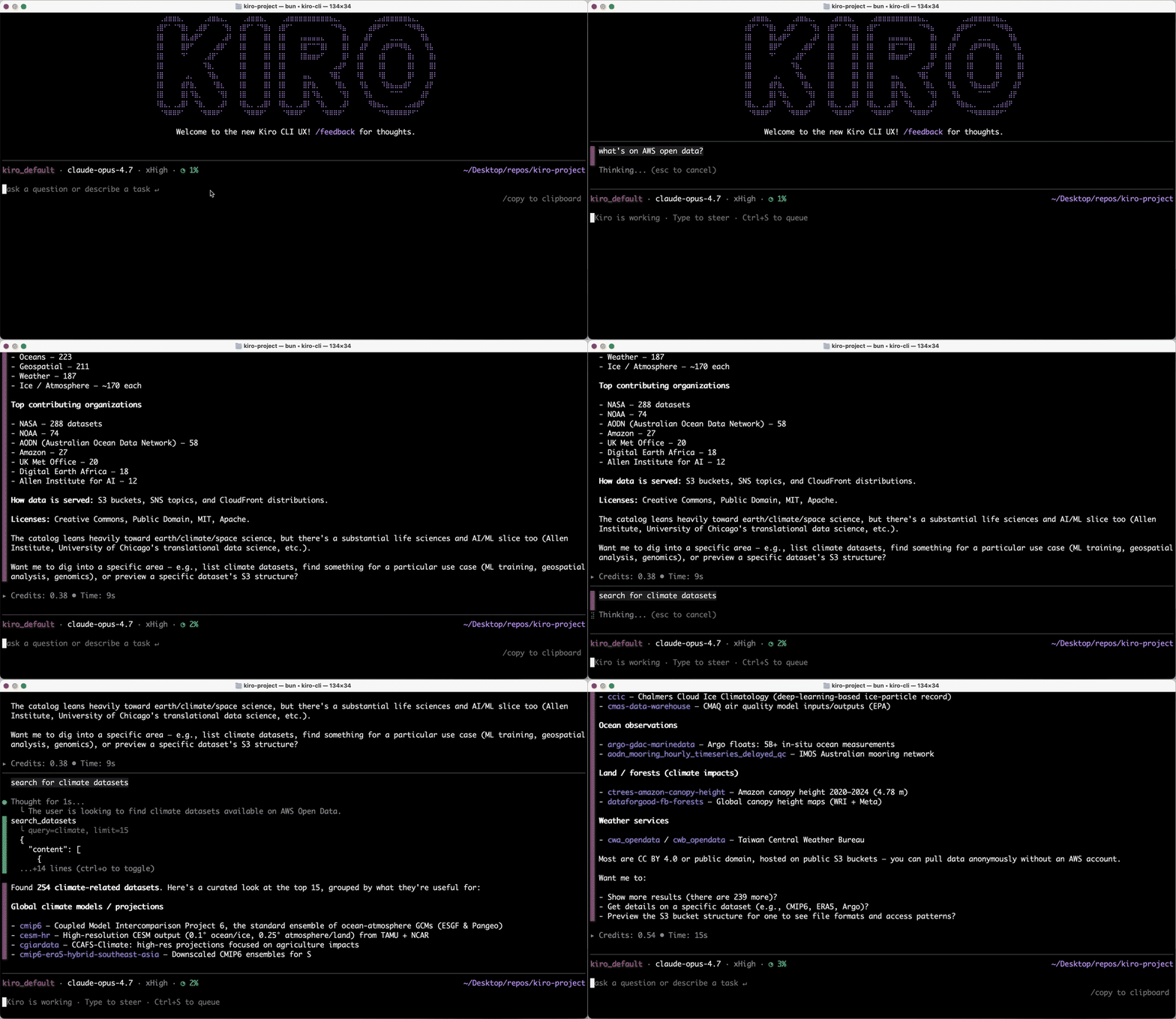
Dataset discovery through the RODA MCP server showing matching datasets with descriptions and licensing details
You can explore any dataset by asking things like “get more details about 1000 Genomes data” to get its full metadata, or “find similar datasets” to surface related resources you might not have known about.
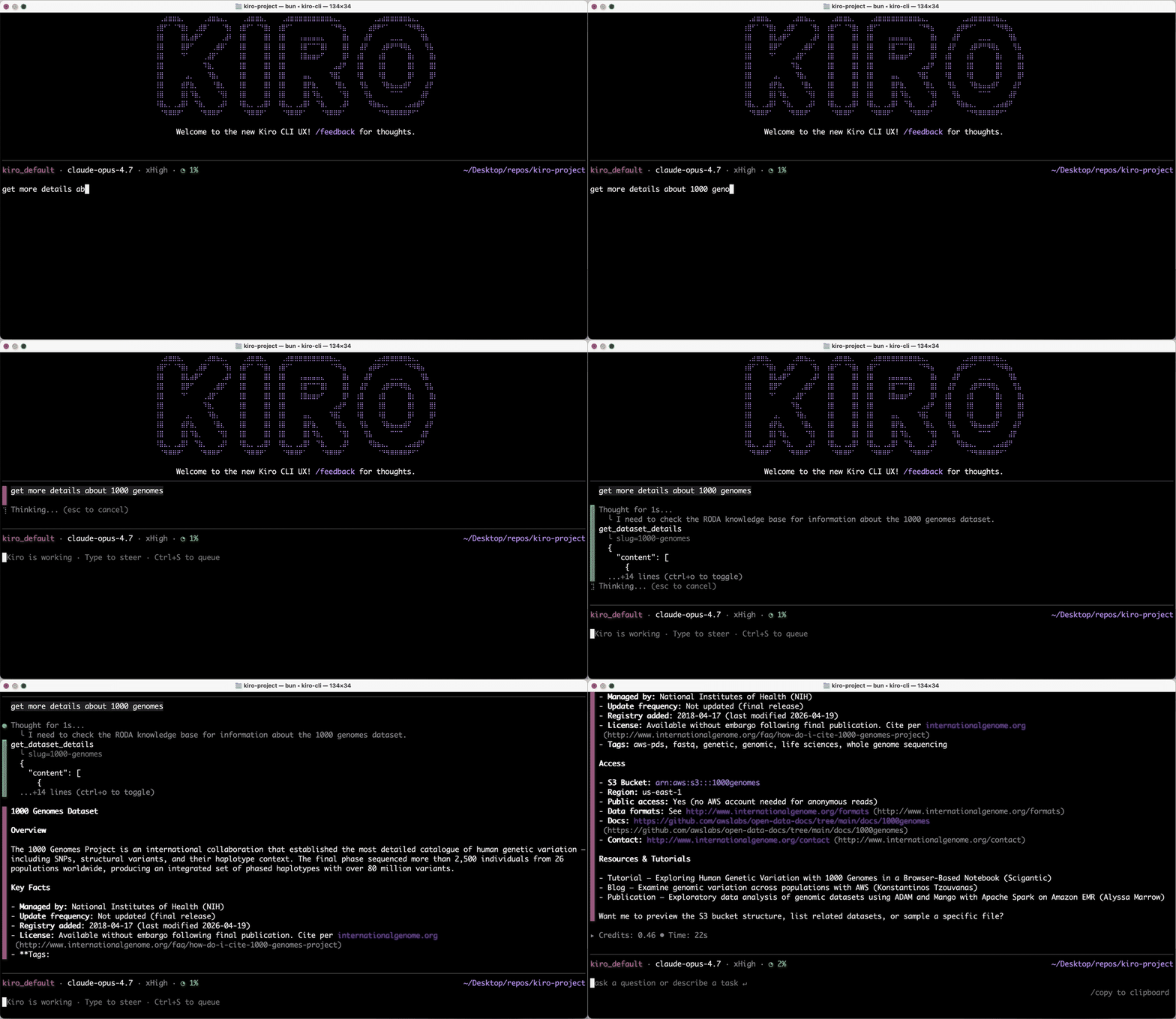
Exploring dataset metadata and finding similar datasets through the RODA MCP server
Once you have found something relevant, the natural next step is to evaluate it. Ask “preview this dataset” to see its S3 bucket structure, including how files are organized, what formats are used, and how the data is partitioned. Ask “sample this file” to read a small portion and check the contents, variables, and whether it fits your needs before committing to deeper investigation.
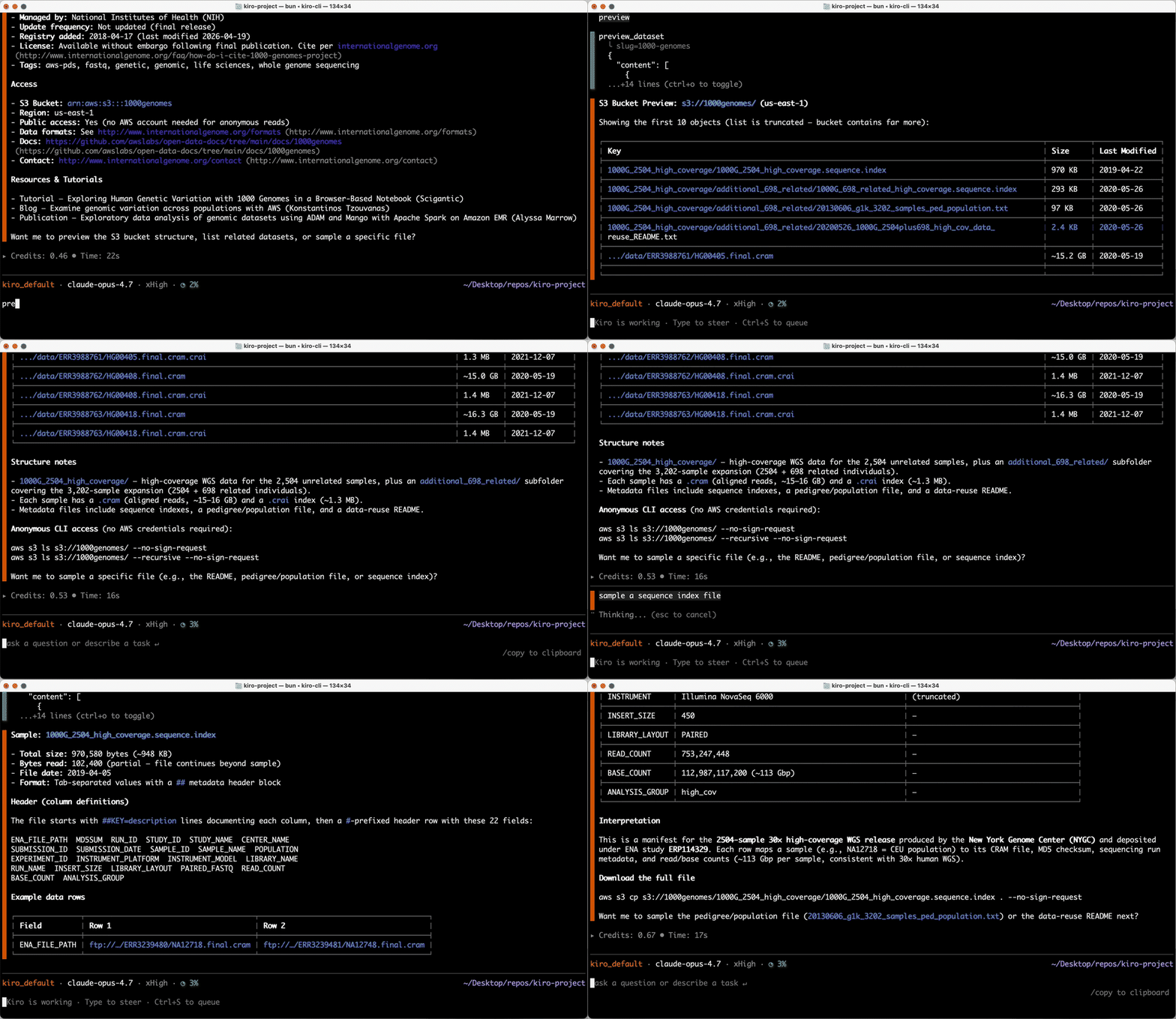
Previewing S3 bucket structure and sampling files through the RODA MCP server
Getting Started
You can add RODA MCP server to your MCP-compatible AI assistants using uv. For example, to configure it in Kiro, edit ~/.kiro/settings/mcp.json:
{
  "mcpServers": {
    "awslabs.roda-mcp-server": {
      "command": "uvx",
      "args": [
        "awslabs.roda-mcp-server@latest"
      ],
      "env": {
        "FASTMCP_LOG_LEVEL": "ERROR"
      },
      "disabled": false,
      "autoApprove": []
    }
  }
}
To add it to Claude Code, run:
# Add RODA MCP Server
claude mcp add roda-mcp uvx awslabs.roda-mcp-server@latest
Try it out:
Once configured, ask your AI assistant questions in natural language:
- “What genomics datasets are available under a Creative Commons license?”
- “Show me datasets related to land surface temperature.”
- “Preview the file structure of the 1000 Genomes dataset and sample a README.”
The RODA MCP server is an open source project under the Apache 2.0 license. Check out the GitHub repository for prerequisites, installation instructions, and full documentation. We’d love to hear how you’re using it. Open an issue to share feedback or request features.
To learn more about how we support customers and partners to innovate across health, education, and climate, check out AWS Impact and Open Data Sponsorship Program.