AWS Big Data Blog
Every team is a data team — bring Amazon Redshift analytics to ChatGPT Work
Today, AWS is announcing the AWS Data Analytics plugin for the new Data agent in ChatGPT Work. The plugin helps teams across an organization ask questions in natural language, analyze governed data across their Amazon Redshift data warehouse and data lakes, and create shareable dashboards. All this happens from a conversation in ChatGPT Work.
Tens of thousands of customers choose Amazon Redshift every day to run their most demanding workloads, because it delivers analytics at scale with industry-leading price performance. They love how Amazon Redshift provides access to their data warehouses and data lakes together in one place. Teams can combine curated business data with the broader operational, historical, and third-party data stored in open formats like Apache Iceberg in their data lakes. This gives them a complete picture to make business-critical decisions across their data.
Customers have asked AWS for a way to put that trusted data in the hands of more of their people. That means not only the analysts and engineers who write SQL, but also the sales leaders, operations managers, and finance teams who depend on the results. A sales leader wants to know how the customer pipeline has changed this quarter. An operations manager wants to understand why fulfillment times changed over the past month. That’s why we built the AWS Data Analytics plugin, bringing the power of Amazon Redshift and AWS analytics to ChatGPT Work.
“Business teams can make decisions faster when they can source their own analytics and build the dashboards they need. Our work with AWS gives more people that ability, helping them understand changes in performance and decide where to focus. The AWS Data Analytics plugin connects Amazon Redshift to the Data agent in ChatGPT Work, so employees can analyze trusted company data simply by asking, with their organization’s existing access controls in place.”
— Arpan Shah, General Manager, Technology at OpenAI
The new plugin helps shorten the path from question to decision for everyone. Using the Data agent in ChatGPT Work, employees can explore the data they are authorized to access in Amazon Redshift by asking questions in everyday language. They can then refine the analysis, investigate changes, and turn the results into a dashboard without leaving ChatGPT Work. The plugin works with both Amazon Redshift provisioned clusters and Serverless workgroups. Customers can integrate it into their existing multi-cluster or multi-workgroup environments and benefit from the cost and security controls they’ve already set up.
Consider Maya, a business analyst supporting a revenue operations team. She wants to understand the revenue performance across various segments and regions.
Maya starts by loading the AWS Data Analytics plugin in ChatGPT Work, and then asking:
What are the revenue metrics for the past 30 days compared to the previous 30-day period?
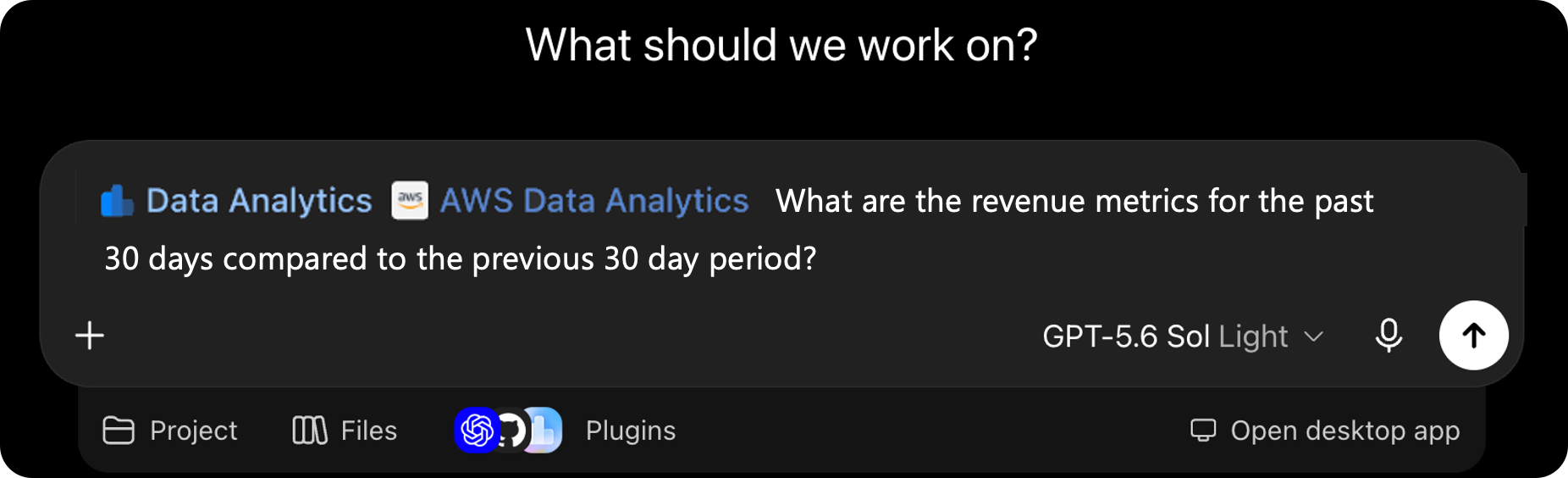
Figure 1: Asking for revenue metrics in ChatGPT Work using the AWS Data Analytics plugin
The plugin translates her question into SQL, or a sequence of queries if needed, and runs them against the relevant data in Amazon Redshift. It returns key revenue performance metrics based on the same curated revenue data that her analytics team maintains.
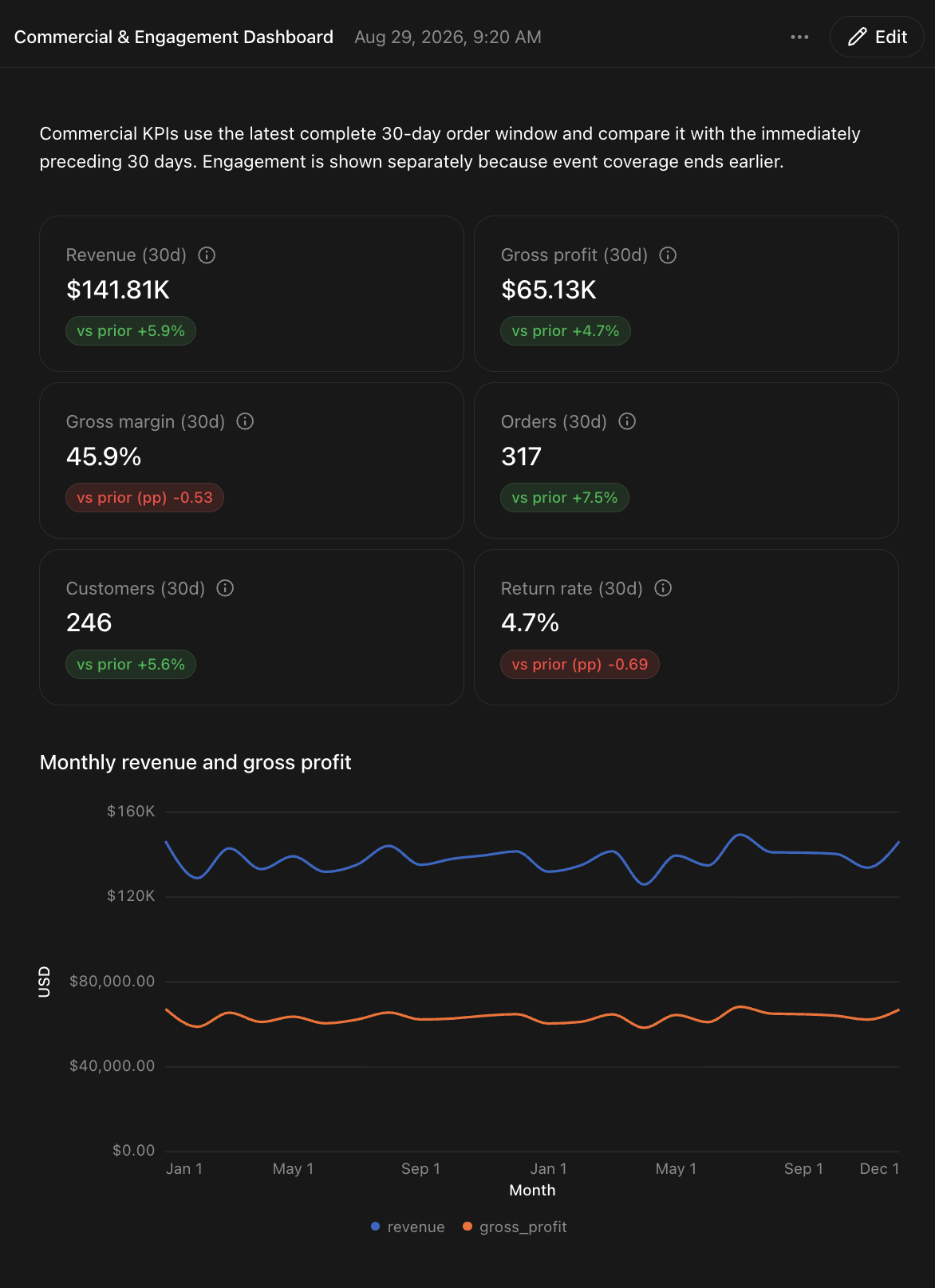
Figure 2: Revenue performance metrics returned from Amazon Redshift
Maya notices that gross margin is declining and asks a follow-up question:
What is my revenue breakdown by product category and region for the past 90 days?
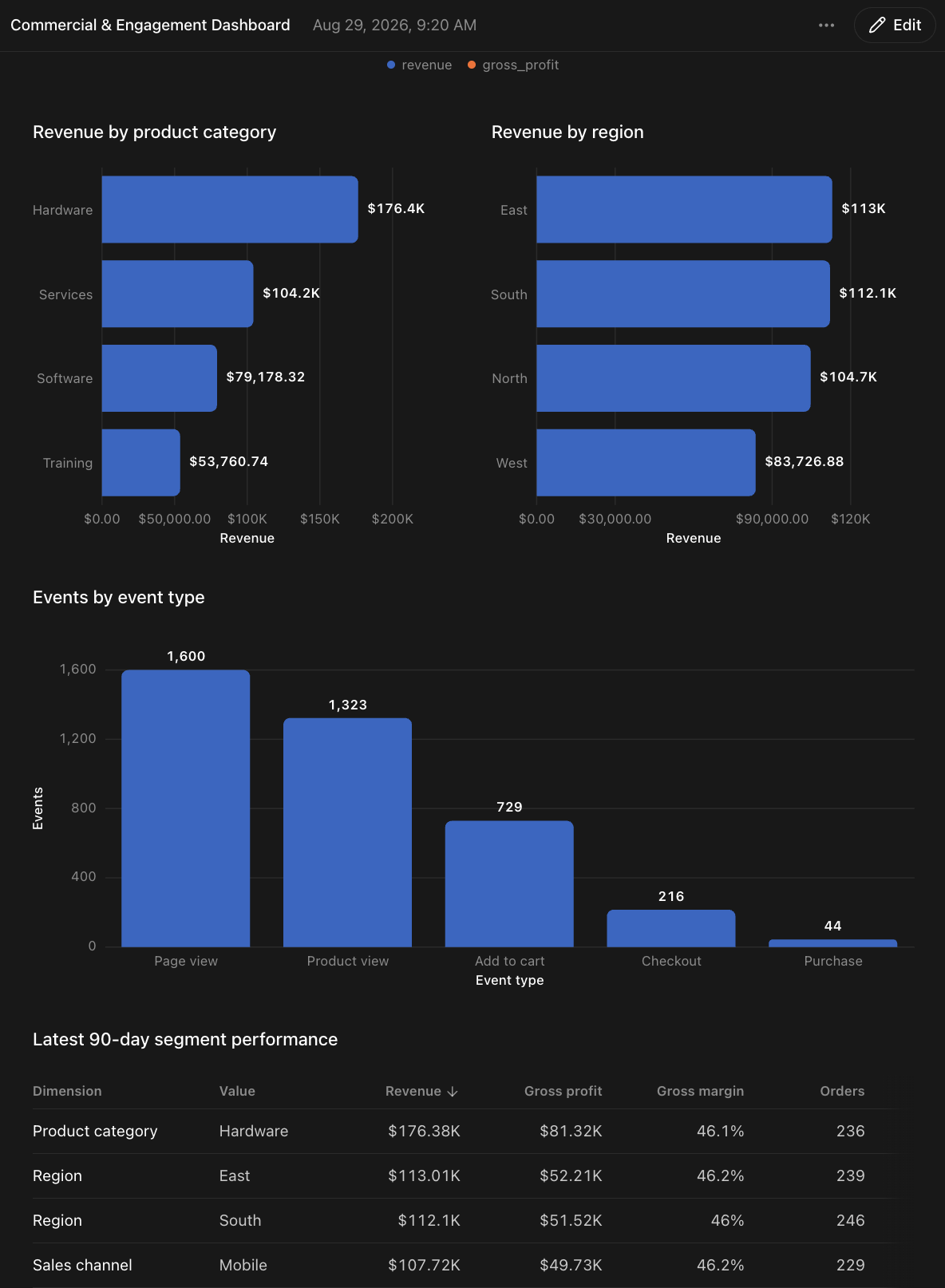
Figure 3: Revenue breakdown by product category and region for the past 90 days
The plugin carries the context forward, segments the results, and helps Maya understand each segment’s performance for the past 90 days. She can inspect the analysis and ask additional questions to drill down even further to understand why certain regions are lagging or why certain segments are outperforming others.
This conversational workflow doesn’t replace the data models, metric definitions, or governance practices that the analytics team has established. It helps more employees use that data directly, giving analysts more time for high-value work.
The AWS Data Analytics plugin connects ChatGPT Work to Amazon Redshift and uses the context of the connected analytics environment to help answer questions with the Data agent. During a conversation, it can:
- Discover the schemas, tables, columns, and data types available to the user.
- Translate a natural-language question into Amazon Redshift SQL.
- Run the query against the customer’s Amazon Redshift environment.
- Present the results in a table or concise explanation.
- Use follow-up questions to filter, compare, or drill into the results.
- Turn an analysis into an interactive dashboard that teams can share and explore.
Because the analysis runs against the customer’s existing data, teams can continue to use the curated datasets and business definitions they already maintain in Amazon Redshift. Customers whose Amazon Redshift environments query data in both a warehouse and a data lake can also make that data available through the governed datasets exposed to the plugin. The AWS Data Analytics plugin also supports our broader AWS data and analytics services. This includes the ability to work with AWS Glue Data Catalog, Amazon S3 Tables (a capability of Amazon Simple Storage Service (Amazon S3)), Amazon Athena, and vector search on AWS.
Natural-language analytics requires more than passing a prompt to a database. The agent needs to understand SQL specific to Amazon Redshift, discover metadata, choose the right tables and columns, and construct queries that follow service best practices. The plugin was built using Amazon Redshift skills from the Agent Toolkit for AWS. These skills provide tested procedures and service-specific guidance that agents can use when working with Amazon Redshift.
To get started, install the AWS Data Analytics plugin in ChatGPT Work to connect it to Amazon Redshift. Give your teams a conversational path to governed insights across your data warehouse and data lake today.
To learn more, see the following resources: