AWS Database Blog
Build a fitness center management application with Kiro using Amazon DocumentDB (with MongoDB compatibility)
Traditional software development often involves weeks of planning, designing, and programming before seeing a working application. But what if it’s possible to go from a rough idea to a production-ready system in a matter of minutes?
In this post, we walk through how we used Kiro, an agentic Integrated Development Environment (IDE), to build a complete fitness center management application that digitizes paper-based fitness tracking. We explore Kiro’s spec-driven development workflow and see how it transforms complex application development into a streamlined, iterative process. Our solution uses Amazon DocumentDB as the backend. We show how to build a complete fitness center management system using Kiro artificial intelligence (AI) and DocumentDB as the backend, which can take users from initial concept to a fully functional minimal viable product (MVP) in less than two hours, as seen in our development.
Kiro is an agentic IDE that helps developers go from concept to production with spec-driven development. From simple to complex tasks, Kiro works alongside users to turn prompts into detailed specs—then into working code, docs, and tests.
Why Amazon DocumentDB?
Amazon DocumentDB (with MongoDB compatibility) is a serverless, fully managed native JSON document database that makes it straightforward and cost-effective to operate critical document workloads on any scale without managing infrastructure.
We chose Amazon DocumentDB as our backend database due to its schema flexibility and real time aggregation capabilities. Fitness data is inherently complex and varies significantly between clients. This complexity stems from the diverse nature of fitness metrics—ranging from basic measurements like weight and body fat percentage to advanced biometrics such as VO2 max, heart rate variability, and muscle-specific strength assessments. Additionally, workout structures can vary dramatically, from simple cardio sessions to complex multi-phase strength training programs with varying sets, reps, weights, and rest periods. Amazon DocumentDB stores workout programs with nested exercise structures, flexible body measurements that can include custom metrics for each client, and complex progress tracking data, all in a natural JSON format.
Amazon DocumentDB aggregation pipeline allows us to efficiently slice and dice fitness data by time periods, exercise types, body metrics, or custom dimensions, enabling real-time trend analysis and comprehensive reporting on client progress, performance patterns, and goal achievement metrics.
Why Kiro’s spec-driven development?
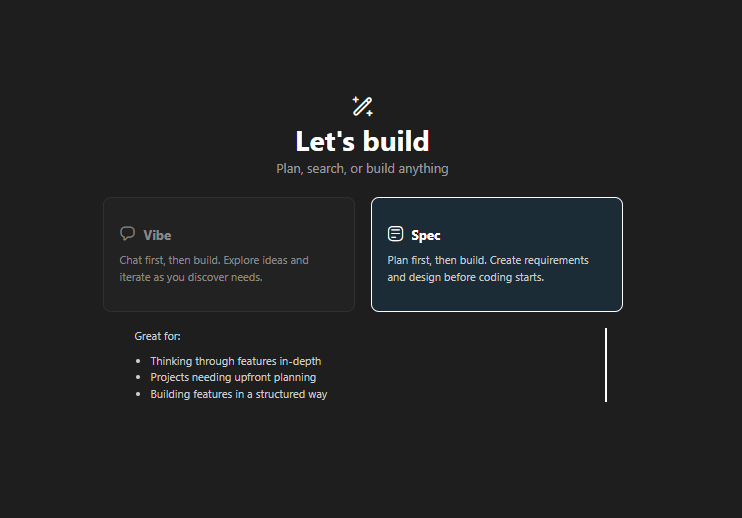
Kiro uses a structured approach, rather than immediately beginning with code implementation:
- Requirements Gathering – Transform rough ideas into detailed user stories
- Design Phase – Create comprehensive technical architecture
- Implementation Planning – Break down the design into actionable coding tasks
- Execution – Let AI implement each task systematically
This methodology makes sure nothing is missed and provides clear direction throughout development while making sure documentation is kept up to date.
Prerequisites
To follow along with this post, the following resources and configurations are needed:
- Download and Install Kiro IDE
- Create an Amazon DocumentDB Cluster
- Configure SSH tunnel to connect to Amazon DocumentDB cluster
Amazon DocumentDB is a Virtual Private Cloud (VPC) only service, which means direct connections from external networks aren’t possible by default. To establish connectivity between your local development environment and DocumentDB, set up SSH tunneling to create a more secure bridge into your DocumentDB VPC.
Following the steps in this post incurs costs for the Amazon DocumentDB cluster and Kiro. Users can estimate costs using the AWS Pricing Calculator for Amazon DocumentDB configurations and check Kiro pricing.
Kiro in action – building a fitness center application
Step 1: Starting with Kiro specs
We began with a simple conversation with Kiro about the fitness center management idea.
Prompt for Kiro
We designated Python as our development language and Amazon DocumentDB as our backend database in the prompt. For other components and frameworks, we delegated those decisions to Kiro.
Kiro immediately recognized the prompt for spec-driven development and began the structured workflow.
Creating the requirements document
Kiro automatically generates comprehensive requirements in EARS format (Easy Approach to Requirements Syntax). In our example, it created total six requirements for our fitness center management system.
Sample Requirement:
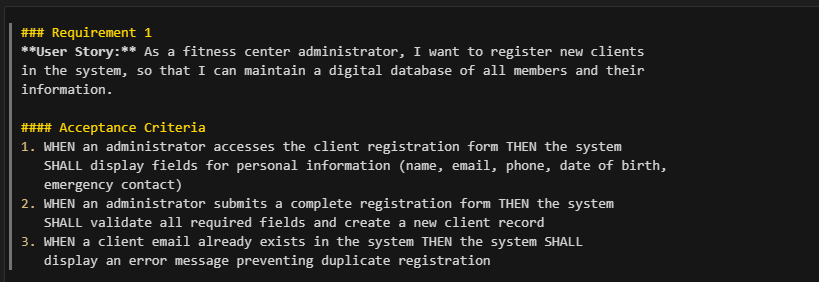
Requirements document generated by Kiro showing structured user stories and acceptance criteria
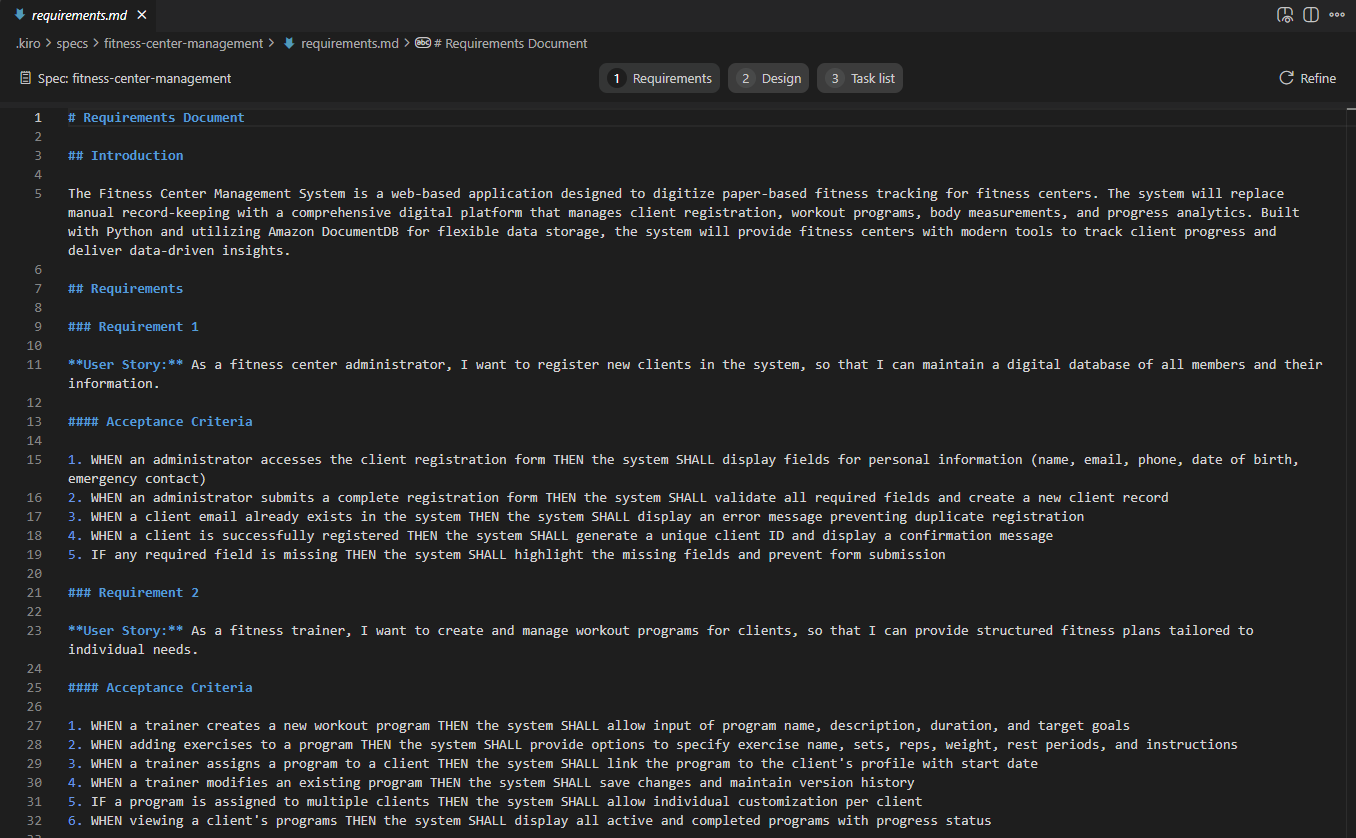
The requirements phase helps us understand exactly what the system should do before writing the code. This iterative process involved Kiro asking clarifying questions while we provided feedback, continuing until we developed a complete specification.
Step 2: Architectural design
Once requirements were approved in Kiro, Kiro moved to the design phase. Kiro creates a detailed design document covering:

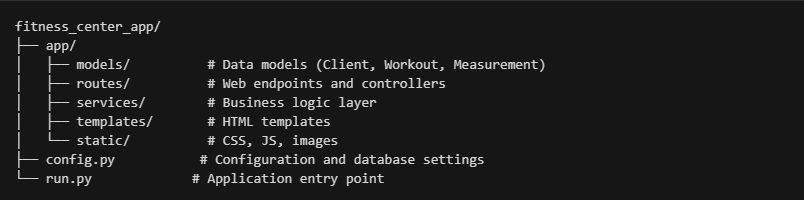
System architecture
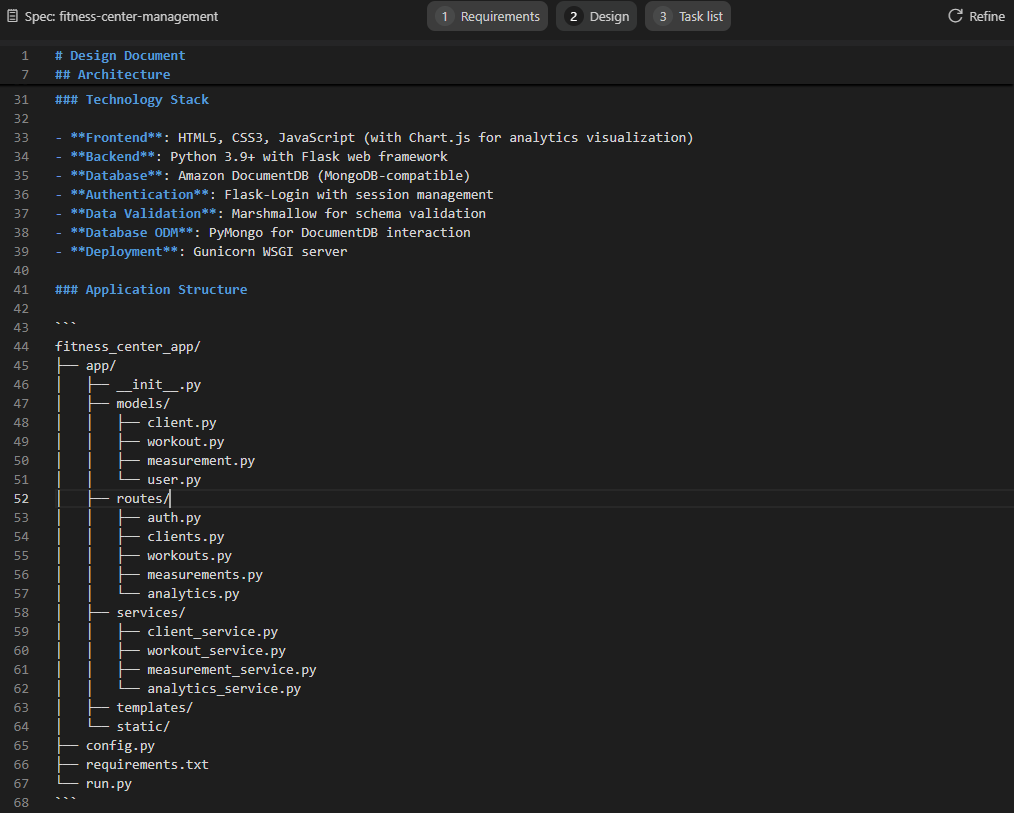
Kiro designed a clean MVC architecture using Flask:
Database design with DocumentDB
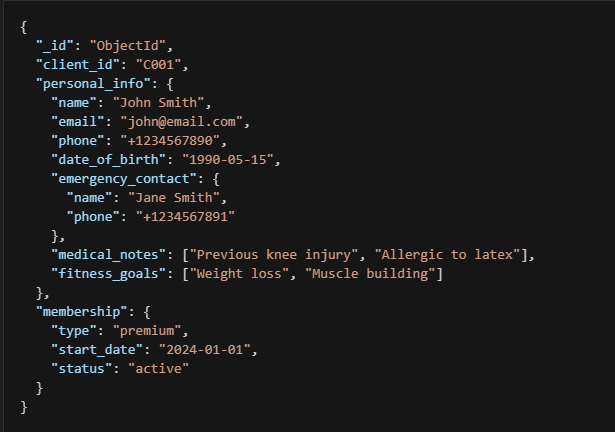
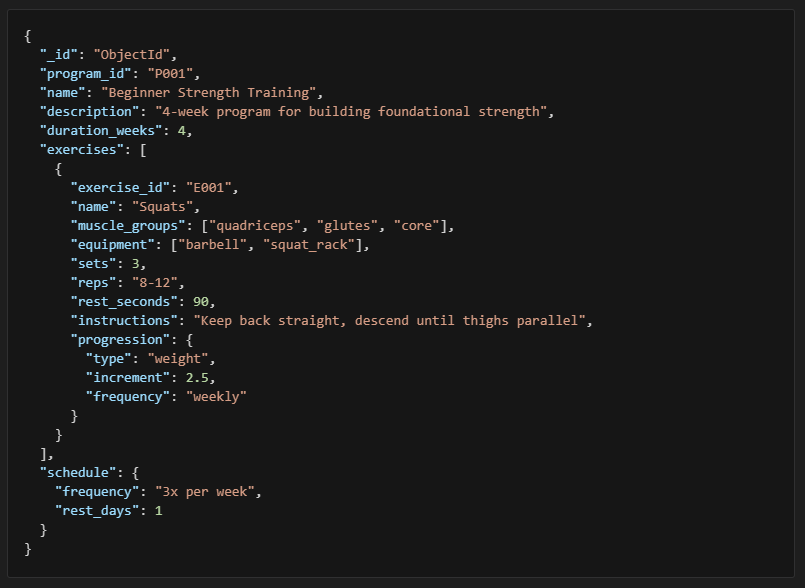
The design uses the document-based structure of Amazon DocumentDB to handle complex fitness data relationships. The following are a few samples from design documents.
Client Document – flexible personal data
Workout program – nested exercise structure
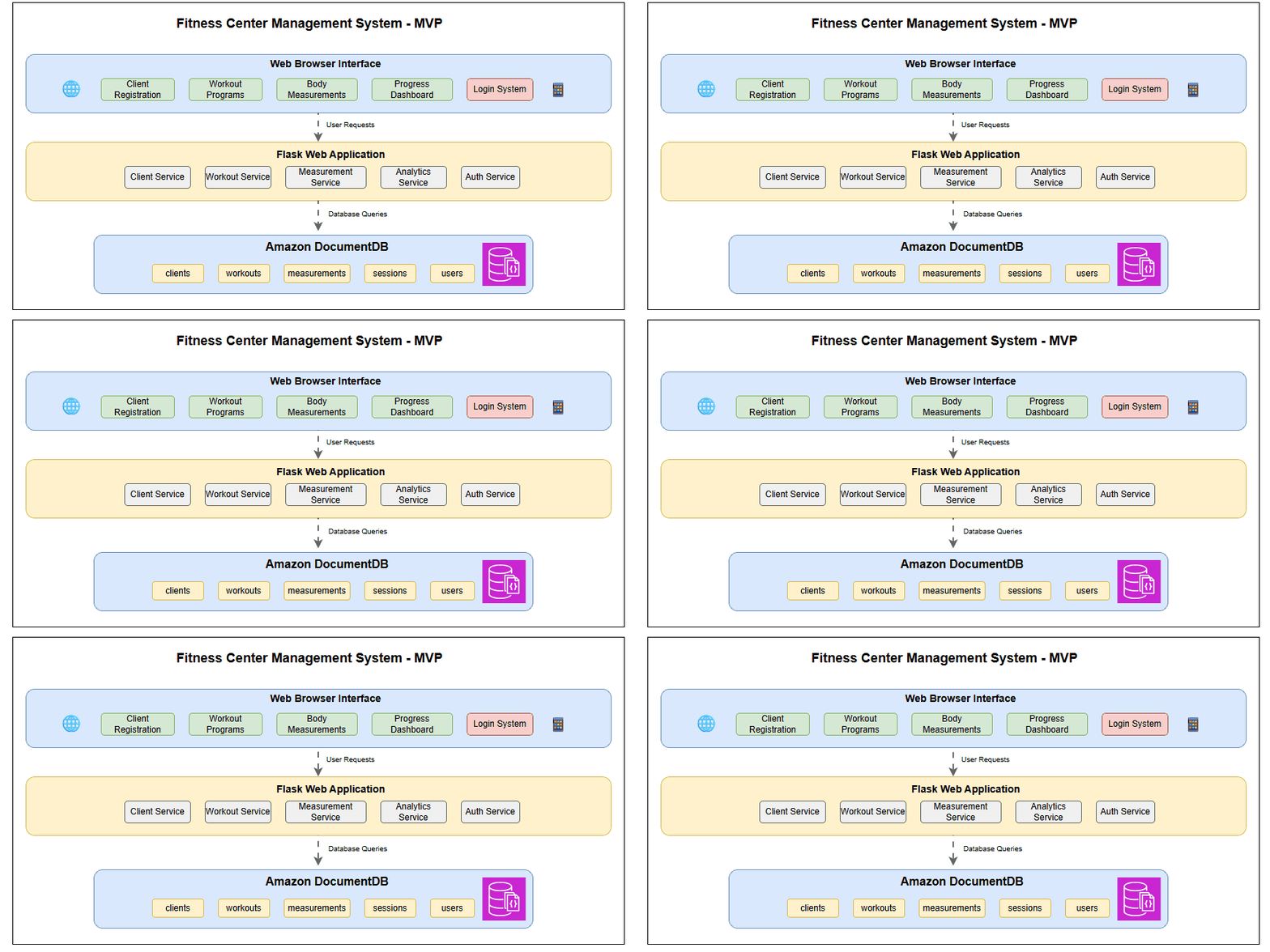
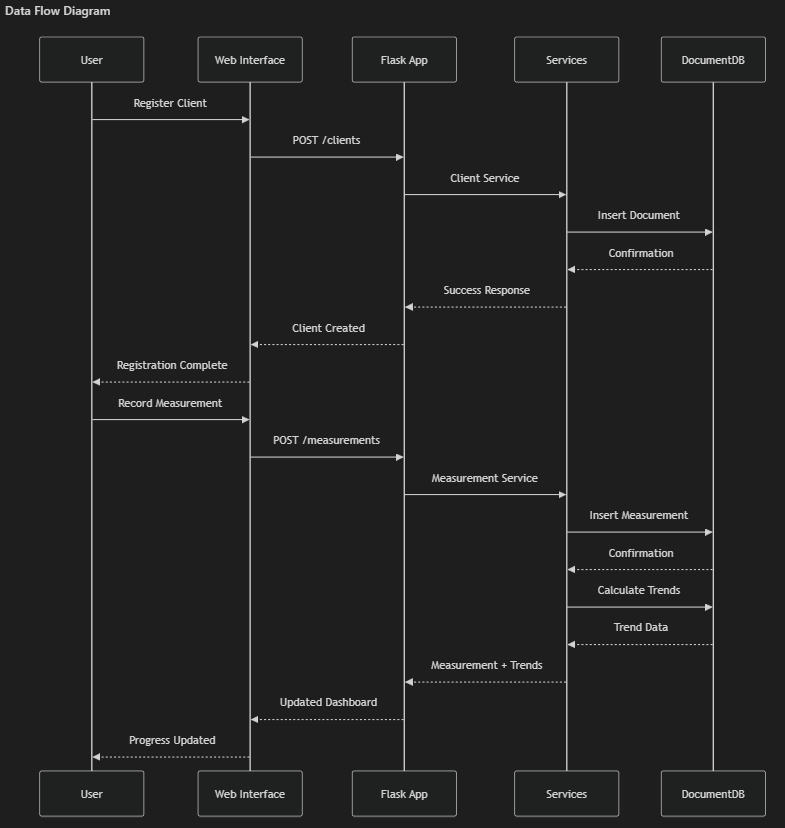
Design documents show complete design including high level architecture, technology stack, application architecture, and detailed component interfaces and data models.
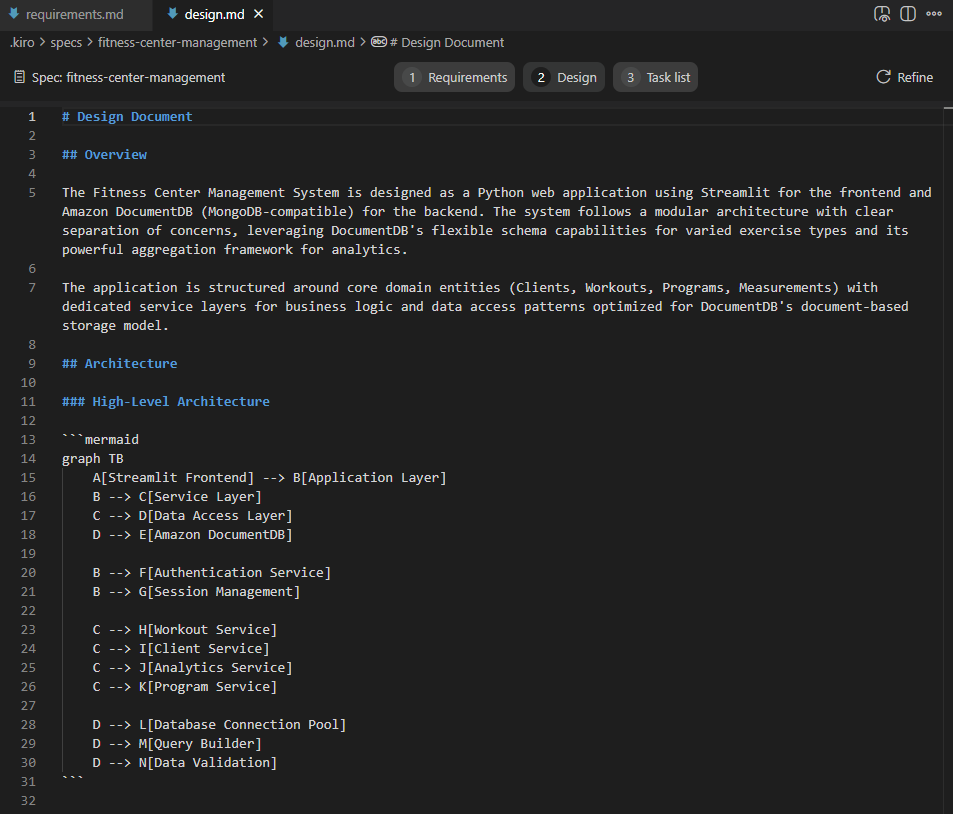
High level architecture diagram is shown in the following image:
Data Flow Diagram is shown in the following image.
Step 3: Implementation planning
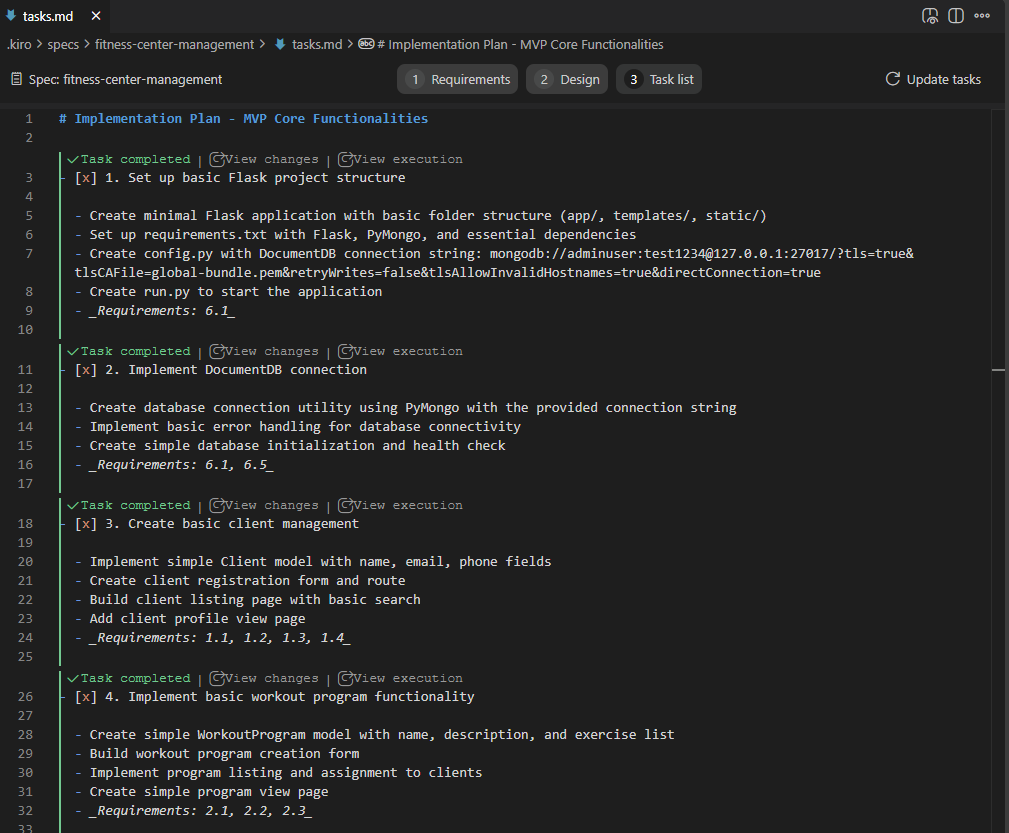
Once we approve the design, Kiro moves to implementation planning. Kiro converts the design into actionable implementation plan. Kiro creates a development plan with 15 main tasks with logical sub-tasks, following a test-driven approach that builds incrementally. When requesting an MVP version, Kiro simplifies the implementation plan while preserving core functionality. We also passed on the Amazon DocumentDB connection string to use as Kiro use test-driven development approach and build incrementally. The Amazon DocumentDB connection string points to a local host as we already set up the SSH tunneling as a prerequisite.
Prompt for MVP version
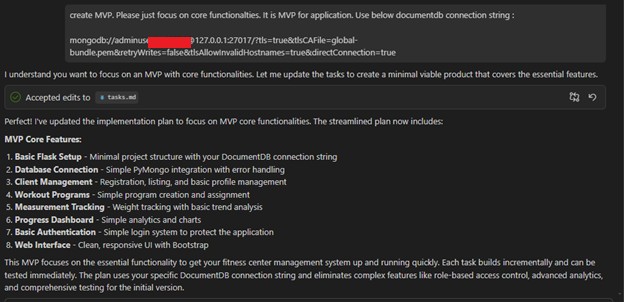
The original implementation plan had 15 major tasks with 22 sub-tasks. The MVP plan has eight streamlined tasks focusing on essential features.
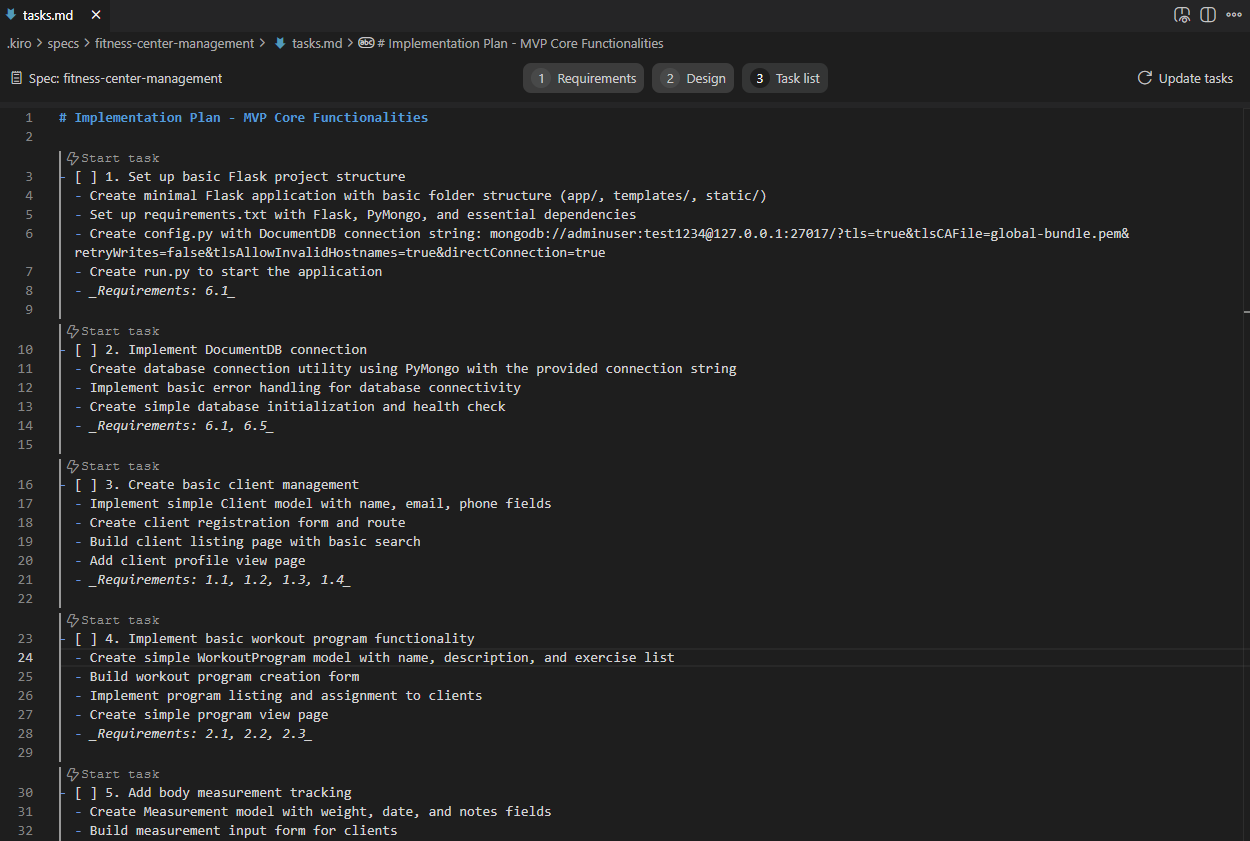
For production-ready applications, instruct Kiro to utilize AWS Secrets Manager for Amazon DocumentDB’s secure credential and implement Amazon Cognito for user authentication.
Step 4: Implementation execution
Kiro follows a comprehensive test-driven development methodology that helps reliability and quality at every step of the implementation process. After completing each task or implementation, Kiro automatically runs tests to verify that the functionality has been properly implemented and meets the specified requirements. This systematic testing approach helps catch issues early and maintains code quality throughout the development lifecycle.
Once the implementation plan receives approval, Kiro begins executing tasks in a sequential manner. Each task is processed one by one, following a structured approach that helps with making sure proper order and dependencies are maintained. During this process, Kiro may request your trust in its implementation decisions or ask you to verify specific functionality to help with accuracy.
In our example, Kiro implemented the MVP using by executing the following tasks:
- Task 1: Project structure setup with config
- Task 2: Amazon DocumentDB connection implementation
- Task 3: Client management models and forms
- Task 4: Workout program management system
- Task 5: Body measurement tracking with trends
- Tasks 6-8: Summary of dashboard, authentication, and web interface
We strongly recommend verifying the functionality whenever Kiro requests confirmation. This collaborative approach makes sure that each task is implemented correctly before proceeding to the next step. By taking the time to validate Kiro’s work when prompted, users can maintain confidence in the overall implementation quality and catch potential issues early in the development process.
Step 5: Running the web application
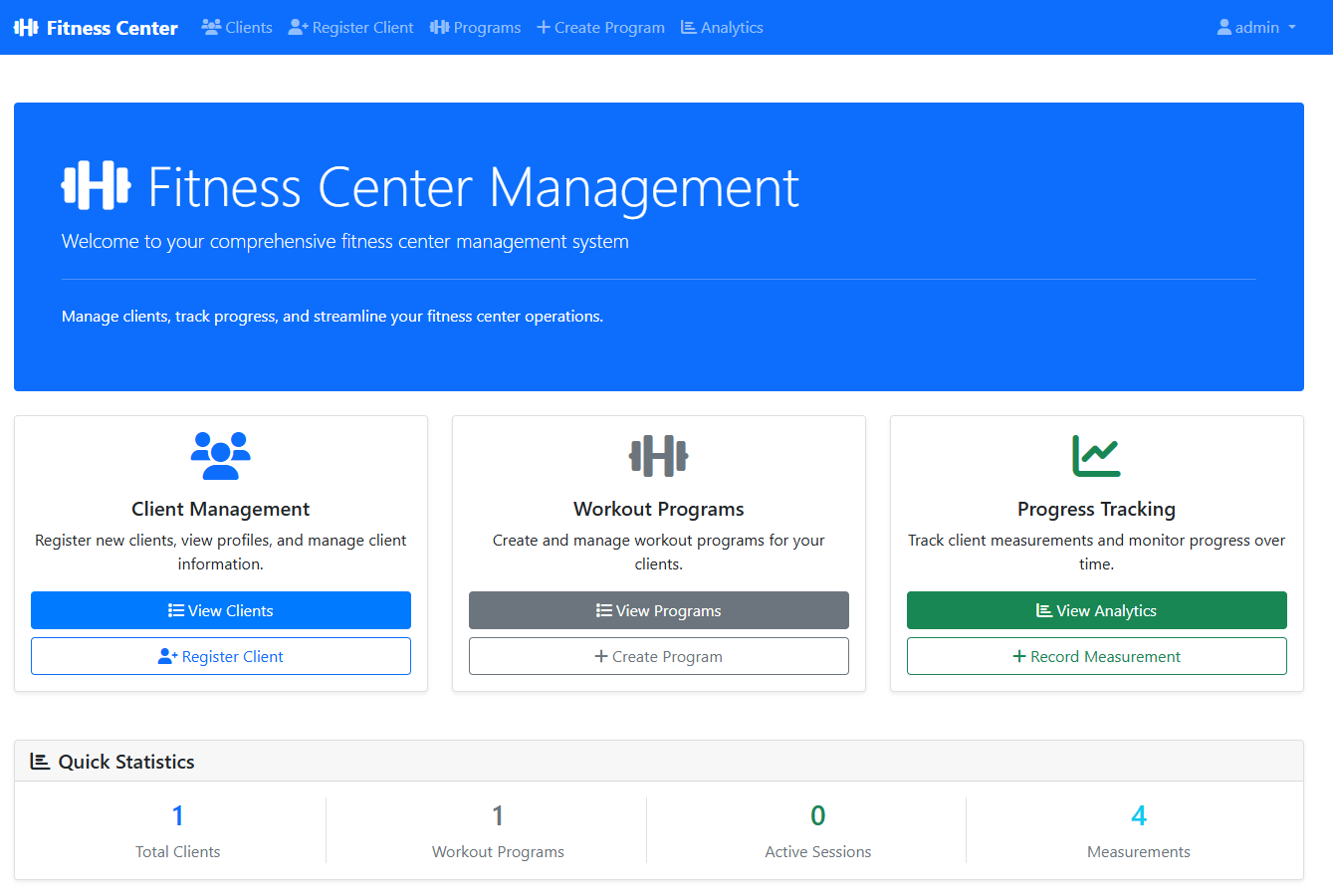
Kiro creates a clean, responsive interface using Bootstrap. Users can start an application locally using the following command or ask Kiro to run it.
Dashboard Overview
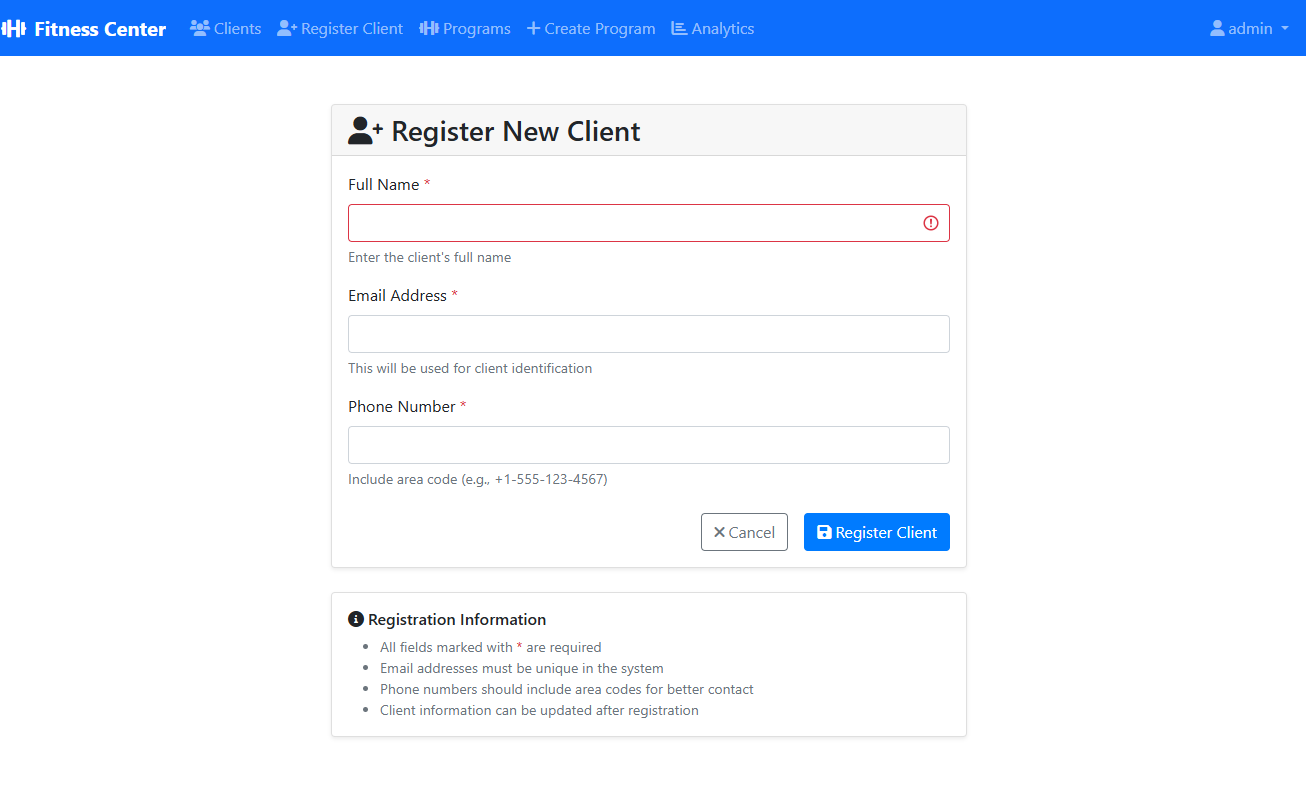
Client management interface
Kiro created a client management interface to register the new client for the fitness center.
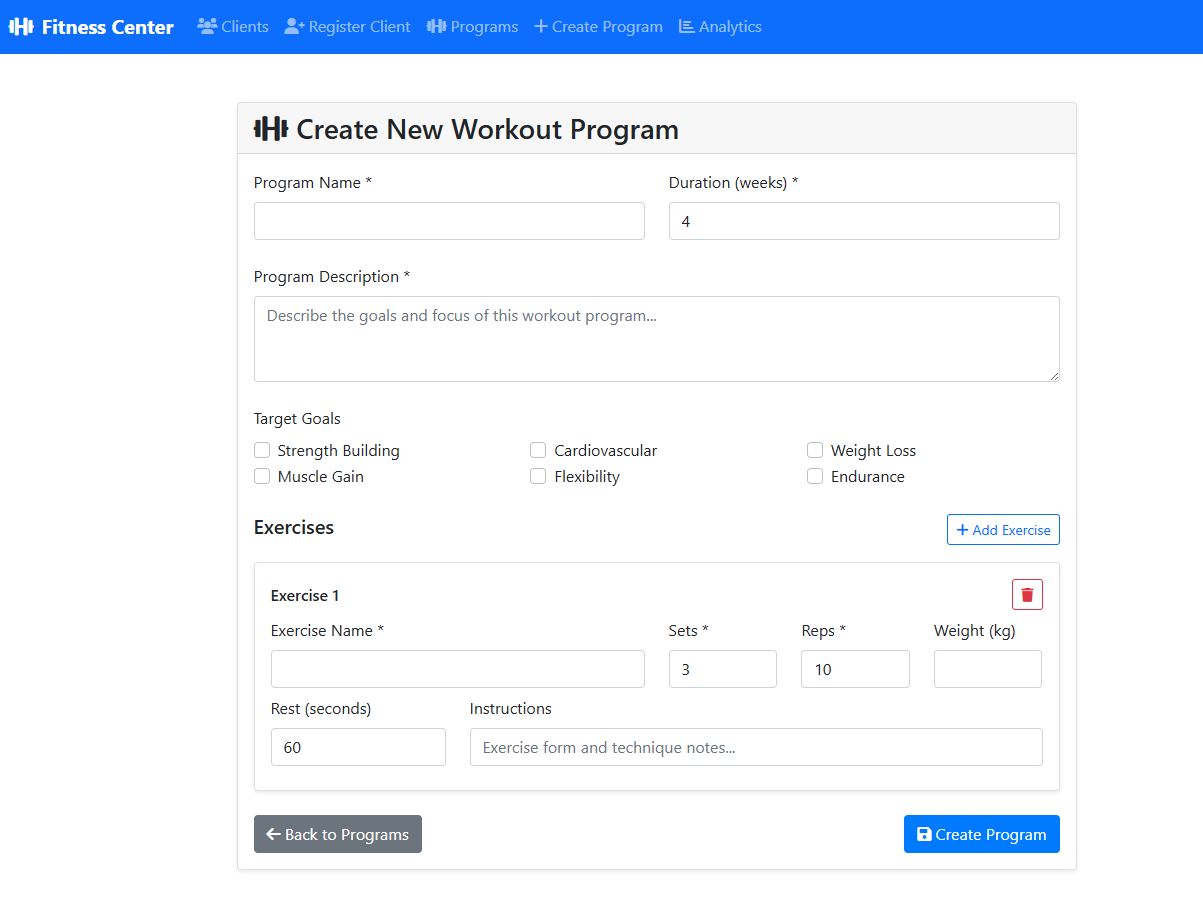
Workout program creation
Kiro formed an interface to create a workout program based on the client’s needs.
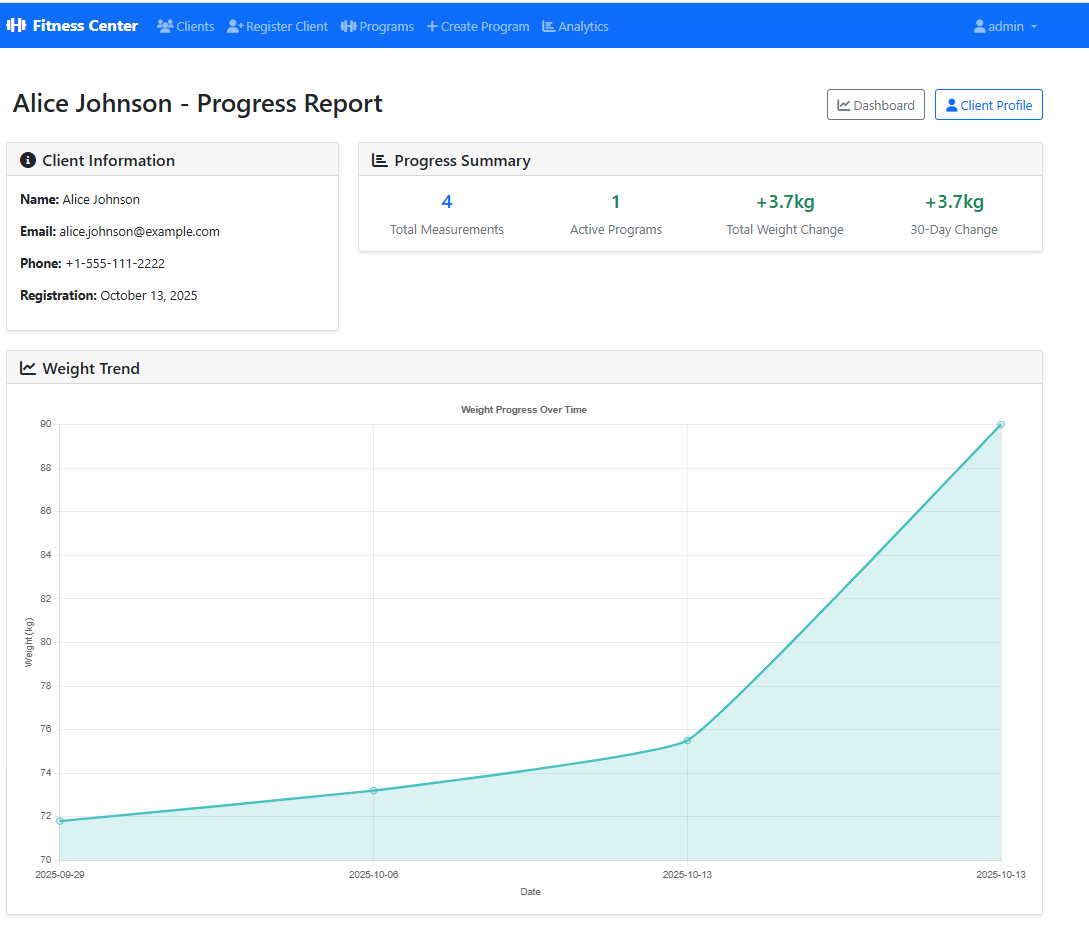
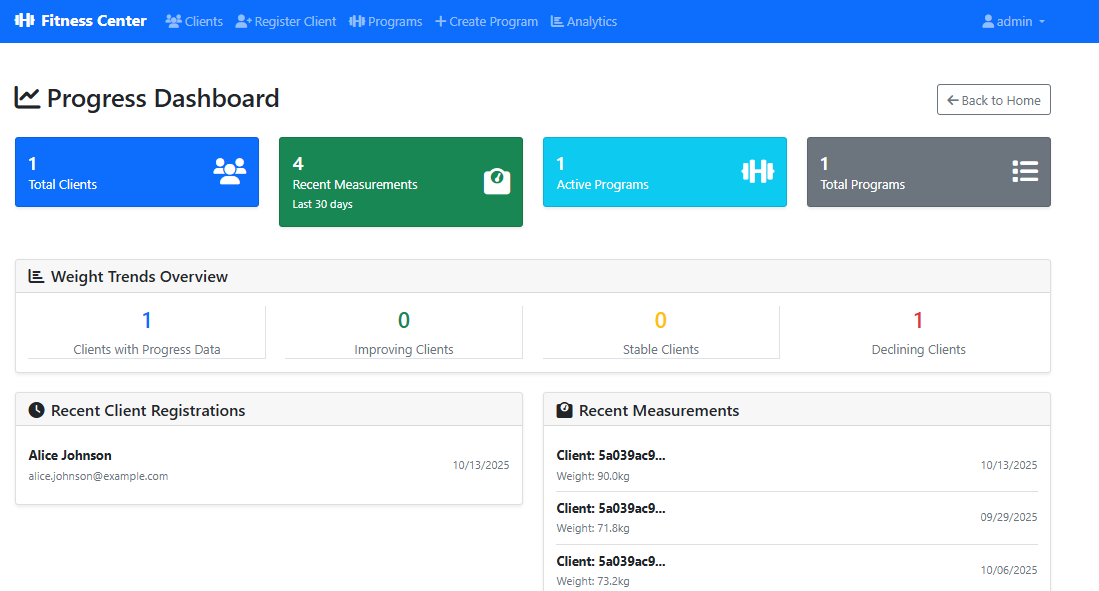
Progress dashboard
The dashboard tracks the client’s progress and provides an overall summary.
Using Kiro Hooks for automation
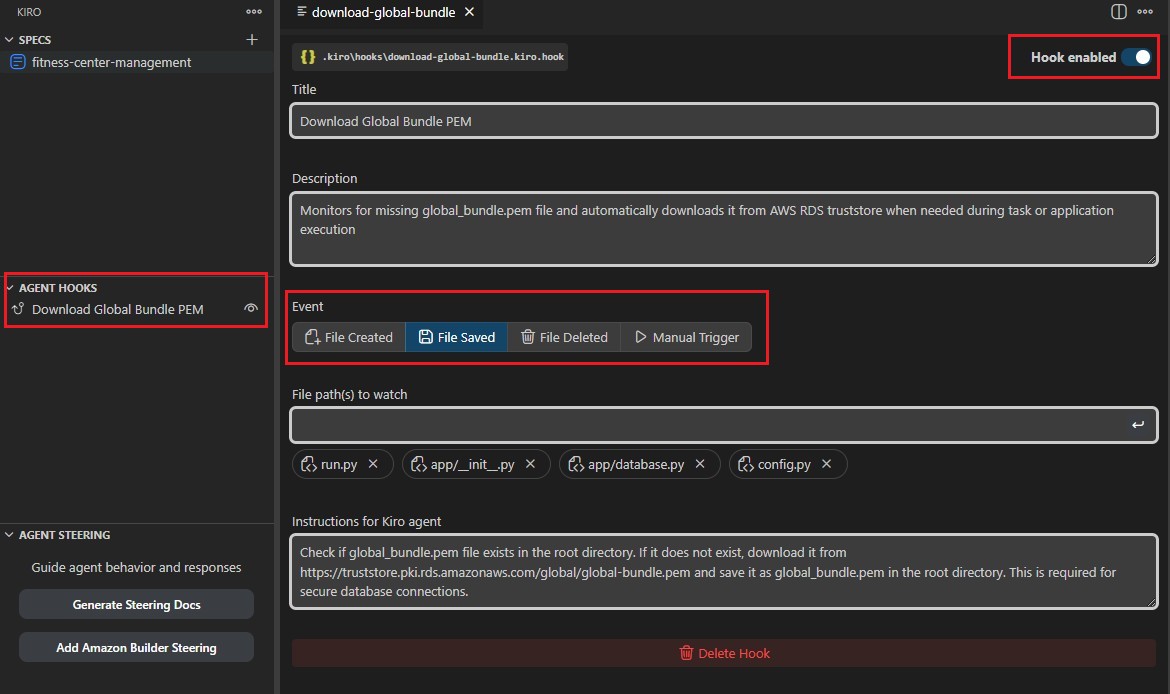
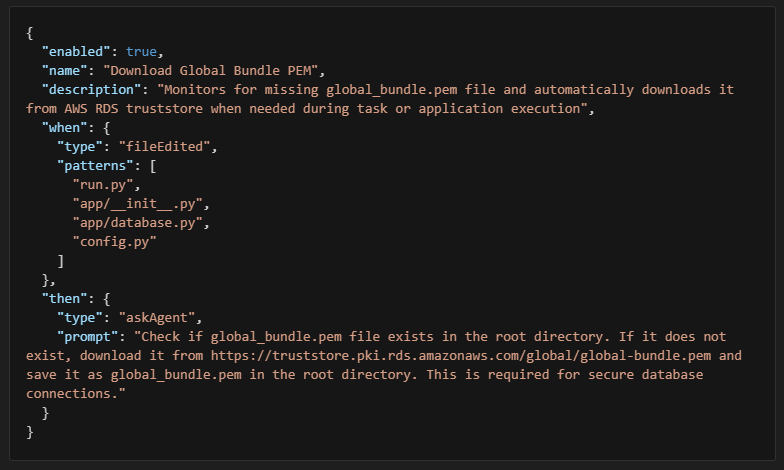
One of Kiro’s powerful features is Hooks – automated actions triggered by events. For our fitness center system, we implemented a critical infrastructure hook:
Hook: Download Global Bundle Privacy-Enhanced Mail (PEM)
Purpose: Automatically manages the SSL certificate required for DocumentDB connections
Trigger: When database-related files are edited (run.py, database.py, config.py) Action: Downloads the Amazon DocumentDB global bundle certificate if missing
What’s next?
The MVP provides a solid foundation for enhancement:
- Mobile app integration – Add REST API endpoints
- Advanced analytics – Machine learning for progress prediction
- Automated scheduling – Workout session booking system
- Nutrition tracking – Meal planning and calorie counting
- Wearable integration – Sync with fitness trackers
Conclusion
Kiro’s spec-driven development approach transformed what could have been weeks of development into hours of structured, AI-assisted creation. With Kiro’s AI-powered approach, we transformed a rough idea into a fully functional MVP through structured requirements that included clear user stories and acceptance criteria, comprehensive design with proper architecture and data modeling, systematic implementation using step-by-step task execution, built-in quality through testing and validation at each step, and automation hooks with smart triggers for common workflows.
Ready to build an Application with Amazon DocumentDB? Start with Kiro today and experience the power of AI-driven development.