Desktop and Application Streaming
Category: Desktop & Application Streaming

Use your IGEL-powered thin client endpoint to stream your Amazon AppStream 2.0 applications
Our friends at IGEL published a blog showing how you can configure your IGEL-powered thin client to a kiosk that only accesses applications streamed from Amazon AppStream 2.0. IGEL’s operating system is designed for simple, secure, high-performance access to virtual apps, desktops, and cloud workspaces that runs on any compatible x86 endpoint hardware. And, IGEL’s management […]

Analyze your Amazon AppStream 2.0 usage reports using Amazon Athena and Amazon QuickSight
Amazon AppStream 2.0 now lets you subscribe to usage reports that provide detailed information about how users are using the service. The reports include how long users are streaming and which applications they are launching. Usage reports are stored as separate .csv files in your Amazon S3 bucket, which you can download and analyze using […]

How to Use AutoCAD or AutoCAD LT on Amazon AppStream 2.0 or Amazon WorkSpaces
Today Autodesk published a blog post How to Use AutoCAD or AutoCAD LT in a Virtual Environment showing how you can deploy AutoCAD on Amazon AppStream 2.0 and Amazon WorkSpaces to let your teams work without workstations. AutoCAD is a powerful computer-aided design (CAD) software used by architects, engineers, and construction professionals to create 2D and 3D designs for buildings, […]
Add your WorkSpaces to Microsoft Entra ID using Microsoft Entra Domain Services
January 21, 2025: This blog post has been updated by Mayank Jain. As organizations transition to the cloud, managed directory offerings are becoming more prevalent. Administrators appreciate the robust controls without the management overhead of an on premises solution. To make these transitions successful, administrators must find ways to join their desktop fleets to cloud-based […]
New – Use your own TLS certificates with Amazon WorkLink
Amazon WorkLink is a fully managed service that gives your employees secure and straightforward access to internal corporate websites and web apps using their mobile phones. When signing up for Amazon WorkLink, you are required to associate your company domains. You can associate domains using the AWS Management Console, SDK, or AWS CLI. AWS has […]

Limit access to stream Amazon AppStream 2.0 applications to your IP ranges
Amazon AppStream 2.0 lets you stream desktop applications to your users on their device of choice. One common use case for this is providing administrators access to production servers in a controlled manner. When you have sensitive information available through AppStream 2.0, you can ensure that users access it only through your IP ranges. While […]
Use Amazon CloudWatch Events with Amazon WorkSpaces and AWS Lambda for greater fleet visibility
Amazon WorkSpaces is a managed, secure cloud desktop service. You can use Amazon WorkSpaces to provision either Windows or Linux desktops, and quickly scale to provide thousands of desktops to workers across the globe. With Amazon WorkSpaces, users can connect securely from anywhere using a software client or a supported web browser. Administrators have full control of the platforms […]
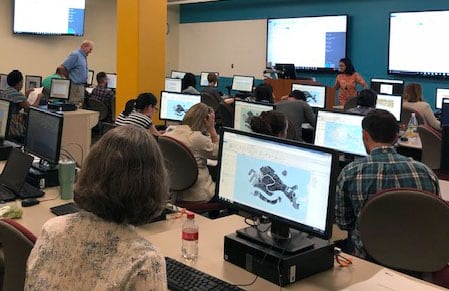
Streaming ArcGIS Pro from Amazon AppStream 2.0
Our friends at Esri published a blog today showing how they’re using Amazon AppStream 2.0 to deliver ArcGIS Pro, a powerful desktop GIS application, to a browser for their training seminars. If you’d like to try this yourself, head over to our Getting started page to download a guide!
Capture usage insights about your streaming environment with AppStream 2.0 session scripts
Update: You can use the Usage Reports feature in Amazon AppStream 2.0 to collect user usage information. Please reference this blog post for more information: Analyze your Amazon AppStream 2.0 usage reports using Amazon Athena and Amazon QuickSight. AWS is announcing that Amazon AppStream 2.0 now supports custom script execution when a session starts, and […]
Amazon WorkSpaces: Connecting your client device to your cloud desktop
One of the most surprising things we discovered when we launched Amazon WorkSpaces was that the most popular client for users to connect to their Windows WorkSpaces was…Windows. Back in 2013 when we launched Amazon WorkSpaces we were being guided by AWS customers that they wanted Windows desktops so they could connect to them from mobile […]