AWS Security Blog
AWS Certificate Manager will discontinue email validation to prove domain validation for certificates
Today, we’re announcing that AWS Certificate Manager (ACM) will discontinue support for email-validated public certificates by September 30, 2027. If you use email validation for your ACM public certificates, you need to migrate to DNS validation before that date. This change aligns with the Certification Authority/Browser (CA/B) Forum’s industry-wide deprecation of email-based domain validation and gives you a full year to migrate ahead of the Forum’s March 2028 deadline.
In this blog post, we share the rationale for this change, the timeline, and the steps you can take to migrate your certificates to DNS validation.
Background
The CA/B Forum sets the standards that browsers and certificate authorities must follow for publicly trusted certificates. In November 2025, they voted to end support for email-based domain validation effective March 15, 2028. After that date, certificates validated through email won’t be trusted by browsers, regardless of which certificate authority issued them.
ACM will be deprecating its email validation in-line with the CA/B Forum’s requirements, by September 30, 2027. The ACM timeline gives customers one year to migrate before the CA/B Forum’s hard deadline.
Timelines for these changes
If you currently use email validation for certificates requested from ACM, there are a few important dates that you should be aware of:
- January 1, 2027: ACM will no longer offer email validation in new AWS Regions.
- March 31, 2027: ACM will no longer offer email validation for new certificate requests in any Region.
- September 30, 2027: ACM will no longer renew existing certificates that use email validation in any Region.
- March 15, 2028: Per the CA/B Forum, public certificate authorities can no longer use email-based domain validation to issue or renew publicly trusted certificates. Certificates issued before this date remain valid until they expire.
Check for existing email validated certificates
If you have any ACM issued public certificates, you can check whether any of them are email validated by using the AWS Management Console for ACM or the AWS Command Line Interface (AWS CLI).
Identify email validated certificates using the ACM console
Use the following steps in the console to find email validated certificates.
- Open the ACM console.
- Select the filters Validation method = Email and Type = Amazon Issued for a list of email validated certificates.
- Any certificates listed are public email-validated certificates and should be migrated before September 30, 2027.

Figure 1: List of all public email validated certificates
Identify email-validated certificates using the AWS CLI
Use the following commands to find email validated certificates.
Migrate existing email validated certificates
To assist you in this migration, ACM is updating the UpdateCertificateOptions API so you can switch a certificate’s validation method from email to DNS in place. This means the certificate Amazon Resource Name(ARN) will remain the same and no changes will be needed to your AWS resources that reference the certificate.
When you update a certificate to DNS validation, ACM provides a CNAME record to add to your DNS configuration, and you have 72 hours to add that record. During this window, the certificate continues to function normally on email validation. If the 72 hours elapse without a DNS update, the certificate stays active on email validation and you can retry when ready. After DNS validation is complete, ACM is designed to automatically renew your certificate before it expires without further manual intervention required. We recommend completing migration before September 30, 2027, so that ACM can keep your certificates up to date without interruption.
To migrate using the console
- After you’ve identified a certificate that needs updating, open it and select Update validation method at the top of the page.
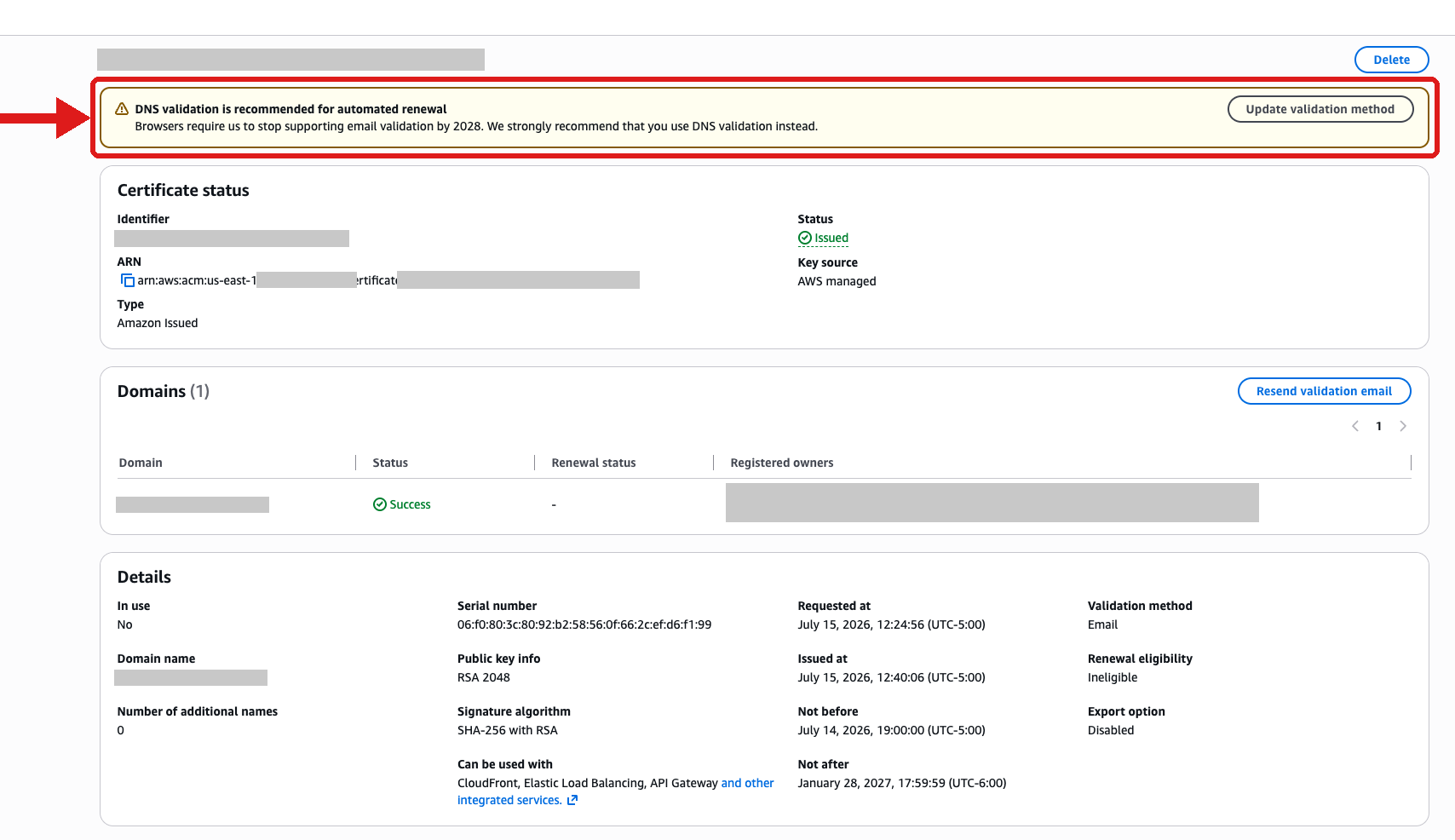
Figure 2: DNS Validation prompt when viewing an email validated public certificate.
- After the update is triggered, you will see a View DNS records flashbar at the top of the certificate page.
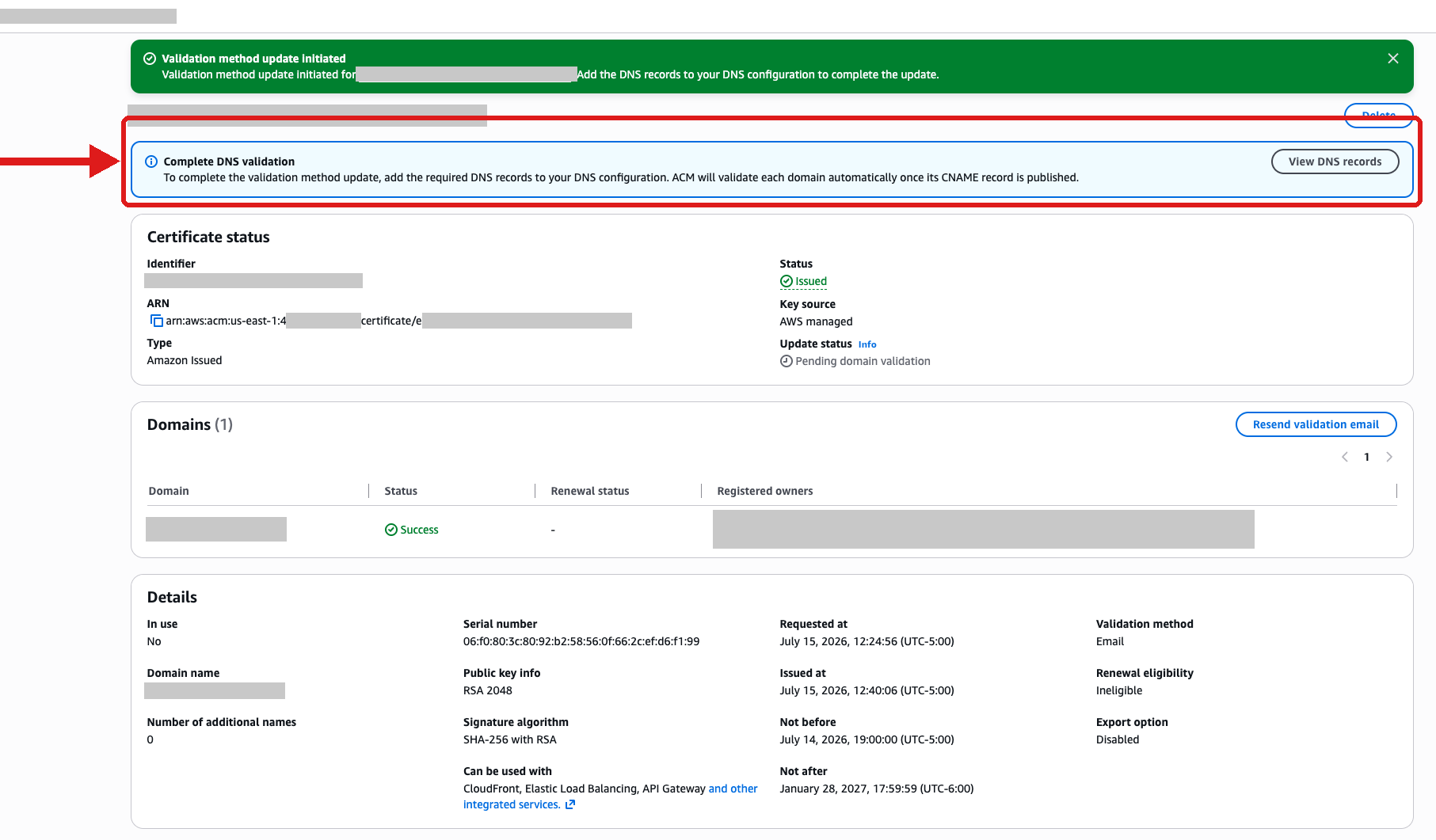
Figure 3: View DNS validation records after updating validation method.
- Select View DNS Records in the flashbar to open a dialog box from which you can download the CSV file for the CNAME records to export to other DNS providers.
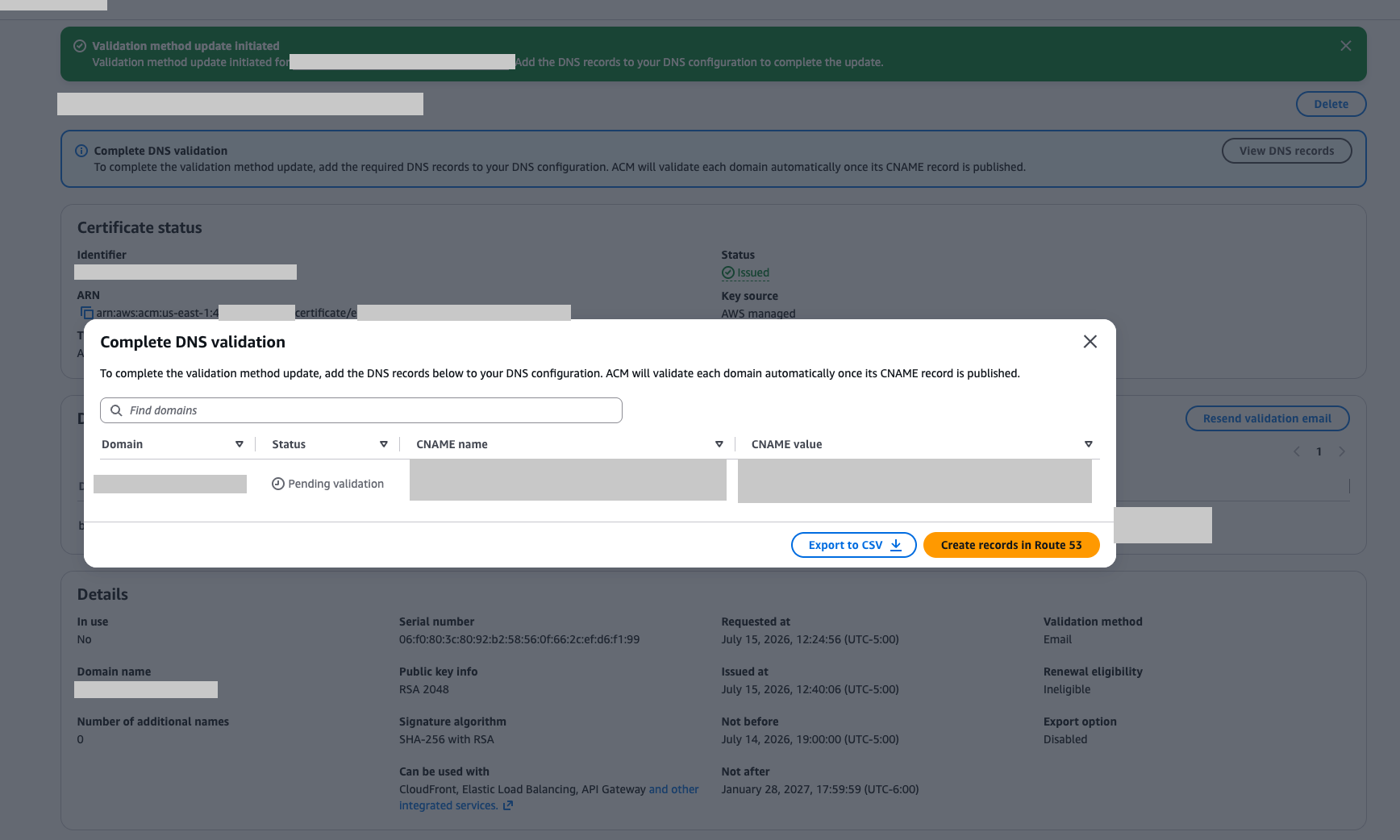
Figure 4: Get DNS validation information from the dialog box
- For Route 53 users, there is a Create records in Route 53 that makes the validation available as a one-click option.
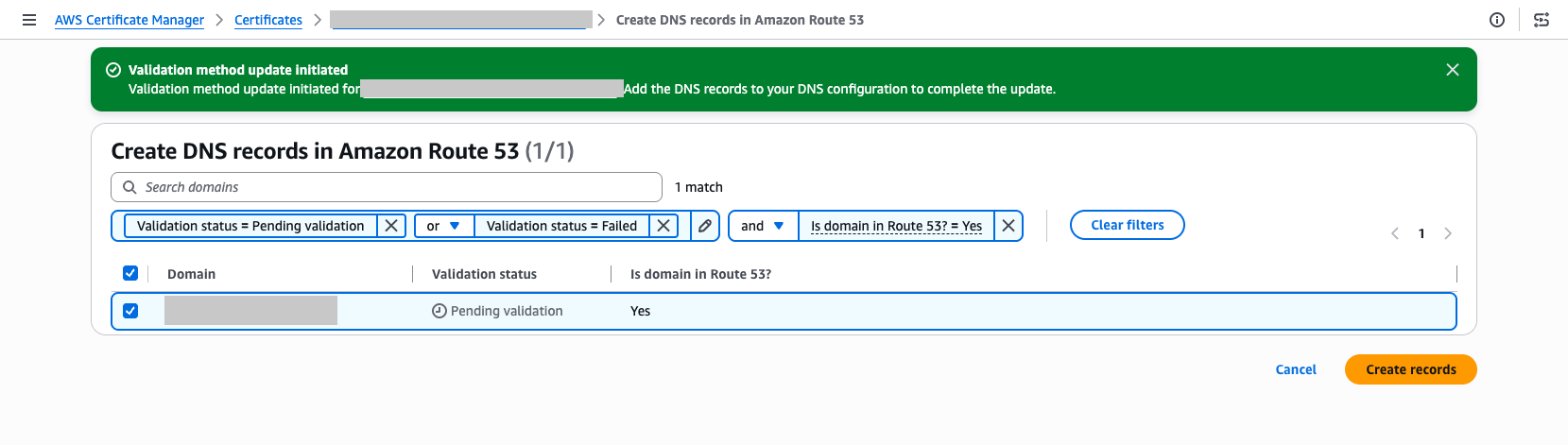
Figure 5: Create DNS validation records into Route 53
To migrate using the AWS CLI:
For instructions on how to update certificates using the AWS CLI, see the email to DNS migration user guide.
Alternatives after email validation is no longer available
ACM supports two validation methods for new certificates going forward:
- DNS validation – Add a CNAME record to your DNS configuration. ACM automatically renews DNS-validated certificates as long as the record remains in place. We recommend this method for most use cases.
- HTTP validation for CloudFront – ACM provides a unique token that you host at a well-known URL path on your domain. This method is only available for certificates used with Amazon CloudFront.
Both methods remove the manual approval step required by email validation and let ACM renew your certificates automatically.
Conclusion
The deprecation of email validation and use of the new UpdateCertificateOptions API helps keep your certificates trusted and your applications running as industry standards evolve. The updated UpdateCertificateOptions API is designed to make this migration straightforward: switch your validation method in place, add the DNS record, and ACM is designed to handle renewals automatically from that point forward.
If you have questions or need assistance migrating, contact AWS Support or start a new thread on the AWS re:Post ACM Forum.
If you have feedback about this post, submit comments in the Comments section below.