AWS Security Blog
Updates to your AWS Sign-In experience
Amazon Web Services (AWS) is gradually introducing updates to the AWS Sign-In and sign-up experience to a limited number of customers. We’re sharing these changes so you will know what to expect as we gradually make the updated experience available to more customers. These updates include new options for creating and accessing AWS accounts. To support these options and provide a more consistent experience, we’ve redesigned the AWS sign-in page and refreshed the session selection page. While some screens and interactions have changed, existing customers will continue using the same sign-in methods and credentials they use today. If you see a sign-in page that looks different from what you’re used to, this is an expected change.
In this post, we walk through what’s new with screenshots so you’ll know what to expect. If your organization relies on the current sign-in interface for browser automation or scripted workflows, review these updates to understand how they might affect your configuration.
Redesigned Sign-In page
The AWS Sign-In page is getting a new look. Figure 1 shows the current sign-in page, where you choose between Root user and IAM user before entering your sign-in information.
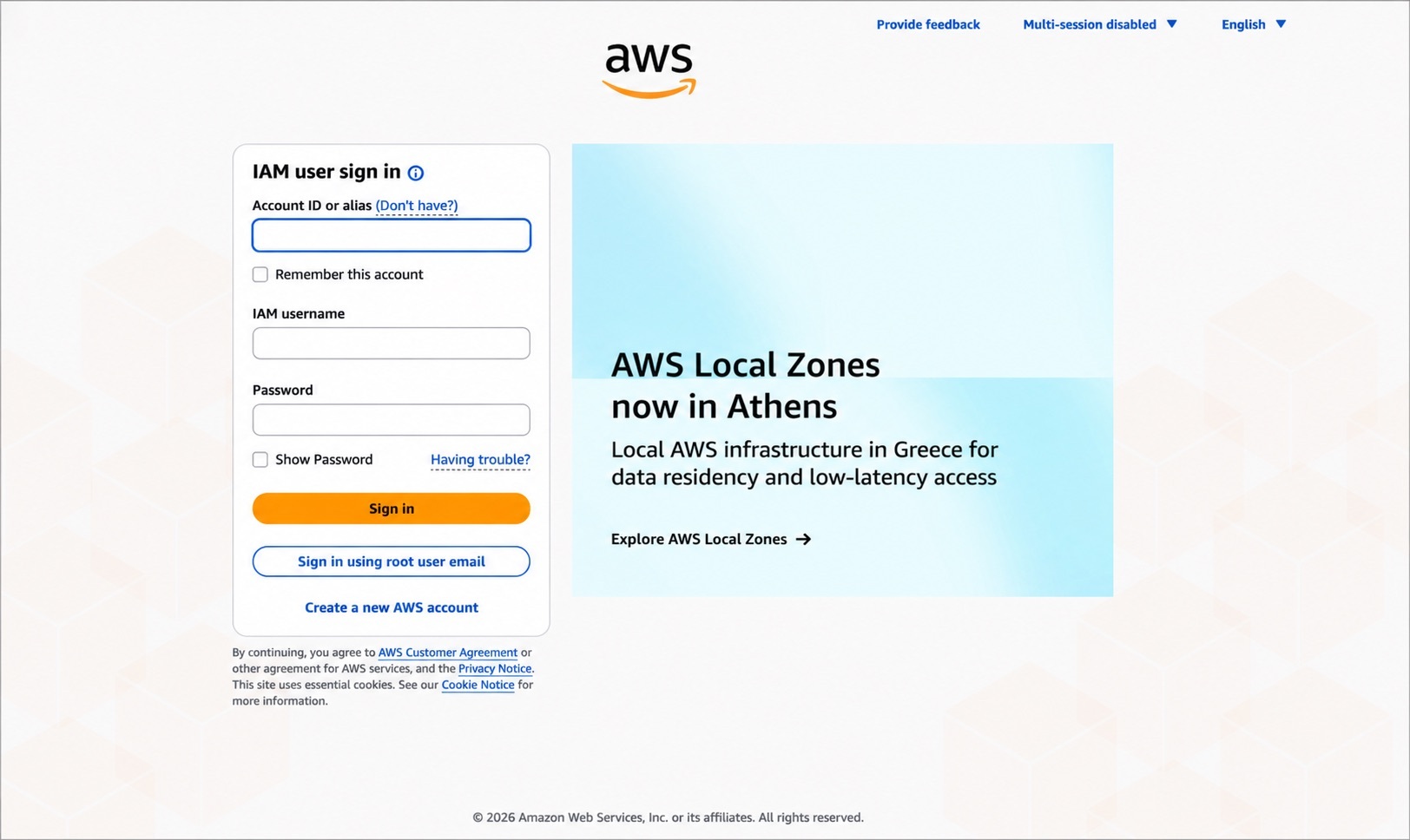
Figure 1: Current AWS sign-in page
The redesigned sign-in page, shown in Figure 2, introduces a unified email entry point for signing in to AWS. Root users and customers using the new email-based sign-in method for AWS accounts created with the updated sign-up experience enter their email address and choose Continue. AWS automatically determines the appropriate sign-in flow based on the email address provided.
If you’re signing in as an IAM user, choose IAM User to continue to the IAM User Sign-In page. Enter your account ID or alias, AWS Identity and Access Management (IAM) username, and password to sign in.
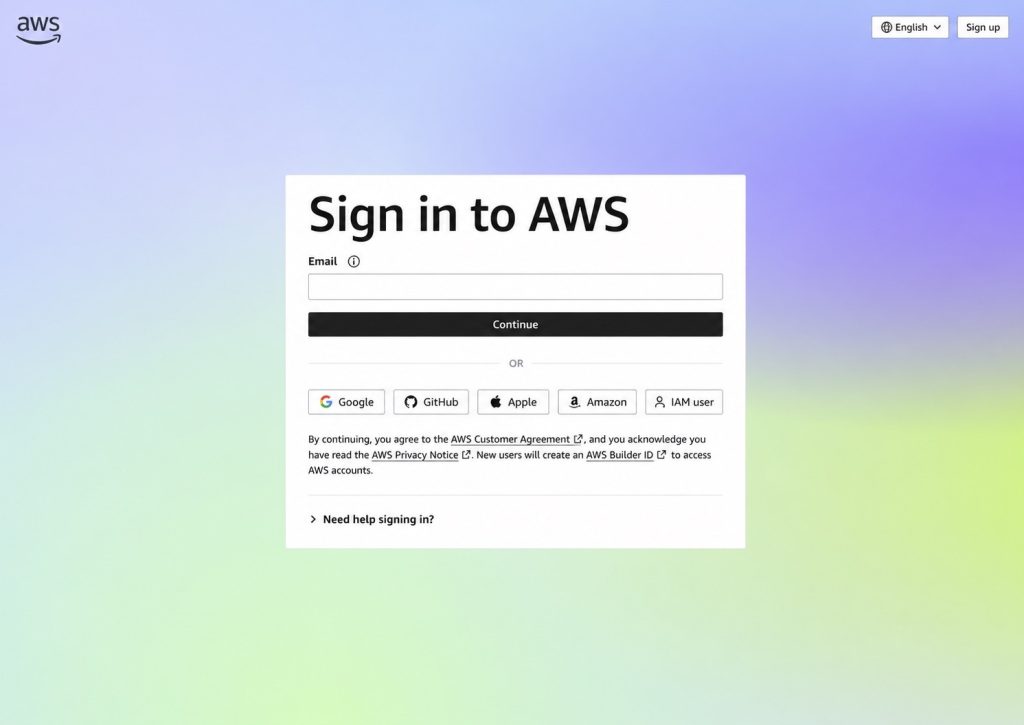
Figure 2: Redesigned AWS sign-in page
The redesigned page also includes sign-in options for customers whose AWS account was created using a supported identity provider, such as Google, GitHub, Apple, or an Amazon.com account. If you’re an existing AWS customer, continue using the same credentials you use today, and AWS will guide you through the appropriate sign-in experience. Sign-in with a supported identity provider is available only for AWS accounts that were created using that identity provider.
If your organization uses AWS IAM Identity Center or IAM federation to access AWS, continue signing in through your organization’s access portal or federation URL. Your existing sign-in process doesn’t change.
Note: Although you don’t need to take specific actions to benefit from these updates, if your setup depends on the current UI for automated tasks, you might notice changes. For the most reliable and stable experience, use the AWS supported options to grant programmatic access to your users. For more information, see the programmatic access options.
Try the redesigned sign-in experience
Before the redesigned sign-in experience becomes the default, AWS will display a banner on the existing sign-in page inviting you to try it, as shown in Figure 3. Selecting Change to new experience takes you to the updated sign-in flow. The existing experience remains available until the redesigned experience becomes the default.
Note: After you select Change to new experience, you’ll continue to see the redesigned sign-in experience in that browser. To return to the existing experience while it’s still available, clear your browser cookies.
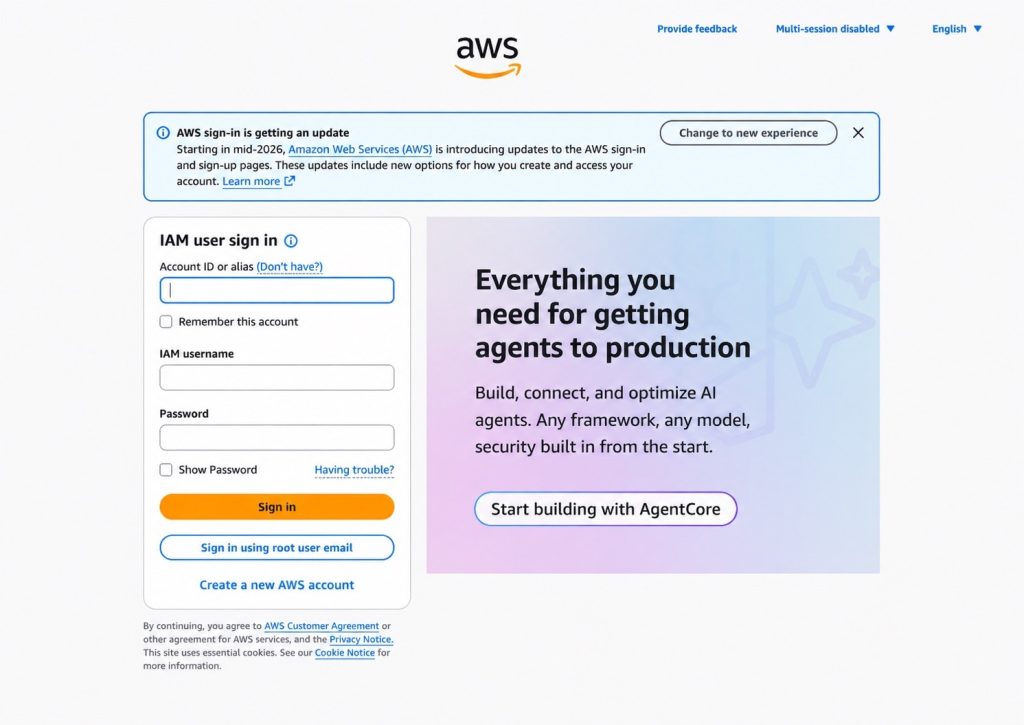
Figure 3: Current AWS sign-in page with the banner to try the redesigned experience
Redesigned session selection experience
AWS supports multiple active account and role sessions, so you can stay signed in to more than one account at a time. We’ve redesigned the AWS session selection page with a refreshed look that simplifies viewing and managing your active sessions. When you return to AWS while you have active account or role sessions, the session selection page displays those sessions in one place, including the account, role, and recent sign-in information to help you identify the session you want to use, as shown in Figure 4.
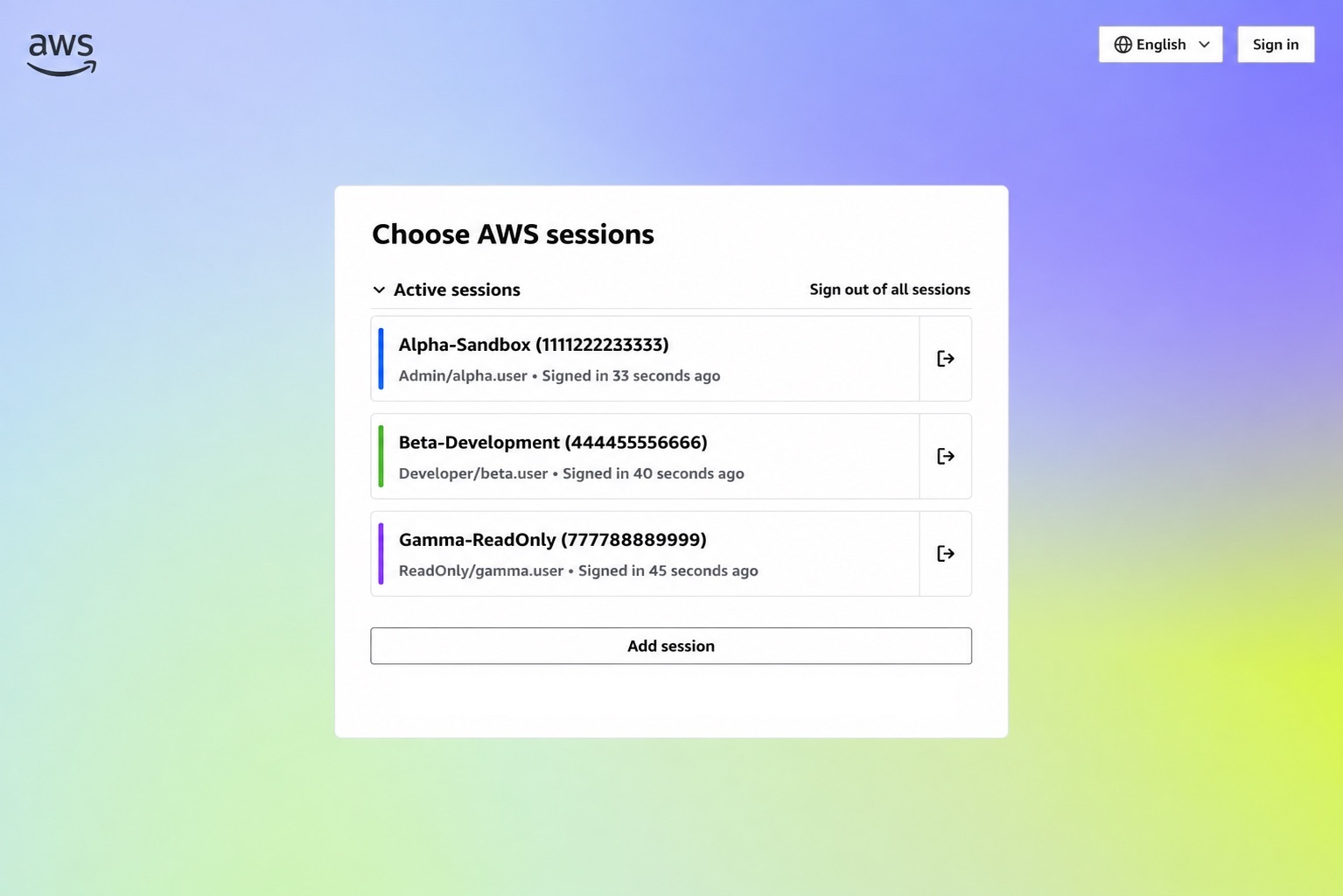
Figure 4: New session selection page
From this page, you can select an existing session, sign out of one or all sessions, or add another AWS session. Choose Add session to sign in to another AWS account while remaining signed in to your existing sessions.
Conclusion
The redesigned AWS Sign-In and session selection pages provide an updated experience while continuing to support the sign-in methods you use today. If you’re an existing AWS customer, there’s no change to how you sign in to your account. We encourage users who rely on browser automation or other workflows that interact with the sign-in experience to review these updates and ensure their systems are compatible with the redesigned experience.
To learn more, see the AWS Sign-In User Guide. If you have questions or feedback, start a new thread in IAM re:Post or reach out to AWS Support.