AWS Big Data Blog
Efficient log management with Amazon OpenSearch Service data streams
Time series data workloads in Amazon OpenSearch Service can present unique challenges for organizations, especially when dealing with continuously growing datasets. Many customers struggle with heavily loaded single indices that lead to high query latency, degraded performance, and unnecessary costs. In this post, we show you how to implement data streams with Index State Management (ISM) in Amazon OpenSearch Service. This approach automatically manages your time series data lifecycle and optimizes both performance and costs. Data streams distribute incoming data across multiple backing indices, helping to reduce single-index bottlenecks, while ISM policies automate rollover, retention, and storage tiering to help manage costs.
The challenge
While Amazon OpenSearch Service has long provided tools like Index State Management (ISM) for time series data management, many organizations still struggle with implementing optimal patterns for their continuously growing datasets. Common challenges include:
- Performance degradation from index growth: As single indices grow unbounded, query latency increases, you might find shard sizes more difficult to manage, and you might experience strain on your cluster resources.
- Manual index management overhead: Without automation, you must invest significant operational effort to manage index lifecycles, rollover, and retention.
- Complex setup: Coordinating index templates, aliases, and ISM policies manually can be error-prone.
- Inefficient resource utilization: All data residing in hot storage regardless of access patterns, leading to unnecessarily high costs.
Solution overview
As illustrated in Figure 1, our solution uses Amazon OpenSearch Service data streams combined with Index State Management to automatically distribute data across multiple indices and manage the data lifecycle. A data stream is an abstraction layer that simplifies time series data ingestion. It provides a single, consistent endpoint for writes while automatically managing multiple backing indices behind the scenes. Instead of writing directly to individual indices, applications write to the data stream, which routes data to the appropriate backing index.
Here’s how it works:
- Data streams provide a single write index when data is first ingested, which can help streamline time series data ingestion.
- When the backing index ages or grows to meet your defined criteria, ISM automatically performs the rollover operation.
- You can use ISM policies to automatically transition your aged data to different storage tiers based on rules you define and configure.
- You can automate the entire process through rules you define in the index template and ISM policies.
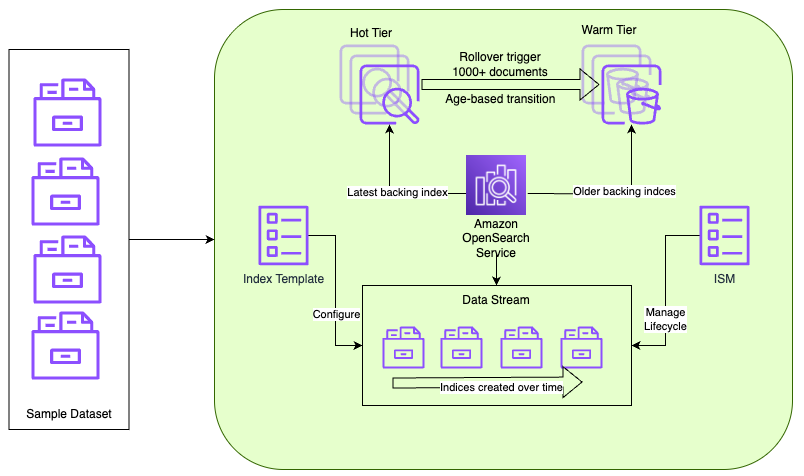
Figure 1 — Time series data workflow using Amazon OpenSearch Service data streams
Data ingests into an index according to your index template configuration. Over time, a data stream creates new indices automatically. Amazon OpenSearch Service manages the lifecycle, transitioning data from hot to warm storage according to the ISM policy configuration you define.
When to use this solution
This approach is ideal when:
- You’re ingesting time series data such as logs, metrics, traces, or Internet of Things (IoT) events.
- Your data is append-only and immutable.
- You’re ingesting millions of documents daily with long-term retention requirements.
- You want to reduce storage costs through storage tiering (UltraWarm, Cold storage), as outlined in the blog post Decrease your storage costs with Amazon OpenSearch Service index rollups.
Implementation steps
Prerequisites
Before you begin, make sure that you have the following:
- OpenSearch Service domain with UltraWarm nodes (Sample CLI command to create a domain with UltraWarm nodes enabled).
The following steps walk through implementing a time series data solution, using a web server logs database as an example. You can run these steps using any of the following:
- OpenSearch Dashboards Dev Tools Console.
- Direct API calls using curl or any REST client.
- OpenSearch Dashboards ISM interface (for policy management).
For this post, we use the Dev Tools Console in OpenSearch Dashboards. To access it:
- Log in to OpenSearch Dashboards.
- Navigate to Dev Tools (usually found on the menu under Management).
- Use the interactive console to run the commands.
Section 1: Create data stream
First, create an ISM policy that defines the rules for index rollover and storage tier transitions. The following policy defines two states (hot and warm) and sets rules for when indices transition between them. The policy triggers a rollover when the document count reaches 1,000 and moves indices to warm storage after 2 minutes.
Note: The rollover and transitions configurations are only for demo purposes.
- Create an index template for the data stream
An index template matches indices by a regex pattern and applies predefined settings and schema at index creation. The following template maps the required timestamp field for the data stream and associates matching indices with the ISM policy we created.
- Create data stream
In this step, you create the data stream that handles the time series data. The data stream provides a single, unified write target for ingesting data while managing multiple backing indices behind the scenes.
- Validate ISM policy mapping
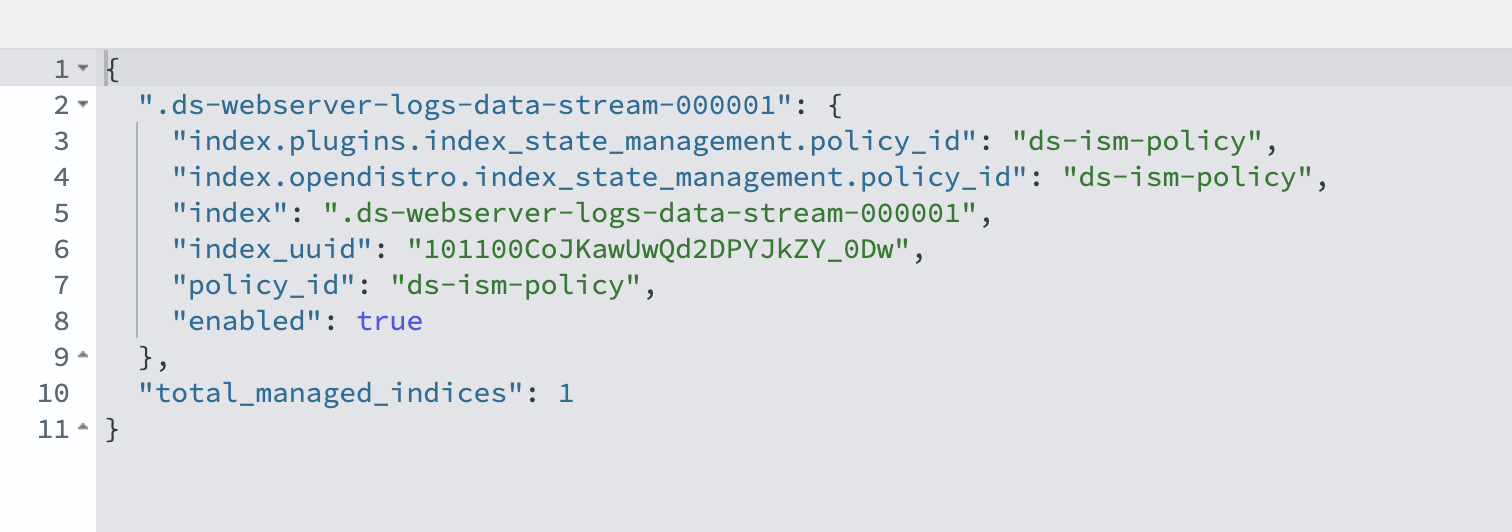
Verify that the ISM policy is correctly associated with the data stream that was created in the earlier step. This validation step confirms that automatic lifecycle management works as expected.
Output
Confirm that policy_id matches the ISM policy name you created earlier and that enabled is set to true.
Section 2: Ingesting data to data stream
In real-world scenarios, log data is typically collected and streamed directly to Amazon OpenSearch Service data streams. However, to demonstrate rollover and migration scenarios in this post, we take a different approach. We first load sample log data into a standard OpenSearch Service index, then reindex and migrate that data to a data stream.
To get started, run the commands in the Dev Tools console to create an index and populate it with sample log data.
- Reindex existing data
This step shows how to migrate existing data in a traditional index to the new data stream. The reindex operation includes a script that confirms each document has a valid timestamp field (timestamp). Documents without a timestamp field are skipped by the reindex operation to maintain data integrity.
- Monitor index rollover
As shown in Figure 2, after reindexing, monitor the creation of backing indices. The ISM policy evaluates indices every 5 minutes by default. Rollover occurs based on the defined conditions (1,000 documents or 2 minutes of age). Verify this using the following command.
The output should look like the following:

You can also validate this from OpenSearch Dashboards by navigating to Index Management, Data streams, webserver-logs-data-stream.
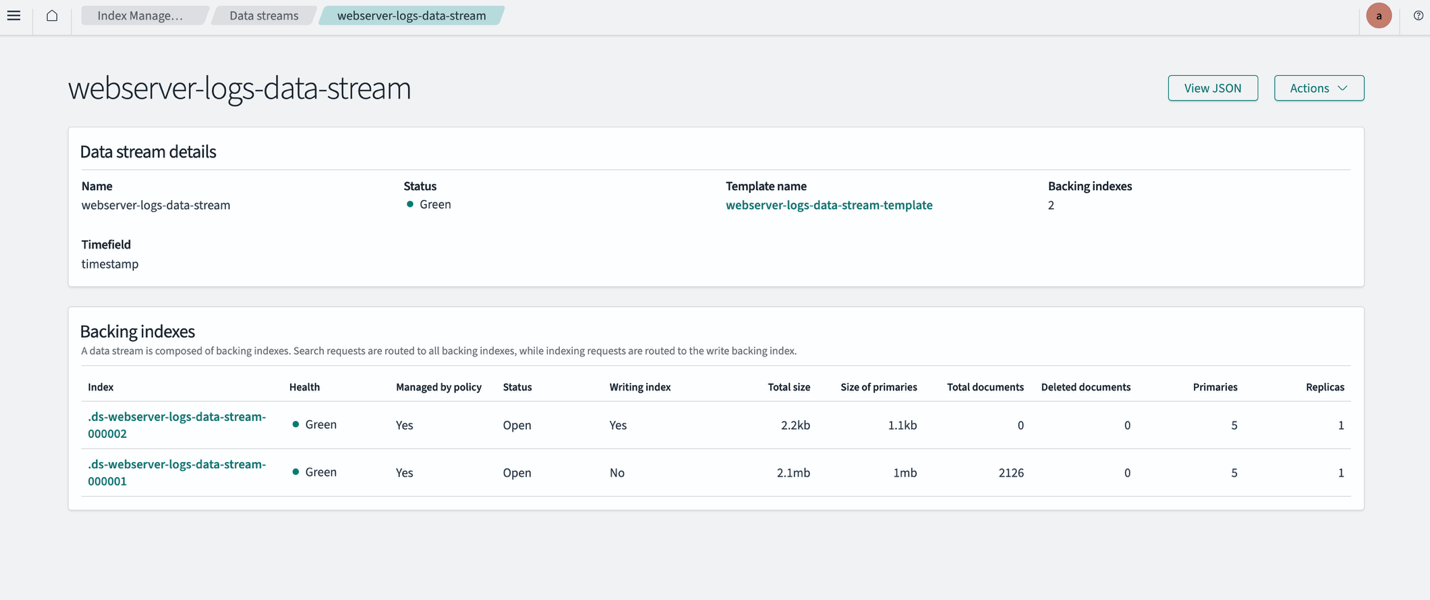
*Figure 2 — Combined view of the _cat/indices CLI output and the OpenSearch Dashboards data stream details, showing a successful index rollover across multiple backing indices*
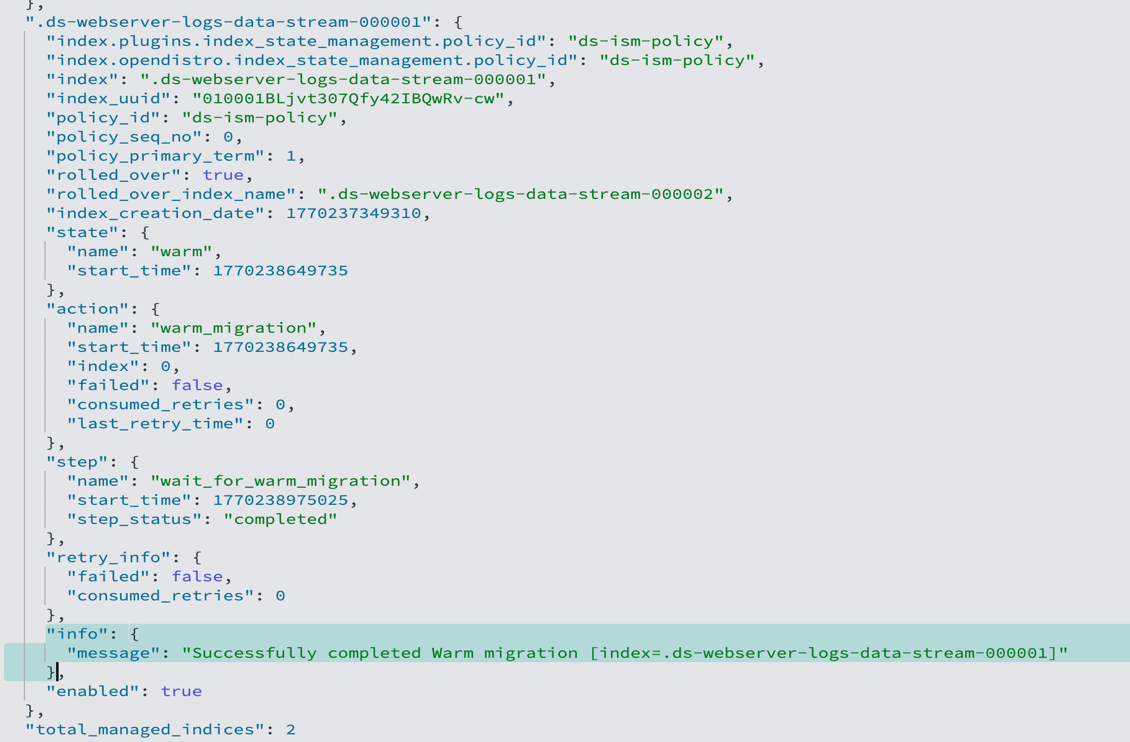
- Validate warm transition
Verify that indices are correctly transitioning from hot to warm storage based on the ISM policy conditions. You can monitor this through OpenSearch Dashboards or API queries in the Dev Tools console.
- Verify ingested data
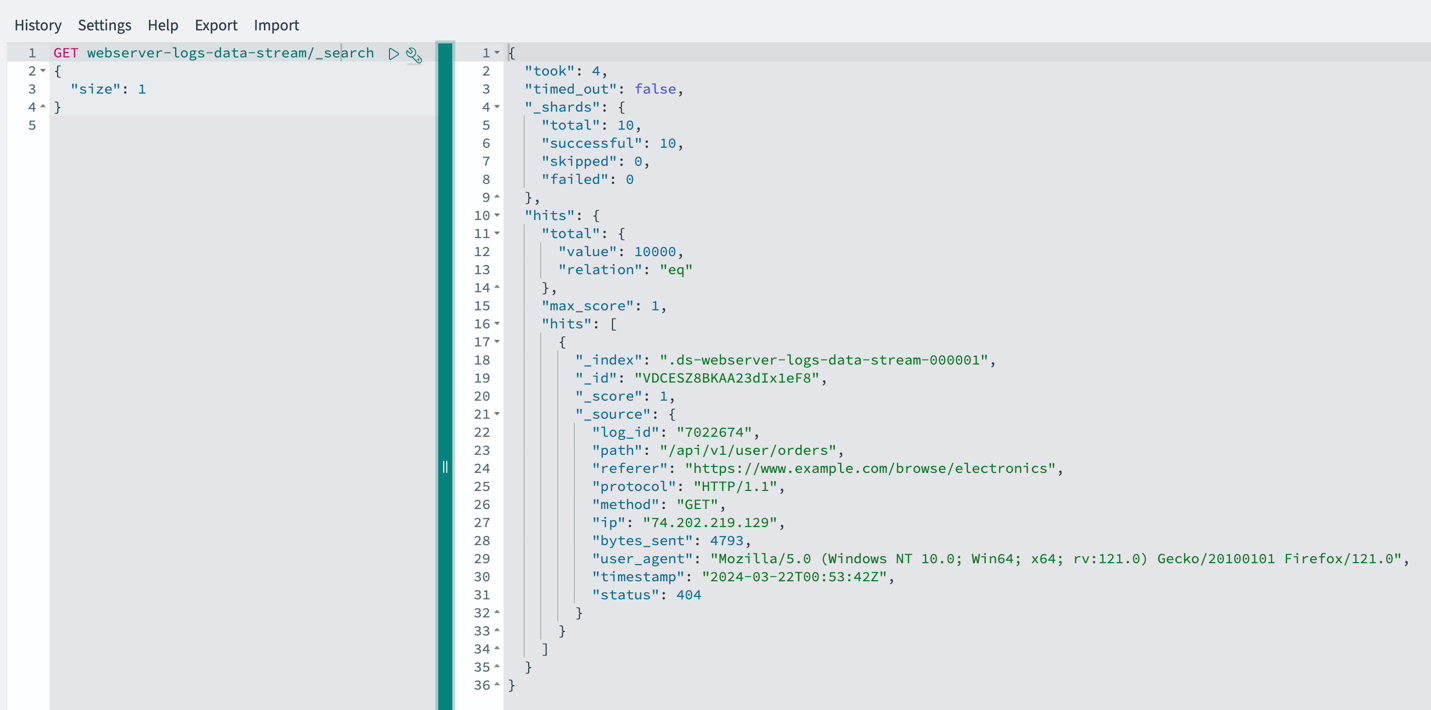
Run a search against the data stream to confirm your documents were successfully indexed:
Output
You should see your ingested documents returned in the hits.hits array, with the timestamp field and other fields you defined in the index template. A non-zero hits.total.value confirms data is flowing correctly through the data stream.
- Clean up
If needed, these commands remove the data stream and its template.
Delete the sample data.
Conclusion
OpenSearch data streams with ISM offer capabilities for managing time series data at scale. Organizations that implement this approach can see improved query performance through distributed load and smaller, time-based backing indices that support efficient time-range queries. Automated index management reduces operational overhead. Storage tiering automatically moves aged data to UltraWarm storage, which significantly lowers costs without sacrificing access to historical data. Combined with better scalability for growing datasets, this solution simplifies index management while delivering improved performance and a more cost-effective, maintainable infrastructure.