AWS Database Blog
Amazon DynamoDB global tables now support replication across AWS accounts
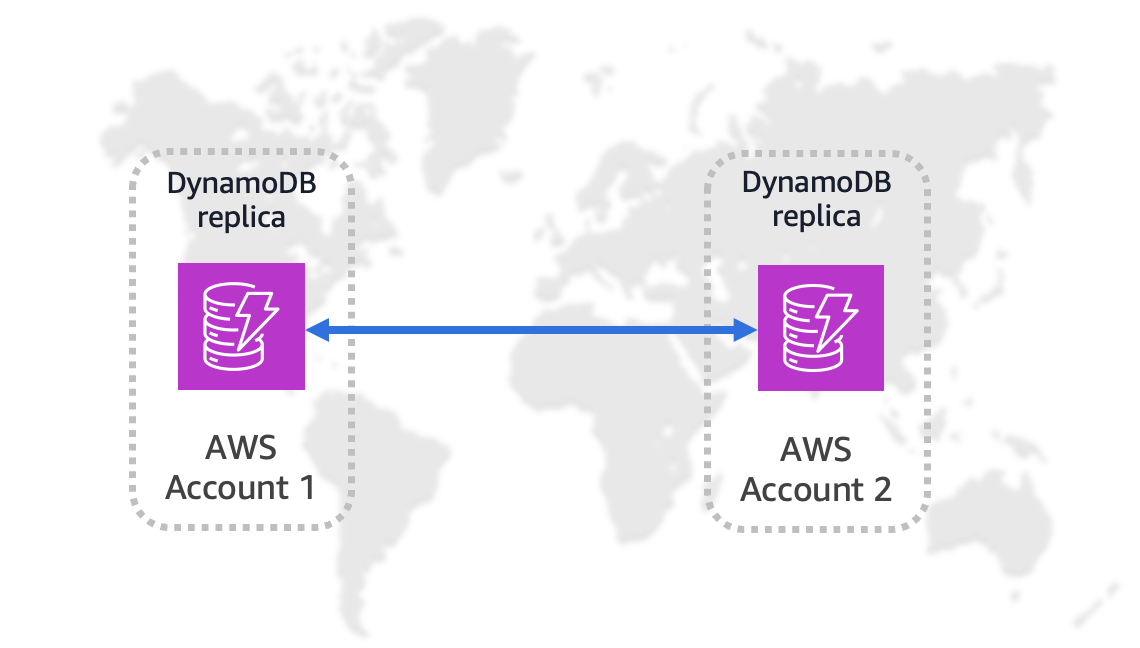
Amazon DynamoDB global tables is a fully managed, multi-Region, and multi-active database feature that provides seamless data replication and fast local read and write performance for globally scaled applications.
Today, we’re announcing multi-account global tables for Amazon DynamoDB, which let you replicate DynamoDB table data across multiple AWS accounts and AWS Regions. This feature adds account-level isolation to global tables, so you can replicate DynamoDB table data across multiple AWS accounts and Regions for stronger isolation and resiliency.
With this feature, DynamoDB now supports two global tables models, each designed for different architectural patterns:
- Same-account global tables – Replicas are created and managed within a single AWS account
- Multi-account global tables – Replicas are deployed across multiple AWS accounts while participating in a shared replication group
Both models support fast local writes, asynchronous replication, and last-writer-wins conflict resolution. However, they differ in how accounts, permissions, encryption, and table governance are managed. Multi-account global tables currently support multi-Region eventual consistency (MREC) only.
In this post, we show you how to create and configure a multi-account global table, and introduce use cases highlighting the value of using this feature.
Enhanced disaster recovery architecture
Multi-account global tables transform how you can architect disaster recovery solutions. By distributing your data across multiple AWS accounts, you can have additional layers of isolation to limit the impact of misconfigurations, security incidents, or account-level issues.Consider a scenario where your primary application runs in Account1 (us-east-1) and your disaster recovery environment operates in Account2 (us-west-2). With multi-account global tables, both accounts maintain synchronized copies of your critical data, enabling rapid failover without complex data migration procedures.
Organizational compliance and cost attribution
Many enterprises operate with multiple AWS accounts for organizational, security, or compliance reasons. Multi-account global tables help these organizations maintain data consistency across their distributed infrastructure while respecting existing compliance boundaries, guardrails, and governance models.For example, a financial services company might maintain separate accounts for different business units or regulatory environments. Multi-account global tables allow these units to share critical reference data while maintaining the isolation required by their compliance frameworks. In addition, the costs for each Regional replica are aligned to AWS accounts that might be managed by separate business units.
For more information on multi-account strategies, refer to AWS account management and separation and Benefits of using multiple AWS accounts.
How DynamoDB multi-account global tables work
Multi-account global tables use permissions defined in resource-based policies to indicate which other accounts can join the replication group, and to allow data to be replicated.
Each replica must reside in a separate AWS account and a separate Region. For a multi-account global table with N replicas, you must have N accounts in N separate Regions.
You can begin with an existing, non-empty single Region table, and then add a replica table in another Region and account. The system will copy existing items into the new table. When both tables are synchronized, you will see each table’s status as ACTIVE.
Multi-account global tables publish the ReplicationLatency metric to Amazon CloudWatch. This metric tracks the elapsed time between when an item is written to a replica table and when that item appears in another replica in the global table. You can monitor this metric to understand how quickly items are replicated to remote Regions.
Multi-account global tables: Settings replication behavior
When creating a multi-account global table, you must set GlobalTableSettingsReplication to ENABLED for each Regional replica. This means configuration changes made in one Region will propagate automatically to other Regions that participate in the global table.
For the source table, you can enable settings replication after table creation. This supports the scenario where a table is originally created as a Regional table and later upgraded to a multi-account global table.
Refer to Settings synchronization for a list of synchronized and non-synchronized replica settings.
Solution overview
In this post, we provide a high-level summary of steps required to use multi-account global tables. For a detailed tutorial, refer to Tutorials: Creating global tables.
For our example, we use two accounts: ACCOUNT1 in REGION1 and ACCOUNT2 in REGION2.
We can create the Amazon Resource Names (ARNs) for each table replica in advance as follows, assuming the new table is called myTable:
- ACCOUNT1_TABLE_ARN: “arn:aws:dynamodb:REGION1:ACCOUNT1:table/myTable”
- ACCOUNT2_TABLE_ARN: “arn:aws:dynamodb:REGION2:ACCOUNT2:table/myTable”
- Create a DynamoDB table in REGION1. You can add items to the table or use an existing single-Region table that has items. For this post, we name the table myTable.
- Set the table’s GlobalTableSettingsReplication: ENABLED.
The following screenshot shows this setting on the DynamoDB console.
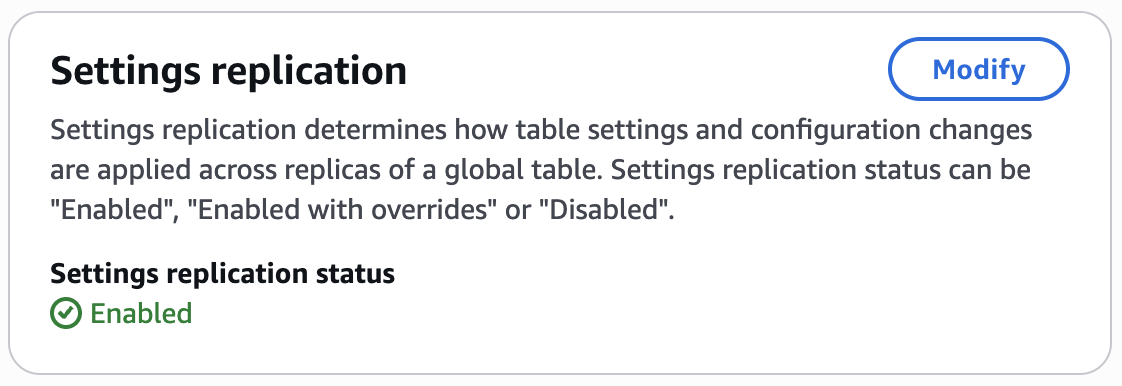
If you are using the AWS Command Line Interface (AWS CLI), you can also indicate this within the create-table command by adding –global-table-settings-replication ENABLED.
- Add a resource policy to the table, with the following two statements:
The Condition section of these policies is required so the DynamoDB service principal will have permissions to replicate data amongst the tables you specify. You can add additional accounts and ARNs to the resource-based policy if you need to expand your global table to additional accounts and Regions.
- Create a DynamoDB table in ACCOUNT2 and REGION2 with the following settings:
- GlobalTableSettingsReplication: ENABLED
- Include a resource policy with the following format:
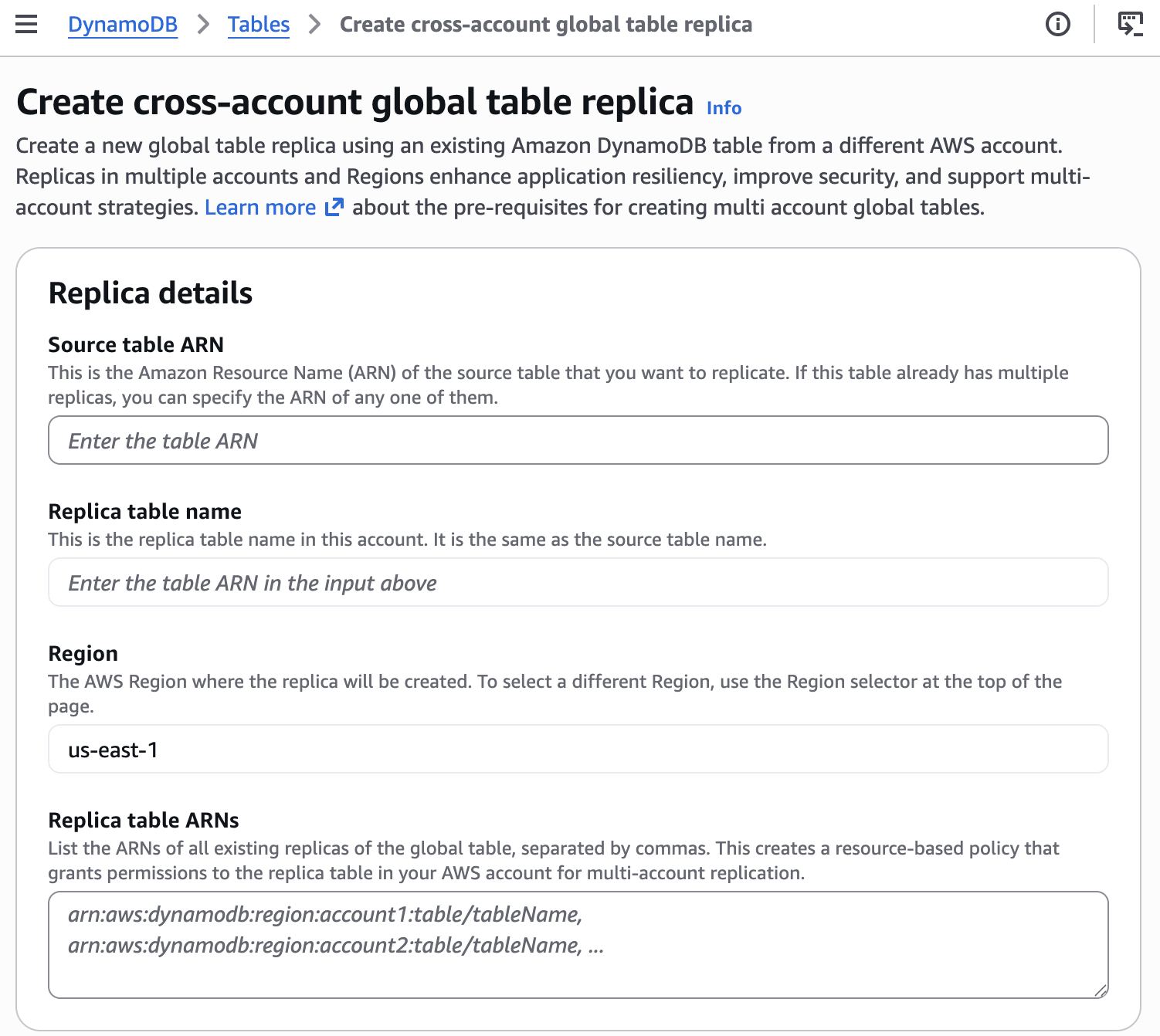
You can also accomplish this step on the DynamoDB console. Choose the Create table dropdown menu and choose Create cross-account global table replica.

The following screenshot shows the configuration details required.
Use cases
One type of disaster planning is the scenario of a malicious actor gaining full control of Account1. Should this happen, the owner of Account2 can halt replication by updating their table’s resource policy to deny replication actions. If the table has point-in-time recovery enabled, you can perform an incremental export to Amazon Simple Storage Service (Amazon S3) to get a snapshot of all writes from the last 24 hours in JSON format. Then, you can review the new and old images of any items changed, to see the original state of any items that could have been maliciously altered. This will be flagged as an abnormal state for a global table, so AWS Support might reach out to you to verify why replication has stopped.
Another use case is when you want to move a table between AWS accounts. At the time of writing, multi-account global tables don’t support same-Region replication, so a series of steps must be performed, temporarily involving another Region. The high-level steps are as follows:
- Configure your application to be able to switch the AWS account and Region used for authentication to DynamoDB.
- Use the steps covered in this post to:
- Add a resource policy to the table in Account1, Region1.
- Create a linked replica table in Account2, Region2.
- Wait 24 hours. You cannot delete the original table replica until 24 hours have passed.
- Adjust your application to use the DynamoDB table in Account2, Region2.
- Delete the table replica in Account1, Region1. (The system will automatically copy over all pending writes before removing the replica.)
- Using Account2, call update-table to request a new same-account replica be added in Region1.
- Check the table status. When it returns to ACTIVE, your table replica in Account2, Region1 is ready.
- Switch the application to use Account2, Region1.
- (Optional) Delete the table replica in Account2, Region2.
Summary
DynamoDB global tables now support replication across multiple AWS accounts. This enhances resiliency though account-level isolation, supports tailored security and data-perimeter controls, enables alignment of workloads by business unit or environment, and simplifies governance requirements. To learn more, refer to Global tables – multi-active, multi-Region replication and Resilience and disaster recovery in Amazon DynamoDB. Please let us know your feedback in the comments section.