Linking your AWS Account to an AWS Builder ID
by AWS | 28 June 2024
Account linking
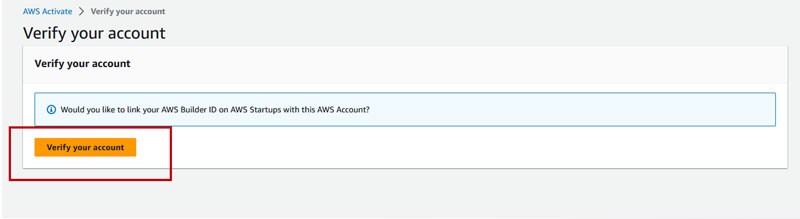
In the AWS Management Console, confirm your account* by clicking the “Verify your account” button in your profile.
*Reminder: Only one AWS Builder ID can be linked to an AWS Account at a time.
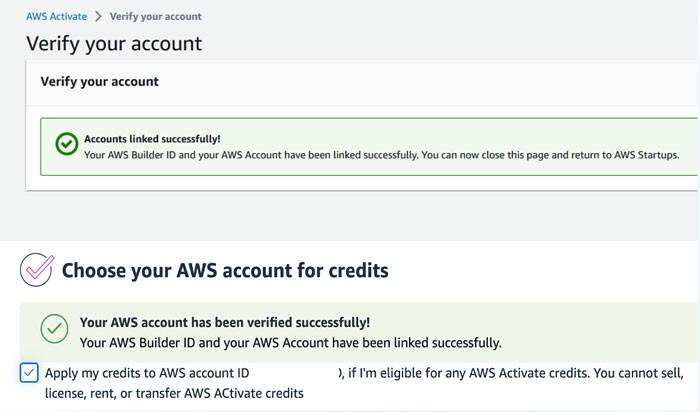
Linking confirmation
If you are successful, you will see “Accounts linked successfully” in the console.
You can now close the AWS Management Console and return to the Credits application, where you should also see the account has been verified.
Error: Existing account already linked
If more than one individual uses your AWS Account, you may receive an error that this AWS Account has already been linked to an existing AWS builder ID.
If you wish to proceed with the AWS Activate application and your company’s AWS Account is linked to the AWS Builder ID of someone else at your company or your prior AWS Builder ID, in order for you to complete the AWS Activate credit application, you will need to unlink the currently linked AWS Builder ID and link your current AWS Builder ID.
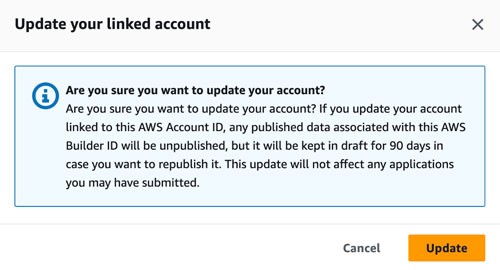
Linked account updates
Once you click on “Update linked account”, you will get a confirmation pop-up. You can click on “Update” to continue to update your linked AWS Builder ID.
Note: Any published data in your company’s Showcase profile will become unpublished, however it will be maintained in a draft if you wish to republish it.


Did you find what you were looking for today?
Let us know so we can improve the quality of the content on our pages