AWS Database Blog
Accelerate database modernization with agentic AI in AWS DMS Schema Conversion
Migrating database schemas from Oracle, SQL Server, Db2, or Sybase to Amazon Relational Database Service (Amazon RDS) and Amazon Aurora PostgreSQL requires dozens of manual steps: provisioning projects, importing source metadata, triggering conversions, interpreting action items, and exporting results. At enterprise scale, repeating this workflow across hundreds of workloads compounds the orchestration overhead, consuming significant time and engineering capacity.
Agentic AI changes this. Starting today, you can use AI agents to orchestrate entire AWS DMS Schema Conversion (DMS SC) workflows through natural language. An AI agent manages the full lifecycle, including creating migration projects, browsing source metadata, converting schemas, generating assessment reports, and exporting results, all from a conversational prompt. In internal testing, a single agent-driven session completed a 200-object schema conversion in under 15 minutes. The same scope took approximately 45 minutes of manual console navigation and API calls.
DMS Schema Conversion agentic workflows
The generative AI feature we launched in December operates within DMS SC. It enhances the conversion engine by generating target SQL for objects the rule-based converter marks as action items. You activate it in the DMS SC console or CLI, convert objects, and review the AI-generated suggestions with the rule-based results.
AI agents operate on top of DMS Schema Conversion. Rather than enhancing a single conversion step, the agent orchestrates the entire workflow end-to-end: it creates the migration project, imports metadata, runs conversion, exports reports, and helps resolve action items, all within a single conversation.
| DMS SC with generative AI (Dec 2024) | DMS SC AI Agents (New) | |
| Scope | Individual objects with action items | Full assessment and conversion lifecycle |
| Interface | AWS DMS Console and CLI | Natural language in your IDE/terminal |
| What it does | Generates target SQL for unconvertible objects | Creates projects, browses metadata, converts, exports, reports |
| How you use it | Toggle on, convert, review | Describe intent, agent executes and review |
| Best together | ✓ Agent can activate generative AI-assisted conversion as part of its workflow | |
These capabilities are complementary. When an AI agent converts your schema, it can also activate generative AI-assisted conversion to maximize the automated conversion rate, combining workflow automation with intelligent conversion in a single interaction.
How it works
Your AI agent connects to AWS through the AWS MCP server, which implements the Model Context Protocol (MCP). The agent loads the DMS Schema Conversion skill, a curated package of API patterns, system schema exclusions, operation sequencing rules, and best practices. You describe what you want in natural language. The agent uses the skill to translate your intent into DMS SC API calls, manage asynchronous operations, and return structured results without console switching.
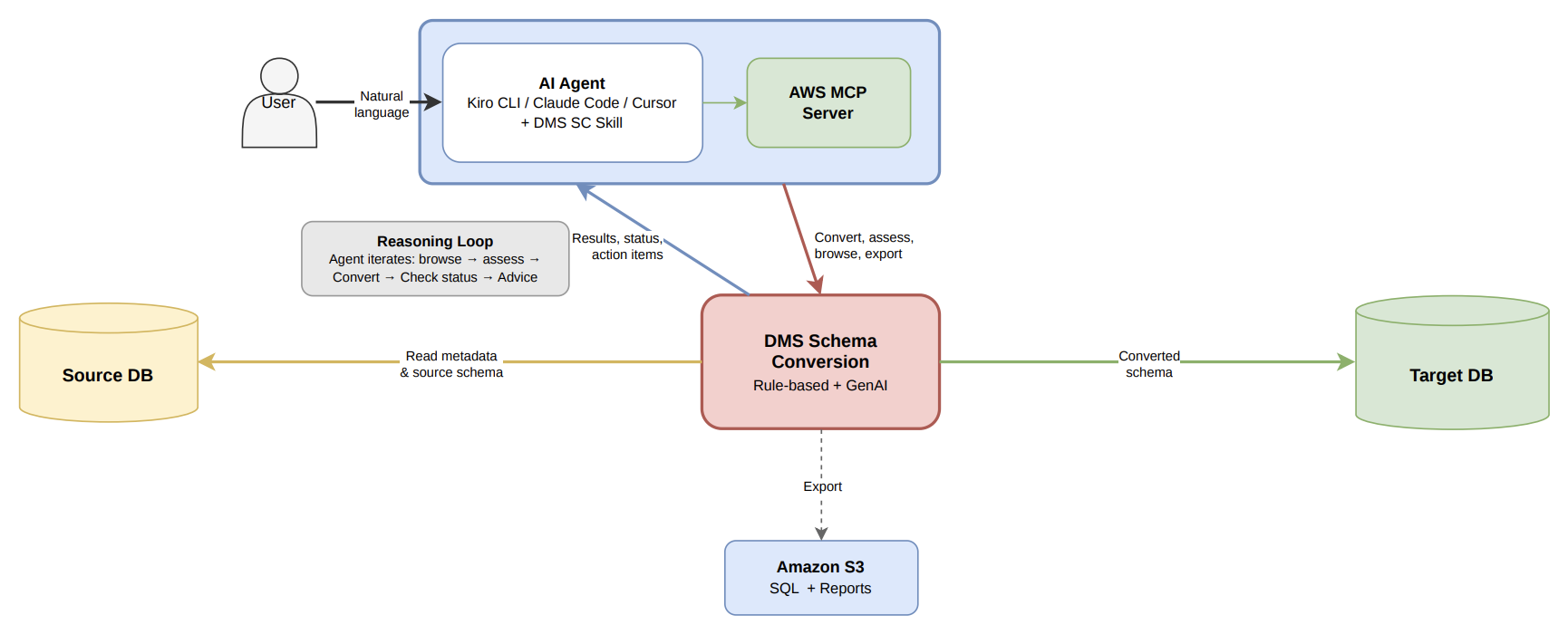
With this skill loaded, the agent understands DMS SC specific context, handles operation sequencing correctly, and completes workflows reliably with fewer errors.
The agent handles orchestration. The rule-based engine handles known patterns. Generative AI handles the edge cases. Together, they minimize manual effort at every level.
Getting started
Setting up AI agents for DMS Schema Conversion takes only a few steps. Here’s what you need before you begin.
Prerequisites
To get started, you need an AI coding agent that supports MCP (such as Kiro CLI, Claude Code, Cursor, or Codex) with the AWS MCP Server configured. Your AWS credentials must have permissions for DMS, AWS Secrets Manager, Amazon Simple Storage Service (Amazon S3), and Amazon RDS operations. The feature is available in all AWS Regions where DMS Schema Conversion is supported.
Step 1: Install the DMS Schema Conversion skill
If your agent uses the AWS MCP server, ask it:
Load “dms-schema-conversion” skill using the retrieve_skill tool.
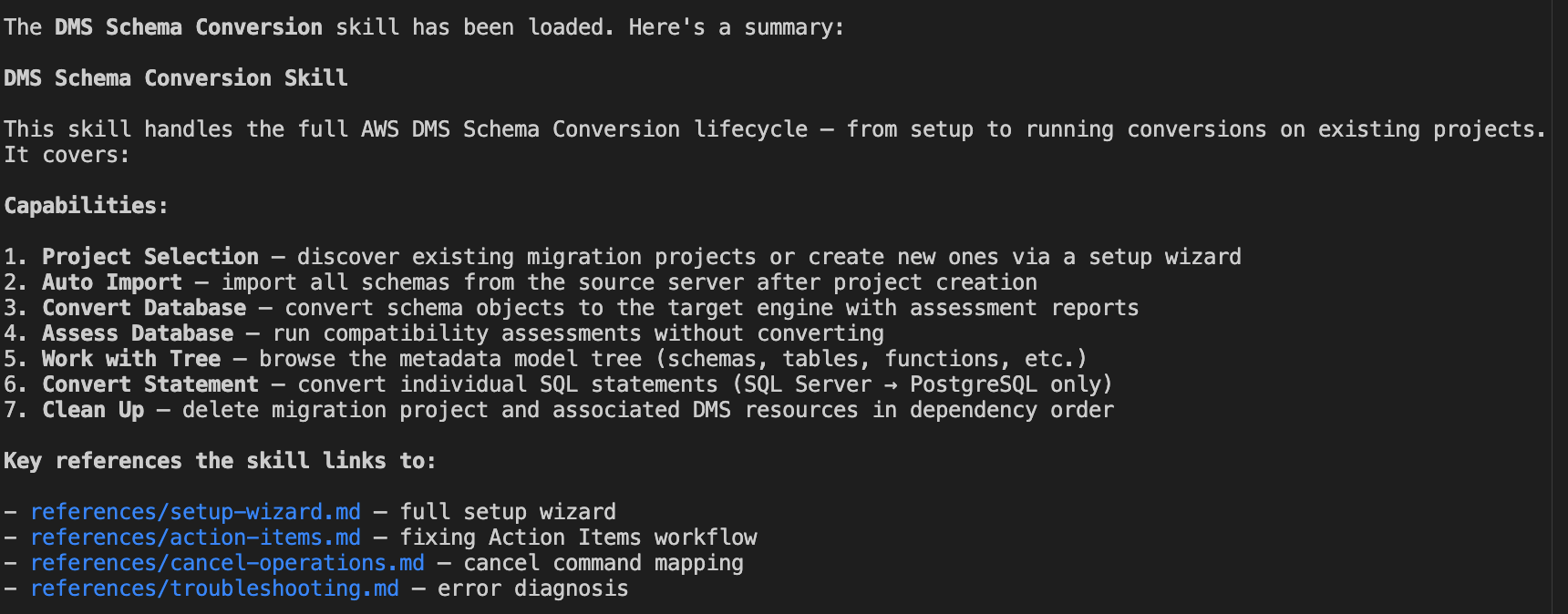
Or install locally from the AWS Agent Toolkit:
The skill works with Kiro CLI (.kiro/skills/), Claude Code (.claude/skills/), Cursor (.cursor/skills/), and Codex (.agents/skills/).
Step 2: Create a migration project
Tell the agent about your source database:
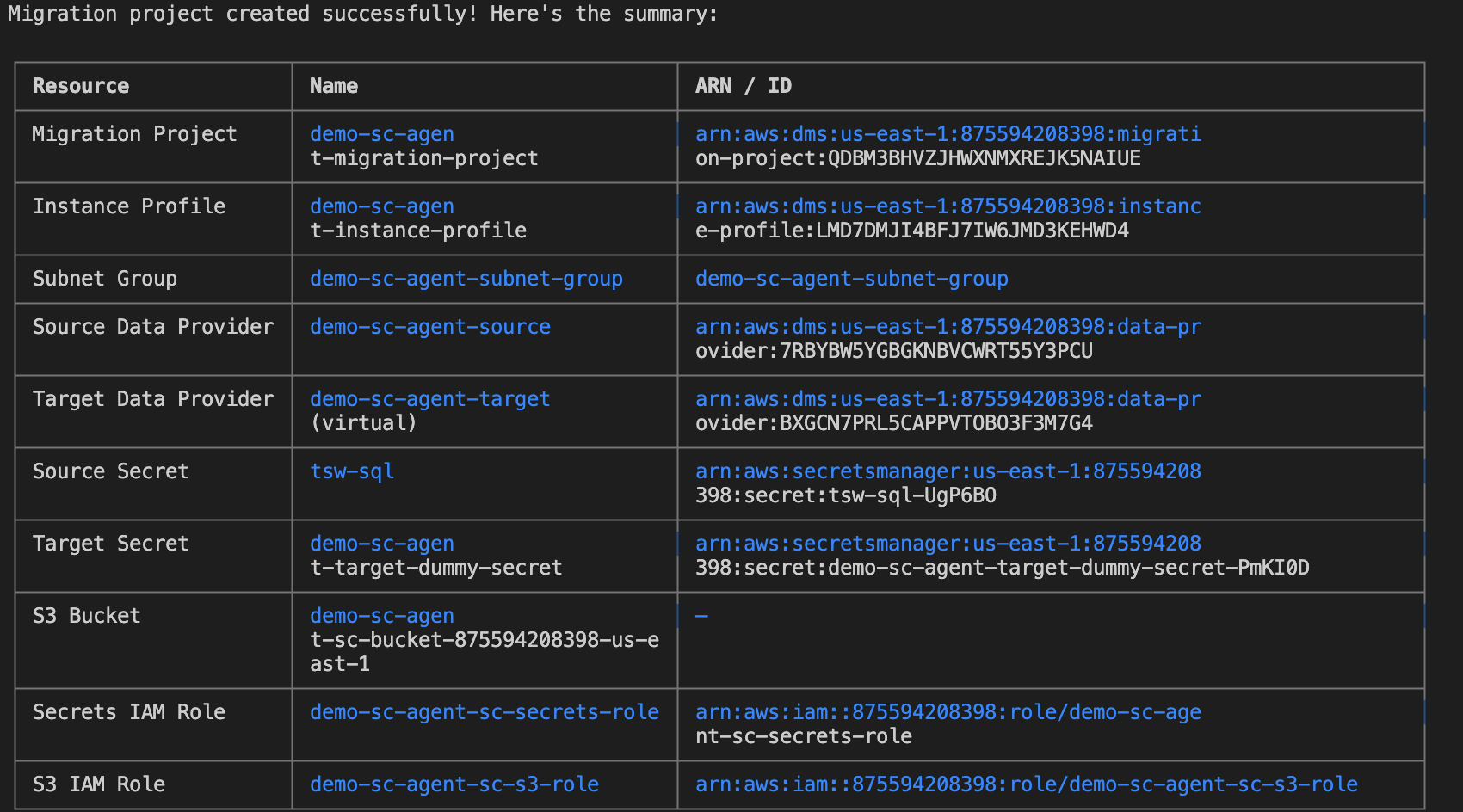
The agent creates source and target data providers, an instance profile with networking configuration, and the migration project that links them together.
Note: The first operation on a new migration project takes a few minutes while DMS Schema Conversion allocates compute resources.
Step 3: Browse your source database
Explore your database structure before converting:
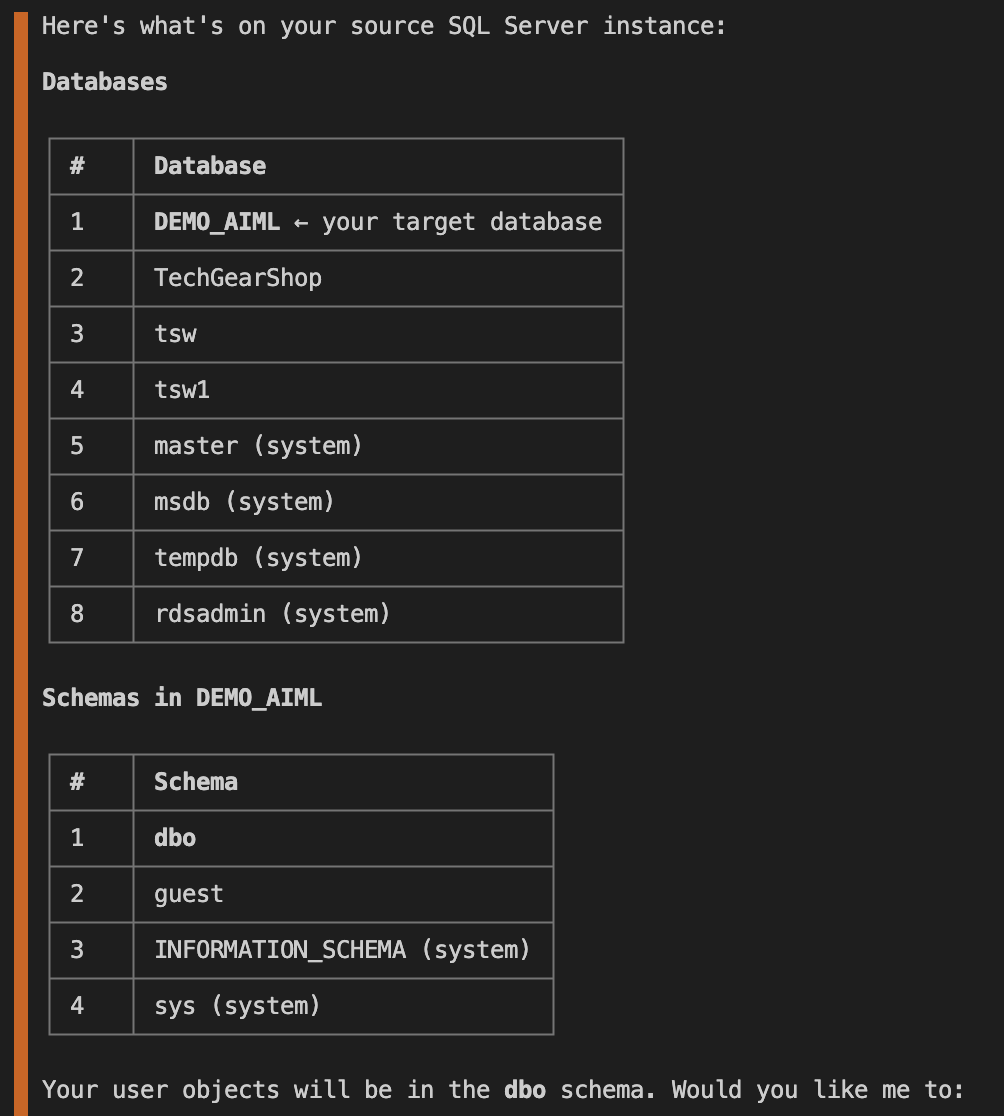
Drill into specific schemas:
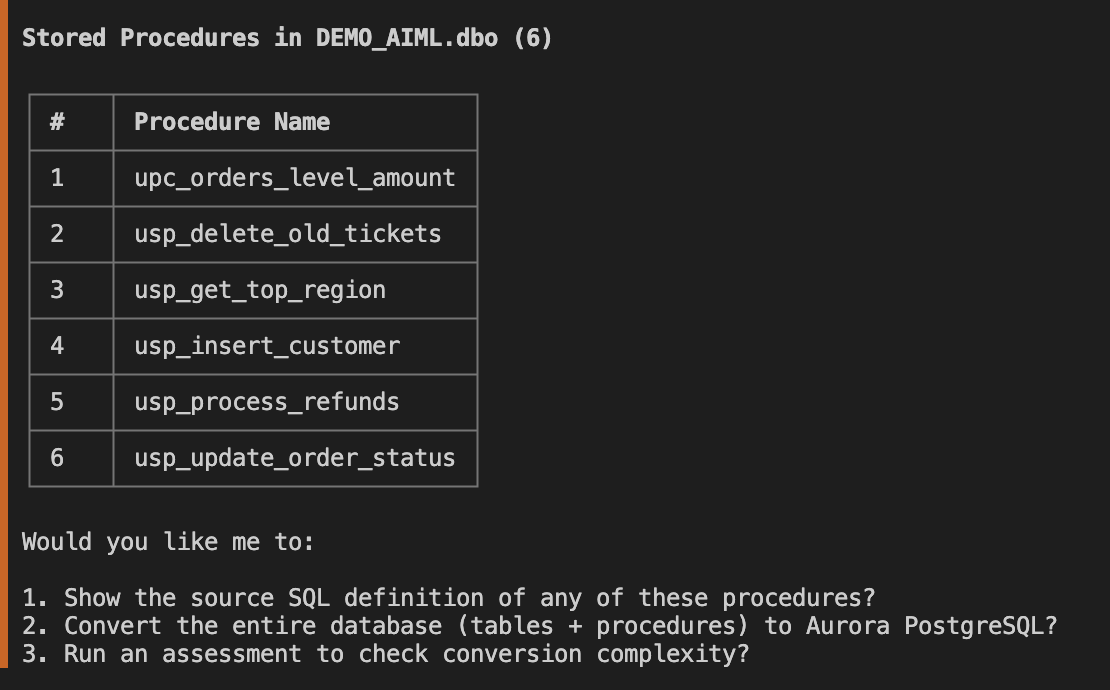
Or inspect individual objects:
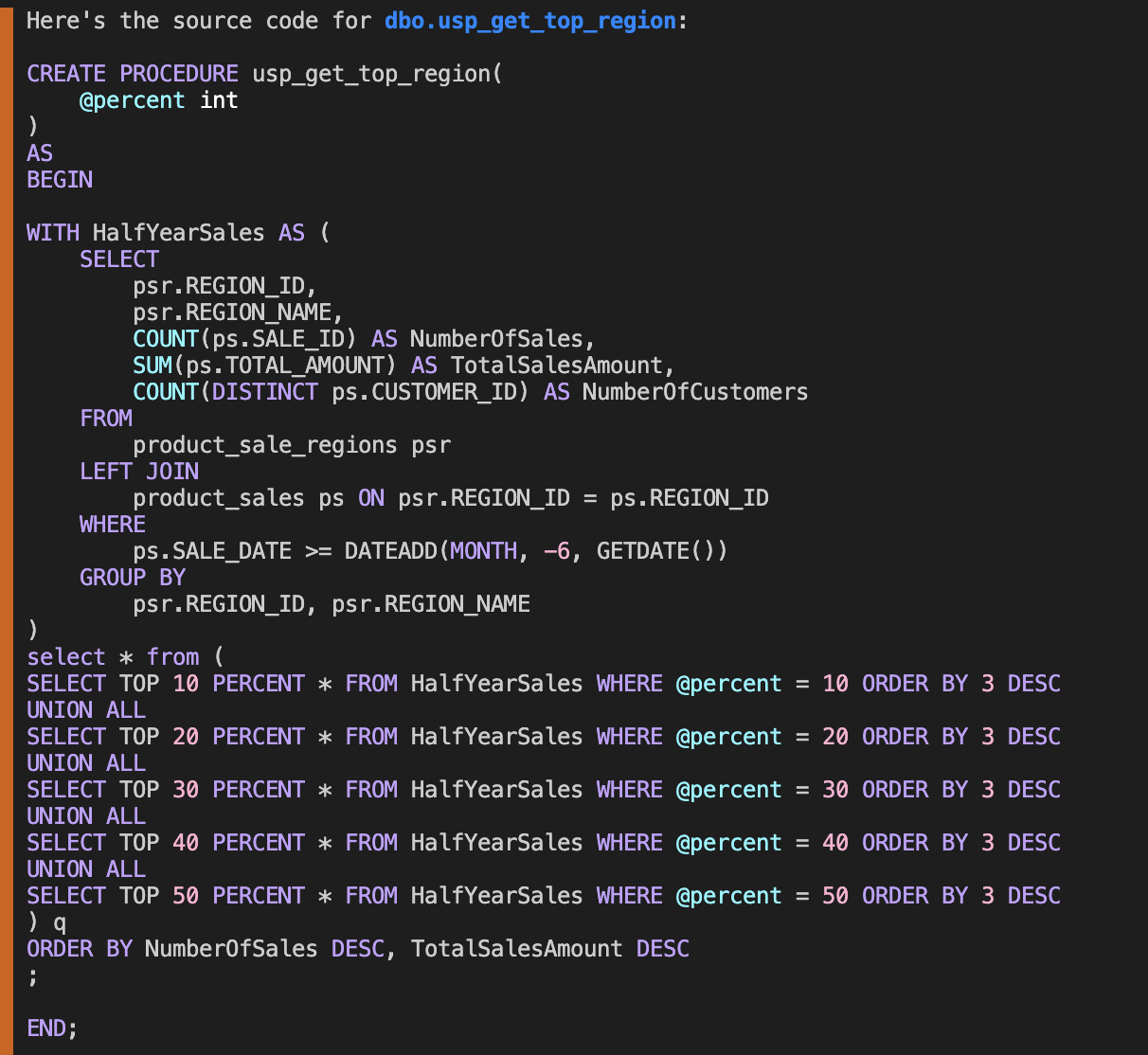
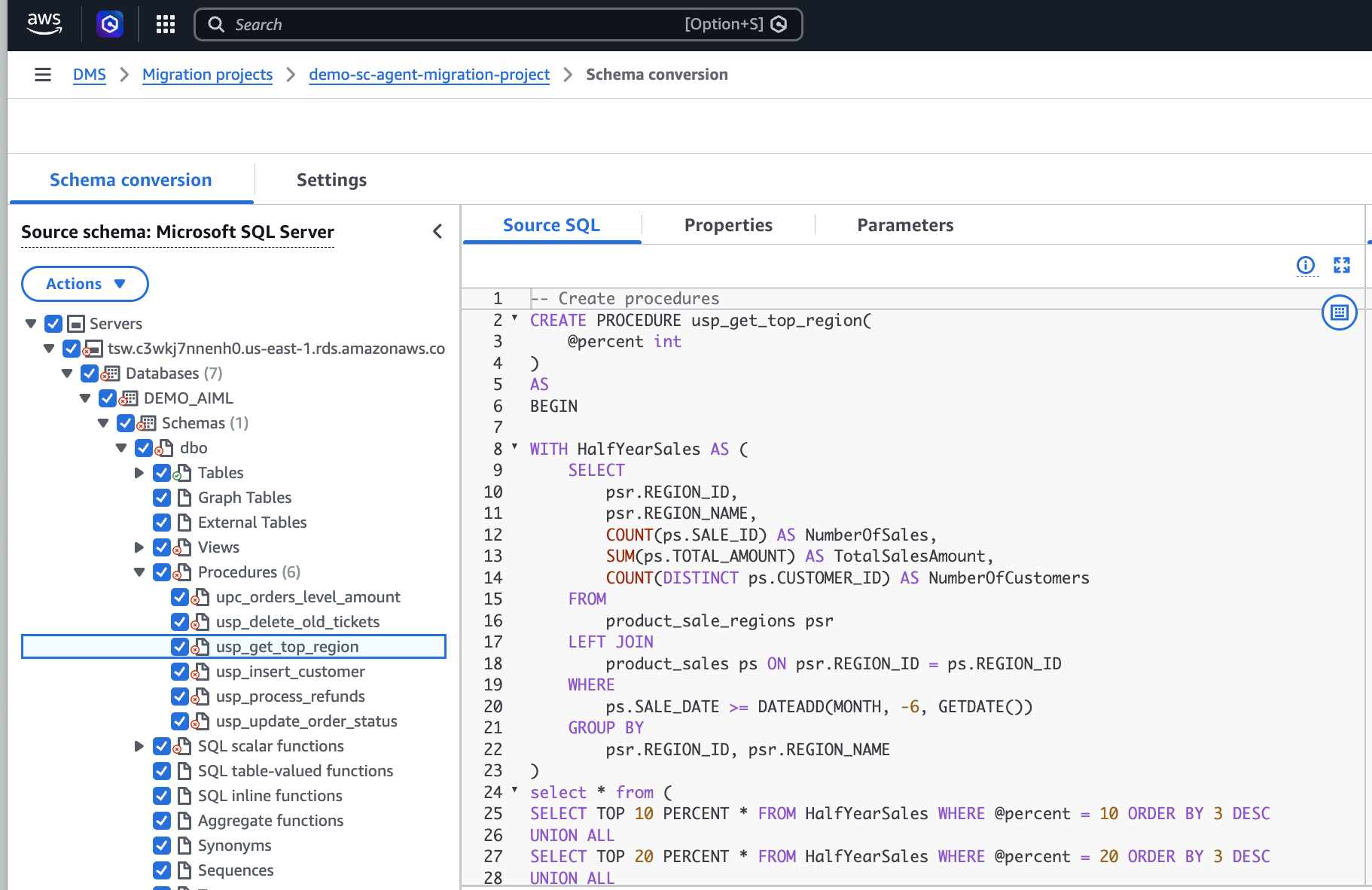
This is the equivalent of navigating the source metadata tree in the DMS SC console, but done conversationally.
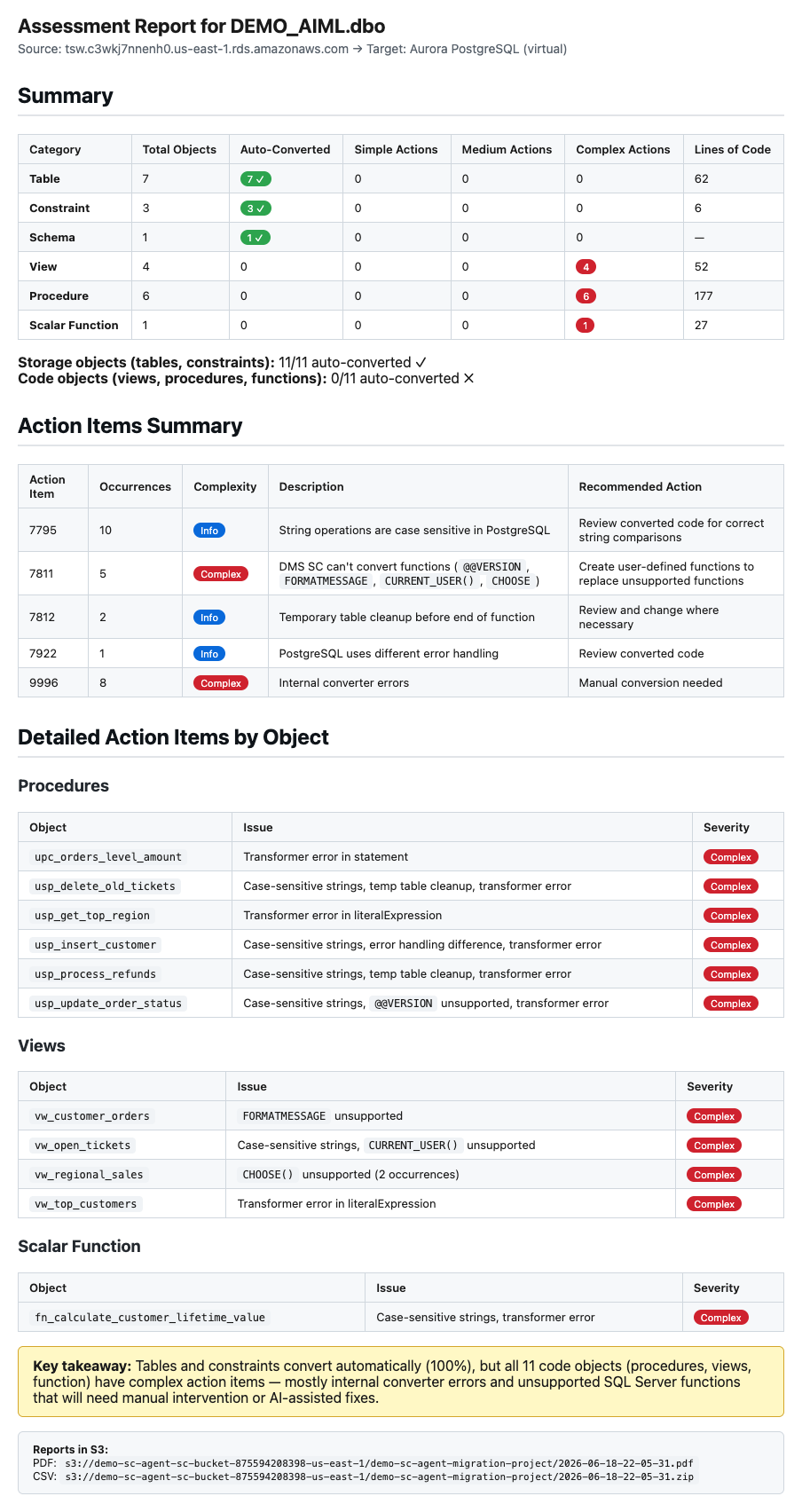
Step 4: Assess, convert, and export
After you know what to migrate:
Conversion settings and transformation rules
Before running a conversion, you can ask the agent to review or modify the schema conversion settings and transformation rules for your migration project.
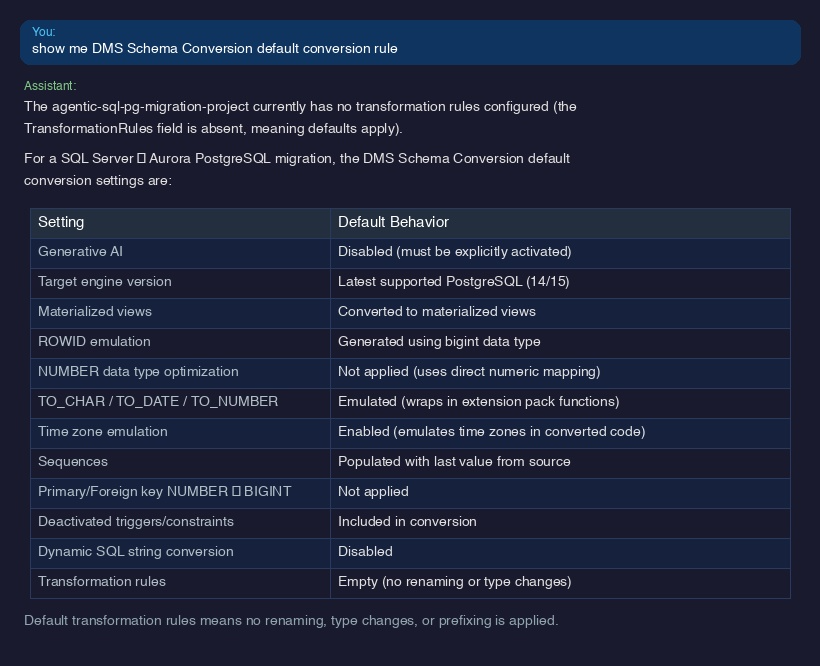
The agent retrieves and displays settings such as ROWID emulation mode, data type optimizations, time zone handling, and whether generative AI-assisted conversion is activated.
You can also ask the agent to add or update transformation rules:
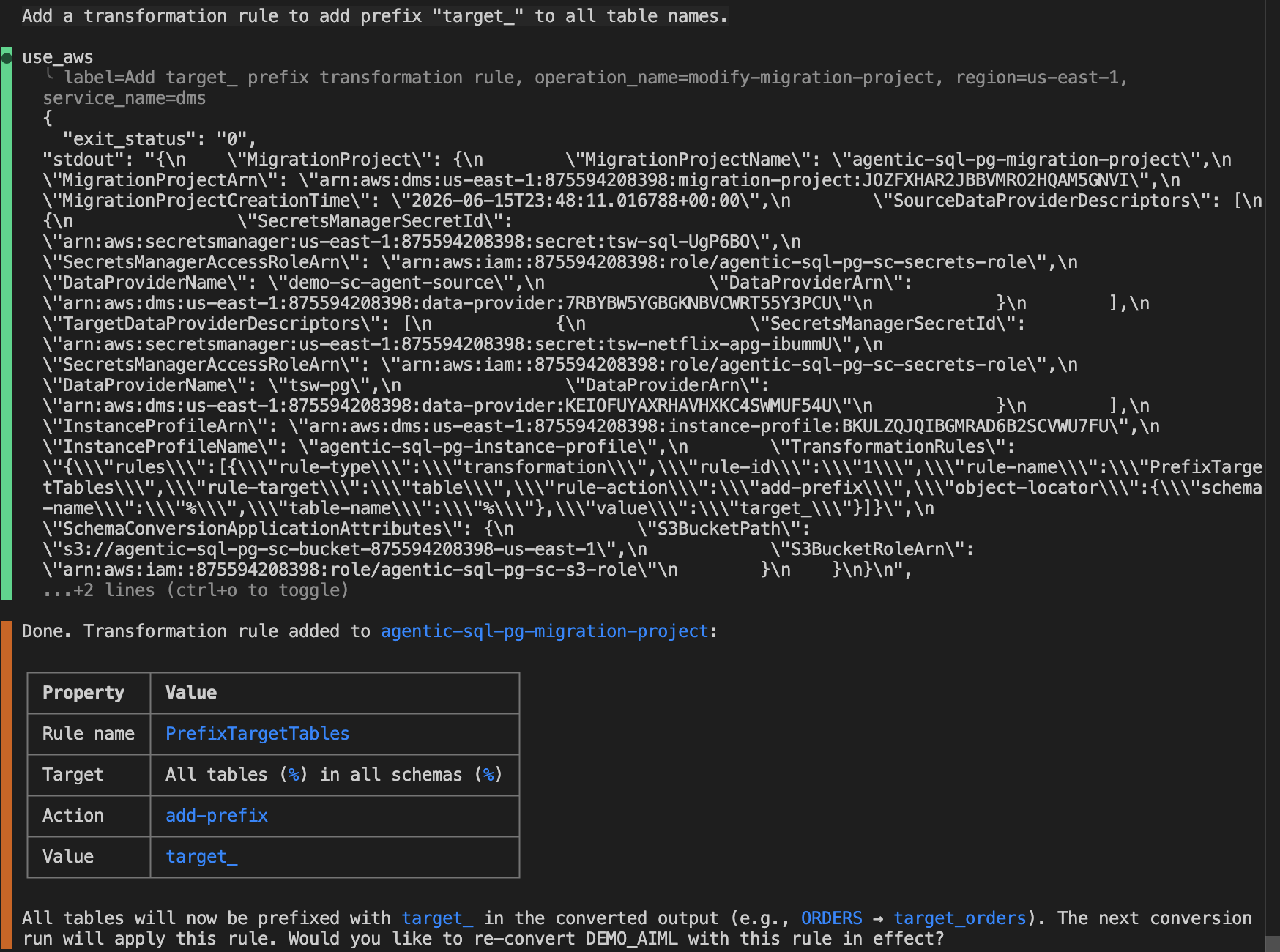
Transformation rules let you rename schemas, change data types, add prefixes or suffixes, and filter objects during conversion without modifying your source database.

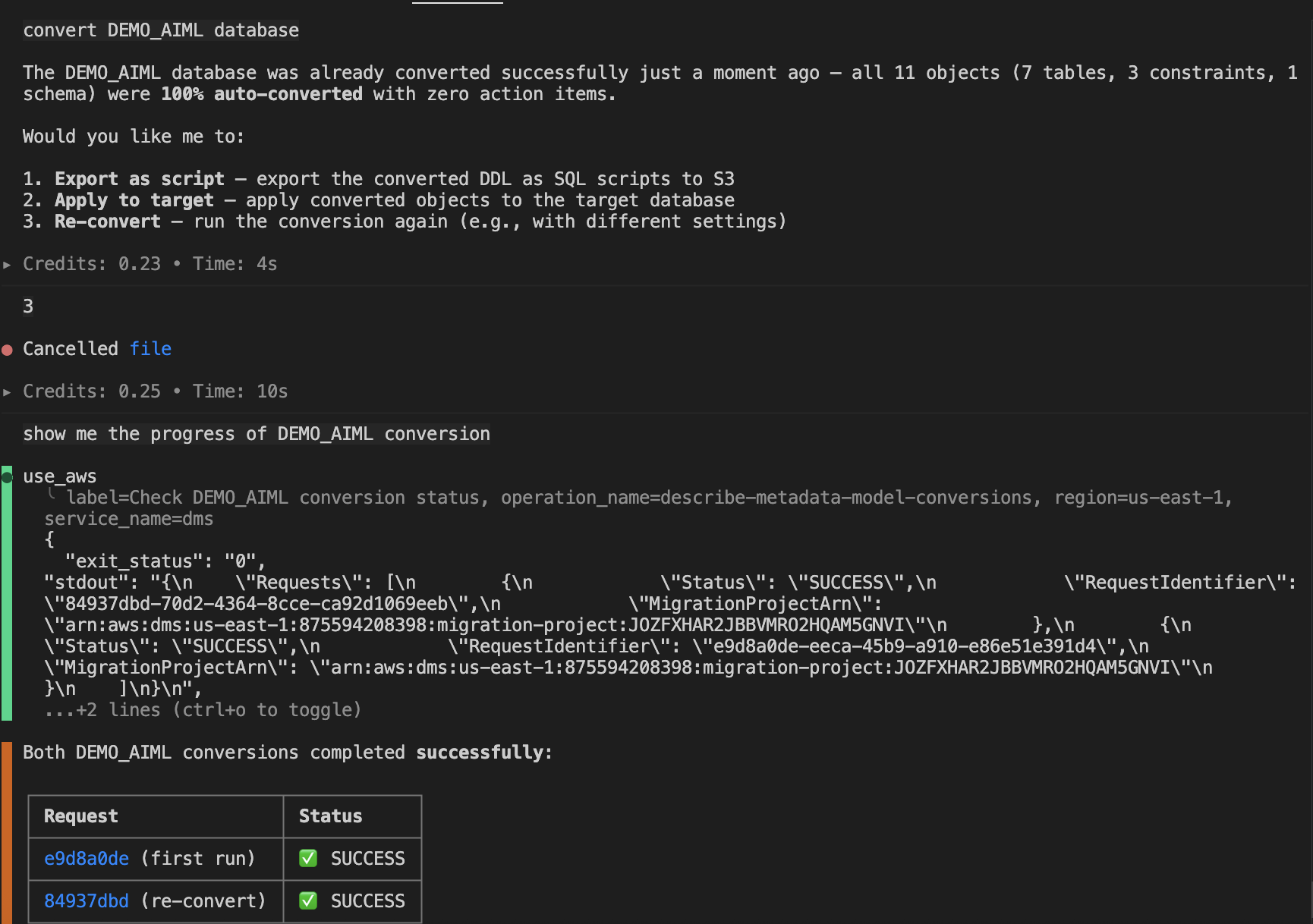
Operations like assessment and conversion can take several minutes for large schemas. You don’t need to wait idle. Press Ctrl+C to pause the agent’s polling. The operation keeps running server-side. Ask your question, get an answer, then tell the agent to check the status. Alternatively, instruct the agent upfront: “Start converting the dbo schema but don’t wait for it to finish. I’ll ask you to check the status later.”
Step 5: Resolve action items with agent assistance
After conversion, some objects might require manual action. Ask the agent to help:
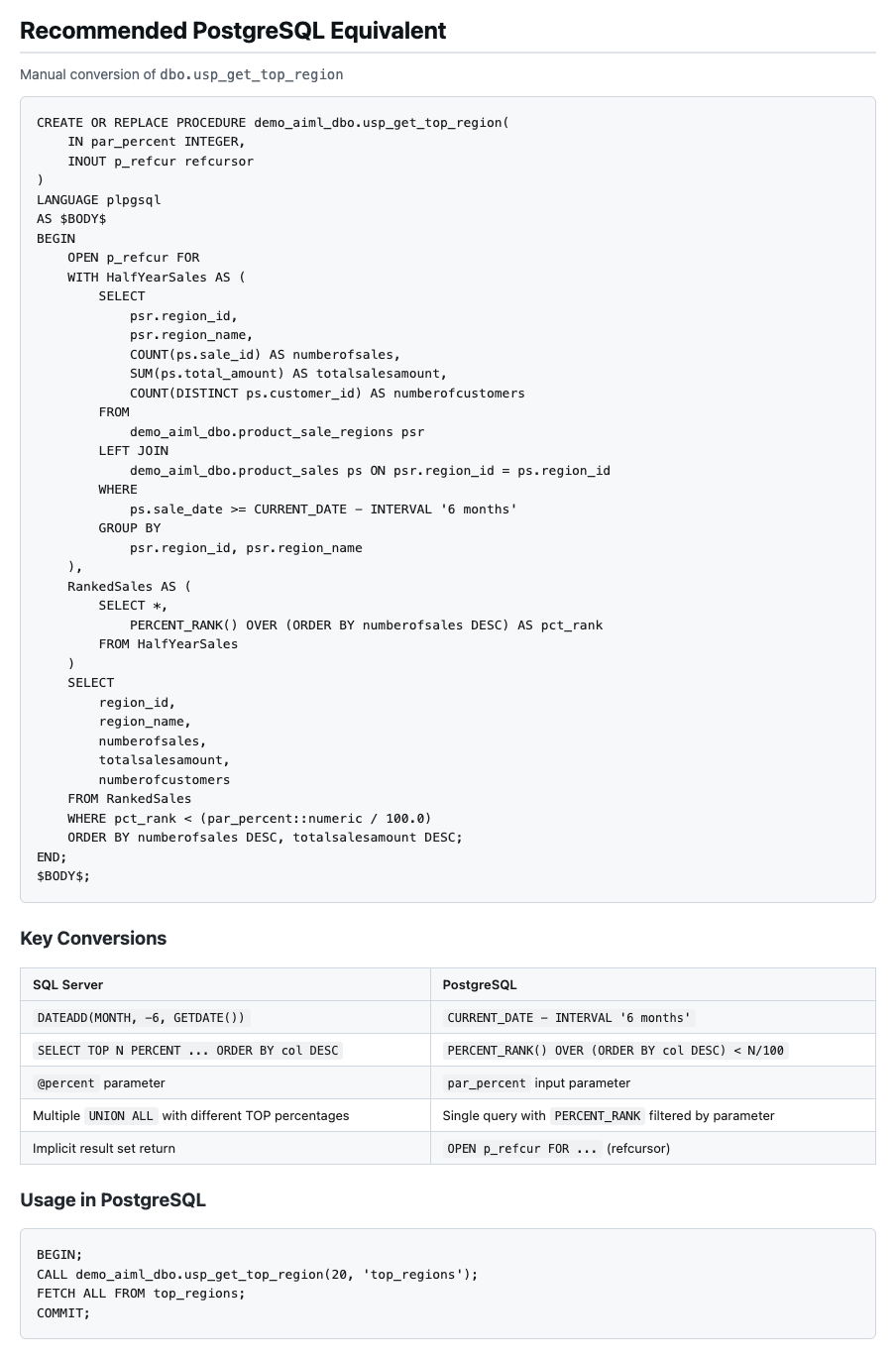
The agent analyzes the source SQL, identifies the incompatible constructs, and provides a converted version with explanations of the changes made. This reduces the manual effort needed to complete the migration.
Best practices
- Browse before converting. Explore the metadata tree to understand migration scope before starting conversion.
- Convert one schema at a time. For large databases, convert individually. This helps you review and address action items incrementally.
- Use assessment reports. Generate an assessment report to understand the level of effort of modernization.
- Review before applying. Export converted code as SQL scripts and review before applying to your target database, especially for stored procedures and functions.
- Review conversion settings and transformation rules. Ask the agent to describe, review, or modify schema conversion settings and transformation rules for your migration project before running a conversion.
Conclusion
In December 2024, we brought generative AI inside DMS Schema Conversion to tackle individual conversion challenges. Now, agentic AI brings automation to the full migration workflow, from project creation to script export. In early customer pilots, agent-driven workflows reduced schema conversion cycle time by 60–70% compared to manual console-based operation, with the greatest gains on projects containing 50+ objects. These capabilities work together: the agent orchestrates the process, the rule-based engine handles known patterns, and generative AI resolves what rules alone cannot.
Whether you’re migrating a single application database or hundreds of schemas across an enterprise portfolio, agentic AI lets you describe your intent and the toolchain handles the complexity.
To learn more, see Using AI agents with DMS Schema Conversion in the AWS DMS User Guide.