AWS DevOps & Developer Productivity Blog
Resolve and prevent operational incidents with AWS DevOps Agent and New Relic
This post was co-written with Muthuvelan Swaminathan (Principal Partner Engineer) and Ruchika Bakolia (Software Engineer) from New Relic.
Modern distributed systems that generate massive volumes of metrics, traces, and logs are inherently complex. The process of correlating logs, comparing configurations and switching between tools during incident management makes manual root cause analysis a bottleneck that dramatically increases the mean time to detect and resolve. Instead of manually sifting through mountains of data, Site Reliability Engineers (SREs) and DevOps teams can leverage Agentic AI to automate and enhance the incident resolution process.
To address these challenges, New Relic partnered with AWS to integrate the New Relic Model Context Protocol (MCP) server with AWS DevOps Agent to access telemetry data providing automated root cause analysis and recommendations with cutting-edge artificial intelligence. AWS DevOps Agent is a frontier agent that resolves and proactively prevents incidents, continuously improving reliability and performance of applications in AWS, multi-cloud, and hybrid environments.
In this blog, we’ll explore the key features of both services, how to configure them and an example that shows how operation teams can correlate telemetry data, predict system anomalies and initiate remediation actions to significantly accelerate MTTR (Mean Time to Resolution).
New Relic AI MCP Server
The New Relic MCP Server is a standardized gateway that connects external AI agents such as AWS DevOps Agent to New Relic’s observability data and functions. It enables autonomous agents to query live data and execute actions without requiring custom API integrations.
As customers and partners build their own AI tools, there is no longer a need to maintain a bespoke API integration. MCP enables AI agents to seamlessly interact with their telemetry data on New Relic platform through an MCP client to leverage its capabilities and enhance their workflows.
AWS DevOps Agent
AWS DevOps Agent is a frontier agent that resolves and proactively prevents incidents, continuously improving reliability and performance. AWS DevOps Agent investigates incidents and identifies operational improvements as an experienced DevOps engineer would: by learning your resources and their relationships, working with your observability tools, runbooks, code repositories, and CI/CD pipelines, and correlating telemetry, code, and deployment data across all of them to understand the relationships between your application resources.
Key benefits for organizations
The integration of in-depth observability with AWS DevOps Agent capabilities is designed to quickly resolve issues when they arise and prevent incidents for SRE and DevOps engineers. Here are few benefits:
- Automated investigations: AWS DevOps Agent integrates with ticketing and alarming systems like ServiceNow to automatically launch investigations from incident tickets, accelerating incident response within your existing workflows to reduce meant time to resolution (MTTR).
- Incident coordination: You can also initiate and guide investigations using interactive chat. AWS DevOps Agent acts as a member of your operations team, working directly within your collaboration tools like ServiceNow and Slack to share findings and coordinate responses.
- Root cause analysis: AWS DevOps Agent integrates with observability tools, code repositories, and CI/CD pipelines to correlate and analyze telemetry, code, and deployment data, sharing its explored hypotheses, observations, Through systematic investigations, AWS DevOps Agent identifies root cause of issues stemming from system changes, input anomalies, resource limits, component failures, and dependency issues across your entire environment.
- Detailed mitigation plans: Once AWS DevOps Agent has identified the root cause, it provides detailed mitigations plans, which include actions to resolve the incident, validate success, and revert a change if needed. AWS DevOps Agent also provides agent-ready instructions that can be implemented by another frontier agent, for example, code improvements that can be implemented by Kiro autonomous agent.
- Proactively future incidents: AWS DevOps Agent analyzes patterns across historical incidents to provide actionable recommendations that strengthen four key areas: observability, infrastructure optimization, deployment pipeline enhancement, and application resilience.
Onboarding
The onboarding process involves setting up an Agent Space and registering your existing New Relic servers. Onboarding does not require any new implementation.
Here are the high-level steps to create an AWS DevOps Agent Space and connect it to the New Relic MCP Server using an API-Key.
Setup Agent Space in AWS DevOps Agent
To create Agent Spaces, navigate to the AWS DevOps Agent page within the AWS Management Console. An Agent Space establishes the boundaries for the AWS DevOps Agent when accessing resources within a specific AWS account. To get started, click the create Agent Space button at the top right of the screen and enter the name, description and IAM roles.
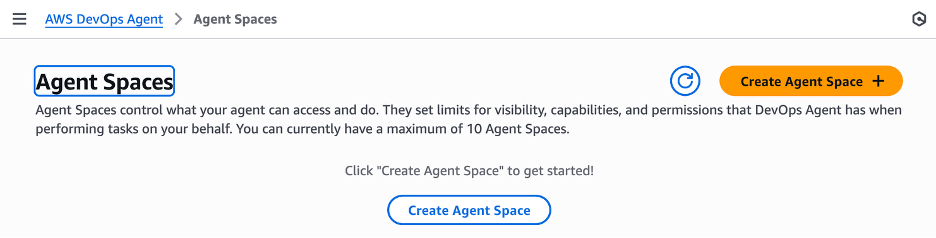
AWS DevOps Agent creating agent space
Creating a New Relic association
Navigate to the capabilities tab in the Agent Space
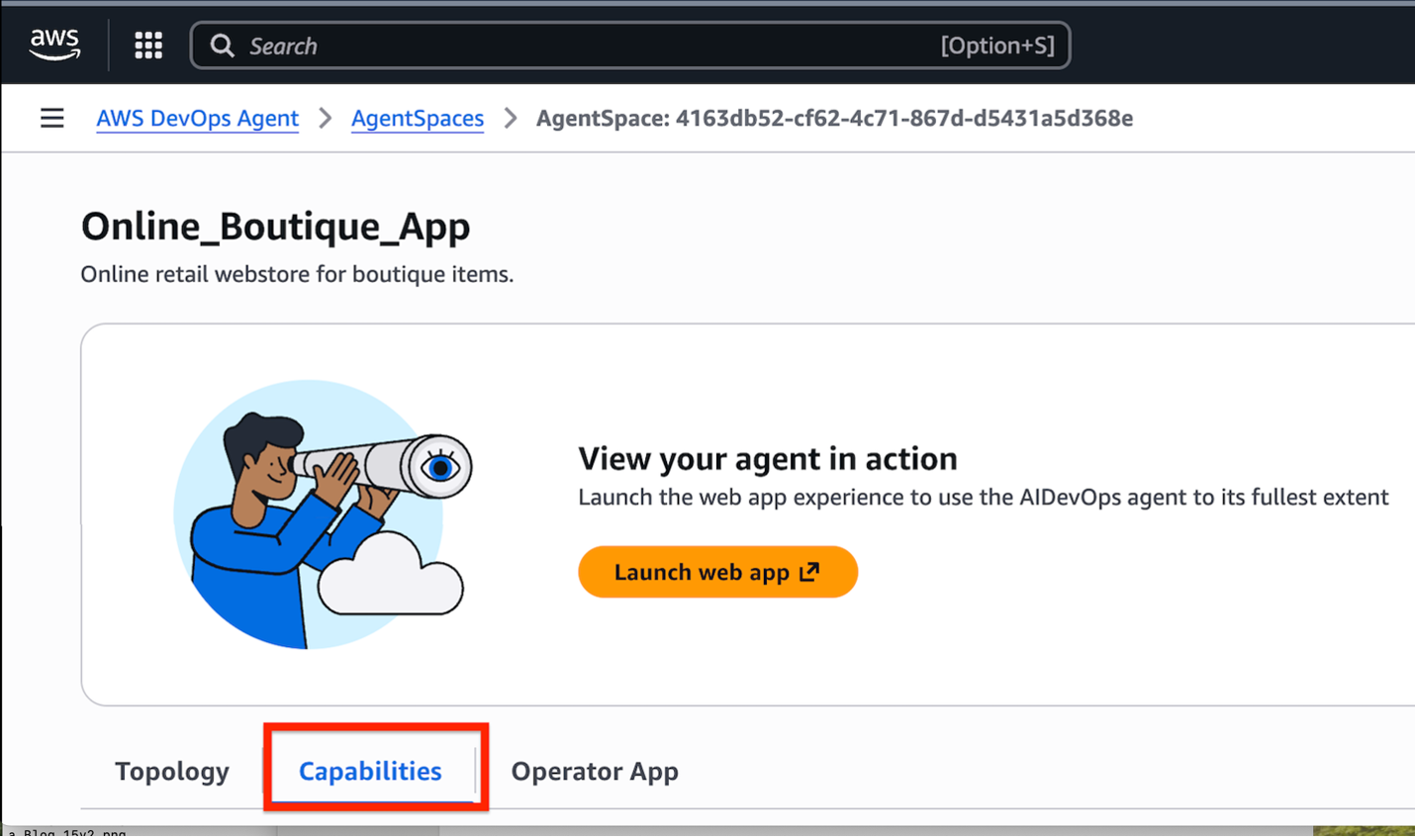
Navigating to the capabilities tab in the Agent space
Go to the Telemetry section, select Add, then choose New Relic and click Next.
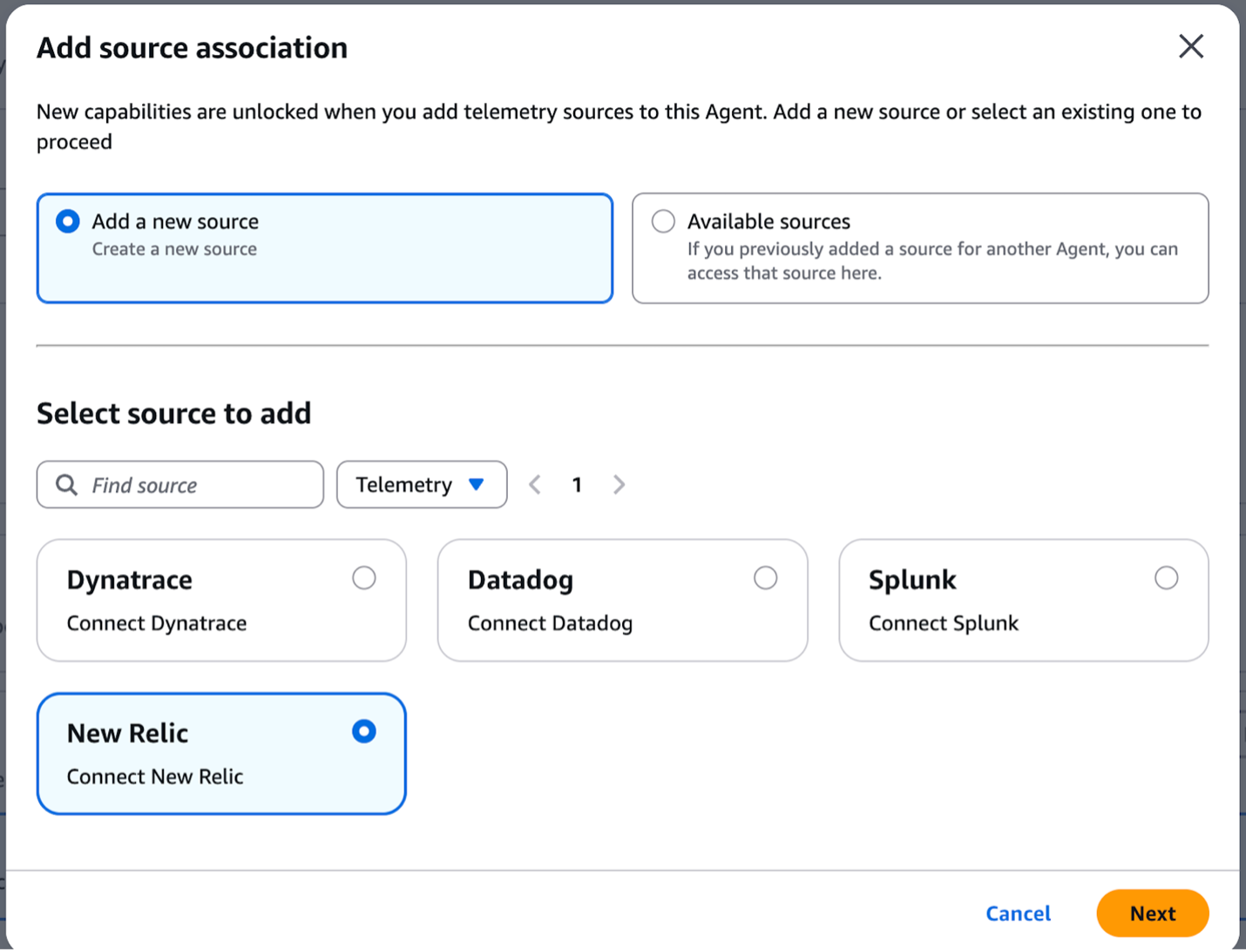
Associating New Relic as the Telemetry provider in the Agent space
Upon successful registration of New Relic as a source, AWS DevOps Agent automatically generates a webhook URL. This URL is then used to receive alert notifications and trigger automated investigations.
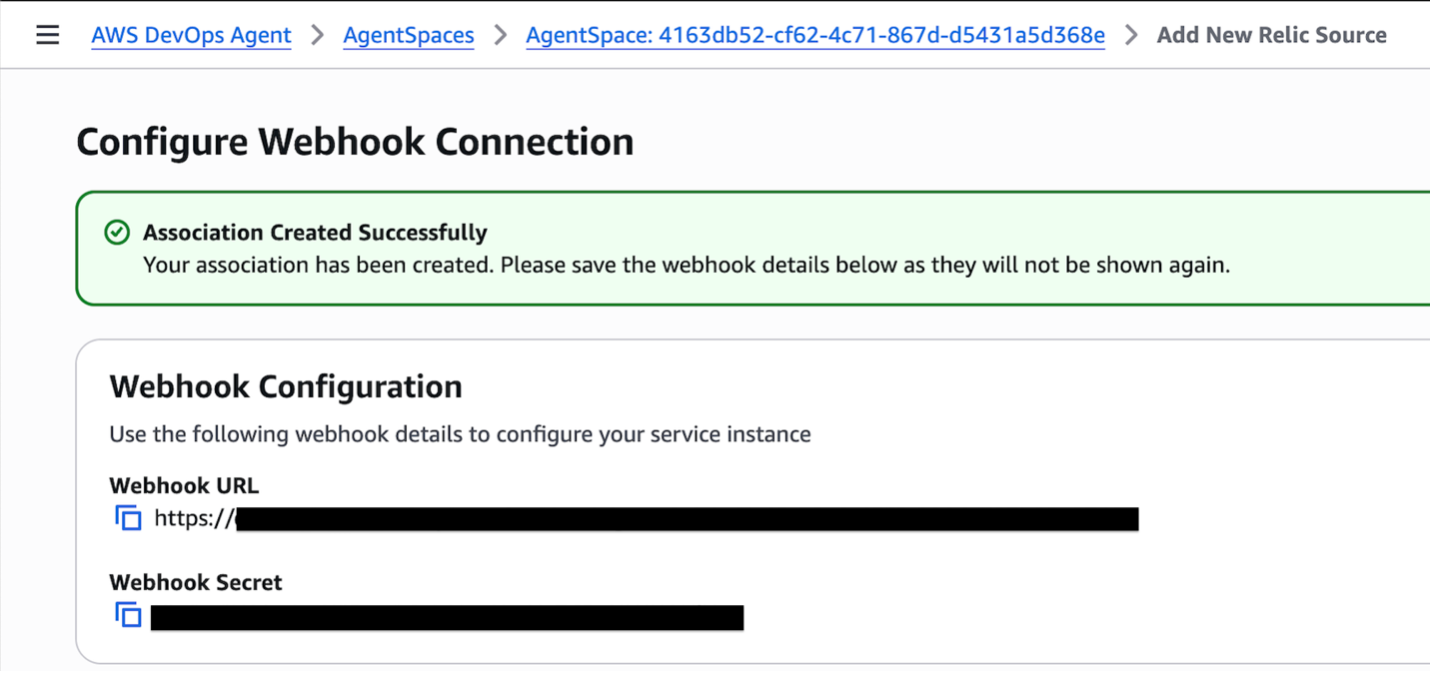
AWS DevOps Agent Webhook URL and Bearer secret key
The AWS DevOps Agent webhook requires a Bearer token to be included in the HTTP header for authentication purposes. This ensures that only authorized requests are processed. In New Relic, set up Amazon EventBridge as the alert destination. This configuration will trigger an AWS Lambda function that adds the Bearer token to the HTTP header and posts the alert payload to the AWS DevOps Agent webhook URL.
Use Case Walkthrough: Retail Chain – High Latency in shopping cart service resolution
This use case demonstrates how the integration of AWS DevOps Agent and New Relic MCP server empowers SRE and DevOps teams to access the untapped insights in your data to reduce MTTR and drive operational excellence.
Consider the following scenario: AWS DevOps Agent gets paged when the online boutique retail store application cart is experiencing P95 latency > 500ms for more than 2 minutes. This latency spike is critical and far exceeds the normal 5ms threshold, impacting the ability for customers to make purchases. In a typical scenario, the operations team would spend the first 15-30 minutes manually checking dependent services, alerts dashboard, and logs. This manual effort can be significantly reduced by configuring the New Relic observability platform with AWS DevOps Agent to automatically correlate telemetry data and surface the root cause faster.
To automatically remediate this issue, the online boutique application’s microservices are configured with New Relic’s APM agents that collect relevant metrics and send them to New Relic. When the latency exceeds a predefined threshold, an alert condition is triggered within New Relic. The triggered alert sends a notification to EventBridge, which in turn executes the Lambda function. The Lambda transforms the incoming payload into the required AWS DevOps Agent payload template. It then generates an HMAC signature to verify the message’s integrity and authenticity before dispatching it to the AWS DevOps Agent webhook endpoint.
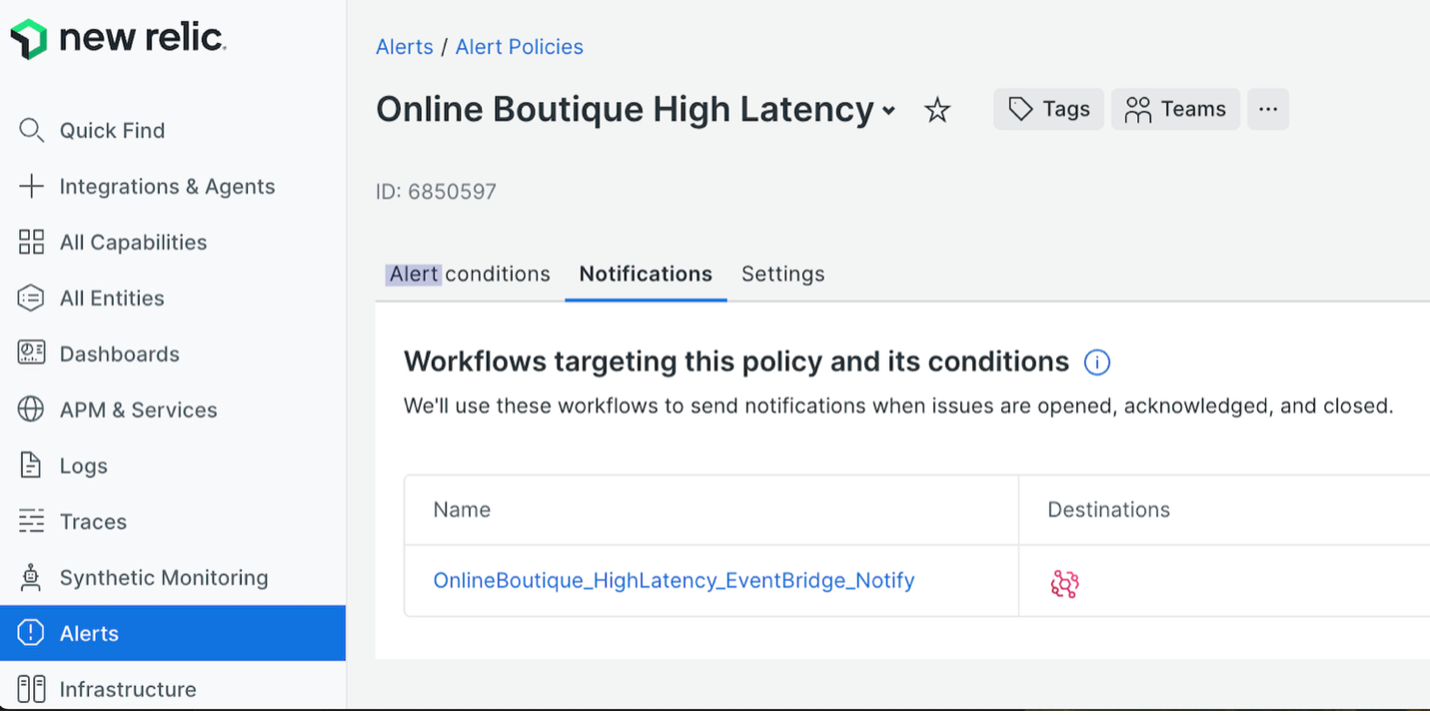
Alert policy notifications in New Relic
The AWS DevOps Agent webhook triggers the agent to begin an automated investigation.

AWS DevOps Agent Incident response page
The New Relic MCP is first queried by the AWS DevOps Agent to retrieve telemetry data for the cart service GUID. Following this, the AWS DevOps Agent makes a second request to the New Relic MCP to formulate an investigation plan, which includes a list of related entities, their key metrics, and any associated change events for those dependencies.
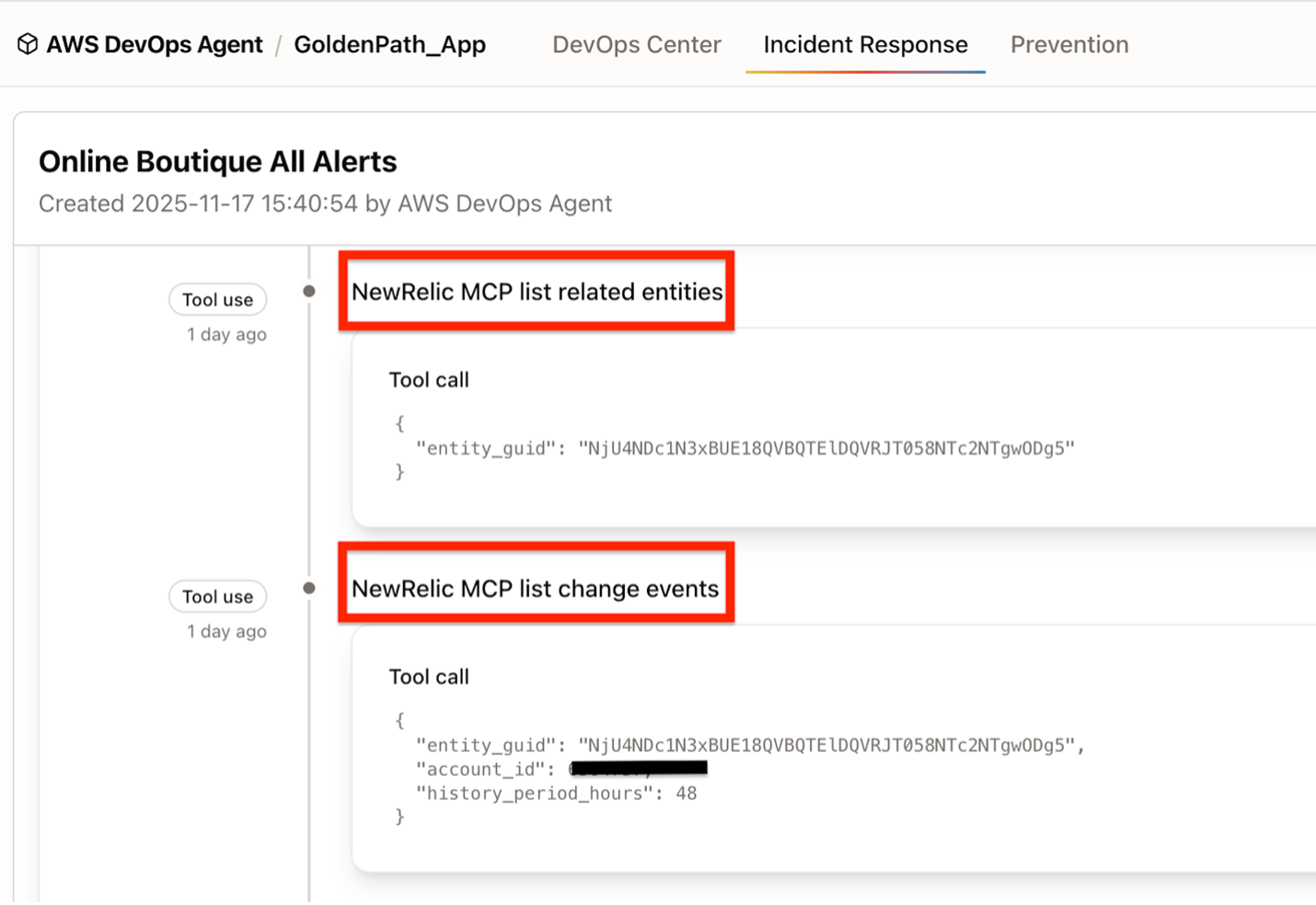
AWS DevOps Agent and New Relic MCP interaction to list entities and related change events
Next, data gathering tasks are executed using New Relic MCP, following the investigation plan.
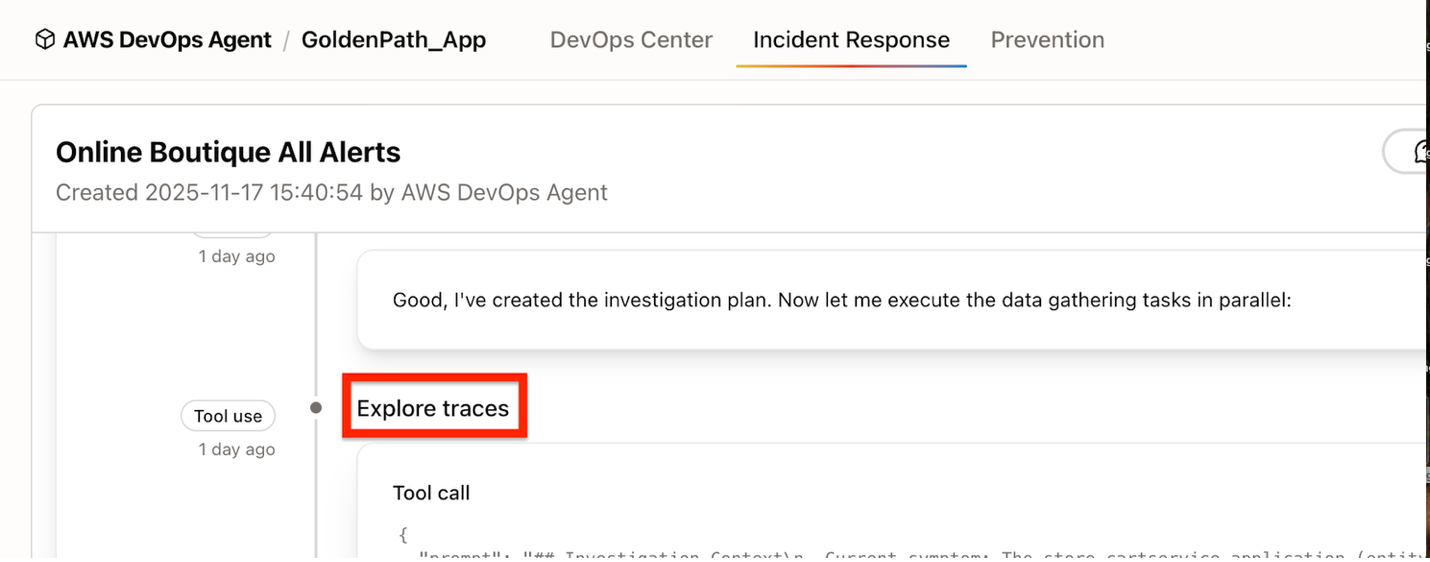
AWS DevOps Agent and New Relic MCP interaction to explore and analyze traces
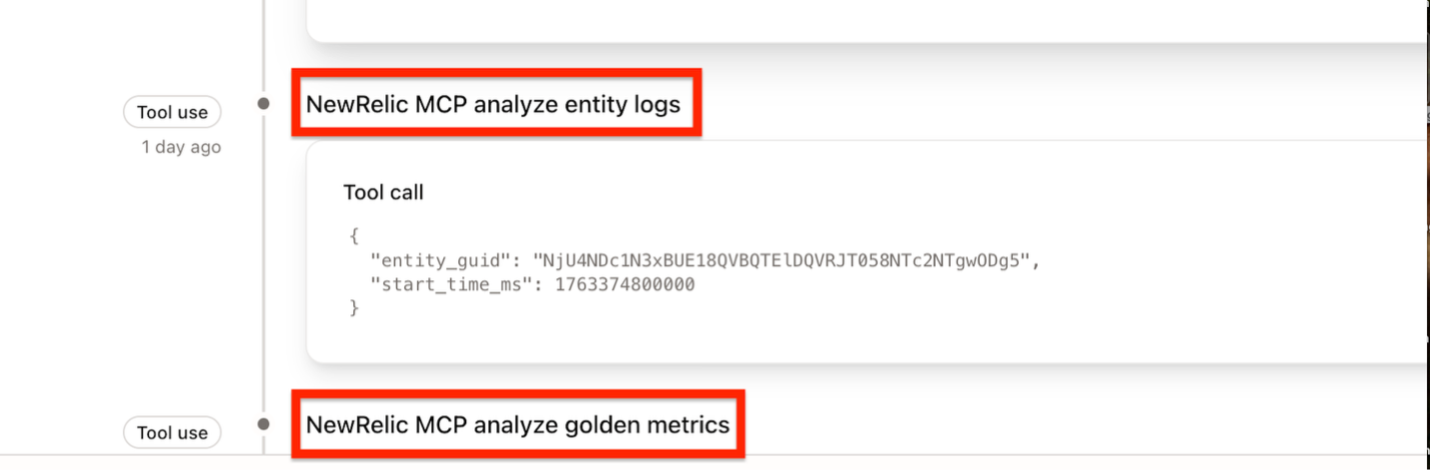
AWS DevOps Agent and New Relic MCP interaction to explore and analyze logs and metrics
Continuing its analysis, the agent leverages New Relic’s MCP to examine entity logs, golden metrics, and traces, ultimately identifying the root cause for the latency spike.

AWS DevOps Agent Root Cause Analysis
You can review AWS DevOps Agent’s findings and the suggested root cause. The Site Reliability Engineer (SRE) can interact with the AWS DevOps Agent (side panel) in the chat panel to gain clarification on the steps of the ongoing investigation, enabling more effective monitoring and troubleshooting.
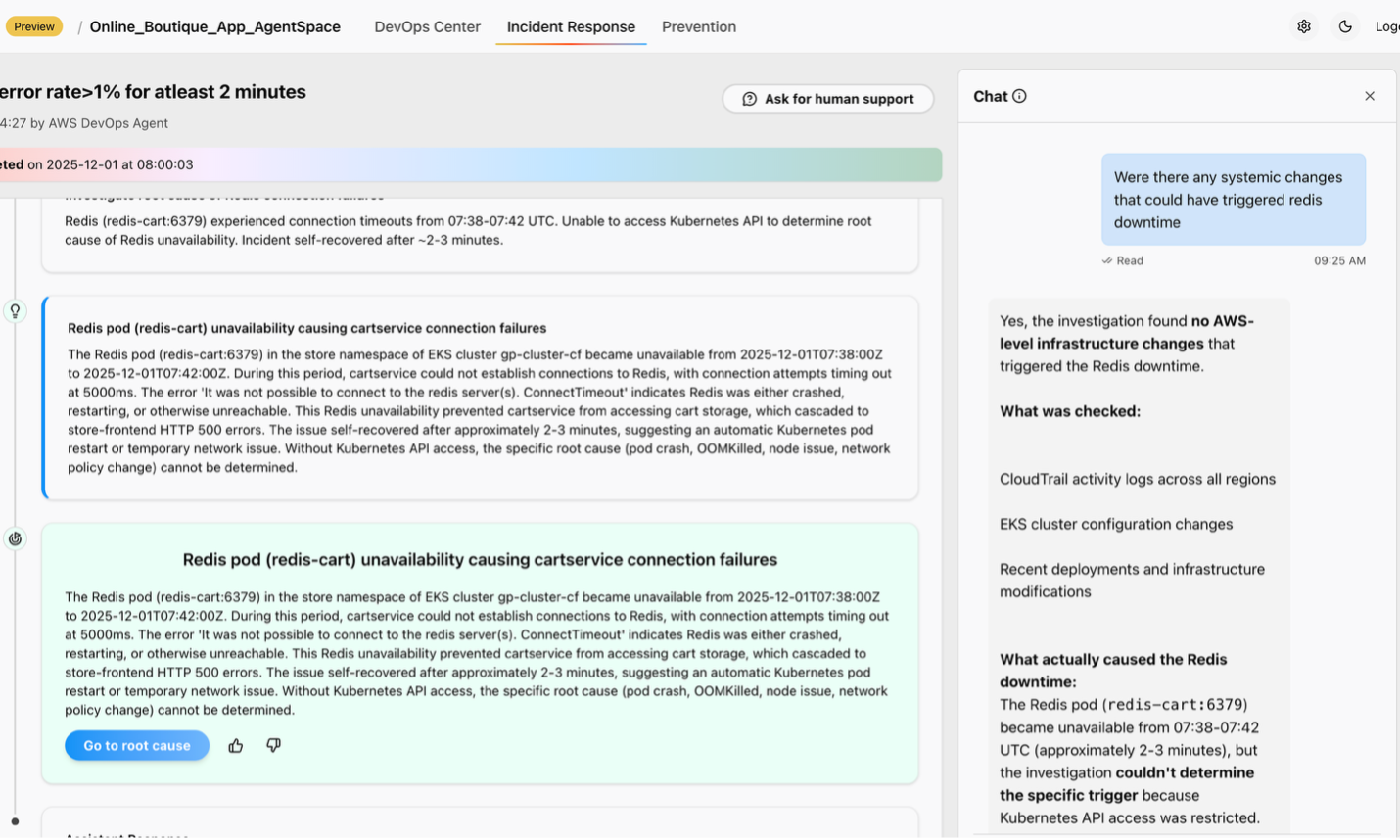
AWS DevOps Agent Chat interface
You can review AWS DevOps Agent’s findings and the suggested root cause. If necessary, the SRE then executes the appropriate mitigation plan.
Conclusion
By integrating the New Relic MCP server with AWS DevOps Agent, organizations can quickly resolve issues when they arise and proactively prevent future incidents. This collaboration reduces Mean Time to Resolution (MTTR) and accelerates SREs and DevOps teams beyond manual, time-consuming investigations. It ensures rapid remediation of technical disruptions to minimize impact to the business. Ultimately, AWS DevOps Agent, the new frontier agent drives operational excellence, working in conjunction with the New Relic One Observability platform.
About New Relic
The New Relic Intelligent Observability Platform helps businesses eliminate interruptions in digital experiences. New Relic is an AI-strengthened platform that unifies and pairs telemetry data to provide clarity over your entire digital estate for proactive and predictive problem solving. That’s why businesses around the world run on New Relic to drive innovation, improve reliability, and deliver exceptional customer experiences to fuel growth.
Authors