AWS Messaging Blog
Send rich RCS messages with AWS End User Messaging RCS
When a customer asks where their order is, a plain text reply answers the question. But a rich RCS message with a product photo, a tappable confirmation button, and a calendar chip helps the customer act on it. Rich Communication Services (RCS) messages deliver branded, interactive content, including images, rich cards, carousels, and suggestion chips, to the messaging app already built into the customer’s phone. Unlike Short Message Service (SMS), RCS messages come from a verified sender with your brand name and logo, deliver over a data connection, and support read receipts and structured replies. AWS End User Messaging RCS provides the SendRcsMessage API, a managed way to send RCS messages through a single integration point instead of separate integrations for each carrier.
This post is for developers and solutions architects who want to add RCS messaging to their customer engagement workflows on AWS. It shows how to send every RCS content type (text, files, rich cards, carousels, and suggestions). It also shows how to control delivery with message expiration and SMS fallback, using Python and the AWS End User Messaging RCS API.
The post focuses on the SendRcsMessage API, which is specific to RCS and is the only one of the two that supports rich cards, carousels, and suggestions. The SMS API’s SendTextMessage can also deliver over RCS when you pass an RCS agent as the origination identity, but it is limited to plain text. Every example that follows uses SendRcsMessage.
Prerequisites
Before you run the examples in this post, you need the following:
- An AWS account with access to AWS End User Messaging.
- An AWS RCS agent in the Active state. To send to your customers, the agent needs an approved country launch registration for each destination country. To run the examples before launch approval, use an agent with a testing registration and send to a registered test device: an Android phone with RCS enabled, or an iPhone on iOS 18 or later, with a status of
VERIFIED. - AWS SDK for Python (Boto3) 1.43.37 or later, which includes
SendRcsMessagesupport. Runpip install --upgrade boto3to get the latest version. - Optionally, the AWS Command Line Interface (AWS CLI) version 2.35.12 or later.
- For the suggestions example, an Amazon Simple Notification Service (Amazon SNS) topic configured for two-way messaging on your RCS agent, so you can receive suggestion tap events.
If you’re new to RCS on AWS, see Getting started with RCS on AWS End User Messaging SMS to create your agent. You pay standard RCS rates for RCS messages, including messages sent to test devices.
IAM permissions
The AWS Identity and Access Management (IAM) principal that runs the examples needs permissions for the following actions:
sms-voice:SendRcsMessage, to send RCS message types.sms-voice:SendTextMessage, to send the plain text comparison example and any SMS fallback messages.sms-voice:DescribeRcsAgents, to check that your agent is Active.sms-voice:DescribeVerifiedDestinationNumbers, to confirm a registered test device isVERIFIED, if you send to one.
If you use the SMS fallback example, you also need a phone number or sender ID in your account that can send SMS to the destination country. RCS and SMS are separate origination identities: the RCS agent sends the RCS message, and the fallback needs its own SMS-capable identity.
If you send media from Amazon Simple Storage Service (Amazon S3), the bucket needs a resource policy granting the sms-voice.amazonaws.com service principal s3:GetObject, shown in the “File messages” section. If you use server-side encryption with AWS Key Management Service (AWS KMS) keys for your bucket, your KMS key policy must also grant the service access. For two-way messaging, your SNS topic needs a resource policy allowing the service to publish to it. For details, see Two-way messaging in the AWS End User Messaging SMS User Guide.
Configuration
Create a config.json file in your project directory to store the RCS agent Amazon Resource Name (ARN) that sends the messages and the recipient phone number in E.164 format:
OriginationIdentity accepts the RCS agent ID (RcsAgentId) or ARN (RcsAgentArn), and also a pool ID or pool ARN. The examples use the agent ARN because it stays unambiguous when an account has more than one agent, but the shorter agent ID works the same way.
The config.json file is for local testing only. In production, don’t hardcode phone numbers and identifiers. Use AWS Secrets Manager, AWS Systems Manager Parameter Store, or environment variables instead.
Each example in this post builds a message_content dictionary and sends it with the following code:
For production use, wrap the send call with error handling to manage throttling and validation failures:
The following sections show only the message_content for each message type. To send any of these messages, use the shared sending code from this section. The examples follow one scenario: AnyCompany, a fictitious retailer, messaging a customer about an order.
Text messages
Text messages are the most basic RCS content type. You can send plain text two ways. The SendTextMessage API, the same API used for SMS, delivers over RCS when you pass your RCS agent ARN as the origination identity:
The SendRcsMessage API sends the same text as a TextMessage content type, and additionally supports suggestion chips, message expiration, and per-message fallback. An RCS text also arrives as a single message regardless of length, while carriers split SMS over 160 characters into segments that can arrive out of order.
Specifications and requirements
- Message body: 1–3,072 UTF-8 characters, required.
- Up to 11 suggestions per message (covered in the “Suggestions” section)
- Destination phone number must be in E.164 format.
- Without a
FallbackConfiguration, recipients who can’t receive RCS get nothing.
Text message example
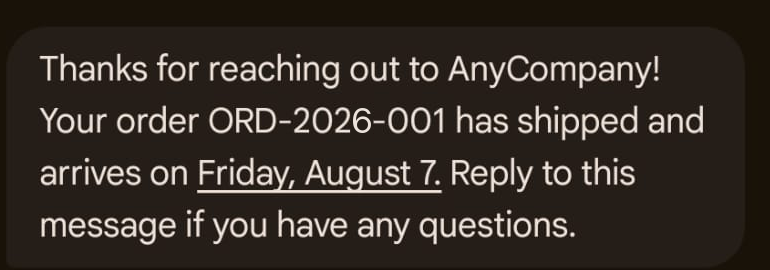
Figure 1: RCS text message confirming that order ORD-2026-001 has shipped
Code example
The following is the message_content for the preceding message:
File messages
With file messages, you send a single image, video, audio file, or PDF that renders as inline media in the recipient’s messaging app. FileUrl accepts two URL forms, and they fail in different places.
With an S3 URL (s3://amzn-s3-demo-bucket/object-key), the API checks at request time that the object exists, is within the size limit, and is readable with the permissions you granted the service. If any of those checks fail, the call returns a ValidationException describing the problem, so you find out at send time. The service then retrieves the object, rehosts it, and generates a time-limited presigned URL for delivery to the device.
With an HTTPS URL, the URL is passed through to the carrier and isn’t checked the same way at request time. The API accepts the request. Problems such as an unreachable host, a URL that requires authentication, or an unsupported media type surface at delivery instead of in the API response. The URL must be publicly accessible with no authentication. The API doesn’t support plain http:// URLs.
Use S3 URLs when you want bad media to fail loudly at send time. Use HTTPS URLs for media already published on a public CDN, and monitor delivery events for failures.
Specifications and requirements
FileUrl: required, S3 or HTTPS URL, up to 2,000 characters.ThumbnailUrl: optional, JPEG or PNG, recommended for video and PDF.- Maximum file size: 100 MB at the API layer. Carriers can enforce lower limits (keep video under 5 MB)
- Supported formats include JPEG, PNG, and GIF images, MP4 and WebM video, MP3 and AAC audio, and PDF documents. Support varies by carrier and device.
To deliver from Amazon S3, add the following bucket policy so the service can read your objects:
Replace amzn-s3-demo-bucket with your bucket name. To restrict access to a prefix, replace /* in the Resource ARN with a path such as arn:aws:s3:::YOUR-BUCKET/rcs-media/*.
File message example
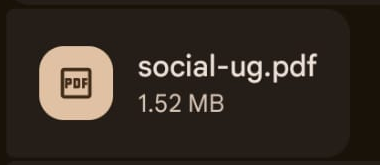
Figure 2: RCS file message rendering an inline PDF attachment
Code example
The following is the message_content for the preceding message:
Rich cards
A rich card combines media, a title, a description, and suggested actions into a single structured message. Rich cards work well for product highlights, booking confirmations, appointment details, and promotional offers.
Specifications and requirements
- Title: up to 200 characters. Description: up to 2,000 characters.
CardContentrequires at least one ofMedia,Title, orDescriptionCardOrientationis required:VERTICALorHORIZONTAL. UseVERTICALbecause horizontal orientation truncates images on iOS.MediaHeight:SHORT(112 density-independent pixels),MEDIUM(168), orTALL(264). IOS ignores this value.- Card-level suggestions: up to 4 per card.
- URLs in description text are not tappable. Use
OpenUrlsuggestions for links.
Rich card message example
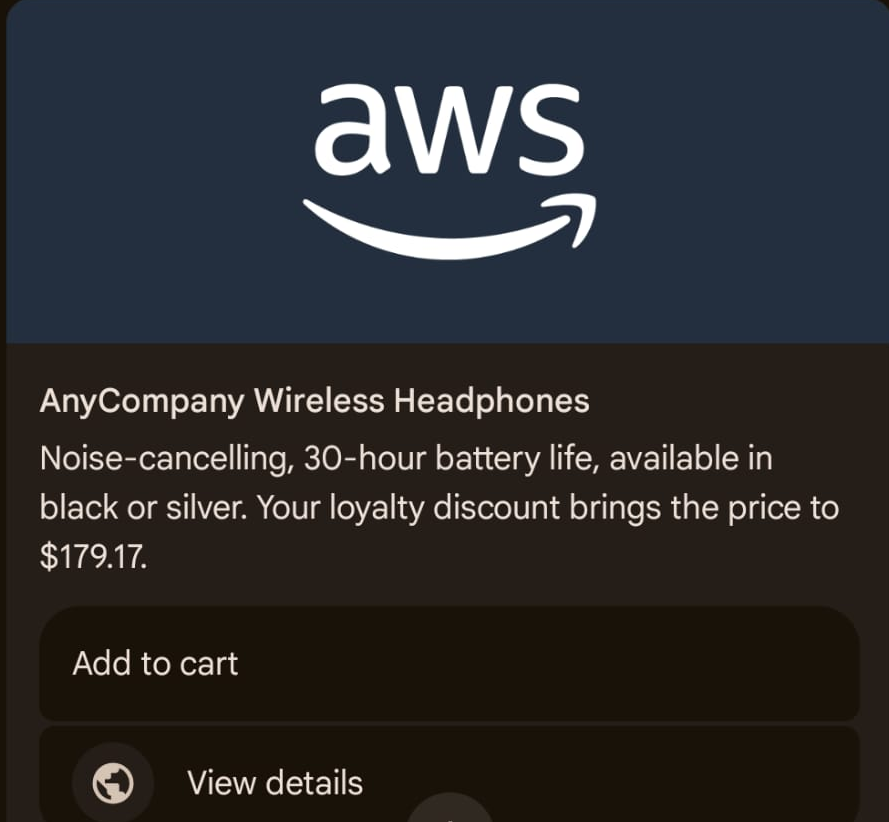
Figure 3: Vertical rich card with a product image, title, description, and action buttons
Code example
The following is the message_content for the preceding message:
Carousels
A carousel displays 2–10 rich cards in a horizontally scrollable strip. Carousels fit browse-and-compare experiences such as product catalogs, service menus, plan comparisons, and location listings. Carousel cards use the same content model as standalone rich cards, with two differences: cards always render in a vertical layout, and the TALL media height is not supported.
Specifications and requirements
- Cards per carousel: minimum 2, maximum 10.
CardWidth:SMALL(180 density-independent pixels) orMEDIUM(296). All cards share the same width.- Card title: up to 200 characters. Description: up to 2,000 characters.
MediaHeight:SHORTorMEDIUMonly.- Suggestions: up to four per card, plus message-level chips below the whole carousel.
- All cards scale to the height of the tallest card.
Carousel message example
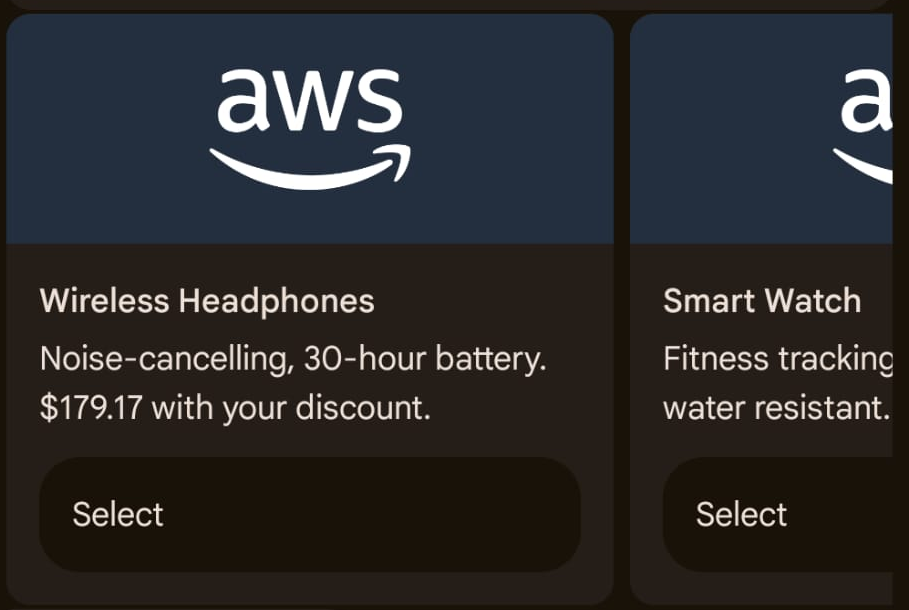
Figure 4: Carousel showing the Wireless Headphones and Smart Watch cards, each with a Select button
Scrolling right reveals the remaining cards:
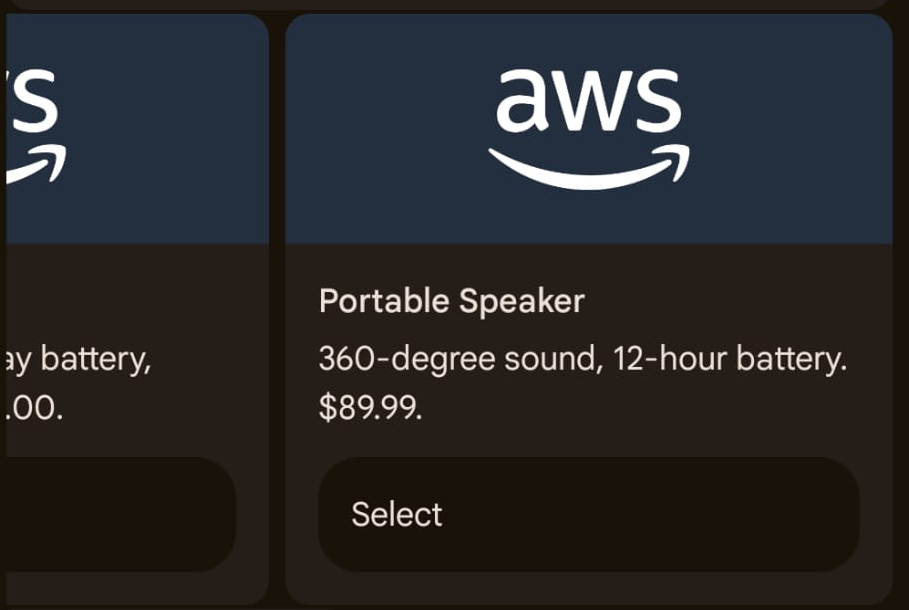
Figure 5: Carousel scrolled to the Portable Speaker card
Code example
The following is the message_content for the preceding message:
Suggestions
Suggestions are the interactive chips you saw in the earlier examples. They guide recipients through a conversation with predefined replies and actions, without typing. RCS supports six suggestion types: Reply, OpenUrl, DialPhone, ShowLocation, RequestLocation, and CreateCalendarEvent, and you can mix them in one message on any content type. Message-level suggestions live in a Suggestions array that is a sibling of Content, not nested inside it. Card-level suggestions live inside each card’s CardContent.
Every suggestion requires a Text label and PostbackData. The postback data is invisible to the recipient and comes back to your application when the chip is tapped. Encode routing information there (for example, appt_confirm_12345), and route logic on postback data rather than display text.
Specifications and requirements
Textlabel: up to 25 characters;PostbackData: up to 2,048 characters, both required on every suggestion.- Message-level suggestions: up to 11. Card-level suggestions: up to four per card.
OpenUrlUrl must begin withhttps://. Set Application toWEBVIEWwith aWebviewViewModeofFULL,HALF, orTALLto keep the recipient inside the messaging app.DialPhonePhoneNumbermust be in E.164 format.CreateCalendarEventrequires Title,StartTime, andEndTime- Two-way messaging with an Amazon SNS topic must be configured to receive suggestion taps. Handle the case where a recipient types free text instead of tapping.
Suggestions message example
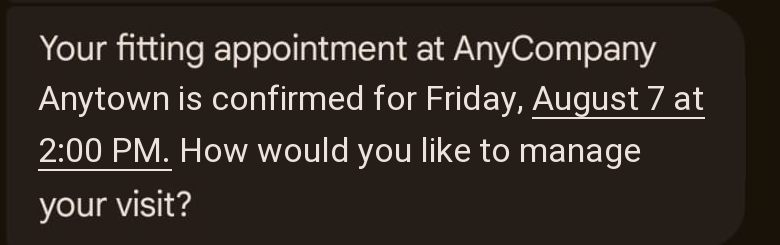
Figure 6: RCS message confirming a fitting appointment at AnyCompany Anytown
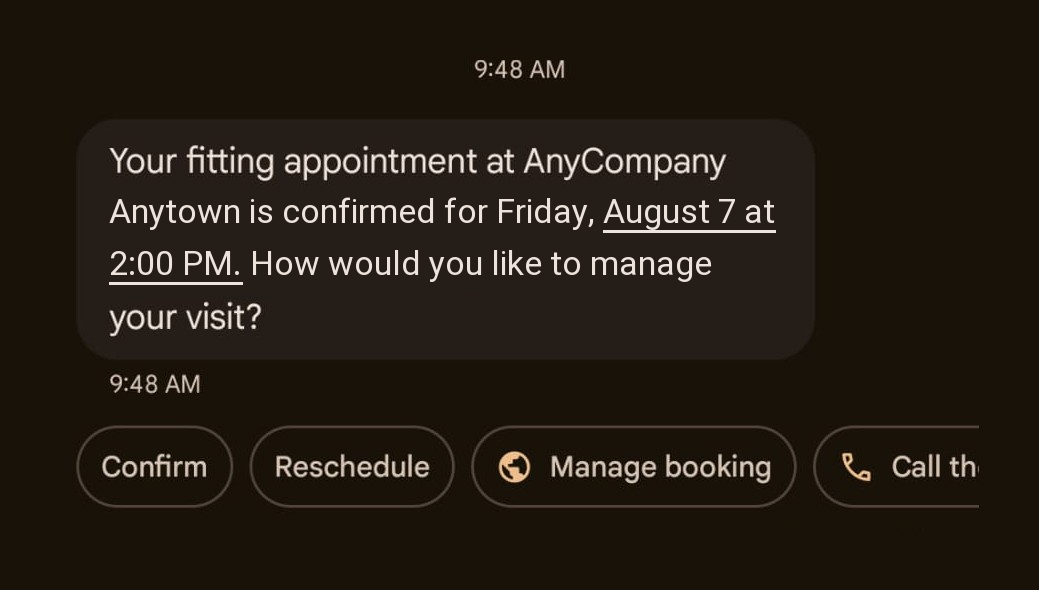
Figure 7: Suggestion chips below the appointment message: Confirm, Reschedule, Manage booking, and Call the store
Scrolling the chip row reveals the remaining suggestions:
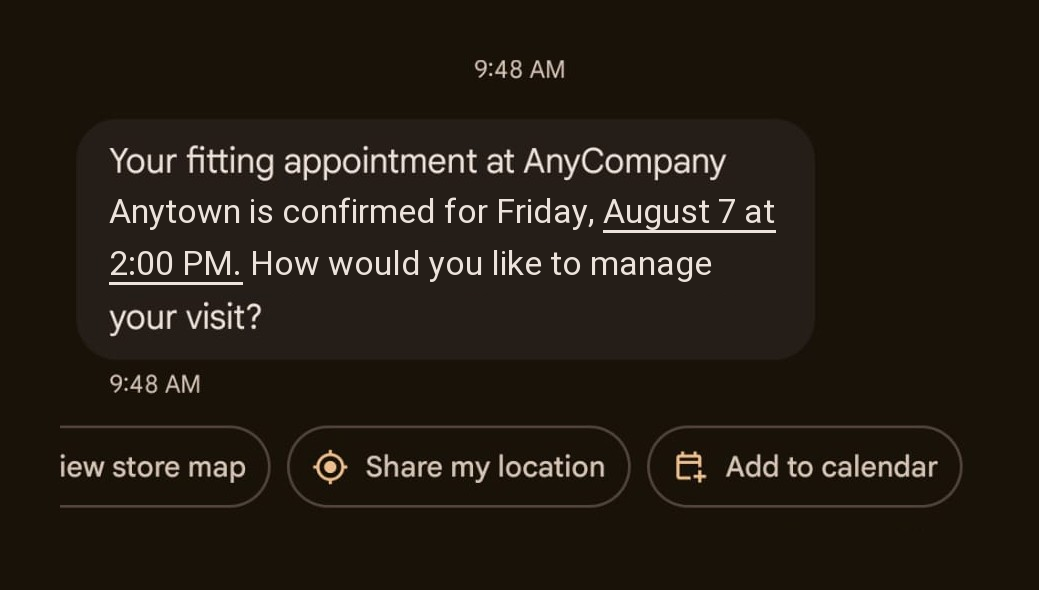
Figure 8: Remaining suggestion chips: View store map, Share my location, and Add to calendar
Code example
The following message_content combines all six suggestion types on one text message:
When the recipient taps a chip, the messaging app sends the chip text back into the conversation as a reply:
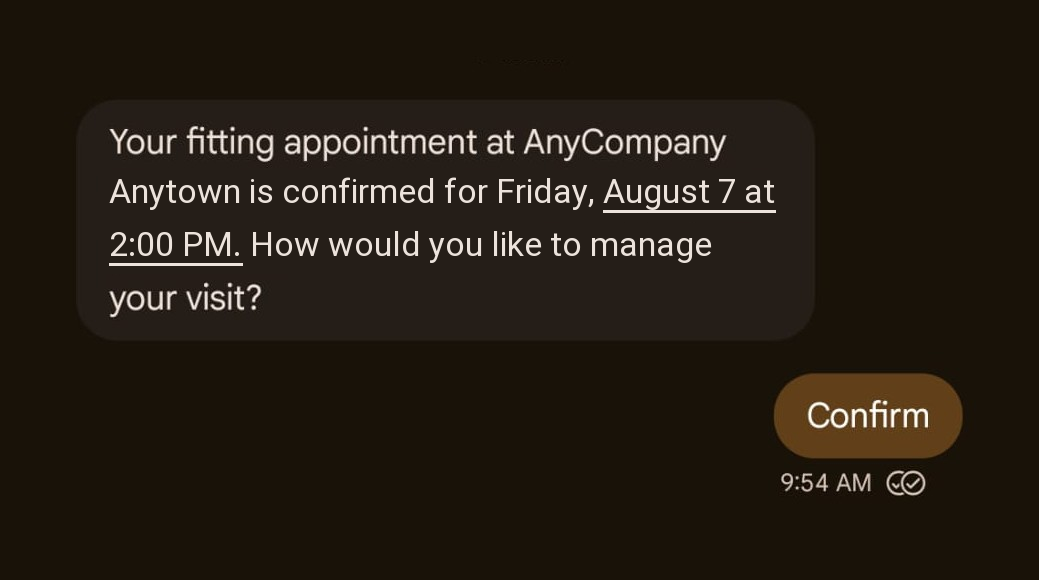
Figure 9: Tapping Confirm sends the chip text back as a reply, shown with a read receipt
The tap arrives as an inbound event on your two-way SNS topic. The messageBody field contains a JSON string with a type of SUGGESTION, the display text, and the postback data:
Note the casing difference: request fields use PascalCase (PostbackData), while inbound events use camelCase (postbackData). A RequestLocation tap delivers the recipient’s coordinates in a separate inbound location event.
Message expiration
The TimeToLive parameter sets an expiration window in seconds on a SendRcsMessage request. If the message is not delivered within that window, the service removes it and the recipient never sees it. This matters for time-sensitive content such as one-time passwords (OTPs): a verification code that arrives after the code has expired only confuses the customer.
Specifications and requirements
TimeToLive: integer seconds, 1–172,800 (48 hours). Use at least 10 seconds so the carrier can attempt delivery.- The countdown starts when the service accepts the request. Omitting
TimeToLivemeans no expiration window. - On expiry you receive a
TTL_EXPIRATION_REVOKEDevent (message removed, safe to send a fallback) orTTL_EXPIRATION_REVOKE_FAILED(revoke failed, the message might still deliver, so weigh the duplicate risk)
Message expiration example

Figure 10: RCS verification code delivered within its five-minute expiration window
Code example
The following example sends an OTP that expires after five minutes. TimeToLive is a request parameter, a sibling of RcsMessageContent:
Per-message fallback
Fallback is optional, and without it a recipient who can’t receive RCS gets nothing. The FallbackConfiguration request parameter routes the message to SMS or Multimedia Messaging Service (MMS). Fallback applies when the device or carrier doesn’t support RCS, when the channel rejects the message, or when the TimeToLive window expires first.
Specifications and requirements
Channel: required, SMS or MMS.MessageBody: required for SMS fallback, up to 1,600 characters (compared with 3,072 for the RCS text body); MMS fallback requires at least one ofMessageBodyorMediaUrlsOriginationIdentityfor the fallback: a phone number or sender ID registered in your account that can send SMS or MMS to the destination country. Pools and RCS agents are not accepted here.- Write the fallback content separately, because suggestion chips and rich cards don’t translate to SMS. Put URLs as plain text in SMS fallback, or use MMS fallback to preserve visual content.
Per-message fallback example
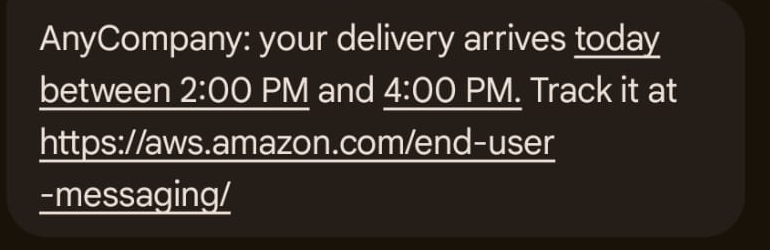
Figure 11: AnyCompany delivery notification delivered over RCS
On a device without RCS, the SMS fallback version arrives instead from the fallback phone number.
Code example
The following example sends a delivery notification with an SMS fallback from a dedicated phone number:
To track outcomes, pass ConfigurationSetName on the send call so delivery, read, expiration, and fallback events route to your configuration set’s event destinations. Set up event destinations before you send, because they don’t retroactively capture events.
Cleaning up
To avoid incurring future charges, delete the resources that you created during this walkthrough:
- Delete the RCS agent if you no longer need it. If you enabled deletion protection when creating it, disable that first. If you registered test devices, remove their verified destination numbers first.
- Delete the Amazon SNS topics and configuration set event destinations you created for two-way messaging and status events.
- Delete any media objects you uploaded for the examples and the bucket policy from your S3 bucket.
- Review Amazon CloudWatch Logs for log groups created by event destinations and delete them if no longer needed.
Conclusion
In this post, you learned how to send every RCS content type with AWS End User Messaging RCS, including text messages, file messages, rich cards, carousels, and suggestions. You also learned how to control delivery with message expiration and per-message SMS fallback. You sent each type from a short Python script, with one shared sending pattern across all content types.
The SendRcsMessage API keeps one pattern across all content types: a Content object for the message body and a sibling Suggestions array for interactivity. Moving from a plain text notification to a full product carousel is a change to one dictionary.
Next steps:
- Build event-driven replies by subscribing an AWS Lambda function to your two-way Amazon SNS topic and routing on postback data.
- Design a fallback strategy that pairs
TimeToLivevalues with per-message SMS or MMS fallback for each use case. - If you started with a testing registration, submit a country launch registration when you’re ready to send to your customers.
Create your first RCS agent in the AWS End User Messaging SMS & RCS console and send a test message today. Tell us about your experience: share your use cases and questions in the comments.
Additional resources
- Getting started with RCS on AWS End User Messaging SMS
- Sending rich RCS messages in the AWS End User Messaging SMS User Guide.
- Configuring RCS suggestions in the AWS End User Messaging SMS User Guide.
- Sending RCS file messages in the AWS End User Messaging SMS User Guide.
- SendRcsMessage in the AWS End User Messaging SMS API Reference.