Migration & Modernization
Optimize transfer performance with AWS Data Transfer Terminal
Introduction
In this blog we outline options for online and offline data transfer scenarios to AWS. Customers’ migration goals, available network bandwidth speed and reliability, and size of data to be imported, can then guide the choice on which service to use.
AWS DataSync is a secure, online service that automates and accelerates moving data between on premises and AWS storage services and is the recommended service for data migration when network bandwidth is not a limiting factor. To mitigate network bandwidth limitations while using AWS DataSync, the general recommendation is to leverage an on-demand AWS Direct Connect hosted connection, for the duration of the data transfer, through AWS Direct Connect Delivery Partners.
When your data is in a location where network bandwidth is limited or network connectivity is intermittent, we recommend AWS Data Transfer Terminal along with bring-your-own storage device. This blog post focuses on data transfer scenarios and provides guidance in choosing the right hardware, software, and upload suite reservation durations for your migration needs. We walk through possible factors preventing transfers from achieving optimal results and conclude with an overview of fully managed offerings taking care of the entire transfer experience.
What is AWS Data Transfer Terminal
AWS Data Transfer Terminal provides access to a network-ready, physical location (“Terminal”) for customers to bring their storage devices for accelerated high-volume data transfer to or from the cloud. The service allows high-bandwidth connections of up to 100 Gbps to AWS public endpoints with a single fiber connection, available in secure, reservable AWS locations globally. Each AWS Data Transfer Terminal provides at least two fibers, allowing up to 200 Gbps by means of Equal-Cost Multi-Path (ECMP) routing or by connecting two devices in parallel, while select locations present four fibers (400 Gbps aggregate). While Amazon S3 buckets are a common destination for Data Transfer Terminal uploads, Amazon EC2 and other publicly accessible AWS services can be targets. Upload suite reservations can last up to 24 hours, and you must bring all necessary equipment, as AWS staff can’t handle your data or assist with transfers. You’ll be charged for on-demand use per hour for each location. There is a port hour charge, with lower costs if you upload data into AWS Regions in the same continent as your location. To learn more, visit the AWS Data Transfer Terminal pricing page. An overview of the service and the underlying infrastructure can be found in the following blog post. For an updated list of Data Transfer Terminal locations, see the FAQs.
As prerequisites, customers should be familiar with data transfer methods, including loading on-premises data to the hardware storage device of choice, before bringing it to a Data Transfer Terminal location. To get started with data transfers using AWS Data Transfer Terminal, follow these steps:
- Determine the appropriate location first. You can find an updated list of locations in the FAQs, under the section “Where are Data Transfer Terminals located?”.
- Schedule the AWS Data Transfer Terminal session at your preferred site through the AWS Management Console at least 24 hours in advance.
- Prepare your hardware, ensuring compatibility with 100G QSFP-LR4 fiber connections and adequate system configurations for maximum throughput and optimal data upload experience. Refer to the documentation for more information.
- Make sure to jot down serial numbers of each server and storage device that will be brought in. They will have to be communicated to the security staff at check-in, and verified again upon leaving the location, as per standard datacenter security procedures.
- On the day of your visit, present government-issued ID for escorted access to a private transfer suite.
- Once in the upload suite, connect your pre-configured hardware to the provided high-speed ports and initiate your data transfer.
- When done, clear the room without leaving anything behind, and allow staff to cross-check serial numbers before leaving.
The Challenge of Uploading at 100 Gbps and Beyond
For high-rate data transfers, the hardware and software you choose determines overall performance. Transferring at 10 Gbps is mainstream at the time of writing and poses little to no challenge for most existing devices with default configurations and no specific tuning. But as you get closer to target 100 Gbps and beyond, optimal results can only be obtained by using dedicated transfer software running on an OS with proper drivers and kernel tuning, installed on a balanced system with appropriate storage throughput, interface bandwidth, and network capacity to avoid bottlenecks. Fall short of any of these aspects, and you won’t achieve the optimal speeds being targeted. Choosing a solution that fits your business and technical requirements can be daunting, especially considering the wealth of options on the market. To help navigate the landscape, we present the results of tests performed on select solutions in conjunction with AWS Data Transfer Terminal. Each solution offers different transfer speed, storage, weight, form and cost factors to suit different data transfer use cases. While a 100 Gbps bandwidth connection might seem straightforward to achieve, the effective throughput (that is, the rate of actual data transferred end-to-end) is lower because of various overheads. For instance, when transferring data through AWS Data Transfer Terminal, the maximum bandwidth of 100 Gbps (or 12.5 GB/s) can be witnessed on the fiber connection at the networking infrastructure level. However, the throughput (actual data transferred) over the same is impacted by factors such as TCP/IP overhead, storage performance, and the characteristics of the dataset being transferred. An Ethernet frame requires extra bits for preambles, headers, and spacing, which consumes bandwidth that is not used for data. Depending on packet size, the effective throughput can end up being 85% of the total bandwidth. Large files typically transfer faster than multiple small files because of reduced protocol overhead, making it essential to consider these nuances when planning data transfer operations. For these reasons, to estimate the effective throughput, we recommend accounting for a 15% overhead with respect to the connection bandwidth speeds provided in this article. Properly estimating transfer rates is crucial to reduce the risk of running out of time, or unnecessary costs because of over-booking.
Choosing the Right Solution
Customers have asked us what systems to bring along to the AWS Data Transfer Terminal location, as they all have different data upload needs. Some customers need an affordable way to upload small amounts of data on a regular basis, while others need to upload large amounts of data one time. Customers might have TV productions that need to upload several terabytes of footage daily to their geo-distributed post-production contractors. On the higher end, organizations may need to perform complete infrastructure migrations to AWS, moving petabyte-scale amounts of data within tight timeframes. This blog post navigates the reader through the aspects involved in choosing the most appropriate transfer solutions for your needs.
Once the right solution is determined, customers can take advantage of AWS Data Transfer Terminal on-demand high bandwidth connectivity to get data into AWS quickly. For example, automotive companies such as Rivian have reduced their data upload times by 3x, as narrated in this blog post.
Understanding Hardware and Software Components for Optimal Data Transfer Performance
The following sections walk through the three key aspects of uploading data to an S3 bucket with AWS Data Transfer Terminal: the software stack, storage options, and the hardware solutions. Several options are discussed, considering budget, form factor, and time constraints.
Transfer Software Agents
To complete your data transfer onsite, we recommend the aws s3 cp and aws s3 sync commands that are part of our AWS Command Line Interface. For best transfer rates, review the documentation to enable optimizations such as leveraging the CRT (Common Runtime) base library. The CRT is a modular family of independent packages, written in C, more performant than the default Python interpreter.
As an alternative, customers with demanding transfer goals are encouraged to explore their own implementation of S3 transfer agents by using AWS SDKs, available for different languages. The highest performing tested configurations leverage proprietary custom code implementing AWS SDK for C++. Parallelization and batching can help maximize hardware utilization, especially when dealing with multiple smaller files. Encryption, while essential for security and confidentiality, can introduce overhead and reduce transfer speeds, particularly on systems without hardware encryption acceleration. It’s important to note that smaller files reduce overall transfer efficiency and increase the resulting transfer times, as each file requires its own overhead in terms of protocol headers, connection setup, and system processing,
Storage Considerations
The storage subsystem is generally the most common bottleneck hindering the maximum achievable throughput by a solution. Transferring at 100 Gbps requires reading from storage at a speed of 12.5 GB/s. Modern storage solutions offer various performance tiers. NVMe (Non-Volatile Memory Express) SSDs offer the highest performance. Gen 5 NVMe drives deliver around 14 GB/s, while SATA SSDs are limited to about 550 MB/s. Traditional spinning hard drives (HDDs) lag, with speeds ranging from 80-160 MB/s, making them suitable for archival storage but less ideal for high-performance data transfer operations. Creating RAID (Redundant Array of Independent Disks) with lower performing drives by combining multiple HDDs helps improve performance by aggregating capacity, performance, and redundancy. Only high-performing NVMe Gen5 can theoretically support 100 Gbps speeds without the need to be part of a RAID volume for improved aggregate read speeds. An overview of SSD vs HDD can be found here.
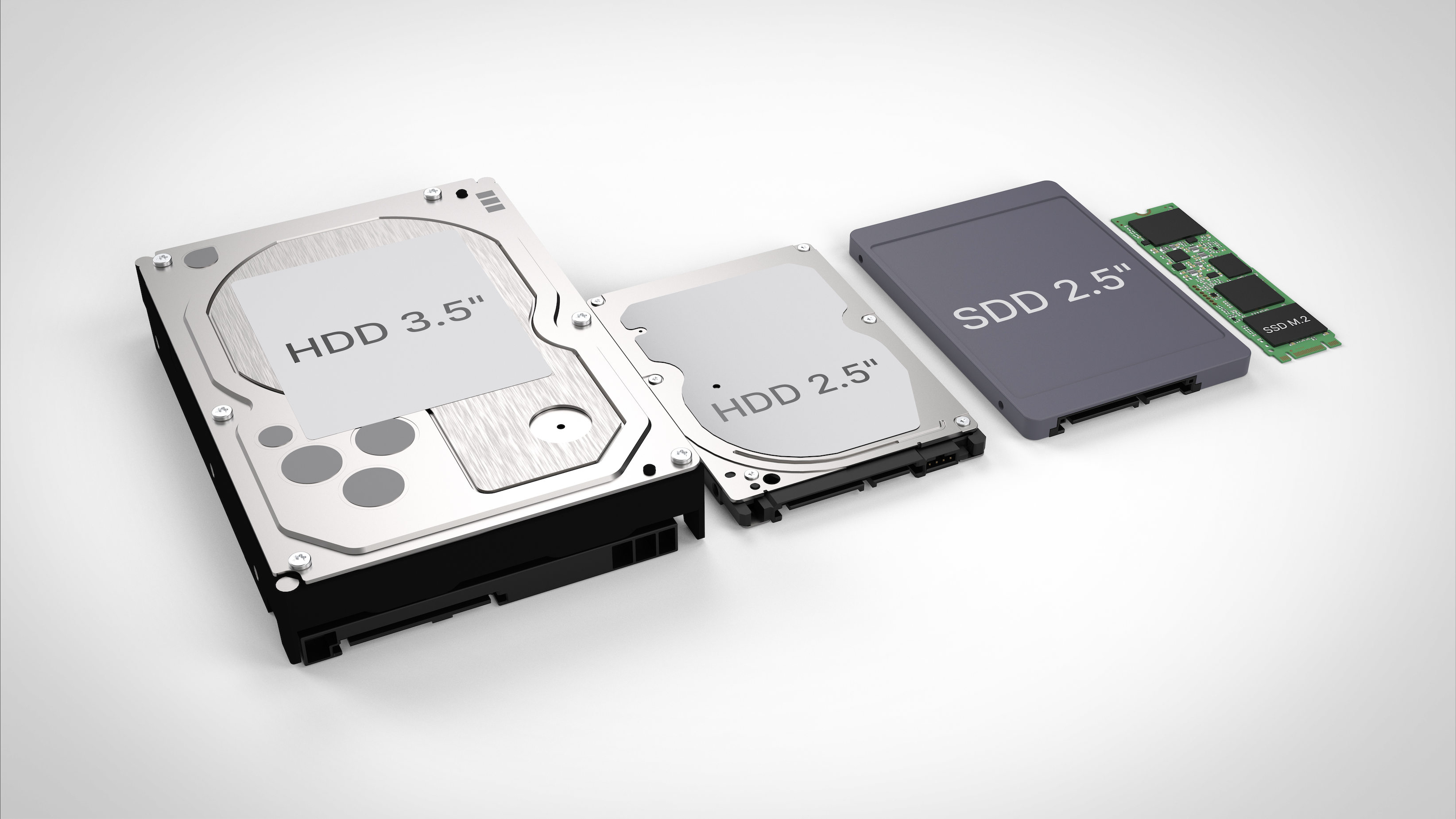
Figure 1: Storage devices, from Hard Disk Drives (HDD) with spinning disks, to modern compact Solid State Drives (SSD)
For most transfer solutions on the market, storage capacity is configurable. Hardware vendors allow configuring specific amounts of onboard storage at the time of order. Alternatively, mass storage can be directly attached and mounted as external storage. Extra storage can be externally mounted using Thunderbolt or SAS (Serial Attached SCSI) interfaces. For example, Thunderbolt 4, offers a theoretical bandwidth up to 40 Gbps (5 GB/s). SAS interfaces, generally used in enterprise environments, can achieve up to 22.5 Gbps per lane with SAS-4, making them excellent options for high-performance storage systems.
Network Interfaces
When considering network interfaces, modern Network Interface Cards (NIC) support speeds from 1 Gbps to 100 Gbps, though real-world performance is lower because of TCP/IP overhead and other factors. Ethernet ports with the standard RJ-45 copper connection and speed of 1 Gbps are nowadays mainstream, whereas 10 Gbps are gaining adoption. The 2×100 Gbps fiber connections provided by AWS Data Transfer Terminal require 100GBASE-LR4 optical QSFP28 transceivers, which most of the solutions reviewed in this blog post support. Jumbo frames are currently not supported.
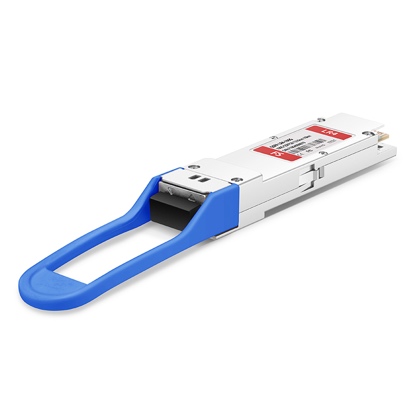
Figure 2: a QSFP28 Transceiver
Multiple Devices via a 100G Switch
Another option is to leverage the onboard 10GbE Ethernet port commonly found in mainstream servers and devices nowadays, connected via a CAT7+ cable to a 10GbE port on a switch supporting 100 Gbps uplinks. The QSFP28 on the switch is then connected to the AWS Data Transfer Terminal fiber port. The approach removes the need for multiple expensive PCIe cards and/or external enclosures, using just a single transceiver per switch. At the time of writing, each AWS Data Transfer Terminal fiber connection provides up to a maximum of five IPs via Dynamic Host Configuration Protocol (DHCP) leases, therefore capping the maximum speed to 50 Gbps in aggregate when using Small Form-factor Pluggable (SFP) to combine multiple 10 Gbps copper connections to the storage devices. As every AWS Data Transfer Terminal has at least two fibers available, another setup in parallel can be used to provide another 50Gbps, bringing this up to 100 Gbps in aggregate.
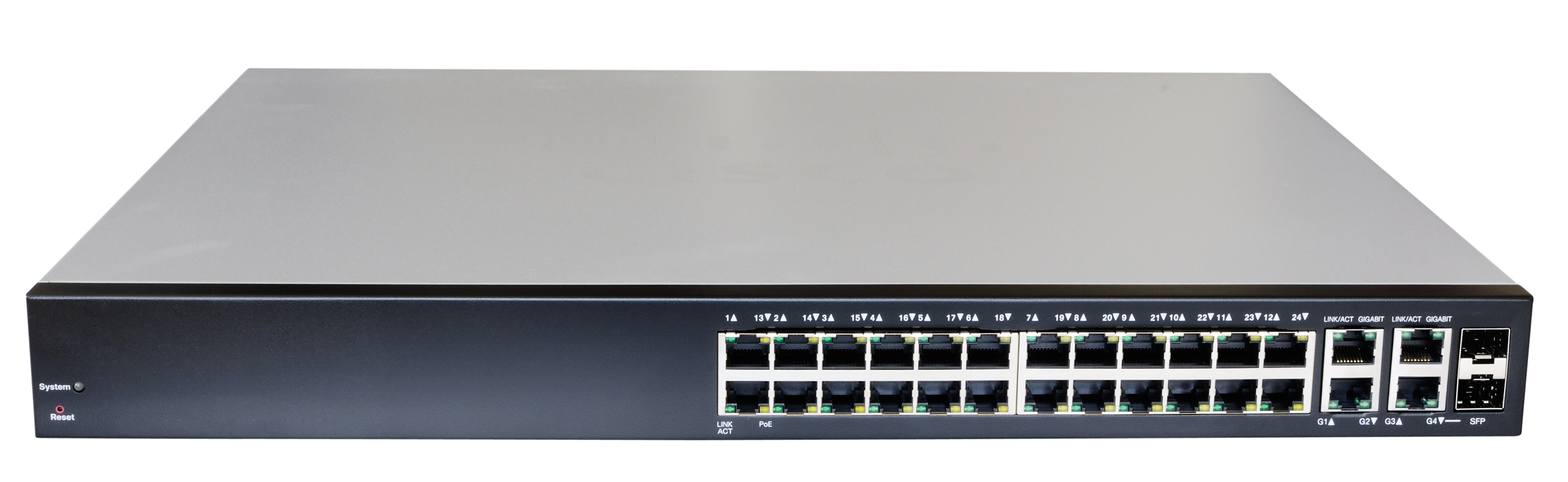
Figure 3: Expected aggregated bandwidth up to 50 Gbps when connecting 5x 10GbE devices
Leveraging Multiple Fiber Connections Concurrently
Transfer solutions supporting multiple fiber connections concurrently can go beyond 100 Gbps. A common approach leverages Equal-Cost Multi-Path (ECMP) for increased bandwidth, and it is generally available out of the box on most operating systems by default. Currently ECMP is the only option available to AWS Data Transfer Terminal customers to aggregate multiple connections from a single device. Other approaches requiring Border Gateway Protocol (BGP) or Link Aggregation Control Protocol (LACP) are not available at the time of writing.
White-Glove End-to-End Transfer Services
For customers looking for a fully managed experience, contracting a comprehensive AWS Partner service that includes support, physical transit and end-to-end storage transfer via AWS Data Transfer Terminal is a compelling solution. These partners can provide a fully managed experience that includes:
- Initial delivery of storage device(s) to customer sites
- System set-up support loading data onto the devices on site
- Scheduling of the upload suite reservation
- Transporting the device to the AWS Data Transfer Terminal facility
- Data upload to AWS and associated transfer monitoring
- Clearing of customer data upon upload validation
- Returning storage devices to conclude the engagement
Conclusions
Successful high-speed data transfer depends on the right hardware, storage, and software choices. This blog post covered various aspects involved to perform optimal data transfers via AWS Data Transfer Terminal, spanning from basic systems to advanced solutions hitting triple-digit Gbps. The solutions vary significantly in terms of throughput, storage capacity, form factor, and cost, allowing customers to choose based on their specific requirements. Correctly estimating the time to transfer data is paramount to support accurate planning of reservation hours, accounting for transfer protocols overheads and other real-world factors. For customers looking for a fully managed service, white-glove services are available through AWS Partners who can manage the entire transfer process from pickup to upload.
As the AWS Data Transfer Terminal service continues to evolve, we encourage customers to share their experiences and testing results to help expand our knowledge base of solutions available for our customers. Submissions of new test results to be evaluated by our team can be done via Command Center, creating a case as Service: Data Transfer Terminal, Category: Other, Severity: General guidance.