AWS Storage Blog
Zero-downtime Amazon S3 Versioning: Architectural patterns for mission-critical workloads
Organizations delivering content on a global scale rely on distributed edge networks to cache and serve billions of requests daily. These architectures depend on highly aggressive Time-To-Live (TTL) configurations to maximize performance and minimize origin load. On a cache miss, the network falls through to the origin to retrieve the requested content. At this scale, maintaining data freshness is a critical challenge. Configuration changes at the origin that require propagation time can produce intermittent errors, which get cached at the edge and served as stale responses long after the origin has synchronized. Without careful architectural planning, these stale error states can cascade across the entire delivery fleet, degrading end-user experience and risking SLA breaches.
Vercel is a cloud platform that helps frontend developers build, deploy, and scale web applications using a globally distributed edge network serving billions of requests daily. Their architecture stores deployment artifacts in an unversioned Amazon S3 bucket that is petabyte-scale with several billion objects serving high production traffic. Vercel required implementing S3 Versioning to meet their data protection needs. By design, enabling versioning for the first time can take up to 15 minutes to propagate across the S3 system. During this window, GET requests for new or updated objects might return intermittent HTTP 404 errors. Because these “not found” responses are cached at the edge, they continue to be served as stale error states even after S3 has synchronized. At Vercel’s scale, manual invalidation of billions of requests was not feasible, risking SLA breaches until the cache naturally expired.
In this post, inspired by the Vercel use case, we demonstrate patterns to minimize the risk of 404 NoSuchKey errors when enabling versioning while maintaining high availability and data protection requirements.
Significance of S3 Versioning
S3 Versioning is a bucket-level configuration that preserves, retrieves, and restores every version of every object, offering a safety net against both accidental deletions and unintended overwrites. When enabled, each object receives a unique version ID. When an object is deleted, S3 inserts a delete marker rather than permanently removing the object, enabling seamless restoration.
Key considerations before enabling versioning:
- Cost: Each version is stored as a complete object. Use S3 Lifecycle policies to transition noncurrent versions to lower-cost storage classes or expire them.
- Performance: Versioning can be enabled or suspended but never fully disabled. In a versioning suspended bucket, objects receive a NULL version ID. Deletes in suspended buckets create NULL delete markers that accumulate and degrade list operation performance. Use lifecycle policies to manage delete markers.
- Propagation: After enabling versioning for the first time, GET requests for newly created or updated objects might return HTTP 404 during the propagation window. Wait for propagation to complete before performing write operations (PUT or DELETE).
For an S3 bucket without versioning enabled, a HeadObject call returns a VersionId of null. Upon enabling versioning, the same call returns a unique version ID for the current object. Figure 1 illustrates the difference. On the left, a HeadObject call against an unversioned bucket returns no version metadata. On the right, after versioning is enabled, the same call returns a unique x-amz-version-id header, confirming that S3 is now tracking object versions.
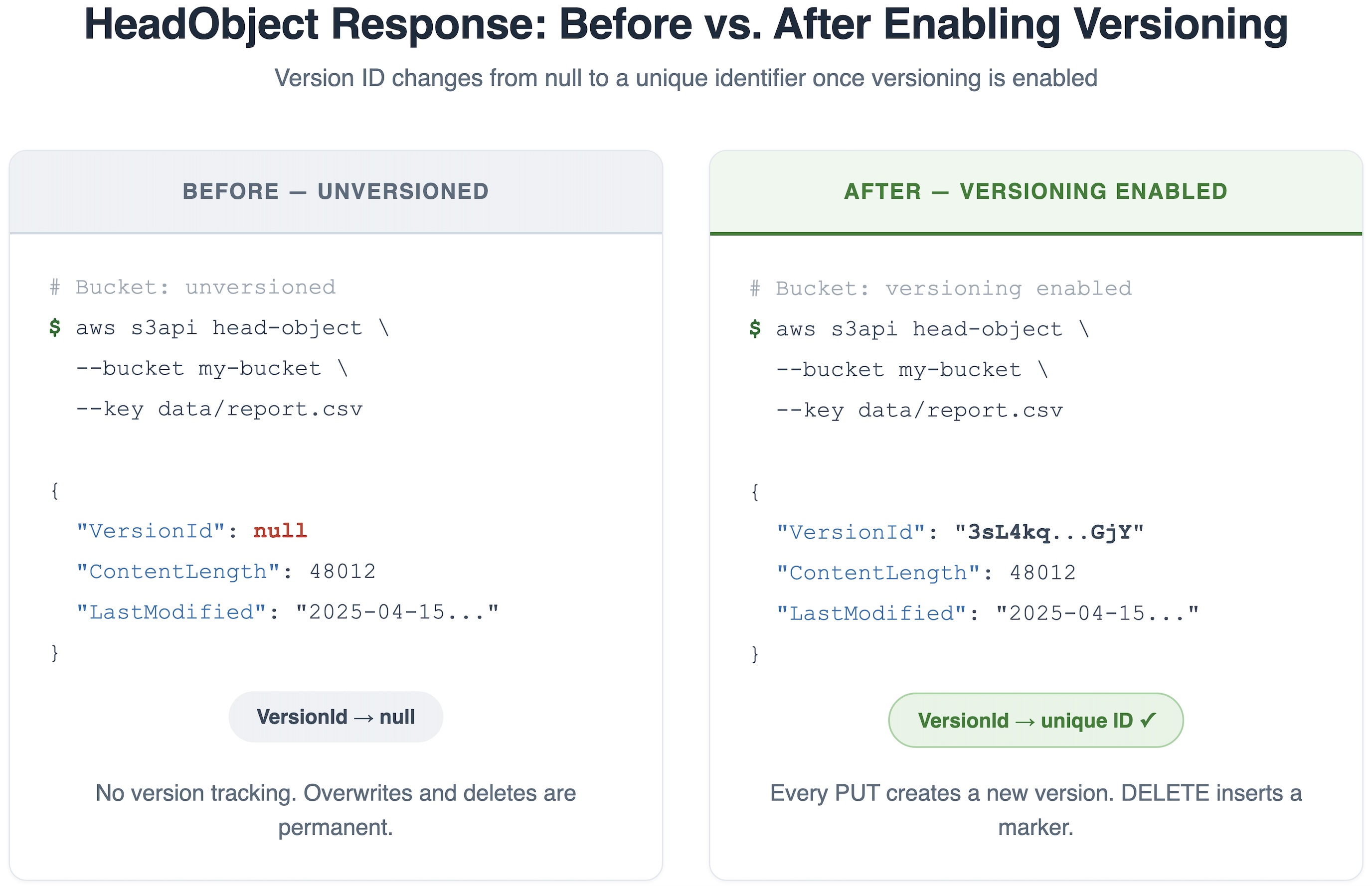
Figure 1: HeadObject response with and without S3 Versioning
The Content Delivery Network amplification problem
Content Delivery Networks (CDNs) cache content at edge locations to reduce latency and offload origin traffic. When S3 serves content through a CDN like Amazon CloudFront, enabling versioning introduces caching implications. CDNs cache both successful responses and errors based on their configured TTL. If S3 returns a 404 during the versioning propagation window, the CDN caches that 404 at the edge. Even after propagation completes and the object is available at the origin, the CDN continues serving the cached 404 until the error TTL expires. The effective disruption window extends beyond S3 propagation by the CDN’s error cache TTL.
For Vercel, this was a critical constraint. With billions of daily requests traversing their global edge network, even a short propagation window would produce transient 404s that get cached and served as stale errors to millions of application visitors. Manual invalidation at that scale wasn’t feasible. You can configure error caching TTLs to reduce how long cached 404s are served. You can proactively issue cache invalidations after enabling versioning. However, coordinating these changes across multiple distributions, edge locations, and CDN providers is challenging at scale. For such workloads, addressing the root cause at S3 is more effective than mitigating the symptom at the CDN layer.
Recommended versioning patterns
In this section, we discuss three recommended patterns of versioning. Pattern 1 applies to new bucket deployments; Pattern 2 suits applications with built-in retry logic; and Pattern 3 addresses high-traffic production workloads without any downtime.
Pattern 1: Proactive versioning configuration
The simplest approach is to enable S3 Versioning with an appropriate lifecycle policy at bucket creation, before ingesting any data. This avoids the propagation window concern entirely—versioning is active from the outset, and no existing objects are affected. Configuring lifecycle policies concurrently establishes cost-effective version management that automatically transitions or expires noncurrent versions according to your retention requirements.
For critical buckets containing compliance or regulatory data, you can consider enabling MFA Delete as an additional hardening step. This requires multi-factor authentication (MFA) for permanently deleting object versions or suspending versioning. This pattern is ideal for new bucket deployments, greenfield projects, and compliance-sensitive workloads where version history is required from day one. You can enable S3 Versioning using the AWS Management Console, REST API, AWS Command Line Interface (AWS CLI), and AWS SDKs. However, for workloads like Vercel’s, where the petabyte-scale bucket was already in production serving billions of requests, this pattern isn’t applicable. The bucket already existed with data. A different approach was needed.
Pattern 2: Versioning enablement with retry mechanism
This pattern applies to existing buckets without versioning where your application has retry logic and can tolerate temporary object unavailability. After enabling versioning on an existing bucket, the same propagation delay applies. During this window, GET requests for objects created or updated after versioning is enabled might return intermittent HTTP 404 NoSuchKey errors. It suits applications with built-in retry mechanisms that gracefully handle transient 404 errors for GET requests on objects created immediately after versioning is enabled.
Existing objects in the bucket before versioning was enabled are not affected by the propagation delay. Only objects written after enabling versioning might experience transient 404s during the propagation window.
This pattern suits development environments, staging workloads, or systems where temporary unavailability doesn’t impact SLAs. It doesn’t suit CDN-backed architectures like Vercel’s, because retry logic at the application layer can’t prevent a CDN from caching a 404 response at the edge. After it’s cached, the error is served to all subsequent users hitting that edge location, regardless of retries at the origin. At Vercel’s scale, this would cascade across their global fleet, making a zero-downtime approach essential.
Pattern 3: Zero-downtime versioning enablement using suspended mode
If you’re running a high-traffic production workload where even brief object unavailability is unacceptable, this pattern is for you. As described in the previous CDN section, transient 404s during the propagation window get cached at the edge and amplified to users, making the effective disruption far longer than the 15-minute propagation window itself.
Instead of enabling versioning directly, this pattern employs a phased approach, transitioning the bucket through versioning’s suspended state first, allowing the internal configuration change to propagate before activating full versioning. Let’s walk through the high-level steps together.
Step 1: Enable versioning in suspended mode
This transitions the bucket from its unversioned state to a versioning-suspended state, initiating the internal propagation across the S3 distributed system. During this phase, objects written to the bucket receive a version ID of null rather than a unique version ID, meaning your application continues to operate normally without disruption.
Figure 2 shows the starting point: running aws s3api get-bucket-versioning against the bucket. For an unversioned bucket, the command returns an empty response with no Status field, confirming that versioning has never been enabled.
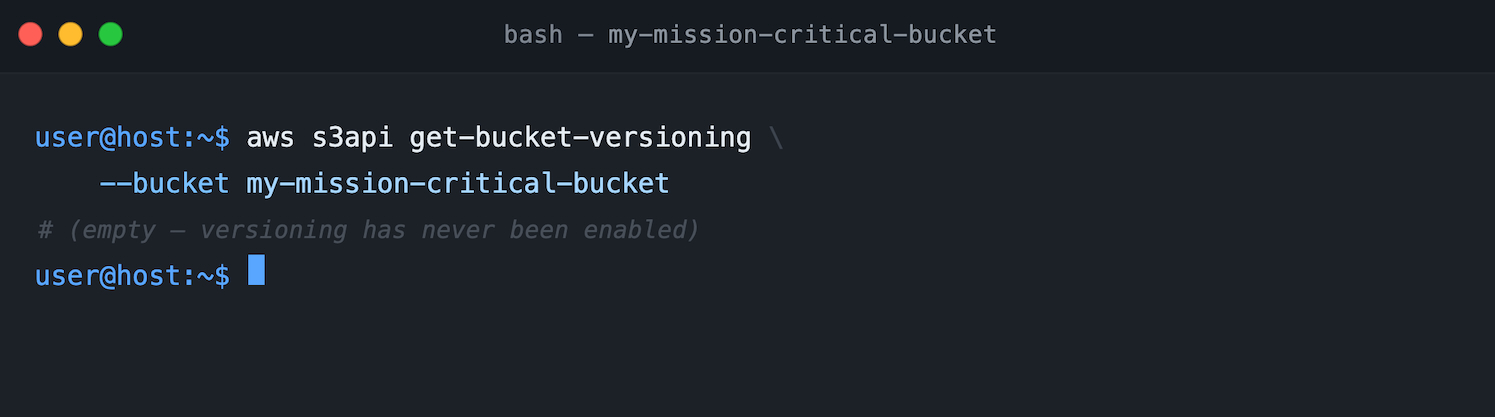
Figure 2: Bucket versioning status using AWS CLI
Next, you enable versioning in suspended mode using aws s3api put-bucket-versioning with Status=Suspended. Figure 3 shows this command. Unlike enabling versioning directly (which would set Status=Enabled), the suspended state initiates propagation while keeping object behavior unchanged; writes still produce null version IDs, and GET requests continue to work normally.
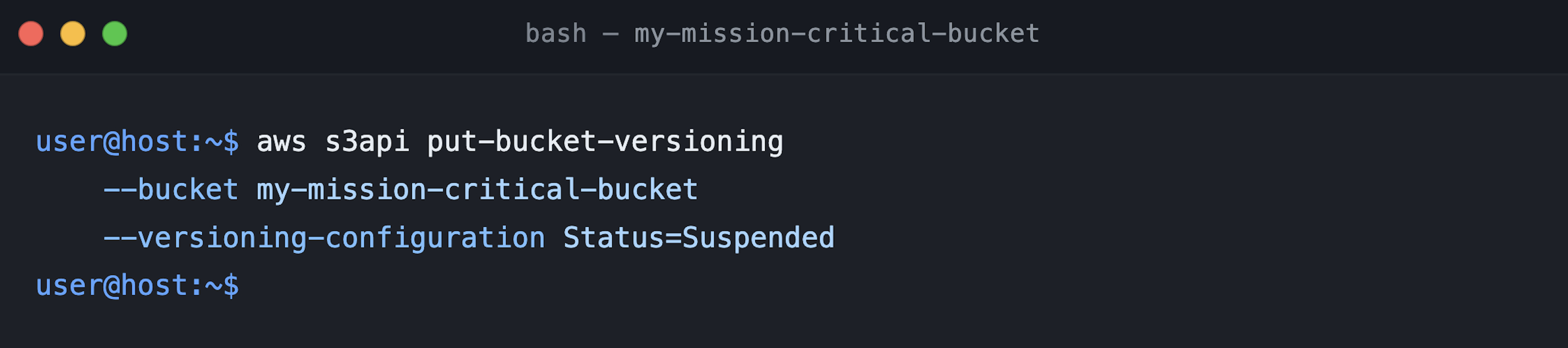
Figure 3: Enabling versioning in suspended mode
To verify the transition, run get-bucket-versioning again. Figure 4 shows the response now includes "Status": "Suspended", confirming the bucket is in suspended mode, and propagation has begun.
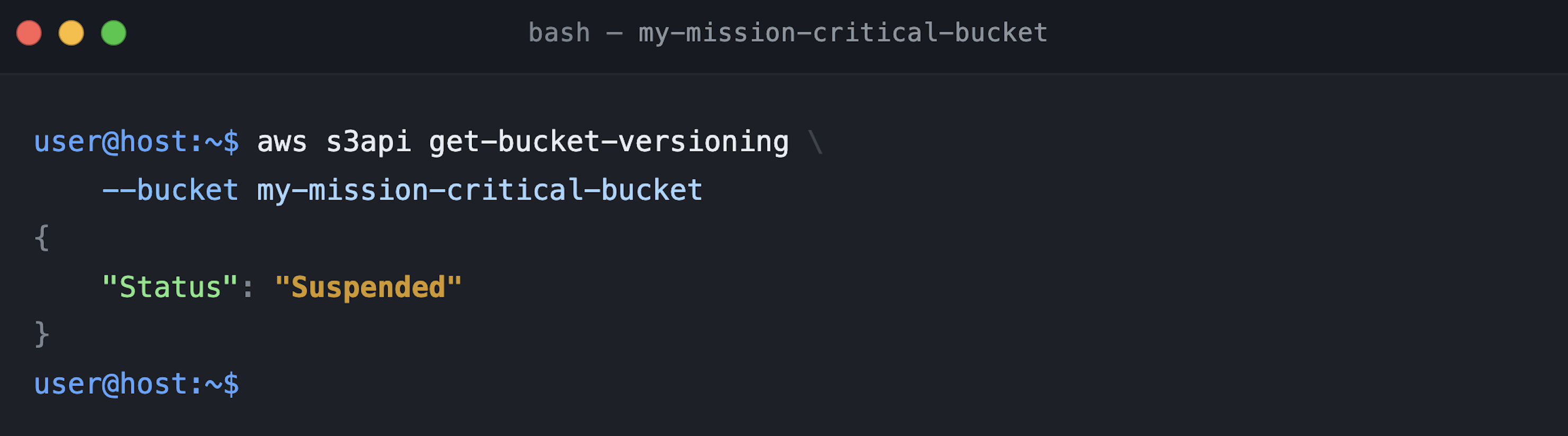
Figure 4: Validating versioning in suspended mode
Step 2: Wait for the propagation period to complete
AWS recommends waiting for versioning to fully propagate after enabling it. Although there is no API to directly confirm that propagation is complete, we recommend you wait at least 15 minutes after enabling suspended mode before proceeding.
Step 3: Validate with HeadObject, and then enable versioning
Before transitioning to the fully enabled state, validate that propagation is complete. Upload an object to the bucket, then perform a HeadObject API call against it. Check the x-amz-version-id response header—when versioning configuration has propagated, S3 returns a version ID (which will be null for objects written during the suspended phase). If the header is absent, propagation is still in progress.
Figure 5 shows the HeadObject response: the x-amz-version-id: null header is present, confirming that S3’s versioning subsystem is now active for this bucket. The null value is expected, because objects written during the suspended phase receive null version IDs by design.
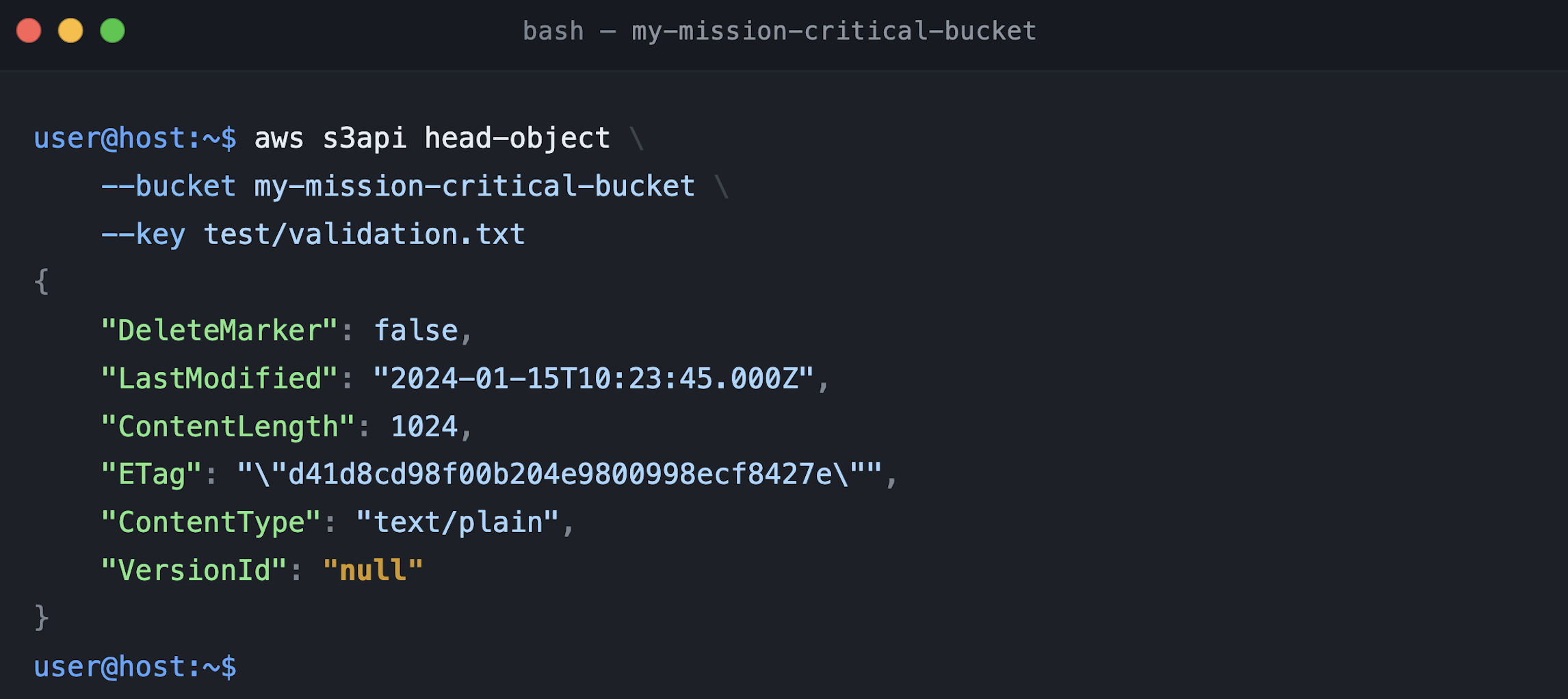
Figure 5: HeadObject API with suspended mode with x-amz-version-id value
After you’ve confirmed that S3 is returning version ID metadata, you can transition from suspended to enabled. Figure 6 shows one final get-bucket-versioning call confirming the bucket is still in suspended mode before making the transition—a good practice to verify you’re starting from the expected state.
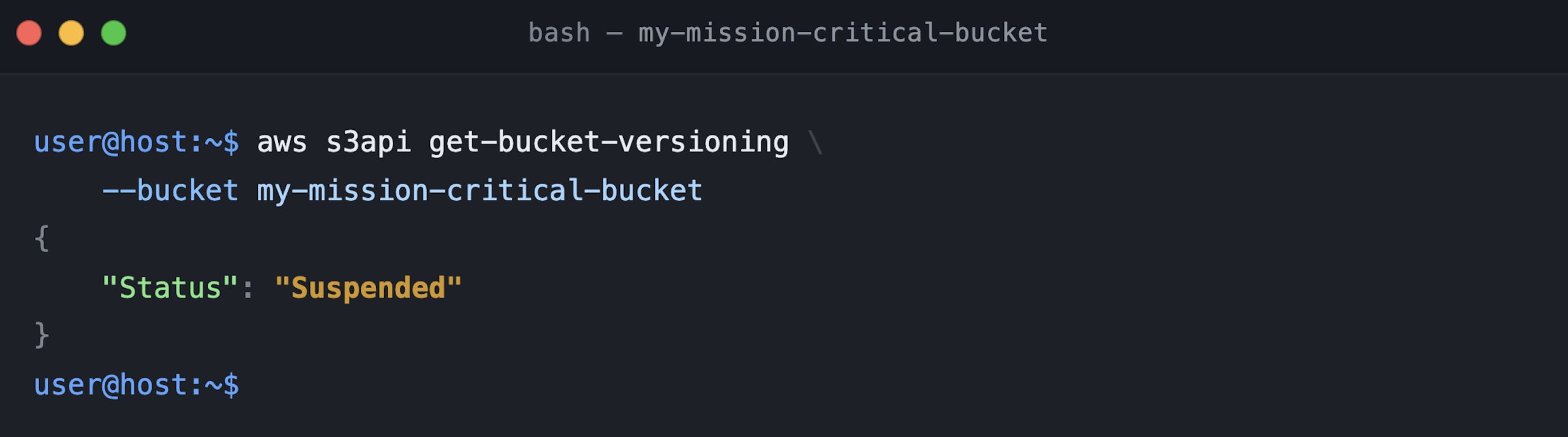
Figure 6: Bucket versioning confirmation in suspended mode
Now, run put-bucket-versioning with Status=Enabled. Figure 7 shows this final transition. Because propagation is already completed during the suspended phase, this state change takes effect immediately. There is no additional propagation window, and no risk of transient 404s.
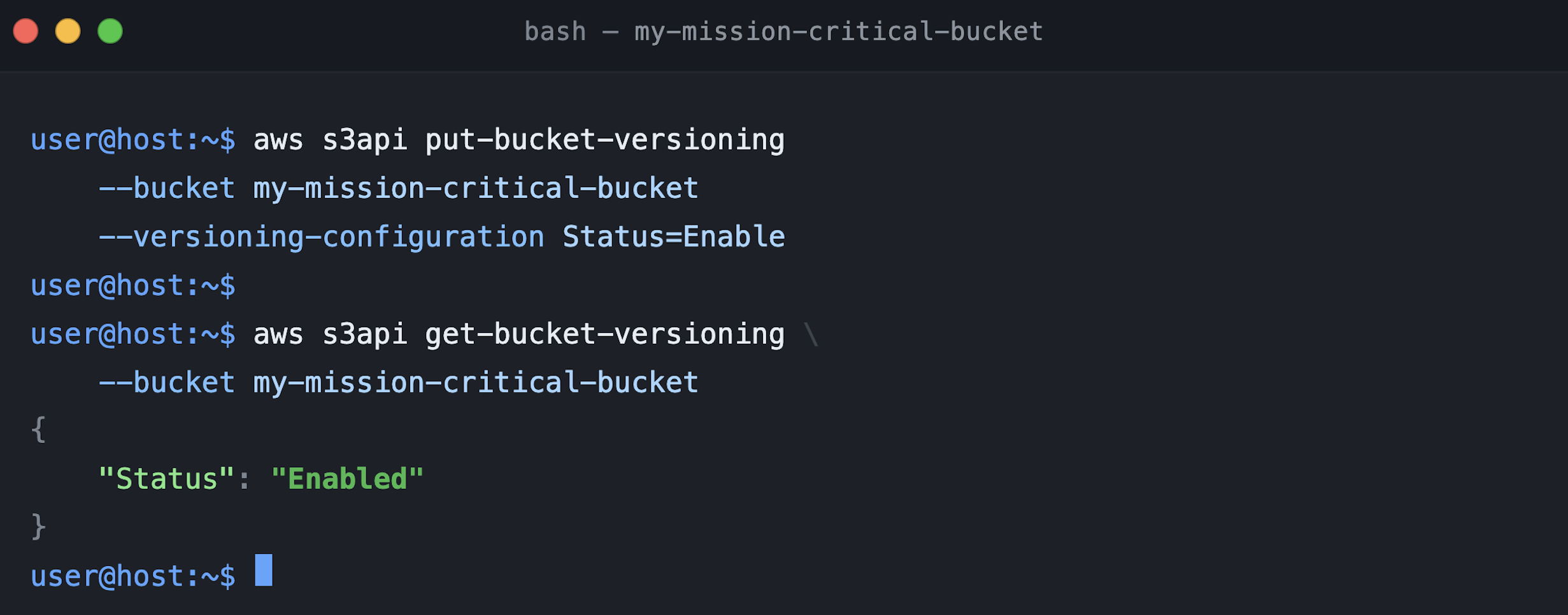
Figure 7: S3 bucket changed state from Suspended to Enabled mode
To confirm everything is working, upload a new object and run HeadObject. Figure 8 shows the response now contains a unique version ID (a long alphanumeric string rather than null), confirming that S3 is fully versioning new writes.
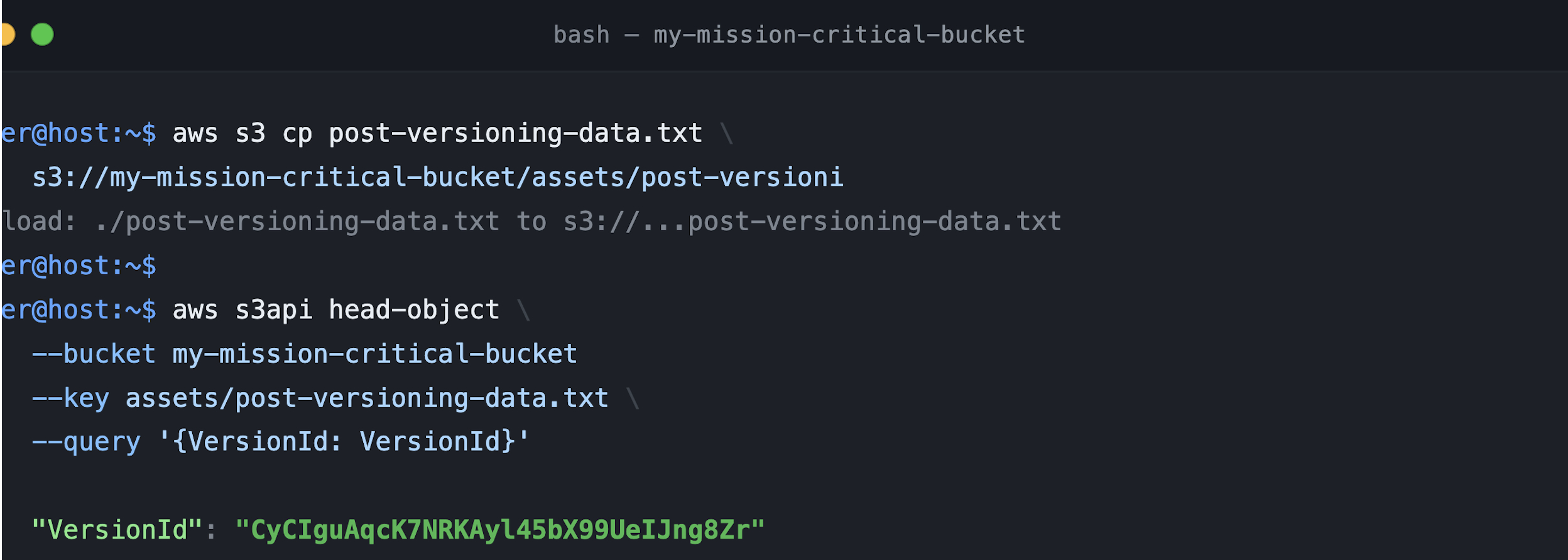
Figure 8: New upload with version ID after versioning enabled
This pattern is recommended for mission-critical applications, high-volume production workloads, and CDN-backed content delivery platforms with zero tolerance for transient errors. Vercel chose this approach—with a petabyte-scale bucket serving billions of daily requests through a global edge network. Transient 404s would be cached at the CDN and served as stale errors to millions of users. The suspended mode approach prevented 404s at the S3 level from reaching the edge, enabling zero-downtime versioning enablement without coordinating CDN invalidations across their fleet.
“Vercel serves billions of requests daily through our global edge network, with deployment artifacts stored in a petabyte-scale S3 bucket containing several billion objects,” says Jon Vincent, Director of Engineering, Vercel. “When we needed to enable S3 Versioning for data protection, the 15-minute propagation window posed a real risk—any transient 404s would get cached at our edge and served as stale errors to millions of application visitors. By using the suspended mode approach, we were able to enable versioning with zero disruption to production traffic, giving us the data protection guarantees we needed without compromising the reliability our customers depend on.”
Conclusion
S3 Versioning is a foundational capability for data protection, but enabling it on existing high-traffic buckets requires thoughtful planning. As we demonstrated in this post, the 15-minute propagation window introduces a risk of intermittent HTTP 404 errors that can cascade through CDN caches and impact end-user experience at scale.
Vercel faced this challenge with a petabyte-scale bucket with billions of objects serving production traffic through a global edge network. With multiple versioning strategies available, choosing the right pattern was critical. Pattern 1 wasn’t applicable because the bucket already existed with data. Pattern 2 wasn’t viable because retry logic at the application layer can’t prevent a CDN from caching a 404 at the edge. Pattern 3’s suspended mode approach gave them a path to enable versioning with zero disruption, preventing transient 404s at the S3 level from reaching the CDN and cascading across their delivery fleet.
S3 Versioning is an architectural decision. By understanding the propagation behavior, evaluating your application’s tolerance for transient errors, and selecting the pattern that aligns with your availability requirements, you can enable robust data protection without compromising the reliability your users depend on.
To get started, see Getting started with Amazon S3. For guidance on S3 Versioning and managing storage lifecycle policies, see How S3 Versioning works.