AWS News Blog
Accelerate AI development using Amazon SageMaker AI with serverless MLflow

|
Since we announced Amazon SageMaker AI with MLflow in June 2024, our customers have been using MLflow tracking servers to manage their machine learning (ML) and AI experimentation workflows. Building on this foundation, we’re continuing to evolve the MLflow experience to make experimentation even more accessible.
Today, I’m excited to announce that Amazon SageMaker AI with MLflow now includes a serverless capability that eliminates infrastructure management. This new MLflow capability transforms experiment tracking into an immediate, on-demand experience with automatic scaling that removes the need for capacity planning.
The shift to zero-infrastructure management fundamentally changes how teams approach AI experimentation—ideas can be tested immediately without infrastructure planning, enabling more iterative and exploratory development workflows.
Getting started with Amazon SageMaker AI and MLflow
Let me walk you through creating your first serverless MLflow instance.
I navigate to Amazon SageMaker AI Studio console and select the MLflow application. The term MLflow Apps replaces the previous MLflow tracking servers terminology, reflecting the simplified, application-focused approach.
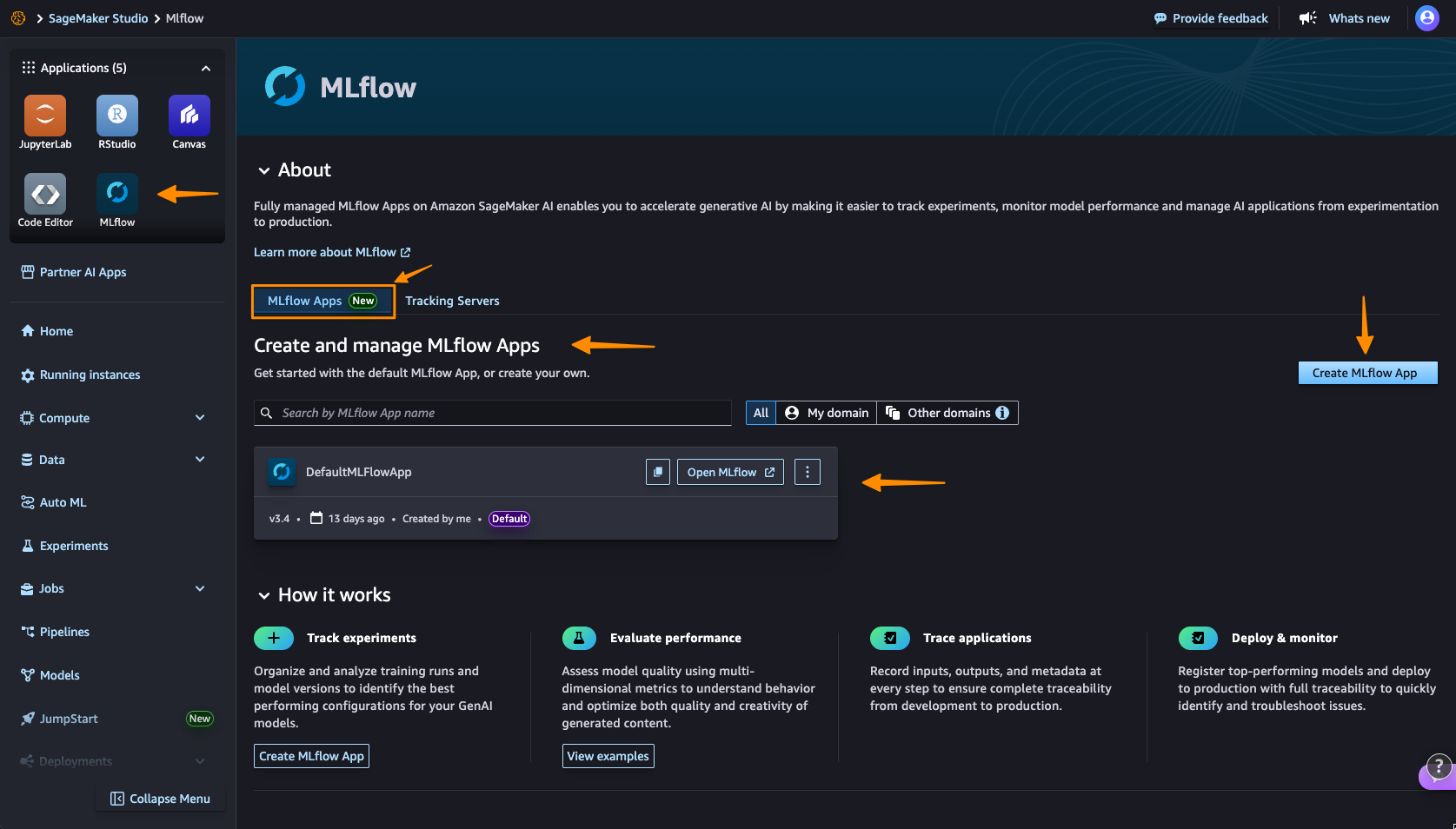
Here, I can see there’s already a default MLflow App created. This simplified MLflow experience makes it more straightforward for me to start doing experiments.
I choose Create MLflow App, and enter a name. Here, I have both an AWS Identity and Access Management (IAM) role and Amazon Simple Service (Amazon S3) bucket are already been configured. I only need to modify them in Advanced settings if needed.

Here’s where the first major improvement becomes apparent—the creation process completes in approximately 2 minutes. This immediate availability enables rapid experimentation without infrastructure planning delays, eliminating the wait time that previously interrupted experimentation workflows.

After it’s created, I receive an MLflow Amazon Resource Name (ARN) for connecting from notebooks. The simplified management means no server sizing decisions or capacity planning required. I no longer need to choose between different configurations or manage infrastructure capacity, which means I can focus entirely on experimentation. You can learn how to use MLflow SDK at Integrate MLflow with your environment in the Amazon SageMaker Developer Guide.
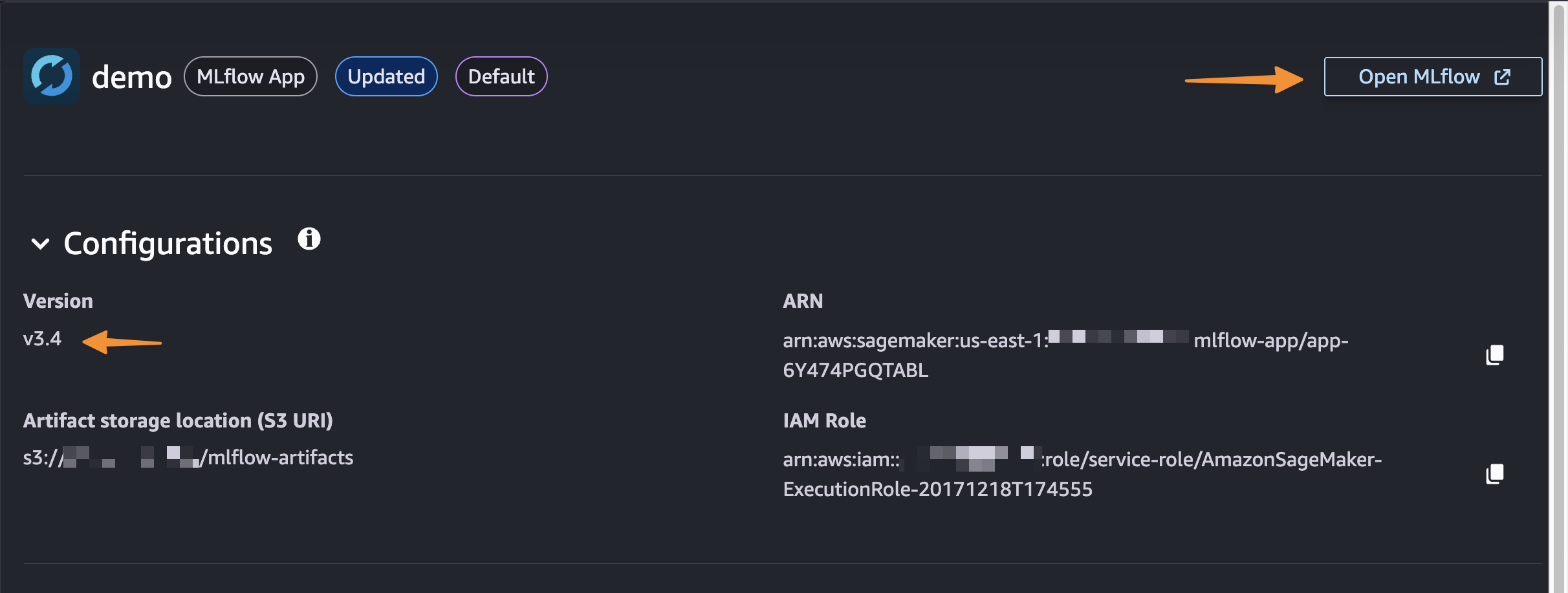
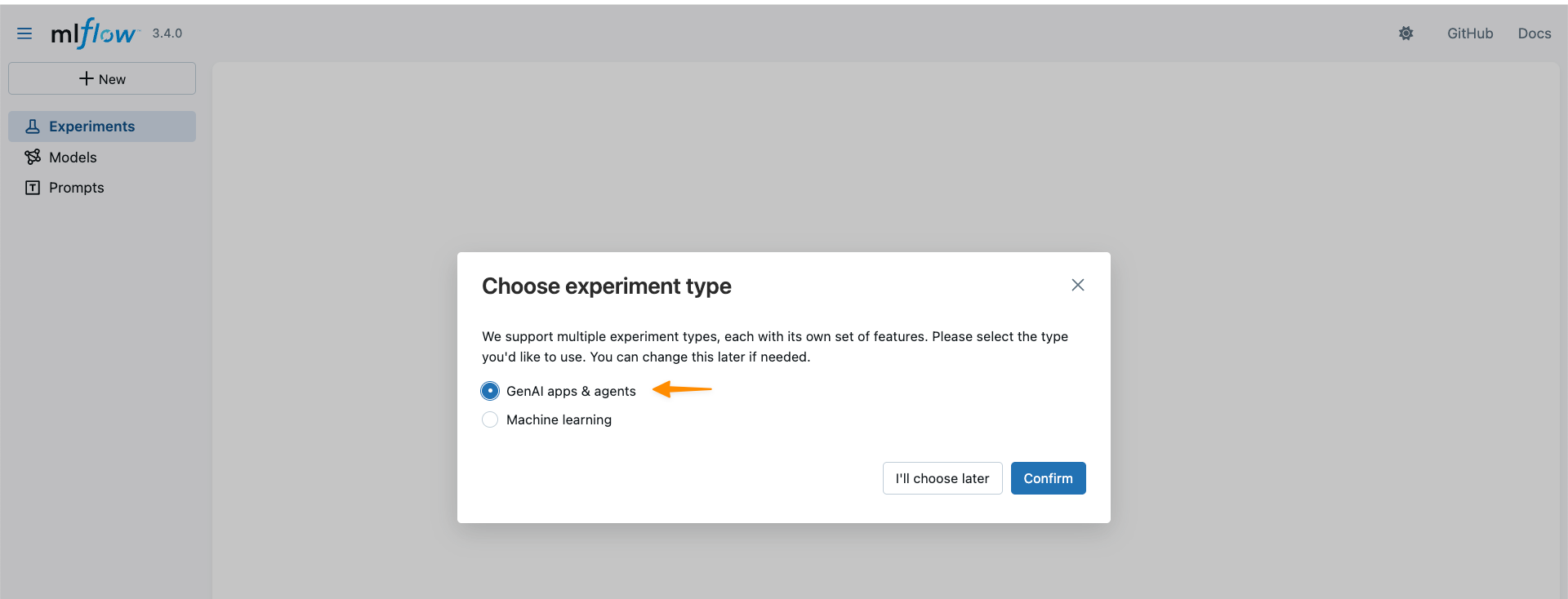
With MLflow 3.4 support, I can now access new capabilities for generative AI development. MLflow Tracing captures detailed execution paths, inputs, outputs, and metadata throughout the development lifecycle, enabling efficient debugging across distributed AI systems.
This new capability also introduces cross-domain access and cross-account access through AWS Resource Access Manager (AWS RAM) share. This enhanced collaboration means that teams across different AWS domains and accounts can share MLflow instances securely, breaking down organizational silos.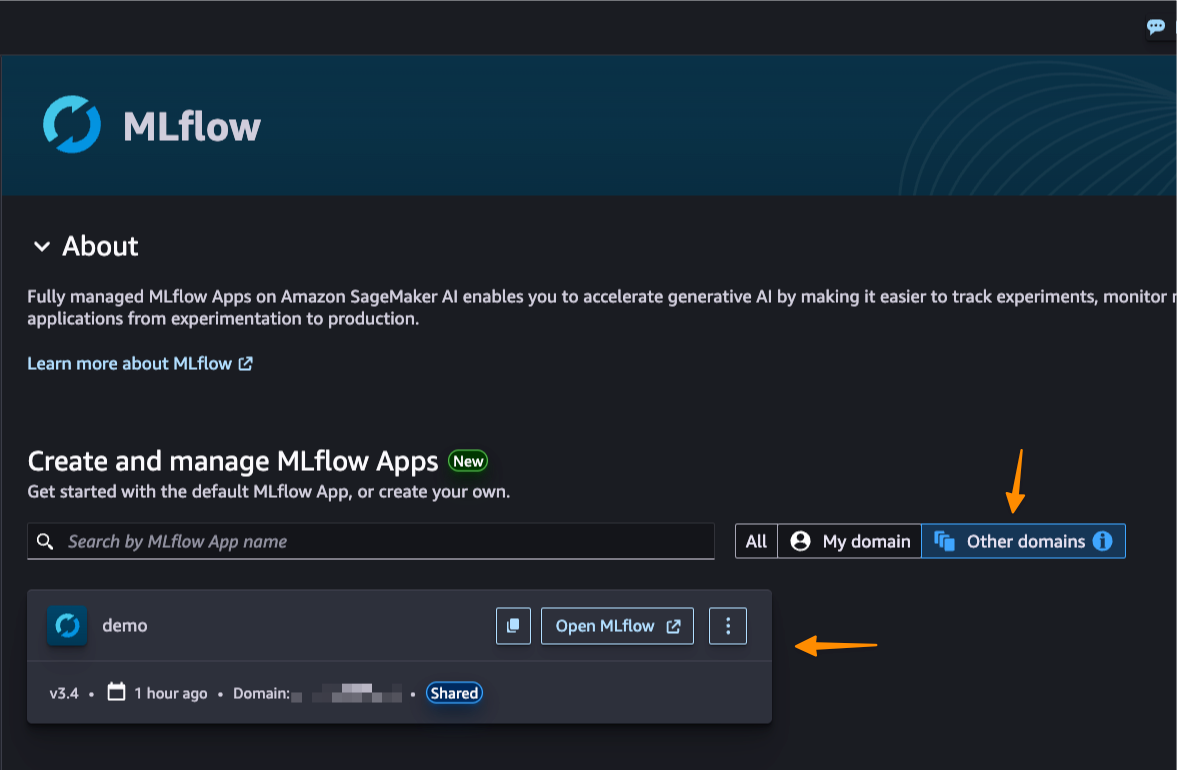
Better together: Pipelines integration
Amazon SageMaker Pipelines is integrated with MLflow. SageMaker Pipelines is a serverless workflow orchestration service purpose-built for machine learning operations (MLOps) and large language model operations (LLMOps) automation—the practices of deploying, monitoring, and managing ML and LLM models in production. You can easily build, execute, and monitor repeatable end-to-end AI workflows with an intuitive drag-and-drop UI or the Python SDK.

From a pipeline, a default MLflow App will be created if one doesn’t already exist. The experiment name can be defined and metrics, parameters, and artifacts are logged to the MLflow App as defined in your code. SageMaker AI with MLflow is also integrated with familiar SageMaker AI model development capabilities like SageMaker AI JumpStart and Model Registry, enabling end-to-end workflow automation from data preparation through model fine-tuning.
Things to know
Here are key points to note:
- Pricing – The new serverless MLflow capability is offered at no additional cost. Note there are service limits that apply.
- Availability – This capability is available in the following AWS Regions: US East (N. Virginia, Ohio), US West (N.California, Oregon), Asia Pacific (Mumbai, Seoul, Singapore, Sydney, Tokyo), Canada (Central), Europe (Frankfurt, Ireland, London, Paris, Stockholm), South America (São Paulo).
- Automatic upgrades: MLflow in-place version upgrades happen automatically, providing access to the latest features without manual migration work or compatibility concerns. The service currently supports MLflow 3.4, providing access to the latest capabilities including enhanced tracing features.
- Migration support – You can use the open source MLflow export-import tool available at mlflow-export-import to help migrate from existing Tracking Servers, whether they’re from SageMaker AI, self-hosted, or otherwise to serverless MLflow (MLflow Apps).
Get started with serverless MLflow by visiting Amazon SageMaker AI Studio and creating your first MLflow App. Serverless MLflow is also supported in SageMaker Unified Studio for additional workflow flexibility.
Happy experimenting!
— Donnie