Migration & Modernization
Migrate Oracle-to-PostgreSQL Java code with AWS Transform custom
Migrating an enterprise Java application from Oracle to PostgreSQL is often described as a database project — but with tools like AWS Transform custom, most of the real work lands in the application code. A large Java or Kotlin codebase can carry thousands of Oracle-specific SQL statements, Java Database Connectivity (JDBC) type assumptions, object-relational mapping (ORM) dialect settings, and test fixtures that all break when the database engine changes underneath them. Converting the embedded SQL is only part of the job, and doing the rest by hand across hundreds of files is slow, inconsistent, and error-prone.
In this post, we show you how to use a pre-built Oracle-to-PostgreSQL transformation definition (TD) with AWS Transform custom to automate the full application-code migration — SQL syntax, JDBC return-type handling, parameter binding, ORM configuration, test infrastructure, and build dependencies — and run it repeatably across a portfolio of repositories. The TD is open source and available in the aws-samples/sample-oracle-to-postgresql-td repository on GitHub.
Solution overview
The workflow has two steps. First, you publish the TD — a set of 71 transformation rules — to your account’s AWS Transform custom registry. Then you run it against each target Java repository from the command-line interface (CLI). The agent reads the TD, generates a transformation plan, applies changes across your source files, and optionally compiles the project to verify its own work. All changes land on a local staging branch for your review before merging.
The following sections walk through the migration challenge this solves, when to choose this approach over other AWS tools, what the TD covers, and the step-by-step procedure.
Beyond SQL strings: The full application migration challenge
If you migrate the schema and data with AWS Database Migration Service (AWS DMS) and the AWS Schema Conversion Tool (AWS SCT), the database is only half the story. The application still assumes it is talking to Oracle. Consider what the PostgreSQL JDBC driver does differently:
- Return types differ. nextval() returns BigInteger or Long, and COUNT(*) returns Long — where Oracle returned BigDecimal. A cast such as (BigDecimal) query.uniqueResult() throws ClassCastException at runtime.
- Type coercion is strict. PostgreSQL will not silently compare an INTEGER column against a bound String. A parameter bound with setString against a numeric column fails with “operator does not exist”.
- ORM configuration changes. Hibernate and Doma2 need a PostgreSQL dialect, and HQL “delete Entity” must become “delete from Entity”.
- Tests break for non-obvious reasons. Result ordering is non-deterministic without ORDER BY, NUMERIC scale is preserved (0.10, not 0.1), and CHARACTER(n) padding becomes visible.
- Transaction semantics differ. After any error, PostgreSQL aborts the rest of the transaction — every following statement fails until a rollback.
Across five enterprise Java migrations (500+ files combined) that informed this TD, only about 30–40% of the changes were SQL syntax conversions. The remaining 60%+ were application-layer changes: JDBC type handling, parameter binding, entity field types, test assertions, ORM configuration, and build dependencies. That is the gap this TD is built to close.
When to use AWS Transform custom, AWS SCT, and Amazon Q Developer
AWS offers several tools that touch Oracle-to-PostgreSQL migration. They are complementary, not competing — the right choice depends on the scope of what you need to change.
| Scenario | Recommended tool |
| Convert embedded SQL strings in Java, with access to live Oracle/PostgreSQL databases | Amazon Q Developer or AWS SCT |
| Convert PL/SQL stored procedures, functions, and triggers on the database side | AWS SCT or Amazon Bedrock with agents |
| Full Java application migration (SQL + JDBC types + ORM + tests + build) across multiple repositories, without database connectivity | AWS Transform custom with this TD |
| Schema and data migration at the database layer | AWS DMS + AWS SCT |
Reference links:
- Converting embedded SQL in Java applications with Amazon Q Developer
- Automate conversion of Oracle SQL to PostgreSQL inside Java applications with AWS SCT
AWS SCT (a desktop tool) and Amazon Q Developer (IDE-integrated) both focus on converting embedded SQL strings and both expect live database or schema-metadata connectivity. This TD targets the broader application stack, runs from the CLI without a database connection, and is designed to run unattended across a portfolio. Use SCT or Q Developer when SQL string conversion with database access is the goal; use AWS Transform custom with this TD when you need the whole Java application migrated at scale.
What the transformation definition covers
The TD contains 71 transformation rules distilled from real migrations. Rather than list them all here, the full rule catalog is in the transformation definition reference in the repository.
At a high level, the rules span:
- Data Definition Language (DDL) type conversions — NUMBER(n,0) to INTEGER/BIGINT, VARCHAR2 to CHARACTER VARYING, DATE to TIMESTAMP(0) WITHOUT TIME ZONE (Oracle DATE carries a time component), CLOB to TEXT, BLOB to BYTEA.
- SQL syntax — sequence access (seq.NEXTVAL FROM DUAL to nextval(‘seq’)), ROWNUM to LIMIT/ROW_NUMBER(), Oracle outer join (+) to ANSI LEFT JOIN, DELETE/UPDATE alias rules, and Oracle functions (NVL, DECODE, SYSDATE, TRUNC, ADD_MONTHS, LISTAGG, REGEXP_LIKE).
- JDBC return-type handling — BigDecimal to the Number interface, BigInteger for sequences, getInt to getLong.
- Parameter binding — setString to setInteger, setParameterList element-type matching against the mapped entity field, setDate to setTimestamp.
- ORM configuration — Hibernate and Doma2 dialects, HQL syntax, addScalar() type hints.
- Entity/model changes — field types realigned to column types (String to Integer), byte[] for binary columns.
- Test infrastructure — Testcontainers (Oracle to PostgreSQL, optionally with the orafce extension), DBUnit type assertions, result-order independence, BigDecimal scale.
- Build dependencies — swap the Oracle JDBC driver for org.postgresql:postgresql, swap the Testcontainers module, add Flyway.
The TD also carries guardrails the agent must respect while migrating: never turn a bound parameter into inline SQL text, never drop TLS settings from a connection string, and never move a plaintext credential into source or configuration.
Prerequisites
- AWS Transform custom is a CLI tool with no AWS Management Console interface. For an overview of the AWS Transform family, see the AWS Transform custom product page.
- AWS Transform custom CLI (atx) installed. Install with the official script and verify:
curl -fsSL https://transform-cli.awsstatic.com/install.sh | bash
atx --version- Node.js 22 or later and Git — your target project must be in a Git repository with a clean working tree.
- AWS credentials configured with AWS Transform custom permissions, in a supported Region (for example us-east-1). Short-lived credentials via AWS IAM Identity Center are recommended:
aws sso login --profile your_profile_name
export AWS_PROFILE=your_profile_name
export AWS_REGION=us-east-1- For validation, a PostgreSQL 14+ target (16.x recommended), with the orafce extension if you intend to keep Oracle compatibility functions.
Running the transformation
The workflow is two commands: publish the TD to your account’s registry once, then execute it against each target repository.
Step 1: Publish the TD
Clone the TD repository. The publisher accepts only the transformation files — transformation_definition.md, summaries.md, document_references/, and references/ — so stage those into a clean directory before publishing (pointing –sd at the repo root fails because of .git, README.md, LICENSE, and similar files):
git clone https://github.com/aws-samples/sample-oracle-to-postgresql-td.git
cd sample-oracle-to-postgresql-td

mkdir -p /tmp/otp-td
cp -R transformation_definition.md summaries.md document_references /tmp/otp-td/

atx custom def publish \
  -n "oracle-to-postgresql" \
  --description "Oracle to PostgreSQL migration for Java applications" \
  --sd /tmp/otp-td
The following screenshot shows the CLI output after a successful publish.

Figure 1: The atx custom def publish output confirming the Oracle-to-PostgreSQL transformation definition is registered in the account.
Step 2: Run it against your project
On your first run, omit -t so you approve each tool the agent uses and can watch what it does:
cd /path/to/your/java-project
git status                      # confirm a clean tree

atx custom def exec \
  -p . \
  -n "oracle-to-postgresql"
In interactive mode, the CLI prompts you to approve each tool before it runs, as shown in the following screenshot.
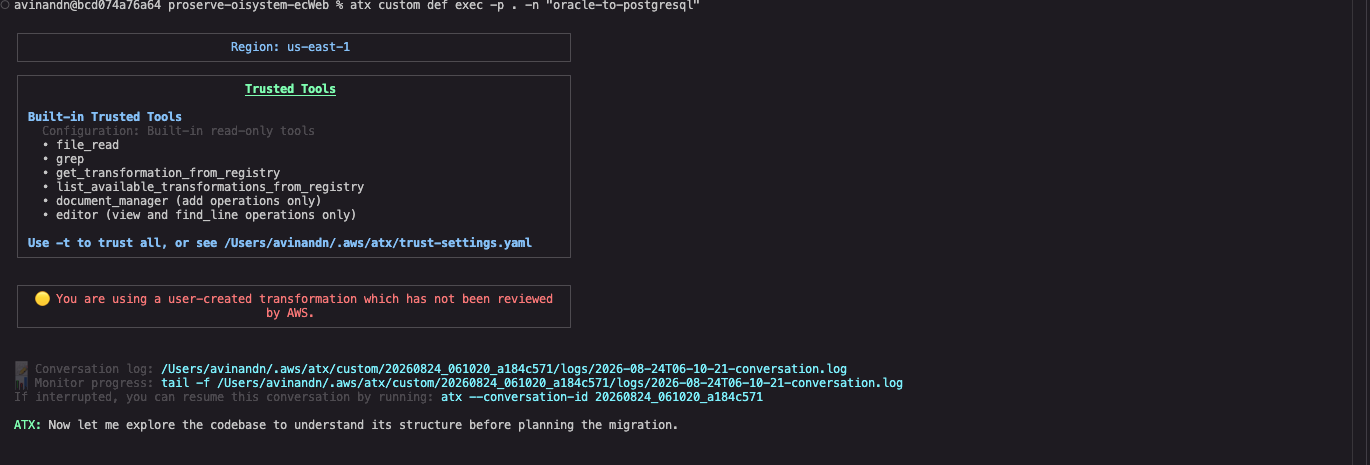
Figure 2: Interactive mode, where AWS Transform custom prompts for approval before each tool it uses on the first run.
After approval, the agent generates a transformation plan that lists the files and rule categories it will touch.
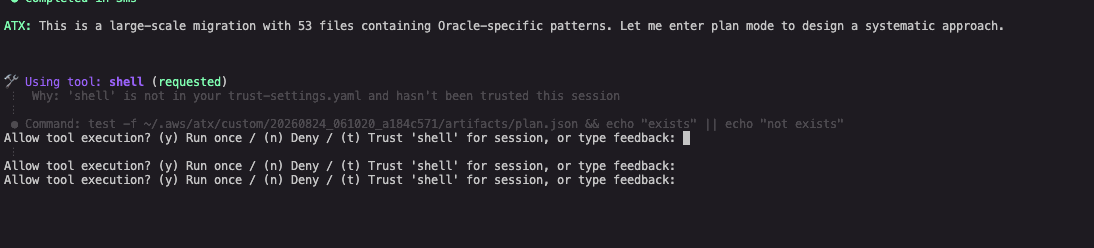
Figure 3: The transformation plan the agent generates before applying changes, listing the files and rule categories it will touch.
Once you trust the flow, run unattended with build verification. The -c flag gives the agent a command to compile after its changes so it can fix what it breaks:
atx custom def exec \
  -p . \
  -n "oracle-to-postgresql" \
  -t -x -d \
  -c "./gradlew compileJava"
The flags: -t trusts all tools (no prompts), -x runs non-interactively, -d opts out of lesson extraction, and -c supplies the build-verification command. Changes land on a dedicated staging branch (for example atx-result-staging-YYYYMMDD_HHMMSS_ID) and are committed there — nothing is pushed to your remote.
When the run completes, the CLI reports a summary of all changes, as shown in the following screenshot.
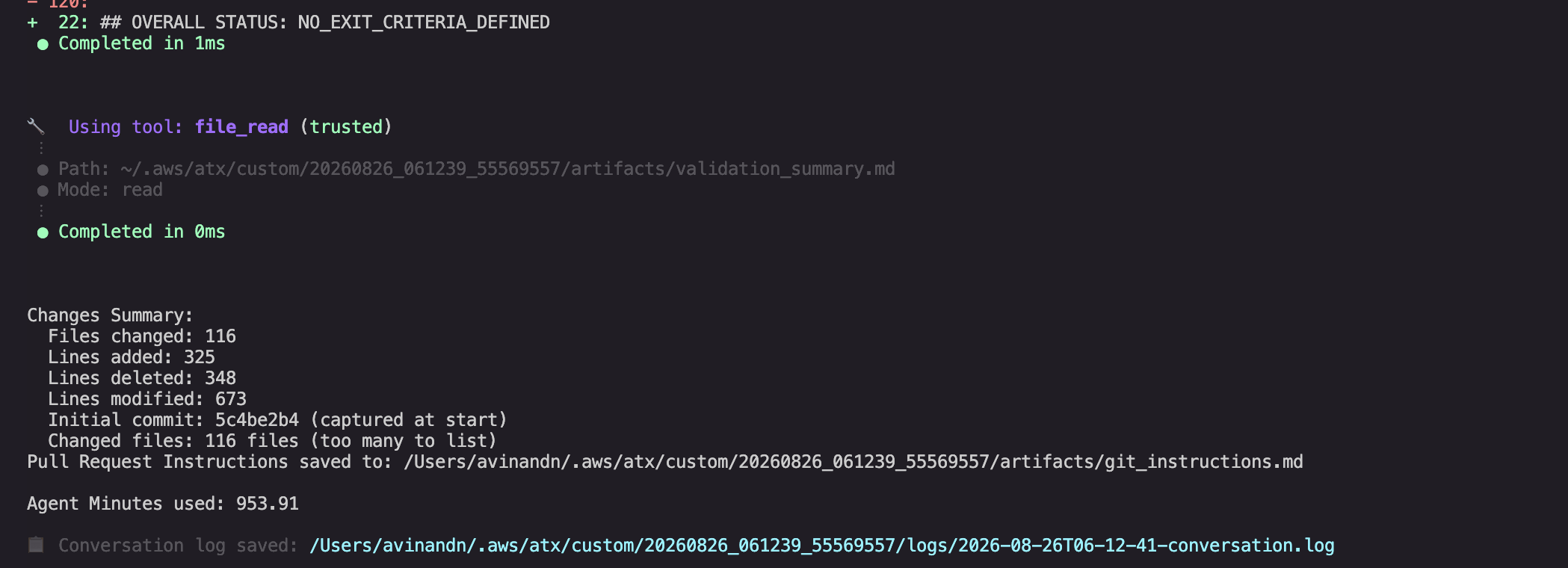
Figure 4: The completed non-interactive run showing a changes summary — files changed, lines added and removed, the initial commit captured at start — along with the pull-request instructions, agent minutes used, and conversation log location.
What gets transformed: Key patterns
Here are representative before/after examples. The complete set is in the before/after examples reference in the repository.
The following illustration shows how Oracle DDL types map to their PostgreSQL equivalents.
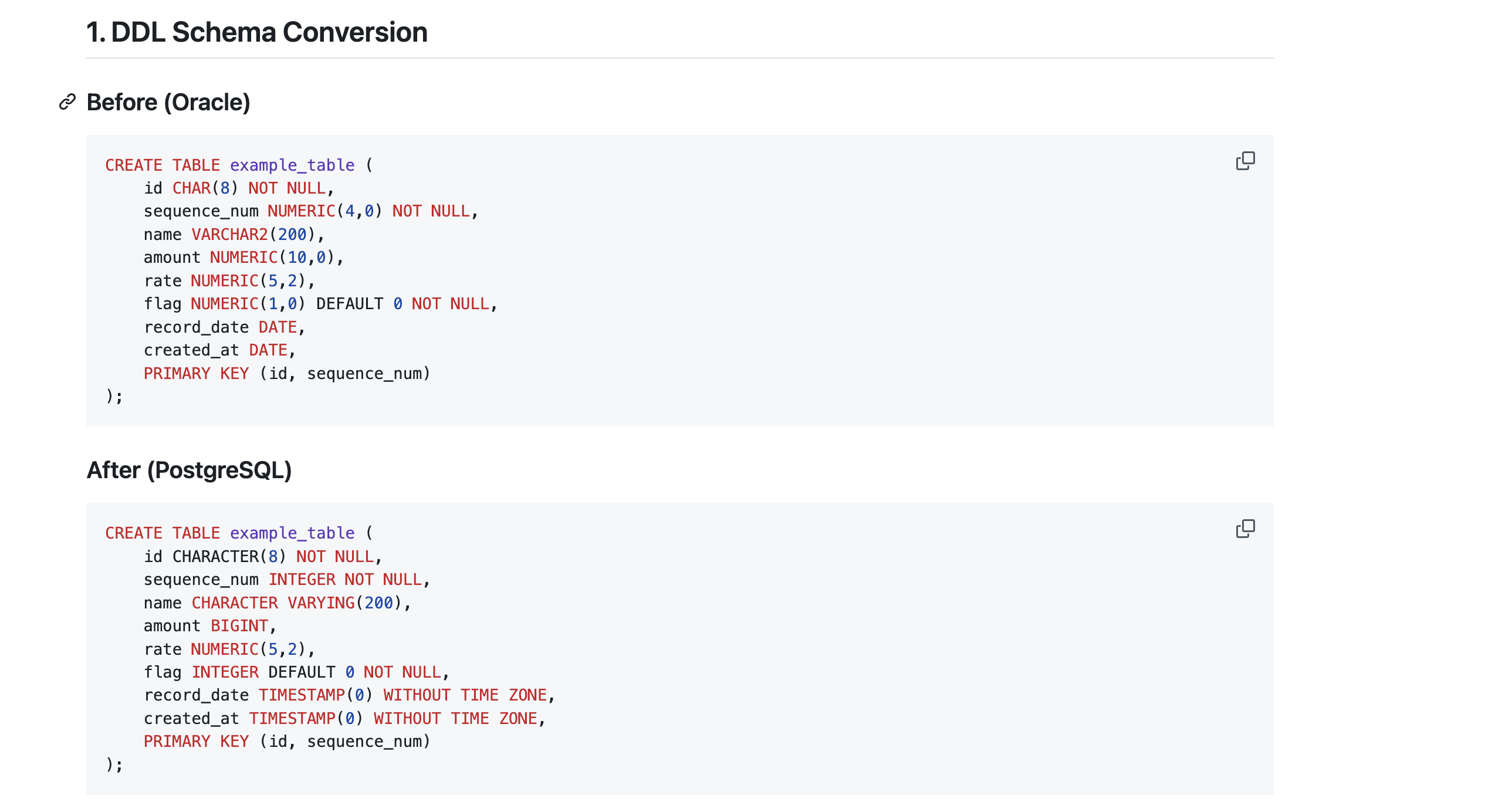
Figure 5: DDL schema conversion — Oracle types on the left map to PostgreSQL equivalents on the right (NUMERIC(n,0) to INTEGER/BIGINT, VARCHAR2 to CHARACTER VARYING, DATE to TIMESTAMP(0) WITHOUT TIME ZONE), while flag columns stay INTEGER.
Sequence access — remove FROM DUAL:
-- Before (Oracle)
SELECT seq_order_id.NEXTVAL FROM DUAL
-- After (PostgreSQL)
SELECT nextval('seq_order_id')
The following illustration shows the sequence access conversion side by side.
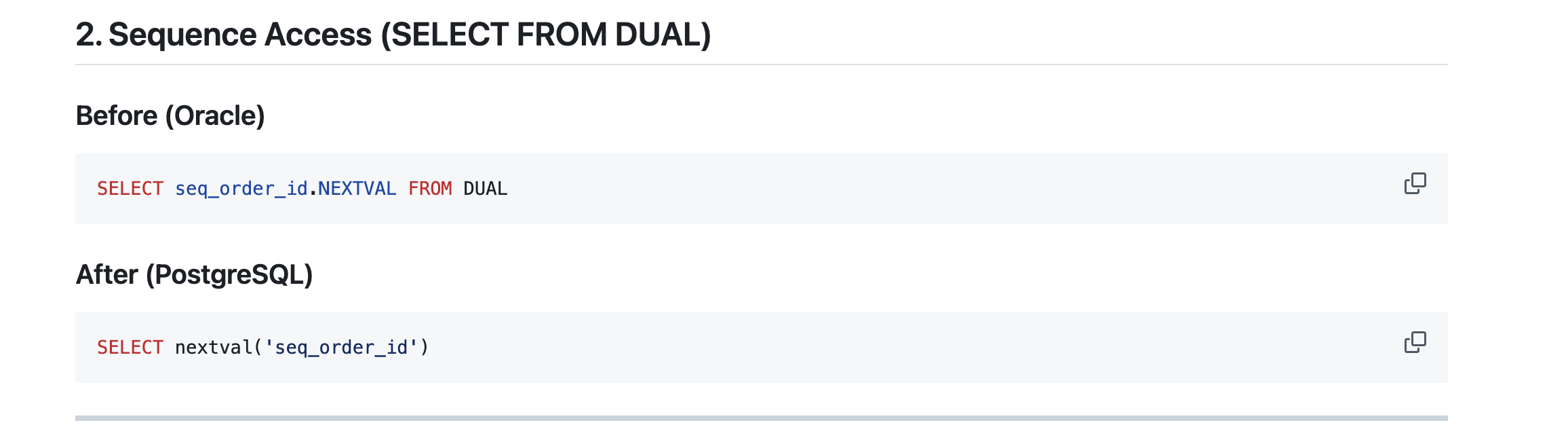
Figure 6: Sequence access conversion — Oracle’s seq_order_id.NEXTVAL FROM DUAL becomes PostgreSQL’s nextval(‘seq_order_id’), with the dummy DUAL table removed.
JDBC return type — cast to the Number interface instead of BigDecimal:
// Before (Oracle returns BigDecimal)
BigDecimal seq = (BigDecimal) query.uniqueResult();
// After (PostgreSQL returns BigInteger/Long - Number is safe for both)
Number seq = (Number) query.uniqueResult();
Parameter binding — match the column type:
// Before (Oracle coerces String against a numeric column)
query.setString("categoryId", categoryId);
// After (PostgreSQL is strict)
query.setInteger("categoryId", Integer.parseInt(categoryId));
ROWNUM to LIMIT, with the parameter still bound:
// Before (Oracle)
sql.append(" WHERE order_id = :orderId ");
sql.append("   AND ROWNUM = 1");
sql.append(" ORDER BY browse_id DESC");
// After (PostgreSQL - LIMIT after ORDER BY)
sql.append(" WHERE order_id = :orderId ");
sql.append(" ORDER BY browse_id DESC");
sql.append(" LIMIT 1");
Note the guardrail: when the TD rewrites a limit that used a bind variable, the value stays a bound parameter (LIMIT CAST(:searchMax AS INTEGER)) rather than being concatenated into the SQL string.
DELETE syntax — add FROM, drop the alias:
// Before (Oracle)
"DELETE TBL_PRODUCT t1 WHERE t1.customer_id = ? AND t1.product_id = ?"
// After (PostgreSQL)
"DELETE FROM TBL_PRODUCT WHERE customer_id = ? AND product_id = ?"
Column alias case — PostgreSQL folds unquoted identifiers to lowercase:
// Before (Oracle returns UPPERCASE keys)
str = resultMap.get("DISPLAY_NAME").toString();
// After (PostgreSQL returns lowercase keys)
str = resultMap.get("display_name").toString();
Post-transformation validation
After the run, review the staging branch and validate before merging:
- Compile and test. Run ./gradlew clean build (or mvn clean compile and your test suite). If you migrated the test infrastructure, tests run against a PostgreSQL Testcontainer.
- Scan for leftover Oracle syntax. The repository’s migration checklist includes ready-to-use grep patterns, for example:
grep -rn "\.NEXTVAL\|FROM.*DUAL\|ROWNUM\|(+)" --include="*.java" --include="*.sql"- Review the diff for four common regressions: a connection URL that lost its sslmode (the PostgreSQL driver does not encrypt by default), a credential written into source or config, a bound parameter that became a literal, and tests newly marked @Ignore or exception handlers widened to catch (Exception).
Cleanup
If you are testing this workflow and want to remove the resources created during the walkthrough:
- Delete the published transformation definition from your account registry:
atx custom def delete -n "oracle-to-postgresql"- Remove the staging branch created by the transformation run:
git branch -D atx-result-staging-*- Delete the temporary staging directory used during publishing:
rm -rf /tmp/otp-td- If you cloned the TD repository solely for testing, remove it:
rm -rf sample-oracle-to-postgresql-tdCommon pitfalls the TD prevents
The TD encodes anti-patterns observed across real migrations so the agent avoids mistakes teams typically hit by hand:
- Off-by-one ROWNUM. WHERE ROWNUM < N becomes LIMIT N-1, not LIMIT N — strict less-than returns one fewer row.
- Missing subquery aliases. PostgreSQL requires an alias on subqueries in the FROM clause; the TD adds them.
- Type-cascade failures. A single setParameterList type mismatch can cascade into “current transaction is aborted” errors across a hundred tests. The TD fixes the root binding.
- Empty string vs. NULL. Oracle treats ” as NULL; PostgreSQL does not. The TD handles this at the query and data layer rather than adding fragile getter logic.
- Silent sequence truncation. It widens getInt to getLong for sequence reads rather than casting back to int and wrapping past 2^31 into duplicate keys.
Conclusion and next steps
In this post, we showed you how to use a pre-built transformation definition with AWS Transform custom to automate the full Oracle-to-PostgreSQL migration of a Java application — from SQL syntax through JDBC types, ORM configuration, tests, and build dependencies. The TD packages 71 rules covering the changes that make up the majority of the real work, and AWS Transform custom applies them automatically across your codebase from a single CLI command. The result is a faster, more consistent migration that frees your engineers to focus on validation and higher-value work instead of hand-editing hundreds of files.
To go further:
- Review the staged branch, run your full test suite against PostgreSQL, then squash and open a pull request.
- Enable continual learning (drop the -d flag) so the agent captures project-specific edge cases as reusable lessons. Review and manage them with atx custom def learnings -n oracle-to-postgresql. For more on how learning compounds across a portfolio, see Consistent code modernization at scale with AWS Transform custom.
- Scale across your portfolio by running the same published TD against each repository in a batch or CI pipeline.
Get the transformation definition from aws-samples/sample-oracle-to-postgresql-td on GitHub and try it on one of your own Java repositories. To learn more about the broader service family, visit the AWS Transform service page. Have questions or feedback? Leave a comment below, or open an issue in the GitHub repository.