AWS Storage Blog
Buckets guide to what’s in store with AWS Storage at re:Invent 2026
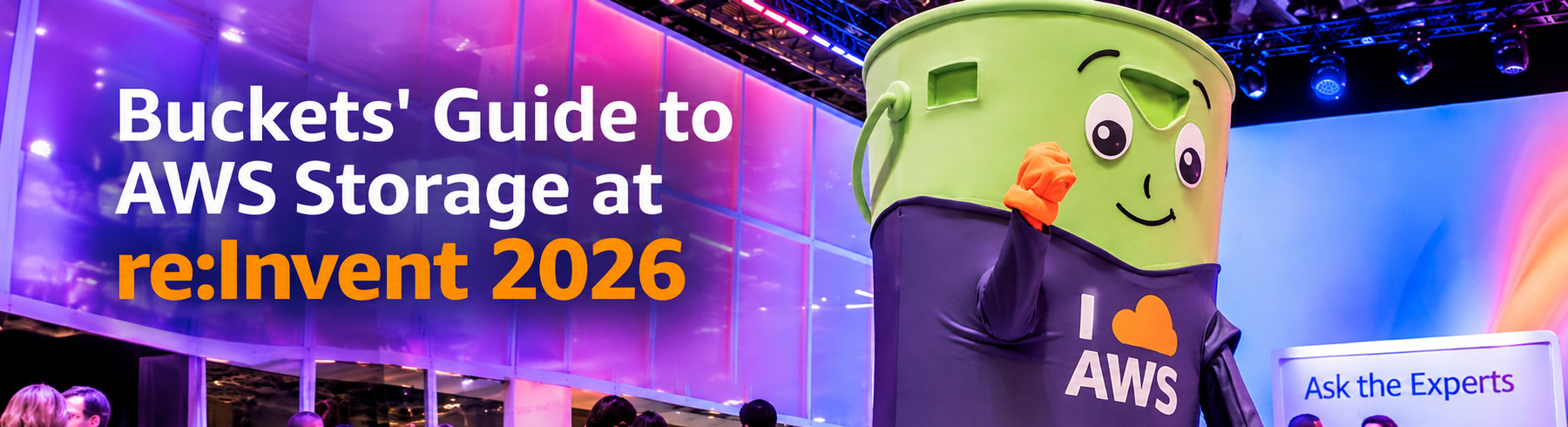
Hi, I am Buckets. The official AWS Storage mascot, self-appointed guardian of all things durable, scalable, and correctly permissioned. At re:Invent, I PUT in a lot of steps and GET a lot of selfies. Perhaps we have met before, fist bumped, or had a dance off. It’s OK if you don’t want to talk about the dance-off, I know, I usually win, and you will see my signature move later in this guide. No spoilers. I have been around since Amazon S3 launched in 2006 and have attended every re:Invent since the very first one. I have never once missed a storage breakout session. Not even the one scheduled at 8 AM on a Friday. Some call it dedication. I call it having strong consistency. It runs in the family. My middle name is also Buckets. Oh, and I am only 20, so my mornings start earlier than most in Vegas. Being 20 in Vegas means my nightlife is mostly chalk talks. I am at peace with this.
The AWS Storage team and I invite you to join us at re:Invent in Las Vegas, NV, from November 30 to December 4, 2026. This year’s storage track is built around interactive, hands-on sessions. The lineup focuses on the real-world challenges you face today, so you leave with your questions answered and ready to move projects forward. At this event, you will become stronger and more proficient in AWS technology through a variety of experiences: keynotes given by AWS leaders, interactive working sessions led by AWS experts, and fun, immersive activities such as live entertainment and games at re:Play.
This has been one of the biggest years in AWS Storage. And I say that as someone who was there in 2006 when S3 launched and people asked, “but where does the data actually go?” (The answer was: someone else’s computer. These days, I just point to myself.)
I have organized all re:Invent storage sessions into a single guide, so you can find exactly what matters to you. Whether you are a storage architect, a data engineer, or an AI builder, there is a session here for you. Sorting 79 sessions into one guide is the most organized I have ever been, and I am a storage service. Adding Files continues to pay off.
There are more than 2,200 learning sessions that cover specific topics at various skill levels, and the storage track has 79 unique sessions across 107 time slots for you to choose from. Twenty-eight of those sessions run twice, so if your first choice fills up, you get a second chance. Think of it as a backup copy for your calendar.
The storage track by the numbers
About 150 speakers, the foremost experts in storage, will lead these sessions. And no, I am not one of them. I prefer to fist bump and take selfies, and nobody trusts a speaker who cannot hold a clicker.
Hands-on and interactive is the theme this year, with 33 chalk talks, 23 breakouts, 12 workshops, 7 builders’ sessions, and 4 lightning talks. Event-wide, about 70% of re:Invent sessions are interactive. In storage, it is closer to three out of four session slots. We like to show off.
Of our 79 sessions, 73 are level 300 or higher. This is not a 101 track. Bring your hardest questions, your messiest architectures, and that one bucket policy you are afraid to touch.
Monday, November 30 is the busiest storage day of the week with 34 session slots. MGM Grand hosts 71 of the 107 slots, which makes it storage HQ for the week. Customers named in this year’s storage sessions include Bayer, Snap, Bright Data, and Zeta Global, so you will hear how real teams put their data to work.
Pro tip from Buckets: With 71 of 107 storage slots at MGM Grand, you can build most of a storage agenda without leaving the building. Fewer hotel transfers means more time for sessions, and more time for selfies with me.
Cannot make it to Las Vegas? You can still watch the keynotes live online.
Logistics and paperwork (the bosses make me include this)
If you have already registered for the conference, reserved seating is open now. Reserve seats using the re:Invent online catalog. If you have not signed up yet, there is no better time than now!
Still need the boss to say yes? The re:Invent approval toolkit helps you make the case in about five minutes, complete with an email you can copy, customize, and send. I used it once. My manager approved it on the spot, then asked how I planned to fit through the airport security scanner. We are still working on that part.
Pro tip from Buckets: Use the filters to find tracks, topics (hint: storage), and services you cannot miss, or simply search for the session ID.
For detailed descriptions and schedules, visit the AWS re:Invent Session Catalog.
Pro tip from Buckets: If you are heading to another session across campus, account for at least 30 minutes to get there. Unless you are a plush mascot, then add an extra 30 minutes.
The basics: Session types
We have curated this guide to help you navigate the storage, data protection, and data migration and transfer sessions and find the content most relevant to you. re:Invent offers several types of sessions to help you get the most out of your week.
Breakout sessions are recorded and uploaded a few days after the event to the AWS Events YouTube channel, while the rest are live, interactive sessions that are not recorded.
Here are the details for each session type.
Pro tip from Buckets: The maximum number of 60-minute sessions you can attend across the week is 24! They should make up the bulk of your plan and have the most seats, too. Only 80% of room capacity is available for reserved seating, so do not be discouraged. Seats are available for walk-ups!
Breakout sessions: Lecture-style 60-minute sessions presented by AWS experts, customers, and partners.
Chalk talks: Interactive sessions where you ask questions and work through problems with presenters on a whiteboard. I love a good chalk talk. I cannot hold the marker, but I nod with tremendous confidence.
Builders’ sessions: One-hour sessions where you build something with guidance from an AWS expert.
Workshops: Two-hour interactive sessions where you work to solve a real problem using AWS services. I do not bring a laptop to workshops. I bring moral support and snacks.
Code talks: Code-focused sessions where an expert leads a live coding session. The storage track does not have any this year, but you will find plenty across the rest of the catalog.
Lightning talks: 20-minute demos dedicated to a specific service or customer story, located in the Venetian Expo Hall or the Wynn/Encore Upper Convention Promenade.
Pro tip from Buckets: Chalk talks, workshops, and builders’ sessions are not recorded. If you want the whiteboard, the hands-on lab, or the chance to ask your exact question, you have to be in the room.
How AWS Storage fits together
With so many sessions to pick from, it helps to know how the pieces fit together. Here is how AWS thinks about its storage offerings, so you can decide where to begin.
Amazon S3 is the foundation for your data, and it keeps growing to meet you wherever you work with data. S3 Files gives your applications and AI agents file system access to S3 data, S3 Tables provides fully managed Apache Iceberg tables for analytics, S3 Vectors stores and queries embeddings for RAG and agent memory, and S3 Metadata and annotations help you find and understand what you have. When every millisecond counts, S3 Express One Zone brings low-latency access to your object data.
For file workloads, Amazon EFS and the Amazon FSx family give you fully managed file systems for everything from containers and home directories to high-performance computing and enterprise NAS. Amazon EBS gives your Amazon EC2 applications and databases consistent, low-latency block storage.
To protect what matters, AWS Backup centralizes data protection across AWS services and accounts. To get data where it needs to be, AWS DataSync, AWS Transfer Family, and AWS Storage Gateway move data from on premises, other clouds, and partners into AWS securely and at scale.
If that felt like a lot, do not worry. Even I needed a second read, and I am literally a bucket.
Buckets’ biased pro tip: Start here. STG346 | What’s new with Amazon S3… and now files! The year in Amazon S3, led by S3 Files, all in one breakout. And then learn how it all started in INV510 | Inside Amazon S3: How a one-page design reached planetary scale: S3 principal engineers trace how a one-page design grew to planetary scale. It is the only 500-level session in this guide, and yes, I have read the one page. Twice.
Must-attend sessions
I sorted the whole storage track so you do not have to. Bring your questions and maybe your laptop. Choose from breakouts, chalk talks, workshops, builders’ sessions, and lightning talks. You can find the complete schedule in the re:Invent 2026 catalog.
Some of the best storage sessions this year have a little secret. We cannot say more yet, but if a session below has a 🤫 next to it, trust us and grab a seat now.
These are the sessions I would check first.
Make it fast
GPUs are the most expensive thing in the building, and an idle GPU waiting on storage is money walking out the door. Fast storage keeps that compute busy. Adding GPUs does not help if storage leaves them waiting between batches, and the whole loop of training, evaluating, and rerunning has to fit the clock, not just one job. The answer is matching the performance tier to the workload: Amazon S3 Express One Zone for latency-sensitive object access, Amazon FSx for Lustre for throughput at scale, and Amazon EBS for low-latency block storage.
STG343 | Beyond the GPU: Optimizing AI performance with storage architecture: Your data has to keep pace with your GPUs. Learn the storage levers that help at every stage, from training checkpoints to inference.
Crowd favorites:
STG342 | Amazon S3 performance: Architecture, design, and optimization: A look behind the curtain at how S3 handles massive throughput, plus patterns you can use the next morning.
STG406 | Advanced S3 performance engineering: From multipart to resilience: An expert-level, laptop-required workshop on multipart uploads, retries, and building for large-scale transfers.
Hidden gems:
STG372 | Speed up latency-sensitive workloads with Amazon S3 Express One Zone: For workloads with millions of small, random reads and writes, and for anyone who has ever said “why is this so slow?”
STG354 | Optimize HPC with storage for throughput and IOPS: Bring your genomics, weather modeling, and semiconductor design questions. The experts will bring the throughput.
STG304 | Maximizing block storage performance for high-intensity workloads: Why tail latency matters as much as averages for SAP HANA, Oracle, and SQL Server.
STG421 | Need for Speed: The journey to high EBS performance on EC2 instances: The story of how Amazon EBS performance on EC2 evolved, one layer of the I/O stack at a time.
STG349 | Choosing the right AWS storage for low-latency workloads: A decision framework for choosing low-latency storage, compared side by side.
🤫 Worth a seat:
STG101 | Running SAN workloads on Amazon EBS 🤫: A short, sweet lightning talk on running SAN workloads on Amazon EBS. Trust me on this one.
Feed your AI agents
Agents need memory, context, and a way to find things. Amazon S3 is becoming that layer, with S3 Files as a shared workspace, S3 Vectors as long-term memory, and S3 Metadata and annotations for discovery. Honestly, so do I before my first coffee.
Anchor:
STG201 | Persistent memory, shared context, instant discovery. Solving storage for AI agents: The reference architecture for agents that remember, share, and find. Start your AI agent plan here.
Crowd favorites:
STG332 | Build AI agents on Amazon S3 Files: Build an AI agent that reads model weights and data straight from S3 with standard file I/O.
STG307 | Deploy AI agents on containers with Amazon S3 Files and S3 Vectors: A hands-on workshop where agents hand off work through a shared file system and remember through vectors.
STG324 | Unlock your S3 data for AI agents: Give your agents governed access to the data lake you already built.
STG306 | Amazon S3 Tables: A deep dive into storage built for Apache Iceberg: Everything about S3 Tables, including how AI agents build on Iceberg tables.
Hidden gems:
STG204 | How Bayer simplified their genomics pipeline with Amazon S3 Files: A customer story from Bayer in a 20-minute lightning talk. Short session, big genomics datasets.
STG367 | Connect NetApp FSx for ONTAP File Data to AI Apps with S3: Put your FSx for ONTAP file data to work with Amazon Bedrock and SageMaker without copying it anywhere.
STG365 | Architecting video search at trillion scale with Amazon S3 Vectors: Bright Data shares how it built video search on S3 Vectors. Bring your biggest number. Theirs is bigger.
Sessions to help you sleep easier at night
Peace of mind comes from recovery you have already practiced. These sessions help you protect your data, prove it is clean, and restore it with confidence, so you can get a good night’s sleep in a city that never does.
Crowd favorites:
STG413 | Amazon S3 security and access control best practices: A layered security framework for S3, from perimeter controls to continuous monitoring.
STG420 | Advanced security patterns on Amazon S3: Access patterns for when your data spans many buckets, accounts, and teams.
STG415 | Advanced vaulting: Ransomware resilience with AWS Backup: Isolation, immutability, and encryption, the three pillars that keep your backups isolated and ready to restore.
STG351 | A practical guide to Amazon S3 data protection: Step-by-step safeguards for your S3 data, from S3 Versioning and Replication to Object Lock.
Hidden gem:
STG360 | Ransomware resilience with Amazon FSx for NetApp ONTAP: Put built-in, automatic protection to work on your file data, and design a defense-in-depth plan together.
🤫 Worth a seat:
STG370 | What’s new with AWS Backup 🤫: If you protect data on AWS, this is the one to be in the room for.
STG369 | AWS Backup: Architecture deep dive 🤫: Bring your questions, leave with a plan.
STG422 | Dive deep into resilience architectures for Amazon EBS 🤫: Block storage architects, clear your Friday morning.
Get your data here
Petabytes, aging NAS boxes, and SFTP scripts nobody wants to touch. Moving data is a serious job, and these sessions show you how to do it quickly, securely, and with full visibility.
Crowd favorites:
STG308 | Accelerate data migrations with AWS DataSync at any scale: How to shorten long migration windows from file servers, Hadoop clusters, and other clouds.
STG361 | Break free from on-premises NAS: Migrating to AWS: Real-world patterns for moving file shares, applications, and databases to Amazon FSx.
STG359 | Migrate your NAS to the cloud: Building AI-ready file storage: Migrate your NAS and connect that data to AWS analytics and AI services.
Hidden gems:
STG345 | Secure petabyte-scale data transfers with AWS DataSync: Hear from Snap about moving petabytes of data across AWS Regions in weeks.
STG371 | Modernizing file transfer with AWS Transfer Family: A customer shares how they replaced a fragile file transfer platform with AWS Transfer Family.
STG363 | Modernizing VMware workloads with Amazon FSx for NetApp ONTAP: Bring your VMware workloads and keep the ONTAP skills your team already has.
Build your business on storage
If you build SaaS applications, your storage choices help you scale for virtually unlimited growth. These sessions help you make decisions that scale with your customers.
Crowd favorites:
STG364 | Storage decisions when you’re building a multi-tenant business: Silo, bridge, or pool? Map your tenants to storage before your tenants map it for you.
STG202 | Choosing the right AWS storage service: A decision framework for picking the right storage service based on your workload, not product names.
🤫 Worth a seat:
STG205 | Cost optimization techniques for Amazon EBS 🤫: Your finance team will thank you for attending this one.
STG206 | Design for resiliency in Amazon EBS 🤫: Resilient architectures on Amazon EBS. Grab a seat early.
Buckets’ perfect Monday at storage HQ
Monday is the busiest storage day of the week, and almost all of it happens at MGM Grand. Here is how I would spend it, with no hotel hopping until dinner and time between sessions for coffee, questions, and selfies. Swap in your own favorites, then reserve your seats.
8:30 AM, STG301 | Scale data for RAG and AI agents cost-effectively with Amazon S3 Vectors: Coffee first, then vectors and RAG at scale.
10:30 AM, STG202 | Choosing the right AWS storage service: A decision framework for matching workloads to storage, while your brain is still fresh.
12:00 PM, STG371 | Modernizing file transfer with AWS Transfer Family: Hear how a customer moved file exchange to a fully managed foundation on AWS.
1:00 PM, lunch. Refuel, hydrate, and charge your phone. You have earned it, and so has your battery.
2:30 PM, STG357 | Accelerate database protection and testing with EBS Snapshots and clones: Snapshots or clones? Leave knowing when to use each, and how to combine both.
4:00 PM, STG361 | Break free from on-premises NAS: Migrating to AWS: Real-world patterns for moving file shares, applications, and databases to Amazon FSx.
Evening, head to the Venetian. Catch two 20-minute lightning talks in the Expo, then stay for the Welcome Reception.
6:00 PM, STG365 | Architecting video search at trillion scale with Amazon S3 Vectors: Bright Data shares how it built video search on S3 Vectors.
6:30 PM, STG358 | Inside Zeta Global’s open lakehouse architecture on AWS: Zeta Global goes behind the scenes of its open lakehouse on Amazon S3 Tables.
Pro tip from Buckets: Not a Monday person? Plenty of sessions run twice, so you can rebuild this same day later in the week.
The full storage track
Here is every storage session in the catalog, organized by session type and then by theme. Each session ID links straight to the catalog so you can check times and reserve a seat. Sessions marked “Runs twice” have a second time slot, so check the catalog for the one that fits your plan.
Pro tip from Buckets: Most workshops and builders’ sessions ask you to bring a laptop. Charge it the night before. Outlets are the most contested resource on campus, right after my selfie line.
Breakout sessions
Storage for agentic AI
STG201 | Persistent memory, shared context, instant discovery. Solving storage for AI agents: Production AI agents need to remember yesterday, share work today, and find the right data in milliseconds. Learn reference architectures that use S3 Files for multi-agent handoff, S3 Vectors for long-term semantic memory, and S3 Metadata for discovery without scanning.
STG301 | Scale data for RAG and AI agents cost-effectively with Amazon S3 Vectors: Learn how S3 Vectors brings native vector storage and query to RAG pipelines and AI agents, returning more complete results per query while lowering cost at scale. Leave with architecture best practices and performance techniques for semantic search and large-scale RAG.
STG347 | Know your data: discovery, context, and AI agents in Amazon S3: Learn how S3 Metadata and annotations turn billions of objects into a searchable, context-rich data estate you can query through managed Apache Iceberg tables. Then see how the AWS MCP Server, Agent Toolkit, and AWS Context give AI agents governed access to your S3 data.
Open data and data lakes
STG306 | Amazon S3 Tables: A deep dive into storage built for Apache Iceberg: Learn how S3 Tables continuously optimize Apache Iceberg tables as your data grows, with support for ingestion, migration, data protection, and performance. Hear customer stories and the latest re:Invent news, and see how S3 Tables make it easier for AI agents to build on Iceberg.
Data migration and transfer
STG345 | Secure petabyte-scale data transfers with AWS DataSync: Learn how AWS DataSync speeds large-scale migrations and automates ongoing data movement, then hear how Snap moved billions of objects and petabytes of data across AWS Regions in weeks. Close with best practices for performance and cost efficiency.
STG359 | Migrate your NAS to the cloud: Building AI-ready file storage: Learn proven strategies for migrating NAS environments to Amazon FSx for NetApp ONTAP, then connecting that data to AWS analytics and AI services such as Amazon Bedrock and SageMaker. Leave with a practical framework for modernizing file storage.
STG371 | Modernizing file transfer with AWS Transfer Family: Learn how AWS Transfer Family provides a fully managed foundation for secure file exchange, from managed SFTP servers and connectors to browser-based web apps and event-driven automation. A customer shares how they replaced a fragile legacy platform with an AWS-native architecture.
Data protection
STG206 | Design for resiliency in Amazon EBS 🤫: Hear the latest Amazon EBS news for building resilient architectures, with use cases and guidance for getting started.
STG305 | Data protection and resilience with AWS storage: Learn how the 3-2-1-1-0 defense-in-depth framework guides you from scenario analysis to recovery objectives to layered protection. Leave with a playbook for each layer, from native replication to centralized backup with immutable isolated vaults.
STG344 | AWS Backup: Centralized data protection for your cloud environment: Learn how AWS Backup automates backup operations and enforces protection policies across your AWS environment from a single console. Hear directly from customers about their implementation strategies and results.
STG370 | What’s new with AWS Backup 🤫: Hear the latest AWS Backup news and how it can help you simplify and strengthen your data protection strategy, with use cases and guidance for getting started.
STG401 | Building resilience against ransomware using AWS Backup: Apply threat modeling to design a multi-account AWS Backup architecture built on immutability, integrity validation, and accessibility. Learn to define your minimum viable company, separate cyber RPO from operational RPO, and align to NIST CSF 2.0.
Security and access control
STG413 | Amazon S3 security and access control best practices: Walk through a layered security framework for Amazon S3 that covers perimeter controls, identity and attribute-based access, encryption, and continuous monitoring. Learn how the layers fit together and which controls matter most as your environment grows.
Storage fundamentals
STG205 | Cost optimization techniques for Amazon EBS 🤫: Get the latest Amazon EBS news and learn how it helps you optimize your storage volumes, with use cases and guidance for getting started.
STG346 | What’s new with Amazon S3… and now files! Amazon S3 keeps growing beyond objects, led by S3 Files, which brings full file system access to your S3 data. Hear the latest news on S3 Vectors, S3 Metadata, and S3 Tables, and how to put it all to work.
Performance at scale
STG304 | Maximizing block storage performance for high-intensity workloads: Learn why stable low latency, not just average performance, matters for critical applications such as SAP HANA, Oracle, and Microsoft SQL Server. See how io2 Block Express volumes deliver consistent sub-millisecond latency and improve compute utilization.
STG310 | Accelerating AI/ML Pipelines with Amazon EBS: Learn how Amazon EBS keeps GPUs busy by cutting pre-staging time for model weights, speeding data preparation and checkpoints, and serving vector embeddings at sub-millisecond latency during inference. Leave with architecture patterns and volume configurations for AI/ML workloads.
STG342 | Amazon S3 performance: Architecture, design, and optimization: Go behind the scenes of how Amazon S3 handles massive throughput and concurrent requests, from request routing to multipart transfers and byte-range fetches. See how S3 Express One Zone adds consistent single-digit millisecond latency, and leave with patterns for every tier.
STG343 | Beyond the GPU: Optimizing AI performance with storage architecture: GPU speed only pays off when your data keeps pace. Learn how Amazon FSx for Lustre, FSx for OpenZFS, and Amazon S3 Express One Zone help with checkpoints, model load times, context windows, and retrieval for RAG and inference.
STG372 | Speed up latency-sensitive workloads with Amazon S3 Express One Zone: When workloads make millions of small, random reads and writes, every millisecond spent waiting costs money. Learn the design patterns customers use to add low latency to data already in S3 and how to tell whether your workload is a fit.
Advanced architecture and optimization
STG303 | Deep dive on S3 Files with use case architectures and best practices: See how S3 Files turns S3 into the shared file system your applications, AI agents, and teams already expect, so you can stop duplicating data between object and file storage. Learn how customers are replacing copy-heavy pipelines with direct file access.
STG309 | Shared file storage for containers, serverless, and Lambda: Containers come and go, but your application state needs to stay. Learn when to choose Amazon EFS, Amazon FSx, or Amazon S3 Files for containerized and serverless workloads based on access patterns, performance, and cost.
STG341 | Amazon S3 cost optimization: when to tier, and when not to: Moving data to a colder storage class can sometimes raise your bill. Learn the full cost model behind storage class decisions and leave with clear guidance on when to tier, when to use S3 Intelligent-Tiering, and when to leave data where it is.
Chalk talks
Storage for agentic AI
STG324 | Unlock your S3 data for AI agents: Explore patterns for giving AI agents real-time, governed access to S3 Tables, S3 Metadata, and annotations. Learn how the AWS MCP Server, Agent Toolkit for AWS, and the AWS Context knowledge graph help agents find and act on your data. Runs twice.
STG325 | Scaling agent memory with Amazon S3 Vectors and S3 Files: Learn how S3 Vectors for semantic recall and S3 Files for mutable working memory combine into one memory layer for AI agents. Cover patterns for short-term and long-term memory, multi-agent sharing, and managing memory cost as usage grows.
STG419 | Inside Amazon S3 Vectors: architecture and cost optimization for vector search: Go inside the architecture of Amazon S3 Vectors and whiteboard the indexing approach that keeps vector search cost effective at billions of vectors per index. Explore recent enhancements and what they mean for your application performance and cost. Runs twice.
Open data and data lakes
STG348 | Designing performant and cost-effective data lakes on Amazon S3 Tables: Learn the design and maintenance choices that keep an Apache Iceberg data lake fast and cost efficient, including compaction, snapshot expiration, and partition design. See the trade-offs for each and how S3 Tables can automate the heavy lifting. Runs twice.
STG356 | From CSV to Iceberg: Understanding open data formats on Amazon S3: Build a mental model for storing structured data on Amazon S3, from CSV and Parquet to table and partition schemas to open table formats like Apache Iceberg. Leave with a clear picture of each and how S3 Tables bring them together as a fully managed experience.
Data migration and transfer
STG308 | Accelerate data migrations with AWS DataSync at any scale: See how AWS DataSync Enhanced mode lists, prepares, transfers, and verifies data in parallel to shorten migrations from file servers, Hadoop clusters, and other clouds. Learn how to configure for throughput, design secure connectivity, and monitor your transfer pipeline. Runs twice.
STG338 | Simplify secure file sharing with Transfer Family no-code web apps: Learn how AWS Transfer Family web apps give business users secure, browser-based file transfers that automatically start processing workflows. See how to secure access with AWS IAM Identity Center or Amazon Cognito and automate everything that follows a simple drag and drop. Runs twice.
STG355 | Migrating petabytes of data: Real-world strategies with AWS DataSync: Whiteboard how to plan and carry out a 10-petabyte on-premises migration with AWS DataSync, including data categorization and transfer manifests mapped to cost-optimized S3 storage classes. See how the same architecture speeds migrations to Amazon FSx for NetApp ONTAP.
STG361 | Break free from on-premises NAS: Migrating to AWS: See real-world patterns for moving general-purpose file shares, high-performance applications, and mission-critical databases to Amazon FSx. Keep the compatibility and performance your applications depend on while handing off the operational work.
STG363 | Modernizing VMware workloads with Amazon FSx for NetApp ONTAP: Learn how Amazon FSx for NetApp ONTAP gives VMware migrations a storage foundation that administrators already know, with multi-protocol support and enterprise data management. Design a migration strategy that keeps disruption low and builds on your existing ONTAP investment.
STG418 | AWS Transfer Family: SFTP meets agentic AI workflows: Build enterprise-grade SFTP on AWS Transfer Family with your identity provider and Terraform, then extend it with GuardDuty malware scanning and AI agents on Amazon Bedrock AgentCore for tasks like data extraction and fraud detection. Runs twice.
Data protection
STG351 | A practical guide to Amazon S3 data protection: Learn step-by-step methods to protect S3 data against accidental deletion, ransomware, and corruption with S3 Versioning, Replication, Object Lock, and Resource Control Policy guardrails. See how GuardDuty Malware Protection for AWS Backup helps you verify data is clean before you restore. Runs twice.
STG357 | Accelerate database protection and testing with EBS Snapshots and clones: Learn how Amazon EBS Snapshots provide incremental, cross-Region protection while Volume Clones create instant local copies for development and testing. Leave with a framework for when to snapshot, when to clone, and how to combine both. Runs twice.
STG360 | Ransomware resilience with Amazon FSx for NetApp ONTAP: Learn how Autonomous Ransomware Protection in Amazon FSx for NetApp ONTAP detects abnormal file activity and creates protective snapshots automatically. Design a defense-in-depth strategy together, including SnapLock and automated response workflows.
STG362 | Best practices for cost optimization with AWS Backup: Learn how to manage data protection costs by tailoring your AWS Backup strategy to each workload, from incremental backups and lifecycle policies to backing up directly to a logically air-gapped vault. Build cost visibility with AWS Backup reporting and monitoring. Runs twice.
STG369 | AWS Backup: Architecture deep dive 🤫: Work through AWS Backup architecture with AWS experts, including deployment strategies, backup storage options, restore scenarios, and security posture. Bring your questions and leave with a plan.
STG415 | Advanced vaulting: Ransomware resilience with AWS Backup: Dive deep into isolation, immutability, and encryption with AWS Backup logically air-gapped vaults, including AWS-owned and customer-managed keys and Multi-party approval. See how these vaulting patterns feed recovery workflows so what is protected stays recoverable. Runs twice.
STG416 | AWS Backup clean room recovery: Comprehensive resilience framework: Learn to design an Isolated Recovery Environment with AWS Backup that validates and restores data away from production. Cover immutable air-gapped copies, automated restore testing with malware scanning, and Multi-party approval. Runs twice.
STG417 | The multi-account AWS Backup playbook: centralized data protection: Walk through the patterns that hold up when you deploy AWS Backup across hundreds of accounts, including OU-level backup policies, delegated administration, cross-account vaults, and monitoring at scale. Bring your toughest multi-account questions. Runs twice.
STG422 | Dive deep into resilience architectures for Amazon EBS 🤫: Learn how to plan your approach to resilient block storage architectures on Amazon EBS, with plenty of time for your questions.
Security and access control
STG420 | Advanced security patterns on Amazon S3: Join the S3 security team for proven patterns that manage access at scale, including access points, access grants, cross-account structures, attribute-based controls, and resource control policies. Built for teams with data spread across many buckets and organizational boundaries. Runs twice.
Storage fundamentals
STG202 | Choosing the right AWS storage service: Work through a decision framework based on workload characteristics, not product names, across block, file, object, and purpose-built storage. Bring real scenarios and leave with a clear mental model for matching workloads to services. Runs twice.
Performance at scale
STG327 | Under the hood with Amazon EBS: Achieving sub-millisecond latency: Go behind the scenes of the engineering that gives Amazon EBS consistent sub-millisecond latency across millions of volumes. Learn how the AWS Nitro System, purpose-built hardware, and I/O path optimizations translate into performance for databases and analytics.
STG349 | Choosing the right AWS storage for low-latency workloads: Work through a decision framework for choosing among Amazon S3 Express One Zone, Amazon FSx for Lustre, and instance storage for training checkpoints, real-time analytics, and high-frequency pipelines. Bring your architecture questions.
STG354 | Optimize HPC with storage for throughput and IOPS: Learn how Amazon FSx for Lustre and Amazon FSx for OpenZFS keep pace with thousands of compute nodes processing data in parallel. Bring your questions about genomics, semiconductor design, weather modeling, and other compute-intensive workloads.
STG421 | Need for Speed: The journey to high EBS performance on EC2 instances: Walk through the architectural evolution of Amazon EBS and how each layer of the I/O stack was rethought to deliver higher IOPS and throughput on EC2. Learn how Nitro enables Instance bandwidth configuration, Torn Write Protection, and detailed performance statistics.
Advanced architecture and optimization
INV510 | Inside Amazon S3: How a one-page design reached planetary scale: S3 principal engineers trace how the one-page design requirements from 2006 grew into an architecture that serves hundreds of millions of requests per second. Hear how the team moved from a single host to strong consistency at global scale, and how formal methods help verify correctness. Runs twice.
STG326 | Bring your S3 data to your compute with S3 Files: Whiteboard the two main ways customers use S3 Files: giving file-based applications direct access to data in S3, and giving agents and short-lived compute a durable file workspace. Work through connectivity across VPCs, accounts, and on premises, plus price, performance, and security choices. Runs twice.
STG328 | Optimize performance and cost of Amazon EBS at massive scale: Learn best practices for scaling and managing Amazon EBS across Regions, from delivering high IOPS to monitoring millions of volumes. Cover automation, monitoring at scale, and cost optimization with cloud-native tools. Runs twice.
STG352 | Monitoring and optimizing Amazon S3 with observability tools: Build an observability strategy for Amazon S3 with S3 Storage Lens, server access logs, CloudWatch metrics, and S3 Metadata. Work through real scenarios for spotting cost anomalies, diagnosing latency, and auditing access across accounts. Runs twice.
STG353 | Optimize performance and cost for archival data with Amazon S3: Design a cost-effective archival strategy with the Amazon S3 Glacier storage classes, S3 Lifecycle policies, and S3 Intelligent-Tiering. Learn restore workflows with S3 Batch Operations and S3 Event Notifications that balance retrieval speed against long-term cost.
STG364 | Storage decisions when you’re building a multi-tenant business: How you map tenants to storage shapes onboarding, billing boundaries, and isolation for everything that follows. Walk through silo, bridge, and pool models across object, file, and block storage, and bring your own architecture to work through.
STG414 | Optimizing containerized applications with shared file storage: Bring your use cases as we tune Amazon EFS, Amazon S3 Files, and Amazon FSx for real-world EKS and ECS deployments. Cover IO profiling, throughput and latency trade-offs, cost optimization, and POSIX-compatible pipeline design.
Workshops
Storage for agentic AI
STG307 | Deploy AI agents on containers with Amazon S3 Files and S3 Vectors: Build a multi-agent system on Amazon EKS with S3 Files as the shared workspace and S3 Vectors as long-term semantic memory. Agents read, write, and hand off artifacts with standard file I/O, with no custom SDKs or message brokers required. Runs twice.
STG334 | Architecting vector-driven AI applications with Amazon S3 Vectors: Combine S3 Vectors with multimodal embedding models in Amazon Bedrock to extract and index the meaning of text and images at scale. Learn how to power search, recommendations, and other AI applications across large vector datasets. Runs twice.
Open data and data lakes
STG331 | Build a fully managed data lake with Amazon S3 Tables: Trace how data lakes evolved from raw Parquet files to fully managed Apache Iceberg tables, then build a working analytics data lake with S3 Tables in under two hours. Ingest and migrate data, query it with Amazon Athena, and explore it with tools like DuckDB. Runs twice.
STG403 | Build a real-time data lakehouse with CDC streams on S3 Tables: Ingest CDC streams from Amazon MSK into a medallion architecture on Amazon S3 Tables, transform data with Amazon SageMaker, and query the results in Amazon Quick. Compare compaction strategies and leave with production patterns for continuous ingestion and low-latency analytics.
Data migration and transfer
STG311 | Build your AI data pipeline to Amazon S3 and Bedrock: Build an end-to-end pipeline that moves data from on premises, other clouds, and AWS storage into Amazon S3, then connects it to Amazon Bedrock for agentic applications. Configure Storage Gateway, DataSync, and Transfer Family along the way.
Data protection
STG339 | Protect, recover, validate: Data resiliency for AWS storage: Implement protection and recovery for Amazon S3, Amazon EFS, and Amazon EBS with AWS Backup using a financial services application. Run recovery procedures against simulated cyber threats and validate the integrity of restored data. Runs twice.
STG410 | Build ransomware recovery with AWS Backup air-gapped vaults: Work through a simulated account compromise using AWS Backup logically air-gapped vaults. Configure vault isolation, validate integrity with restore testing, and finish with a tested recovery playbook. Runs twice.
Security and access control
STG336 | Amazon S3 security: Implementing access controls, policies & audits: Learn to define scalable user and resource-based policies with Amazon S3 access management tools, then monitor and audit who accessed what data, from where, and when. Work through practical scenarios from basic access controls to advanced audits. Runs twice.
Performance at scale
STG406 | Advanced S3 performance engineering: From multipart to resilience: Implement advanced data transfer patterns with multipart uploads and Transfer Manager across S3 Standard and S3 Express One Zone. Build resilient applications with retry strategies and error handling for large-scale transfers. Runs twice.
STG412 | Find and fix storage bottlenecks for self-managed OLTP on EC2 with EBS: Learn a repeatable method for finding the real storage bottleneck in a self-managed OLTP database on Amazon EC2 using Flexible IO tester and PostgreSQL pgbench. Measure, tune the right EBS configuration, and validate every change with EBS detailed performance statistics and CloudWatch.
Advanced architecture and optimization
STG340 | Improving your database agility with Amazon FSx: Work through production architectures for self-managed databases on Linux and Windows with Amazon FSx for OpenZFS, FSx for NetApp ONTAP, and FSx for Windows File Server. Learn to design for performance and availability and use zero-copy snapshots and clones for fast database refresh.
STG408 | Deploying mission-critical applications with Amazon EBS: Deploy a high-performance application on Amazon EC2 and Amazon EBS, choose the right instance and volume types, and adjust performance on demand with Elastic Volumes. Monitor with Amazon CloudWatch, watch AWS DevOps Agent investigate storage performance issues, and test resilience with AWS Fault Injection Service.
Builders’ sessions
Storage for agentic AI
STG329 | Gaining insights with S3 Metadata and annotations: Attach rich context such as JSON, XML, YAML, or plain text directly to your objects with S3 annotations, then query it at scale through the S3 Metadata Apache Iceberg table in Athena. Finish by wiring an AI agent that finds objects using annotation-based search.
STG330 | Build AI photo discovery with Amazon S3 Vectors: Turn a collection of untagged images into a searchable library without standing up a separate vector database. Generate multimodal embeddings, index them in S3 Vectors, and connect an AI agent that finds photos with natural language.
STG332 | Build AI agents on Amazon S3 Files: Create an S3 file system, attach it to an Amazon EKS cluster, and build an AI agent that loads model weights and processes data directly from S3 with standard file I/O. Then tune synchronization between the object and file interfaces and set up cross-Region replication. Runs twice.
STG367 | Connect NetApp FSx for ONTAP File Data to AI Apps with S3: Skip the copy-and-sync pipeline. Learn to use FSx for ONTAP file shares directly through the S3 API so Amazon Bedrock and SageMaker can read your data in place, with your existing access controls intact.
Data migration and transfer
STG337 | Build and optimize data transfers with AWS DataSync Enhanced mode: Configure AWS DataSync Enhanced mode to move data from file servers and other clouds into AWS at high throughput. Then use Amazon Bedrock to analyze task reports and transfer logs to find bottlenecks and recommend improvements.
Data protection
STG333 | Accelerate database protection, recovery, and testing with Amazon EBS: Get hands-on with EBS Snapshot Lock, Recycle Bin, Amazon Data Lifecycle Manager, and EBS Volume Clones to protect and test self-managed databases. Leave with a practical playbook to improve database resilience. Runs twice.
STG335 | Build an AI-powered AWS Backup analyst and remediate with AgentCore: Build a multi-agent system that audits your AWS Backup environment for coverage gaps, ransomware resilience, vault security, and cost. A remediation agent recommends fixes with human approval on Amazon Bedrock AgentCore, and the system keeps running in your environment after the session. Runs twice.
Lightning talks
Pro tip from Buckets: Lightning talks are 20 minutes, which makes them perfect for the gap between two longer sessions. It is also the exact amount of time I can stand still.
Storage for agentic AI
STG365 | Architecting video search at trillion scale with Amazon S3 Vectors: Learn how Bright Data built its video search retrieval layer on Amazon S3 Vectors, including index partitioning, sharding, metadata filtering, and query routing. Leave with architectural patterns for evaluating S3 Vectors in large-scale search and RAG systems.
Open data and data lakes
STG358 | Inside Zeta Global’s open lakehouse architecture on AWS: Go behind the scenes of how Zeta Global built an open streaming lakehouse with Amazon S3 Tables, Amazon EMR, and Amazon MSK. Learn how the team cut time to insight from hours to minutes while running efficient infrastructure across tenants.
Storage fundamentals
STG101 | Running SAN workloads on Amazon EBS 🤫: See how Amazon EBS maps to the SAN workloads you run on premises today and which workloads are the best fit. Leave with practical guidance to get started.
Advanced architecture and optimization
STG204 | How Bayer simplified their genomics pipeline with Amazon S3 Files: Bayer shares how adding S3 Files gave researchers a mountable file interface directly on their S3 data, replacing access workarounds and extra data copies. Learn how the team opened petabyte-scale genomics datasets to researchers without changing their tools or workflows.
There is more! Uniquely re:Invent: a sampling of Buckets’ favorite pastimes
The Expo in the Venetian is the activity hub of re:Invent for demos, games, and more, and several storage lightning talks happen right on the Expo floor. Check the AWS Events app for daily hours. What makes re:Invent unique is the peculiar activities you will only find at this event. Here are a few of my favorites. You can find the full list on the Uniquely re:Invent page.
Come visit me at the AWS Storage booth
You will find me at the AWS Storage booth in the AWS Village, inside the Venetian Expo Hall. We will be giving away Buckets keychains, which I can only describe as the most coveted swag of the event. I may be biased. Do not be shy. Stop by, ask the storage experts your toughest questions, and take a selfie. Each keychain is a tiny version of me. I turned on versioning, so there are plenty to go around. It is the only time I will ever recommend making a copy of a bucket by hand.
Monday through Thursday: Byte Club
Our three-hole mini golf course brings AWS services to life with creative, physical challenges at every turn. Grab a putter, rally your crew, and see who can conquer all three holes. Fair warning, this is not your average back nine. I hold the course record for most putts. I prefer to call it high request volume.
Monday: Expo Welcome Reception
The Expo opens its doors Monday evening with drinks, early access to the Expo floor, and your first conversations of the week. Pro move: swing by the AWS Storage booth early, before the keychains find new homes.
Tuesday: Dungeons and Dragons: Miniature Mixer
Roll your stats, pick your race and class, and bring your character to life through hands-on miniature painting. Grab a drink, enjoy some light fare, and see if you have what it takes to become the next great hero of Faerûn. No experience required. My character is a lawful good data steward with a +5 to durability.
Tuesday: Game Night
Dive into a mix of tabletop games, from fast-paced party hits to deep strategy challenges. Grab a box, claim a table, and jump right into the action. No tournament structure, no registration. Just show up and play. I always suggest Bucket Brigade, a game I invented. Nobody else knows the rules, so I remain undefeated.
Tuesday: Trivia Night with Jeff Barr
Think you know your AWS services inside and out? Join Jeff Barr for an evening of AWS trivia. Pro move: any question about 2006 is a free point. I was there. I brought snacks.
Wednesday: The re:Invent Run
Join hundreds of fellow attendees for the re:Invent Run at Allegiant Stadium, one of the best opportunities to connect with the global AWS community outside the sessions. This year, your participation supports the Michael J. Fox Foundation for Parkinson’s Research and their mission to find a cure. Run or walk, all are welcome. I completed it once. Once. You try running when your whole body is a bucket and your legs are mostly decorative. These days I cheer from the finish line, which is a much better fit for my form factor.
All week: Tattoos and piercings
Get a real tattoo or piercing at our professional on-site studio. Some people commemorate a certification. Some commemorate their hobbies. Some just want a story. Prefer something temporary? Put your artistic skills to work and design a custom temporary tattoo to wear that day or take home. I considered a tattoo once. The artist asked where I wanted it. I said anywhere. I am mostly surface area. No ragrets.
Thursday: Unwind at re:Play, the official re:Invent party
You have been going since Monday. Tonight, you party. Live performances, a menu designed by people who love good food, games, themed lounges, and a few surprises we are keeping to ourselves. Complimentary shuttles will be available from re:Invent hotels. Find me on the dance floor doing my signature move, the PUT and GET, it is rather simple (PUN! Boom!) I PUT my hands up, then I GET down. When the song ends, I strike my signature pose, the Object Lock. Once I hit it, nobody can change it until the next song starts.
Buckets’ survival guide, crowdsourced from re:Invent veterans
Every year, re:Invent veterans write up what they wish they had known before their first trip. I read them all, nodded a lot, and added my own notes. I do not gamble in Vegas. I prefer predictable performance. Here is what the community swears by.
Arrive a day early if you can. Veterans who fly in from far away recommend landing by Saturday, so Sunday is for settling in and beating jet lag. I do not get jet lag. I get latency.
Get your badge early. Collect your registration pass before Monday if you can. Badge pickup opens on Sunday, November 29. Have the QR code from your registration email ready, and you will be through the line before your coffee cools.
Arrive early, even with a reservation. Reserved seats are typically held until about 10 minutes before a session starts, and then walk-ups fill the room. For popular sessions without a reservation, veterans suggest joining the walk-up line 30 to 40 minutes early. I call this prefetching.
Look for the overflow room. If a session is full, check for a nearby overflow room with a big screen and headphones. Think of it as a read replica of the session.
Download the AWS Events mobile app on iOS or Android to build your agenda, reserve seats, and get around campus.
Leave blank space in your schedule. Do not book yourself back to back from 8 AM to 6 PM, unless they are storage sessions. The best conversations happen in the gaps, and every good architect leaves room to scale. During re:Invent week, I follow an eventual consistency sleep schedule. I catch up eventually.
Plan your route as well as your agenda. Use the event app for navigation and transport options, including shuttles between hotels.
Pro tip from Buckets: Friday is short, but storage does not sleep in. Every Friday storage session is at Wynn/Encore, so you can plan a single stop and still make your flight.
Dress in layers. Vegas in December can start chilly and warm up by lunch, and the session rooms run cool. My own strategy is to dress like Intelligent-Tiering: I move between layers automatically as the temperature changes, with no retrieval fees for my jacket.
Hydrate and wear your most comfortable shoes! Veterans regularly report walking 5 miles or more a day. Bring a refillable water bottle and a battery pack. People ask whether I see the glass as half full or half empty. I am an S3 bucket. I always have room for more.
Get your coffee before you need it. Coffee lines do not autoscale. I drink my coffee from a bucket. It is less a choice and more an identity.
Set up meetups before you arrive. With tens of thousands of attendees across several hotels, you will not just bump into your colleagues. Then talk to the person next to you in line. At re:Invent, that is called networking. I call it cross-account access.
Look up the speakers. For your must-see sessions, read up on who is presenting. It helps you decide if you are the right audience and makes it easier to follow up afterward.
Pack light, return heavy. Leave room in your suitcase for the re:Invent hoodie, your /builder/quest rewards, and at least one Buckets keychain. I would offer to carry yours home, but I am already full of hoodies and cat pictures.
Make peace with missing a few things. You will not see everything, and that is fine. Pick the sessions that matter most to you and regret what you missed. Just kidding, view them later or plan to come to an AWS Summit near you!
Buckets’ re:Invent bucket list
Every good bucket needs a list. Here is mine for the week: ask the question you have been saving all year in a chalk talk, build something with your own hands in a workshop, sink a putt at Byte Club, pick up a Buckets keychain at the AWS Storage booth, spot me in the wild for a selfie, and dance at re:Play like nobody is watching your CloudWatch metrics.
Breakout sessions will be available on the AWS Events YouTube channel after re:Invent. If you have not already, start reserving your seats. If you have not registered yet, now is the time!
Most of all, have fun, ask questions, and learn lots! And if you see me, come say hi. I am easy to spot. I am the one shaped like a bucket.
What happens in Vegas stays in Vegas. What you PUT in S3 stays in S3, right where you left it, ready when you are, accessible to all those you allow.