What is Flash Memory?
Flash memory is a type of persistent storage that retains data even without power.
- What is Flash Memory?
- What are the benefits of flash memory?
- How does flash memory work?
- What are the types of flash memory?
- What are the challenges of flash memory?
- How does flash memory compare to other storage technologies?
- What are some best practices for flash memory?
- How can AWS support your flash memory requirements?
What is Flash Memory?
Flash memory is a type of persistent storage that retains data even without power. Flash memory devices come in a wide variety of types and sizes, such as USB drives and SD cards, to suit many different applications. Flash memory can connect to other storage types to provide a full storage system for throughput and computation. Flash memory is in wide use in both consumer devices and business environments.
What are the benefits of flash memory?
Flash memory is preferred in computing systems for several reasons.
Better performance
Flash memory technology offers faster read and write operations compared to conventional storage technologies, such as electrically erasable programmable read-only memory (EEPROM). The improvement in data access speed enables devices to store, retrieve, and delete information more efficiently.
Reliability without mechanical failures
Flash storage, unlike hard disk drives, has no moving parts. Therefore, flash memory is not susceptible to mechanical degradation, sudden movement, or physical shocks. Today, modern computers use solid-state drives (SSDs), which are built with flash technology.
Energy efficiency
Flash memory chips consume very little power because of their architecture. Unlike random access memory (RAM), flash storage doesn’t need to be continuously powered to retain data. Moreover, flash memory performs read and write operations using very little electrical current.
Density
Data storage density is the amount of information that can be stored in a specific size of memory. Flash memory offers high-density storage compared to other data storage chips with a similar physical footprint. This allows portable storage, such as memory cards, to hold large amounts of information.
How does flash memory work?
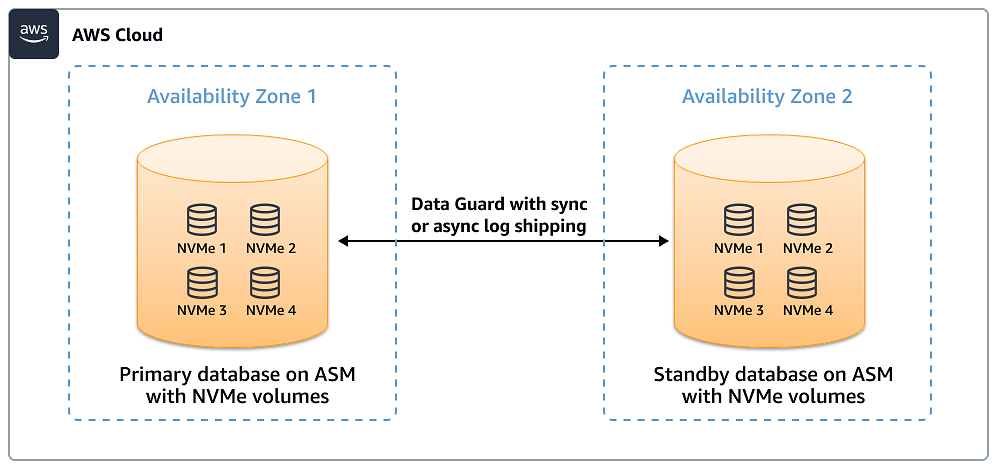
Flash memory stores information in memory cells that are arranged in a grid of multiple blocks. Each block is then separated into multiple pages. Typically, an individual memory cell stores one or more bits of information, depending on the type of flash memory.
To store information, flash chips control the floating gate transistor associated with the specific cell. A transistor’s gate is similar to a valve in a plumbing system, which controls the flow of water. In a transistor, the gate can be turned on or off to trap electrons. When programmed with information, the flash controller maps the information to the cells by adjusting the presence of electrons.
You can store information in any memory page. After a page is programmed, it holds the information even if the flash’s power is turned off. If you need to program any of the cells that have been written, you need to erase the particular block.
Due to the technology used in its construction, flash memory chips have an erase limit. If any of the blocks reach the limit, the flash controller doesn’t allow any more write operations for the worn-out block. To prolong the flash memory’s life span, you must consider the implications of write amplification, wear leveling, and over-provisioning.
Write amplification
Write amplification happens when a single write command results in multiple write operations on the flash memory. For example, when you want to erase a particular block, the flash controller will move valid write pages to another block. When the resulting write operations increase, the flash’s lifespan decreases.
Wear leveling
Wear leveling is a technique that reduces the rate of degradation a flash block experiences due to continuous erase cycles. For example, if a particular block has been overwritten too many times, the flash controller might map certain pages to a different block.
Overprovisioning
Overprovisioning is the process of allocating considerably more memory blocks than the application requires. When required, the flash controller can copy entire pages to unused blocks. It distributes write and erase cycles across a larger memory space, which prolongs the lifespan of the flash memory. Effective data management helps optimize these processes.
What are the types of flash memory?
There are two main types of flash memory.
NOR Flash
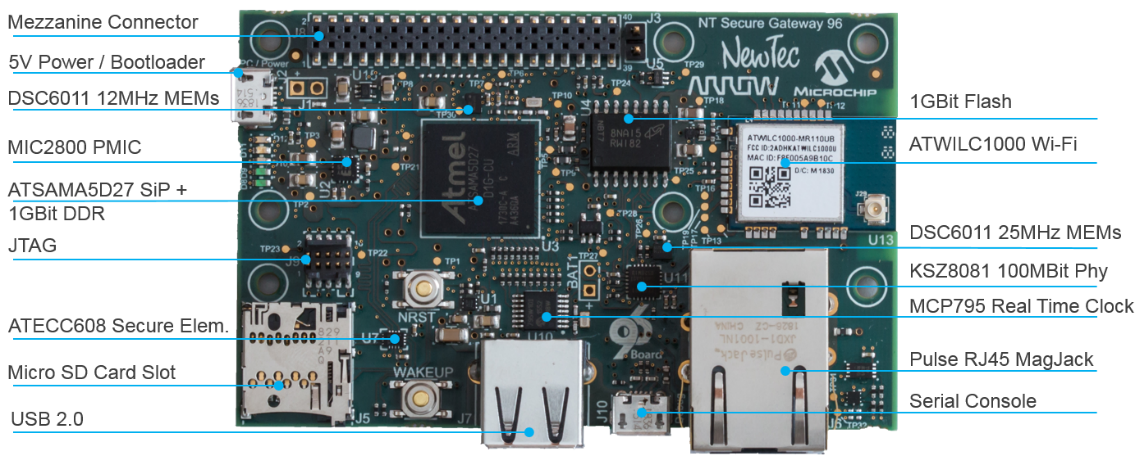
NOR flash is architectured in ways similar to NOR gates. They support fewer erase or rewrite cycles. However, NOR flash provides low-latency random access, allowing devices to retrieve specific information without reading the entire page. NOR excels at quickly searching for information, such as loading configuration information for system startups. Engineers often use NOR flash for code storage, particularly in industrial automation and embedded systems. In some cases, the NOR flash is directly built into a microcontroller. We call this embedded flash.
NAND Flash
NAND flash is designed to emulate NAND gates. Unlike NOR flash, NAND flash memory cells have a higher erase tolerance and support higher throughput operations. However, devices must retrieve an entire page, which increases read latency. Compared to NOR storage, NAND flash cells offer greater storage capacity. They are often used in commercial and enterprise storage devices, such as SSDs, USB drives, and data centres. When accessing SSDs, computers use protocols such as Serial AT Attachment (SATA) and Non-Volatile Memory Express (NVMe).
What are the challenges of flash memory?
Flash memory provides storage and data transfer capabilities for many modern computing devices, including digital cameras, USB flash drives, and other portable devices. While it enables efficient data management, it is essential to be mindful of several drawbacks.
- Prolonged usage that involves heavy writing and erasing operations will degrade the memory chip.
- Flash chips are considerably more expensive to manufacture than HDDs, resulting in a higher cost per gigabyte (GB).
- Wear levelling measures can result in high write amplification overhead as the flash controller moves data to newer blocks.
How does flash memory compare to other storage technologies?
Flash is one of many types of storage that engineers use in designing computing systems. Here are some comparisons of flash with different data storage technologies.
Flash vs. HDD
Hard disk drives (HDDs) use magnetic disks to store data. HDDs operate with a spinning mechanism, which is prone to mechanical failure. Meanwhile, flash memory stores data with transistors, which makes it considerably more durable. However, flash storage is more expensive per GB compared to an HDD.
Flash vs. EEPROM
EEPROM is a non-volatile storage that holds significantly less data than flash storage. Unlike flash, EEPROM can write and erase at the byte level. Microcontrollers use EEPROM for storing, accessing, and updating configuration data; however, it is much slower than flash for heavy operations.
Flash vs. DRAM
Dynamic random access memory (DRAM) is a type of volatile memory that computers use to store temporary data. DRAM offers ultra-low latency read and write operations. However, unlike flash, a DRAM chip requires a power source to retain stored information. In a personal computer, we use DRAM as a computer memory for the central processing unit (CPU) to store temporary data.
What are some best practices for flash memory?
When working with flash memory, use these measures to optimize functionality, durability, and fault-tolerance.
- Monitor wear metrics and assess your flash memory’s remaining lifespan. Free up unused data blocks in the SSD with the Trim command. The Trim command marks the specific block as no longer in use, so the SSD controller will then erase it during one of its disk management cycles.
- Apply power loss protection to prevent disrupted write operations. This will prevent corrupted data from being stored in the flash.
- Track write amplification over time and adjust your storage infrastructure if it exceeds a certain threshold.
How can AWS support your flash memory requirements?
AWS has a large range of storage options to suit all your storage needs in the cloud and in hybrid environments. Choose from these storage options plus many more:
- Amazon Elastic Block Store provides easy-to-use, high-performance block storage at any scale. EBS allows you to scale fast with high-performance storage to optimize costs.
- Amazon Elastic Compute Cloud (Amazon EC2) offers the broadest and deepest compute platform, with over 750 instances and choices of the latest processor, storage, networking, operating system, and purchase model to help you best match the needs of your workload.
- Amazon ElastiCache is a fully managed service that provides caching with zero infrastructure management, zero downtime maintenance, and instant scaling to match any application demand.
- AWS Storage Gateway gives your applications on-premises and in-cloud access to virtually unlimited cloud storage.
Get started with storage on AWS by creating a free account today.
Browse all cloud computing concepts
Browse all cloud computing concepts content here:
Did you find what you were looking for today?
Let us know so we can improve the quality of the content on our pages