AWS Database Blog
AWS and AMD bring 5th generation AMD EPYC processors to Amazon Aurora and Amazon RDS
AWS today announced the general availability of AMD-based R8a and M8a database instances for Amazon Aurora and Amazon RDS, powered by 5th generation AMD EPYC processors. R8a is a memory-optimized instance family available on both Aurora and RDS. M8a is a general-purpose instance family available on RDS. Both families expand the choice available for database workloads. Customers can opt for On-Demand or commit to a Database Savings Plan, which applies to both Aurora and RDS, for more control over their spend.
Each vCPU in an R8a or an M8a database instance corresponds to a physical CPU core rather than a hardware thread. For workloads with high I/O requirements, these instances provide up to 75 Gbps of network bandwidth and, on Amazon RDS, up to 60 Gbps of Amazon Elastic Block Store (Amazon EBS) bandwidth. Both families are built on the AWS Nitro System, which offloads I/O, virtualization, and security functions to dedicated hardware and underpins the isolation and security customers expect from a managed database.
“Giving customers choice is central to how we build Aurora and RDS,” said Chad Verbowski, Vice President, Database Services, AWS. “We are excited to partner with AMD to add 5th generation AMD EPYC processor-based R8a and M8a instances, so customers can pick the instance family that fits each workload, on the engines they run today.”
The Aurora and RDS teams worked closely with AMD to bring these families to both services across a range of database engines. We will continue giving customers more choice in how they run their databases.
“Our collaboration with AWS has focused on optimizing the workloads that matter most to customers,” said Raghu Nambiar, Corporate Vice President, Datacenter Ecosystems and Application Engineering, Server BU, AMD. “Support for AMD EPYC processors with Amazon Aurora and Amazon RDS is an important milestone in our work, delivering the impressive CPU performance that AWS customers have come to expect from AWS and AMD.”
Getting started
R8a is available on Aurora MySQL-Compatible Edition, Aurora PostgreSQL-Compatible Edition, and RDS for PostgreSQL, MySQL, and MariaDB. M8a is available on RDS for PostgreSQL, MySQL, and MariaDB.
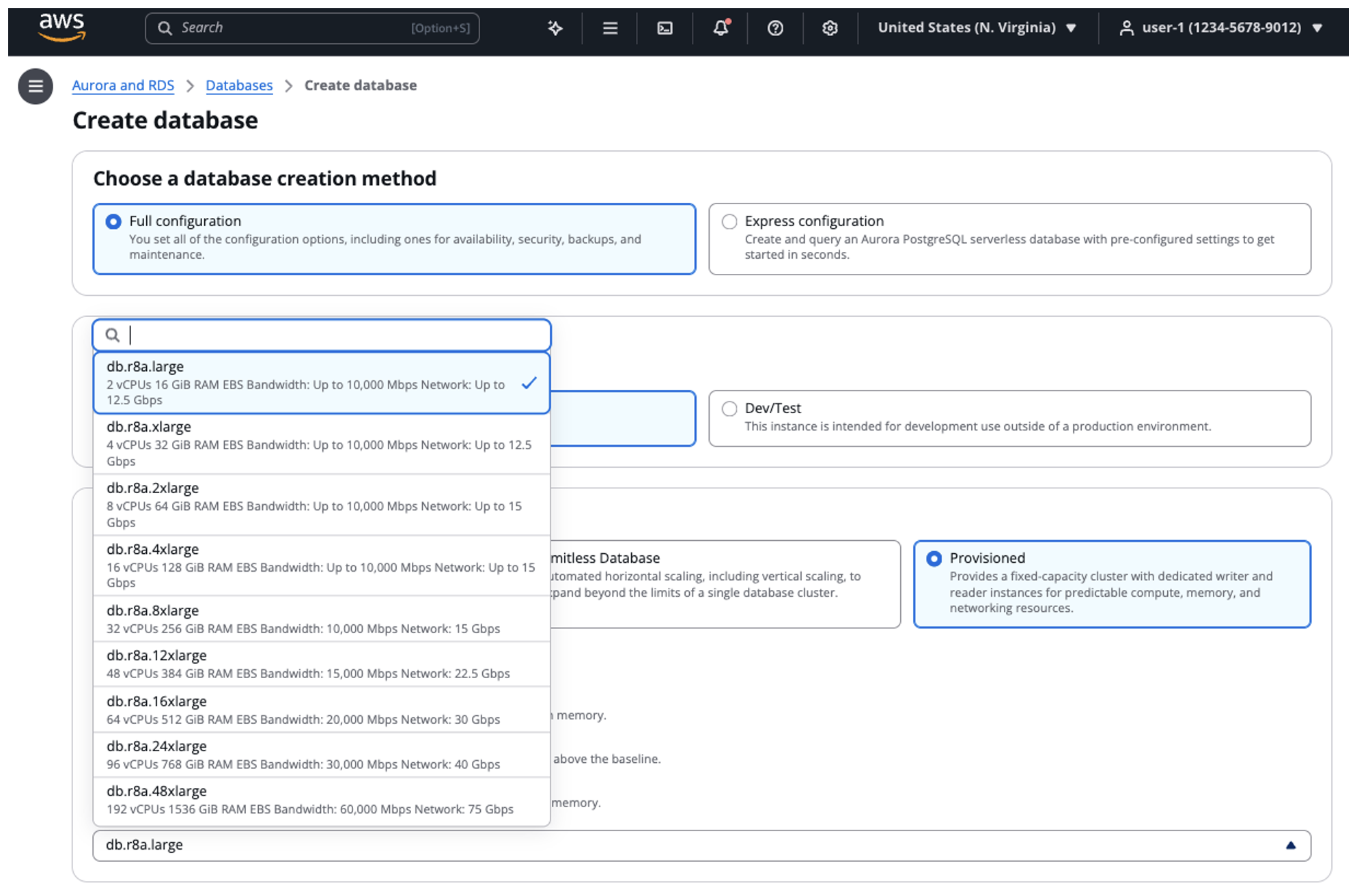
You can start using R8a and M8a database instances the same way you launch any Aurora or RDS instance today, through the Amazon RDS console or the AWS Command Line Interface (CLI). The instance class names follow the familiar pattern, for example db.r8a.2xlarge for R8a and db.m8a.2xlarge for M8a.
Using the Amazon RDS Console
- Open the Amazon RDS console and choose Create database.
- Select your engine: Aurora (MySQL-Compatible or PostgreSQL-Compatible) for R8a, or RDS for PostgreSQL, MySQL, or MariaDB for either R8a or M8a.
- Under Instance configuration, choose the memory-optimized (R8a) or general-purpose (M8a) class and pick the size that matches your workload, such as db.r8a.4xlarge.
- Complete the remaining steps and choose Create database.
R8a and M8a are available at launch in US East (N. Virginia, Ohio), US West (Oregon), Asia Pacific (Tokyo), and Europe (Ireland, Frankfurt, Spain). R8a is additionally available in Canada (Central) and Asia Pacific (Taipei). M8a is additionally available in Asia Pacific (Mumbai, Hyderabad). Supported engine versions are listed in the Aurora and RDS documentation. To learn about pricing for these instances, see Amazon Aurora pricing and Amazon RDS pricing.