AWS Database Blog
Unlocking real-time analytics: Streaming Aurora DSQL changes into Apache Iceberg
In this post, we walk through how to stream Amazon Aurora DSQL change data capture (CDC) events into Apache Iceberg tables in an AWS Glue Data Catalog backed by Amazon Simple Storage Service (Amazon S3) with Amazon Data Firehose delivering events. You can query the resulting Iceberg tables through Amazon Athena or publish them to SageMaker Lakehouse to combine with other datasets.
AWS recently announced support for CDC within Amazon Aurora DSQL. You can now stream real-time data changes from your Aurora DSQL clusters directly to Amazon Kinesis Data Streams. With Aurora DSQL CDC support, you can power real-time analytics, build event-driven applications, synchronize data across systems, and implement modern data architectures without impacting the performance of your operational workloads.
Solution overview
The pipeline maintains two Iceberg tables from a single Amazon Kinesis data stream:
cdc_events – An append-only audit trail. Every INSERT, UPDATE, and DELETE on the events table from Aurora DSQL is recorded as a new row with a transaction commit timestamp for ordering. Aurora DSQL places transaction metadata under the record’s source envelope: source.txId, source.ts_ms, and source.ts_ns. The top-level ts_ms and ts_ns are CDC processing times, not commit times, so the transform reads commit metadata from source.
current_state – Amazon Data Firehose delivers CDC events to the current_state Iceberg table in upsert mode, merging rows by primary key on write. To handle DELETE events, the AWS Lambda transformation function emits the row with an _is_deleted tombstone flag set to true rather than issuing a hard delete. The row then remains in current_state as a tombstone rather than disappearing. Because the Aurora DSQL DELETE record carries only the primary key columns, tombstone rows have NULL non-key columns. Consumers can query current state by selecting from current_state and filtering WHERE _is_deleted = false.
Reading whole transactions – The Aurora DSQL CDC stream is unordered and does not emit end-of-transaction markers. The current_state table merges by primary key and works well for per-row lookups. However, it does not preserve transaction grouping and cannot give you an atomic view of a multi-row transaction. Consumers that need whole-transaction semantics work from cdc_events and group events by _cdc_commit_ts_ns. Treat a transaction as sealed only after enough time has elapsed that further events with that commit timestamp are unlikely to arrive.
Ordering – Amazon Data Firehose merge mode applies upserts in the order it processes records. Under out-of-order delivery, a stale UPDATE can overwrite a newer one, or a late UPDATE can un-tombstone a deleted row. The tombstone guarantees the delete is never lost from the audit trail, but it does not prevent a later event from reviving the row in current_state. When you need a strictly correct current state, reconstruct it from the append-only cdc_events table by taking the latest event per id by _cdc_commit_ts_ns. Aurora DSQL guarantees this to be a total order of transactions. The sample ships this as the current_state_ordered view in sql/queries.sql.
The following diagram shows the architecture.
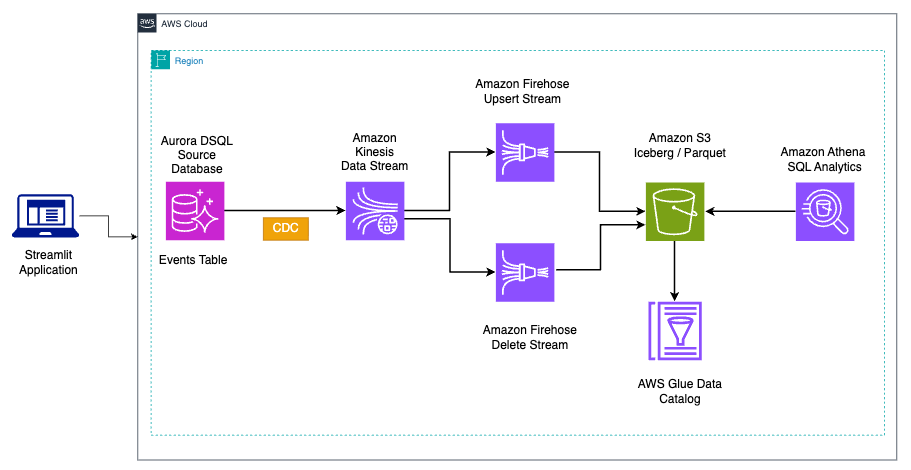
Figure 1: Change data capture pipeline architecture from Aurora DSQL to Apache Iceberg
Prerequisites
Before you begin, verify that you have the following:
- AWS Command Line Interface (AWS CLI) v2 installed and configured with appropriate credentials.
- Python 3.9+ and pip.
- jq installed for JSON parsing.
You also need an AWS account with permissions to create and manage the following:
- Amazon Aurora DSQL
- Amazon Kinesis Data Streams
- Amazon Data Firehose
- AWS Lambda
- AWS Glue Data Catalog
- Amazon S3
- Amazon Athena
- IAM roles and policies
Solution walkthrough
The following steps walk you through deploying the pipeline and exploring the results in the dashboard.
Step 1: Open CloudShell and clone the repository
Complete the following steps to set up your environment:
- Open the AWS CloudShell console in the us-east-1 Region.
- Clone the sample repository and navigate to the project folder:
CloudShell provides a browser-based shell with the AWS CLI, Python, and other tools pre-installed. No additional setup is required.
Step 2: Deploy the pipeline
Run the deployment script. It creates an Aurora DSQL cluster, deploys the AWS CloudFormation stack (Amazon Kinesis, Amazon Data Firehose, AWS Lambda, AWS Glue Data Catalog, Amazon Athena, Amazon S3, and IAM roles), creates the events table in Aurora DSQL, and sets up the CDC stream.
Deployment takes about 5 minutes. If you would like to use an existing Aurora DSQL cluster:
When the script completes, it prints the cluster hostname, S3 bucket name, Athena workgroup and CDC stream ID.
Step 3: Verify the deployment
Verify that the CloudFormation stack deployed successfully:
The output should be CREATE_COMPLETE.
Step 4: Explore with the dashboard
The repository includes a Streamlit dashboard that you run on your local machine. The dashboard requires AWS credentials with permissions to read CloudFormation stack outputs, run Amazon Athena queries, and connect to Aurora DSQL.
Set the environment variables printed by the deploy script and run:
The dashboard auto-discovers pipeline settings from the CloudFormation stack outputs. Choose Generate Events to insert rows, then wait 60 seconds for the Amazon Data Firehose buffer to flush.
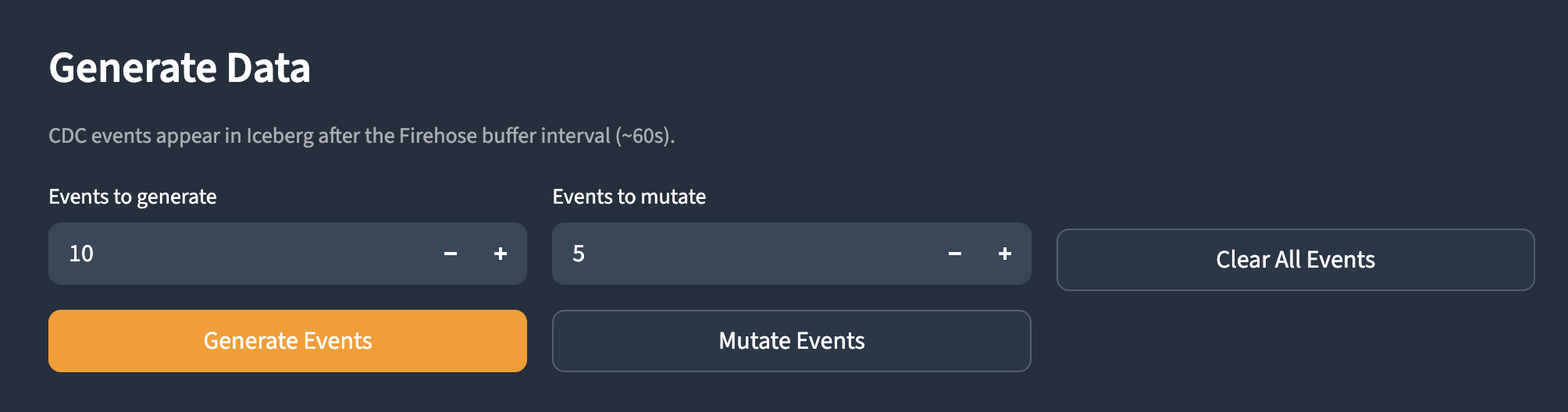
Figure 2: Dashboard Overview page with pipeline settings from the CloudFormation stack outputs
The Current State page shows live rows merged by primary key:
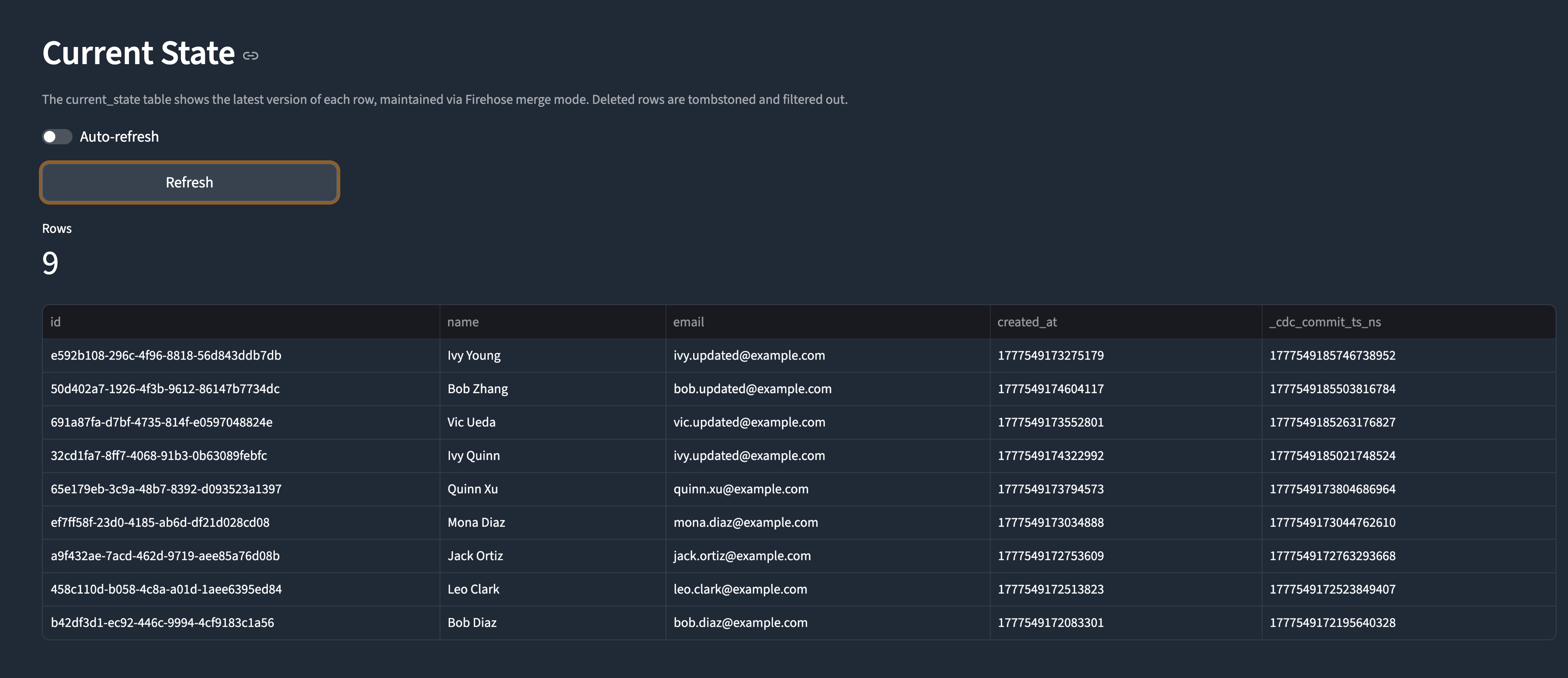
Figure 3: Current State page showing rows merged by primary key
The CDC Events page shows the audit trail:
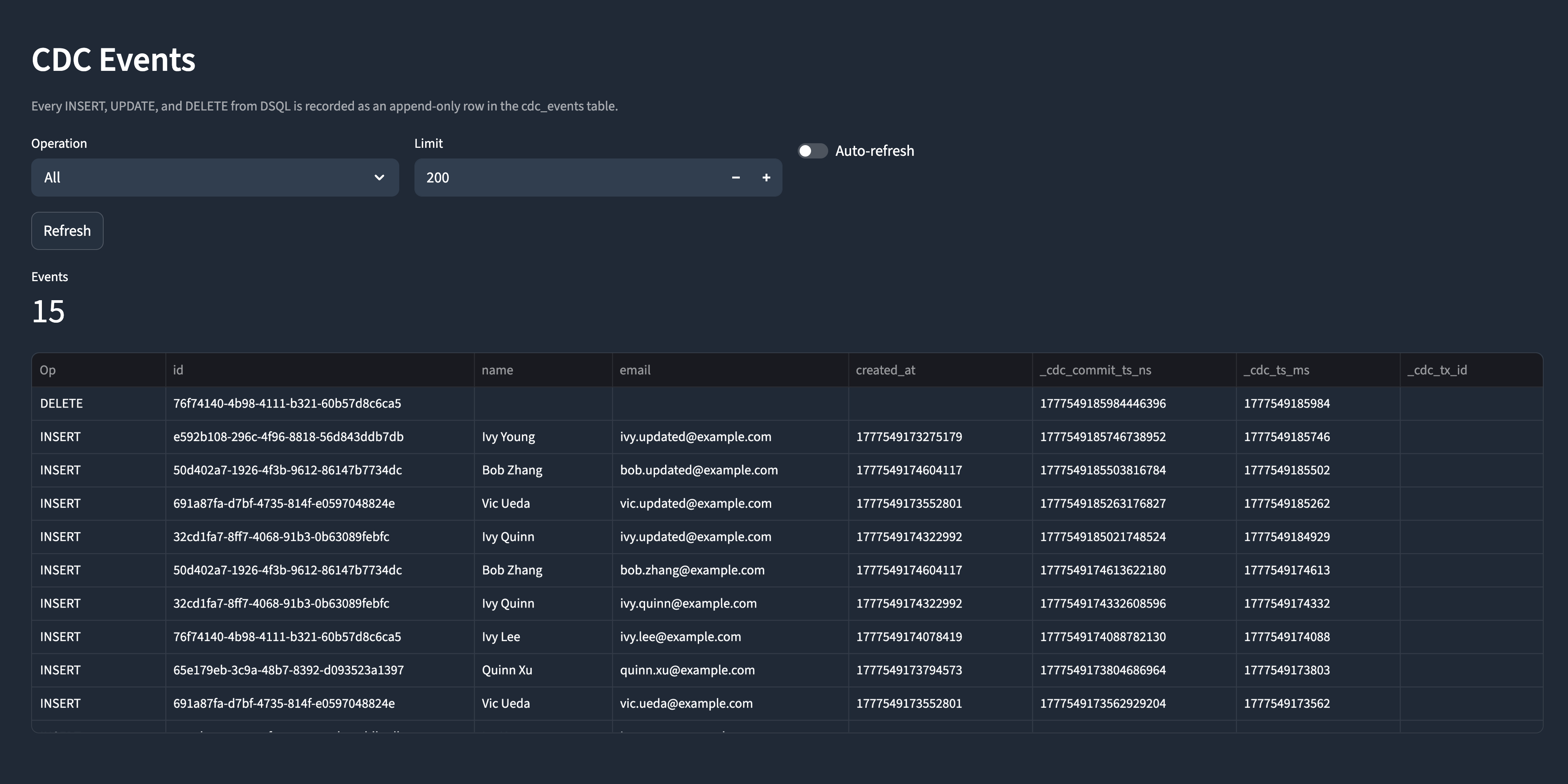
Figure 4: CDC Events page showing the append-only audit trail
The Snapshots page supports Iceberg time-travel queries:
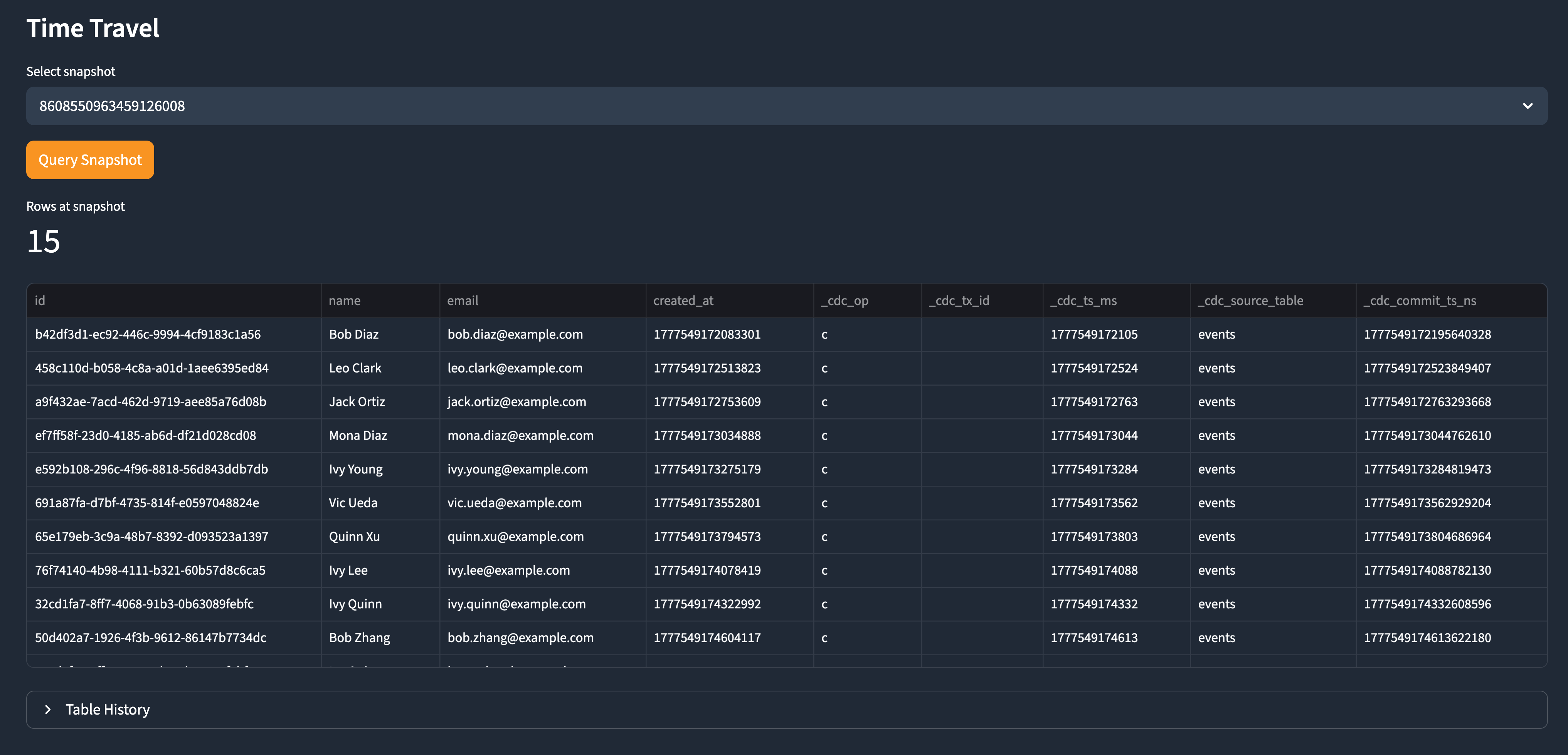
Figure 5: Snapshots page for Iceberg time-travel queries
Clean up
Important: The resources deployed by this sample incur ongoing AWS charges. Clean up the resources when you are done.
The deploy script prints CLUSTER_ID and STREAM_ID at the end. Set these as environment variables and run:
The destroy script deletes the CDC stream, CloudFormation stack, and Aurora DSQL cluster.
Retained resource: The Amazon S3 bucket has a Retain deletion policy and is not deleted by the stack. To delete it manually:
Conclusion
In this post, we set up an end-to-end CDC pipeline from Amazon Aurora DSQL to Apache Iceberg using Amazon Data Firehose. The two-table strategy provides a complete audit trail for compliance and a current-state view for real-time analytics. Because CDC events can arrive out of order, the pipeline records deletes as tombstone rows so the delete is never lost from the audit trail. Each row carries a transaction commit timestamp that establishes a total order, letting consumers reconstruct a strictly correct current state from cdc_events when ordering matters.
To learn more about Aurora DSQL CDC, refer to the Aurora DSQL documentation.