AWS DevOps & Developer Productivity Blog
Automate AWS Lambda Runtime Upgrades with AWS Transform custom
Introduction
Organizations carry a growing burden of technical debt — aging codebases, outdated runtimes, and legacy frameworks that slow innovation, increase security risk, and inflate maintenance costs. Addressing this debt requires tackling a wide range of code transformation challenges: version upgrades, runtime migrations, framework transitions, and language translations, all of which must be repeated across multiple codebases. Today, most organizations perform these tasks manually, consuming 20–30% of enterprise software development effort. Even where automation exists, it’s typically narrow in scope and requires significant upfront investment — leaving most organizations unable to scale transformations effectively and, as a result, unable to meaningfully reduce the technical debt that continues to compound over time.
AWS Transform custom addresses this gap — an intelligent AI agent that learns organization-specific code transformations, executes them consistently at scale, and improves from developer feedback, without requiring specialized automation expertise. This blog explores how AWS Transform custom tackles one of the most pressing transformation challenges today.
Managing Lambda Runtime Lifecycles
AWS Lambda follows a runtime deprecation policy that aligns with the end of community long-term support for programming languages, with all current deprecation schedules available in the AWS Lambda runtime documentation. As upstream language maintainers deprecate runtime versions – including Python 3.8, Node.js 14, and Java 8 , organizations face the critical challenge of upgrading hundreds or thousands of Lambda functions before these runtimes reach end-of-life.
When a Lambda runtime reaches end of life, functions lose access to security patches and technical support, leaving applications potentially exposed to known vulnerabilities and compliance risks. Performance degrades as optimizations in newer runtimes go unrealized, and technical debt compounds — the longer you wait, the harder and more expensive the migration becomes.
For organizations managing hundreds or thousands of Lambda functions across multiple runtimes and languages, the effort is amplified by the scale of coordination required, the manual burden of testing and validation, and the reality that upgrade expertise is often siloed within a handful of engineers. It’s a recurring, high-stakes cycle that pulls teams away from building features.
This is exactly the type of repeatable, organization-wide transformation that AWS Transform custom code transformations can automate. The following sections explore how you can use AWS Transform custom to address Python runtime upgrades and demonstrate the automated approach with a practical example.
Sample application
This demonstration uses SAM Python CRUD Sample — an open-source serverless application built with AWS SAM that implements a full CRUD API. The application consists of five Lambda functions that create, read, update, list, and delete activity records. The following walkthrough shows how AWS Transform custom automates Python runtime upgrades by migrating these Lambda functions from a deprecated runtime (Python 3.8) to a modern runtime version (Python 3.13).
Prerequisites
Before beginning the transformation process, verify the following requirements:
- AWS Transform CLI installed and configured in your development environment
- Authentication with AWS credentials configured locally and proper IAM permissions to call AWS Transform
- Git installed for cloning sample repositories
- uv package manager for Python environments
For detailed setup instructions, see the Getting Started with AWS Transform custom guide.
Hands-On Example: Lambda Runtime Upgrade
Step 1: Prepare the Sample Project
Clone a sample Python Lambda repository to your local environment
git clone https://github.com/aws-samples/sam-python-crud-sample.git
cd sam-python-crud-sample
Verify the Initial Setup and make sure all the Tests Pass:
uv venv --python 3.8 # uv will automatically download Python 3.8 if not already installed
source .venv/bin/activate
uv pip install -r requirements.txt
uv pip install -r requirements_dev.txt
uv pip install "moto[dynamodb]<3"
python -m pytest tests/ -v -o "addopts="
Step 2: Start the Transformation
AWS Transform custom supports both interactive and non-interactive execution (non-interactive mode for CI/CD and batch execution is covered at the end). Launch the CLI in interactive mode with -t to trust all tools, which lets you use natural language to invoke and define transformations:
atx -tNote : The -t flag trusts all tool executions without prompting for confirmation. This is convenient
for walkthroughs but means the agent can run shell commands automatically. Review the Trust settings for details on controlling tool permissions.
From here, you can use natural language to list and invoke transformations.
>list all the transformations available
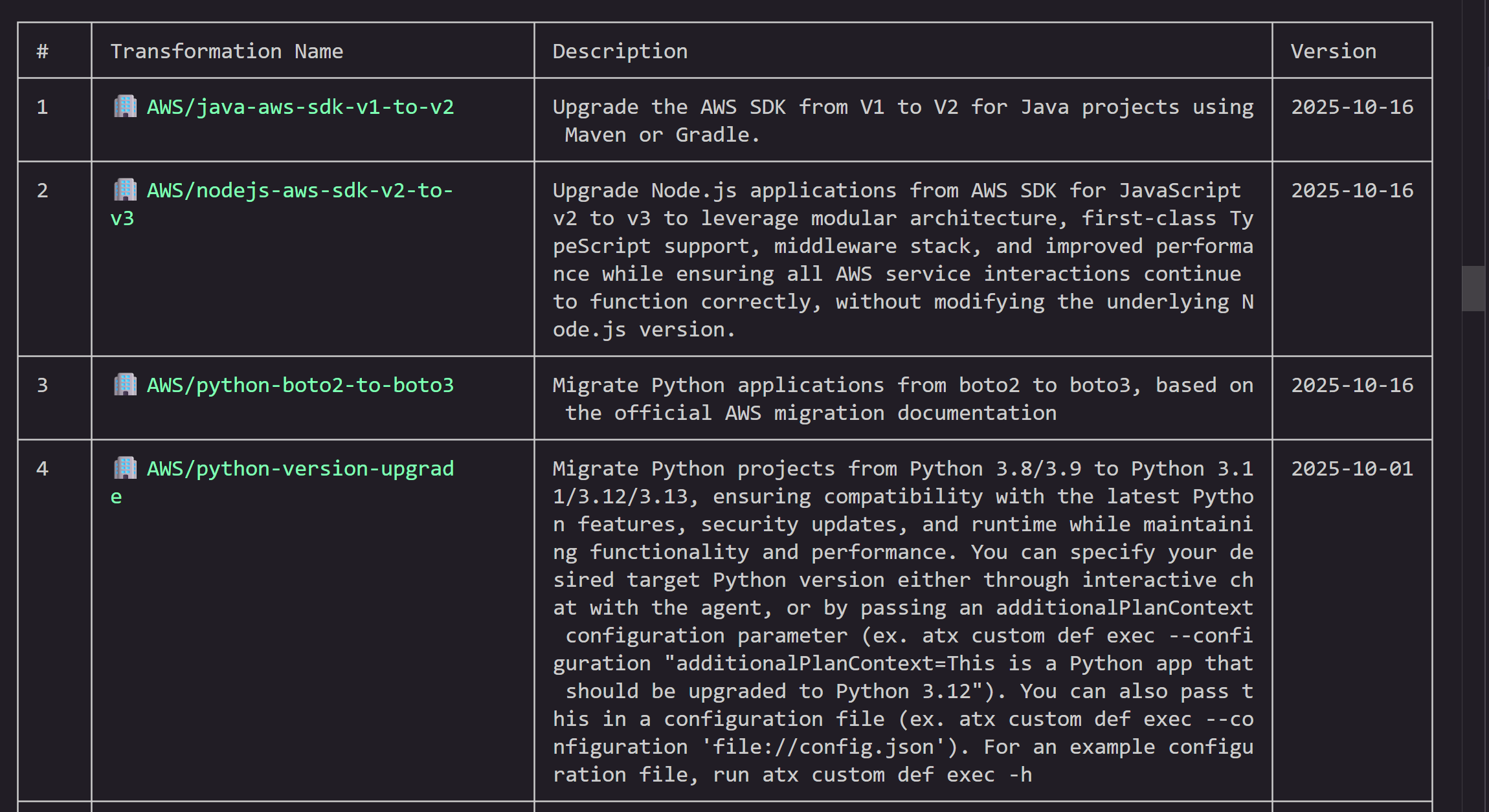
This lists all available transformations — both AWS-managed and custom. AWS provides built-in transformations for common tasks like language upgrades (Java, Python, Node.js), SDK migrations, and Graviton migration. You can also create your own custom transformations using natural language, docs, and code samples.
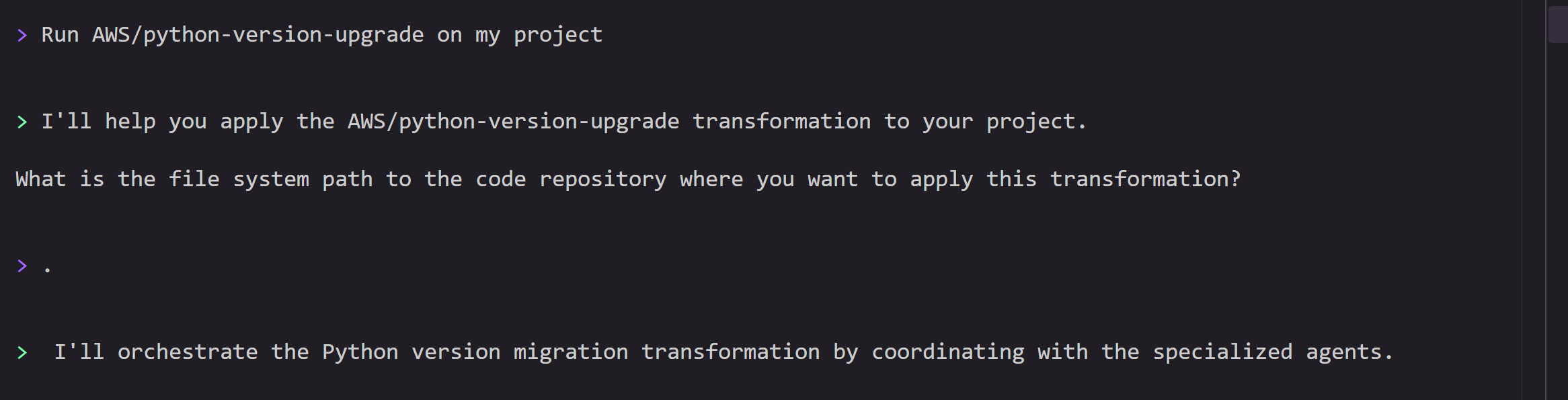
Invoke the transformation by specifying the transformation name AWS/python-version-upgrade and project path. The agent will prompt you for additional inputs like target Python version and codebase path during the flow.
> Run AWS/python-version-upgrade on my project

Step 3: Transformation Planning
Before starting the planning process, you can provide any additional feedback if any. You can say proceed if you don’t have specific preferences.

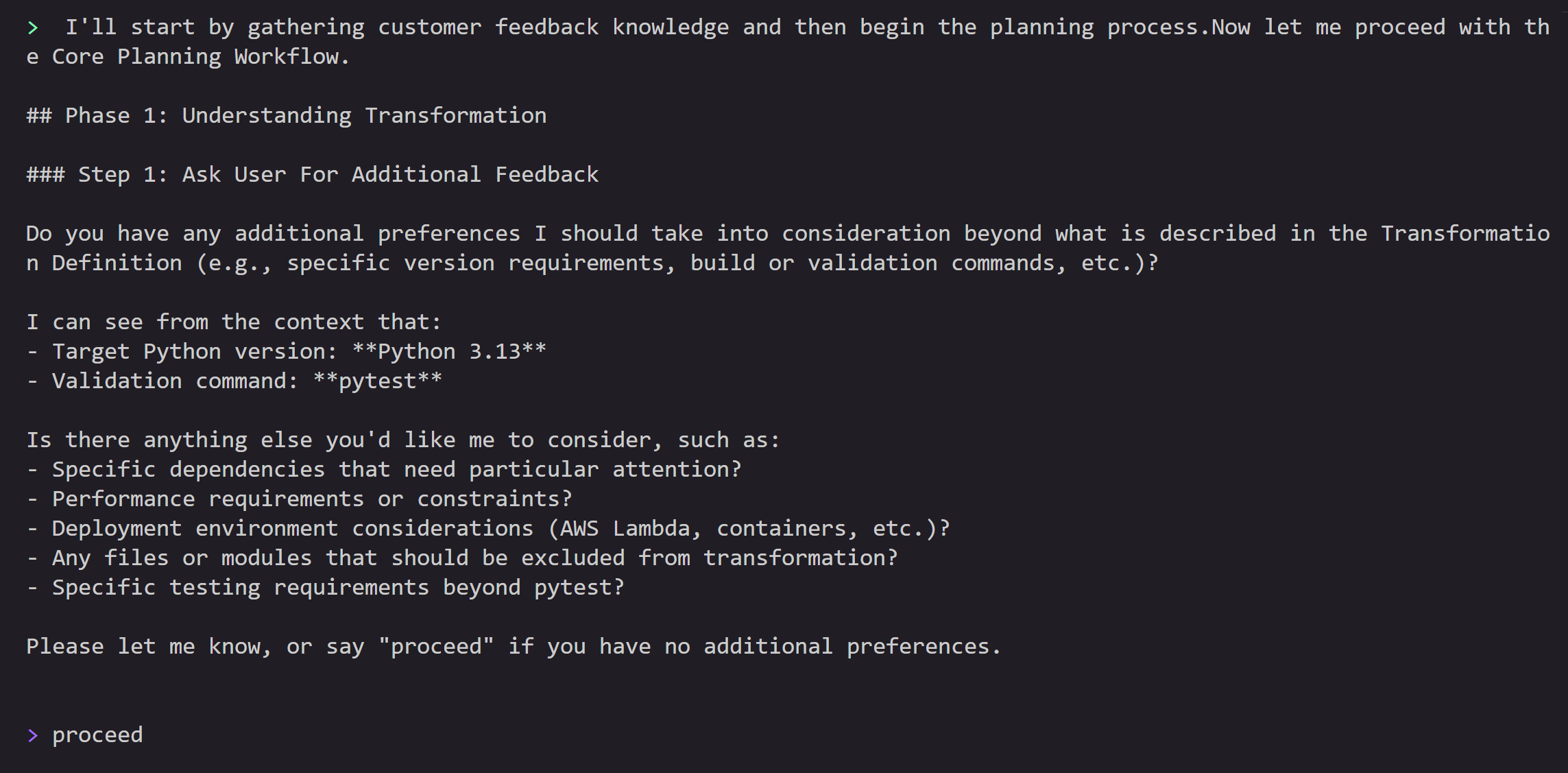
This will start the planning process, where the agent will analyze all the source files, context, additional guidance and generate a step-by-step comprehensive plan detailing:
- Runtime version updates (Python 3.8 → 3.13)
- Dependency compatibility checks
- Code pattern updates for Python 3.13 compatibility
- AWS Lambda configuration changes
- Infrastructure as Code changes
The transformation plan is designed to help maintain functionality while leveraging Python 3.13’s improvements.

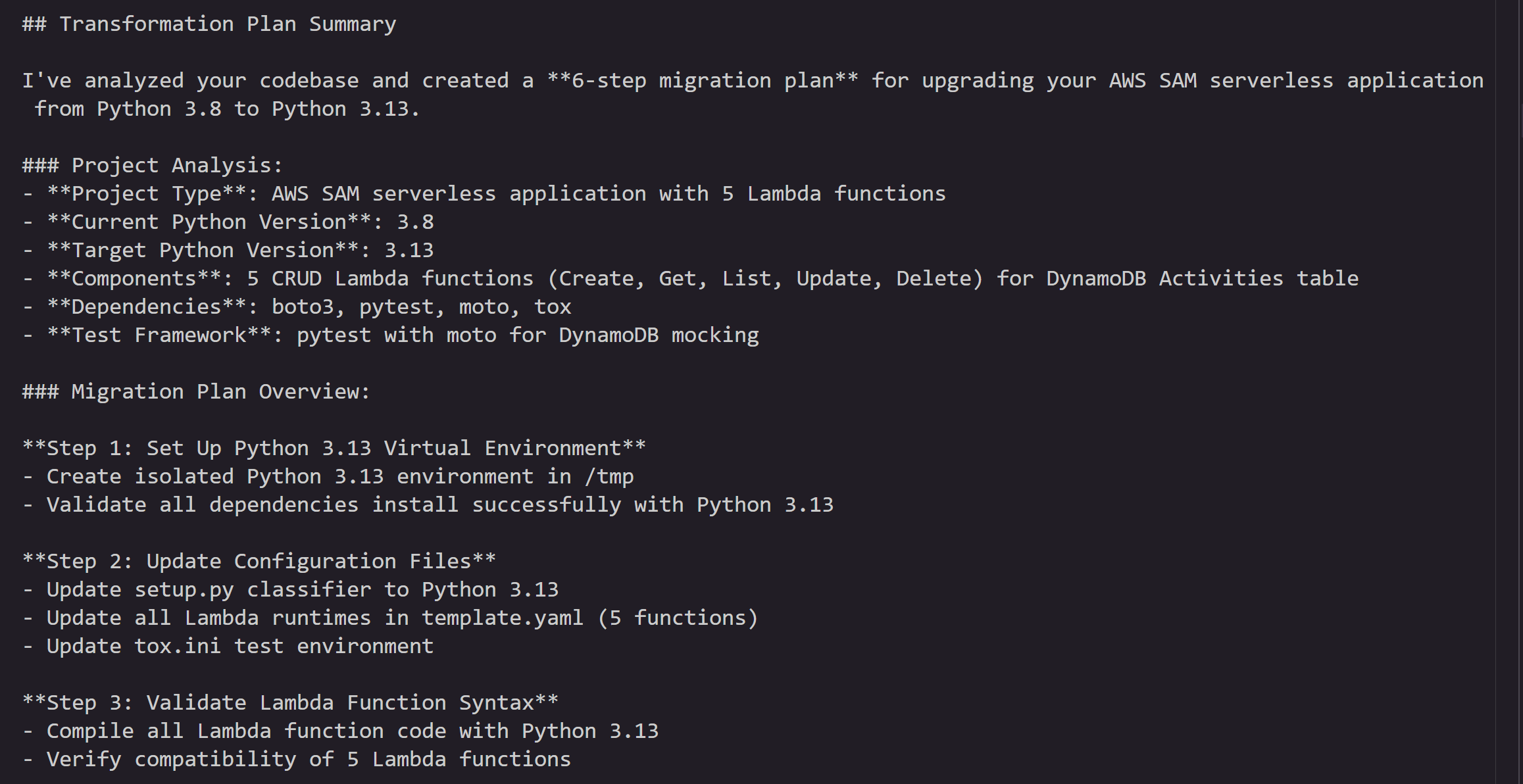
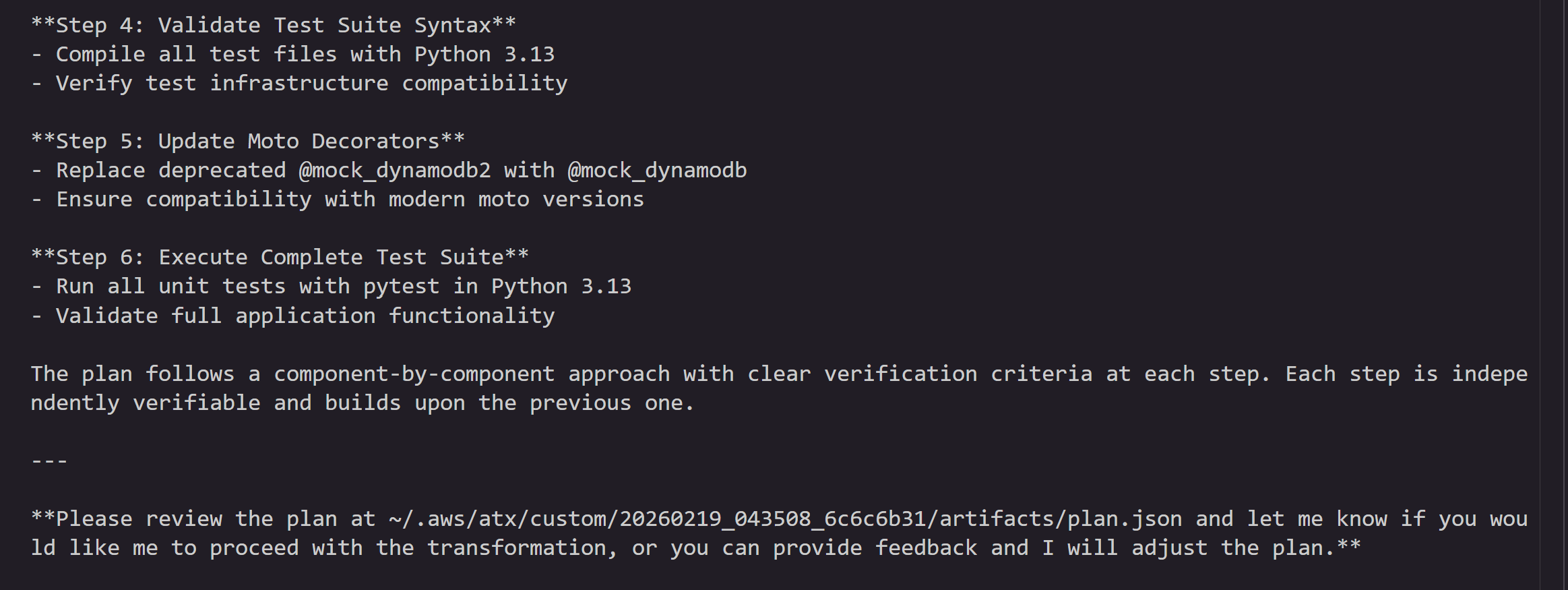
You can review the plan and provide feedback, or tell the agent to go ahead and execute it.
Step 4: Transformation Execution and Validation
After reviewing the plan, AWS Transform custom executes the transformation automatically, updating:
- Lambda runtime configuration
- Python version-specific syntax
- Dependency versions for Python 3.13 compatibility
- Any deprecated function calls
- Any Infrastructure as code templates as well
At the end of each step, the agent commits the incremental changes to a local git branch. If build or test errors occur, the agent attempts to self-debug and resolve issues. As a user, you can stop the transformation and provide feedback if necessary. Once all the steps are complete, the agent will produce a summary of changes.


Next, the agent runs a full validation — comparing the executed changes against the plan for any deviations, verifying all exit criteria are met, and running build commands and unit tests to confirm everything passes.
Once the validation is complete, the agent will ask for feedback. You can provide feedback on the execution results and ask the agent to modify/add/remove changes if needed.

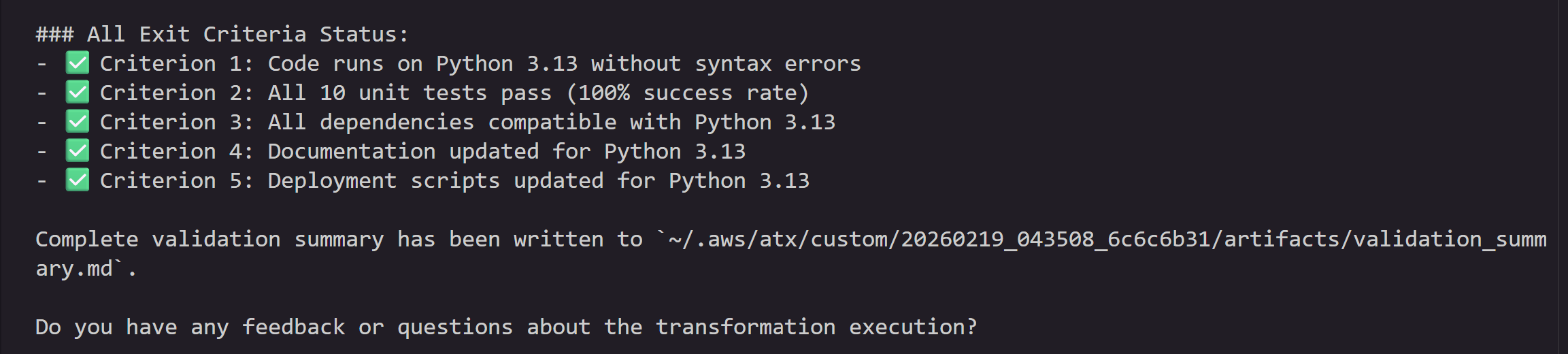
Step 5: Verify Changes
Once the validation is complete, the agent summarizes the changes:

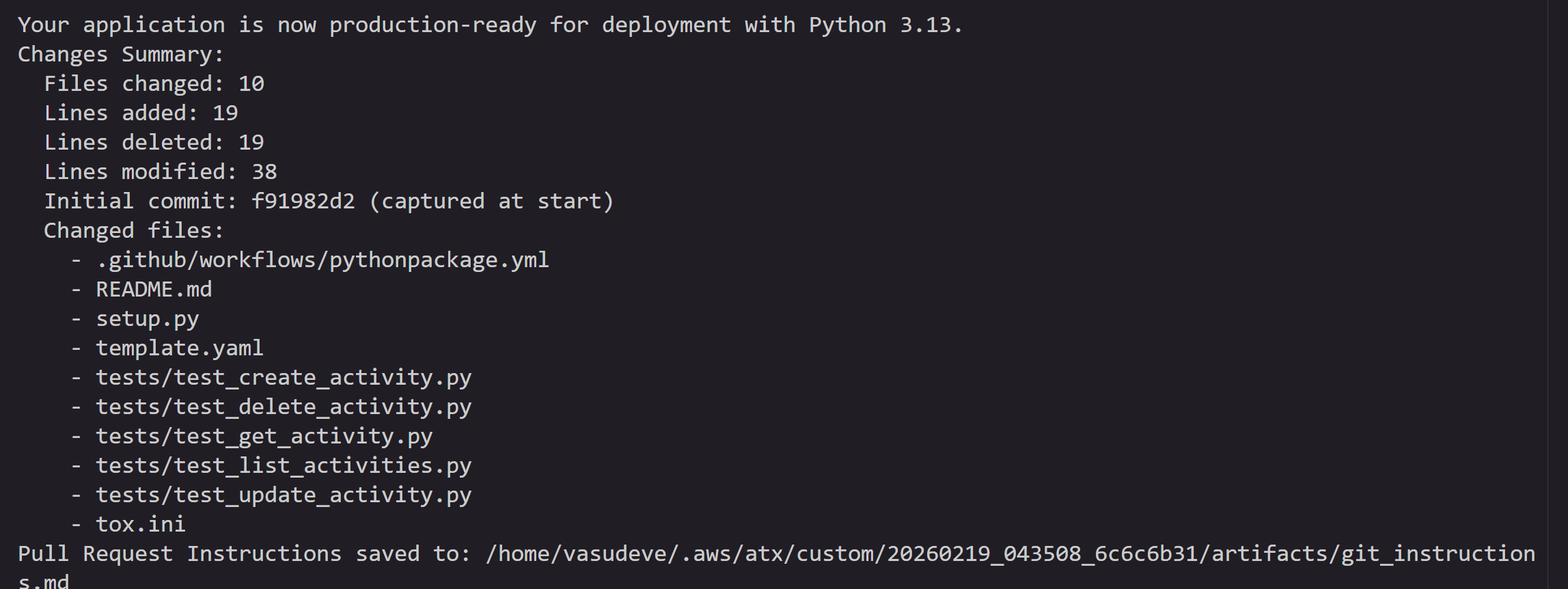
You can quit the atx session by issuing /quit in the terminal.
All the changes are committed to a local staging branch. You can also view this by executing following commands
git status
git branch
git diff main <atx-result-staging-...>
With these steps, you can upgrade your Lambda functions which are already running on deprecated runtimes or nearing EOL with reduced manual effort.
Non-Interactive mode
You can also run this transformation in a non-interactive mode with the following command supplying all the information, so that agent can run without asking for any user inputs. This mode is designed for headless execution, CI/CD pipeline integration and bulk execution where no human intervention is available or desired.
atx custom def exec -p . -n AWS/python-version-upgrade --configuration "validationCommands=pytest,additionalPlanContext=The target Python version to upgrade to is Python 3.13" -x -tParameter breakdown:
-nAWS/python-version-upgrade: Name of the AWS managed Python migration transformation-p .: Path to the current directory containing your Lambda function-t: Trust all tools without prompting-x: non-interactive headless mode--configuration: Validation commands to be used after the transformation and additional instructions to the agent . This example, configures the agent to use “pytest” as the validation command after transformation is complete and specifies the target version of python3.13 as additionalPlanContext. This helps agent with additional context during planning of the changes.
You can also specify these parameters in a config.json and execute like below.
atx custom def exec --configuration 'file://config.json'config.json file contains all the information about the project repository path, transformation name, build and validation commands to use. Save the below snippet to config.json in the current directory.
{
  "codeRepositoryPath": ".",
  "transformationName": "python-version-upgrade",
  "validationCommands": "pytest",
  "additionalPlanContext": "The target Python version to upgrade to is Python 3.13"
}
How to scale this to multiple Lambda function upgrades?
Now that you have successfully used AWS Transform custom to upgrade a single Lambda function, you can scale this to hundreds or thousands of functions across your organization. Central engineering teams can create campaigns through the AWS Transform web application to define the transformation, specify target repositories, and track progress across the organization. For execution at scale, choose the model that fits your environment — both run in your environment, with access to your existing development resources, build systems, and tool chains. You don’t need to move your code anywhere — AWS Transform custom meets you where you are.
- Batch script execution — Ideal for teams that want to run transformations directly on developer machines, EC2 instances or existing CI/CD infrastructure. Wrap the AWS Transform custom CLI in a batch processing script that iterates across multiple repositories using a CSV or JSON input file. The script supports both serial and parallel execution modes with configurable job limits, retry mechanisms, and comprehensive logging. Refer to this GitHub repo for the sample batch launcher script and execution instructions.
- Containerized execution on AWS — Best suited for enterprise-scale rollouts where you need managed infrastructure, job orchestration, and centralized monitoring. Run transformations using containers deployed on AWS Batch with AWS Fargate. This solution provides a REST API for job submission, automatic IAM credential management, and full Amazon CloudWatch monitoring — all deployable with a single AWS CDK command. To get started, refer to this GitHub repo and blog.
Cleanup
If you followed along with the hands-on example, remove the cloned repository and virtual environment to free up local resources:
deactivate
cd ..
rm -rf ./sam-python-crud-sample
If you created any AWS resources during testing, delete them to avoid ongoing charges.
Conclusion
Keeping Lambda runtimes current is a recurring operational burden that only grows with scale. What starts as a simple version bump quickly compounds into dependency updates, syntax changes, infrastructure modifications, and extensive testing — multiplied across every function in your fleet.
AWS Transform custom turns this into a repeatable, automated workflow. As we demonstrated, upgrading a multi-function Python 3.8 application to Python 3.13 required just a single CLI invocation — the agent can handle planning, code changes, dependency updates, infrastructure configuration, and validation end to end. And with non-interactive mode and the scaled execution options, you can extend this to hundreds of repositories without manual intervention.
To get started:
- Install the AWS Transform CLI and try the Python upgrade transformation on one of your own projects.
- Explore the full list of AWS managed transformations available beyond Python runtime upgrades.
- Check out the scaled execution samples to plan your organization-wide rollout.