AWS Compute Blog
Upgrading Lambda function runtimes at scale with AWS Transform custom
When you create an AWS Lambda function, you choose the runtime that Lambda will use to run your code. This includes the base language version and supporting libraries. Lambda runtimes follow a published deprecation schedule. This means that you must periodically upgrade your function’s runtime.
Running on a deprecated runtime means potential security exposure, loss of AWS Support, and compliance challenges. For teams managing dozens of functions, this is a manageable maintenance task. For teams managing hundreds or thousands, it becomes a significant engineering effort that competes with feature work.
You can modernize your code and configurations with AWS Transform custom, an Agentic AI service purpose-built for code modernization. It fits into each stage of a runtime upgrade: surfacing risk, confirming test coverage, code transformation, and validation. The same workflow scales from a single function to an entire organization. You can use AWS-provided transformations or create your own, for compliance or compatibility. You can give it feedback to enforce your standards. You’re charged only for active agent work during server-side operations, not for user idle time or client-side processing.
This post addresses two audiences. If you work in an application team, you will learn how to use AWS Transform custom to upgrade your functions with confidence. If you’re part of a centralized platform team, you will see how to orchestrate Lambda upgrade campaigns at enterprise scale.
The upgrade challenge
Python and Node.js are two of the most widely used Lambda runtimes, and both have important recent or upcoming deprecation timelines.
| Runtime | Deprecation date |
| Node.js 20 | April 30, 2026 |
| Node.js 22 | April 30, 2027 |
| Python 3.9 | December 15, 2025 |
| Python 3.10 | October 31, 2026 |
Sometimes a runtime upgrade requires changing your functions’ configuration in your infrastructure-as-code template or in the Lambda console. Other times, you also need to upgrade dependencies or even make code changes.
For example, in Node.js 24 AWS removed support for callback-based function handlers, in favor of the more modern async/await pattern which Lambda has supported since Node.js 8. Functions using the old pattern must be refactored. This is a behavioral change which affects every callback-based handler in the code base.
Before:
After:
Applying this type of transformation across multiple Lambda functions used to require manual code changes. With AWS Transform custom, you can automate the upgrade to free your team’s capacity and focus for differentiated work.
AWS Transform custom for application teams
We assume you have AWS Transform custom already set up. For guidance, see the AWS Transform custom documentation. You can also use AWS Transform custom through the Kiro Power.
Prerequisites
Make sure you have the following configured locally:
- AWS Transform custom CLI installed and configured.
- AWS Command Line Interface (AWS CLI) configured with credentials. Ideally short-term credentials issued through AWS IAM Identity Center with least-privilege permissions.
- Existing code base including one or more Lambda functions.
- Recommended: existing test coverage for validation.
- Check AWS Capabilities by Region for supported AWS Regions.
Run a documentation transform
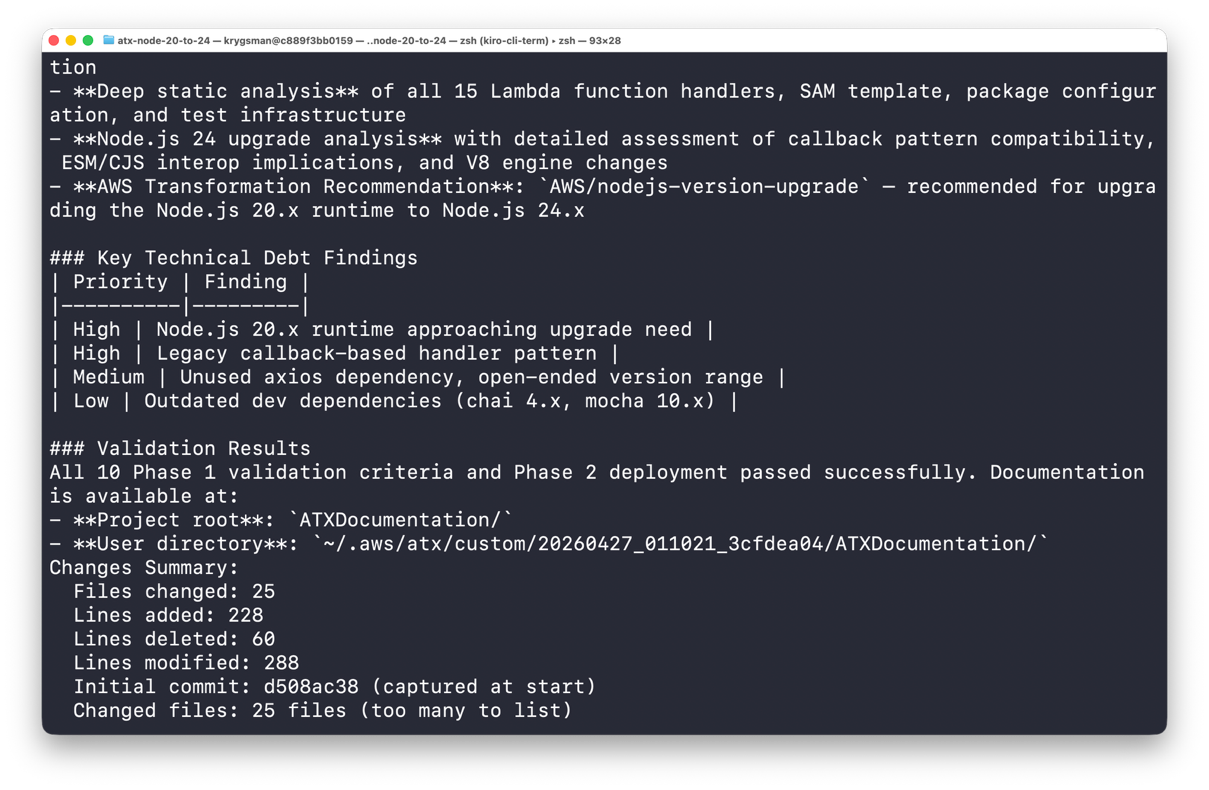
For your first transform, you can run the AWS-provided “AWS/comprehensive-codebase-analysis” transformation on a representative function or code base. This produces a prioritized view of the upgrade effort before a single line of code is changed, helping you plan your upgrade. Better-documented functions are easier to assess, maintain, and hand off. Running a documentation transform is a low-risk first step: it doesn’t change function behavior and lets you build familiarity with the AWS Transform custom workflow.
When you run the code analysis transformation, add additionalPlanContext to inform AWS Transform custom that you plan to upgrade your Lambda function runtimes. It can flag functions most likely to require code changes. For example, functions with callback-based handlers, complex async/callback code, or low test coverage.
The following figure is a screenshot from running the preceding command on a sample code base.
Validation planning
Before an upgrade, you must verify correctness. This provides the confidence that you haven’t introduced new issues by upgrading. Test coverage from unit and integration tests helps with verification. A passing test suite can enforce the behavioral contract for the transformed code and help prevent problems.
Observability tools like metrics and alarms can help you validate your changes after they’ve been deployed. They can help you detect when breaks happen and are critical for finding the underlying cause.
If you’re not comfortable with your test or monitoring coverage, you can use AI agents to help. You can create a custom transformation definition in Transform custom to add or improve your tests or add alarms to your infrastructure as code (IaC) template. You can also use Kiro or other agents to generate tests from function specs, covering expected inputs, outputs, and error paths.
Transform
Now that you’ve used the documentation transformation to familiarize yourself with the tool and confirmed you have a way to validate your upgrade, you can use AWS Transform custom to upgrade your functions to a new runtime.
To apply the transform, use the AWS Transform custom CLI or Kiro Power. The example command below runs the “AWS/lambda-nodejs-runtime-upgrade” transformation against the code in the current directory. You can use additional switches to automatically trust all tools and run non-interactively.
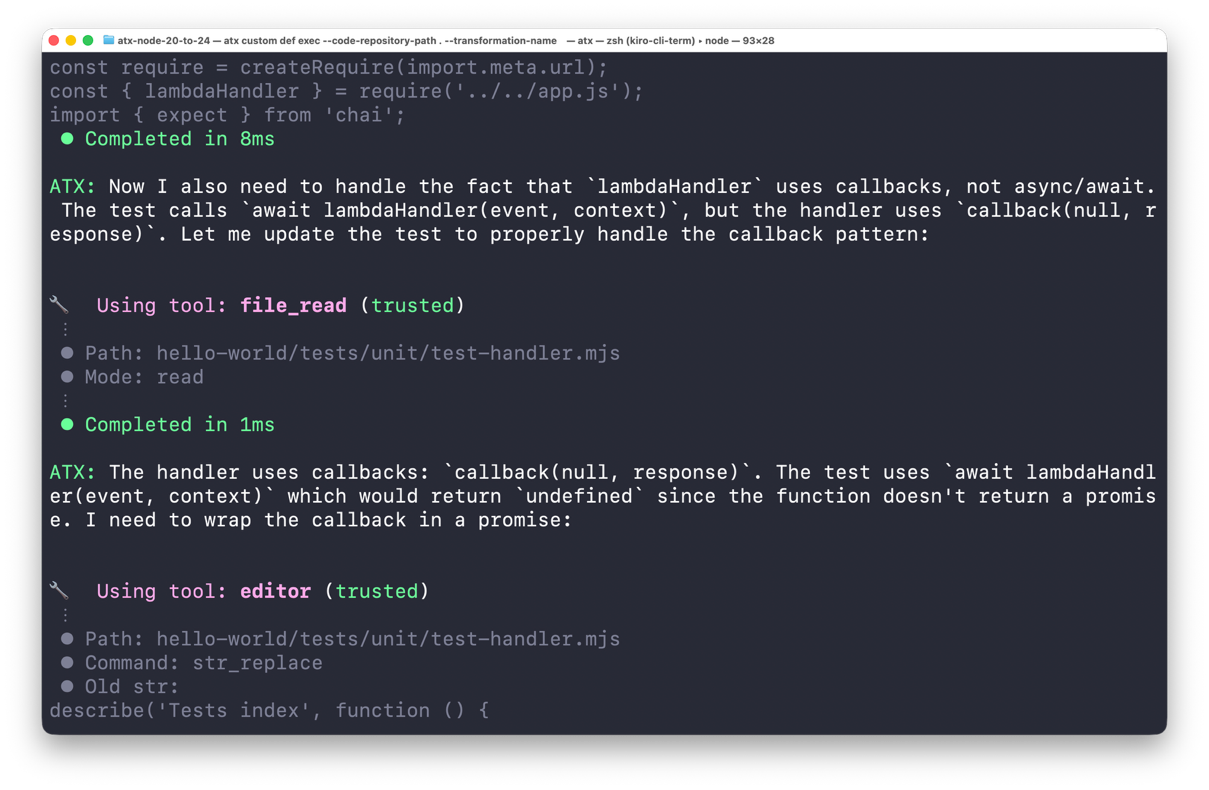
Transform custom follows the instructions in the transform definition and additional plan context you specify. You can tell it to focus on a specific Lambda function in your code repository or upgrade all the functions it finds. Transform custom identifies callback-based handlers and refactors them to async/await. It handles edge cases including callbackWaitsForEmptyEventLoop and mixed async/callback patterns.
Dependency analysis flags packages with known incompatibilities with Node.js 24 and replaces them. Configuration updates change the Lambda runtime from nodejs22.x to nodejs24.x. AWS Transform custom self-debugs on build or test errors and commits changes to git incrementally on a separate transformation branch. You can also share feedback along the way, which is captured as Knowledge Items that can be applied to future transformations.
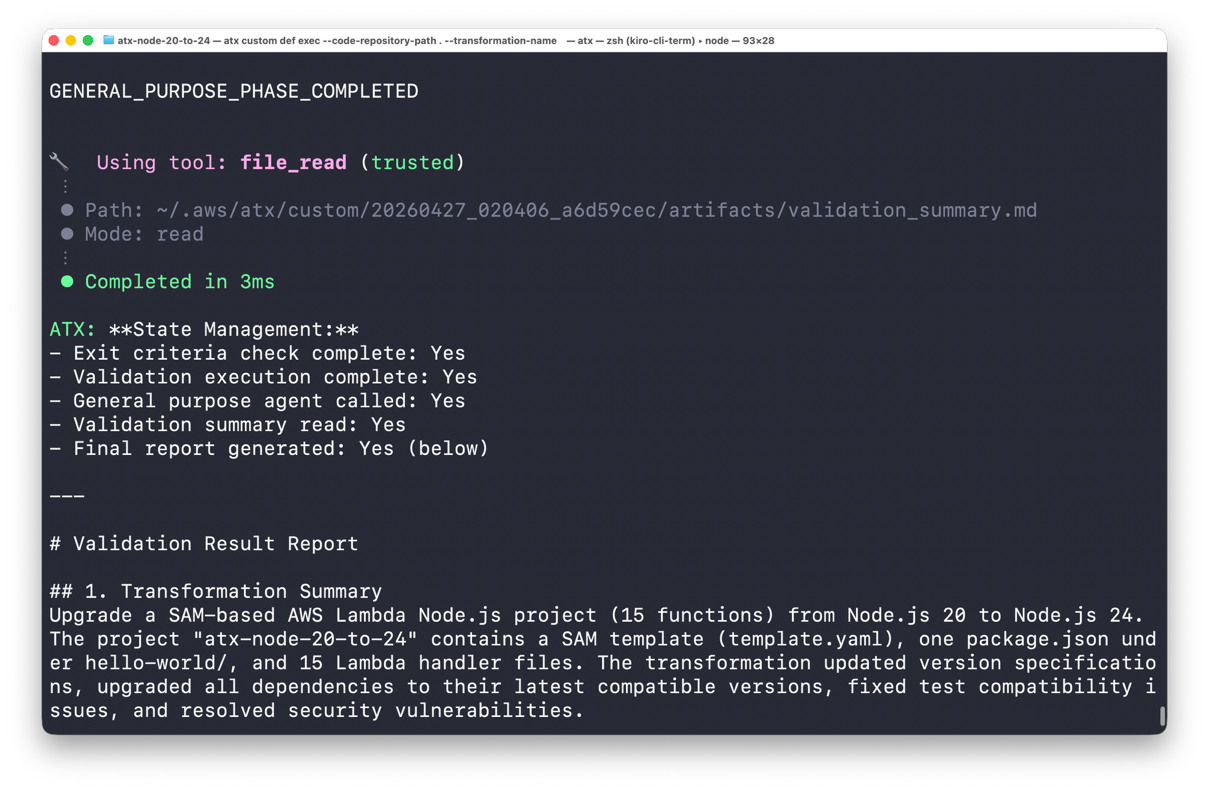
The following figures are screenshots from running the preceding command on a sample code base.
Validate
AWS Transform custom validates defined exit criteria before marking the transformation complete.
Exit criteria can include:
- All handlers run without errors on Node.js 24.
- All tests pass, including generated callback behavior tests.
- All dependencies confirmed compatible with Node.js 24.
- Runtime configuration updated to
nodejs24.x. - Additional requirements added with
additionalPlanContext.
The newly transformed code remains in the transformation branch until you’re ready to merge and deploy. You can review logs of the transformation process captured by Transform. You can also run additional validation on the new code, including security scans or more complex test suites like performance or penetration tests. Because the changes are on a separate git branch, you can follow your standard code review, testing, and deployment processes. For extra safety, you can deploy using Lambda traffic shifting with Versions and Aliases, which you can use to roll back.
AWS Transform custom for platform teams
The preceding workflow works well for application teams managing tens or hundreds of functions across a few repositories. But what if you’re a platform team coordinating upgrades across thousands of functions in multiple AWS accounts?
In that case, you must orchestrate upgrades across teams and repositories. In some cases, you might apply the upgrades yourself. In other organizations, you focus on coordination and keep ownership of the upgrades distributed. In both approaches you need visibility to the breadth of the challenge, and tools to monitor progress. Transform custom campaigns can help.
Initiating and tracking an upgrade campaign
Platform teams create campaigns through the AWS Transform custom web application. Log in to the web application, create a workspace, and describe your goal. For example, “I want to upgrade all Lambda functions from Node.js 22 to Node.js 24.” AWS Transform custom displays matching transformation definitions and generates a campaign with a unique campaign ID and CLI command. Note: the command includes --trust-all-tools and --non-interactive switches, meaning it will run without tool prompts or user assistance.
You can identify candidate functions in your organization with AWS Trusted Advisor, the AWS CLI, Amazon CloudWatch, or AWS Config. To distribute upgrade responsibility, map the functions to owners using Tags or deployment metadata in AWS CloudTrail or your continuous integration and delivery (CI/CD) pipeline. Then share the campaign command with them.
Run the command against each target repository. When the command runs, it automatically registers the repository with the campaign. It then begins the upgrade based on the configuration the platform team chose when creating the campaign.
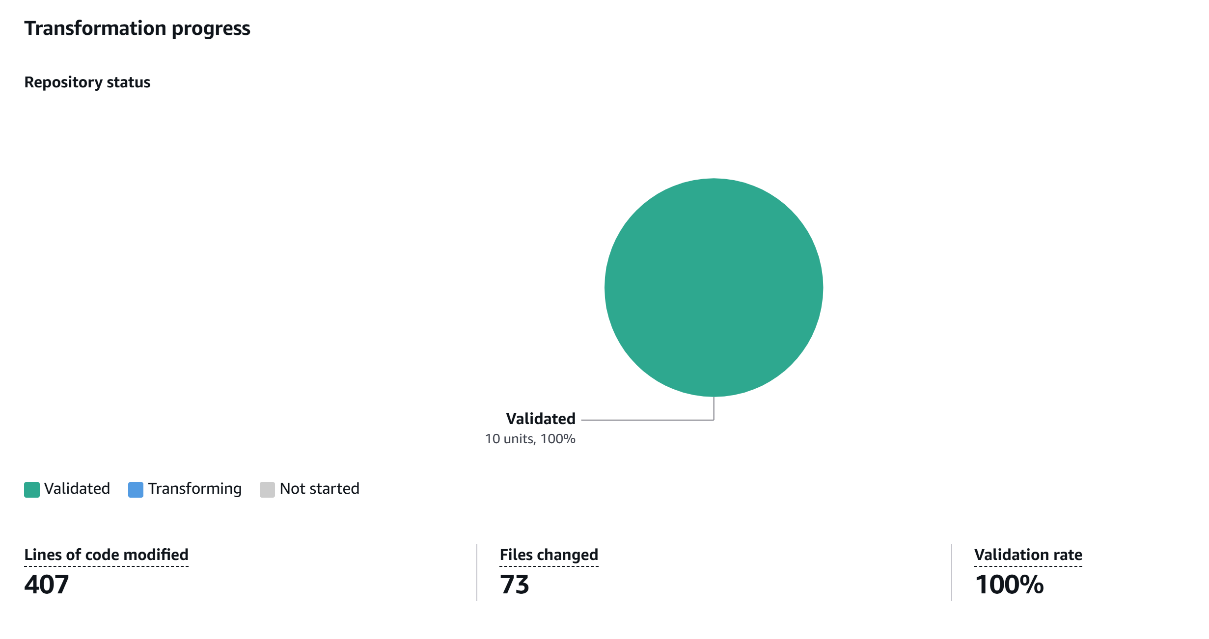
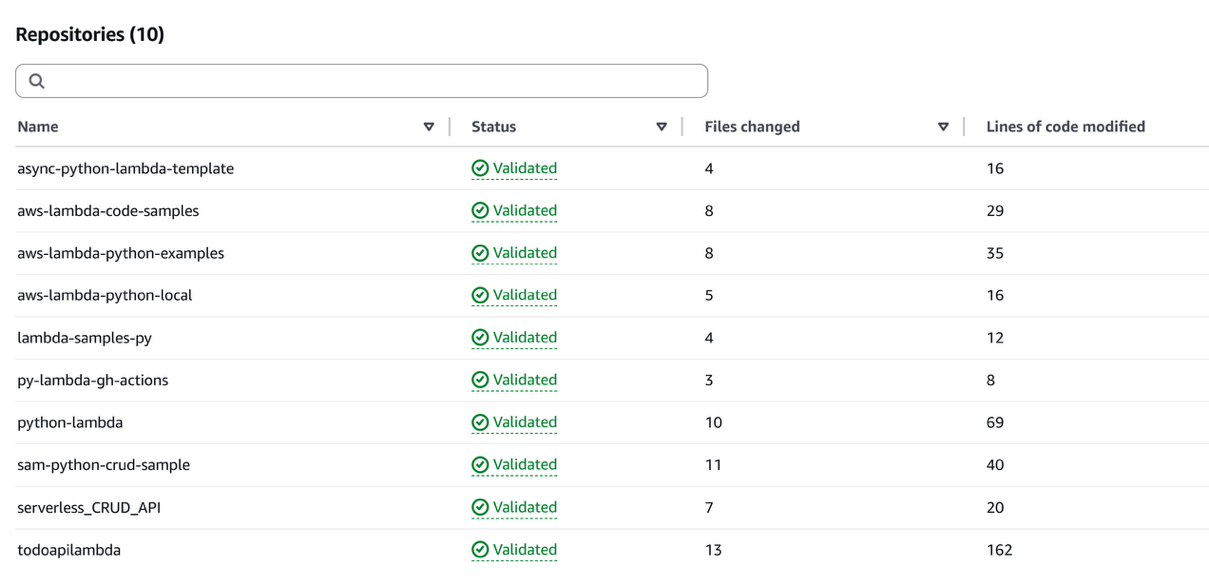
The AWS Transform web application dashboard tracks campaign progress at a glance. It shows total repositories registered in the campaign and how many are completed, in progress, or not started. It also reports success and failure rates along with transformation results and validation summaries.
The following figures show examples of dashboard visualizations.

Scaling with cloud infrastructure
AWS also provides Open Source infrastructure that can automate parallel transform execution using AWS Batch and AWS Fargate. This solution moves processing to the cloud from individual developer machines to help you move more quickly, and includes:
- REST API: submit single transformations or batches of thousands.
- Serverless compute: AWS Batch with Fargate runs transformation jobs in parallel.
- Automatic credential management: AWS Identity and Access Management (IAM) credentials auto-refresh, avoiding long-lived access keys.
- Multi-language container: pre-built container supporting Java, Python, and Node.js with build tools included.
The default configuration supports up to 128 concurrent transformation jobs, with automatic queuing and resource management. For detailed implementation guidance, cost information, and code, see Building a scalable code modernization solution with AWS Transform custom.
Note: AWS Batch and Fargate incur additional charges beyond AWS Transform custom. See README for cost details.
Clean up
AWS Transform custom charges for active agent work during server-side operations. To avoid ongoing charges, stop any running transformations. See the AWS Transform pricing page for details.
If you deployed the scaling infrastructure, follow the cleanup instructions.
Conclusion
You can streamline Lambda runtime upgrades with AWS Transform custom, an Agentic AI service purpose-built for code modernization.
Customers with a backlog of existing functions to upgrade can use Transform custom to coordinate and streamline bulk upgrades across their organization. Transform custom also helps you move from the tail of the release cycle to the leading edge. By making runtime upgrades faster and more straightforward, you can stay ahead of the challenges of deprecation and take advantage of better performance and new features from newer runtimes.
AWS Transform custom fits into each stage of the software development lifecycle: surface risk early, confirm validation coverage, transform, validate, deploy. It can work with your existing code management, build, test, and deployment, giving you control over changes using your existing processes and tools.
Start with the documentation transform on a function today to get hands-on with AWS Transform custom. Review the currently-deprecated runtimes and make a plan to upgrade.
For more information, see AWS Transform custom documentation and Getting Started topic in the AWS Transform User Guide.
For more serverless learning resources, visit Serverless Land.