Artificial Intelligence
Developers can now access SageMaker Studio through the new AWS experience
Today, we’re excited to announce that new Amazon SageMaker AI customers can now land inside a fully configured Amazon SageMaker Studio environment in only a few steps after signing up for AWS. You can use a sign-in method that you already have, such as Amazon, Apple, GitHub, Google, or an email address. You don’t need to set up an advanced AWS account, enter a credit card (for most customers), or configure an environment manually. New customers also receive $100 in AWS Free Tier credits that work across SageMaker AI, including model customization, training jobs, Studio notebooks, and endpoint deployments.
This post follows on from our previous post, From Hugging Face to Amazon SageMaker Studio in One Click, which introduced deep links from Hugging Face model pages directly into SageMaker Studio workflows. Earlier this year, we also sped up Studio environment creation time from 2 minutes to about 20 seconds and pre-configured model customization permissions in every new Studio domain. Together, these changes removed much of the friction after a developer reached Studio. One major hurdle remained before they got there: creating an AWS account. New customers had to verify an email address, enter contact information, verify a phone number, provide payment details, and select a support plan before they could start building. For individual developers and small startup teams used to signing in and building within a few minutes, that was still a significant barrier.
What’s new
With this launch, SageMaker Studio is now integrated with the updated AWS sign-in and sign-up experience, which introduces new options for creating and managing AWS accounts along with simplified collaboration. New customers can create an account using an identity that they already have and start building in SageMaker Studio right away.
New sign-in experience
New customers can now sign up using their Google, GitHub, Apple, or Amazon account, or with an email address, in 2–3 steps. You don’t need to complete the advanced AWS account sign-up, verify a phone number, or enter a credit card (for most customers):
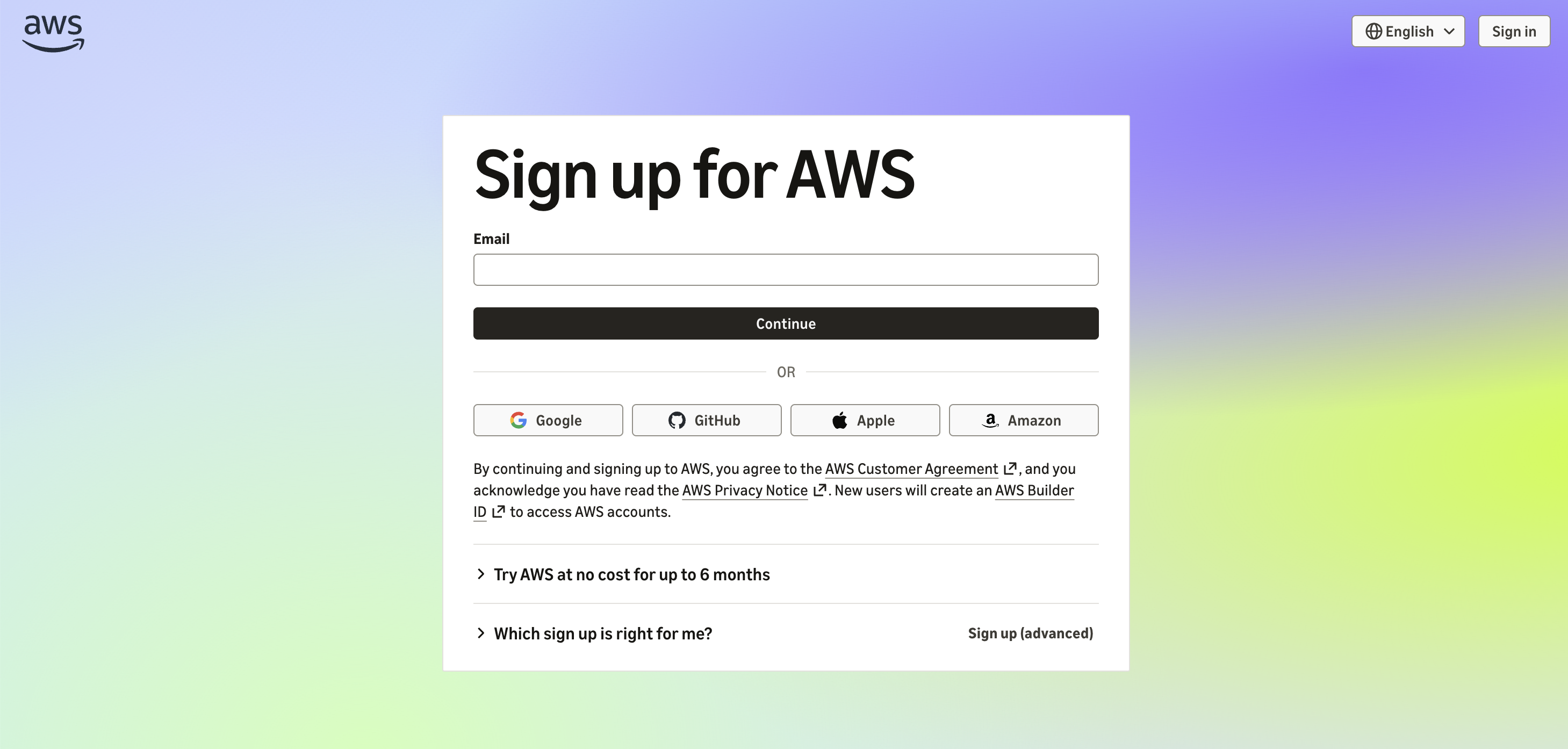
Figure 1: The Sign up for AWS page with social sign-on options
After you sign up, SageMaker AI automatically creates your Studio environment in about 20 seconds. You then land on the page that matches where you started. For example, you might discover and select a model from Hugging Face for deployment through Deploy on SageMaker AI. Studio then opens the Deployment page with the model pre-configured for endpoint creation:
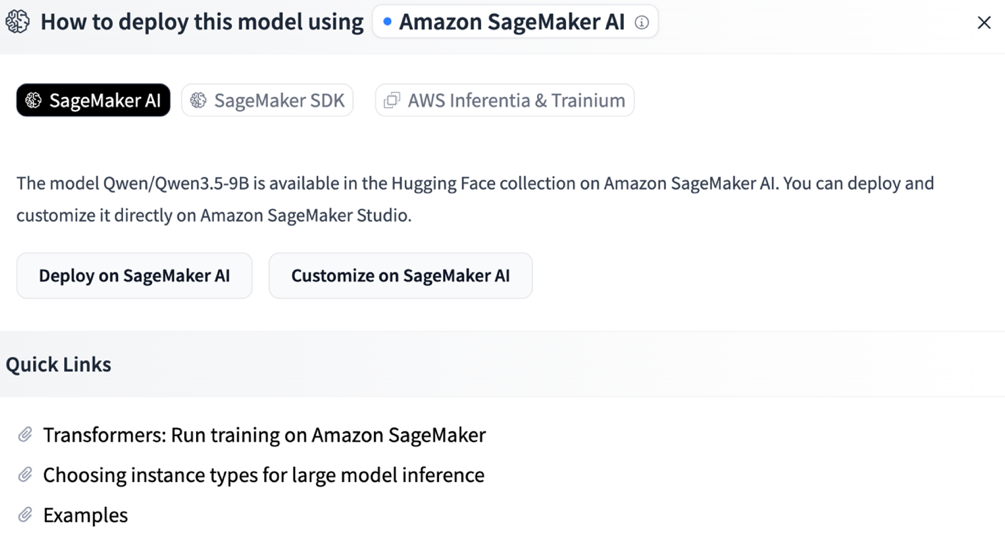
Figure 2: Deploying a Hugging Face model on Amazon SageMaker AI
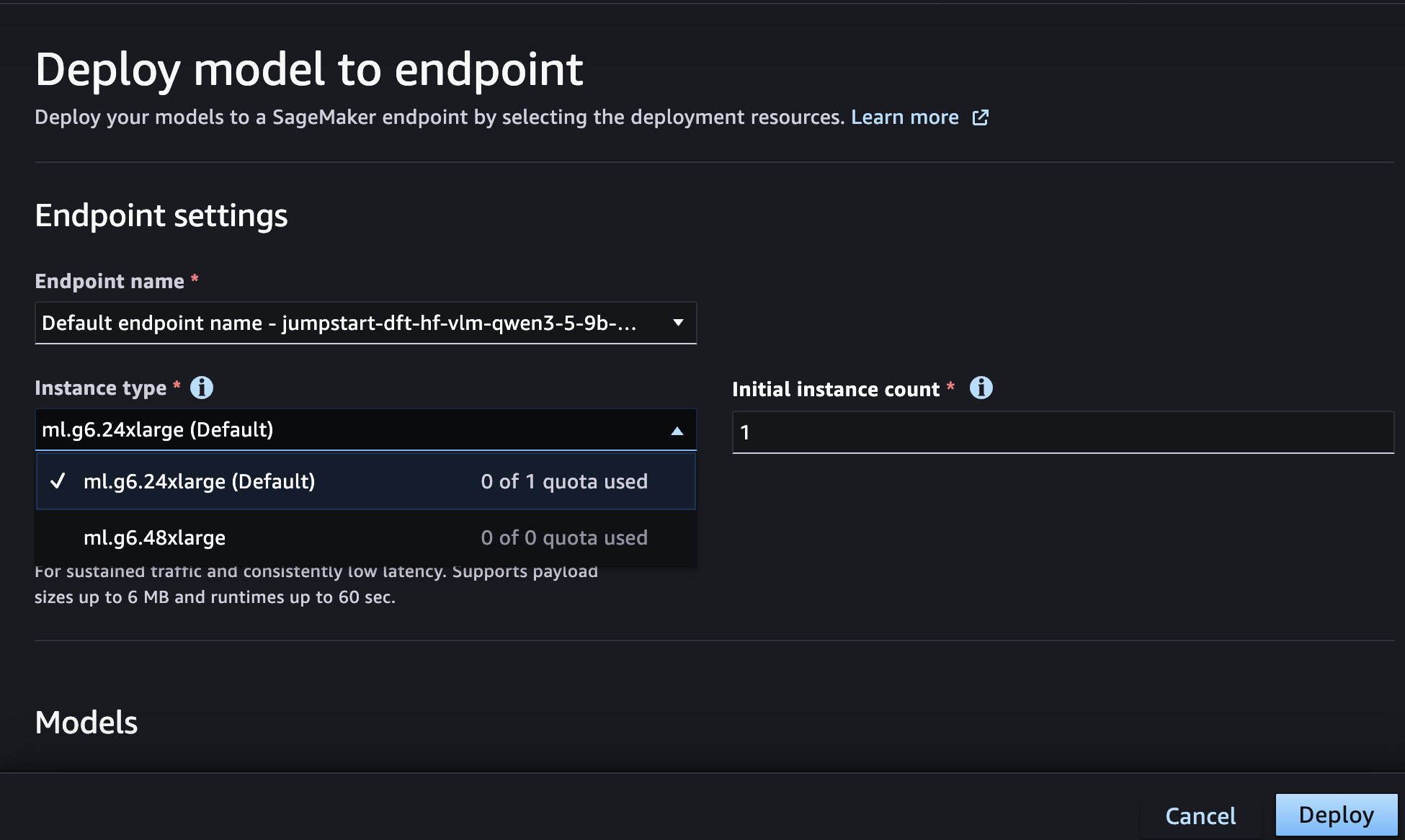
Figure 3: Configuring endpoint settings in SageMaker Studio
Up to $200 in Free Tier credits, no credit card required for most customers
New customers receive $100 in AWS Free Tier credits that work across SageMaker AI, including endpoint deployments, model customization, Studio notebooks, and model training. You also have the chance to earn an additional $100 worth of credits. Credits are applied automatically to your usage, and you receive an email notification as you approach your limit. The Free Tier period ends after 6 months or when you’ve used all your credits, whichever comes first. At that point, resource usage stops automatically, so you won’t be surprised by unexpected charges. You can upgrade to a paid plan at any time by adding payment details.
Built on the foundations of previous launches
New environments created through the new sign-in experience include the improvements from earlier launches. Permissions for model customization, training, evaluation, and deployment are pre-configured, so you don’t need to create AWS Identity and Access Management (IAM) roles. Eligible accounts get default access to G5, G6, and G4dn GPU instances for endpoints, training jobs, and Studio notebooks. Additionally, the instance selection menu in Studio shows quota availability, so you can quickly see which instance types are available for use.
Getting started
You can try the new sign-in experience today:
- Browse models on Hugging Face, choose Deploy, select Amazon SageMaker AI and then choose Customize on SageMaker AI or Deploy on SageMaker AI on a supported model. Alternatively, visit the Amazon SageMaker Studio page and choose Get started with Amazon SageMaker AI.
- On the AWS sign-in page, choose Google, GitHub, Apple, or Amazon, or enter your email address, and follow the prompts to create your account in a few steps.
- Land in your fully configured SageMaker Studio environment and start building with your Free Tier credits.
The new sign-in experience is available for new AWS accounts. If you already have an AWS account, there’s no change to how you sign in.
Conclusion
The new sign-in experience removes the last major hurdle between discovering and building with Amazon SageMaker AI. Combined with faster environment creation, pre-configured permissions, deep links from Hugging Face, and default GPU access, individual developers can get started quickly. Startup teams can now go from finding a model to customizing or deploying it in minutes, using an identity they already have.
To get started, visit aws.amazon.com/sagemaker/studio or explore models on Hugging Face.