
Sold by: Tailscale
Deployed on AWS
Free Trial
AWS Free Tier
Modern Networking for Secure and Effortless Connectivity
Tailscale is a secure, identity based networking solution built on the WireGuard® protocol, allowing for seamless and encrypted connectivity across any infrastructure.
Tailscale offers businesses a modern VPN alternative that simplifies networking, supports multi-cloud environments, and ensures secure remote access for distributed teams and device-and it takes minutes-not days-to deploy.
4.5
Overview

Tailscale provides end-to-end encrypted networking across platforms, providers and infrastructure. With its zero-configuration setup, it replaces legacy VPNs, powers Zero Trust Network Access (ZTNA), and supports Secure Access Service Edge (SASE) initiatives by streamlining software-defined networking and security operations. Identity-Based Access Control: Manage network access with user and service identities, not just IP addresses. Integrates with Google, Microsoft Entra ID, Okta, and other leading identity providers for intuitive access control. Flexible Topology: Transition to a zero-trust architecture and define your network as needed peer-to-peer, mesh, or subnet-connected. Avoid single points of failure with Tailscale's decentralized architecture. Resilient Networking: Ensure connectivity even across NATs, firewalls, and network changes. With MagicDNS and static IPs, your devices are always addressable.
For Enterprise pricing, a custom EULA, or private contract, please contact aws-marketplace@tailscale.com for a private offer.
Highlights
- Fast Deployment: Start in minutes without re-architecting your network.
- Secure-by-Default: End-to-end encryption, no visible traffic, and API keys that expire automatically
- No Single Points of Failure: Decentralized, peer-to-peer connectivity for low-latency and high-resilience networks.
Details
Sold by
Delivery method
Deployed on AWS
New
Introducing multi-product solutions
You can now purchase comprehensive solutions tailored to use cases and industries.

Features and programs
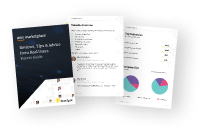
Buyer guide
Gain valuable insights from real users who purchased this product, powered by PeerSpot.
Financing for AWS Marketplace purchases
AWS Marketplace now accepts line of credit payments through the PNC Vendor Finance program. This program is available to select AWS customers in the US, excluding NV, NC, ND, TN, & VT.

Pricing
Free trial
Try this product free according to the free trial terms set by the vendor.
Pricing is based on actual usage, with charges varying according to how much you consume. Subscriptions have no end date and may be canceled any time.
Additional AWS infrastructure costs may apply. Use the AWS Pricing Calculator to estimate your infrastructure costs.
Dimension | Description | Cost/unit |
|---|---|---|
starter | Starter (per active user/month) | $6.00 |
premium | Premium (per active user/month) | $18.00 |
Vendor refund policy
All fees are non-cancellable and non-refundable except as required by law.
Custom pricing options
Request a private offer to receive a custom quote.

Legal
Vendor terms and conditions
Upon subscribing to this product, you must acknowledge and agree to the terms and conditions outlined in the vendor's End User License Agreement (EULA) .
Content disclaimer
Vendors are responsible for their product descriptions and other product content. AWS does not warrant that vendors' product descriptions or other product content are accurate, complete, reliable, current, or error-free.
Delivery details
Software as a Service (SaaS)
SaaS delivers cloud-based software applications directly to customers over the internet. You can access these applications through a subscription model. You will pay recurring monthly usage fees through your AWS bill, while AWS handles deployment and infrastructure management, ensuring scalability, reliability, and seamless integration with other AWS services.
Resources
Vendor resources
Support
Vendor support
AWS infrastructure support
AWS Support is a one-on-one, fast-response support channel that is staffed 24x7x365 with experienced and technical support engineers. The service helps customers of all sizes and technical abilities to successfully utilize the products and features provided by Amazon Web Services.
Similar products

Tailscale is a programmable networking software built on the WireGuard® protocol that ensures seamless connectivity, control, and end-to-end security between any resource on any infrastructure.
This product has charges associated with it for seller support. The Hossted Platform offers an intuitive dashboard and CLI that delivers comprehensive security, monitoring, logging, and applicative insights.

This product has charges associated with it for hardening, security configuration, and support.
Headscale is the open-source, self-hosted implementation of the Tailscale control plane - run a private WireGuard-based mesh VPN without sending coordination metadata or auth flows through Tailscale's hosted infrastructure. Unlike bare Headscale AMIs that ship without a default user, no pre-auth key, and the gRPC/metrics interfaces exposed, this Lynxroute build is ready out of the box: noise key per instance, default user and reusable pre-auth key created at first boot, gRPC and Prometheus metrics bound to loopback, and a CIS Level 1 hardened Ubuntu 24.04 LTS base.
BSD-3-Clause license - fully auditable, no vendor lock-in.

Pre-configured Hermes Agent AI with browser automation, Docker, Tailscale, Caddy, and developer tools. SSH in, run hermes setup, start building with AI.
Customer reviews
Johnathan B.
Tailscale Transformed My Workflow with Secure, Effortless Setup
Reviewed on May 12, 2026
Review provided by G2
What do you like best about the product?
I absolutely love Tailscale, and it has fundamentally changed my development workflow. As a Full Stack Developer, I rely on its seamless networking capabilities to securely access internal resources from anywhere. The ease of setup, combined with the wide range of support available, has been fantastic. It feels incredibly secure, is very well-documented, and is extremely easy to use, typical of the best tools in this space. I use the free tier which has been more than sufficient for the needs of my business.
What do you dislike about the product?
I personally don't have any negatives when it comes to using Tailscale. It checks literally all my boxes.
What problems is the product solving and how is that benefiting you?
Tailscale addresses a critical need: secure, seamless remote access without the complexity of traditional VPNs. In my current workflow, I rely on AI agents to support my development tasks, so I need instant, trusted access to my local environment. Tailscale enables this by letting me securely expose my dev stack in under a minute. As a result, I spend far less time on setup, and my AI-assisted workflow stays secure and uninterrupted whether I’m working from home or from another location.
Deven Rouse
Secure remote access has simplified my home lab and now routes all my mobile traffic through it
Reviewed on May 09, 2026
Review provided by PeerSpot
What is our primary use case?
My main use case for Tailscale is connecting me to my home lab, which serves as my front-end infrastructure, whereas I use ZeroTier for back-end infrastructure for connecting things such as IOT devices and personal servers.
A specific example of how I use Tailscale with my home lab is that it allows me to easily provide secure access from myself to my home lab while on the go. This does more than just connect me with my servers; it allows me to run all of my internet traffic on my devices while on the go through my router as the exit node, which allows me to use AdGuard as my DNS server and my home firewall. Overall, it makes me more secure on the go and prevents me from often having to use HTTPS on many of my personal services because Tailscale encrypts traffic already, making HTTPS sort of irrelevant in that specific use case.
What is most valuable?
The best features Tailscale offers are its encrypted tunnel and easy setup VPN, which are common across your space. I personally love two specific things that differentiate Tailscale: the automatic HTTPS setup, which means you don't have to deal with certificates or anything similar, and the ability to use exit nodes very easily, which is a super useful feature.
The automatic HTTPS setup and easy node management have helped me in my daily workflow because I have an automation on my iPhone that runs as soon as I disconnect from my home network, allowing me to tunnel my cellular data through Tailscale back to my home lab and run my router as an exit node. This means I can use AdGuard for my DNS to block anything from malware to ads in general. The HTTPS setup is super useful for another use case I had where I was building an AI German teacher for myself, allowing communication to happen because most browsers require HTTPS for such connections. Not having to set up certificates and simply using the Magic DNS URL with HTTPS on the Tailscale side was super time-saving and useful.
Tailscale positively impacts my organization because I can feel incredibly secure on the go without worrying about opening ports on any routers. It makes an incredible amount of sense for my use, and I wish I could use it more in my role at ADP, though they generally manage that externally through Cisco. But I give my sign-off to advertise to them.
What needs improvement?
The only improvement I see for Tailscale is that I would love to check out Headscale to fully host it on my own infrastructure. However, I think it is a really great product as is. It is easy to set up, and since it uses WireGuard on the back end, it is quite fast. I would love to see a diagram that gives me clearer visibility into how I connect to each node, as I often find I connect to non-direct routes to individual servers, and a visual representation of that would make it easier to visualize.
For how long have I used the solution?
I have been using Tailscale for about five years.
What do I think about the stability of the solution?
Tailscale is stable most of the time, as I occasionally see dropouts. However, I appreciate receiving notifications about drops, which I almost never notice myself. Occasionally, I see on my router that the exit node has gone dark, but I don't notice that in practice.
What do I think about the scalability of the solution?
Tailscale's scalability is very good, with the visibility and ability to access metrics making it easy to scale upward, although I have limited experience with that as I have under 100 devices, around 20.
How are customer service and support?
I have never had to use customer support because the product is that good.
Which solution did I use previously and why did I switch?
I previously used ZeroTier for my back-end services, and I think that is the number one one-to-one competitor within your space. I switched from ZeroTier to Tailscale for two reasons: it was much easier to set up Tailscale, and while ZeroTier still has value, Tailscale makes more sense for the speed, visibility, and overall functionality, especially with exit nodes being easier to use.
How was the initial setup?
Tailscale is incredibly easy to use, and I will always sing its praises. It has made my life a lot easier. I was originally an early adopter of ZeroTier and championed that for a long while. Only in the past couple of years have I switched over to Tailscale, and it has been world-changing, making many things easier to achieve the security I was looking for on the go.
What's my experience with pricing, setup cost, and licensing?
I generally work within a free tier, as there is no reason for me to step outside of that currently.
Tailscale has definitely made it so I don't have to incur additional costs. The ability to use your servers as relay servers instead of setting up my own Headscale server is the primary reason I haven't done so far, because it makes things easy and time-saving.
Which other solutions did I evaluate?
Before choosing Tailscale, I evaluated ZeroTier again. The only reason I haven't moved my entire infrastructure to Tailscale is cost. I can utilize free accounts on both Tailscale and ZeroTier, allowing me to build a back-end infrastructure for my family without paying for an entire organization account. ZeroTier operates on a device-based quota, while Tailscale uses an account-based quota.
What other advice do I have?
A specific example of how I use Tailscale with my home lab is that it allows me to easily provide secure access from myself to my home lab on the go. This does more than just connect me with my servers; it allows me to run all of my internet traffic on my devices on the go through my router as the exit node, which allows me to use AdGuard as my DNS server and my home firewall. Overall, it makes me more secure on the go and prevents me from often having to use HTTPS on many of my personal services because Tailscale encrypts traffic already, making HTTPS sort of irrelevant in that specific use case. I would rate this product a 10 out of 10.
Adeniyi Stephen
Secure access control has simplified global developer connectivity and protected internal services
Reviewed on May 04, 2026
Review from a verified AWS customer
What is our primary use case?
My main use case for Tailscale is to whitelist connections using the exit node to whitelist certain connections to public addresses. I also use it to access internally exposed load balancers and to gatekeep certain services within the VPN.
For accessing internally exposed load balancers or whitelisting connections, we may have a GKE Kubernetes cluster set up with an authorized network, meaning access is restricted to authorized networks and a VPN Gateway IP that can only access it from the public internet. To give a developer access to the internal IP of the control plane without exposing it publicly, we install a Tailscale operator in the cluster. Once the Tailscale operator is installed, we expose the internal IP of the cluster through one of the pod operators as a subnet router. When developers connect their Tailscale client, they can access the cluster locally without routing through the public internet.
Tailscale can also be used for whitelisting. For instance, if we have a service in the Kubernetes cluster exposed externally through Traefik, NGINX Ingress, or a Gateway and certain users need access, we can set up exit nodes for different regions. If we have users in Europe and users in America, we can set up an exit node for users in America and another for users in Europe. These exit nodes have external IPs that we can use as a whitelist in our externally exposed services. When traffic comes from those external IPs, it is allowed through. When a user connects their Tailscale client and enables one of the exit nodes, they can access the externally exposed address since it is whitelisted to those external IPs. If their Tailscale client is not connected and the exit node is not enabled, they cannot access the externally exposed service.
What is most valuable?
The best features Tailscale offers is that the access control list is good. We can separate different kinds of connections even within the tailnet, allowing developers to connect to certain IPs and services, with engineers having different access levels. Tailscale is fast as well.
The access control lists help my team by allowing us to control who accesses our services. For instance, we have some services on developer clouds where only certain users can connect. Those developer clouds are on our VPC, which is exposed with tailnets. Developers must connect to Tailscale to access the tailnet and developer cloud already exposed to the tailnet. We created groups with certain users and administrators who can access government clouds. We only have to give those groups access to those government cloud IPs, while every other developer cannot access the government cloud IP because the ACL controls this.
For speed, we can use the same ACL . If we only expose certain cluster addresses to certain developers, we open the dev cluster's local address to the developers. In some cases, we want to ensure the security team can access the cluster locally to perform audits. We can grant the security team access to the cluster in the ACL. This works very fast. With just the configuration required in the ACL, within a few seconds, we can see the access reflecting for the security team, and they have access.
In terms of how Tailscale has impacted my organization positively, it is good for security on the network side of things. It helps us connect properly. Because our company is remote globally, even if someone is in Australia and needs to connect to a cluster or any services, instead of routing through the public internet and exposing the traffic there, we can connect internally through Tailscale tailnets, and everybody is working.
What needs improvement?
Tailscale can be improved, especially with logging in. I have two tailnets, for instance, one for personal use and one for my company organization. Sometimes trying to log out of a particular tailnet and connecting to the company's Tailscale tailnet is challenging. Especially if you have been logged into one of those tailnets for a long time and want to log into another one after a few days, the login process can be tricky. Sometimes I have to restart my whole system to ensure that after I log out from one tailnet, I can effectively log into another one. The process is not as smooth as I would imagine, especially if it has been a while. We have to log out and sometimes even switch off the entire system and log back in.
I choose eight out of ten because there are other improvements that can be done with the logging. I am not a fan of the ACL in its current format. It is a JSON ACL, and perhaps if it were in YAML format, that would be better and more readable.
Aside from the logging side of things, everything is straightforward with Tailscale. The ACL can be improved by converting it from JSON format to YAML format for better readability.
For how long have I used the solution?
I have been working in my current field for three years. I have been using Tailscale for close to three or four years.
What do I think about the stability of the solution?
Tailscale is stable.
What do I think about the scalability of the solution?
We are using Tailscale at the SaaS level, so we do not scale it locally. We do not install it on premises.
How are customer service and support?
Tailscale's customer support is good and very responsive. I would rate the customer support a ten.
Which solution did I use previously and why did I switch?
Before Tailscale, we used a normal VPN like GCP Cloud VPN, for instance, which was adequate but had limitations.
What was our ROI?
I have seen a return on investment in terms of time saved and security. Time saved and security provide good returns.
What's my experience with pricing, setup cost, and licensing?
I am not involved in the pricing side of things as I am an administrator who controls Tailscale and ensures developers have access. The pricing is mostly handled by the IT and accounting team. Based on what I hear from them, it is a bit costly and can be on the expensive side.
Which other solutions did I evaluate?
We went for Tailscale straight away without considering other alternatives.
What other advice do I have?
The advice I would give to others looking into using Tailscale is that it is good for developers. Tailscale is deployed in our organization on public cloud and Kubernetes clusters. We do not have a hybrid or private cloud setup. We have it mostly on public clouds. The UI of Tailscale looks good and is not problematic. I rate this review eight out of ten overall.
Athalla Barka Fadhil
Secure access has protected critical servers and now simplifies private SSH and service sharing
Reviewed on Apr 30, 2026
Review provided by PeerSpot
What is our primary use case?
I use Tailscale to publish and as an SSH service. I secure my SSH port and then use Tailscale to SSH into my VPS. I also use Tailscale to serve private services on my VPS so my teammates can access them securely without exposing the port publicly.
Our VPS was attacked by a bot targeting our port 22 or SSH service. Our service is quite critical, so exposing it publicly would pose a danger to our services, especially our company's database. That is why I use Tailscale to secure all of our services.
I use Tailscale to secure our CI/CD pipeline as well. We do not use any SSH key anymore; we use Tailscale SSH instead. I can easily connect to a private VPS using Tailscale without needing to be there because Tailscale acts as a VPN.
What is most valuable?
The best features Tailscale offers that benefit me are the SSH services and VPN services, and how it can expose a service without publicly exposing the port or provide access control to which services are available to our teammates or made publicly available. Tailscale Serve and Tailscale SSH are the most useful features in my opinion.
We are able to share only a specific service with our teammates, which is basically a least privilege access. They will not be able to access the database, but they are able to access our monitoring log and other services.
What needs improvement?
The funnel is particularly handy. It is much similar to Cloudflare Tunnel, but it is from Tailscale. I would appreciate the ability for it to funnel many services from our VPS because as far as I know, it can only funnel one thing from our VPS, so one domain only. If you want more domains, you have to use a sidecar container, which is not quite convenient. If I were to request a feature from Tailscale, it would be to have a funnel that allows me to serve multiple services on our VPS.
Another feature I would request is a custom domain. I would like to customize my Tailscale domain other than funnel. Funnel lets you expose multiple services in your server and then you can customize the domain name for each of the services. Currently, I am only given the MagicDNS domain. If I could give Tailscale access to my DNS management, then Tailscale could customize that domain for our funnel services. I think that would be very helpful.
I am currently facing an issue where on my Mac, Tailscale does not allow me to log in to multiple accounts. It is quite hard to switch between accounts. I think that is quite critical and needs to be improved.
The desktop version on macOS does not allow me to switch between multiple accounts easily. It requires me to log in every time I want to switch accounts, and it actually creates another node for my laptop. Even though I have one laptop, it creates multiple nodes every time I switch accounts from A to B and B to A. When I switch back to my original account, it actually creates another node instead of reconnecting to the previously connected node.
For how long have I used the solution?
I have used Tailscale for about one and a half years.
What do I think about the stability of the solution?
Tailscale is very stable and I have not noticed any downtime so far.
What do I think about the scalability of the solution?
Currently, our organization is quite small, so I have not met any limits from Tailscale.
How are customer service and support?
I have not reached out to customer support because I have been able to solve everything myself and from the documentation, so I have not needed to contact customer service.
Which solution did I use previously and why did I switch?
I used fail2ban to block bots from brute-forcing our SSH service, but because it was not effective enough, I switched over to Tailscale.
How was the initial setup?
Installing Tailscale does save time in managing the firewalls because I do not need to know much about firewalls, especially UFW, as I can just install Tailscale and our server connects instantly. This saves a lot of our time.
Tailscale definitely saves me a lot of time securing our server. I do not really need to install fail2ban or CrowdSec or modify our UFW firewall. I can just install Tailscale, close many ports, and then share them with my teammates. It is really time-saving and, of course, money-saving because Tailscale's free tier is very generous.
What about the implementation team?
I have not reached out to customer support because I have been able to solve everything myself and from the documentation, so I have not needed to contact customer service.
What's my experience with pricing, setup cost, and licensing?
Tailscale is very generous with pricing. I have not met the limit at which I need to upgrade my tier, so I am currently on the free tier and I do not think I need to upgrade because the free tier is more than enough and it is very generous.
Which other solutions did I evaluate?
I went directly to Tailscale.
What other advice do I have?
It becomes much easier to share our services with our teammates without needing to handle the firewall directly. For security, it is indeed much safer now because we can close all of our ports and then just share the link to our machine with our teammates so they can access it using Tailscale VPN.
I would recommend trying Tailscale. Use the managed Tailscale service because its free tier is very generous, and then you can avoid modifying the firewall and completely migrate your entire infrastructure to using Tailscale VPN. I would rate this experience a 9 out of 10.
Filipovikj Filipovich
Secure access to home servers has transformed how I work with local models and client projects
Reviewed on Apr 30, 2026
Review provided by PeerSpot
What is our primary use case?
My main use case for Tailscale is the accessibility and simplicity that it offers me to access my servers from anywhere, as well as my local computer and local LLM models. I can access them from anywhere on the network. When I'm doing testing, developing, or handling sensitive data that I don't want to be in the cloud, I can always access my home setup and process the data as required. Additionally, when I was setting up my Kubernetes cluster, I considered Tailscale as a solution for the interconnectivity between the bare metal node and the Oracle virtual machines that I have, which are isolated.
Tailscale helps with accessing my local models and sensitive data due to the simplicity of setting up everything. Even for non-technical people, it's easier to set up. I have my setup with my phone, my laptop, and my servers connected. When I need to work with a client or as a consultant, if they are remote and don't have the technical capabilities to access their infrastructure network, it is as simple as that. I just send them a script showing how to install and what to click to join my Tailscale organization. Then I have access to their system easily.
Tailscale has made things easier for presenting, setting up, and sharing files. When I'm working on a project or building an application in React and want to present the UI, even though it's locally hosted, I can serve it on Tailscale and share the Tailscale link that is accessible from the public so the client can see the work in progress. It has also been useful to use the serve feature for sharing files. If I need to share a specific larger file, I would put it on a share and send the link to a friend or coworker so they can download the file. When the process is finished, I can simply stop the sharing.
What is most valuable?
My opinion about the best features Tailscale offers includes accessibility, simplicity, the file serve feature, and the ability to share internal routes. I can set up access to anything at home. Tailscale will advertise the routes inside the network so you can reach any part of the network without any issues, and it provides the control to isolate everything. I also see they have a new feature called lockout that I want to try.
Tailscale has positively impacted my organization with shorter time for setting up connections and improved accessibility. Even when a non-technical person needs help, I can assist them much faster than explaining the process to them.
What needs improvement?
I don't have any particular ideas or additions about the features. It was nice for the service discovery that I used in the cluster because you can connect and use auto service discovery, but I haven't implemented that much because the complexity of the networking that I have sometimes caused issues.
I haven't thought much about how Tailscale can be improved.
For how long have I used the solution?
I have been using Tailscale for something more than two years.
What do I think about the stability of the solution?
In my experience, Tailscale is stable.
What do I think about the scalability of the solution?
Tailscale's scalability is great.
How are customer service and support?
I find Tailscale's customer support to be good.
Which solution did I use previously and why did I switch?
I did not previously use a different solution.
What was our ROI?
I cannot provide input on whether I have seen a return on investment with Tailscale since I used the free version.
What's my experience with pricing, setup cost, and licensing?
I'm using the free version of Tailscale, so I didn't have any experience with the pricing.
Which other solutions did I evaluate?
Before choosing Tailscale, I evaluated other options by looking at Teleport but for a different solution. For networking mainly, I use WireGuard tunnels, which are peer-to-peer connection point-to-point.
What other advice do I have?
My advice to others looking into using Tailscale is to try it. It's simple to set up and simple to connect your applications from anywhere. I would rate this product an 8 out of 10.