
Sold by: Barracuda Networks
Application Protection Advanced is a cloud native WAF that secures apps and APIs against the OWASP Top 10, DDoS, Zero day attacks, and more, with 1 touch deployment for complete protection control.
4.2
Overview
Barracuda Application Protection Advanced is a cloud-native WAF that enables anyone to protect their web applications and JSON APIs against the OWASP Top 10, DDoS, zero-day attacks, and more in just minutes. Barracuda's enterprise proven security can be configured with zero expertise via a simple 3 step configuration wizard. More advanced users can maintain complete control over fine tuning specific policies with an intuitive component-based structure and vast library of specific components including cookie tampering, response clocking, clickjacking protection, and more, that can be added or removed in just a single click. Fully featured REST API and automated vulnerability remediation built in enables near endless automation options for DevOps and SecOps teams alike.
AWS customers, or even organizations who are considering AWS, can take advantage of AWS Private Offers https://www.barracuda.com/solutions/aws/private-offer to receive a specialized price quotation from Barracuda, allowing you to negotiate terms, conditions, even discounts, either directly or through your trusted partner.
Highlights
- Barracuda Vulnerability Remediation Service is built in and provides automatic vulnerability detection and remediation which can be scheduled, ensuring ongoing protection without any administrative overhead.
- Cloud-native, and runs in over 60 PoPs worldwide, enabling you to establish protection where your applications and APIs live, allowing you to gain comprehensive protection without introducing any application latency.
- Includes unmetered DDoS protection to defend against the full spectrum of L3-L7 DDoS attacks ensuring the availability of your web apps.
Details
New
Introducing multi-product solutions
You can now purchase comprehensive solutions tailored to use cases and industries.

Features and programs
Buyer guide
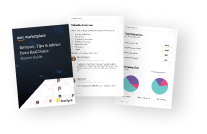
Gain valuable insights from real users who purchased this product, powered by PeerSpot.
Financing for AWS Marketplace purchases
AWS Marketplace now accepts line of credit payments through the PNC Vendor Finance program. This program is available to select AWS customers in the US, excluding NV, NC, ND, TN, & VT.

Pricing
Pricing is based on the duration and terms of your contract with the vendor, and additional usage. You pay upfront or in installments according to your contract terms with the vendor. This entitles you to a specified quantity of use for the contract duration. Usage-based pricing is in effect for overages or additional usage not covered in the contract. These charges are applied on top of the contract price. If you choose not to renew or replace your contract before the contract end date, access to your entitlements will expire.
Additional AWS infrastructure costs may apply. Use the AWS Pricing Calculator to estimate your infrastructure costs.
Dimension | Description | Cost/month |
|---|---|---|
AppProtectAdvanced | Application Protection, Advanced, First Application | $620.00 |
Dimension | Cost/unit |
|---|---|
Each Additional Application - Advanced (per hour) | $0.17 |
Dimensions summary
This listing bills on a contract basis and scales by the number of applications you protect. You start with the AppProtectAdvanced dimension, which covers your first application under the Advanced plan. To secure more applications, you add the Each Additional Application - Advanced dimension, priced per hour for each extra application. Your total cost grows in step with how many applications you onboard. Both dimensions deliver the same Advanced-level protection, so the structure is a base application plus per-application add-ons rather than separate feature tiers.
Top-of-mind questions for buyers
One application is a single web app or API that you onboard for protection. The first application bills under AppProtectAdvanced. Each additional app you onboard bills separately under the per-hour Advanced dimension. Applications protected by the Advanced plan share a public IP address.
Each additional application meters by the hour it stays onboarded. Charges accrue for the time each extra app is active on the platform. If you onboard several applications, each adds its own hourly charge, so cost tracks how many apps run and how long they run.
Yes. Both the first application and each additional application receive the same Advanced-level protection. This covers OWASP Top 10 defense, DDoS protection, bot detection, API security, and secure application delivery. The dimensions differ only in whether they cover your first app or an added one.
www.barracuda.com
Helpful?
Vendor refund policy
Please see Barracuda's website.
Custom pricing options
Request a private offer to receive a custom quote.

Legal
Vendor terms and conditions
Upon subscribing to this product, you must acknowledge and agree to the terms and conditions outlined in the vendor's End User License Agreement (EULA) .
Content disclaimer
Vendors are responsible for their product descriptions and other product content. AWS does not warrant that vendors' product descriptions or other product content are accurate, complete, reliable, current, or error-free.
Delivery details
Software as a Service (SaaS)
SaaS delivers cloud-based software applications directly to customers over the internet. You can access these applications through a subscription model. You will pay recurring monthly usage fees through your AWS bill, while AWS handles deployment and infrastructure management, ensuring scalability, reliability, and seamless integration with other AWS services.
Support
Vendor support
Barracuda's award-winning technical support is available 24x7 worldwide.
Support Phone Numbers: North America - 408 342 5300 Europe - +44 (0) 1256 300 102 Australia - +612 8019 7254 China - +86 400 720 8200 Japan - +81 3 5436 6236 India - +91 804 904 8600 Germany, Austria, Switzerland - +43 (0) 508 100 800 Support Website:https://www.barracuda.com/support Support Email: support@barracuda.com
AWS infrastructure support
AWS Support is a one-on-one, fast-response support channel that is staffed 24x7x365 with experienced and technical support engineers. The service helps customers of all sizes and technical abilities to successfully utilize the products and features provided by Amazon Web Services.
Similar products

Secure your inboxes pre- and post-delivery. Get AI-powered protection against all email threats, efficient threat hunting and incident response, and DMARC reporting.

Application Protection Premium is a cloud native WAF that secures apps and APIs against the OWASP Top 10, DDoS, Zero day attacks, along with ML based API protection and Bot protection.

Powerful email security and data protection. Get AI-powered defense against all email threats, DMARC reporting, unlimited Microsoft 365 backup, and sensitive data scanning and remediation.

Everything you need to secure Microsoft 365 email and data. Get AI-powered protection against all email threats, unlimited Microsoft 365 backup, seamless email archiving, security awareness training, and more.
Customer reviews
Vishwanath Singh
Robust protection has reduced web attacks and improves visibility into application threats
Reviewed on Jul 01, 2026
Review from a verified AWS customer
What is our primary use case?
My main use case for Barracuda Application Protection is to protect our web application from cyberattacks such as SQL injection, cross-site scripting, and bot traffic, as it functions as a web application firewall to secure our public-facing applications. I use it to protect our applications and prevent unauthorized access, and it helps me improve application security.
I use Barracuda Application Protection to block cross-site scripting by filtering malicious inputs before they reach the application. I have also set up alerting to help me investigate repeated attacks and attempts, which helps me fine-tune my security policies.
What is most valuable?
Barracuda Application Protection offers multiple best features, including the web application firewall, bot protection, DDoS protection, and API security. My favorite is the web application firewall because it automatically detects and blocks common web attacks while allowing legitimate traffic, which significantly improves application security.
Barracuda Application Protection has positively impacted my organization significantly, as it has improved our security by reducing the risk of attacks such as SQL injections and cross-site scripting while enhancing visibility into security events through monitoring and reporting. This has ultimately increased our confidence in the security of our public-facing applications.
What needs improvement?
I think Barracuda Application Protection is already a good product overall, but the user interface could be more intuitive for new administrators during policy configuration or troubleshooting with a more interactive interface. The reporting dashboard could be more customizable while providing better integration with third-party security tools along with more detailed documentation, which are my suggestions for improvement.
For how long have I used the solution?
I first used Barracuda Application Protection around my college days in 2017, when we had a per-day limit for accessing the internet. Since then, I have been very much familiar with it, and I have used it for almost nine plus years.
What do I think about the stability of the solution?
Barracuda Application Protection is stable, as in my experience, it has been quite stable without any major outages or performance issues. It consistently protects our applications while handling normal traffic loads reliably.
What do I think about the scalability of the solution?
As our application and traffic grow, Barracuda Application Protection is easy to scale by adding protection to newer applications and APIs without major changes. It reliably handles increased traffic and meets our scalability requirements, but I do not have enough hands-on experience to fairly evaluate its scalability.
How are customer service and support?
My experience with Barracuda Application Protection's customer support is good, as they are very responsive, knowledgeable, and provide timely assistance for configuration, troubleshooting, and documentation.
Which solution did I use previously and why did I switch?
We previously used another web application firewall solution, specifically a Fortinet product, but we switched to Barracuda Application Protection because it offered easier management, better integration with our cloud environment, and stronger security features.
How was the initial setup?
I find it fairly easy to configure Barracuda Application Protection for our organization, as the initial setup is very straightforward with predefined security policies based on some customized rules. I adjusted some exceptions to reduce false positives and created custom security policies for specific URLs or APIs while monitoring traffic through the dashboard to fine-tune the configurations over time. This has provided a good balance between strong security and ease of management.
What was our ROI?
We have seen a positive return on investment from Barracuda Application Protection, as it reduced the time our security team spent monitoring and responding to web application threats by around four to six hours per week. This has led to fewer security incidents post-implementation, and while we did not reduce headcount, it allowed our existing team to focus on higher-value security tasks instead of routine monitoring.
What's my experience with pricing, setup cost, and licensing?
My overall experience with the pricing, setup cost, and licensing of Barracuda Application Protection is fairly positive, as I feel the pricing is very competitive compared to similar web application security solutions. The setup costs are reasonable and the licensing model is straightforward and scalable, providing good value for the level of security and features offered.
Which other solutions did I evaluate?
Before choosing Barracuda Application Protection, we evaluated alternatives like Cloudflare and F5, as most of our networking load balancing happens on F5. While I was not directly involved in the decision, my leadership considered those options alongside Cloudflare and Imperva.
What other advice do I have?
Barracuda Application Protection is a good combination of security and ease of management, with features like web applications, API security, and DDoS protection being really helpful.
Barracuda Application Protection's AI-related governance and security are good, as the platform provides strong security control, detailed logging, and role-based access control for policy management. However, I would like to see more transparency on how AI makes decisions, and I rate the governance and security positively overall.
In my experience, Barracuda Application Protection's AI capabilities are generally accurate and reliable, as they do a good job identifying suspicious traffic and helping prioritize potential threats. However, I still review important alerts manually rather than relying solely on AI for security decisions.
My advice for others looking into using Barracuda Application Protection is to understand your application security requirements before making a decision or deployment. Take time to configure and fine-tune WAF policies, monitor alerts regularly, and test policies in a staging environment before applying them to production, as it is a good choice for organizations seeking to protect their web applications and APIs. I rate Barracuda Application Protection an eight out of ten overall.
Which deployment model are you using for this solution?
Public Cloud
If public cloud, private cloud, or hybrid cloud, which cloud provider do you use?
Amazon Web Services (AWS)
reviewer2857998
Protection has reduced web attacks and downtime but still needs fewer false positives and faster help
Reviewed on Jun 17, 2026
Review provided by PeerSpot
What is our primary use case?
My main use case for Barracuda Application Protection is that we put this in front of our web apps, normally in cloud and sometimes in on-premises to filter traffic.
A quick specific example of an application where I used Barracuda Application Protection in this way is that we had multiple use cases where we had websites such as e-commerce websites, healthcare websites, and financial websites. So we deployed Barracuda Application Protection in front of it in cloud, and it blocked a lot of DDoS protection and some credential stuffing, bots, SQL injections, and these kinds of things for us.
What is most valuable?
The best features Barracuda Application Protection offers are that it is easy to deploy. It has strong WAF rules. Bot protection is very good. Barracuda Application Protection has cloud and on-premises support, which is beneficial.
Out of those features, easy deployment stands out for me the most because when you deploy, you want to make sure you understand what you are doing. So I think easy deployment is one of the important factors and also the bot protection.
Barracuda Application Protection has positively impacted my organization by reducing the noise. It has saved our websites and applications because it sits in front of them. So that has been very beneficial.
I measured that impact by noticing fewer incidents, fewer downtimes, and better SLAs.
What needs improvement?
Barracuda Application Protection can be improved as it still has a lot of false positives in learning mode and complex tuning is needed sometimes. Their support can be slow in critical situations.
I would add that they need to work really hard on false positives because most of the time it blocks legitimate API calls and disturbs their own ruling and everything which I have to work on manually. For small businesses, there is no guideline available, so you have to work on your own.
For how long have I used the solution?
I have been using Barracuda Application Protection for around three to four years now.
What do I think about the stability of the solution?
Barracuda Application Protection is stable.
What do I think about the scalability of the solution?
Barracuda Application Protection's scalability is good.
How are customer service and support?
The customer support for Barracuda Application Protection is not very good, but it is acceptable.
Which solution did I use previously and why did I switch?
I have not used a different solution before.
How was the initial setup?
My experience with pricing, setup cost, and licensing for Barracuda Application Protection is that it was normal. Pricing and setup cost are not that much. It is normal.
Which other solutions did I evaluate?
We have not evaluated other options before choosing Barracuda Application Protection.
What other advice do I have?
My advice to others looking into using Barracuda Application Protection is that if they want something which is easy to set up, at the same time provides basic capabilities of bot protection and everything, it is a good solution as compared to AWS WAF. I would rate this product a 7.
Phakedi Mphela
AI-driven protection has reduced false positives but reporting and pricing still need improvement
Reviewed on May 26, 2026
Review provided by PeerSpot
What is most valuable?
I find the most valuable features of Barracuda Application Protection to be primarily the embedded AI, which makes our work significantly easier. The machine learning features are also excellent because you need to learn your environment and then instruct it how it should behave to stop false positives. I assess the effectiveness of Barracuda Application Protection's automated security controls in managing application security as good because they have their own scoring system. With the machine learning component, when there is a false positive, you can tell it not to block that item again, and it works effectively in that manner.
What needs improvement?
When it comes to reporting and analytics by Barracuda Application Protection, I find it adequate, but the reporting is very data-based and requires you to import it into Power BI to generate your own reporting. The reporting functionality is quite poor in its current state.
I would very much appreciate improvements to Barracuda Application Protection, particularly in the reporting function. The current reporting is very data-heavy and requires extensive analysis. They need to create reporting that I can generate and present to my directors or executives seamlessly without appearing to manipulate the data. From the client point of view, clients need to be able to log in and generate reports without us working with Power BI on the data.
Besides the reporting aspect, there is not much additional improvement that they can implement. The reporting part is very tedious. Regarding pricing improvements, I find the pricing of Barracuda Application Protection to be a concern because in our country with the Rand currency, we are less fortunate. Compared to the dollar and current inflation rates, the product becomes quite expensive for us.
For how long have I used the solution?
I have been working with Barracuda Application Protection for approximately five years.
How are customer service and support?
In terms of technical support, they are good and provide us with support where we need it. I do not see any issues in this area.
How was the initial setup?
The initial setup for Barracuda Application Protection is very straightforward, easy, and seamless. As long as you have all your APIs and integrations in place, the setup is straightforward and ready to proceed.
What other advice do I have?
I find the pricing of Barracuda Application Protection to be somewhat steep and expensive. However, it remains a good tool overall, even though the pricing is higher compared to their competitors. I would rate this review a seven out of ten.
Syed
Advanced protection has reduced security incidents and now needs smarter AI-driven defenses
Reviewed on May 05, 2026
Review provided by PeerSpot
What is our primary use case?
Barracuda Application Protection is used to protect applications from SQL injection, API abuse, and bot attacks. It solves problems related to DDoS attacks, data leakage, and zero-day threats on a daily basis.
Barracuda Application Protection is a web application and API protection platform that secures web apps, APIs, and users from threats such as DDoS and bots. For this project, Barracuda Application Protection is used for API protection, which performs application protection against SQL injection and bot attacks. It protects against DDoS attacks and also protects from data leakage and zero-day threats. Barracuda Application Protection simplifies application security management across cloud, on-premises, and hybrid environments.
Barracuda Application Protection is used because it is easy to deploy and set up. The straightforward setup process is how it is used daily. Barracuda Application Protection supports SaaS, virtual machines, hardware, and container deployments, and it provides quick implementation compared to traditional WAF. The workflow involves completing the application development part and then moving to API protection to check for particular attacks or abuse. Data leakage and zero-day threats are managed through Barracuda Application Protection.
What is most valuable?
Barracuda Application Protection includes features such as easy configurations and deployment, advanced bot protection, client-side protection, strong logging and analytics, DDoS protection, API security, and JSON protection.
The team has majorly relied on the easy configuration and deployment capabilities of Barracuda Application Protection, where it provides quick deployment when these configurations are applied. The strong logging and analytics capabilities help monitor all analytics.
Barracuda Application Protection has significantly improved security posture. It reduces the attack surface using WAF plus API protection and automates threats with machine learning-based bot protections. It has provided zero-trust access to applications, detecting and mitigating threats in real-time. A 50 to 60% reduction in security incidents has been reported after the deployment of Barracuda Application Protection.
The 50 to 60% reduction in security incidents is achieved by reducing the attack surface using WAF plus API protection. Barracuda Application Protection also provides zero-trust access to applications and has helped detect and mitigate threats in real-time, which contributes to this significant reduction in security incidents after deployment.
What needs improvement?
Barracuda Application Protection can be improved by introducing additional advanced features within the application protection platform. More attack surface coverage based on artificial intelligence and machine learning bot protection is needed, and artificial intelligence features should be introduced.
The interface of Barracuda Application Protection is generally intuitive but can become complex for advanced configurations. Improvements are needed in this area.
Additional areas where Barracuda Application Protection needs improvement include the interface design and the introduction of artificial intelligence features inside the bot protection system. The console has many options that can feel overwhelming initially and requires improvement.
For how long have I used the solution?
Barracuda Application Protection has been used for the past four years.
What do I think about the stability of the solution?
Barracuda Application Protection has proven to be stable.
What do I think about the scalability of the solution?
Barracuda Application Protection is scalable.
How are customer service and support?
The customer support for Barracuda Application Protection is excellent.
Barracuda Application Protection offers global customer support, which is beneficial.
Which solution did I use previously and why did I switch?
Barracuda Application Protection is the first solution that has been used, and no different solutions have been used previously.
How was the initial setup?
The experience with the pricing, setup cost, and licensing of Barracuda Application Protection is positive, though there is room for improvement.
What about the implementation team?
Barracuda Application Protection was purchased directly as a license without any other business relationship with the vendor.
What was our ROI?
A return on investment has been realized with Barracuda Application Protection because fewer employees are needed, allowing resources to be utilized for many tasks in a short time frame.
What's my experience with pricing, setup cost, and licensing?
The experience with the pricing, setup cost, and licensing of Barracuda Application Protection is positive, though there is room for improvement.
Which other solutions did I evaluate?
Other options were not evaluated. Barracuda Application Protection was chosen directly after conducting research.
What other advice do I have?
Barracuda Application Protection should be considered by others looking to protect their applications from any attacks or DDoS threats. The overall review rating for Barracuda Application Protection is 7 out of 10.
Salbu Kumar
Application protection has strengthened web security and reduces manual effort for critical services
Reviewed on Apr 23, 2026
Review provided by PeerSpot
What is our primary use case?
Barracuda Application Protection is used primarily to protect public-facing web applications from common threats such as SQL injection, cross-site scripting, bot traffic, and malicious requests. Day-to-day, it serves as a web application firewall and application security layer to monitor inbound traffic, block suspicious activity, manage security policies, and maintain availability for business-critical applications. It also helps with SSL management and visibility into application-layer attacks.
What is most valuable?
The best features of Barracuda Application Protection are its web application firewall protection, API security, bot mitigation, DDoS protection, and centralized visibility. The platform highlights protection against OWASP Top 10 threats, API discovery security, machine learning-based bot defense, and detailed analytics dashboards. What stands out most is the ease of managing security policies while still getting strong protection for public-facing applications. It does a good job of blocking threats such as SQL injection, cross-site scripting, and suspicious automated traffic without creating too much administrative overhead.
Another valuable feature is the visibility; the dashboards and logs make it easier for our team to understand attack trends, traffic behavior, and policy actions, which helps during investigations and tuning. The flexibility is also appreciated as it works well for cloud, hybrid, and modern API-driven environments, so it adapts nicely as applications grow. Overall, it combines security and usability in a practical way.
One additional feature that stands out is the balance between strong security and ease of use. Barracuda Application Protection offers advanced protection, but the management experience is still straightforward compared to some more complex platforms. The flexibility for hybrid and cloud environments is also appreciated. As applications move or scale, it is easier to maintain consistent protection. SSL offloading and performance optimization features also help improve user experience while keeping security controls in place.
What needs improvement?
One area where Barracuda Application Protection could be improved is reporting customization. The dashboards are useful, but more flexible executive-level and technical reporting options would help different teams. Another area is policy tuning for complex applications. While the platform is strong overall, some advanced environments need extra fine-tuning to reduce false positives or adapt custom rules. Deeper integrations with third-party CM and DevSecOps workflows would streamline operations further. Overall, it is a solid platform, but more customization and smoother advanced tuning would make it even better.
A simpler onboarding experience for new administrators would be beneficial. The platform has many strong features, but teams without deep WAF experience may need time to become fully comfortable with advanced settings. More AI-driven recommendations for rule tuning, anomaly prioritization, and false positive reduction would help smaller teams operate more efficiently. Another area is pricing flexibility for growing organizations or mid-sized businesses. Overall, the product is strong, but easier management and smarter automation would make it even more attractive.
For how long have I used the solution?
Barracuda Application Protection has been in use for around two years, mainly to protect internet-facing applications and improve web security.
What do I think about the stability of the solution?
Barracuda Application Protection has been stable and reliable in our experience. There have been no major downtime incidents related to the platform itself. Day-to-day operations such as traffic inspection, policy enforcement, and logging have been consistent. Barracuda also promotes high-availability features such as load balancing, server health monitoring, and global deployment options, which align with what we have seen in practice. Like any security platform, occasional tuning or maintenance is required, but overall, reliability has been good. Stability is considered one of its strengths.
What do I think about the scalability of the solution?
Barracuda Application Protection has scaled well as our environment and application traffic grew. The platform supports cloud, on-premises, hybrid, containerized deployments, load balancing, CDN capabilities, and multi-environment protection, which helps when applications expand. From a practical standpoint, adding new applications and increasing traffic volumes has been manageable without major redesign. Additional services were able to be onboarded while keeping consistent security policies. It has also handled seasonal traffic spikes and new deployments smoothly. Scalability is considered one of its strengths, especially for organizations expecting growth or managing multiple web applications.
How are customer service and support?
The experience with customer support for Barracuda Application Protection has been generally positive. Support has been reached mainly for configuration guidance, policy tuning, and a few urgent troubleshooting cases. The support team was responsive and technically knowledgeable, especially when handling application security or traffic-related issues. Barracuda provides support through phone, live chat, email, and a customer portal, with 24/7 coverage options depending on the support plan. For high-priority issues, response times were good, and communication was clear. For standard requests, turnaround can vary based on severity, but overall the experience has been dependable. Support is considered one of the stronger parts of the platform.
Which solution did I use previously and why did I switch?
Before Barracuda Application Protection, the primary reliance was on native firewall rules, reverse proxy protections, and some basic cloud security controls. Those worked for general traffic filtering, but they lacked deep web application protection, centralized visibility, and easier management for modern applications. The transition to Barracuda was made to gain stronger WAF capabilities, better bot and application-layer threat protection, and a more centralized platform for managing multiple internet-facing services.
What was our ROI?
ROI has been observed mainly through time saved and reduced incident handling effort. After deploying Barracuda Application Protection, routine web attack traffic is blocked automatically, so our team spends less time on repetitive investigations. Web-related alert triage time has reduced by around 40%, and some investigations that earlier took 30 minutes now take closer to 10 to 15 minutes. It also helped avoid potential downtime during suspicious traffic spikes, which has clear business value.
What's my experience with pricing, setup cost, and licensing?
The experience with pricing and licensing for Barracuda Application Protection has been generally positive. It is not the cheapest option, but it offers good value when considering the combined security features such as WAF, bot protection, DDoS defense, and centralized management. Barracuda offers subscription-based models and cloud options, depending on deployment needs. Setup cost was reasonable because deployment was fairly straightforward compared to some heavier enterprise platforms. Pre-built templates and onboarding tools helped reduce implementation time. Licensing should be planned carefully based on the number of applications, traffic volume, and required add-on protections. Proper sizing of the environment before purchase is important to ensure value. Overall, for organizations protecting public-facing applications, the cost has been justified by reduced risk and easier operations.
Which other solutions did I evaluate?
Before choosing Barracuda Application Protection, several other options were evaluated, such as Cloudflare Application Services, Imperva Application Security platform, AWS WAF, and Microsoft Azure Application Gateway WAF. These are commonly considered alternatives in the WAF and WAAP space. Barracuda Application Protection was selected because it offered a good balance of strong protection, easier administration, flexible deployment options, and practical value for our environment. Some alternatives were stronger in very large enterprise scenarios, but Barracuda Application Protection was a better fit for our operational needs and team size.
What other advice do I have?
A specific example of how Barracuda Application Protection helped stop a real threat occurred when one of our public web portals started receiving a sudden spike of suspicious requests targeting login and search fields. The traffic pattern suggested automated probing and possible SQL injection attempts. Barracuda Application Protection identified the abnormal request behavior, blocked the malicious patterns through its WAF policies, and rate-limited the offending sources. Because of that protection, the application remained available, and there was no impact on legitimate users. Without that protection layer, the attack could have caused performance issues or exposed vulnerabilities in the application. It was a good example of how proactive application-layer security helps in real-time.
In addition to threat protection, Barracuda Application Protection is used to improve application availability and simplify security management for multiple web services. It provides centralized visibility into traffic, attack trends, and policy changes. It is also used during new application deployments, where having a ready security layer helps publish services faster while still maintaining protection standards. This supports both security and operational efficiency.
The dashboards and analytics are used regularly, usually daily for monitoring and weekly for trend reviews. For our SEC and application teams, they are useful for quickly checking spikes in blocked traffic, unusual request patterns, bot activity, and policy triggers. The analytics have definitely helped catch issues that might have been missed otherwise. One example was a gradual increase in automated requests targeting a login page. It was not large enough to trigger a major outage alert, but the dashboard trends showed abnormal behavior over time. That allowed for early investigation, tightening of controls, and blocking the activity before it became a larger brute-force issue. The analytics are also helpful for tuning rules and reducing false positives because it is possible to see exactly what was blocked, allowed, or changed. Barracuda Application Protection provides detailed traffic visibility, real-time logs, and reporting that support this kind of operational monitoring.
Barracuda Application Protection has a positive impact by improving the security and availability of our public-facing applications. It has helped reduce exposure to common web attacks, such as injection attempts, bot traffic, and suspicious requests, which gives more confidence when publishing internet-facing services. Operationally, it has also reduced manual effort because many protections are automated through policies and real-time blocking. Our teams spend less time reacting to routine web threats and more time on improvements. Another positive impact is better visibility; there is now clearer insight into traffic behavior and attack trends, which helps during investigations and planning. Overall, it has strengthened our application security posture while supporting smoother business operations.
Initial advice would be to first understand which applications are most critical and exposed to the internet. Then align Barracuda Application Protection policies around those priorities. Time should be spent on initial tuning and testing, especially for custom applications, so a balance between strong protection and minimal false positives is achieved. For those running hybrid or growing environments, planning centrally from the start is important so policy management stays simple as you scale. Overall, it is a strong option for organizations that want practical web application security without excessive operational overhead.
Barracuda Application Protection has been a solid and dependable solution for protecting public-facing applications. It gives a good balance of security, visibility, and ease of management. For organizations that need practical web application protection without excessive complexity, it is definitely worth evaluating. Overall, Barracuda Application Protection is rated an eight out of ten. It provides strong web application security, good visibility, and reliable protection for internet-facing services, though there is still room for improvement in advanced customization, onboarding simplicity, and reporting flexibility.