Artificial Intelligence
Build an enterprise observability solution for Amazon Quick
When hundreds to thousands of users are onboarded to an enterprise AI platform, business leaders and platform owners need visibility into who is using the platform, whether users are satisfied with the answers they receive, and which capabilities are driving the most engagement. Without a centralized observability solution, this data is scattered across multiple AWS services and difficult to analyze at scale.
Amazon Quick is a generative AI-powered platform that brings together Spaces, Chat agents, Flows, Automate, Research, and Amazon Quick Sight business intelligence capabilities in one place. As organizations scale their Amazon Quick deployments, they need a reliable way to track adoption, measure satisfaction, monitor costs, and audit governance from a single pane of glass.
In this post, we show you how to deploy a solution that consolidates the Amazon Quick operational data from Amazon CloudWatch vended logs and AWS CloudTrail events into a secured data lake in Amazon Simple Storage Service (Amazon S3) that can be queried using Amazon Athena, a Quick Sight dashboard, and a Quick custom chat agent.
Solution overview
Amazon Quick publishes usage and interaction data through the vended logs to deliver chat conversations, user feedback, agent/research hours usage, and index storage usage in Amazon Quick. Amazon Quick is integrated with AWS CloudTrail, which provides a record of actions taken by a user, a role, or an AWS service in Amazon Quick.
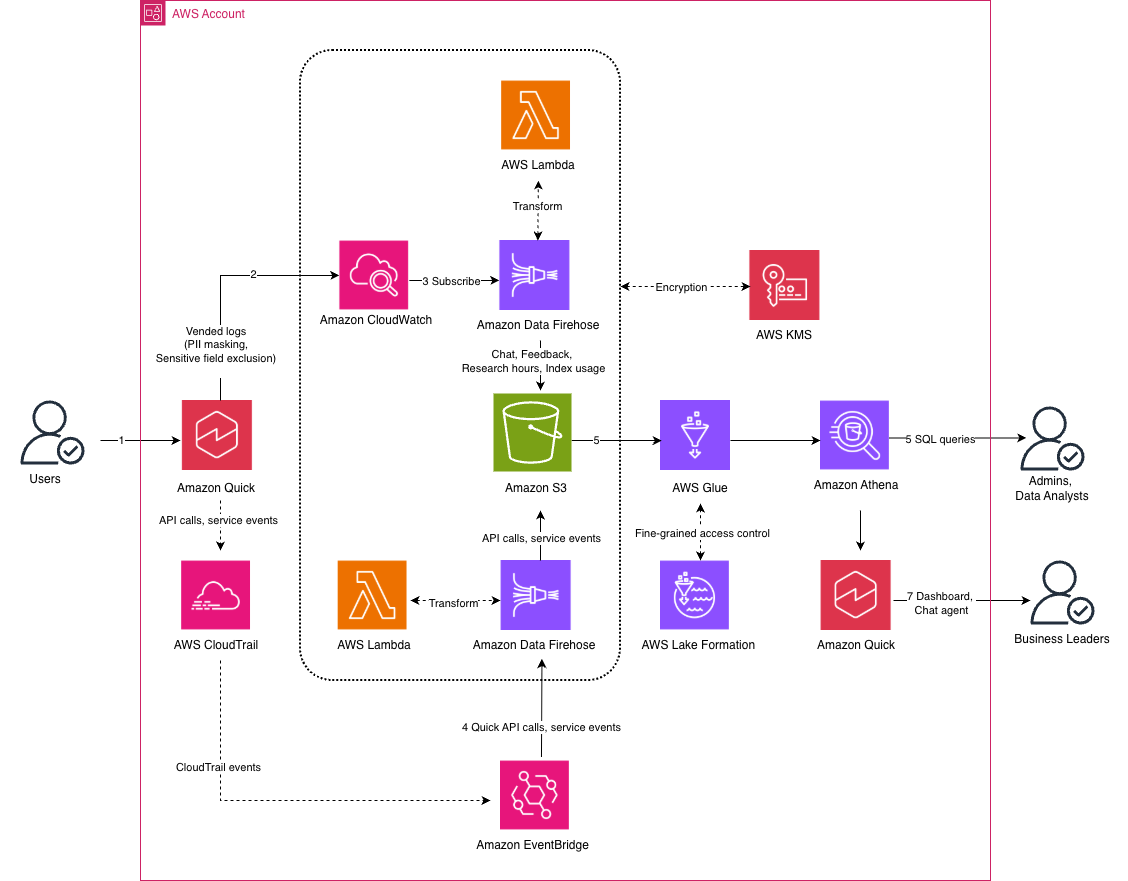
Figure 1: Amazon Quick enterprise observability solution architecture
The workflow consists of the following steps:
- Business users interact with Amazon Quick.
- Amazon Quick publishes the interaction logs to Amazon CloudWatch vended logs. You can protect these logs with data protection policies to mask sensitive data, such as credentials (private keys, AWS secret access keys), financial information, personally identifiable information, protected health information, and device identifiers.
- CloudWatch subscription filters forward the log events to Amazon Data Firehose delivery streams. The Firehose delivery streams transform the data using an AWS Lambda function and write it to a data lake in Amazon S3.
- An Amazon EventBridge rule routes Amazon Quick API calls from AWS CloudTrail and sends them to a dedicated Firehose delivery stream. The Firehose delivery stream transforms the data using an AWS Lambda function and writes it to the data lake.
- AWS Glue Data Catalog maintains data lake metadata for Amazon Athena external tables and analytical views.
- Administrators can use Amazon Athena to query the data. AWS Lake Formation provides fine-grained data lake permissions at the table and column level.
- Business leaders and stakeholders can see the data in a Quick Sight dashboard for interactive exploration of adoption, satisfaction, cost, and governance data. They can also use a Quick custom chat agent with natural language questions to receive instant visual answers.
The solution encrypts the data at rest using a customer managed AWS Key Management System (AWS KMS) key with automatic key rotation. The solution encrypts the Amazon CloudWatch Log Groups, Amazon Data Firehose delivery streams, AWS Lambda function environment variables, and Amazon S3 data lake. This provides a unified encryption strategy across the entire pipeline.
Prerequisites
To deploy this solution, you need:
- An AWS account with Amazon Quick subscription
- Python 3.9+
- Node.js 20+
- AWS Cloud Development Kit (AWS CDK)
- AWS Command Line Interface (AWS CLI) V2
- An AWS CLI profile with IAM permissions to deploy the solution, including creating AWS Identity and Access Management (IAM) roles, AWS KMS key, Amazon CloudWatch Log Groups, an Amazon S3 bucket, AWS Lambda functions, Amazon Data Firehose delivery streams, Amazon EventBridge rules, and AWS CloudFormation stacks. If you choose AWS Lake Formation for data catalog access control, the deploying identity must be a Lake Formation administrator.
Deploy the solution
The deployment is organized into steps, each building on the previous one. You can stop after any step and have a working solution at that level. Settings like the AWS CLI profile, resource prefix, database name, and workgroup name are saved locally after each step, so subsequent steps auto-populate them.
Clone the repository
Clone the GitHub repository and navigate to the project directory:
Set up vended logs
Deploy the Amazon CloudWatch Logs infrastructure:
The script auto-detects your Quick subscription region, creates the AWS KMS key, and configures vended logs delivery for chat, feedback, agent hours, and index usage data.
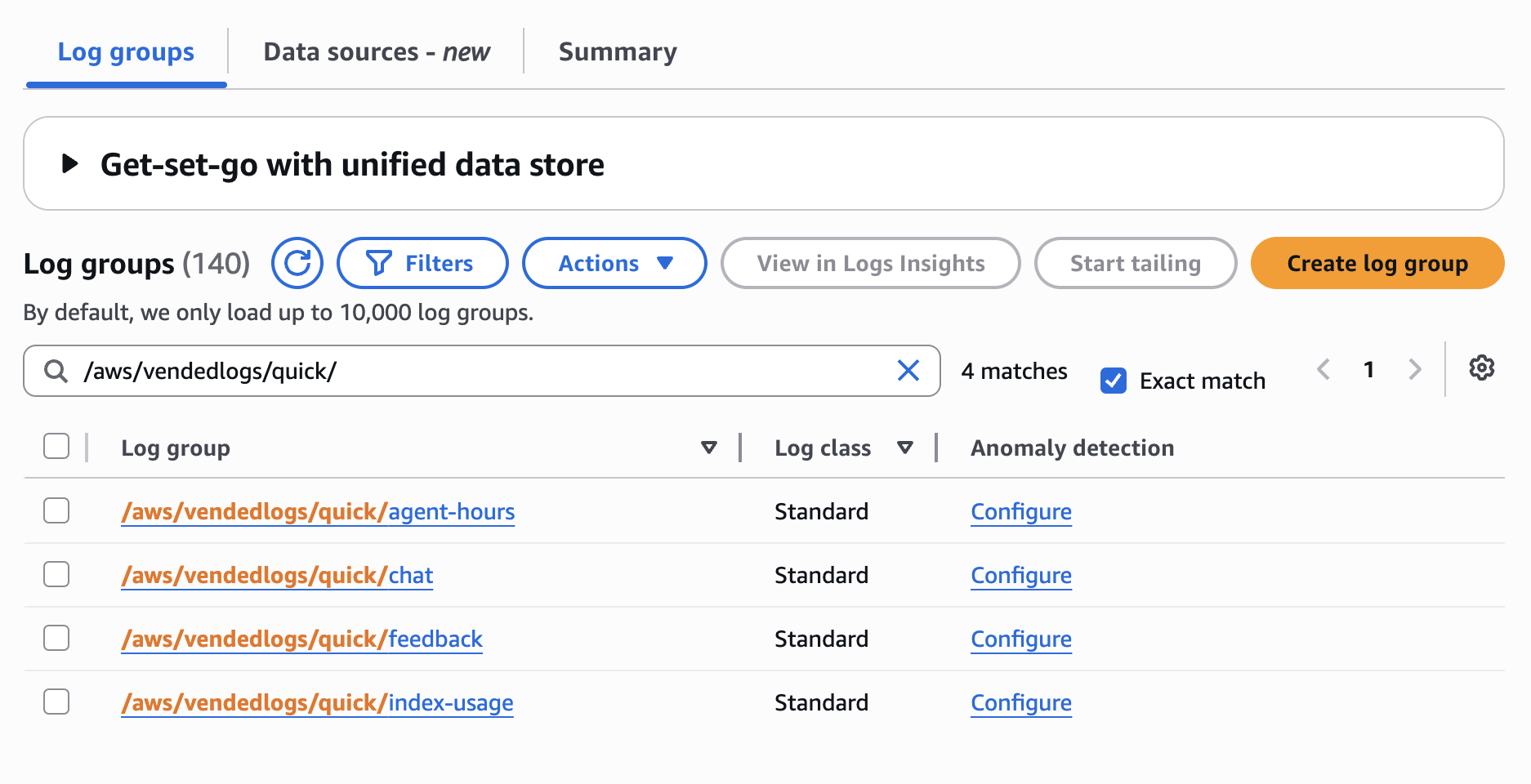
The deployment prompts for CloudWatch log groups to create (/aws/vendedlogs/quick/chat, /aws/vendedlogs/quick/feedback, /aws/vendedlogs/quick/agent-hours, /aws/vendedlogs/quick/index-usage). It also prompts for a prefix (quickobserve) for other AWS resources to be created.
Chat message content (user_message and system_text_message) might contain sensitive or regulated data from connected enterprise sources such as databases, Amazon S3 buckets, or third-party integrations. Before enabling message content logging, review your organization’s data privacy, compliance, and data retention policies. The chat message content is omitted by default so that no user conversation data reaches CloudWatch Logs. The deployment prompts you if you want to log the chat message content.
Verify the CloudWatch vended log groups in the AWS console:
Deploy data pipeline
Use the following command to deploy the pipeline:
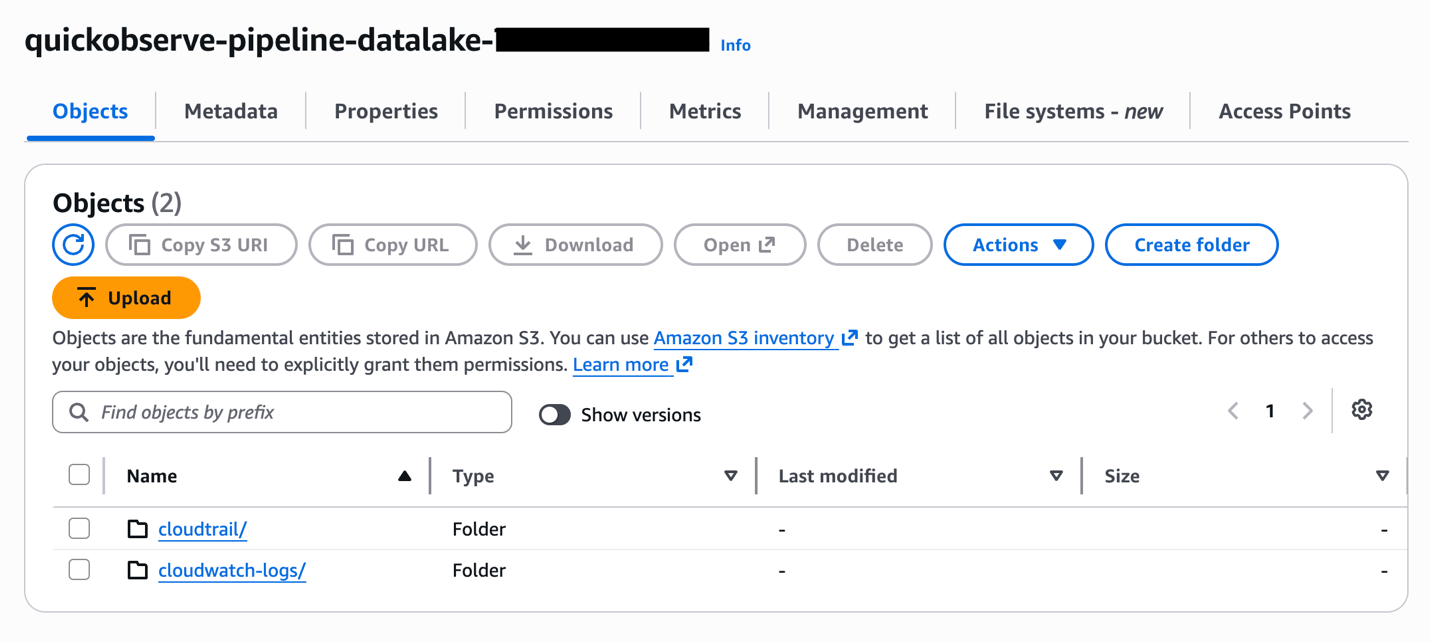
This deploys Amazon S3 data lake, Amazon CloudWatch Logs subscription filters, Amazon Data Firehose delivery streams, AWS Lambda functions and an Amazon EventBridge rule.
You can see the logs data in Amazon S3 data lake (quickobserve-pipeline-datalake-<account-id>).
Set up data catalog
Use the following command to run the data catalog setup:
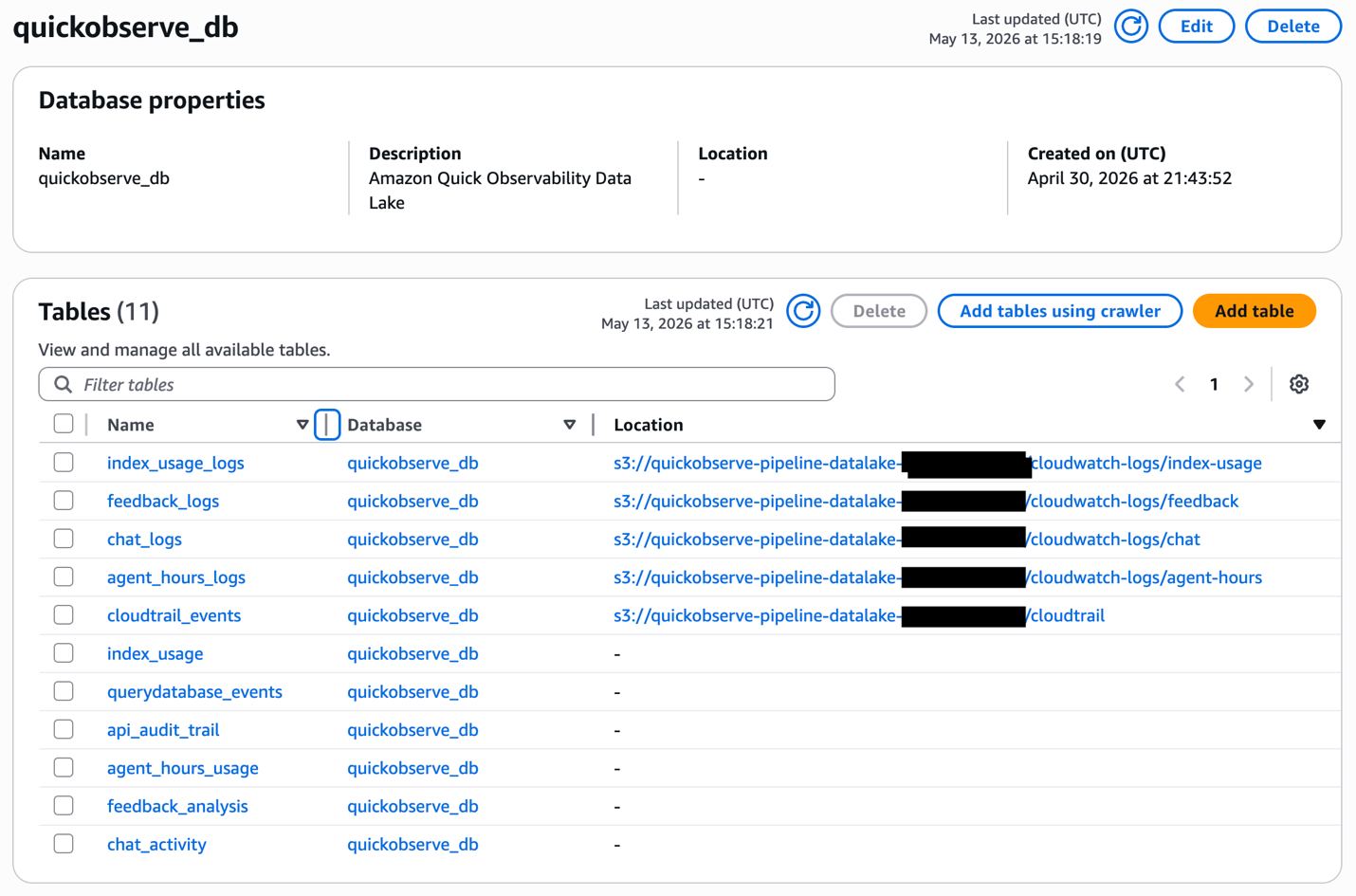
The script prompts for a database name (quickobserve_db) and verifies that it doesn’t already exist in the AWS Glue Data Catalog, preventing accidental changes to tables belonging to other workloads. It then prompts you to choose how data lake access is managed:
- Lake Formation (default) – Registers the data lake location and grants fine-grained permissions to the Amazon Quick service role at the table and column level. When message content logging is enabled, column-level exclusion prevents message content from flowing into the Quick Sight dashboard and topic.
- IAM policies – Skips AWS Lake Formation setup and relies on IAM policies for access control. Use this if your account does not use Lake Formation.
The script creates an AWS Glue Data Catalog database, Athena tables and views for CloudWatch vended logs and CloudTrail events.You can see the data catalog in AWS Glue:
Verify data is flowing by running the following queries in Amazon Athena query editor:
Deploy Quick Sight dashboard
Deploy the Quick Sight dashboard:
This deploys Quick Sight resources: a custom theme, a data source, datasets with daily refresh schedules, an analysis, and a dashboard for viewing Amazon Quick observability metrics.
You can see the observability metrics in Quick Sight dashboard:
- Log in to the Amazon Quick console.
- From the left navigation menu, select Dashboards, and then select Quick Observability Dashboard.
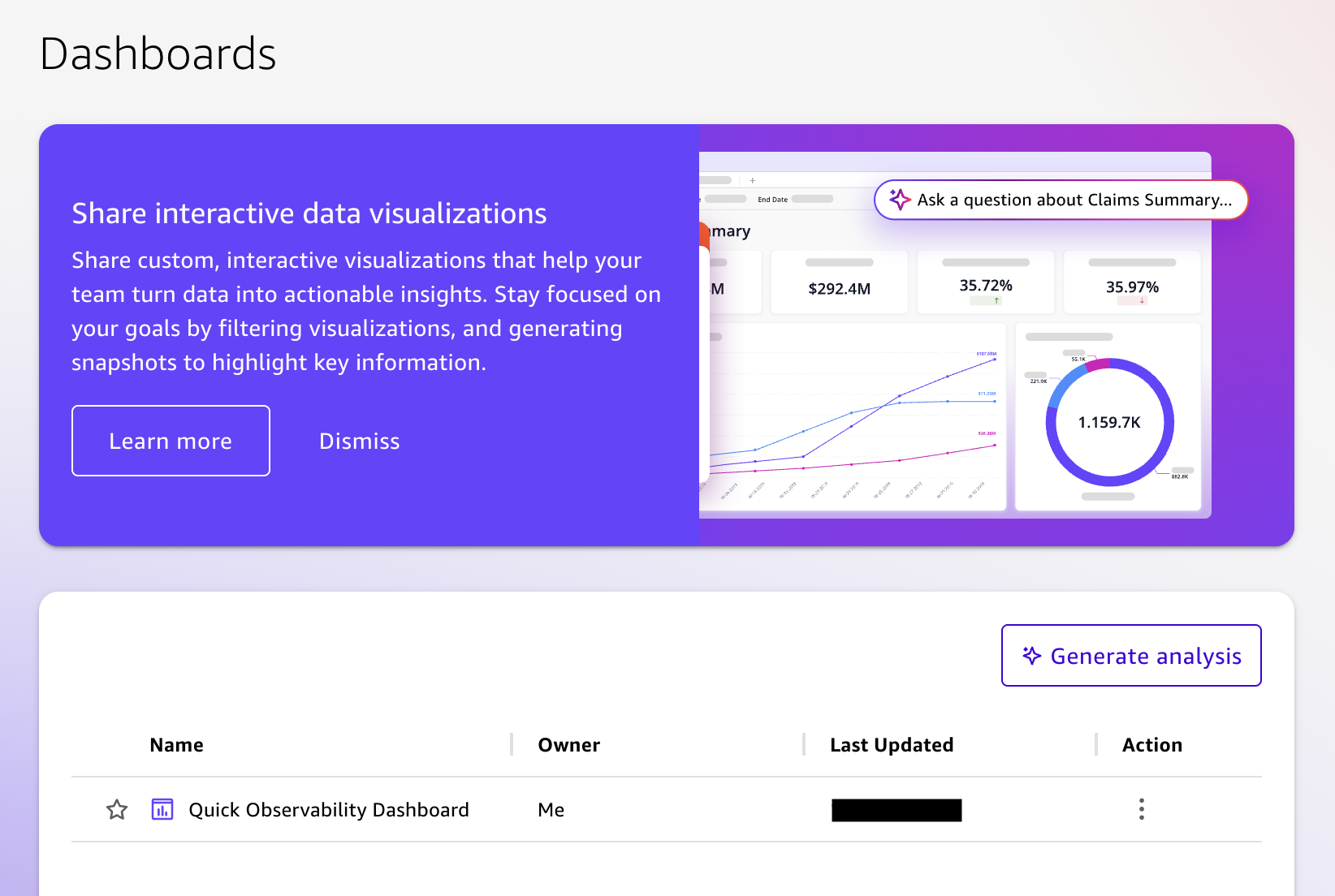
Each sheet in the dashboard includes date range parameter controls and a detail table at the bottom. Selecting any chart, pie slice, or KPI filters the detail table to show the matching records.
Create Quick Sight topic
Use the following command to create the Quick Sight topic:
The script verifies that each dataset contains data from a successful ingestion, then creates a Quick Sight topic with custom instructions that route questions to the correct dataset. You can see the Quick Sight Topic in Amazon Quick console.
- Log in to the Amazon Quick console.
- From the left navigation menu, select Topics, and then select Quick Observability Topic.
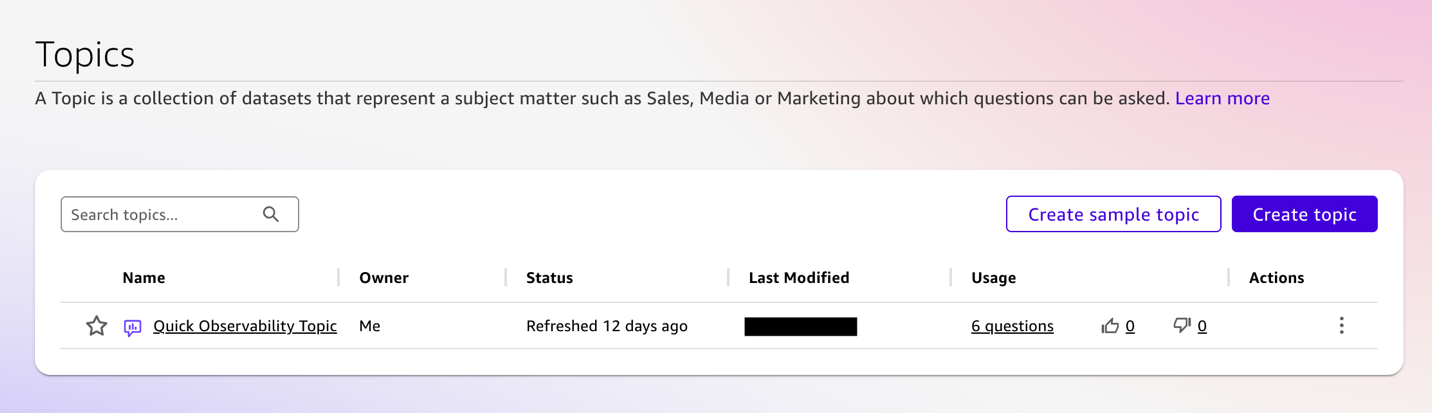
Create Quick custom chat agent
This step is performed through the Amazon Quick console.
- From the left navigation menu, select Spaces, and then select Create space.
- On the space creation page that opens, enter a name and description for your space.
- Select Add knowledge to begin adding content to your space.
- From the menu, choose Topics.
- In Add topic, select Quick Observability Topic.
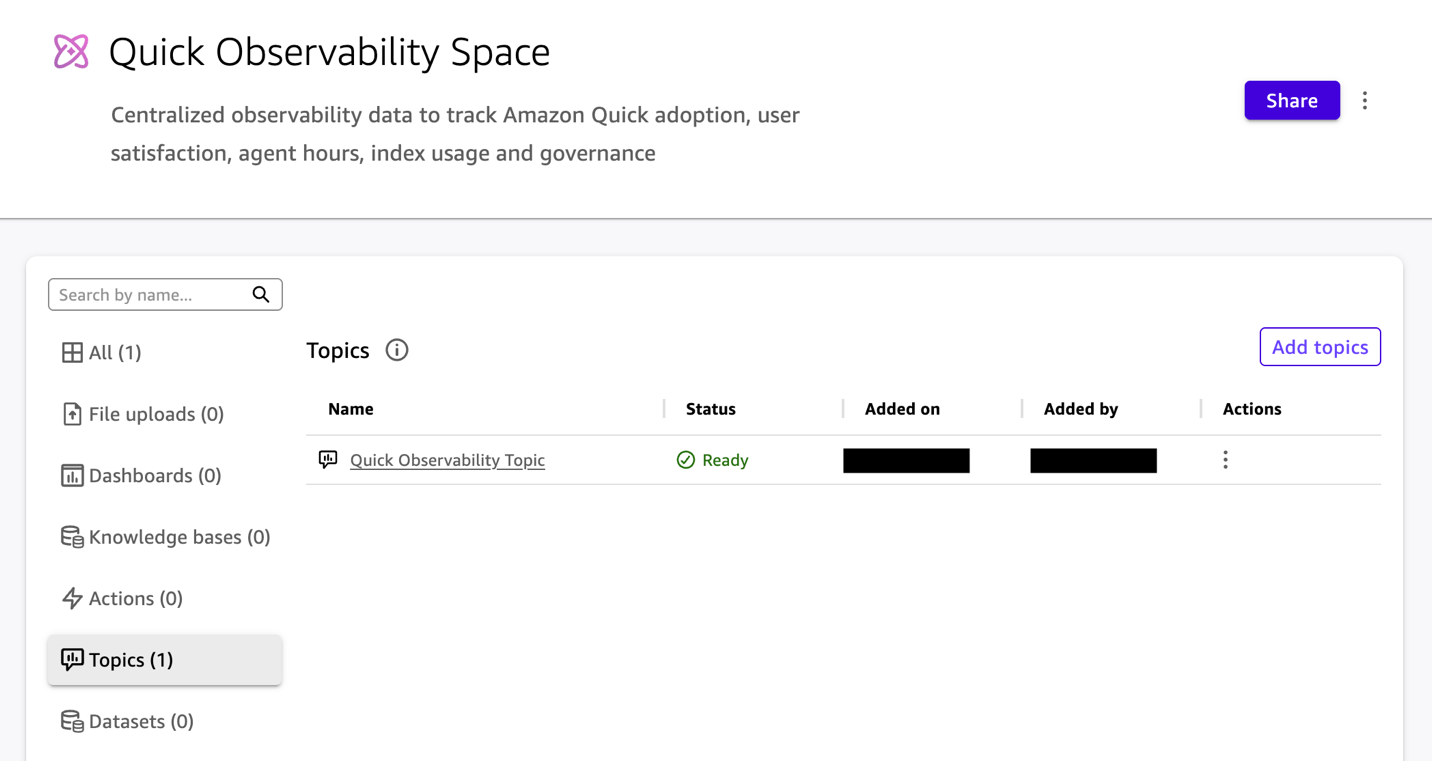
Create a Quick custom chat agent:
- From the left navigation menu, select Chat agents, and then select Create chat agent.
- On the agent creation page that opens, enter a name and description for your agent.
- Under Instructions, paste prompt from the GitHub repository.
- Under Knowledge sources, choose Link Spaces and select Quick Observability Space.
- Select Launch chat agent to publish the agent to the chat agent library and use it in chat.
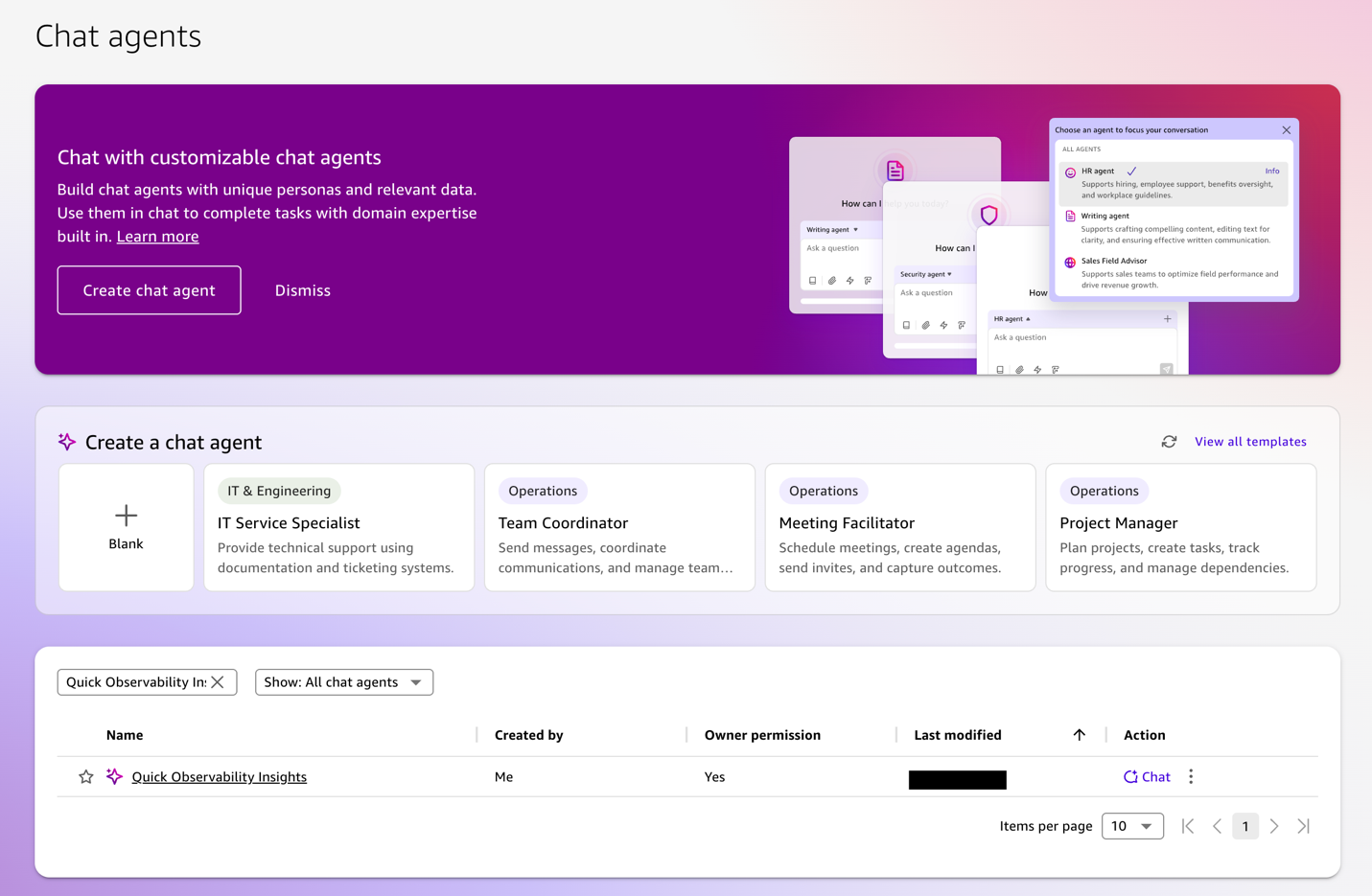
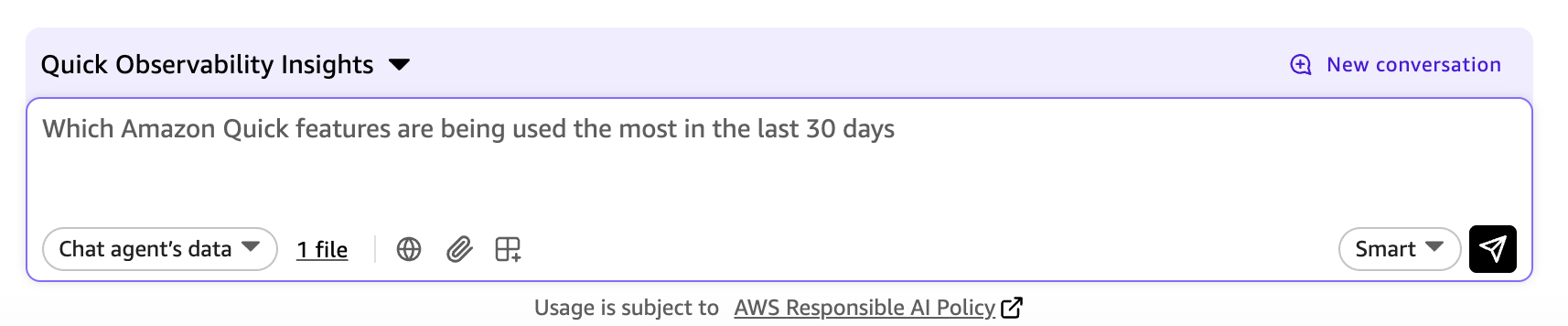
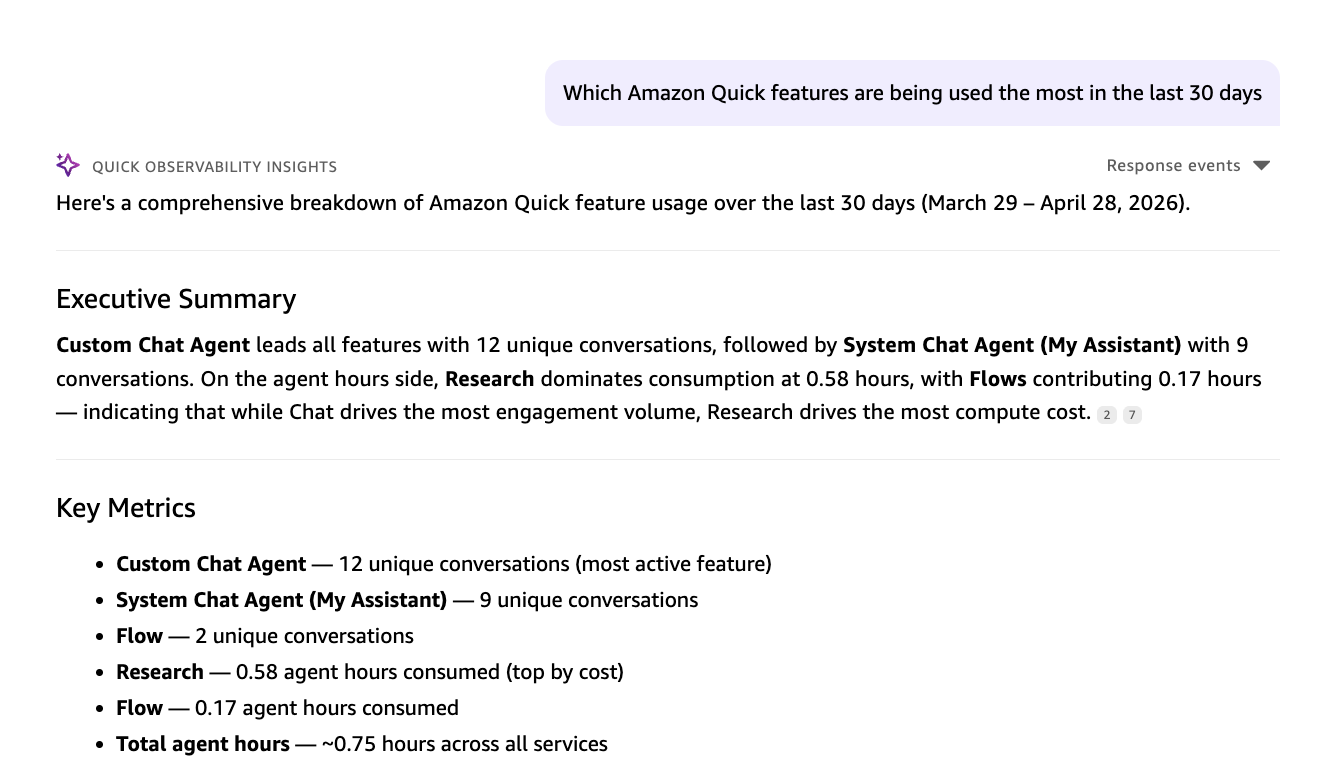
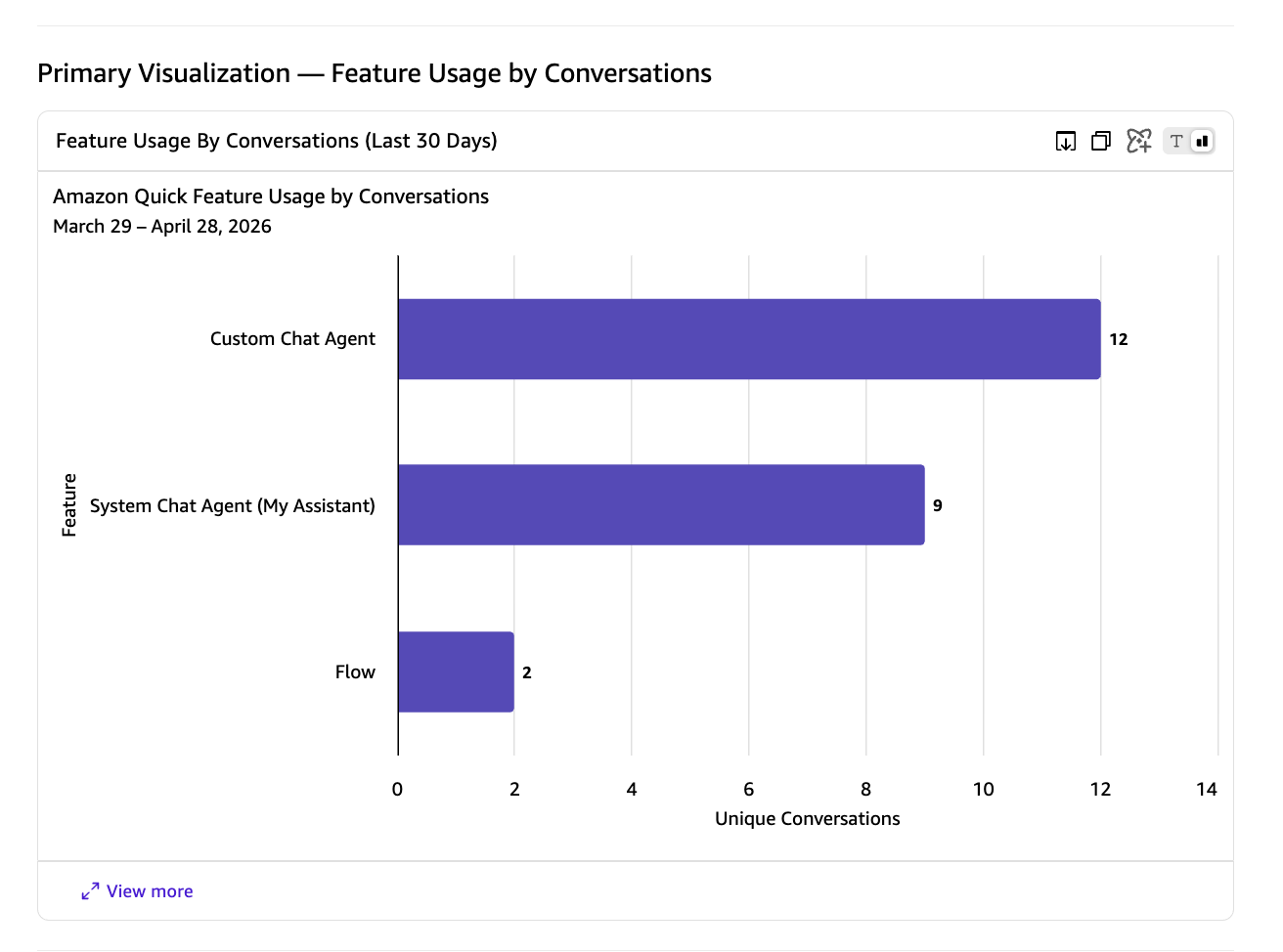
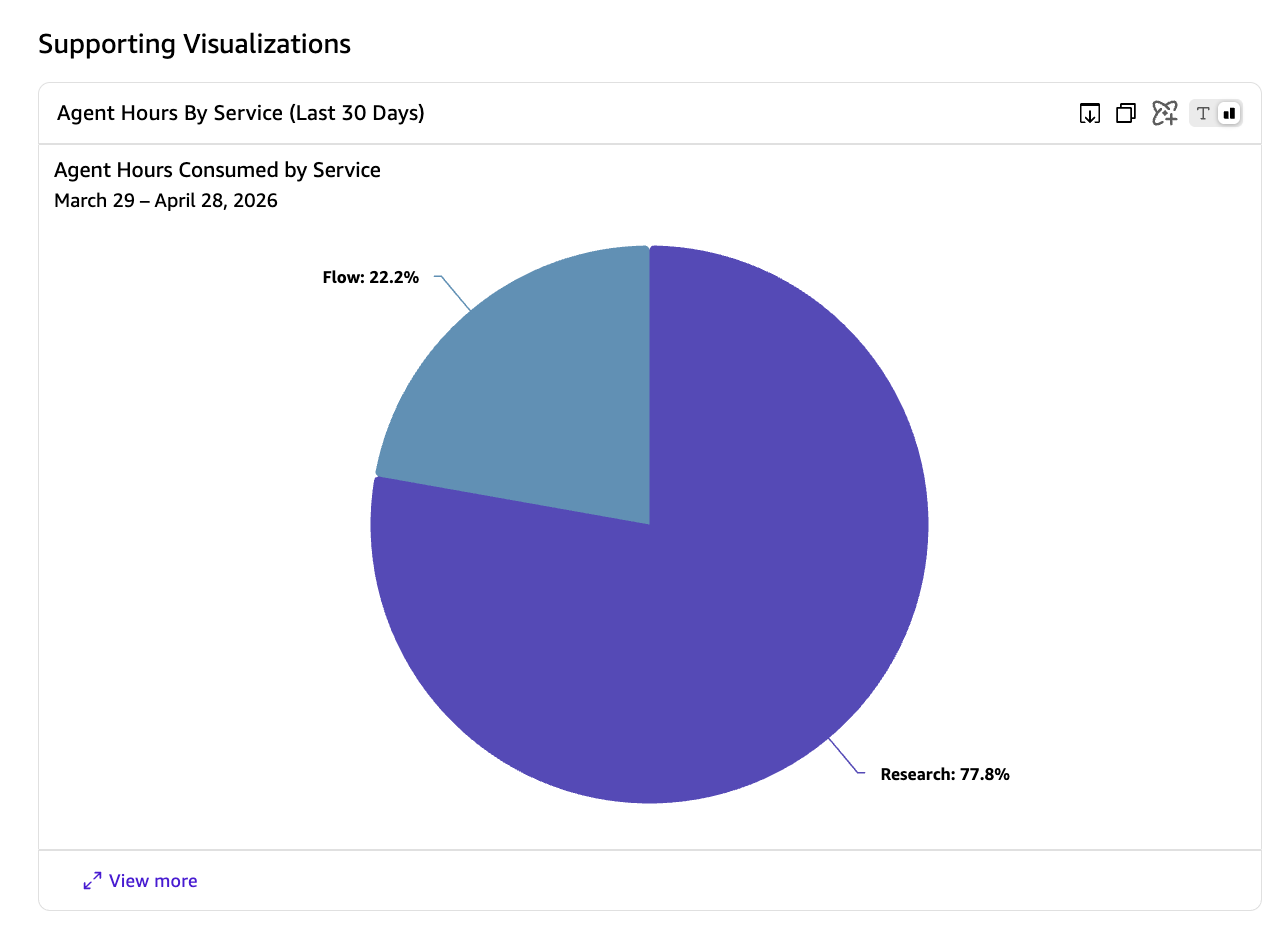
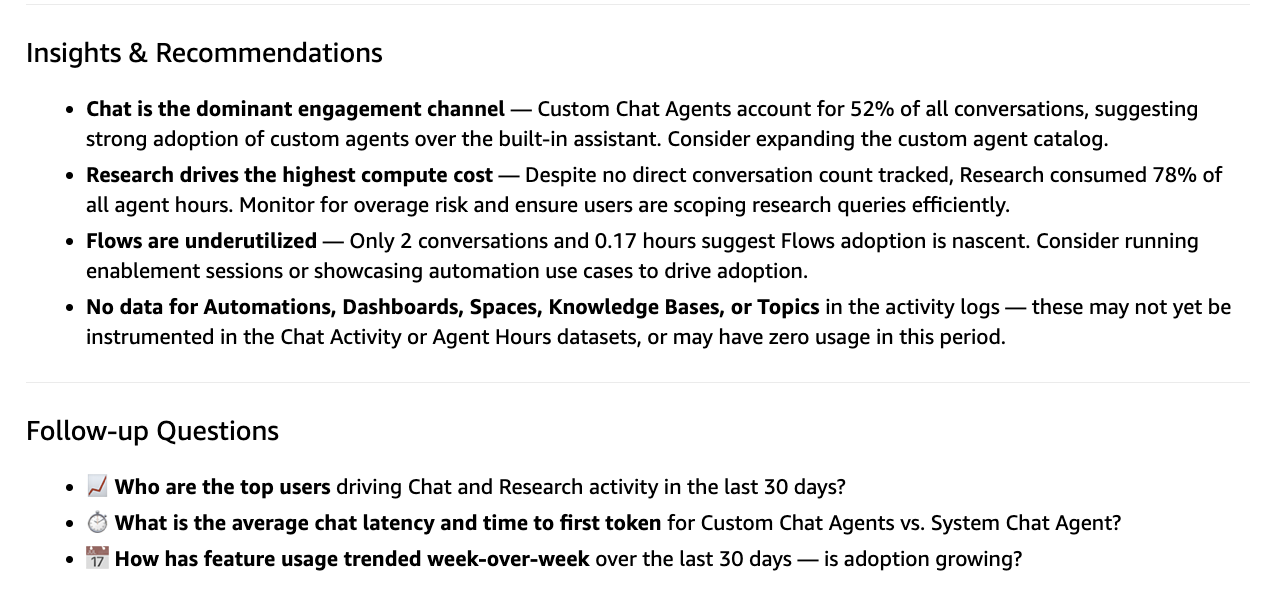
Business leaders can ask questions like “Which Amazon Quick features are being used the most in the last 30 days?”
They will receive instant visual answers with metrics, charts, and actionable recommendations.
Clean up
To clean up your resources deployed, run the cleanup script:
python3 cleanup.py
Conclusion
In this post, we showed how to deploy an observability solution that consolidates Amazon Quick operational data into a secured data lake. The solution makes chat interaction metrics, user feedback, agent hours usage, index storage usage, and governance events accessible through Amazon Athena, an Amazon Quick Sight dashboard, and an Amazon Quick custom chat agent.You can extend the solution in several ways: add custom Athena views for your organization’s specific metrics, create additional sheets in the dashboard, build new chat agents tailored to different teams, or integrate the data lake with other analytics tools.
To get started, you can clone the GitHub repository and deploy the solution.