
Sold by: Madarson IT
Deployed on AWS
Free Trial
This product has charges associated with it for the Node.js 24 LTS container platform. Deploy Node.js 24 LTS apps to Amazon EKS in minutes without building Docker images. Pre-configured PM2 clustering, Git-based deployment, and auto-scaling eliminate infrastructure setup.
Overview
Image
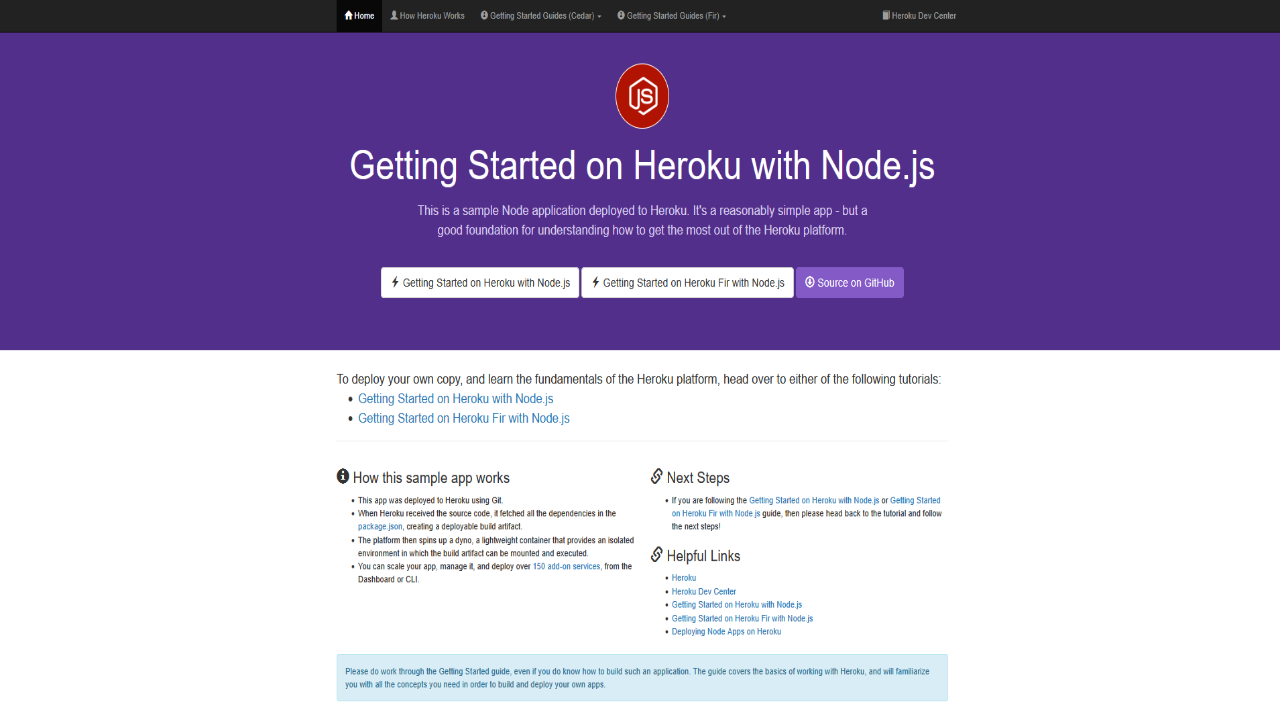
Getting Started with Node.js
Image
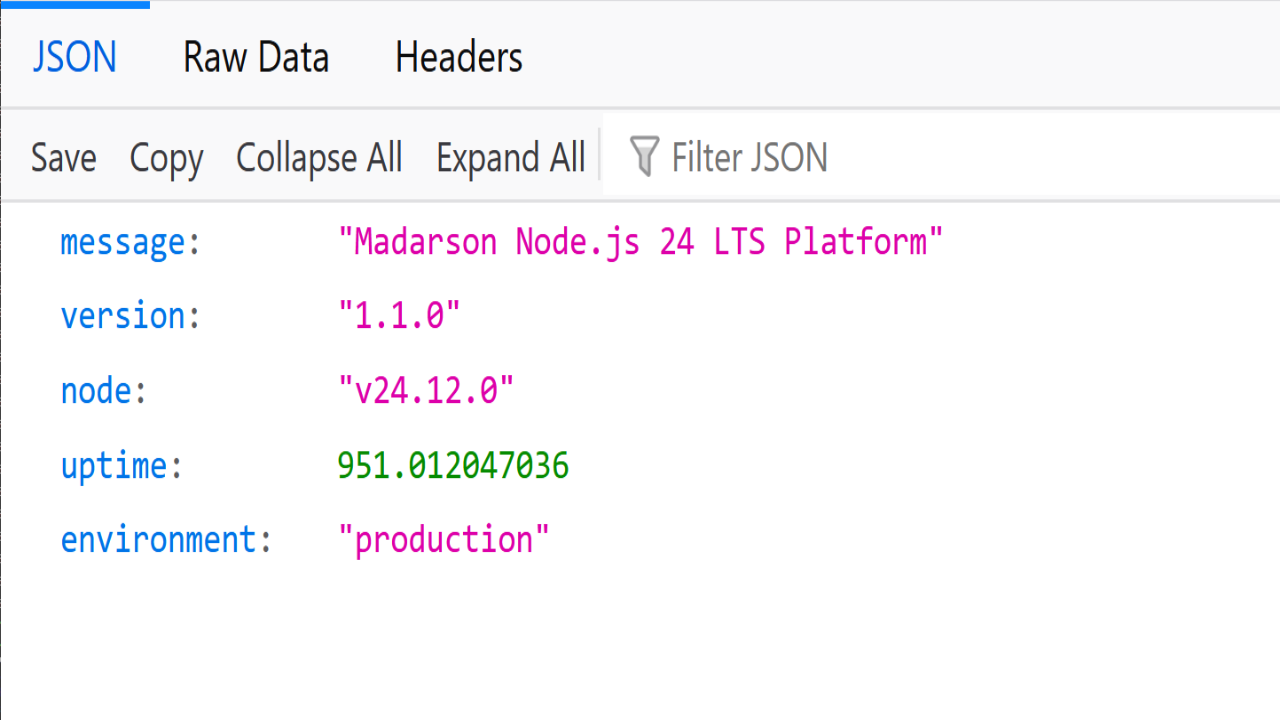
Node.js 24 LTS Platform Metadata
Image
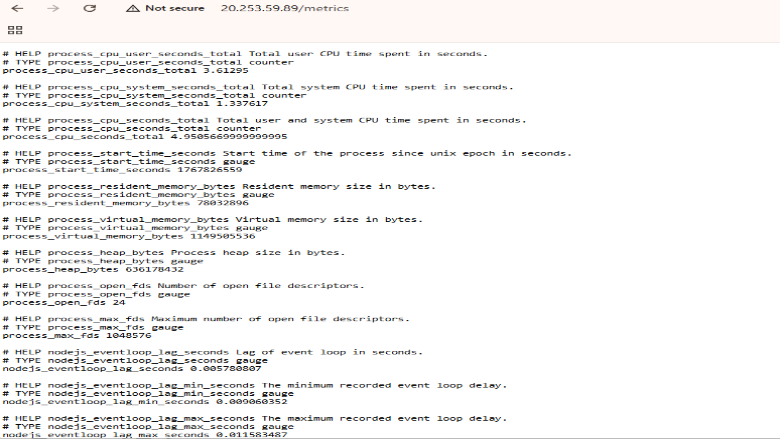
Node.js Metrics
This is a repackaged software product wherein additional charges apply for the Node.js 24 LTS container platform.
Madarson Node.js 24 LTS Platform for Amazon EKS
A production-ready, enterprise-grade Node.js container platform that eliminates the need to build custom Docker images, write Dockerfiles, or create Kubernetes manifests. Instead of spending days configuring infrastructure, deploy your Node.js applications to Amazon EKS in minutes with pre-configured PM2 process management, Git-based deployment, and intelligent auto-scaling.
Why This Platform Instead of DIY
Building your own Node.js container setup requires writing Dockerfiles, configuring PM2, creating Kubernetes deployment manifests, setting up health checks, configuring HPA, and managing base image updates. With Madarson's platform, all of this is pre-solved:
- No Dockerfile required - point to your Git repository and deploy
- No Kubernetes manifest authoring - Helm chart handles all configuration
- No base image maintenance - regular security updates delivered automatically
- No PM2 configuration - cluster mode optimized out of the box
- No HPA tuning - auto-scaling pre-configured for production workloads
Key Features
Node.js 24 LTS Runtime: Latest long-term support release built on Alpine Linux 3.20 for minimal container footprint, with regular security updates.
PM2 Process Manager with Cluster Mode: Automatic process clustering across all available CPU cores, built-in load balancing, zero-downtime restarts, crash recovery, and log management.
Git-Based Application Deployment: Deploy directly from GitHub, GitLab, or Bitbucket (public and private repositories). Automatic dependency installation via npm. No custom Docker image builds needed.
Kubernetes-Native Auto-Scaling: HPA pre-configured with CPU-based scaling from 2 to 10 replicas, automatic resource optimization during traffic spikes.
Production-Grade Health Monitoring: Liveness and readiness probes, Prometheus-compatible metrics endpoint, and custom health check endpoint support.
AWS Integration
- Optimized for Amazon EKS (Kubernetes 1.28+)
- AWS Load Balancer Controller support
- IAM Roles for Service Accounts (IRSA) ready
- CloudWatch logging integration
- VPC and subnet configuration support
Use Case: E-Commerce API Platform
An engineering team running multiple Node.js microservices deploys all services from a single monorepo using Git-based deployment. Each service runs in PM2 cluster mode across multiple pods, with HPA scaling individual services independently. During peak shopping events, the platform automatically scales from 2 to 10 replicas per service, then scales back down to minimize costs during off-peak hours.
Getting Started
Installation uses Helm on your existing EKS cluster. Deploy with the built-in demo application first to verify health endpoints and metrics, then point the platform to your Git repository for custom application deployment.
Technical Specifications
- Runtime: Node.js 24.12.0 LTS
- Process Manager: PM2 5.4.3
- Base Image: Alpine Linux 3.20
- Architecture: x86-64 (AMD64)
- Kubernetes: 1.28+
- Minimum Resources: 512Mi memory, 500m CPU
- Recommended Resources: 1Gi memory, 1000m CPU
Requirements and Limitations
- This is a repackaged software product with additional charges for the Node.js 24 LTS container platform.
- An existing Amazon EKS cluster (Kubernetes 1.28+) is required before deployment.
- An Anthropic API key is not required for this product.
- Buyers should verify compatibility with their target instance types before deploying at scale.
- Application-layer security, network ACLs, and encryption-at-rest configuration remain the buyer's responsibility.
About Madarson IT
Madarson IT certified images and container platforms are continuously updated, security-optimized, and built to meet enterprise requirements with minimal configuration. Madarson IT also offers hardened and custom images across AWS, GCP, and Azure Marketplace, covering multiple operating systems and compliance frameworks.
Highlights
- Deploy Node.js Apps to EKS Without Writing Dockerfiles: Point Madarson's platform to any GitHub, GitLab, or Bitbucket repository and deploy to Amazon EKS automatically. The Helm chart handles all Kubernetes manifests, PM2 configuration, health checks, and HPA setup - eliminating days of manual infrastructure authoring. Private repository support via Git token authentication is included for production and CI/CD workflows.
- PM2 Cluster Mode with Zero-Downtime Restarts: Every deployment automatically distributes your Node.js application across all available CPU cores using PM2 cluster mode. Built-in load balancing, zero-downtime restarts during updates, and automatic crash recovery with process resurrection ensure your application stays available without manual process management or custom startup scripts.
- Kubernetes-Native Auto-Scaling from 2 to 10 Replicas: Horizontal Pod Autoscaler is pre-configured with CPU-based scaling rules, automatically adding replicas during traffic spikes and reducing them during low-traffic periods to control costs. Liveness and readiness probes route traffic only to healthy pods, and a Prometheus-compatible metrics endpoint supports integration with your existing monitoring stack.
Details
Sold by
Categories
Delivery method
Supported services
Delivery option
Standard Helm Deployment
Latest version
Operating system
Linux
Deployed on AWS
New
Introducing multi-product solutions
You can now purchase comprehensive solutions tailored to use cases and industries.

Features and programs
Financing for AWS Marketplace purchases
AWS Marketplace now accepts line of credit payments through the PNC Vendor Finance program. This program is available to select AWS customers in the US, excluding NV, NC, ND, TN, & VT.

Pricing
Free trial
Try this product free for 5 days according to the free trial terms set by the vendor. Usage-based pricing is in effect for usage beyond the free trial terms. Your free trial gets automatically converted to a paid subscription when the trial ends, but may be canceled any time before that.
Pricing is based on actual usage, with charges varying according to how much you consume. Subscriptions have no end date and may be canceled any time.
Additional AWS infrastructure costs may apply. Use the AWS Pricing Calculator to estimate your infrastructure costs.
Dimension | Description | Cost/unit/hour |
|---|---|---|
Hours | Container Hours | $0.05 |
Vendor refund policy
There is no refund policy for this image.

Legal
Vendor terms and conditions
Upon subscribing to this product, you must acknowledge and agree to the terms and conditions outlined in the vendor's End User License Agreement (EULA) .
Content disclaimer
Vendors are responsible for their product descriptions and other product content. AWS does not warrant that vendors' product descriptions or other product content are accurate, complete, reliable, current, or error-free.
Delivery details
Standard Helm Deployment
Supported services: Learn more
- Amazon EKS
Helm chart
Helm charts are Kubernetes YAML manifests combined into a single package that can be installed on Kubernetes clusters. The containerized application is deployed on a cluster by running a single Helm install command to install the seller-provided Helm chart.
Version release notes
Production-ready release with AWS Marketplace-compliant image templating. Features Node.js 24 LTS runtime, PM2 cluster mode, Git-based deployment support, Kubernetes auto-scaling (2-10 replicas), smart health checks, and Prometheus metrics endpoint.
Additional details
Usage instructions
PREREQUISITES:
- Amazon EKS cluster (Kubernetes 1.28+)
- kubectl configured with cluster access
- Helm 3.x installed
STEP 1: Install the platform helm install nodejs-platform oci://709825985650.dkr.ecr.us-east-1.amazonaws.com/madarson-it/madarson-nodejs-platform-helm --version 1.1.6 --namespace default --create-namespace
STEP 2: Monitor deployment kubectl get pods -n default -w
STEP 3: Get application URL kubectl get svc -n default (Look for LoadBalancer EXTERNAL-IP)
STEP 4: Access your application Visit http://EXTERNAL-IP to see the default Node.js application Health check: http://EXTERNAL-IP/health Metrics: http://EXTERNAL-IP/metrics
STEP 5: Deploy custom application (optional) helm upgrade nodejs-platform oci://709825985650.dkr.ecr.us-east-1.amazonaws.com/madarson-it/madarson-nodejs-platform-helm --version 1.1.6 --set gitRepoUrl="https://github.com/YOUR/REPO.git " --set gitBranch="main" --set nodePort=3000
For private repositories add: --set gitUsername="YOUR_USERNAME" --set gitToken="YOUR_TOKEN"
CONFIGURATION PARAMETERS:
- gitRepoUrl: Git repository URL (leave empty for default app)
- gitBranch: Branch to deploy (default: main)
- gitUsername: Username for private repos
- gitToken: Access token for private repos
- nodePort: Application port (default: 3000)
- replicas: Initial replica count (default: 2)
- autoscaling.minReplicas: Minimum pods (default: 2)
- autoscaling.maxReplicas: Maximum pods (default: 10)
Resources
Vendor resources
Support
Vendor support
Contact Support
For technical support, private offers, audit inquiries, or compliance questions, contact the Madarson IT team at info@madarsonit.com .
Support Scope
Support covers assistance with platform deployment, configuration troubleshooting, Helm chart issues, PM2 process management questions, and Git-based deployment problems. The team can also assist with EKS integration, auto-scaling configuration, and health check setup.
Getting Help
When contacting support, please include your EKS cluster version, Helm chart version, relevant pod logs, and a description of the issue. This helps the team diagnose and resolve problems efficiently.
AWS infrastructure support
AWS Support is a one-on-one, fast-response support channel that is staffed 24x7x365 with experienced and technical support engineers. The service helps customers of all sizes and technical abilities to successfully utilize the products and features provided by Amazon Web Services.
Similar products

This product has charges associated with it for RDP and Docker optimization. Pre-configured Ubuntu 24.04 LTS desktop AMI with Docker and xrdp ready to use, built for teams deploying containerized apps via remote GUI access.

This product has charges associated with it for RDP and Docker optimization. Launch Docker containers and connect via remote desktop in minutes with this pre-configured Ubuntu 22.04 LTS AMI - ideal for developers without dedicated DevOps staff.

This product has charges associated with it for security hardening and NGINX configuration. Madarson IT security-hardened Ubuntu 22.04 LTS AMI with pre-configured NGINX, optimized for fast, secure web server and reverse proxy deployments on AWS EC2.

This product has charges associated with it for Docker optimization, RDP GUI configuration, and Cockpit web management setup. Pre-configured Ubuntu 24.04 LTS AMI with Docker, Cockpit web management, and RDP desktop access - deploy containerized apps in minutes without manual setup.
Customer reviews
No customer reviews yet
Be the first to review this product . We've partnered with PeerSpot to gather customer feedback. You can share your experience by writing or recording a review, or scheduling a call with a PeerSpot analyst.