
Sold by: cloudimg
Deployed on AWS
Free Trial
AWS Free Tier
This product has charges associated with it for seller support. Launch a private, production-ready Metabase BI platform in minutes. Pre-configured with PostgreSQL, nginx, and per-instance encryption - backed by 24/7 cloudimg support.
Overview
Image
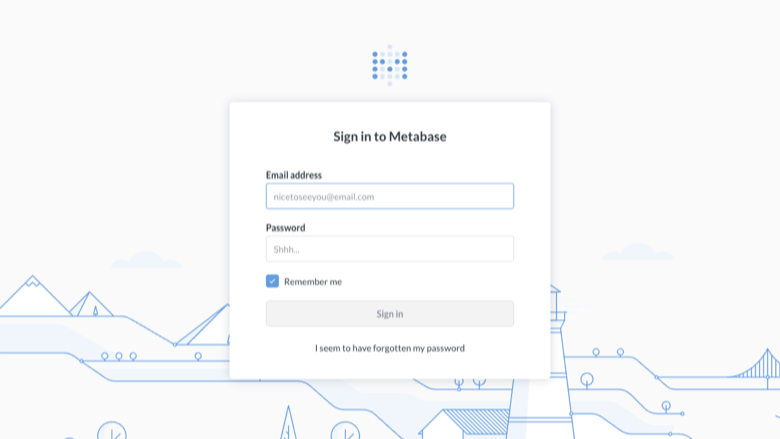
Metabase sign-in
Image
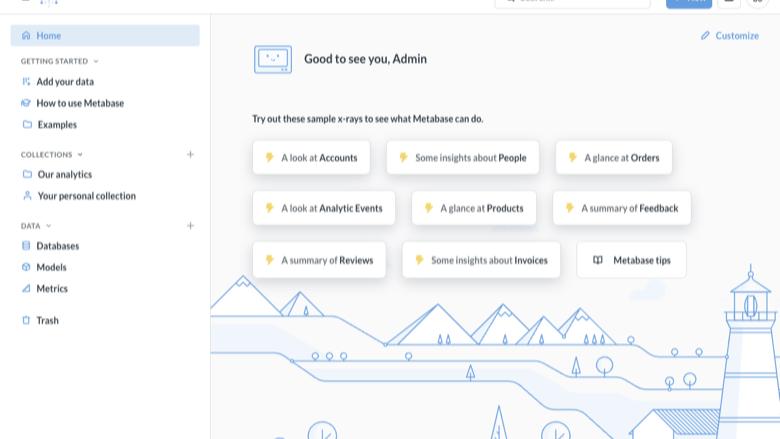
Metabase home
Image
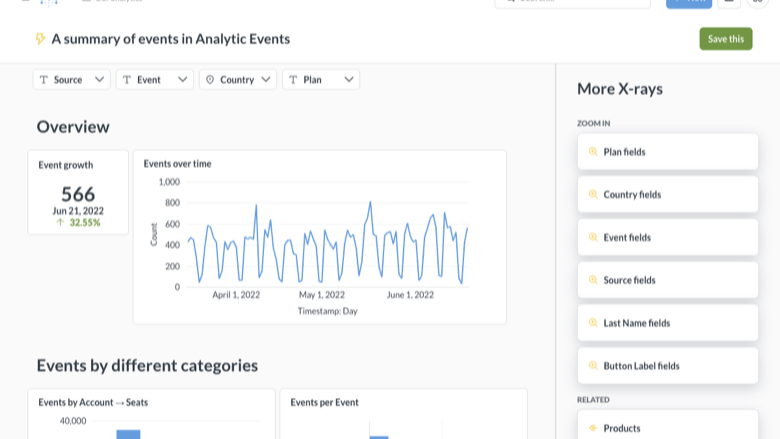
Dashboards and charts
This is a repackaged open source software product wherein additional charges apply for cloudimg support services.
Launch a PrivateBI Platform in Minutes - No Configuration Required
Metabase is the popular open source business intelligence and analytics platform that lets teams connect databases, ask questions with a point-and-click query builder or SQL, build dashboards and charts, and share insights across the organization. This AMI delivers Metabase Open Source Edition0.62 fully installed and production-hardened, so your team is building dashboards within minutes of launching an EC2 instance.
Why This AMI Over Self-Managed Metabase
Deploying Metabase yourself means installing Java, configuring a production database, setting up a reverse proxy, generating encryption keys, and hardening the instance - a process that can take hours and introduces security risk if steps are missed. This image eliminates that work entirely:
- Production-grade application database - PostgreSQL replaces the default embedded H2 database, giving you crash recovery, durability, and the ability to back up Metabase metadata reliably.
- Reverse proxy included - nginx sits in front of Metabase, ready for TLS termination and proper HTTP handling.
- Zero shared credentials - Every instance generates its own unique encryption key and administrator password on first boot. No other deployment shares your secrets.
- Automated setup - A one-shot service completes the Metabase initial configuration automatically, so you skip the manual setup wizard.
Use Case: Product Analytics for Growing Teams
A startup engineering team connects their Amazon RDS PostgreSQL instance in the same VPC and within minutes has a dashboard tracking user-funnel metrics, feature adoption, and weekly active users. An e-commerce operations team connects Redshift to build daily revenue dashboards and monitor inventory levels. Data analysts use the point-and-click query builder for ad-hoc exploration without writing SQL, while power users leverage the native SQL editor for complex analysis.
Supported Data Sources
Sign in as the administrator and connect any supported database to start building questions and dashboards:
- Amazon RDS (PostgreSQL, MySQL, MariaDB)
- Amazon Redshift
- Google BigQuery
- Snowflake
- PostgreSQL, MySQL, SQL Server, and more
Application Architecture
The instance runs a single-server stack:
- nginx - Reverse proxy on port 80, ready for TLS certificate configuration
- Metabase - Java application server
- PostgreSQL - Application metadata database (not your analytics data)
- All services bind to the loopback interface for security; only nginx is exposed externally
Security by Default
On first boot, a one-shot initialization service:
- Generates a unique encryption key for that instance - connected-database credentials are encrypted with a key no other deployment shares.
- Creates a single administrator account with a random password written to a root-only file.
- Completes the Metabase setup automatically.
No shared or default credentials ship in the image. The server and database bind to localhost, minimizing attack surface.
cloudimg Support - Included With Your Subscription
24/7 technical support by email and live chat covers:
- Deployment and initial configuration
- Data source connection assistance
- TLS termination setup
- Upgrades to new Metabase releases
- Database administration and performance tuning
- Troubleshooting and incident response
Critical issues receive a one-hour average response time.
Get Started
Launch this AMI, retrieve your administrator credentials, and connect your first data source. If you would like a guided walkthrough of your deployment, contact cloudimg support and our engineers will help you get dashboard-ready quickly.
Metabase is a trademark of Metabase, Inc. All product and company names are trademarks or registered trademarks of their respective holders. Use of them does not imply any affiliation with or endorsement by them.
Highlights
- Metabase Open Source Edition, the open source BI and analytics platform - query builder, SQL, dashboards and charts - preinstalled with PostgreSQL and nginx, ready to use
- Secure by default: a per-instance administrator and a unique encryption key are generated on first boot, the setup is completed automatically, and the login is stored in a root only file
- 24/7 technical support from cloudimg for deployment, data source configuration, upgrades and TLS termination
Details
Sold by
Categories
Delivery method
Delivery option
64-bit (x86) Amazon Machine Image (AMI)
Latest version
Operating system
Ubuntu 24.04
Deployed on AWS
New
Introducing multi-product solutions
You can now purchase comprehensive solutions tailored to use cases and industries.

Features and programs
Financing for AWS Marketplace purchases
AWS Marketplace now accepts line of credit payments through the PNC Vendor Finance program. This program is available to select AWS customers in the US, excluding NV, NC, ND, TN, & VT.

Pricing
Free trial
Try this product free for 7 days according to the free trial terms set by the vendor. Usage-based pricing is in effect for usage beyond the free trial terms. Your free trial gets automatically converted to a paid subscription when the trial ends, but may be canceled any time before that.
Pricing is based on actual usage, with charges varying according to how much you consume. Subscriptions have no end date and may be canceled any time. Alternatively, you can pay upfront for a contract, which typically covers your anticipated usage for the contract duration. Any usage beyond contract will incur additional usage-based costs.
Additional AWS infrastructure costs may apply. Use the AWS Pricing Calculator to estimate your infrastructure costs.
If you are an AWS Free Tier customer with a free plan, you are eligible to subscribe to this offer. You can use free credits to cover the cost of eligible AWS infrastructure. See AWS Free Tier for more details. If you created an AWS account before July 15th, 2025, and qualify for the Legacy AWS Free Tier, Amazon EC2 charges for Micro instances are free for up to 750 hours per month. See Legacy AWS Free Tier for more details.
Dimension | Description | Cost/hour |
|---|---|---|
m5.large Recommended | m5.large | $0.10 |
t3.micro | t3.micro instance type | $0.04 |
t2.micro | t2.micro instance type | $0.04 |
r8i.metal-48xl | r8i.metal-48xl instance type | $0.24 |
r5dn.16xlarge | r5dn.16xlarge instance type | $0.24 |
r7a.8xlarge | r7a.8xlarge instance type | $0.24 |
m6idn.24xlarge | m6idn.24xlarge instance type | $0.24 |
c8a.48xlarge | c8a.48xlarge instance type | $0.24 |
m8i-flex.xlarge | m8i-flex.xlarge instance type | $0.12 |
c7a.16xlarge | c7a.16xlarge instance type | $0.24 |
Vendor refund policy
Refunds available on request.

Legal
Vendor terms and conditions
Upon subscribing to this product, you must acknowledge and agree to the terms and conditions outlined in the vendor's End User License Agreement (EULA) .
Content disclaimer
Vendors are responsible for their product descriptions and other product content. AWS does not warrant that vendors' product descriptions or other product content are accurate, complete, reliable, current, or error-free.
Delivery details
64-bit (x86) Amazon Machine Image (AMI)
Amazon Machine Image (AMI)
An AMI is a virtual image that provides the information required to launch an instance. Amazon EC2 (Elastic Compute Cloud) instances are virtual servers on which you can run your applications and workloads, offering varying combinations of CPU, memory, storage, and networking resources. You can launch as many instances from as many different AMIs as you need.
Version release notes
Initial release of Metabase 0.62 Open Source Edition BI and analytics platform.
Additional details
Usage instructions
Connect via SSH on port 22 as the default login user for your operating system variant (the user guide lists it per variant; on Ubuntu it is 'ubuntu'). Metabase is served on port 80 through nginx (the server listens on 127.0.0.1:3000). Retrieve the generated administrator login with: sudo cat /root/metabase-credentials.txt. Browse to http://<instance-public-ip>/ and sign in with the email and password shown - the setup is already completed on first boot. The health endpoint http://<instance-public-ip>/api/health is open and returns JSON. Services are managed with systemctl (metabase, postgresql, nginx). The image ships no connected data sources - add them in Admin settings after signing in. To enable HTTPS, follow the Let's Encrypt section of the user guide.
Resources
Vendor resources
Support
Vendor support
cloudimg Technical Support
cloudimg provides 24/7 technical support for this Metabase AMI by email and live chat.
What is covered:
- Deployment assistance and initial instance configuration
- Data source connection setup (RDS, Redshift, BigQuery, Snowflake, and others)
- TLS termination and nginx configuration
- Metabase version upgrades and patch guidance
- PostgreSQL database administration and performance tuning
- General troubleshooting and incident resolution
Response times:
Critical issues receive a one-hour average response time. Our engineers work to resolve deployment-blocking problems as quickly as possible.
How to reach us:
Email: support@cloudimg.co.uk Live chat: Available 24/7
Refunds and billing:
For questions about billing, subscription changes, or refund requests, contact support@cloudimg.co.uk and our team will assist you promptly.
Getting started:
After launching your instance, if you need help retrieving your administrator credentials, connecting your first data source, or configuring TLS, contact our support team and we will guide you through the process step by step.
AWS infrastructure support
AWS Support is a one-on-one, fast-response support channel that is staffed 24x7x365 with experienced and technical support engineers. The service helps customers of all sizes and technical abilities to successfully utilize the products and features provided by Amazon Web Services.
Similar products

This product has charges associated with it for seller support. Metabase is an open-source business intelligence (BI) tool that allows users to easily analyze data and create visualizations without needing to write SQL queries. It's designed to be user-friendly, making it accessible to both technical and non-technical users for creating dashboards and generating insights from their data.

Unlock data insights effortlessly with Metabase pre-configured on AWS. Includes Apache2, MySQL, PHP, phpMyAdmin, and Webmin for seamless deployment and management.

This product has charges associated with it for Websoft9 support. Pre-configured, web-based, cloud-native, secure, one-click to deploy Metabase Open Source Edition with Websoft9 Applications Hosting Platform on AWS. Metabase is a user-contributed database of biological databases, used for Data Application and Visualization.

This product has charges associated with it for seller support. Metabase is the easy, open-source way for everyone in your company to ask questions and learn from data.

This product has charges associated with it for seller support. Metabase is open source Business Intelligence (BI) alternative to other propitiatory and closed source solutions like QlikSense, Tableau, Power BI
Customer reviews
No customer reviews yet
Be the first to review this product . We've partnered with PeerSpot to gather customer feedback. You can share your experience by writing or recording a review, or scheduling a call with a PeerSpot analyst.