Sold by: Finmars
Deployed on AWS
Finmars is a free, open-source platform to help you manage all your money and investments in one place. You can pull in data from many accounts and see it together.
Overview
Image
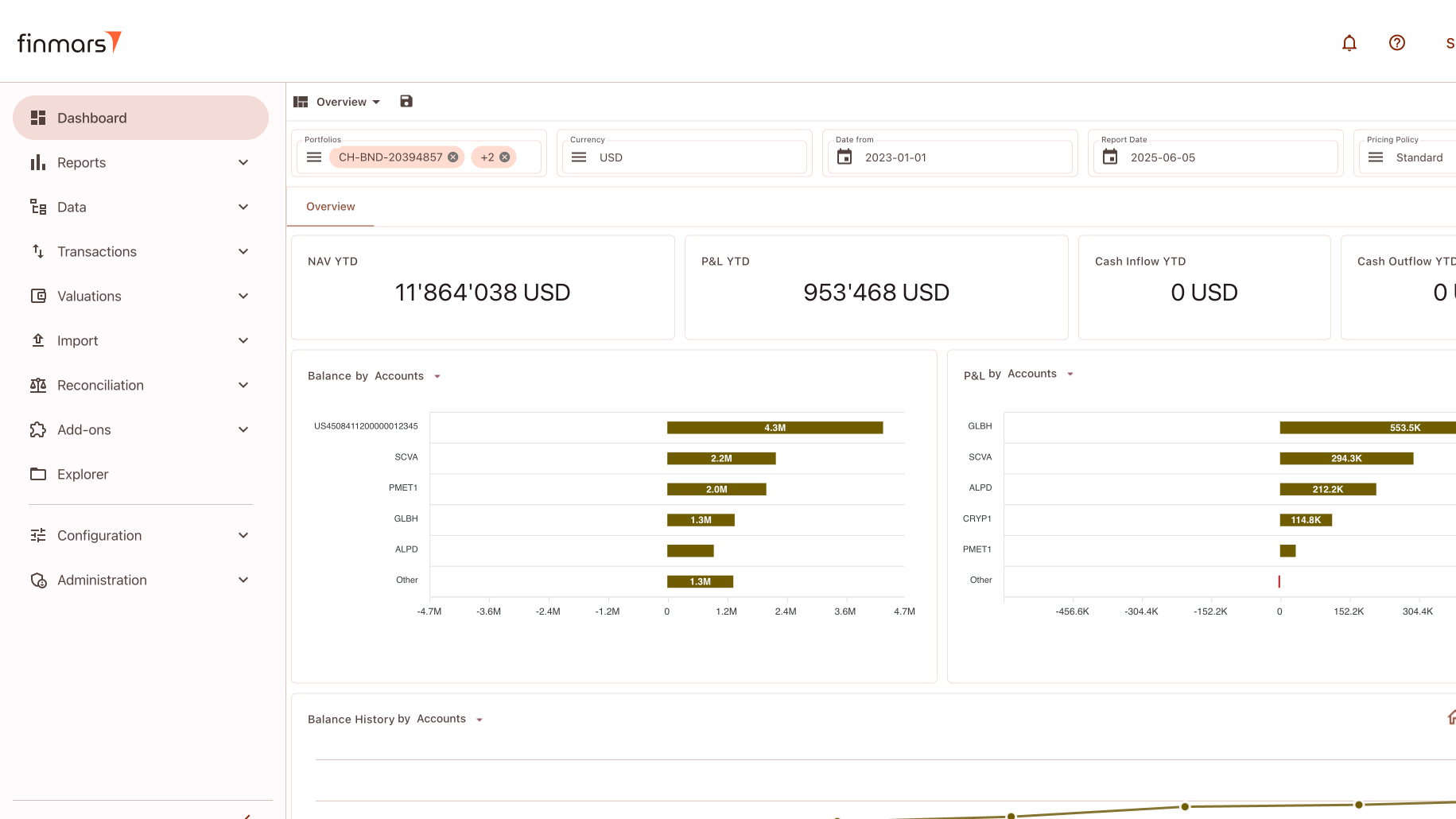
Dashboard
Image
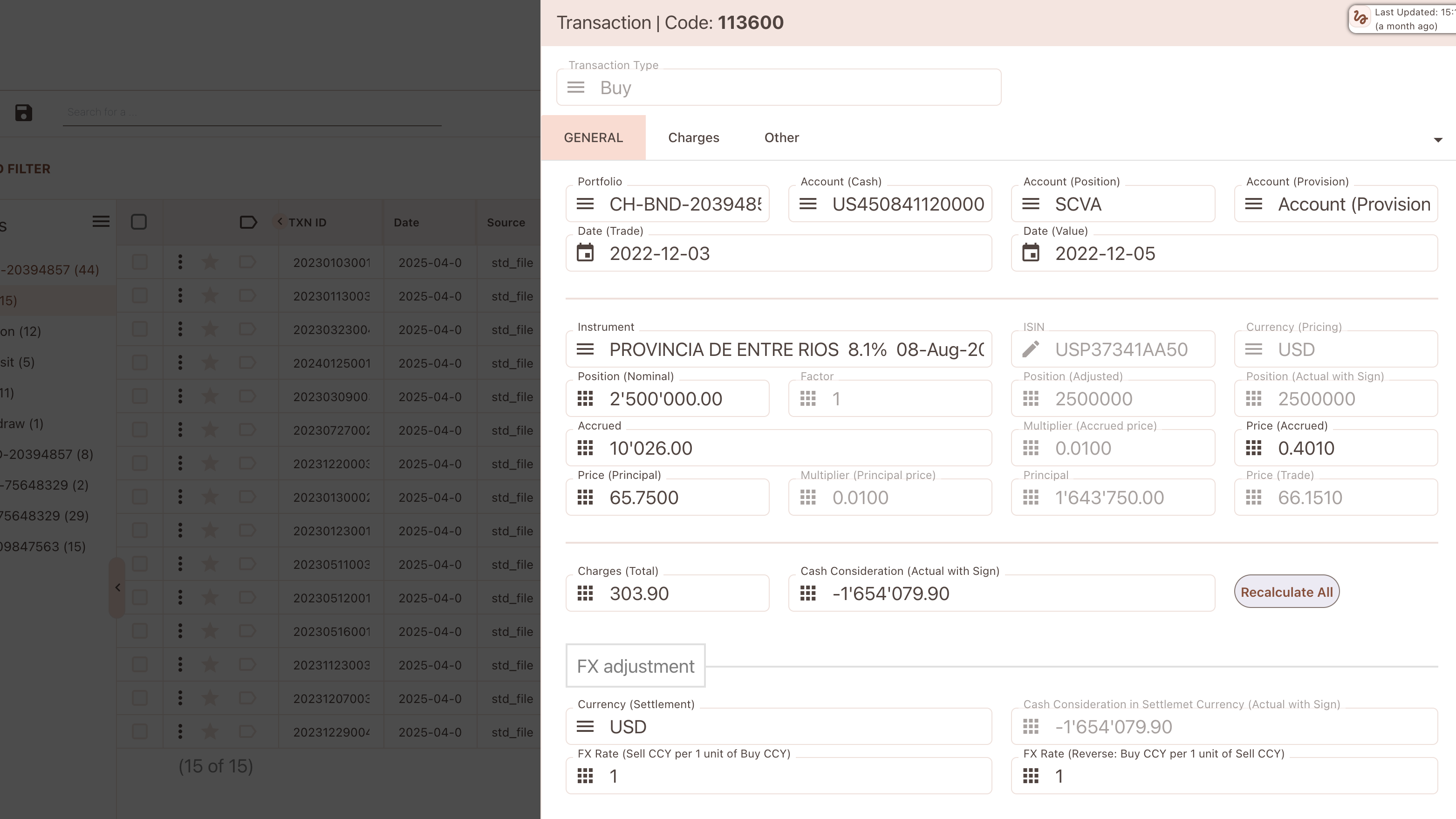
Book
Video
Product video
Finmars is a free, open-source platform to help you manage all your money and investments in one place. You can pull in data from many accounts and see it together.
It gives you easy tools to create reports, dashboards, and PDFs without writing code. You can add extra features from our open marketplace - just pick what you need and plug it in. Finmars runs in your web browser, so you and your team can use it from anywhere.
Highlights
- Open Source
- Finance Platform
- Portfolio Management, Asset Management, Wealth Management
Details
Sold by
Categories
Delivery method
Delivery option
64-bit (x86) Amazon Machine Image (AMI)
Latest version
Operating system
Ubuntu 24.04
Deployed on AWS
New
Introducing multi-product solutions
You can now purchase comprehensive solutions tailored to use cases and industries.

Features and programs
Financing for AWS Marketplace purchases
AWS Marketplace now accepts line of credit payments through the PNC Vendor Finance program. This program is available to select AWS customers in the US, excluding NV, NC, ND, TN, & VT.

Pricing
This product is available free of charge. Free subscriptions have no end date and may be canceled any time.
Additional AWS infrastructure costs may apply. Use the AWS Pricing Calculator to estimate your infrastructure costs.
Dimensions summary
Finmars CE is a free, open-source product billed by the hour based on the AWS EC2 instance you run it on. You choose between two instance sizes: t3.large and t3.xlarge. The software itself carries no license charge. The two options differ only in compute capacity, letting you match the instance to your workload. The t3.xlarge provides more compute resources than the t3.large. Pricing scales with the instance you select and the hours you run it. You self-host and manage the deployment on your own server tenant.
Top-of-mind questions for buyers
Both run the Finmars CE software on an AWS EC2 instance. The t3.large offers a smaller compute footprint. The t3.xlarge provides more vCPUs and memory. You pick the size that fits your data volume and workload. The software itself carries no license charge on either option.
Charges accrue per running instance-hour. When you stop the EC2 instance, the hourly software metering stops. Note that stopped instances may still incur underlying AWS storage fees for attached volumes. The Finmars CE software itself is free, so only compute-hour costs apply while running.
No. Both the t3.large and t3.xlarge options meter actual instance-hours with no upfront commitment. You run the instance when needed and pay only for the hours used. This suits variable workloads and testing. You self-host and manage the deployment on your own server tenant.
finmars.com
Helpful?
Vendor refund policy

Legal
Vendor terms and conditions
Upon subscribing to this product, you must acknowledge and agree to the terms and conditions outlined in the vendor's End User License Agreement (EULA) .
Content disclaimer
Vendors are responsible for their product descriptions and other product content. AWS does not warrant that vendors' product descriptions or other product content are accurate, complete, reliable, current, or error-free.
Delivery details
64-bit (x86) Amazon Machine Image (AMI)
Amazon Machine Image (AMI)
An AMI is a virtual image that provides the information required to launch an instance. Amazon EC2 (Elastic Compute Cloud) instances are virtual servers on which you can run your applications and workloads, offering varying combinations of CPU, memory, storage, and networking resources. You can launch as many instances from as many different AMIs as you need.
Version release notes
Marketplace Update Bugfixes
Additional details
Usage instructions
Launch the product using 1-Click.
Use a web browser to access the application at http://<EC2_Instance_Public_DNS>:8888
Continue with Web Wizard Setup
1) Provide your Domain name and Auth Domain Name 2) Provide your Admin username 3) Provide your Admin passwordContinue with setup and wait until installation is finished. After Setup is completed you can visit https://<YOUR_DOMAIN_NAME.TLD>/login
If you have problems, see Documentation https://docs.finmars.com/books/installation-guide-with-aws-simple/page/setup-finmars-ce
Resources
Vendor resources
Support
Vendor support
AWS infrastructure support
AWS Support is a one-on-one, fast-response support channel that is staffed 24x7x365 with experienced and technical support engineers. The service helps customers of all sizes and technical abilities to successfully utilize the products and features provided by Amazon Web Services.
Similar products

This five-day instructor-led course is designed primarily for IT professionals who have some experience with Windows Server. It is designed for professionals who will be responsible for managing identity, networking, storage and compute by using Windows Server, and who need to understand the scenarios, requirements, and options that are available and applicable to Windows Server. The course teaches IT professionals the fundamental administration skills required to deploy and support Windows Server in most organizations.
This is a repackaged software product wherein additional charges apply for a pre-hardened, SI Core STIG Hardened image and seller support. Docker on Ubuntu 26 is designed to provide seamless container deployment and management in a secure environment. This AMI offers an optimized installation of Docker, ensuring compatibility with the latest features while maintaining high performance. With Docker on Ubuntu 26, developers can easily scale applications and manage microservices, enhancing development workflows. Ideal for DevOps teams and enterprise environments, this solution simplifies the transition to containerization, facilitating faster application delivery. Harness the power of Docker on Ubuntu 26 to streamline your infrastructure and improve resource utilization.

This course is designed to introduce generative AI to software developers interested in leveraging large language models without fine-tuning. The course provides an overview of generative AI, planning a generative AI project, getting started with Amazon Bedrock, the foundations of prompt engineering, and the architecture patterns to build generative AI applications using Amazon Bedrock and LangChain.

This course will teach you how to utilize the key features of FortiGate. Through hands-on labs, you'll delve into firewall policies, user authentication, high availability, SSL VPN, site-to-site IPsec VPN, and the Fortinet Security Fabric. You'll also learn how to safeguard your network with security profiles like IPS, antivirus, web filtering, application control, and more. These foundational administration skills will give you a comprehensive understanding of how to deploy the most common FortiGate functionalities.
Customer reviews
No customer reviews yet
Be the first to review this product . We've partnered with PeerSpot to gather customer feedback. You can share your experience by writing or recording a review, or scheduling a call with a PeerSpot analyst.