
Sold by: Madarson IT
Deployed on AWS
AWS Free Tier
This product has charges associated with it for RDP pre-configuration and GUI access. Madarson IT pre-configured Ubuntu 26.04 LTS with lightweight Xfce desktop and RDP access on port 3389. Launch and connect from any device in minutes - no VPN or X11 forwarding needed.
Overview
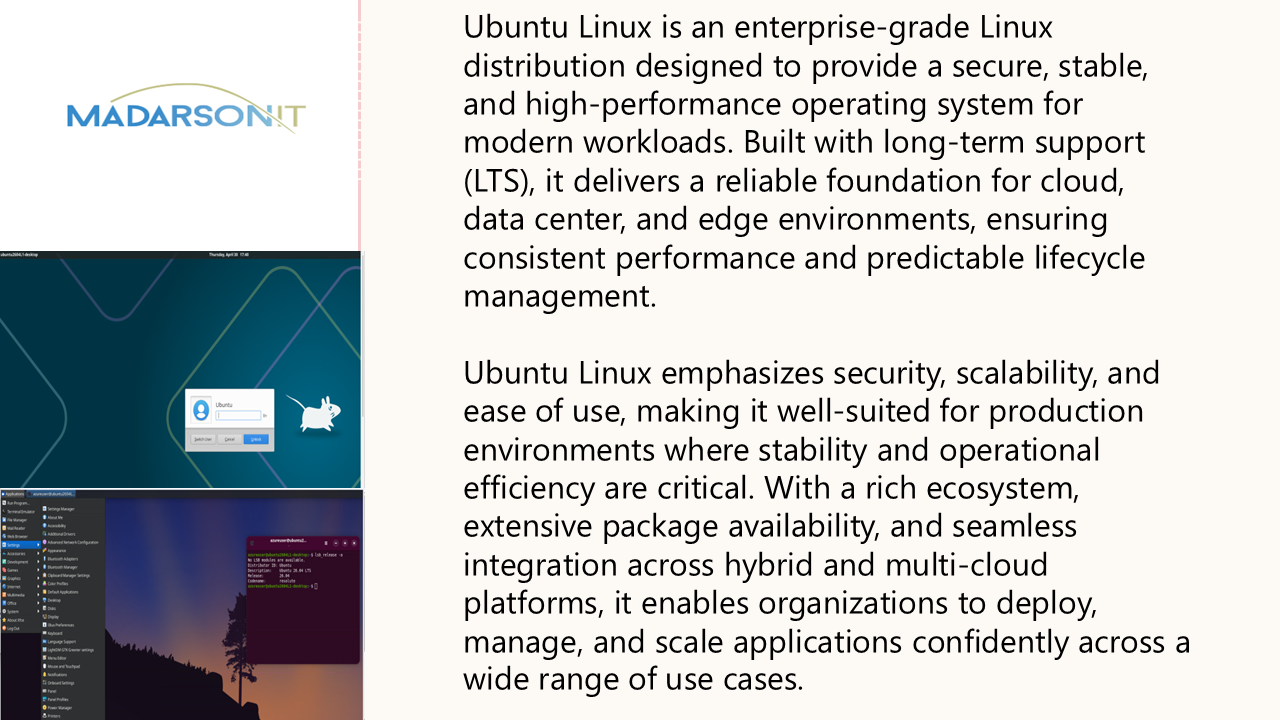
Madarson IT Ubuntu 26.04 LTS - Cloud Desktop with RDP
This is a repackaged software product. Additional charges apply for RDP pre-configuration and GUI access.
Get a fully functional Linux desktop in the cloud without manual configuration. This EC2 image ships pre-configured with Ubuntu 26.04 LTS (Resolute Raccoon) and a complete Xfce desktop environment accessible via Remote Desktop Protocol (RDP) on port 3389. Launch the instance, open the port, set a password, and connect - no VPN tunnels, X11 forwarding, or complex setup required.
What Is Included
- Xfce 4 desktop environment - lightweight window manager optimized for cloud instances
- xrdp remote desktop server - pre-configured on port 3389 for immediate RDP connectivity
- LightDM display manager - handles session management and user authentication
- Firefox web browser - pre-installed for immediate web access
- Terminal, file manager, and productivity tools - ready to use out of the box
- Ubuntu 26.04 LTS base - 5-year Long Term Support through 2031
Why Xfce Over Heavier Desktops
Unlike GNOME or KDE-based cloud desktops, the Xfce environment consumes significantly fewer system resources at idle, allowing you to run a responsive graphical desktop on smaller EC2 instance types. This translates directly to lower infrastructure costs while maintaining a full-featured desktop experience with window management, file browsing, and application launching.
Use Case: Remote Developer and Administrator Access
Teams that need graphical Linux access for development, system administration, or browser-based internal tool access can deploy this image instead of managing complex VPN configurations or X11 forwarding over SSH. For example, a distributed development team can spin up individual cloud desktops for each contractor, providing isolated graphical environments with browser access to internal dashboards - all accessible through standard RDP clients already installed on Windows, macOS, and Linux workstations.
Connectivity
Connect from any platform using standard RDP clients:
- Windows - built-in Remote Desktop Connection
- macOS - Microsoft Remote Desktop (free from App Store)
- Linux - Remmina, FreeRDP, or any RDP-compatible client
Getting Started
- Launch the EC2 instance from this AMI
- Configure your security group to allow inbound TCP on port 3389
- SSH into the instance and set a user password
- Connect using your preferred RDP client with the instance public IP
About Madarson IT
Madarson IT publishes pre-configured and hardened cloud images across AWS, GCP, and Azure Marketplaces. Madarson IT images are built to work right out of the box, maintained with regular updates, and follow industry standards for configuration.
Important Notes
Canonical Ltd. owns the trademarks for Ubuntu and its associated branding. Madarson IT does not provide commercial licenses on any third-party product.
Highlights
- Full Ubuntu 26.04 LTS Xfce desktop environment accessible via RDP from Windows, macOS, or Linux using any standard Remote Desktop client. No VPN or X11 forwarding required. Supports built-in Windows RDP, Microsoft Remote Desktop on macOS, and Remmina or FreeRDP on Linux.
- Lightweight Xfce 4 desktop uses significantly fewer CPU and memory resources than GNOME 50 or KDE, making it suitable for smaller EC2 instance types. Pre-installed with Firefox browser, terminal, file manager, and productivity tools so you can work immediately without manual package installation or configuration.
- Ready to connect immediately after launch - allow TCP port 3389 in your security group, set a password, and connect with your RDP client. Pre-configured with xrdp and LightDM display manager, eliminating the manual setup of display servers, session managers, and remote access protocols.
Details
Sold by
Categories
Delivery method
Delivery option
64-bit (x86) Amazon Machine Image (AMI)
Latest version
Operating system
Ubuntu 26.04
Deployed on AWS
New
Introducing multi-product solutions
You can now purchase comprehensive solutions tailored to use cases and industries.

Features and programs
Financing for AWS Marketplace purchases
AWS Marketplace now accepts line of credit payments through the PNC Vendor Finance program. This program is available to select AWS customers in the US, excluding NV, NC, ND, TN, & VT.

Pricing
Pricing is based on actual usage, with charges varying according to how much you consume. Subscriptions have no end date and may be canceled any time.
Additional AWS infrastructure costs may apply. Use the AWS Pricing Calculator to estimate your infrastructure costs.
If you are an AWS Free Tier customer with a free plan, you are eligible to subscribe to this offer. You can use free credits to cover the cost of eligible AWS infrastructure. See AWS Free Tier for more details. If you created an AWS account before July 15th, 2025, and qualify for the Legacy AWS Free Tier, Amazon EC2 charges for Micro instances are free for up to 750 hours per month. See Legacy AWS Free Tier for more details.
Dimension | Cost/hour |
|---|---|
m5a.large Recommended | $0.05 |
t2.micro | $0.025 |
t3.micro | $0.05 |
m6a.12xlarge | $1.20 |
m7a.xlarge | $0.10 |
c7a.large | $0.05 |
c7a.8xlarge | $0.80 |
c6a.large | $0.05 |
g5.8xlarge | $0.80 |
t3a.small | $0.05 |
Dimensions summary
You pay by the hour for the software running on a security-hardened Ubuntu 26.04 LTS desktop with remote desktop access. Pricing is not tiered by feature. Instead, you pick the AWS EC2 instance size that fits your workload. Options span general-purpose (m-series, t-series), compute-optimized (c-series), memory-optimized (r-series), storage-optimized (d-series, i-series), and GPU families (g-series, p-series). Smaller instances like t3.nano cost less per hour than larger ones like p3.16xlarge. Your hourly rate scales with the compute, memory, and GPU capacity of the instance you choose. You are billed only for hours used.
Top-of-mind questions for buyers
Each hourly charge covers the security-hardened Ubuntu 26.04 LTS desktop with remote desktop access, running on the AWS EC2 instance size you select. The instance size sets the vCPU, memory, and GPU capacity. You pay one hourly rate that combines the software and the chosen compute size.
Software charges apply per hour while the instance runs. A fully stopped or powered-off instance does not accrue software charges. Stopped instances may still incur underlying AWS storage fees for attached volumes, but the software meters running time only.
Pricing is not locked to one size. You choose the instance family and size that fits your workload, and each carries its own hourly rate. To change capacity, you deploy or resize to a different instance type. Your hourly rate then follows the new instance's compute, memory, and GPU capacity.
madarsonit.com
Helpful?
Vendor refund policy
There is no refund policy for this image.

Legal
Vendor terms and conditions
Upon subscribing to this product, you must acknowledge and agree to the terms and conditions outlined in the vendor's End User License Agreement (EULA) .
Content disclaimer
Vendors are responsible for their product descriptions and other product content. AWS does not warrant that vendors' product descriptions or other product content are accurate, complete, reliable, current, or error-free.
Delivery details
64-bit (x86) Amazon Machine Image (AMI)
Amazon Machine Image (AMI)
An AMI is a virtual image that provides the information required to launch an instance. Amazon EC2 (Elastic Compute Cloud) instances are virtual servers on which you can run your applications and workloads, offering varying combinations of CPU, memory, storage, and networking resources. You can launch as many instances from as many different AMIs as you need.
Version release notes
Ubuntu 26.04 LTS Cloud Desktop with RDP. Xfce desktop environment with Firefox browser pre-installed.
Additional details
Usage instructions
Allow inbound SSH access in your security group (TCP port 22 and 3389) To connect to your instance using the Amazon EC2 console: Open the Amazon EC2 console at https://console.aws.amazon.com/ec2/ .
In the navigation pane, choose Instances.
Select the instance and choose Connect. Choose the EC2 Instance Connect tab. For Connection type, choose Connect using EC2 Instance Connect. Access the ec2 with the default username: "ubuntu" For RDP Access: Create a password for ubuntu user for RDP login using the CLI command: "sudo passwd ubuntu" Launch RDP client and enter the ubuntu credentials
Resources
Vendor resources
Support
Vendor support
Contact
For product support, private offers, compliance documentation, or custom hardening requirements, contact Madarson IT at info@madarsonit.com .
Support Scope
Madarson IT provides support for issues related to the pre-configured image including RDP connectivity problems, desktop environment configuration, and package-related questions. AWS infrastructure issues (EC2 instance health, networking, billing) should be directed to AWS Support.
Getting Help
When contacting support, please include your EC2 instance ID, region, instance type, and a description of the issue you are experiencing. For RDP connection problems, include your client platform (Windows, macOS, or Linux) and any error messages displayed.
Refunds
For refund requests related to software charges, contact Madarson IT at info@madarsonit.com with your AWS account ID and the relevant usage period.
AWS infrastructure support
AWS Support is a one-on-one, fast-response support channel that is staffed 24x7x365 with experienced and technical support engineers. The service helps customers of all sizes and technical abilities to successfully utilize the products and features provided by Amazon Web Services.
Similar products

Pre-configured Ubuntu 22.04 LTS cloud desktop with instant remote access via RDP client or web browser. Ideal for developers and remote teams needing a secure Linux environment on AWS.

Pre-configured Ubuntu 24.04 LTS cloud desktop with Mate GUI, VNC, and RDP for instant remote access. Launch and connect from anywhere with no manual setup.

This product has charges associated with it for GUI and RDP pre-configuration. Pre-configured Ubuntu 24.04 LTS cloud desktop by Madarson IT. Launch on AWS EC2 and connect instantly via any RDP client - no VNC needed.

This product has charges associated with it for security hardening, RDP pre-configuration, and GUI access. Madarson IT hardened Ubuntu 26.04 LTS cloud desktop with pre-configured Xfce and RDP access. Deploy a compliance-aligned graphical workspace on EC2 without manual hardening.
Customer reviews
No customer reviews yet
Be the first to review this product . We've partnered with PeerSpot to gather customer feedback. You can share your experience by writing or recording a review, or scheduling a call with a PeerSpot analyst.