
Sold by: Madarson IT
Deployed on AWS
AWS Free Tier
This product has charges associated with it for security hardening. Madarson IT HIPAA-hardened RHEL 10 AMI pre-configured with ePHI access controls, audit logging, and transmission security for healthcare workloads on AWS.
These options are for Red Hat Enterprise Linux 10 Image - Hardened for HIPAA Compliance.
View 5 other optionsOverview

Image
Madarson IT HIPAA Hardened Image Intro

Image
Red Hat Enterprise Linux Features
Image
Hardened EC2 Images for Secure Cloud Deployments

Video
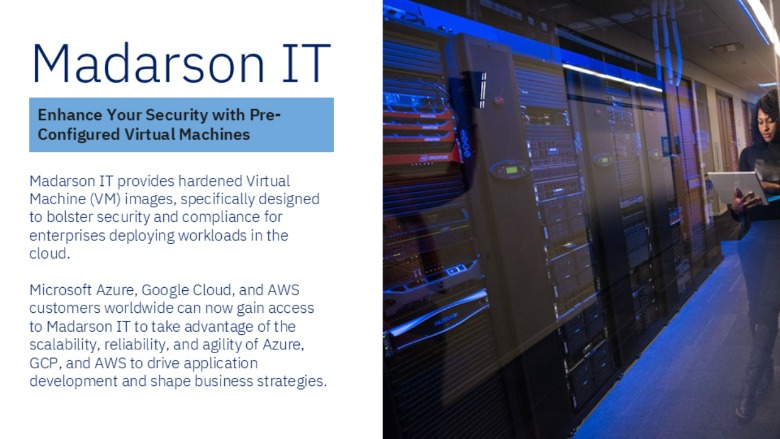
Pre-Hardened EC2 Images for AWS, Azure, and GCP
This is a repackaged software product from Madarson IT, with additional charges applied for HIPAA-focused security hardening.
Red Hat Enterprise Linux 10 - Hardened for HIPAA Compliance
This AWS EC2 AMI delivers Red Hat Enterprise Linux 10 pre-hardened with controls aligned to the HIPAA Security Rule. Built for covered entities, business associates, and healthcare SaaS providers, this image reduces the time and effort required to deploy HIPAA-aligned infrastructure for workloads handling electronic protected health information (ePHI).
What This AMI Delivers
- Access Controls: Role-based access enforcement, restricted root login, password complexity policies, and session timeout configurations to limit unauthorized access to ePHI
- Audit Controls: Pre-configured auditd rules for tracking system events, login attempts, privilege escalation, and file access relevant to PHI data stores
- Transmission Security: TLS enforcement for network services, disabled insecure protocols, and hardened SSH configurations to protect ePHI in transit
- Integrity Controls: File integrity monitoring readiness, SELinux set to enforcing mode, and restricted package installation to prevent unauthorized system modifications
- Attack Surface Reduction: Unnecessary services disabled, unused network ports closed, and minimal package footprint to reduce exposure to vulnerabilities
- Authentication Hardening: Account lockout policies, secure password storage, and multi-factor authentication readiness aligned with HIPAA Security Rule requirements
AWS Service Integration
This hardened image is designed to work with AWS services that support HIPAA-eligible workloads:
- AWS CloudTrail - API activity logging for compliance auditing and incident investigation
- Amazon CloudWatch - System and application monitoring with alerting for security events
- AWS Systems Manager - Patch management and configuration compliance tracking
- Amazon S3 - Encrypted storage for backups and audit logs with versioning and access controls
- AWS Config - Continuous configuration assessment against compliance rules
- Amazon Macie - Detection of sensitive health data in storage resources
Key Benefits
Accelerated HIPAA Readiness: Deploy infrastructure pre-aligned with HIPAA Security Rule technical safeguards rather than spending weeks manually hardening a base image.
Reduced Audit Burden: Pre-applied controls map to HIPAA technical safeguard requirements, helping your compliance team demonstrate due diligence during audits.
Healthcare-Focused Configuration: Every hardening decision targets ePHI protection scenarios - not generic security benchmarks - ensuring relevance for healthcare workloads.
Continuous Maintenance: Regular image updates address emerging vulnerabilities so your foundation stays current with evolving threat landscapes.
Getting Started
- Subscribe to this product on AWS Marketplace and accept the terms
- Launch an EC2 instance using the AMI in your desired region
- Connect via SSH using your key pair to verify the hardened configuration
- Validate HIPAA-aligned controls are active (SELinux enforcing, auditd running, firewall rules applied)
- Configure application-layer controls specific to your ePHI workload
- Integrate with AWS CloudTrail, CloudWatch, and Config for ongoing monitoring
Requirements and Limitations
- A Business Associate Agreement (BAA) with AWS is still required for HIPAA-eligible workloads
- This image addresses operating system-level technical safeguards only; application-layer encryption, backup procedures, and administrative safeguards remain the customer's responsibility
- Organizations must implement their own policies for workforce training, risk assessments, and incident response procedures
- The image does not guarantee HIPAA compliance on its own; it provides a hardened foundation that supports compliance efforts
- Red Hat subscription and commercial support are not included
About Madarson IT
Madarson IT provides security-hardened cloud images optimized for regulated environments. Our images are regularly updated and designed for reliable deployment in sensitive healthcare and compliance-driven workloads.
Disclaimer
Red Hat, Inc. owns the trademarks for Red Hat Enterprise Linux (RHEL) and its associated branding. Madarson IT does not provide commercial licenses for Red Hat products. HIPAA compliance requires a comprehensive program beyond technical controls; this image supports but does not replace organizational compliance obligations.
Highlights
- HIPAA Security Rule Controls Pre-Applied: This image ships with access controls including restricted root login, password complexity enforcement, and session timeouts; audit controls via pre-configured auditd rules tracking login attempts, privilege escalation, and file access; transmission security through TLS enforcement and hardened SSH; and integrity controls with SELinux in enforcing mode.
- Accelerated Path to HIPAA Audit Readiness: Deploy a hardened RHEL 10 foundation in minutes rather than spending weeks manually configuring security controls. Pre-applied configurations map to HIPAA Security Rule technical safeguards, helping covered entities and business associates demonstrate due diligence during compliance audits.
- AWS Integration and Continuous Maintenance: Designed to work with HIPAA-eligible AWS services including CloudTrail for API audit logging, CloudWatch for security event monitoring, Systems Manager for patch management, and AWS Config for configuration compliance tracking. The image receives regular updates to address emerging vulnerabilities, ensuring your hardened foundation stays current.
Details
Sold by
Categories
Delivery method
Delivery option
64-bit (x86) Amazon Machine Image (AMI)
Latest version
Operating system
Rhel 10
Deployed on AWS
Features and programs
Financing for AWS Marketplace purchases
AWS Marketplace now accepts line of credit payments through the PNC Vendor Finance program. This program is available to select AWS customers in the US, excluding NV, NC, ND, TN, & VT.

Pricing
Pricing is based on actual usage, with charges varying according to how much you consume. Subscriptions have no end date and may be canceled any time.
Additional AWS infrastructure costs may apply. Use the AWS Pricing Calculator to estimate your infrastructure costs.
If you are an AWS Free Tier customer with a free plan, you are eligible to subscribe to this offer. You can use free credits to cover the cost of eligible AWS infrastructure. See AWS Free Tier for more details. If you created an AWS account before July 15th, 2025, and qualify for the Legacy AWS Free Tier, Amazon EC2 charges for Micro instances are free for up to 750 hours per month. See Legacy AWS Free Tier for more details.
Dimension | Cost/hour |
|---|---|
m5.large Recommended | $0.04 |
t3.micro | $0.04 |
t2.micro | $0.02 |
c3.4xlarge | $0.32 |
c5.2xlarge | $0.16 |
t3.small | $0.04 |
d3.4xlarge | $0.32 |
g5.8xlarge | $0.64 |
d2.8xlarge | $0.64 |
c5.4xlarge | $0.32 |
Dimensions summary
You pay by the hour for each running instance of this hardened Red Hat Enterprise Linux 10 image. Pricing is not tiered by features. Instead, each rate maps to a specific AWS EC2 instance type, so the hourly software cost scales with the compute size you choose. Smaller instances like t3.nano or t2.micro carry lower hourly rates, while larger compute, memory, storage, and GPU instances such as m5.16xlarge, r5.16xlarge, or p3.16xlarge cost more per hour. You select the instance that fits your workload and pay only for the hours you use.
Top-of-mind questions for buyers
The hourly rate covers the hardened Red Hat Enterprise Linux 10 software license for one running instance. You pay this on top of standard AWS charges for the underlying EC2 compute. The image is configured with HIPAA-aligned security controls and receives regular security patches and compliance updates.
The software fee meters running time only. Stopped or paused instances do not accrue the hourly software charge. You may still pay separate AWS storage fees for any attached volumes while the instance is stopped, but that is billed by AWS, not through this listing.
Each instance type maps to its own hourly rate. Moving to a larger instance changes your rate to that type's price. There is no separate feature upgrade or license change. You simply launch the image on the instance you need and pay that type's hourly rate.
madarsonit.com
Helpful?
Vendor refund policy
There is no refund policy for this image.

Legal
Vendor terms and conditions
Upon subscribing to this product, you must acknowledge and agree to the terms and conditions outlined in the vendor's End User License Agreement (EULA) .
Content disclaimer
Vendors are responsible for their product descriptions and other product content. AWS does not warrant that vendors' product descriptions or other product content are accurate, complete, reliable, current, or error-free.
Delivery details
64-bit (x86) Amazon Machine Image (AMI)
Amazon Machine Image (AMI)
An AMI is a virtual image that provides the information required to launch an instance. Amazon EC2 (Elastic Compute Cloud) instances are virtual servers on which you can run your applications and workloads, offering varying combinations of CPU, memory, storage, and networking resources. You can launch as many instances from as many different AMIs as you need.
Version release notes
Red Hat Enterprise Linux 10 Image -- Hardened for HIPAA Compliance
Additional details
Usage instructions
Allow inbound SSH access in your security group (TCP port 22) To connect to your instance using the Amazon EC2 console: Open the Amazon EC2 console at https://console.aws.amazon.com/ec2/ .
In the navigation pane, choose Instances.
Select the instance and choose Connect. Choose the EC2 Instance Connect tab. For Connection type, choose Connect using EC2 Instance Connect. Access the ec2 with the default username: "ec2-user"
Resources
Vendor resources
Support
Vendor support
Support Contact
For technical support, compliance inquiries, audit questions, and private offer requests, contact Madarson IT at info@madarsonit.com .
Support Scope
Madarson IT provides support for issues related to the HIPAA hardening configurations applied to this image, including questions about pre-applied security controls, audit logging configuration, and access control settings. Support covers guidance on validating the hardened state of the image and understanding which HIPAA Security Rule technical safeguards are addressed at the OS level.
Getting Started After Launch
- Launch the AMI from the AWS Marketplace listing in your target region
- Connect via SSH using your EC2 key pair
- Verify hardened controls are active - confirm SELinux is enforcing, auditd is running, and firewall rules are applied
- Configure your application-layer controls for your specific ePHI workload
- Integrate with AWS CloudTrail and CloudWatch for ongoing compliance monitoring
Important Notes
- This image addresses OS-level technical safeguards; application security, backup, and administrative safeguards remain customer responsibilities
- A Business Associate Agreement (BAA) with AWS is required for HIPAA-eligible workloads
- Red Hat commercial support is not included with this image
For private offers, bulk licensing, or compliance consultation, reach out to info@madarsonit.com .
AWS infrastructure support
AWS Support is a one-on-one, fast-response support channel that is staffed 24x7x365 with experienced and technical support engineers. The service helps customers of all sizes and technical abilities to successfully utilize the products and features provided by Amazon Web Services.
Similar products

This product has charges associated with it for NIST 800-171 security hardening. Pre-hardened RHEL 10 AMI addressing NIST 800-171 control families for organizations handling controlled unclassified information (CUI) on AWS EC2.

This is a repackaged software product wherein additional charges apply for a pre-hardened, SI Core STIG Hardened image and seller support. Red Hat Enterprise Linux 10 (redhat 10) offers an enterprise-grade operating system that delivers enhanced security, stability, and scalability for your cloud applications. With redhat 10, organizations can harness the power of a consistently reliable environment, facilitating seamless deployment across diverse workloads. Designed for performance, redhat 10 features advanced management tools and a streamlined user interface, ensuring optimal productivity. Perfect for cloud deployments, containerized applications, and critical workloads, redhat 10 enables users to innovate rapidly while maintaining compliance with industry standards. Experience the future of enterprise computing with redhat 10.

For North America and regions outside EMEA, optimized and pre-configured for performance with AWS-specific profiles, Red Hat Enterprise Linux combines production stability with developer agility.

This product has charges associated with it for PCI DSS security hardening. Madarson IT pre-hardened Red Hat Enterprise Linux 10 AMI for AWS EC2, configured to help address PCI DSS compliance requirements out of the box.
Customer reviews
No customer reviews yet
Be the first to review this product . We've partnered with PeerSpot to gather customer feedback. You can share your experience by writing or recording a review, or scheduling a call with a PeerSpot analyst.