
Sold by: Nexora Technologies LLC
Deployed on AWS
AWS Free Tier
This product has charges associated with it for automated deployment, security hardening, first-boot credential generation, system optimization, and support services provided by Nexora Technologies LLC.
Overview
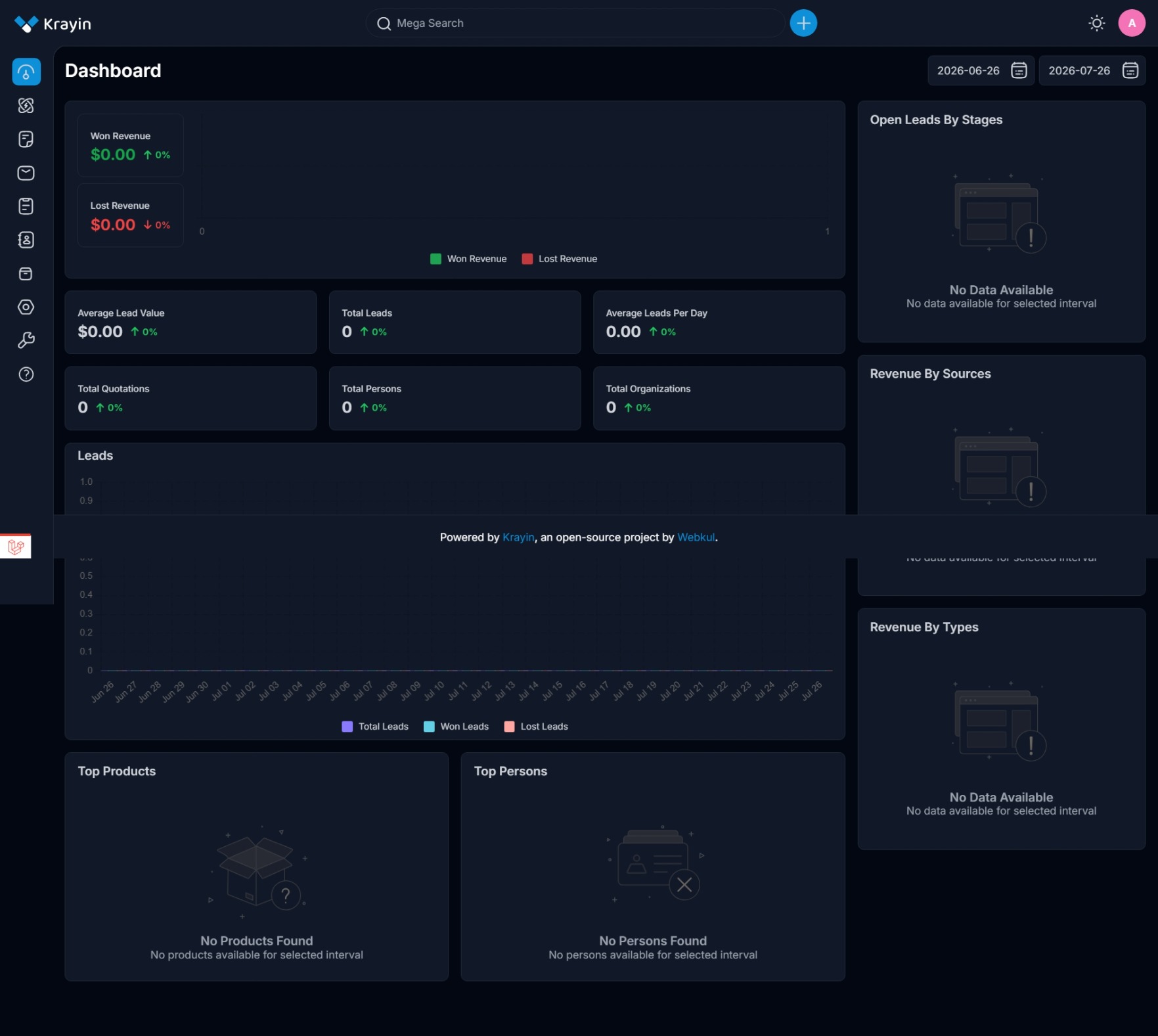
Image
KrayinCRM-Dashboard
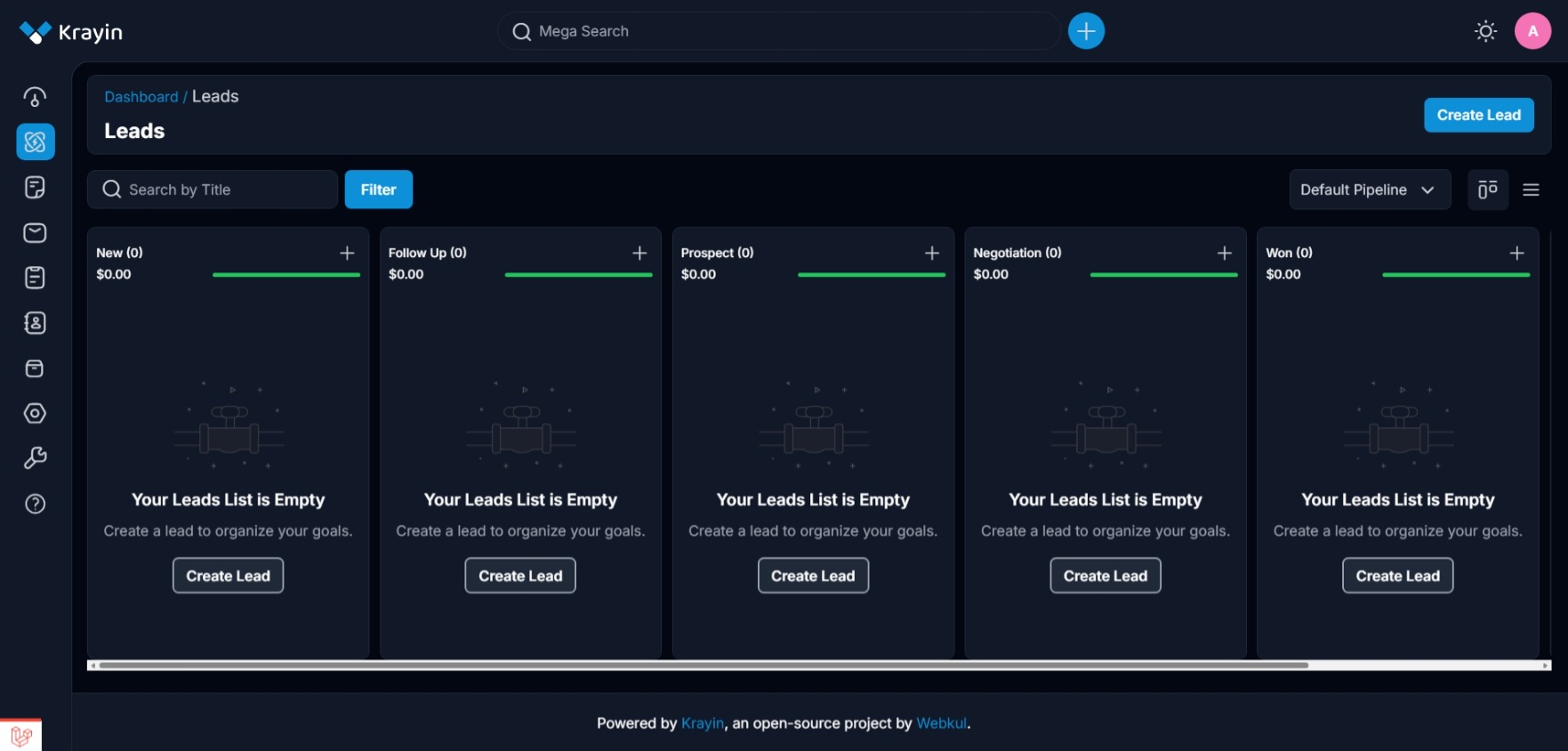
Image
KrayinCRM-Leads
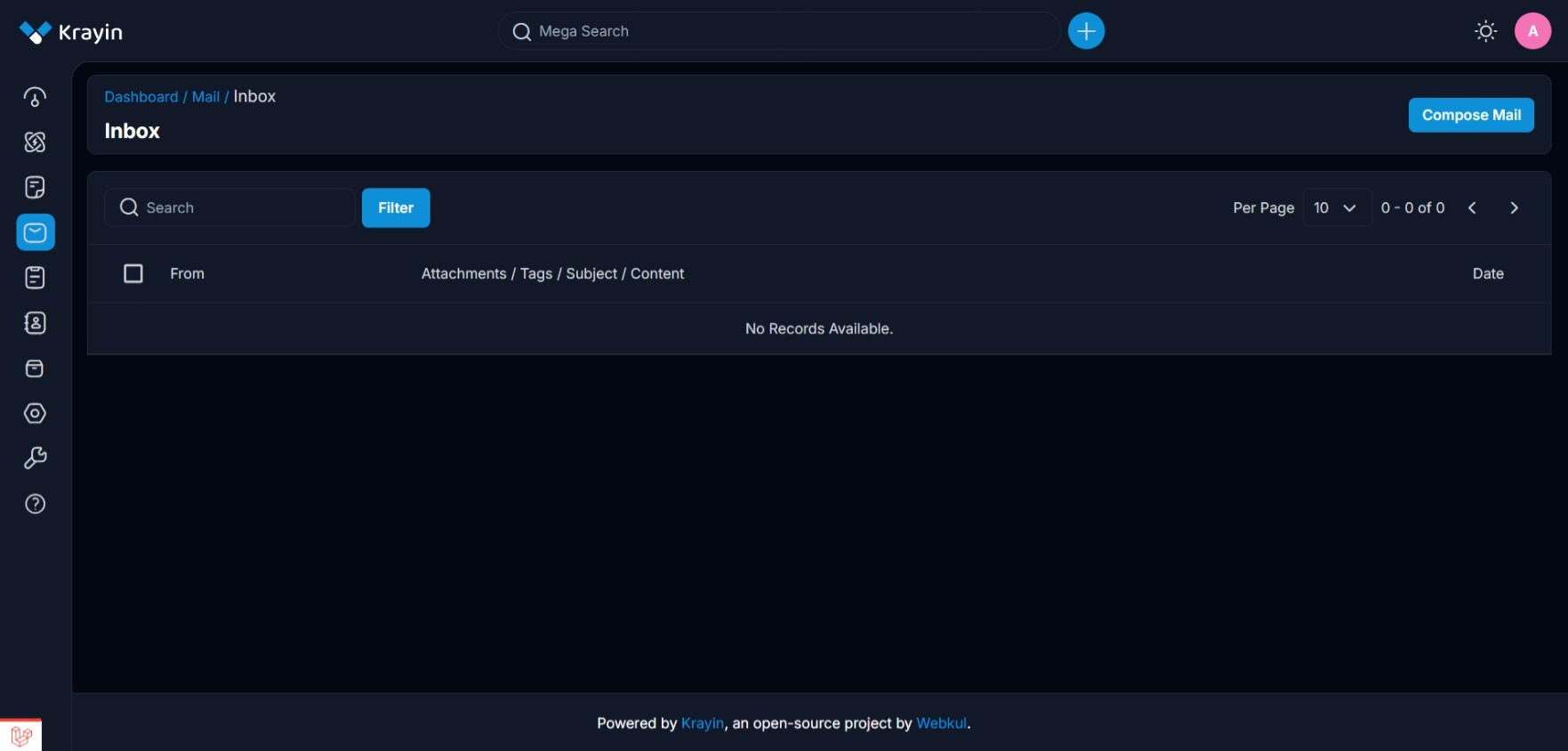
Image
KrayinCRM-Mail
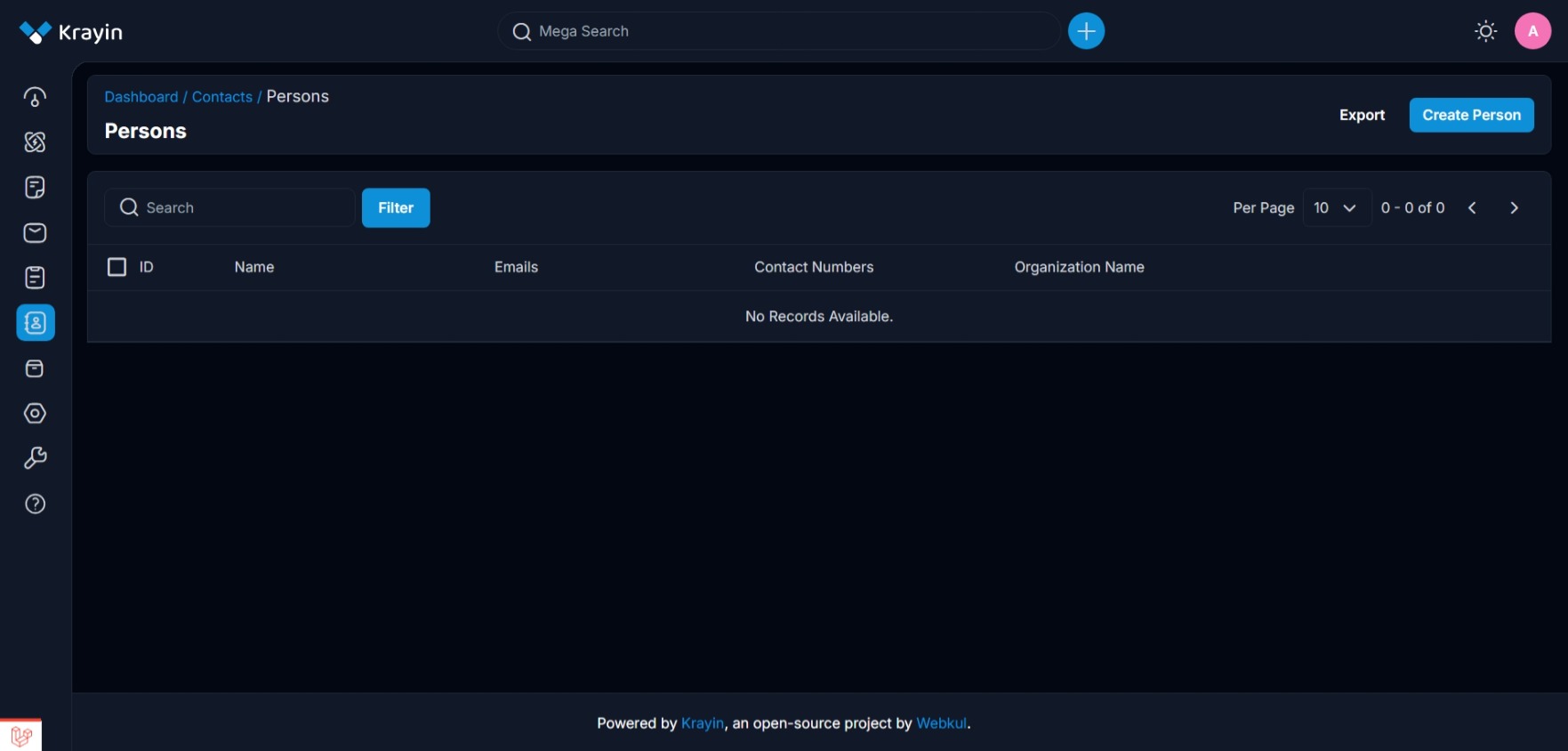
Image
KrayinCRM-Contacts
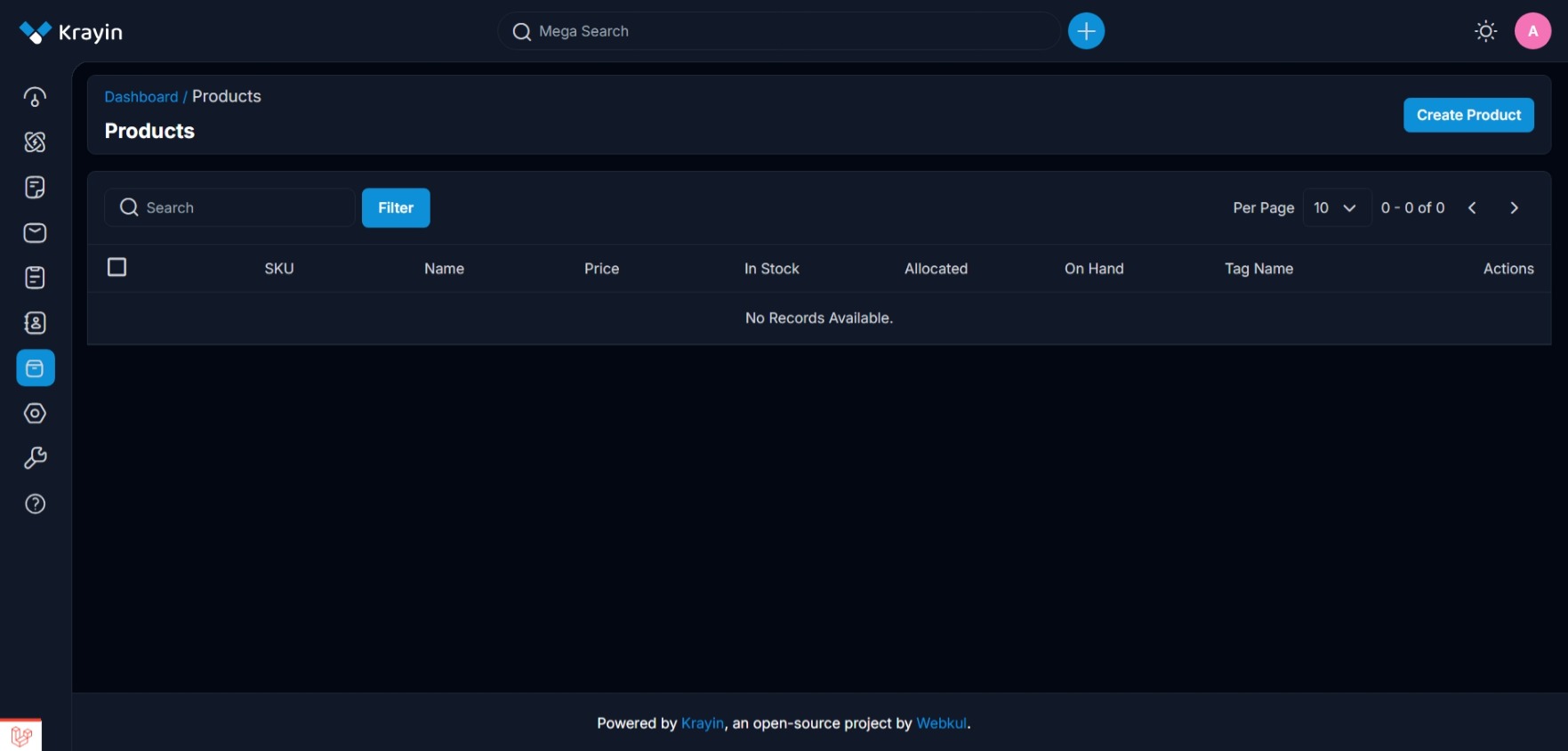
Image
KrayinCRM-Products
This is a repackaged open source software product wherein additional charges apply for professional support, enterprise security hardening, automated deployment configuration, performance optimization, and ongoing maintenance services provided by Nexora Technologies LLC.
WHAT YOU ARE PAYING FOR
Professional AMI configuration and optimization for AWS EC2 Security hardening with SSH hardening and UFW firewall Automated first-boot deployment with unique credential generation Technical support for deployment and configuration
ABOUT KRAYIN CRM
Krayin CRM is a free and open-source Customer Relationship Management platform built on Laravel 12 and Vue.js, designed for small and medium-sized businesses as well as enterprise teams that require complete ownership of their customer data. With over 23,000 GitHub stars and more than 33,000 installations worldwide, Krayin CRM delivers a modern, clean CRM experience without the complexity or per-user licensing costs associated with proprietary CRM platforms. Krayin CRM covers the full customer lifecycle including lead management, contact and organization tracking, sales pipeline management with Kanban view, activity scheduling, email integration, quote generation, product catalog, and role-based access control. The platform is built by Webkul Software, the same team behind Bagisto, and benefits from active development, regular releases, and a growing community of contributors. Licensed under the MIT License, Krayin CRM is free to use, customize, white-label, and deploy for any business purpose.
TECHNICAL SPECIFICATIONS
Krayin CRM 2.2.3 (Latest Stable Release, May 2026) Ubuntu 24.04 LTS with security support until 2029 PHP 8.3 with FPM and OPcache MySQL 8.0 with security hardening and localhost-only binding Apache 2.4 with mod_rewrite enabled Composer 2.x for dependency management Certbot pre-installed for free SSL via Let's Encrypt UFW firewall pre-configured EC2 Instance Metadata Service v2 (IMDSv2) is used automatically during first-boot to retrieve instance information. No user-provided credentials are required.
AUTOMATED FIRST-BOOT DEPLOYMENT
Each instance launched from this AMI goes through a one-time automated initialization that creates a unique MySQL database user and password, updates Krayin CRM configuration with the correct instance credentials, generates a unique administrator account, and writes all access information to ~/credentials.txt. The system is fully operational within 2 to 3 minutes of launch.
GETTING STARTED
- Launch an EC2 instance from this AMI with an SSH key pair
- Open ports 22, 80, and 443 in your security group
- Wait 2 to 3 minutes for first boot to complete
- SSH in and run: cat ~/credentials.txt
- Open http://YOUR_IP in your browser and sign in
RECOMMENDED INSTANCE TYPES
Small teams and development: t3.small or t3.medium Growing sales teams: t3.large or t3.xlarge Large organizations: t3.2xlarge or larger
SSL AND CUSTOM DOMAIN SETUP
After pointing your domain to the instance Elastic IP: sudo certbot --apache -d yourdomain.com HTTPS will be configured automatically with auto-renewal enabled.
SYSTEM REQUIREMENTS AND DEPENDENCIES
Minimum recommended instance type: t3.small (2 vCPU, 2 GB RAM) Minimum storage: 20 GB EBS volume recommended An EC2 key pair is required for SSH access Ports 22, 80, and 443 must be open in the security group No user-provided credentials or external configuration required at launch time
PRODUCT LIMITATIONS
Single-node deployment, high availability and clustering not included by default HTTPS is not pre-configured, an SSL certificate must be installed post-launch SMTP is not pre-configured, email settings must be configured in Krayin CRM admin OS and application updates are the responsibility of the customer An Elastic IP is recommended for production use
SUPPORT
Contact: info@nexoratechnologiesllc.com Website: https://nexoratechnologiesllc.com
ABOUT NEXORA TECHNOLOGIES LLC
Nexora Technologies LLC delivers production-grade cloud deployment solutions on AWS, specializing in hardened AMIs with enterprise security configurations, automated initialization systems, and professional support services.
KRAYIN CRM LICENSE
Krayin CRM is free and open-source software licensed under the MIT License. Charges on this listing apply exclusively to the professional AMI configuration, security hardening, automated deployment infrastructure, and support services provided by Nexora Technologies LLC.
Highlights
- Production-ready Krayin CRM 2.2.3 on Ubuntu 24.04 LTS with PHP 8.3 and MySQL 8.0, automated first-boot generates a unique database user, admin account, and application credentials per instance with zero manual configuration required after launch.
- Enterprise security hardening included: key-only SSH access, root login disabled, UFW firewall pre-configured, MySQL localhost-only binding, no shared credentials across instances, and IMDSv2 enforced for all instance metadata access.
- A modern open-source CRM with over 23,000 GitHub stars built on Laravel 12 and Vue.js, delivering lead management, Kanban pipeline, contact tracking, activity scheduling, quote generation, and role-based access control at zero per-user licensing cost, supported by Nexora Technologies LLC.
Details
Sold by
Categories
Delivery method
Delivery option
64-bit (x86) Amazon Machine Image (AMI)
Latest version
Operating system
Ubuntu 24.04
Deployed on AWS
New
Introducing multi-product solutions
You can now purchase comprehensive solutions tailored to use cases and industries.

Features and programs
Financing for AWS Marketplace purchases
AWS Marketplace now accepts line of credit payments through the PNC Vendor Finance program. This program is available to select AWS customers in the US, excluding NV, NC, ND, TN, & VT.

Pricing
Pricing is based on the duration and terms of your contract with the vendor. This entitles you to a specified quantity of use for the contract duration. If you choose not to renew or replace your contract before it ends, access to these entitlements will expire.
Additional AWS infrastructure costs may apply. Use the AWS Pricing Calculator to estimate your infrastructure costs.
Dimension | Description | Cost/month | Cost savings % |
|---|---|---|---|
Krayin CRM 2.2.3 | Krayin CRM on Ubuntu 24.04 LTS by Nexora Technologies LLC | $400.00 | 36% |
Dimensions summary
This listing uses a contract pricing model with a single dimension: Krayin CRM 2.2.3, billed in units. You pay for the number of units you commit to under the contract term. There are no separate tiers, instance sizes, or usage add-ons to choose from. The product is a pre-configured deployment of Krayin CRM on Ubuntu 24.04 LTS. Your cost scales directly with the number of units you select.
Top-of-mind questions for buyers
One unit covers a single deployment of Krayin CRM 2.2.3 running on Ubuntu 24.04 LTS. You commit to the number of units you need for the contract term. Your cost scales directly with the unit count you select at purchase.
The unit price covers the pre-configured Krayin CRM software on Ubuntu 24.04 LTS. The underlying AWS compute, storage, and data transfer are billed separately by AWS based on the resources your deployment uses. Review your AWS resource costs alongside this software charge.
The vendor provides pre-configured solutions with regular updates as part of its AWS Marketplace offerings. For details on which updates apply to Krayin CRM 2.2.3 during your contract term, confirm directly with the vendor.
nexoratechnologiesllc.com
Helpful?
Vendor refund policy
This product is billed based on actual EC2 instance usage hours. You may terminate your instance at any time to stop all charges. No refunds are issued for partial usage periods already billed. For billing questions or disputes, contact info@nexoratechnologiesllc.com before opening a claim through AWS Marketplace.

Legal
Vendor terms and conditions
Upon subscribing to this product, you must acknowledge and agree to the terms and conditions outlined in the vendor's End User License Agreement (EULA) .
Content disclaimer
Vendors are responsible for their product descriptions and other product content. AWS does not warrant that vendors' product descriptions or other product content are accurate, complete, reliable, current, or error-free.
Delivery details
64-bit (x86) Amazon Machine Image (AMI)
Amazon Machine Image (AMI)
An AMI is a virtual image that provides the information required to launch an instance. Amazon EC2 (Elastic Compute Cloud) instances are virtual servers on which you can run your applications and workloads, offering varying combinations of CPU, memory, storage, and networking resources. You can launch as many instances from as many different AMIs as you need.
Version release notes
RELEASE: Krayin CRM 2.2.3 on Ubuntu 24.04 LTS Release Date: July 2026 Prepared by: Nexora Technologies LLC
INCLUDED SOFTWARE VERSIONS
Krayin CRM 2.2.3 (Latest Stable, May 2026) Ubuntu 24.04.4 LTS PHP 8.3 with OPcache and required extensions MySQL 8.0 Apache 2.4 Composer 2.x Certbot pre-installed UFW firewall pre-configured
AUTOMATED FIRST BOOT SYSTEM
Each new instance launch triggers a one-time initialization sequence: Waits for MySQL to become fully available before proceeding Retrieves instance ID and public IP via EC2 IMDSv2 automatically Falls back to private IP if no public IP is assigned Creates a unique MySQL database user with a randomly generated password Updates Krayin CRM environment configuration with new database credentials Updates application URL with the correct instance public IP Generates a unique admin email and password Writes all credentials to ~/credentials.txt with owner-only permissions Creates a lock file to prevent re-execution on subsequent reboots
SECURITY HARDENING APPLIED
SSH PermitRootLogin: disabled SSH PasswordAuthentication: disabled MySQL root: auth_socket authentication (no password) MySQL bind-address: 127.0.0.1 Apache ServerTokens: Prod Apache ServerSignature: Off UFW: active, ports 22/80/443 only No hardcoded credentials in AMI No shared passwords across instances IMDSv2 enforced
KNOWN LIMITATIONS
HTTPS not pre-configured, SSL certificate required after launch SMTP not pre-configured, email must be configured in Krayin CRM settings Single-node only, no built-in HA or clustering Elastic IP not included by default
OPEN SOURCE NOTICE
Krayin CRM is free and open-source software licensed under the MIT License. Source code is available at https://github.com/krayin/laravel-crm
SUPPORT
Email: info@nexoratechnologiesllc.com Website: https://nexoratechnologiesllc.com
Additional details
Usage instructions
For full documentation and configuration guides, visit the official Krayin CRM documentation at https://devdocs.krayincrm.com . For product-specific support, visit https://nexoratechnologiesllc.com .
GETTING STARTED
After launching your instance, the automated first-boot process completes within 2 to 3 minutes. During this time, unique credentials are generated, the database is configured, and Krayin CRM is ready to use.
Step 1 - Connect via SSH using your EC2 key pair: ssh -i your-key.pem ubuntu@YOUR_PUBLIC_IP
Step 2 - Retrieve your login credentials: cat ~/credentials.txt This file contains your Krayin CRM admin email, password, and database details. It is readable only by the ubuntu user (chmod 600).
Step 3 - Open the application in your browser: http://YOUR_PUBLIC_IP Sign in with the email and password from credentials.txt.
SECURITY GROUP REQUIREMENTS
Open the following ports in your EC2 security group: TCP 22 for SSH administration (restrict to your own IP for better security) TCP 80 for web access TCP 443 for HTTPS after SSL installation
RECOMMENDED INSTANCE TYPES
Small team / development: t3.small or t3.medium Growing sales team: t3.large or t3.xlarge Large organization: t3.2xlarge or larger
SSL AND DOMAIN CONFIGURATION
- Assign an Elastic IP to your instance for a stable public address
- Point your domain DNS A record to the Elastic IP
- Run the following command on the instance: sudo certbot --apache -d yourdomain.com
- HTTPS will be fully configured with automatic renewal
CHECKING SERVICE STATUS
sudo systemctl status apache2 sudo systemctl status mysql sudo systemctl status php8.3-fpm
RESTARTING SERVICES
sudo systemctl restart apache2 sudo systemctl restart mysql sudo systemctl restart php8.3-fpm
VIEWING FIRST BOOT LOG
sudo cat /var/log/krayin-first-boot.log
IMPORTANT NOTES
credentials.txt is readable only by the ubuntu user (chmod 600) The first-boot script executes only once and will not regenerate credentials on reboot Each launched instance receives completely unique credentials Root SSH login is permanently disabled, always connect as the ubuntu user Password-based SSH is disabled, an EC2 key pair is always required An Elastic IP and SSL certificate are strongly recommended for production use
Support
Vendor support
Technical support for this product is provided by Nexora Technologies LLC.
Support contact: Email: info@nexoratechnologiesllc.com Website: https://nexoratechnologiesllc.com
Support scope includes: Instance launch and configuration guidance First-boot initialization troubleshooting Credentials retrieval assistance Krayin CRM web interface access issues Apache, PHP, and MySQL service diagnostics AWS security group and networking guidance SSL certificate installation walkthrough
Support scope does not include: Custom Krayin CRM module or theme development Third-party integration debugging Data migration from other CRM platforms Sales process or workflow consulting
Response times may vary based on request complexity and business hours.
AWS infrastructure support
AWS Support is a one-on-one, fast-response support channel that is staffed 24x7x365 with experienced and technical support engineers. The service helps customers of all sizes and technical abilities to successfully utilize the products and features provided by Amazon Web Services.
Similar products

This product has charges associated with it for automated deployment, security hardening, first-boot credential generation, system optimization, and support services provided by Nexora Technologies LLC.

This product has charges associated with it for automated deployment, security hardening, first-boot credential generation, system optimization, and support services provided by Nexora Technologies LLC.
This product has charges associated with it for automated deployment, security hardening, first-boot credential generation, system optimization, and support services provided by Nova Software Cloud LLC.
This product has charges associated with it for automated deployment, security hardening, first-boot credential generation, system optimization, and support services provided by KBLT Software Group LLC.
Customer reviews
No customer reviews yet
Be the first to review this product . We've partnered with PeerSpot to gather customer feedback. You can share your experience by writing or recording a review, or scheduling a call with a PeerSpot analyst.