
Sold by: OPSWAT
Deployed on AWS
Protect your applications from file-borne threats with MetaDefender Cloud Prevention API. Detect malware with 20+ commercial antivirus engines, sanitize files with Content Disarm and Reconstruction (CDR), and identify and redact sensitive information with Proactive DLP. Integrate easily via RESTful API to block malicious files, enforce compliance, and safeguard sensitive data. Trusted by SMBs and enterprises, including Fortune 500 companies, for mission-critical file security with 99.9% uptime SLA. Start securing your files today.
4.3
Overview
MetaDefender Cloud Prevention API provides enterprise-grade protection against malware, ransomware, and malicious file content for your applications. Multiscanning with 20+ commercial antivirus engines achieves detection rates above 99%, significantly outperforming single-engine antivirus solutions. At the same time, award-winning Content Disarm and Reconstruction (CDR) removes threats before they reach your users or infrastructure.
Industry-Leading Zero-Day Protection: Our Deep CDR technology achieved a perfect 100% protection and accuracy score from SE Labs, the only solution to earn this recognition. This "trust no file" approach deconstructs every file and rebuilds it with only safe components, preserving usability while eliminating hidden threats that traditional scanning misses.
Developer-Friendly Integration: Integrate MetaDefender Cloud via a RESTful API for real-time scanning and sanitization of uploaded files, without slowing workflows. Comprehensive documentation and sample code enable rapid deployment across a wide range of file types and sizes, delivering scalable and reliable protection for both SMBs and large enterprises.
Enterprise-Proven Scale: Process millions of files daily with 99.9% uptime SLA. Enterprises of all sizes, including Fortune 500 companies, trust MetaDefender Cloud to secure critical operations. OPSWAT customer EPAM Systems strengthened remote access and file security for 70,000+ devices, while FastTrack Software prevented malicious file uploads, ensuring safe and compliant software distribution.
Additional Protection Layers: Beyond multiscanning and Deep CDR, MetaDefender Cloud Prevention API also supports Proactive Data Loss Prevention (DLP) to detect and redact sensitive data, archive extraction to inspect nested files within compressed archives, and file type verification to flag disguised or mismatched file types; all within the same processing workflow.
Note: This is a contract listing for use with a Private Offer only and cannot be provisioned without acceptance of a Private Offer. Prices reflected in the Pricing Information section of this listing apply only to Public Offers. Please contact our Sales team to get a customized quote for a Private Offer. To inquire about a Private Offer, please contact us at apn-sales@opswat.com
Note: Private offer pricing is based on a per-tier, per # of API calls basis.
Highlights
- Multiscanning and CDR: Detect and remove malware in real time with 20+ commercial antivirus engines and Content Disarm and Reconstruction (CDR), processed together in a single API call. Proactively stop advanced threats before they reach users or infrastructure.
- Seamless RESTful API Integration: Easily integrate scalable file scanning into applications on AWS. Support for a wide range of file types and sizes ensures reliable protection without slowing workflows.
- Enterprise-Proven Security: Trusted by global enterprises to secure file uploads, protect sensitive data, enforce compliance, and maintain operational resilience across AWS deployments.
Details
Sold by
Categories
Delivery method
Deployed on AWS
New
Introducing multi-product solutions
You can now purchase comprehensive solutions tailored to use cases and industries.

Features and programs
Trust center

Access real-time vendor security and compliance information through their Trust Center powered by Drata or Vanta. Review certifications and security standards before purchase.
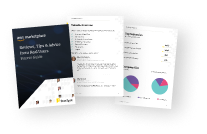
Buyer guide
Gain valuable insights from real users who purchased this product, powered by PeerSpot.
Financing for AWS Marketplace purchases
AWS Marketplace now accepts line of credit payments through the PNC Vendor Finance program. This program is available to select AWS customers in the US, excluding NV, NC, ND, TN, & VT.

Pricing
Custom pricing options
Pricing is based on your specific requirements and eligibility. Request a private offer to receive a custom quote. Sign in to view any offers that have been extended to you.

Legal
Content disclaimer
Vendors are responsible for their product descriptions and other product content. AWS does not warrant that vendors' product descriptions or other product content are accurate, complete, reliable, current, or error-free.
Delivery details
Software as a Service (SaaS)
SaaS delivers cloud-based software applications directly to customers over the internet. You can access these applications through a subscription model. You will pay recurring monthly usage fees through your AWS bill, while AWS handles deployment and infrastructure management, ensuring scalability, reliability, and seamless integration with other AWS services.
Resources
Support
Vendor support
A license key will be provided by your OPSWAT Sales representative. To obtain the software and related modules, or to receive support, please sign in or create an account at https://my.opswat.com . For sales inquiries, please contact OPSWAT at apn-sales@opswat.com . Visit https://www.opswat.com/support/contact-support for more contact options.
AWS infrastructure support
AWS Support is a one-on-one, fast-response support channel that is staffed 24x7x365 with experienced and technical support engineers. The service helps customers of all sizes and technical abilities to successfully utilize the products and features provided by Amazon Web Services.
Similar products

OPSWAT MetaDefender ICAP Cloud provides comprehensive file upload security to protect against malware, zero-day attacks, and data breaches.
In-tenant malware scanning for Amazon S3, EBS, EFS, and FSx. Scan files on upload, at rest, or via API with multi-engine detection, automated quarantine, and large multi TB file support.
Easily scan incoming files for malicious code when exchanging data using AWS Transfer Family. Scan up to 500 GB for free during your trial. Additional data scanning will result in PAYG charges.

OPSWAT MetaDefender ICAP Server provides comprehensive file upload security to protect against malware, zero-day attacks, and data breaches.
Customer reviews
reviewer2894310
Automated file scanning has protected uploads and keeps document workflows secure and efficient
Reviewed on Nov 10, 2026
Review provided by PeerSpot
What is our primary use case?
My main use case for MetaDefender is to secure files uploaded through our applications, as I use it to scan files for malware before processing or storing them, which helps automate threat detection, reduce security risks, and ensure only safe files enter our systems.
One specific example of how I've used MetaDefender in a real scenario would be during a document upload workflow, where when a user uploads a PDF or Word file, MetaDefender scans it for malware before the application processes it, blocking a file if a threat is detected, while allowing it to move forward for processing otherwise, thus preventing malicious files from entering our systems, as I automate most of the workflows or processes that involve uploading a document or a PDF or a Word file.
Another useful aspect of MetaDefender in my daily workflows is automation, as it can integrate with my existing workflows through APIs, allowing file scanning to happen without manual intervention, which helps reduce my team's workload while maintaining consistent security checks.
How has it helped my organization?
The biggest positive impact of MetaDefender on my organization has been automating file security checks, which reduces manual effort, as there are lakhs of files being uploaded and manually checking each file has its limits, making the file upload process more secure, saving my team time, and allowing us to focus on other development tasks.
Regarding metrics, I haven't tracked exact numbers yet, but I've noticed less manual effort in checking uploaded files, with the automated scanning making the process more efficient and helping me identify suspicious files earlier, thus improving both security and workflow efficiency, although I don't have specific numbers to share.
What is most valuable?
The best features MetaDefender offers would include multi-scanning, Deep CDR, and API integration, where multi-scanning uses multiple antivirus engines for better threat detection, Deep CDR removes potentially harmful content from files, and API integration is especially useful because it allows me to automate security checks within my existing workflows.
The feature I rely on most is multi-scanning, as I handle file uploads regularly, and scanning with multiple antivirus engines gives me better threat detection rather than relying on a single engine, thus adding an important layer of security before files are processed.
Another helpful feature I would like to add is detailed scan reports, as they give me visibility into detected threats and scan results, making it easier to investigate suspicious files and troubleshoot issues if necessary; this is useful for both my development and security teams.
What needs improvement?
I believe MetaDefender could improve its dashboard and reporting to make scan results easier to understand, and I would appreciate more detailed error messages and simpler API documentation to help developers troubleshoot issues faster, as I find the API documentation a bit difficult to understand.
One area I would like to see improved is scanning performance, especially when handling large files or multiple uploads at once, as faster processing and clearer API error messages would make integration smoother and help reduce delays in my workflows, especially during surges in PDF uploads when workflows have been halted or paused.
For how long have I used the solution?
I am relatively new to MetaDefender, but I have been exploring its key features, including multi-scanning, Deep CDR, malware detection, and file security, and I have a good understanding of how it helps organizations protect their systems from file-based threats, having used it for around the past six months.
What other advice do I have?
On a scale of one to ten, I would rate MetaDefender as an eight out of ten, as my experience with it is pretty positive due to its strong security features and good automation capabilities, although there is still room for improvement in performance, reporting, and ease of integration.
I chose eight specifically because MetaDefender does a great job with malware detection, multi-scanning, and automation, meeting my core security needs; however, improvements in scanning speed, reporting, observability, and developer experience are necessary for a higher rating.
Regarding MetaDefender's AI capabilities, I think it has strong security and governance capabilities, as its AI-powered threat detection helps identify suspicious files, and centralized policies control how threats are handled, although I would appreciate more transparency into AI-based decisions.
Overall, I believe MetaDefender provides reliable threat detection, especially with its multi-scanning approach, and it generally meets my expectations, though false positives can occasionally be a concern, so I recommend reviewing suspicious results rather than relying entirely on automated decisions.
I use MetaDefender in a cloud-based setup, integrated with my application through APIs, which allows me to automatically scan uploaded files before processing them without managing the scanning infrastructure.
I am using OPSWAT's cloud-hosted MetaDefender service, meaning I don't directly manage its hosting infrastructure, and my applications connect to it through APIs for file scanning and threat detection.
I have shared everything I know in detail, and I hope this review helps those who read it.
I would recommend starting with a small proof of concept to test detection accuracy, scanning speed, and API integration, as well as evaluating the pricing and how it fits your existing workflows, especially since this makes sense when there is a lot of sensitive data and large amounts of files being uploaded.
Manoday Ahire
Multi-engine security scanning has strengthened our AWS deployments and streamlines threat checks
Reviewed on Nov 05, 2026
Review from a verified AWS customer
What is our primary use case?
My main use case for MetaDefender is to scan files, URLs, and software for malware and security threats before using or deploying them. Almost two months ago, before deploying a Docker image to AWS ECS, I used MetaDefender to scan the software package for malware and suspicious files to ensure it was safe to deploy.
I also use MetaDefender to scan downloaded dependencies, deployment packages, and third-party software for malware or suspicious files before integrating them into our AWS infrastructure. We primarily use MetaDefender as a part of our security software and pre-deployment validation process, helping us scan files, application packages, and third-party dependencies before they are introduced into our AWS environments. Our deployment workflow is managed through Jenkins CI/CD, where security checks help reduce the risk of deploying malicious or compromised files.
How has it helped my organization?
MetaDefender has positively impacted our organization by improving our deployment security and adding an extra layer of protection before software reaches production. Multi-engine scanning helps us identify potentially malicious files early, reduce security risks, and deploy with greater confidence. It also saves time by making security checks easier and more consistent.
We use multi-engine scanning to check deployment packages and third-party files before integrating them into our AWS ECS environments, helping us catch suspicious files early and avoid introducing unverified software into production. While I don't have exact figures, MetaDefender has strengthened our pre-deployment security checks and improved our confidence in releases.
The integration of multi-scanning with content disarm and reconstruction (CDR) strengthens our overall data security. Multi-scanning helps detect known and suspicious threats using multiple security engines, while CDR removes potentially harmful content from files while keeping them usable. Together, they reduce the risk of malicious files entering our AWS environments and make our pre-deployment security process reliable.
The recent enhancements to policy orchestration and engine parallelization have made the scanning workflow more efficient. Policy orchestration helps apply security rules consistently, while engine parallelization reduces waiting time by running multiple scanning engines simultaneously, which leads to faster results, less manual intervention, and smoother security checks before deployment.
What is most valuable?
The best features MetaDefender offers include scanning for malware and a multi-engine malware scanning capability that checks files using multiple antivirus engines, making it easier to identify suspicious files, malicious code, and potential threats before deploying applications to production.
One feature I rely on the most is multi-engine scanning because it helps me verify files, application packages, and third-party dependencies using multiple security engines before deployment. I find it especially useful for reducing the risk of introducing malware into our AWS production environments.
The AI capabilities are useful for identifying suspicious files and potential security threats. Its multi-engine approach provides additional confidence by comparing results from different security engines. However, I would not rely on it blindly and will still validate critical findings through additional security checks before approving production deployments.
We use expanded file type and archive coverage scanning where applicable, which is helpful because application deployment packages often contain multiple files, dependencies, and nested archives. Scanning these contents provides better visibility into potential threats and reduces the chance of malicious files going unnoticed, adding an extra layer of confidence to our pre-deployment security process.
We use enhanced reporting and audit visibility to review scan results, track detected threats, and maintain better visibility into our security checks. It helps us understand why a file was flagged, investigate suspicious activity, and maintain a record for further security reviews.
My impression of MetaDefender's multi-scanning detection rates is positive. Since it uses multiple antivirus engines, it provides broader threat coverage than relying on a single engine, and I find the combined results useful for identifying suspicious files and reducing the chances of missing potential threats. I also consider false positives and validate critical findings before taking action.
I assess Deep CDR positively because it helps reconstruct files by removing potentially malicious content while preserving their usability, which is particularly useful when handling external documents and files from untrusted sources. It adds another layer of protection by reducing dependence on traditional signature-based detection, though reconstructed files should still undergo security validation before use.
MetaDefender is useful for enforcing security policies by identifying malicious files and helping block or sanitize potentially unsafe content before it enters our environment. I particularly value the ability to apply security rules consistently, which helps reduce manual security checks and ensures that files meet our security requirements before being used in production.
The file-based vulnerability assessment feature is very useful because it helps identify security risks in files and software packages before deployment, allowing us to catch vulnerable components, outdated dependencies, and potential security issues early in the CI/CD pipeline rather than discovering them in production. For DevOps teams, this supports proactive security and safer releases.
We use adaptive sandbox analysis when deeper analysis of suspicious files is needed. It is useful because it examines file behavior in an isolated environment, allowing us to identify potentially malicious activity that traditional scanning might miss instead of relying only on static signatures.
What needs improvement?
MetaDefender already provides many useful capabilities. However, I think it could be improved with better integration into CI/CD pipelines such as Jenkins and GitHub Actions, automated scanning, faster scan results, clearer vulnerability reports, and real-time alerts would make it easier for DevOps teams to identify threats and block unsafe files before production deployment.
Better automation, detailed reporting, and smoother DevOps integration would make MetaDefender even more useful for teams managing cloud infrastructure and frequent deployments.
Regarding MetaDefender's AI capabilities, I think they are valuable, especially when it comes to identifying suspicious files and potential security threats. Governance and data protection are equally important, and I would like to see strong data privacy controls, transparent AI decision making, clear audit logs, and strict access management to ensure sensitive files and information remain protected.
For how long have I used the solution?
I have been using MetaDefender for approximately one to one and a half years.
What do I think about the stability of the solution?
MetaDefender has shown reliability in my experience with no downtime or reliability issues. I find MetaDefender to be stable with no downtime or reliability concerns.
What do I think about the scalability of the solution?
MetaDefender offers better scalability as it is a SaaS solution.
How are customer service and support?
I do not have any experience with the support team, but I think that having customer support would be beneficial.
Which solution did I use previously and why did I switch?
We were using a different type of solution for file checking, such as Trivy and traditional antivirus tools, as well as manual security checks. We started using MetaDefender because its multi-engine scanning provides broader threat detection, better visibility, and an additional layer of security, fitting better with our needs to validate files and software before deployment.
What was our ROI?
Regarding return on investment, we have seen value mainly in time saving and improved security efficiency. Automated scanning reduces the need for repetitive manual file checks and helps identify suspicious files earlier in the deployment process, also reducing the effort required for initial security investigations. While I don't have verified financial figures, the biggest benefit has been faster security validation, fewer manual checks, and greater confidence in production deployments.
What's my experience with pricing, setup cost, and licensing?
In terms of pricing, I find nothing significant. Overall, my experience with MetaDefender's setup and licensing has been positive. The initial setup required some configurations and understanding of the security policies, but the process is manageable. Pricing is reasonable considering the security capabilities it offers, though I would appreciate more flexible licensing options and transparent pricing as usage and scanning requirements grow.
Which other solutions did I evaluate?
Before using MetaDefender, we evaluated options such as traditional antivirus solutions while looking for a solution that offers multi-engine scanning, file sanitization, and better integration with our security workflow.
What other advice do I have?
I rate MetaDefender nine out of ten because it provides reliable multi-engine scanning, helps detect potential threats early, and adds an extra layer of security to our deployment process. It is easy to use and gives me more confidence when handling files and software. I am keeping one point aside for improvements in CI/CD automation, integration, and reporting.
MetaDefender is one of the best tools I recommend for production environments if you want to scan any vulnerabilities in files or URLs. Before using it, ensure you have a proof of concept of this tool and ensure you have trained personnel before integrating it into your production or test environments, so you can test how it will impact your organization. Overall, I recommend using MetaDefender.
Which deployment model are you using for this solution?
Public Cloud
If public cloud, private cloud, or hybrid cloud, which cloud provider do you use?
Amazon Web Services (AWS)
reviewer2915043
Layered file scanning has strengthened threat detection and reduced manual verification work
Reviewed on Nov 04, 2026
Review provided by PeerSpot
What is our primary use case?
My main use case for MetaDefender is scanning and sanitizing files before they enter our internal environment, where we mainly focus on identifying malicious files and preventing potential threats from spreading through the network.
MetaDefender fits into our broader security strategy as a pre-ingest control, preventing malicious content from entering our system before it can trigger alerts elsewhere.
How has it helped my organization?
Overall, the process with MetaDefender has been quite effective for my team, giving us an extra layer of security, especially when receiving files from outside sources, resulting in better visibility, reduced risk, and more confidence when allowing legitimate file transfers.
The positive impact of MetaDefender includes improving file security and reducing manual checks, as the multiple scanning engines and CDR help catch suspicious files and strip harmful content.
MetaDefender saves time by reducing how much manual file verification my team needs to do, scanning files in a single workflow instead of checking each file from external sources one by one.
Combining multiscanning with CDR strengthens my data security operations by providing deeper detection and safer file outputs before files enter the environment.
The recent enhancements to policy orchestration and engine parallelization have improved workflow automation by making it faster and more reliable.
What is most valuable?
In my view, the strongest feature of MetaDefender is the layering, combining multiple antivirus engines with Content Disarm and Reconstruction.
For my daily operations, CDR stands out most because it directly reduces the risk from incoming documents, which is a constant pain point.
I am using the expanded file type and archive coverage feature, which lets me inspect different types of files rather than just common formats, improving my security coverage.
I use enhanced reporting and audit visibility features, which help me keep clear records of file scans, detected threats, and sanitization results for audit purposes.
My impression of the detection rates provided by MetaDefender's multiscanning is quite positive, as using multiple antivirus engines increases the likelihood of catching threats.
I see deep CDR as one of the most valuable features of MetaDefender, effectively removing malicious content while reconstructing clean, usable files.
The solution effectively enforces security policies around file handling by combining multiple antivirus engines and deep CDR to identify and sanitize suspicious files.
I think the file-based vulnerability assessment feature is valuable, as it helps identify potential security risks in files before they are deployed into production.
I understand the purpose of adaptive sandbox analysis and its benefits for analyzing suspicious files, which adds context for investigating unknown threats.
What needs improvement?
MetaDefender is strong, but integration with SIEM and SOAR platforms could be smoother, and faster scanning for large files would be welcome.
A clearer user interface would make MetaDefender more intuitive, along with more detailed documentation, implementation guides, troubleshooting resources, and quicker technical support.
I subtracted two points mainly because of the user interface and reporting limitations, alongside some performance lag when scanning larger files.
For how long have I used the solution?
I have been using MetaDefender for around three years, focusing on cybersecurity operations and Linux administration.
I have worked with MetaDefender for a few months, mainly around file sanitization and scanning workflow, integrating it into my security stack, and testing CDR outputs on typically official documents.
What do I think about the stability of the solution?
MetaDefender has been stable in my environment, maintaining consistent performance post-integration with no major outages.
What do I think about the scalability of the solution?
In my experience, MetaDefender demonstrates good scalability, able to handle increasing file scanning requirements through automation.
How are customer service and support?
The customer support for MetaDefender has been responsive and helpful whenever I had questions or needed assistance.
Which solution did I use previously and why did I switch?
I previously relied on traditional antivirus tools but switched to MetaDefender because it provides a more comprehensive security approach.
What was our ROI?
I have seen a positive return on investment with MetaDefender, improving efficiency by reducing manual work and allowing my security team to focus on important tasks.
What's my experience with pricing, setup cost, and licensing?
My experience with pricing, setup cost, and licensing for MetaDefender has been fairly reasonable, offering good value for its security capabilities.
Which other solutions did I evaluate?
Before choosing MetaDefender, I evaluated several antivirus alternatives and found that it combined multiple scanning engines and Content Disarm and Reconstruction in one solution.
What other advice do I have?
I would rate MetaDefender an 8 out of 10, as it offers strong malware detection, effective file sanitization, and useful integration, but still has room for improvement.
I think MetaDefender's AI capabilities are helpful for spotting suspicious files and detecting threats while emphasizing the importance of data privacy, transparency, and access control.
MetaDefender generally meets my expectations in terms of accuracy and reliability, bolstered by the multiple antivirus scanning engines that enhance confidence in identifying malicious files.
I primarily use an on-premises deployment of MetaDefender for better control over sensitive files and integration with my existing Linux-based infrastructure.
I advise others looking into using MetaDefender to assess their file transfer workflow and carefully plan the integration into their existing infrastructure.
reviewer2917575
Advanced file checks have strengthened web content security and improved threat visibility
Reviewed on Oct 24, 2026
Review provided by PeerSpot
What is our primary use case?
My current use cases for MetaDefender are providing security to web content and file security over our internal application hosted externally where end users are uploading files on our website. I ensure that files are scanned on MetaDefender Core using MetaDefender ICAP.
A quick example of when I used MetaDefender is when we had an internal shared drive folder that was publicly exposed and our clients were using that shared drive. When they uploaded their designing documents or ZIP files, if the file had a malicious hash value, MetaDefender would break that hash value, break that ZIP and find the hash value. According to the antivirus engine's scan verdict, it would block that file.
Apart from that, for web content using HTTP protocol, we monitor the POST method. Whatever request is carrying, such as XML script or JavaScript, is also scanned by MetaDefender. If someone tries to make code changes over the publicly hosted applications, MetaDefender Core will block it by determining that the particular request is not a valid request.
How has it helped my organization?
MetaDefender has positively impacted our organization as we have noticed that end-users, clients, or hackers attempting to upload any malicious content towards our URL or application can be detected easily, and we have good exposure and visibility towards those particular threats.
I must say that there are faster responses in scanning the file and providing the verdict of that particular file. Accordingly, it takes action to block or allow that file. If it has been detected as clean reputation, then it will be allowed, and there would be no specific things needed to be done. However, if the hash value is detected by any of the engines as malicious, then it will be blocked immediately.
The integration of multi-scanning and Content Disarm and Reconstruction with MetaDefender has made things much easier and more secure.
What is most valuable?
The best features that MetaDefender offers are providing multiple scan engines, so if one scan engine fails to scan the file or the hash value is mentioned as clean according to one scan engine, yet that file is malicious, then another engine may detect that as malicious according to their current signature. There are multiple scan engines, around eighteen, so even if one detects the file as malicious, it will be blocked. That feature is very useful.
Additionally, MetaDefender is providing AI content detection, so if a file, image, or something that is created using an AI tool, it will detect that file by breaking that value and hash values.
Apart from that, MetaDefender provides workflow settings where I can control the request and how I want to proceed with the scanning, the timeout settings I can provide, ZIP file settings, and how I want to perform scanning on archive files. I can also see that visualization in the console itself. All these are very good features, and apart from MetaDefender, I haven't seen any product have these features.
Regarding MetaDefender's AI capabilities, it provides AI content detection based on their scan engines and all those verdicts. It provides detection for PNGs, JPEGs, or any file that has been created using an AI tool. This is the only feature I have worked on so far.
The accuracy and reliability of the output from MetaDefender's AI capabilities are consistent, and I don't think they are failing to detect actual AI-generated files.
Since we have much more resources than requested for MetaDefender, I'm not seeing much impact on the archive file scanning.
For audit visibility, there is an option for checking the audit event, so we can extract that report as well. It helps us find out what changes have been made and if our compliance policy and configuration are up to our compliance policy or not. Using audit logs, we can validate those things.
Deep CDR is a strong feature of MetaDefender that we have configured using a sandbox license. While it is scanning the file, it breaks the file and checks each component of that file. By using the sandbox feature, it will isolate the particular file temporarily and check whether anything suspicious is detected. If there is a malicious threat, it will remove that and reconstruct the file, providing the copy to the user. That is a very strong feature provided by MetaDefender.
The effectiveness of the solution in blocking or sanitizing content based on policy has totally met our expectations, as we have already configured the workflow according to our use case. It takes action against the files based on our configured settings.
What needs improvement?
Currently, MetaDefender doesn't have a feature such as providing the applications that are under scanning on ICAP and MetaDefender Core. I think that feature needs to be included in future versions because it is configured behind the proxy, and MetaDefender team will not have an idea of which application is there because you can't see that in the dashboard. You have to check the processing history, and there you can check which request is coming and which application traffic is coming. So we can't have an overall view for these particular settings. I think they need to work on this feature so users have consolidated data for the applications that are already integrated with MetaDefender Core for scanning purposes.
Apart from this, I think the archive extraction is taking much more time even if we have much more than enough resources. I'm not saying the required specifications needed for particular scan engines need to be met, but we are having much more resources than requested. However, still for archive extraction and scanning, it is taking much more time, causing latency in the current request flow, and most of the files are in queue for two, three, or five seconds, depending on the size of the archive file. Based on their settings, other files have been impacted. They need to work on this as well so that when the archive extraction is happening, it should not impact other requests which MetaDefender is handling currently.
The detection rates provided by MetaScan multi-scanning are effective, but sometimes we see that a file is genuine, and users complain of no harmful hash value that needs to be detected as malicious or a threat. However, even with our license of all eighteen AV scan engines, some genuine files are detected as malicious because of the configuration that says even if one scanning engine detects a file as malicious, that file will be blocked. This sometimes causes issues for us.
For how long have I used the solution?
I have been using MetaDefender Core and ICAP products for approximately 1.6 to 2 years.
What other advice do I have?
On a scale of one to ten, I would rate MetaDefender an eight.
I gave it an eight because of the two things I already mentioned where they want to work. I can still say nine is perfect, but I will not give ten as I am not satisfied with these two features only. Apart from that, the product is very strong and performing well in the field of file security and web content security.
We do not use adaptive sandbox analysis; we have an on-premises sandbox.
M Kopeichikov
Automated file scanning has protected chat workflows and strengthened daily security checks
Reviewed on Oct 19, 2026
Review provided by PeerSpot
What is our primary use case?
My main use case for MetaDefender is to scan files from chats on a day-to-day basis, because sometimes most of the people are sending something possibly malicious via web chats, and I need to be sure that everything that comes in and comes out of that chat is legitimate and won't affect our company's computer servers.
MetaDefender fits into my workflow for scanning files automatically. We have two MetaDefender Cores working together, and the scanning is working automatically, fast, and smoothly, while we can manually take some files from the quarantine if needed. Everything is automated with the API, so that is how we actually use it.
During my studies, I don't really trust files from the outside, even from my professors or the internet, so I constantly scan them in MetaDefender Core and I appreciate the results. I appreciate how fast it works, and it is easy to manage, implement, and work with.
How has it helped my organization?
MetaDefender has impacted my organization positively because we hear from our customers that everything works fine. I don't have a lot of support tickets about things being broken or working poorly and don't need to upgrade the whole system every week, so everything is great.
The outcomes from using MetaDefender Core include scanning metrics reaching a few milliseconds if you know how to configure it right. This year, I received a few tickets about configuration requests, but none regarding something being broken. Everything worked well and smoothly.
What is most valuable?
The best features MetaDefender offers in my experience include how easily it installs and the great GUI that I find excellent, even though I feel quite confused with the new version. I appreciate how everything connects smoothly, which allows my workflow to cover more directions in my company.
I find the new GUI confusing only because I am used to the previous one. While it is common to need time to adjust to a refreshed GUI, overall, the GUI is still one of the best I have ever seen. Connecting different modules is easy to do, just as installing on your Linux or Windows system and configuring it to work out of the box is straightforward.
I have a great impression of the detection rates provided by MetaScan multi-scanning. It is one of the best I have ever seen.
I assess the effectiveness of Deep CDR in reconstructing files safely and without signatures as a ten out of ten, as I really appreciate how it is done.
The file-based vulnerability assessment feature is useful for identifying potential security risks before deployment, as it helps to detect vulnerabilities at an early stage and reduces the risk of introducing vulnerable components into production environments.
We use the adaptive sandbox analysis, and I appreciate it because it operates on a separate server, MetaDefender IFR. I appreciate the GUI, the design, and the overall reports it generates.
We are using the enhanced reporting and audit visibility features because the reports are very colorful and everything we need is beautifully presented.
I assess the effectiveness of the solution in blocking or sanitizing content based on policy as a ten out of ten.
What needs improvement?
MetaDefender could be improved by enhancing the Central Management feature because sometimes when I need to make configurations inside MetaDefender Core, it is blocked, which necessitates accessing Central Management. I suggest allowing more settings to be adjustable directly in MetaDefender Core itself.
For how long have I used the solution?
I have been using MetaDefender Core for a year now, and in addition to Core, I also use other solutions such as Email Gateway Security, MetaDefender IFR, and ICAP.
What do I think about the stability of the solution?
MetaDefender is one hundred percent stable.
What do I think about the scalability of the solution?
MetaDefender's scalability is straightforward. You can scale by adding multiple MetaDefender Cores that work as a cluster, but you need an external load balancer for this purpose.
Which solution did I use previously and why did I switch?
We used to use FortiSandbox, but we switched to MetaDefender because it is simply better.
What was our ROI?
I cannot share any relevant metrics about return on investment as we are not counting that information.
What's my experience with pricing, setup cost, and licensing?
My experience with pricing, setup cost, and licensing has been excellent. When I ask for the price, it takes less than an hour to get all the information I need, and everything is fast.
Which other solutions did I evaluate?
Before choosing MetaDefender, I cannot really remember evaluating other options besides FortiSandbox and MetaDefender Core, but we ultimately chose MetaDefender Core because it was better.
What other advice do I have?
I have not used MetaDefender's AI capabilities at all because this is a new feature, and both our customers and I have not utilized AI in MetaDefender.
I think the AI capabilities and accuracy of MetaDefender should be at the top based on my expectations, as the product overall is excellent.
My advice for others looking into using MetaDefender is to install it on either a Linux or Windows system, conduct your tests, explore, and you will see that MetaDefender Core is an excellent product.
I rate MetaDefender a ten out of ten.