
Sold by: cloudimg
Deployed on AWS
Free Trial
AWS Free Tier
This product has charges associated with it for seller support. changedetection.io monitors any web page and alerts you with a visual diff the moment content changes. Production-ready AMI serving behind nginx within minutes of launch.
Overview
Image
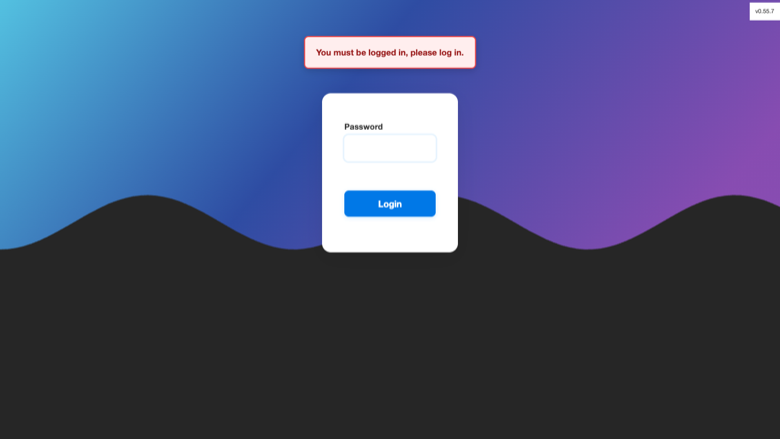
changedetection.io sign-in
Image
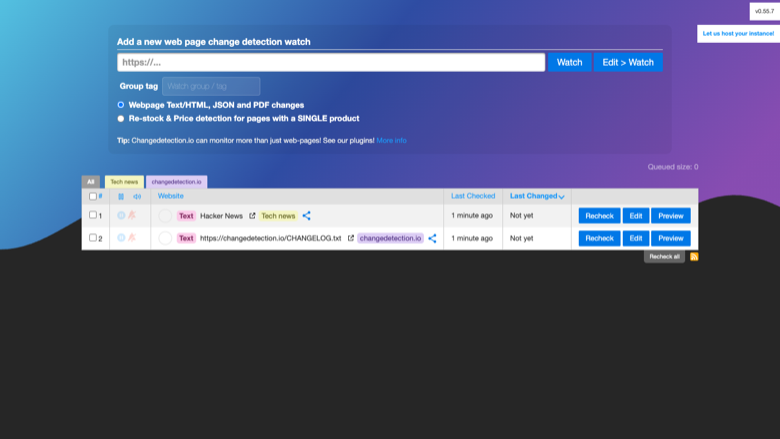
Watch list
Image
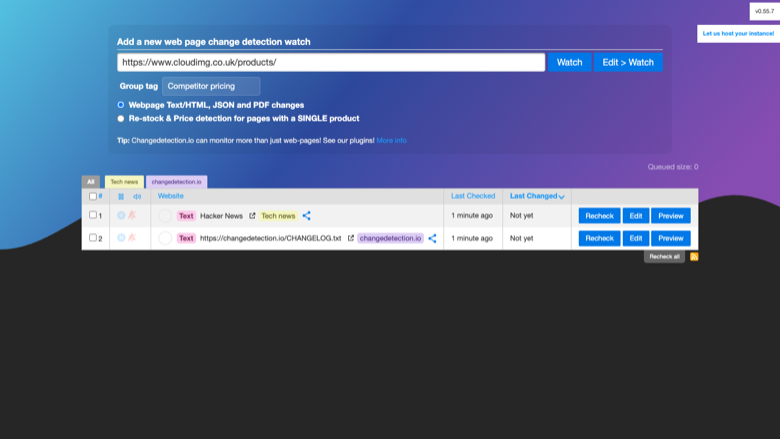
Add a watch
Image
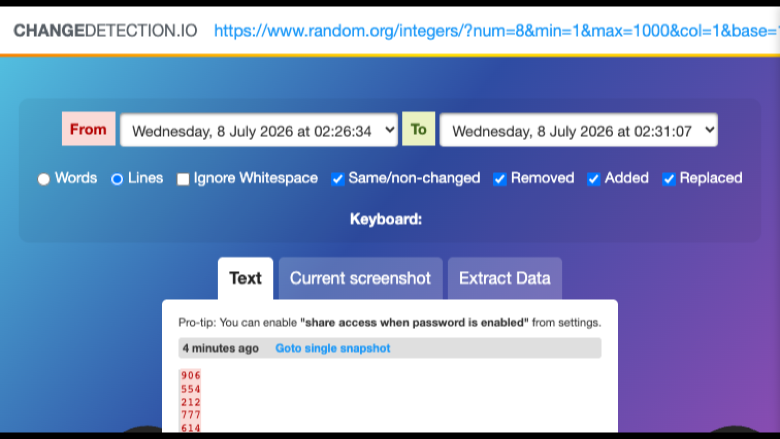
Visual diff
This is a repackaged open source software product wherein additional charges apply for cloudimg support services.
Overview
changedetection.io is a self-hosted service that monitors web pages for changes and notifies you when something you care about is added, removed, or updated. Point it at any URL, optionally narrow it to a CSS or xpath region, and it periodically re-fetches the page, stores a snapshot, and shows you a clear visual diff of what changed. This AMI delivers changedetection.io fully installed and running behind an nginx reverse proxy, so a change-monitoring console is serving within minutes of launch.
Why This AMI Instead of Self-Deploy or SaaS
Deploying changedetection.io from source requires installing Docker, configuring a reverse proxy with WebSocket support, setting up persistent storage, hardening credentials, and building health checks - hours of work for each environment. This AMI eliminates that effort entirely. You get a production-hardened stack with automatic container restart, a dedicated data disk for independent resizing, and a unique per-instance password generated on first boot with no shared or default credentials. Compared to SaaS alternatives, you retain full data ownership on your own AWS infrastructure, avoid per-watch pricing limits, and control check frequency without throttling. Backed by 24/7 cloudimg support, you get the convenience of a managed solution with the flexibility of self-hosting.
Application Stack
changedetection.io runs as a container bound to the loopback interface and fronted by nginx on port 80, with the WebSocket upgrade its live-updating watch list needs already configured. The Docker engine and the reverse proxy start on boot and the container restarts on failure. All settings, page-content history snapshots, and diffs live on a dedicated data disk so they are independently resizable and separate from the operating system disk.
Watch Any Web Page
Add a watch for any URL and choose how often it is checked. Restrict monitoring to a page region with a visual selector, CSS, or xpath so navigation and adverts do not create noise. Every check stores a snapshot and produces a side-by-side or inline diff highlighting exactly what changed. Get notified through dozens of channels including email, webhooks, Slack, Discord, and Telegram, with the notification body templated from the change. Group watches with tags, filter for keywords, and monitor price and stock changes on product pages.
Security and Data Protection
On the first boot a one-shot service generates an access password unique to that instance, applies it using the application's own salted hash format, verifies the sign-in round-trip, and records the password in a file only the root user can read. No shared or default credentials ship in the image. The application container is bound only to the loopback interface so it is never directly exposed to the network. For encryption in transit, cloudimg recommends placing an AWS Application Load Balancer with TLS termination in front of the instance or configuring nginx with your own certificate. For data at rest, enable EBS encryption on the dedicated data disk via the AWS console. Security group best practice is to restrict inbound access to port 80 (or 443 with TLS) from your trusted IP ranges only.
Ready To Use
Open the web UI in your browser, read the generated password from the instance, sign in, and start adding watches immediately. A built-in health endpoint answers on the reverse proxy for load-balancer and uptime checks. The watch database and history live on a dedicated, independently resizable data disk that survives instance replacement.
Use Cases
- E-commerce and product teams: Track competitor pricing across hundreds of product pages. When a price drop or stock change is detected, trigger a webhook to your pricing engine or alert your category manager in Slack.
- Compliance and legal teams: Watch terms of service, privacy policies, and regulatory pages for edits. Maintain an audit trail of every version with timestamped diffs.
- DevOps and site reliability: Monitor your own public-facing pages for unexpected edits or defacement. Integrate alerts into PagerDuty or Opsgenie via webhooks.
- Recruiters and researchers: Watch job boards, grant listings, and availability pages and get notified the moment new content appears.
cloudimg Support
Highlights
- Production-ready in minutes, not hours: This AMI delivers changedetection.io fully configured with nginx, WebSocket support, automatic container restart, and a health endpoint - eliminating the hours of manual Docker, proxy, and credential setup required for a DIY deployment. Unlike SaaS alternatives, you keep full data ownership on your own AWS infrastructure with no per-watch limits or check-frequency throttling.
Details
Sold by
Categories
Delivery method
Delivery option
64-bit (x86) Amazon Machine Image (AMI)
Latest version
Operating system
Ubuntu 24.04
Deployed on AWS
New
Introducing multi-product solutions
You can now purchase comprehensive solutions tailored to use cases and industries.

Features and programs
Financing for AWS Marketplace purchases
AWS Marketplace now accepts line of credit payments through the PNC Vendor Finance program. This program is available to select AWS customers in the US, excluding NV, NC, ND, TN, & VT.

Pricing
Free trial
Try this product free for 7 days according to the free trial terms set by the vendor. Usage-based pricing is in effect for usage beyond the free trial terms. Your free trial gets automatically converted to a paid subscription when the trial ends, but may be canceled any time before that.
Pricing is based on actual usage, with charges varying according to how much you consume. Subscriptions have no end date and may be canceled any time. Alternatively, you can pay upfront for a contract, which typically covers your anticipated usage for the contract duration. Any usage beyond contract will incur additional usage-based costs.
Additional AWS infrastructure costs may apply. Use the AWS Pricing Calculator to estimate your infrastructure costs.
If you are an AWS Free Tier customer with a free plan, you are eligible to subscribe to this offer. You can use free credits to cover the cost of eligible AWS infrastructure. See AWS Free Tier for more details. If you created an AWS account before July 15th, 2025, and qualify for the Legacy AWS Free Tier, Amazon EC2 charges for Micro instances are free for up to 750 hours per month. See Legacy AWS Free Tier for more details.
Dimension | Description | Cost/hour |
|---|---|---|
t3.small Recommended | t3.small | $0.04 |
t2.micro | t2.micro instance type | $0.04 |
t3.micro | t3.micro instance type | $0.04 |
c5a.12xlarge | c5a.12xlarge instance type | $0.24 |
c5a.16xlarge | c5a.16xlarge instance type | $0.24 |
c5a.24xlarge | c5a.24xlarge instance type | $0.24 |
c5a.2xlarge | c5a.2xlarge instance type | $0.24 |
c5a.4xlarge | c5a.4xlarge instance type | $0.24 |
c5a.8xlarge | c5a.8xlarge instance type | $0.24 |
c5a.large | c5a.large instance type | $0.08 |
Vendor refund policy
Refunds available on request.

Legal
Vendor terms and conditions
Upon subscribing to this product, you must acknowledge and agree to the terms and conditions outlined in the vendor's End User License Agreement (EULA) .
Content disclaimer
Vendors are responsible for their product descriptions and other product content. AWS does not warrant that vendors' product descriptions or other product content are accurate, complete, reliable, current, or error-free.
Delivery details
64-bit (x86) Amazon Machine Image (AMI)
Amazon Machine Image (AMI)
An AMI is a virtual image that provides the information required to launch an instance. Amazon EC2 (Elastic Compute Cloud) instances are virtual servers on which you can run your applications and workloads, offering varying combinations of CPU, memory, storage, and networking resources. You can launch as many instances from as many different AMIs as you need.
Version release notes
Initial release of changedetection.io 0.55.7 as a ready-to-use self-hosted website change monitor with the access password generated on first boot.
Additional details
Usage instructions
Connect via SSH on port 22 as the default login user for your operating system variant (for the Ubuntu 24.04 variant the user is ubuntu). Retrieve the generated access password with: sudo cat /root/changedetection-credentials.txt. Open changedetection.io in a browser at http://<instance-public-ip>/ and sign in with the generated password (there is no username). Add a watch by pasting a URL, and changedetection.io will check the page on a schedule and show a visual diff when it changes. The application is served by nginx on port 80 (changedetection.io runs on loopback 5000); an unauthenticated health endpoint is available at http://<instance-public-ip>/healthz. The watch database and history live on a dedicated data disk mounted at /var/lib/changedetection. The instance security group opens ports 22, 80 and 443. changedetection.io runs as a Docker container: sudo docker ps; the reverse proxy runs under systemd: systemctl status nginx. You can change or remove the access password later from Settings.
Resources
Vendor resources
Support
Vendor support
cloudimg provides 24/7 technical support for this product by email and live chat.
How to Get Help
Contact our engineering team at support@cloudimg.co.uk for any issue including deployment, configuration, troubleshooting, updates, performance tuning, or refund requests.
What We Help With
- Initial deployment and instance launch issues
- HTTPS and TLS configuration with AWS ALB or nginx certificates
- Notification channel setup (email, Slack, Discord, Telegram, webhooks)
- Storage planning and data disk resizing
- Upgrade planning for new changedetection.io releases
- Performance tuning for large numbers of watches
- Security group and network configuration guidance
- Troubleshooting container restart or health-check failures
Refunds
If you experience issues that cannot be resolved, contact support@cloudimg.co.uk to request a refund. We will work with you to resolve the problem or process your request promptly.
Recommended Instance Sizing
For guidance on selecting the right EC2 instance type based on your number of watches and check frequency, contact our support team and we will provide a tailored recommendation.
AWS infrastructure support
AWS Support is a one-on-one, fast-response support channel that is staffed 24x7x365 with experienced and technical support engineers. The service helps customers of all sizes and technical abilities to successfully utilize the products and features provided by Amazon Web Services.
Similar products

This product has charges associated with it for deployment, configuration, and ongoing support. Self-hosted website change detection and monitoring. Get notified when web pages change with visual diff, text extraction, and integration with 80+ notification services.
Customer reviews
No customer reviews yet
Be the first to review this product . We've partnered with PeerSpot to gather customer feedback. You can share your experience by writing or recording a review, or scheduling a call with a PeerSpot analyst.