
Sold by: SHI India
Deployed on AWS
SHI Ganana is a web-based management layer for AWS ParallelCluster that replaces CLI complexity with guided workflows for HPC cluster deployment, SLURM job scheduling, and real-time monitoring.
Overview
Image
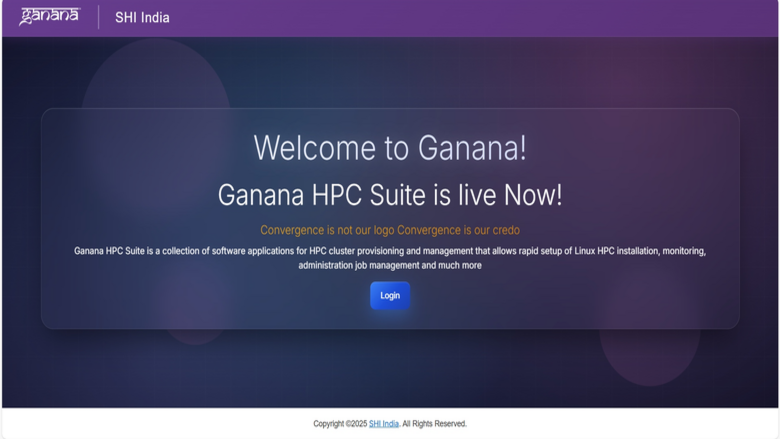
Application Welcome Screen
Image
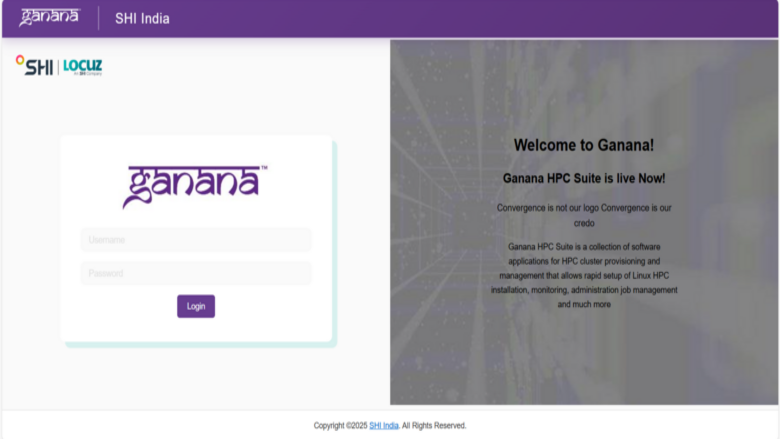
User Login Screen
Image
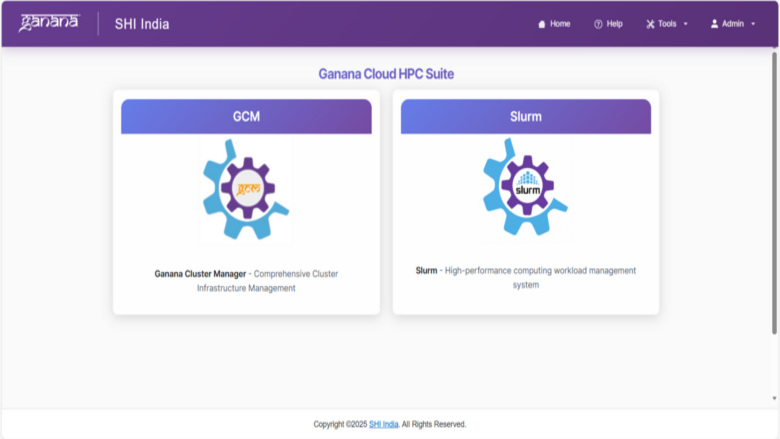
Ganana Application Screen
Image
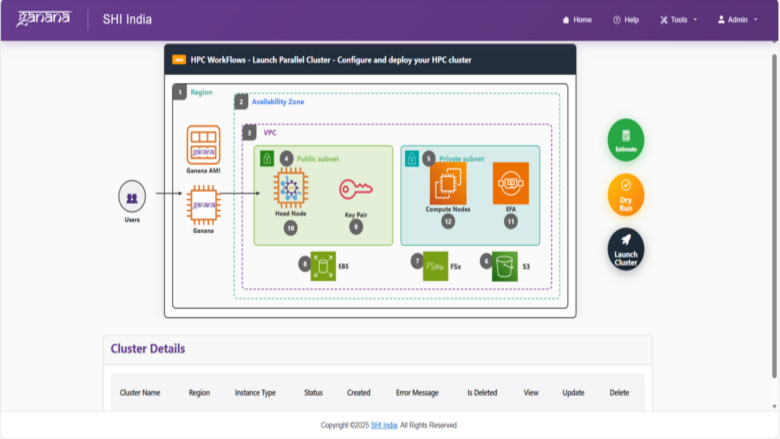
Cluster Management Dashboard
Image
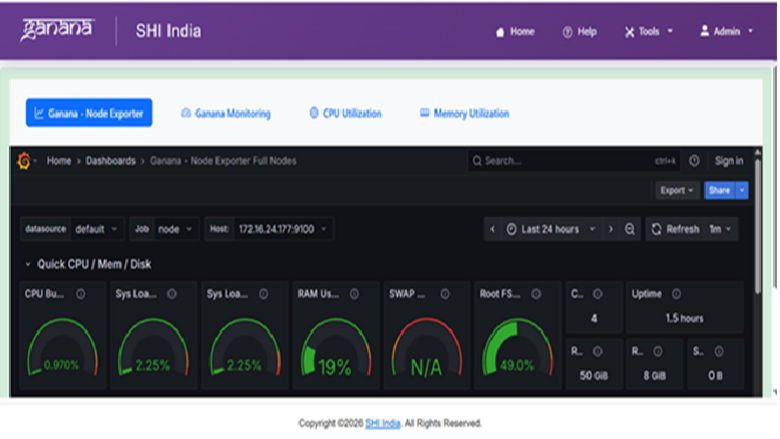
Cluster Monitoring Dashboard
Image
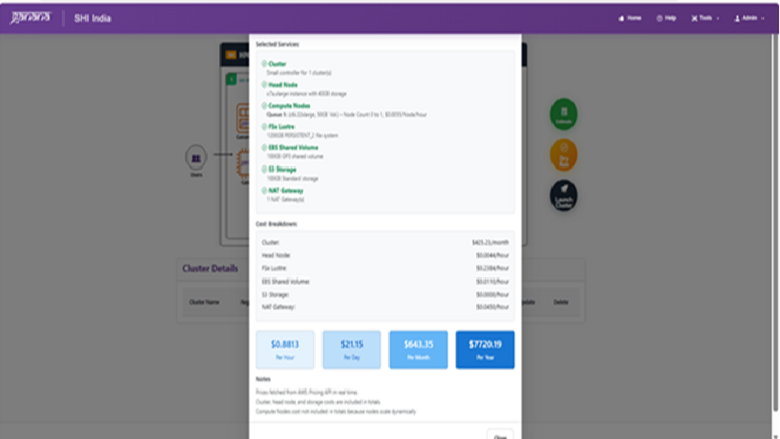
Running Cost Estimation of Configured Cluster
Image
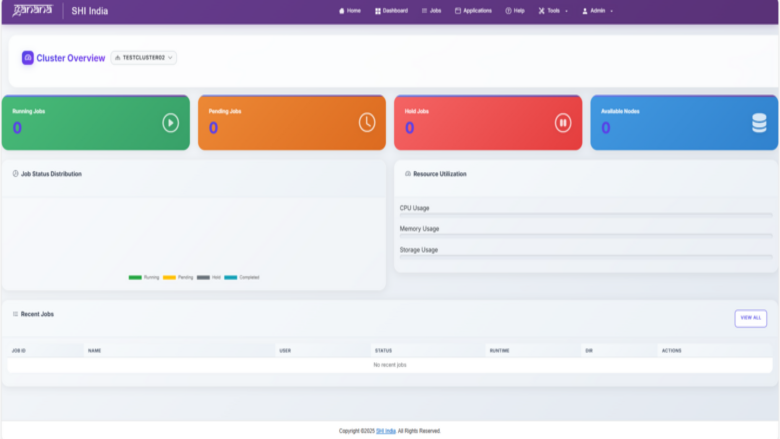
SLURM Dashboard
Image
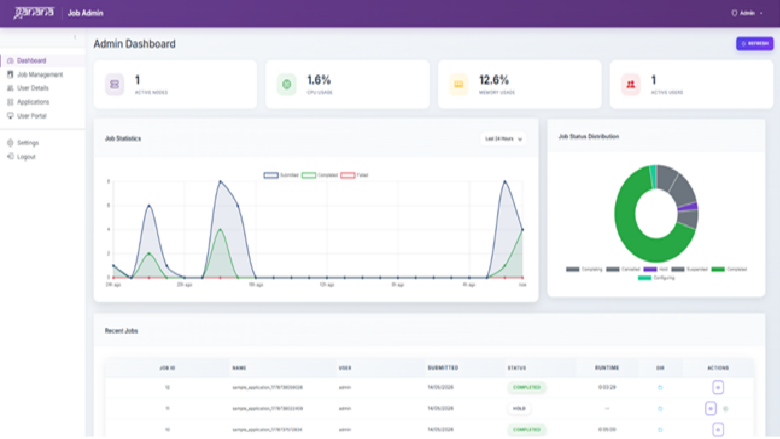
SLURM Administrator Dashboard
Image
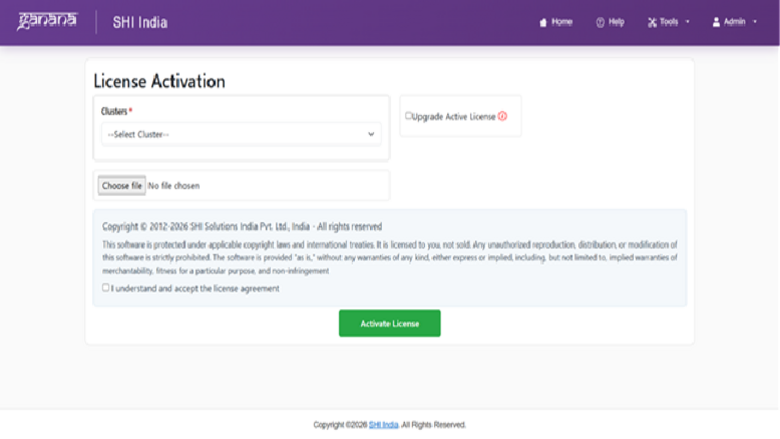
License Activation Screen
Image
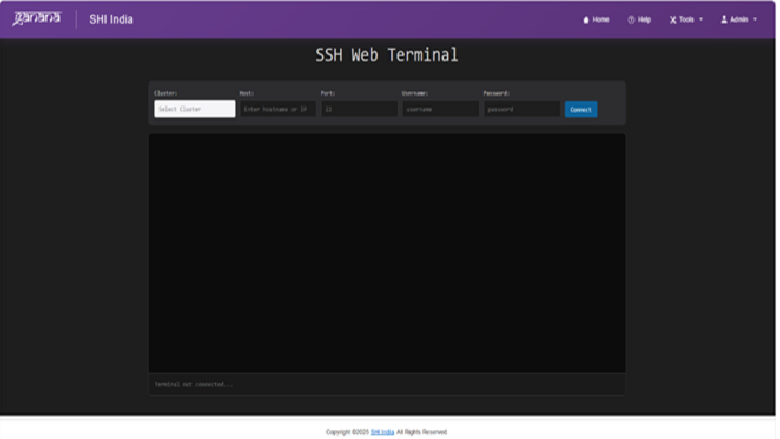
Web SSH Terminal
Ganana - Simplifying HPC Cluster Management on AWS SHI Ganana is a comprehensive web-based platform built to simplify the deployment, management, and scaling of High-Performance Computing (HPC) environments on AWS. Integrating SLURM workload orchestration with an intuitive user experience, Ganana empowers organizations to efficiently provision, operate, and optimize AWS ParallelCluster infrastructures with minimal operational complexity and without requiring extensive command-line expertise. The platform empowers users to efficiently submit and schedule workloads, monitor compute resources in real time, and orchestrate end-to-end computational workflows through a unified, intuitive dashboard experience. Key Features Unified Management: Single-pane management for both SLURM workloads and Ganana Cluster Manager (GCM) operations, enabling centralized administration and simplified orchestration. Intuitive User Experience: Modern web-based interface designed to reduce reliance on complex CLI commands, improving accessibility for researchers, engineers, and administrators. Intelligent Workload Scheduling: Powered by SLURM to deliver efficient job scheduling, optimized resource allocation, and enhanced cluster performance for diverse HPC workloads. Elastic & Scalable Architecture: Built on AWS cloud infrastructure to seamlessly scale clusters of any size with dynamic, on-demand compute provisioning. Real-Time Observability: Centralized monitoring dashboard providing live insights into job status, resource utilization, node health, and overall cluster performance. Enterprise-Grade Security: Role-based access control (RBAC) and secure authentication mechanisms ensure controlled, compliant, and secure access to cluster resources. Operational Efficiency & Automation: Automates cluster provisioning, workload management, and operational tasks to reduce administrative overhead and improve productivity.
Benefits of Running Ganana on AWS Dynamically scale compute resources up or down based on workload requirements using AWS EC2, ensuring optimal performance and resource efficiency. Rapid Cluster Deployment : Accelerate time-to-value by provisioning fully configured HPC environments within minutes using AWS ParallelCluster and infrastructure automation. Enable researchers, engineers, and distributed teams to securely access HPC resources from anywhere with enterprise-grade connectivity and access controls. Utilize high-performance AWS compute, networking, and storage capabilities optimized for simulation, analytics, AI/ML, and research workloads. Reduce infrastructure management complexity through automated provisioning, centralized monitoring, and streamlined cluster operations. Quickly adapt to changing computational demands without the delays and capital expenditure associated with traditional on-premises HPC environments. Deploy workloads closer to users, research teams, or data sources using AWS Regions and Availability Zones across the globe.
Who Uses Ganana? Ganana is ideal for researchers, data scientists, engineers, and IT administrators who require scalable and reliable HPC capabilities in the cloud. Whether you are running complex simulations, processing large datasets, or performing advanced analytics, Ganana accelerates your workflows while simplifying infrastructure management. Why Ganana on top of AWS ParallelCluster? While AWS ParallelCluster provides a powerful foundation for deploying HPC environments, it requires command-line expertise and manual configuration. Ganana builds on top of ParallelCluster to deliver a simplified, user-friendly, and enterprise-ready experience. With Ganana, organizations gain:
- A fully web-based experience that eliminates the complexity of command-line operations
- Centralized management of HPC clusters, workloads, and compute resources through a unified interface
- Accelerated cluster provisioning using streamlined, guided deployment workflows
- Integrated monitoring, observability, and job-tracking dashboards for operational visibility
- Secure multi-user collaboration enabled through role-based access control (RBAC) and governance policies Ganana transforms AWS HPC environment from an infrastructure-focused system into an intuitive, productivity-driven platform accessible to engineers, researchers, and enterprise teams alike.
Highlights
- Simplified HPC Cluster Management on AWS - Deploy, configure, and manage AWS ParallelCluster environments through an intuitive web-based interface that replaces command-line driven workflows with guided, point-and-click operations. Ganana Cluster Manager (GCM) provides a single pane of glass for centralized administration, enabling IT teams and researchers to provision production-ready HPC clusters without requiring deep CLI expertise or manual configuration file editing.
- Integrated SLURM Workload Scheduling and Monitoring - Submit, schedule, and track HPC jobs through a unified dashboard with built-in SLURM controls. Users gain real-time visibility into workload performance, queue status, node health, and resource utilization without switching between terminal sessions. Role-based access control (RBAC) enables secure multi-user collaboration, allowing teams to self-service job submission while administrators maintain governance and oversight.
- Elastic, Scalable Cloud HPC on AWS Infrastructure - Leverage AWS EC2 to dynamically scale HPC clusters up or down based on workload demands, eliminating the capital expenditure and lead times of on-premises infrastructure. Ganana automates provisioning and teardown of compute resources, enabling organizations to run simulation, analytics, AI/ML, and research workloads at any scale while optimizing infrastructure utilization and cost efficiency.
Details
Sold by
Delivery method
Delivery option
Ganana Compute Management Platform – CloudFormation
Latest version
Operating system
AmazonLinux 2023
Deployed on AWS
New
Introducing multi-product solutions
You can now purchase comprehensive solutions tailored to use cases and industries.

Features and programs
Financing for AWS Marketplace purchases
AWS Marketplace now accepts line of credit payments through the PNC Vendor Finance program. This program is available to select AWS customers in the US, excluding NV, NC, ND, TN, & VT.

Pricing
Pricing and entitlements for this product are managed through an external billing relationship between you and the vendor. You activate the product by supplying a license purchased outside of AWS Marketplace, while AWS provides the infrastructure required to launch the product. AWS Subscriptions have no end date and may be canceled any time. However, the cancellation won't affect the status of the external license.
Additional AWS infrastructure costs may apply. Use the AWS Pricing Calculator to estimate your infrastructure costs.
Vendor refund policy
BYOL product - license fees are non-refundable and managed by the vendor. Infrastructure charges are refundable within 30 days of purchase. To request a refund, provide your License ID and issue details. Contact: ganana.support@locuz.com . For license billing related queries, contact Mr. Vishal Shah vishal.shah@locuz.com . Refunds are case-by-case and processed within 14 business days.

Legal
Vendor terms and conditions
Upon subscribing to this product, you must acknowledge and agree to the terms and conditions outlined in the vendor's End User License Agreement (EULA) .
Content disclaimer
Vendors are responsible for their product descriptions and other product content. AWS does not warrant that vendors' product descriptions or other product content are accurate, complete, reliable, current, or error-free.
Delivery details
Ganana Compute Management Platform – CloudFormation
Deployment Ganana Compute Management Platform is a comprehensive cloud-based solution for managing and orchestrating high-performance computing (HPC) workloads on AWS. This CloudFormation template automates the complete deployment of the Ganana platform, provisioning all required infrastructure with security best practices built in.
What Gets Deployed? This template deploys a fully configured Ganana instance running on Amazon EC2, backed by a containerized architecture using Docker. The deployment includes: A dedicated EC2 instance (default: t3.2xlarge) pre-configured with the Ganana application stack comprising a web application, PostgreSQL database, Redis cache, Celery task workers, Celery Beats, and Nginx as reverse proxy. An encrypted gp3 EBS data volume (50–1000 GB, configurable) for persistent storage with data retention on stack deletion
IAM roles and policies following the principle of least privilege, with a permissions boundary to prevent privilege escalation
A security group with configurable access controls for SSH, HTTPS, and PostgreSQL
Networking Options The template offers flexible networking: Provide your existing VPC and public subnet IDs to deploy into your current network infrastructure Leave the VPC and subnet parameters empty to automatically create a new VPC (10.0.0.0/16) with a public subnet, internet gateway, and route table
Security Model The deployment implements a layered IAM security model with five managed policies scoped by function — compute, storage and networking, orchestration, vendor S3 access, and secrets management. All compute and storage actions are conditioned on resource tagging (Application: Ganana). IAM role creation is enforced with a permissions boundary that blocks privilege escalation. Secrets are managed through AWS Secrets Manager with access scoped to the ganana namespace.
Supported Services Ganana integrates with the following AWS services for HPC workload management: Amazon EC2, AWS Batch, AWS ParallelCluster, Amazon ECS, Amazon S3, Amazon FSx for Lustre, Amazon EFS, Amazon DynamoDB, Amazon SQS, Amazon SNS, AWS Lambda, Amazon EventBridge, Amazon CloudWatch, AWS CloudFormation, Amazon Route 53, and AWS Systems Manager.
Prerequisites An existing EC2 key pair in the target region for SSH access Sufficient service quotas for VPCs and internet gateways (if creating new networking resources)
Supported Instance Types Recommended instance types: t3.2xlarge, m5.2xlarge, m5.4xlarge, c5.4xlarge, r5.2xlarge, m5.8xlarge. Minimum requirement is 8 vCPUs and 32 GB RAM.
CloudFormation Template (CFT)
AWS CloudFormation templates are JSON or YAML-formatted text files that simplify provisioning and management on AWS. The templates describe the service or application architecture you want to deploy, and AWS CloudFormation uses those templates to provision and configure the required services (such as Amazon EC2 instances or Amazon RDS DB instances). The deployed application and associated resources are called a "stack."
Version release notes
We are excited to announce the release of Ganana HPC Suite, a modern web-based platform designed to simplify High-Performance Computing (HPC) operations on AWS. Ganana enables organizations, researchers, and engineering teams to deploy, manage, and monitor HPC environments efficiently through an intuitive user experience. Built on AWS cloud-native services and integrated with AWS ParallelCluster and SLURM, Ganana helps accelerate HPC adoption while reducing operational complexity. Key Features
- Web-Based HPC Cluster Management Launch, manage, and monitor HPC clusters through an intuitive web interface, eliminating the need for complex command-line operations.
- AWS ParallelCluster Integration Seamless integration with AWS ParallelCluster for automated provisioning, scaling, and lifecycle management of HPC environments on AWS.
- Integrated SLURM Workload Management Submit, schedule, track, and manage HPC workloads using built-in SLURM integration with centralized job visibility.
- Unified Operations Dashboard Access a centralized dashboard for cluster administration, workload tracking, resource visibility, and operational insights.
- Real-Time Monitoring & Visibility Monitor cluster health, job execution status, compute utilization, and infrastructure performance in real time.
- Role-Based Access Control (RBAC) Enable secure multi-user access with configurable roles and permissions for administrators, researchers, and engineering teams. Benefits With Ganana HPC Suite, organizations can: a. Simplify HPC deployment and operations on AWS b. Accelerate research and engineering workloads c. Reduce infrastructure management complexity d. Improve resource visibility and operational efficiency e. Enable scalable and cost-optimized cloud HPC environments Supported Technologies a. AWS ParallelCluster b. SLURM Scheduler c. Amazon EC2 d. Amazon EFS / FSx e. AWS IAM Integration Getting Started Ganana HPC Suite can be deployed on AWS to rapidly build and operate scalable HPC environments for research, simulation, AI/ML, engineering, and scientific computing workloads.
Additional details
Usage instructions
Step 1: Launch the Stack Click "Continue to Subscribe" and accept the terms Click "Continue to Configuration", select your preferred region and software version Click "Continue to Launch" and choose "Launch CloudFormation" as the launch action Click "Launch" to open the CloudFormation console Step 2: Configure Stack Parameters Instance Configuration: Instance Type: Select an instance type with minimum 8 vCPUs and 32 GB RAM (default: t3.2xlarge) SSH Key Pair: Select an existing EC2 key pair in the target region. Data Volume Size: Enter the size in GB for persistent storage (50 to1000 GB, default: 100 GB) Network Settings: VPC ID: Enter an existing VPC ID or leave empty to create a new VPC automatically Subnet ID: Enter an existing public subnet ID or leave empty to create a new subnet automatically Security and Access Control: SSH Access CIDR: Enter the CIDR block for SSH access (e.g., YOUR_IP/32 for single IP access) Database Access CIDR: Enter the CIDR block for PostgreSQL access (default: 10.0.0.0/16 for VPC internal only) Step 3: Launch and Wait Review the configuration and acknowledge IAM resource creation Click "Create Stack" Wait approximately 10 to 15 minutes for the deployment to complete Once the stack status shows CREATE_COMPLETE, the platform is ready Step 4: Access Ganana Navigate to the "Outputs" tab of the CloudFormation stack Use the PublicIP (if using a created subnet) or PrivateIP to access the platform Open your browser and navigate to https://INSTANCE_IP to access the Ganana web interface Post Deployment Notes The data volume is retained when the stack is deleted to protect your data. You must manually delete the EBS volume if no longer needed. All resources are tagged with Application: Ganana for easy identification and cost tracking Application logs are available at /var/log/ganana/ on the instance Deployment logs are available at /var/log/userdata.log on the instance Troubleshooting If the stack creation fails: Check the CloudFormation Events tab for the specific error SSH into the instance and review /var/log/userdata.log for boot and service startup details Verify Docker service status: sudo systemctl status docker Verify Ganana service status: sudo systemctl status ganana@prod.service
Resources
Vendor resources
Support
Vendor support
Sales Inquiries
For pricing information, product demonstrations, or pilot environment requests, contact the SHI Ganana sales team at vishal.shah@locuz.com or call +91 8850285980.
Technical Support
For technical assistance with Ganana platform operations, cluster management issues, SLURM workload troubleshooting, or configuration guidance, contact the support team at ganana.support@locuz.com .
Getting Help
When submitting a support request, please include your AWS account ID, cluster identifier, a description of the issue, and any relevant error messages or logs to help expedite resolution.
AWS infrastructure support
AWS Support is a one-on-one, fast-response support channel that is staffed 24x7x365 with experienced and technical support engineers. The service helps customers of all sizes and technical abilities to successfully utilize the products and features provided by Amazon Web Services.
Similar products

The Professional Services enables organizations to design, deploy, optimize, and operate scalable High-Performance Computing (HPC) environments on AWS. Our experts help research institutions, engineering organizations, AI/ML teams, manufacturing companies, financial services firms, and scientific computing teams accelerate innovation using cloud-native HPC solutions.
Leveraging AWS best practices, AWS ParallelCluster, SLURM, and advanced cloud automation, Ganana delivers secure, scalable, and cost-optimized HPC environments tailored to customer workloads.

AutoHPC is a cutting-edge Software as a Service (SaaS) solution tailored for high- performance computing (HPC) users and partners seeking the advantages of HPC systems without the substantial upfront investment required for purchasing and maintaining HPC hardware

As customers begin or continue to adopt cloud, costs can easily sprawl out of control. SHI’s Cloud Optimization Services are designed to grow with you as your business continues to adopt more cloud services to help control sprawl and reduce spend.

Tackle demanding compute workflows, from anywhere, at any time, on any device. Set up cloud workstation, storage, and render farm data centers in minutes across the globe and deploy cloud workstations in seconds.
Customer reviews
No customer reviews yet
Be the first to review this product . We've partnered with PeerSpot to gather customer feedback. You can share your experience by writing or recording a review, or scheduling a call with a PeerSpot analyst.