
Sold by: Madarson IT
Deployed on AWS
AWS Free Tier
This product has charges associated with it for PCI DSS security hardening. This AWS-based EC2 is pre-configured with SUSE Linux Enterprise Server 16, hardened and optimized to help address PCI DSS compliance needs for regulated workloads on AWS.
These options are for Madarson IT SUSE Linux Enterprise Server 16 PCI DSS Hardened AMI.
View 2 other optionsOverview

Image
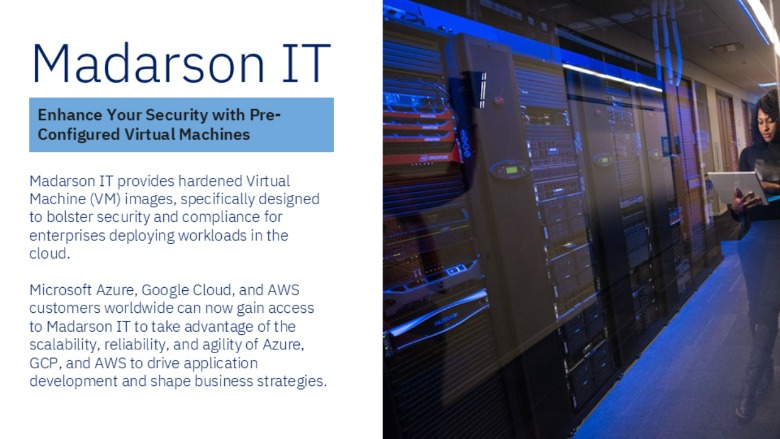
Madarson IT PCI DSS AMI Features
Image
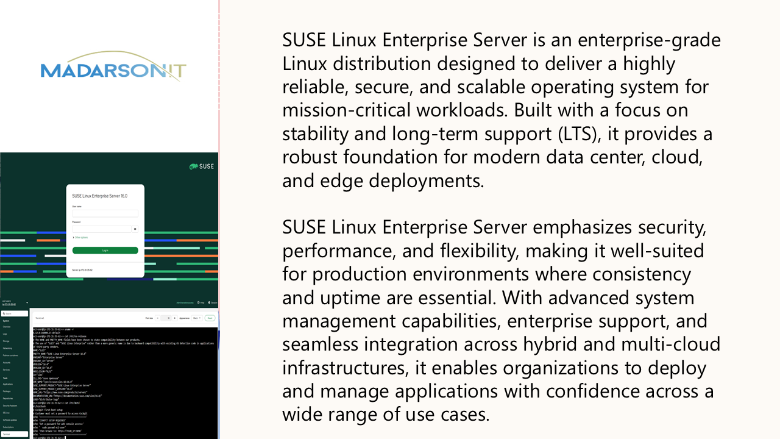
SUSE Linux Enterprise Features
Image
Hardened EC2 Images for Secure Cloud Deployments

Video
Pre-Hardened VM Images for AWS, Azure, and GCP
Madarson IT SUSE Linux Enterprise Server 16 - Hardened for PCI DSS Compliance
This is a repackaged software product. Additional charges apply for PCI DSS security hardening applied to the base SUSE Linux Enterprise Server 16 image.
This AMI delivers a production-ready SUSE Linux Enterprise Server 16 instance with comprehensive security hardening aligned to PCI DSS best practices. Deploy a compliance-ready operating system layer for your regulated workloads on AWS EC2 - operational within minutes of launch.
What Is Included
- Pre-hardened SUSE Linux Enterprise Server 16 (x86_64) image
- Security controls mapped to PCI DSS requirements including access control, audit logging, and system integrity
- Key-only SSH authentication enforced by default
- Auditd pre-configured for security event logging
- Unnecessary services and packages disabled to minimize attack surface
- Filesystem permissions tightened per industry hardening standards
Hardening Controls Applied
This image addresses multiple PCI DSS requirement areas out of the box:
- Requirement 2 - Secure system configuration defaults applied; vendor-supplied defaults removed
- Requirement 5 - Reduced attack surface through disabled unnecessary services
- Requirement 8 - Strong authentication enforced with key-only SSH and password policies
- Requirement 10 - Audit logging enabled via auditd for security event tracking and monitoring
These pre-applied controls help reduce the manual effort typically required to harden a base operating system for PCI DSS assessments.
AWS Integration Points
This hardened AMI is designed to work with key AWS security and operations services:
- Amazon CloudWatch - Forward auditd logs and system metrics for centralized monitoring and alerting
- AWS Systems Manager - Manage patching, inventory, and compliance state across your hardened fleet
- AWS CloudTrail - Complement OS-level audit logging with API-level activity tracking
- Amazon Inspector - Run vulnerability assessments against the running instance to validate hardening posture
- AWS Security Hub - Aggregate findings from Inspector and other sources for unified compliance visibility
Who This Is For
This image is built for organizations in retail, financial services, healthcare, and service provider industries that need a hardened Linux foundation for workloads operating in PCI DSS regulated environments. It is particularly valuable for teams that want to reduce time spent on manual OS hardening and accelerate their path to PCI DSS audit readiness.
Why Madarson IT
Madarson IT certified images are always up to date, secure, follow industry standards, and are built to work right out of the box. Each image undergoes a hardening process that applies security controls systematically rather than relying on ad-hoc configuration changes.
Important Notes
- This AMI includes additional charges for PCI DSS security hardening beyond standard infrastructure costs
- Hardening helps address PCI DSS requirements but does not replace a Qualified Security Assessor (QSA) evaluation
- Buyers are responsible for completing their full PCI DSS assessment scope including network segmentation, application security, and organizational policies
- SUSE and SUSE Linux Enterprise Server are registered trademarks of SUSE LLC. Madarson IT does not provide commercial licenses for SUSE products
Highlights
- Deploy-Ready PCI DSS Hardening: This image ships with key-only SSH authentication, pre-configured auditd logging, disabled unnecessary services, tightened filesystem permissions, and secure configuration defaults applied. Launch a hardened SUSE Linux Enterprise Server 16 instance and connect - no manual baseline remediation required before your regulated workload goes live.
- Multi-Requirement PCI DSS Coverage: Pre-configured controls address PCI DSS Requirements 2, 5, 8, and 10 out of the box - covering secure defaults, attack surface reduction, strong authentication, and audit logging. Organizations can use this image as a validated OS-layer baseline that reduces manual hardening effort and accelerates their path to PCI DSS assessment readiness.
- Validated and Continuously Updated: Every Madarson IT image is validated before publishing and regularly updated to incorporate the latest security patches. Each image undergoes a systematic hardening process applying PCI DSS security controls consistently across your fleet. Run vulnerability assessments post-launch using Amazon Inspector to confirm hardening posture and maintain continuous compliance monitoring.
Details
Sold by
Categories
Delivery method
Delivery option
64-bit (x86) Amazon Machine Image (AMI)
Latest version
Operating system
Suse 16
Deployed on AWS
Features and programs
Financing for AWS Marketplace purchases
AWS Marketplace now accepts line of credit payments through the PNC Vendor Finance program. This program is available to select AWS customers in the US, excluding NV, NC, ND, TN, & VT.

Pricing
Pricing is based on actual usage, with charges varying according to how much you consume. Subscriptions have no end date and may be canceled any time.
Additional AWS infrastructure costs may apply. Use the AWS Pricing Calculator to estimate your infrastructure costs.
If you are an AWS Free Tier customer with a free plan, you are eligible to subscribe to this offer. You can use free credits to cover the cost of eligible AWS infrastructure. See AWS Free Tier for more details. If you created an AWS account before July 15th, 2025, and qualify for the Legacy AWS Free Tier, Amazon EC2 charges for Micro instances are free for up to 750 hours per month. See Legacy AWS Free Tier for more details.
- ...
Dimension | Cost/hour |
|---|---|
m5a.large Recommended | $0.05 |
t3.micro | $0.05 |
t2.micro | $0.025 |
c5a.12xlarge | $1.20 |
c6a.xlarge | $0.10 |
g5.xlarge | $0.10 |
g6.12xlarge | $1.20 |
m8a.large | $0.05 |
r7a.2xlarge | $0.20 |
t3.nano | $0.05 |
Dimensions summary
You pay by the hour for this hardened SUSE Linux Enterprise Server 16 image, billed per running EC2 instance. Each dimension maps to a specific EC2 instance type, so your rate depends on the size and family you choose. Options span general-purpose (m, t), compute-optimized (c), memory-optimized (r), storage-optimized (d, i), and GPU/accelerated (g, p) families. Within each family, larger sizes carry higher hourly rates. You select the instance that fits your workload, and software charges accrue only while instances run. AWS infrastructure charges are separate.
Top-of-mind questions for buyers
Each unit is one running EC2 instance of the type you launch, charged per hour. The software rate attaches to that specific instance size and family. If you run several instances, each meters and bills separately at its own hourly rate.
Software charges accrue only while an instance runs. A fully stopped instance stops software metering. You may still owe separate AWS fees for attached storage or other resources, but the hardened image license meters running hours only.
Each dimension maps to a distinct EC2 instance type across general-purpose, compute, memory, storage, and GPU families. Larger sizes and accelerated families carry higher hourly rates. You pick the instance matching your workload, and its rate sets your software charge.
madarsonit.com
Helpful?
Vendor refund policy
There is no refund policy for this image.

Legal
Vendor terms and conditions
Upon subscribing to this product, you must acknowledge and agree to the terms and conditions outlined in the vendor's End User License Agreement (EULA) .
Content disclaimer
Vendors are responsible for their product descriptions and other product content. AWS does not warrant that vendors' product descriptions or other product content are accurate, complete, reliable, current, or error-free.
Delivery details
64-bit (x86) Amazon Machine Image (AMI)
Amazon Machine Image (AMI)
An AMI is a virtual image that provides the information required to launch an instance. Amazon EC2 (Elastic Compute Cloud) instances are virtual servers on which you can run your applications and workloads, offering varying combinations of CPU, memory, storage, and networking resources. You can launch as many instances from as many different AMIs as you need.
Version release notes
SUSE Linux Enterprise Server 16 - Hardened for PCI DSS Compliance
Additional details
Usage instructions
Allow inbound SSH access in your security group (TCP port 22) To connect to your instance using the Amazon EC2 console: Open the Amazon EC2 console at https://console.aws.amazon.com/ec2/ . In the navigation pane, choose Instances. Select the instance and choose Connect. Choose the EC2 Instance Connect tab. For Connection type, choose Connect using EC2 Instance Connect. Access the ec2 with the default username: "ec2-user"
Resources
Vendor resources
Support
Vendor support
Madarson IT Support
For questions about this PCI DSS hardened AMI - including hardening configuration, compliance guidance, deployment assistance, or troubleshooting - contact the Madarson IT team at info@madarsonit.com .
Please include your AWS account ID and instance ID when reporting issues to help expedite resolution.
For private offers, compliance documentation requests, or custom hardening requirements, reach out via email and the team will coordinate next steps.
AWS infrastructure support
AWS Support is a one-on-one, fast-response support channel that is staffed 24x7x365 with experienced and technical support engineers. The service helps customers of all sizes and technical abilities to successfully utilize the products and features provided by Amazon Web Services.
Similar products

This product has charges associated with it for PCI DSS security hardening. Madarson IT pre-hardened SUSE Linux Enterprise Server 15 AMI with PCI DSS security controls applied out of the box, ready for regulated workloads requiring PCI DSS compliance on AWS EC2.

This product has charges associated with it for DISA STIG security hardening. Madarson IT pre-hardened SUSE Linux Enterprise Server 16 AMI aligned with DISA STIG controls for federal, DoD, and high-security AWS cloud workloads requiring ATO readiness.

This product has charges associated with it for security hardening.
This AWS-based EC2 is pre-configured with the latest SUSE Linux Enterprise Server 16 image, hardened and optimized for security and compliance. Ready for production workloads.

This product has charges associated with it for security hardening and seller support. SUSE Linux Enterprise Server 16 with Cockpit web console, AI Security Assistant powered by Anthropic Claude, and a comprehensive security hardening baseline applied. Browser-based server management with built-in AI security analysis, hardened out of the box.
Customer reviews
No customer reviews yet
Be the first to review this product . We've partnered with PeerSpot to gather customer feedback. You can share your experience by writing or recording a review, or scheduling a call with a PeerSpot analyst.