
Sold by: cloudimg
Deployed on AWS
Free Trial
AWS Free Tier
This product has charges associated with it for seller support. RSS-Bridge, the feed generator that produces RSS and Atom feeds for websites that do not offer them, preinstalled on nginx and PHP with the whole interface locked behind a per-instance password. Serving within minutes of launch, with 24/7 cloudimg support.
Overview
Image
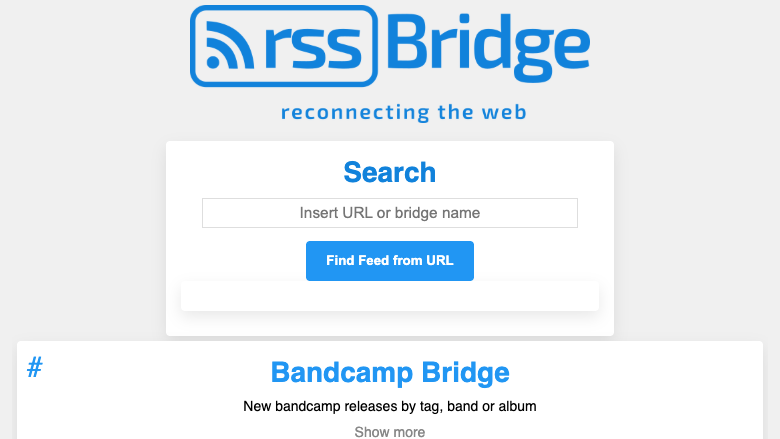
The RSS-Bridge web interface
Image
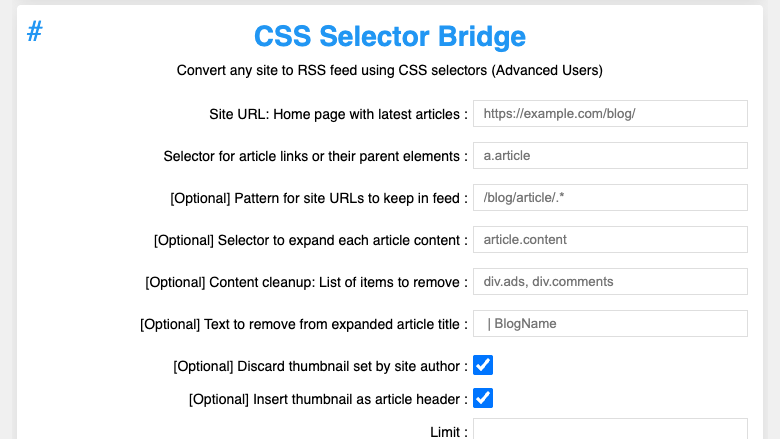
Building a feed from a bridge
Image
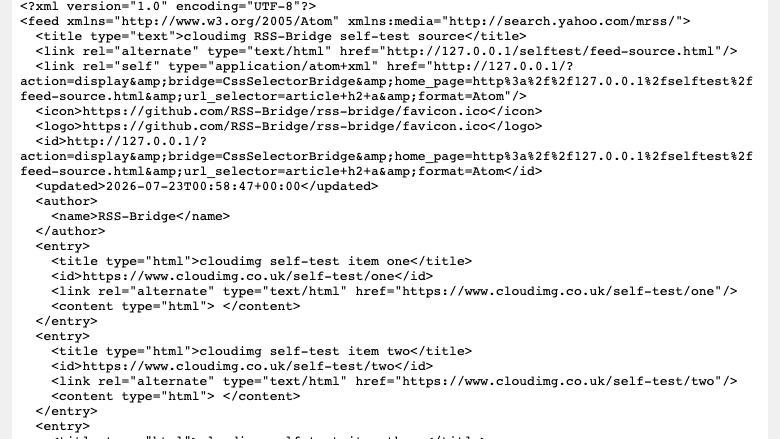
A generated Atom feed
This is a repackaged open source software product wherein additional charges apply for cloudimg support services.
Overview
RSS-Bridge is a popular open source application that generates RSS and Atom feeds for websites that do not publish their own. You pick a bridge from a searchable list, fill in a short form, and RSS-Bridge returns a feed URL you paste into any RSS reader, so you can follow sites, video channels and social accounts in one place again. This AMI delivers RSS-Bridge fully installed and reverse-proxied behind nginx with php-fpm, so your personal feed generator is serving within minutes of launch, with no manual PHP, web server or permissions wiring required.
RSS-Bridge is stateless, with no database to run: a single local file cache is all it needs. That keeps the image simple, auditable and comfortable on small instance types.
Why This AMI vs. Alternatives
- Hardened for the open-proxy risk: Because RSS-Bridge fetches upstream URLs on the requester's behalf, an unprotected instance can be abused by anyone on the internet as an open feed proxy. This image places the entire interface behind an HTTP Basic Auth gate, so only you can generate feeds.
- Secure first boot vs. shared defaults: Many images ship with a published default password. This image generates a unique password on every launch, stored only as a bcrypt hash in a root-only file. No shared or default credential ever exists in the image.
- No database to manage: RSS-Bridge needs only a local file cache, so there is no database server to provision, tune, patch or back up. You eliminate an entire failure domain and reduce monthly infrastructure cost.
Application Stack
nginx answers on port 80 and passes requests to php-fpm over a local socket. RSS-Bridge runs as pure PHP through its front controller. systemd starts nginx and php-fpm on boot and restarts them on failure. RSS-Bridge's own configuration is hardened with a curated set of bridges and debug mode disabled. The architecture is simple, auditable and runs comfortably on small instance types.
Security and Hardening
- The entire interface sits behind an HTTP Basic Auth gate whose password is generated uniquely and at random for every instance and stored only as a bcrypt hash
- The image ships with no usable or default credential, so your instance can never be abused as an open feed proxy
- A curated bridge set and disabled debug mode add defence in depth
- An unauthenticated health endpoint is provided for load-balancer and uptime checks
- nginx serves on port 80; TLS termination is recommended via an AWS Application Load Balancer or your own certificate configuration
Use Cases
- Individuals and researchers turning news sites, blogs, video channels and social accounts that do not publish feeds into clean RSS or Atom feeds for their reader.
- DevOps and product teams generating feeds from release pages, status pages and changelogs that lack native feeds, to pipe into a reader or automation.
- Content and marketing teams aggregating competitor and industry sources that offer no feed into a single monitored stream, entirely within their own AWS account.
Getting Started
Launch the AMI, retrieve the generated Basic Auth password via SSH, open your browser to the instance's public IP on port 80, and sign in as admin. Pick a bridge, fill in the short form, and RSS-Bridge returns a feed URL to paste into any RSS reader. A built-in health endpoint answers on the web server for load-balancer and uptime checks.
RSS-Bridge is released into the public domain by its authors. This is a repackaged open source software product with additional charges for cloudimg support services. All product and company names are trademarks or registered trademarks of their respective holders.
cloudimg Support
Highlights
- RSS-Bridge fully installed on nginx and PHP with no database to run. Pick a bridge from the searchable list, fill a short form, and get a feed URL for any RSS reader, so you start turning websites into feeds immediately after launch instead of building a PHP web server yourself.
- Security hardened for the open-proxy risk: the entire interface sits behind an HTTP Basic Auth gate whose password is generated uniquely and at random for every instance and stored only as a bcrypt hash, so the image ships with no usable or default credential and your instance can never be abused as an open feed proxy. A curated bridge set and disabled debug mode add defence in depth.
- 24/7 expert technical support from cloudimg with a one hour average response time for critical issues. Our engineers help with RSS-Bridge configuration, enabling bridges, custom domains and HTTPS, reverse proxy tuning, upgrades and troubleshooting.
Details
Sold by
Categories
Delivery method
Delivery option
64-bit (x86) Amazon Machine Image (AMI)
Latest version
Operating system
Ubuntu 24.04
Deployed on AWS
New
Introducing multi-product solutions
You can now purchase comprehensive solutions tailored to use cases and industries.

Features and programs
Financing for AWS Marketplace purchases
AWS Marketplace now accepts line of credit payments through the PNC Vendor Finance program. This program is available to select AWS customers in the US, excluding NV, NC, ND, TN, & VT.

Pricing
Free trial
Try this product free for 7 days according to the free trial terms set by the vendor. Usage-based pricing is in effect for usage beyond the free trial terms. Your free trial gets automatically converted to a paid subscription when the trial ends, but may be canceled any time before that.
Pricing is based on actual usage, with charges varying according to how much you consume. Subscriptions have no end date and may be canceled any time. Alternatively, you can pay upfront for a contract, which typically covers your anticipated usage for the contract duration. Any usage beyond contract will incur additional usage-based costs.
Additional AWS infrastructure costs may apply. Use the AWS Pricing Calculator to estimate your infrastructure costs.
If you are an AWS Free Tier customer with a free plan, you are eligible to subscribe to this offer. You can use free credits to cover the cost of eligible AWS infrastructure. See AWS Free Tier for more details. If you created an AWS account before July 15th, 2025, and qualify for the Legacy AWS Free Tier, Amazon EC2 charges for Micro instances are free for up to 750 hours per month. See Legacy AWS Free Tier for more details.
Dimension | Description | Cost/hour |
|---|---|---|
m5.large Recommended | m5.large | $0.04 |
t2.micro | t2.micro instance type | $0.04 |
t3.micro | t3.micro instance type | $0.04 |
c5a.12xlarge | c5a.12xlarge instance type | $0.24 |
c5a.16xlarge | c5a.16xlarge instance type | $0.24 |
c5a.24xlarge | c5a.24xlarge instance type | $0.24 |
c5a.2xlarge | c5a.2xlarge instance type | $0.24 |
c5a.4xlarge | c5a.4xlarge instance type | $0.24 |
c5a.8xlarge | c5a.8xlarge instance type | $0.24 |
c5a.large | c5a.large instance type | $0.08 |
Vendor refund policy
Refunds available on request.

Legal
Vendor terms and conditions
Upon subscribing to this product, you must acknowledge and agree to the terms and conditions outlined in the vendor's End User License Agreement (EULA) .
Content disclaimer
Vendors are responsible for their product descriptions and other product content. AWS does not warrant that vendors' product descriptions or other product content are accurate, complete, reliable, current, or error-free.
Delivery details
64-bit (x86) Amazon Machine Image (AMI)
Amazon Machine Image (AMI)
An AMI is a virtual image that provides the information required to launch an instance. Amazon EC2 (Elastic Compute Cloud) instances are virtual servers on which you can run your applications and workloads, offering varying combinations of CPU, memory, storage, and networking resources. You can launch as many instances from as many different AMIs as you need.
Version release notes
Initial release of RSS-Bridge as a ready-to-use feed generator with the interface password generated on first boot and gated behind nginx HTTP Basic Auth.
Additional details
Usage instructions
Connect via SSH on port 22 as the default login user for your operating system variant (for the Ubuntu 24.04 variant the user is ubuntu). Retrieve the generated Basic Auth credentials with: sudo cat /stage/scripts/rss-bridge-credentials.log. Open the interface in a browser at http://<instance-public-ip>/ and sign in with the username admin and the generated password. Pick a bridge from the searchable list, fill in the short form, and RSS-Bridge returns a feed URL you paste into any RSS reader (include the admin credentials in the reader). The whole surface is password-gated so your instance can never be abused as an open feed proxy. An unauthenticated health endpoint is available at http://<instance-public-ip>/healthz. The interface is served by nginx on port 80 with php-fpm; the instance security group opens ports 22, 80 and 443. The services run under systemd: systemctl status nginx php8.3-fpm.
Resources
Vendor resources
Support
Vendor support
cloudimg Support
cloudimg provides 24/7 technical support for this RSS-Bridge AMI by email (support@cloudimg.co.uk ) and live chat. Our engineers assist with every stage of ownership:
- Deployment and first-boot setup: Retrieving your generated Basic Auth password, configuring security groups (ports 80/443), setting up a domain name, and enabling TLS via an AWS ALB or a certificate on the instance.
- Feed configuration: Enabling and using bridges, building feeds with the CssSelector and XPath bridges, and tuning the curated bridge set.
- Reverse proxy and hardening: nginx tuning, the per-instance Basic Auth gate, and custom domain and HTTPS configuration.
- Upgrades and troubleshooting: Version upgrade guidance and diagnosing feed-generation or proxy errors.
How to Reach Us
Email: support@cloudimg.co.uk Live chat: Available 24/7 through our support portal.
Critical issues receive a one hour average response time. For billing, subscription changes, or refund requests, contact support@cloudimg.co.uk .
AWS infrastructure support
AWS Support is a one-on-one, fast-response support channel that is staffed 24x7x365 with experienced and technical support engineers. The service helps customers of all sizes and technical abilities to successfully utilize the products and features provided by Amazon Web Services.
Customer reviews
No customer reviews yet
Be the first to review this product . We've partnered with PeerSpot to gather customer feedback. You can share your experience by writing or recording a review, or scheduling a call with a PeerSpot analyst.