
Sold by: Techlatest.net
Deployed on AWS
AWS Free Tier
This product has charges associated with it for seller support. This VM offers a hassle-free setup with <b>Jupyter</b> for projects, <b>Jupyterhub</b> for multiuser collaboration, a <b>Jupyter AI extension</b> for for <b>LLM and Generative AI development</b>, and preloaded popular libraries like TensorFlow and PyTorch. It also comes with pre-configured <b>NVIDIA GPU drivers and CUDA libraries</b>.
Overview
Image
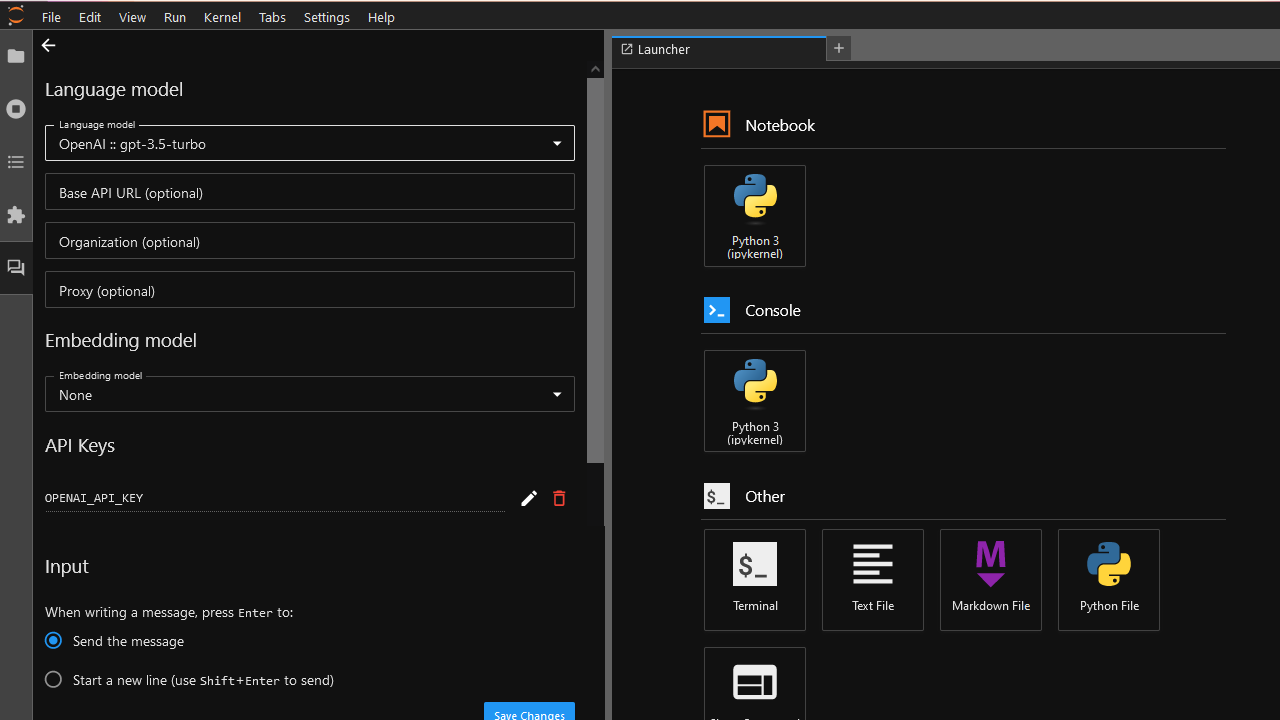
Chat UI for LLM and Generative AI development
Image
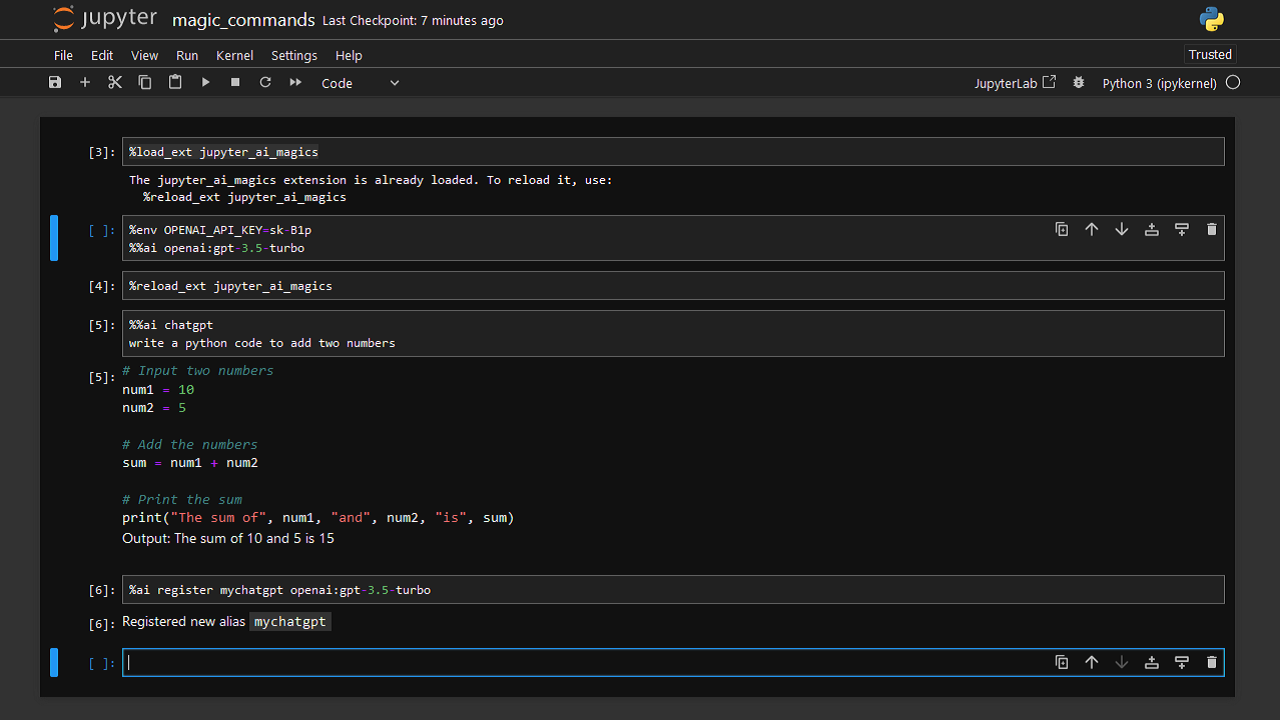
%ai commands for LLM and Generative AI development
Image
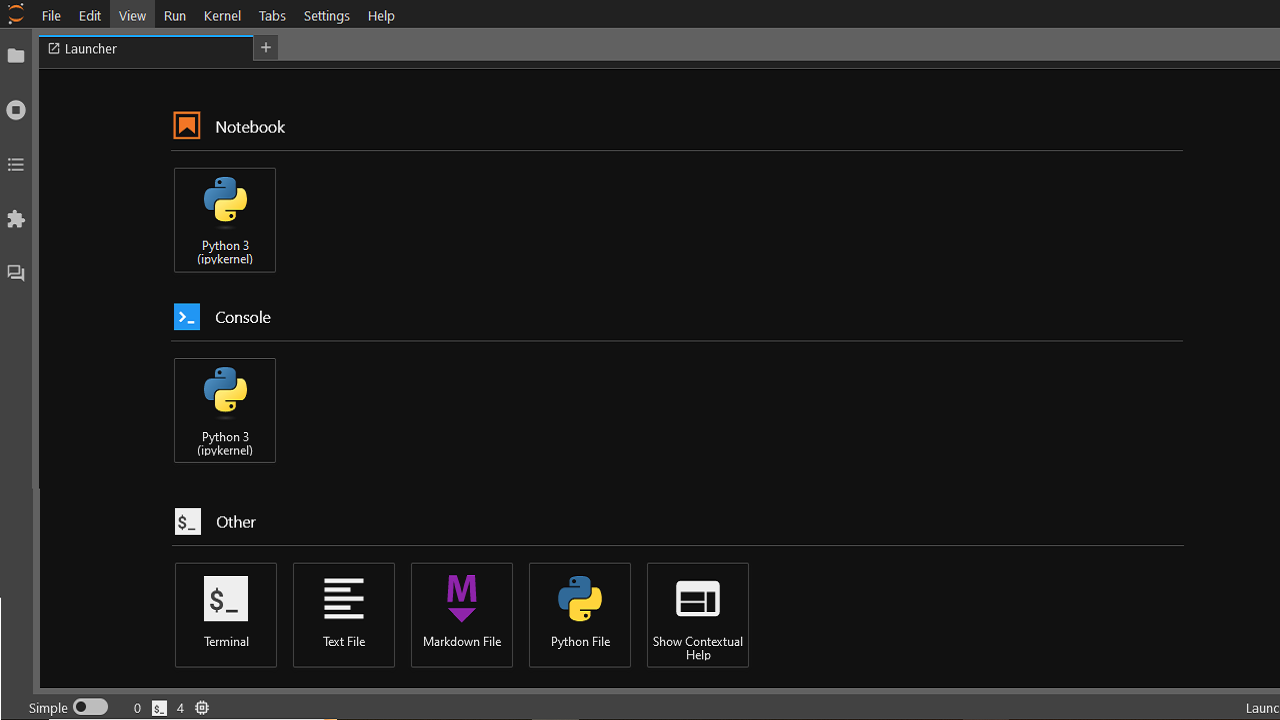
JupyterLab
Image
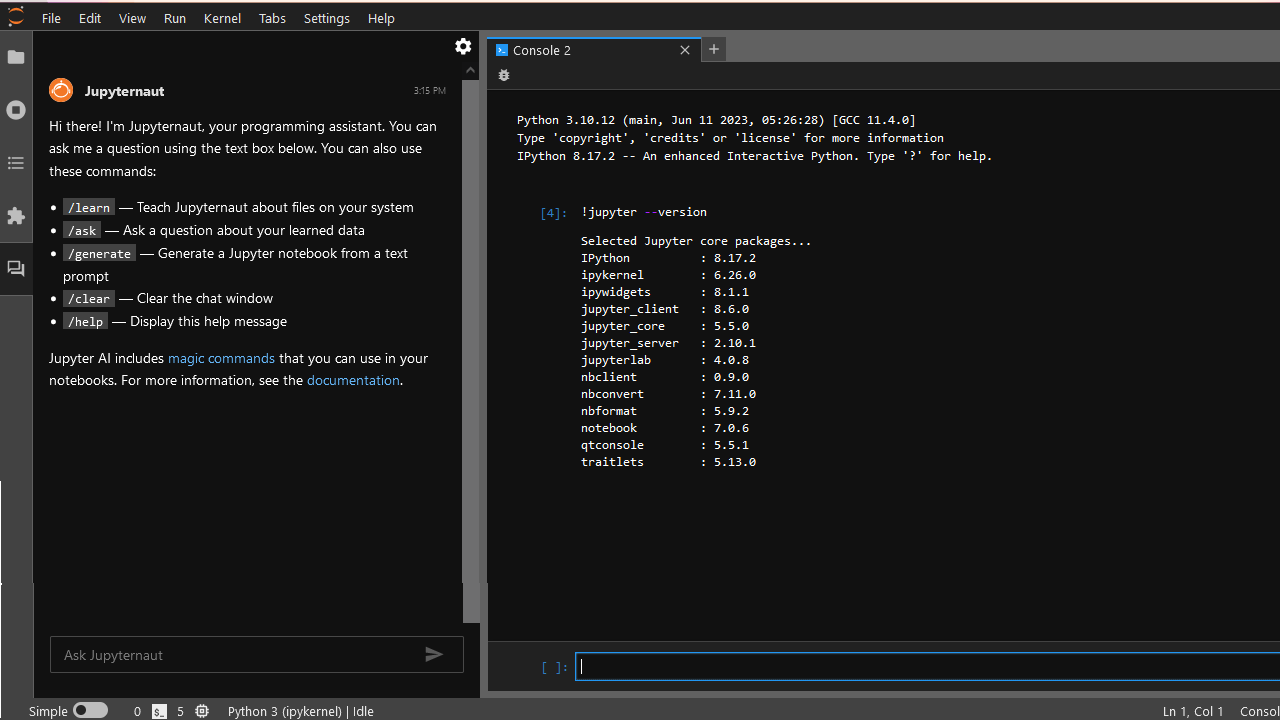
Jupyter Console
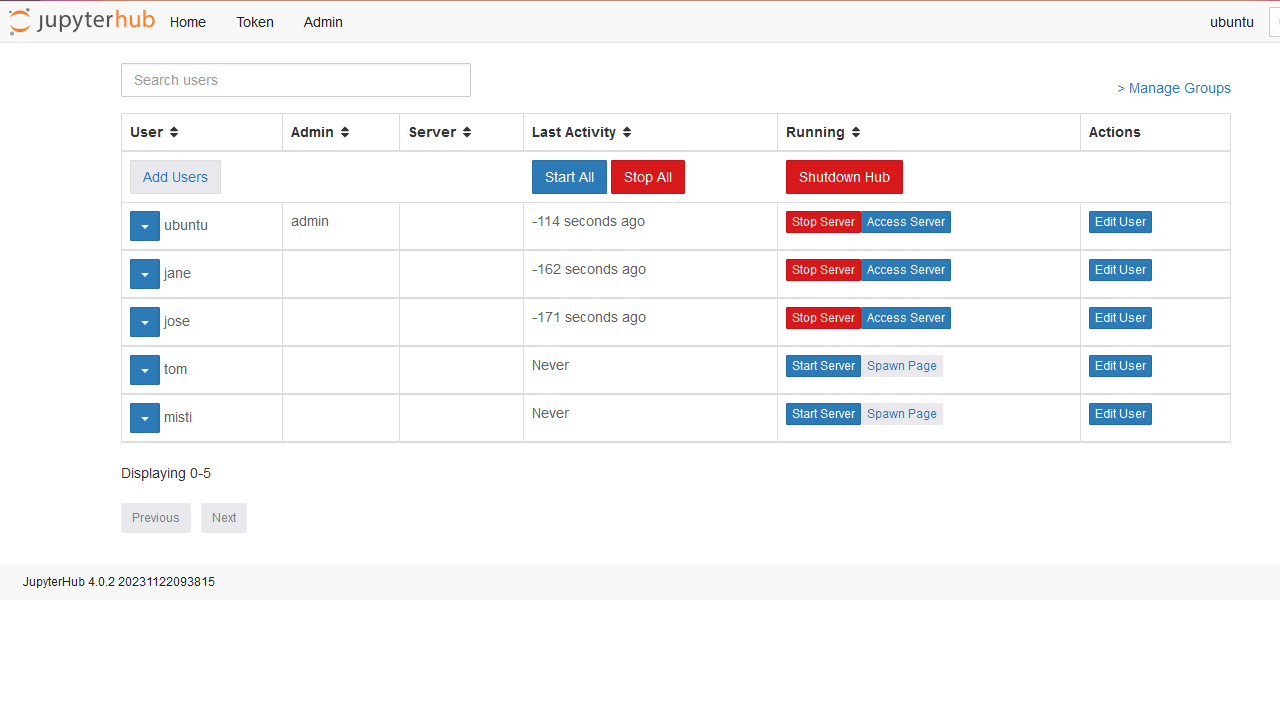
Image
Add Multiple Users
This is a repackaged open source software product wherein additional charges apply for support by TechLatest.net.
Important: For step by step guide on how to setup this vm , please refer to our Getting Started guide
If you are AI/ML practitioner or someone who is starting their AI/ML journey but do not want to spend hours setting up the right environment , this VM is for you. It includes :
- Jupyter : Your AI/ML Playground
- Jupyterhub: Making your AI/ML projects more collaborative by providing multi-user environment and enabling easy code and data sharing 3. Jupyter AI extension : your gateway to generative AI within Jupyter
- Provides better data privacy and control as your data, models, code & other information is stored on the VM
- Preinstalled popular AI/ML libraries such as TensorFlow, PyTorch, scikit-learn and many more
- Pre-configured NVIDIA GPU drivers & CUDA libraries
The preinstalled Juputer and AI/ML libraries jump-start your AI/ML development by saving you hours of installation time.
Jupyterhub gives you the collaboration capabilities by allowing a multi-user environment within the same VM. This not only makes it easy to share the AI/ML work , but makes it more cost efficient in a team setup by allowing multiple users/team members to share the same VM infrastructure instead of each user creating their own VM/notebooks.
With the Jupyter AI extension, you can seamlessly integrate with 100+ widely used LLMs from 10+ model providers such as OpenAI for ChatGPT, Anthropic, Hugging Face, AI21, SageMaker to name a few. Complete list of supported LLM Model providers is available here .
The JupyterAI extension comes with built-in LLM Chat UI for seamless collaboration for generative AI. Enjoy flexibility with support for diverse models and providers, seek code suggestions, debugging tips, or even have code snippets generated for you by interacting with the chat UI.
In addition to the Chat UI, the JupyterAI extension comes with %ai and %%ai magic commands turning your Jupyter into a generative AI playground anywhere the IPython kernel runs!
The VM also has pre-configured NVIDIA GPU drivers & CUDA libraries saving you hours of driver setup and configuration hassle so you can harness the power of GPU resources for your AI/ML workload and conduct advanced data analysis with ease.
Check our Jupyter Python Notebook Product Page for more details :
Highlights
- Multi User Jupyter notebook with AI/ML setup for LLM & Generative-AI
- AI & ML development, training and inference using Jupyter notebook
- Accelerate AI, Machine Learning & Data Analysis with the Power of Jupyter and GPU on AWS
Details
Sold by
Categories
Delivery method
Delivery option
64-bit (x86) Amazon Machine Image (AMI)
Latest version
Operating system
Ubuntu 24.04
Deployed on AWS
New
Introducing multi-product solutions
You can now purchase comprehensive solutions tailored to use cases and industries.

Features and programs
Financing for AWS Marketplace purchases
AWS Marketplace now accepts line of credit payments through the PNC Vendor Finance program. This program is available to select AWS customers in the US, excluding NV, NC, ND, TN, & VT.

Pricing
Pricing is based on actual usage, with charges varying according to how much you consume. Subscriptions have no end date and may be canceled any time.
Additional AWS infrastructure costs may apply. Use the AWS Pricing Calculator to estimate your infrastructure costs.
If you are an AWS Free Tier customer with a free plan, you are eligible to subscribe to this offer. You can use free credits to cover the cost of eligible AWS infrastructure. See AWS Free Tier for more details. If you created an AWS account before July 15th, 2025, and qualify for the Legacy AWS Free Tier, Amazon EC2 charges for Micro instances are free for up to 750 hours per month. See Legacy AWS Free Tier for more details.
Dimension | Cost/hour |
|---|---|
t2.large Recommended | $0.14 |
t2.micro | $0.08 |
t3.micro | $0.08 |
t3a.micro | $0.08 |
c4.2xlarge | $0.16 |
g2.8xlarge | $0.16 |
m5ad.large | $0.14 |
r5a.16xlarge | $0.16 |
t3.small | $0.08 |
m5a.xlarge | $0.16 |
Dimensions summary
You pay by the hour based on the AWS EC2 instance type you run. The software price is the same across instances; your cost changes with the compute you pick. Options span many families: general-purpose (t2, t3, m4, m5), compute-optimized (c3, c4, c5), memory-optimized (r3, r4, r5, x1), storage-optimized (i2, i3, d2, h1), and GPU-accelerated (g2, g3, g4dn, p2, p3, f1). Smaller instances suit light work; larger sizes and GPU families support heavier AI/ML tasks. GPU instances from the g4dn family add GPU acceleration. Billing runs only while an instance is active.
Top-of-mind questions for buyers
The instance defaults to the t2.large type, which provides 2 vCPUs and 8 GB RAM. You can change this before launch. For GPU-accelerated work, select an instance from the g4dn family on the configuration page. Your hourly cost reflects whichever instance type you pick.
Hourly software charges apply only while the instance runs. A stopped instance stops accruing software charges. Note that underlying AWS storage fees may still apply to a stopped instance, but the per-hour software meter counts running time only.
No separate software charge applies for the built-in AI chat plugin; it comes with the VM. You pay only the hourly rate for your chosen instance type. To use external language models, you supply your own API keys from those model providers, which may carry their own separate costs.
www.techlatest.net
Helpful?
Vendor refund policy
Will be charged for usage, can be canceled anytime and usage fee is non refundable.

Legal
Vendor terms and conditions
Upon subscribing to this product, you must acknowledge and agree to the terms and conditions outlined in the vendor's End User License Agreement (EULA) .
Content disclaimer
Vendors are responsible for their product descriptions and other product content. AWS does not warrant that vendors' product descriptions or other product content are accurate, complete, reliable, current, or error-free.
Delivery details
64-bit (x86) Amazon Machine Image (AMI)
Amazon Machine Image (AMI)
An AMI is a virtual image that provides the information required to launch an instance. Amazon EC2 (Elastic Compute Cloud) instances are virtual servers on which you can run your applications and workloads, offering varying combinations of CPU, memory, storage, and networking resources. You can launch as many instances from as many different AMIs as you need.
Version release notes
jupyterhub upgraded to version 5.4.3 on host ubuntu 2404
Additional details
Usage instructions
Please visit https://www.techlatest.net/support/jupyter_python_notebook_support/aws_gettingstartedguide/ for step by step guide on this solution
Resources
Vendor resources
Support
Vendor support
email info@techlatest.net
AWS infrastructure support
AWS Support is a one-on-one, fast-response support channel that is staffed 24x7x365 with experienced and technical support engineers. The service helps customers of all sizes and technical abilities to successfully utilize the products and features provided by Amazon Web Services.
Similar products

This product has charges associated with it for seller support. This VM offers a hassle-free setup with Jupyter for projects, Jupyterhub for multiuser collaboration, a Jupyter AI extension for for LLM and Generative AI development, and preloaded popular libraries like TensorFlow and PyTorch. It also comes with pre-configured NVIDIA GPU drivers and CUDA libraries.

This product has charges associated with it for seller support. Harness the power of NVIDIA GPUs the industry gold standard to power your LLM/Gen-AI/ML Projects with our multi-user Jupyter setup with pre-installed NVIDIA Drivers, AI libraries such as TensorFlow, PyTorch and lot more.

This product has charges associated with it for seller support. Jumpstart your AI Agent development with a ready-to-use platform powered by CrewAI Studio, JupyterHub & NVIDIA GPU support.

This product has charges associated with it for seller support. Run & Manage latest LLMs locally, privately, securely and cost-effectively without any vendor lock-in.
This VM solution comes pre-loaded with LLaMA, Mistral, Gemma, DeepSeek, & Qwen models along with Open-WebUI as an intuitive UI to interact with the LLMs and Ollama to install new models as needed.
Customer reviews
No customer reviews yet
Be the first to review this product . We've partnered with PeerSpot to gather customer feedback. You can share your experience by writing or recording a review, or scheduling a call with a PeerSpot analyst.