
Sold by: cloudimg
Deployed on AWS
Free Trial
AWS Free Tier
This product has charges associated with it for seller support. GLAuth replaces complex directory servers with a single-file LDAP backend serving LDAP and LDAPS in minutes - no database, no default credentials, just one config file.
Overview
Image
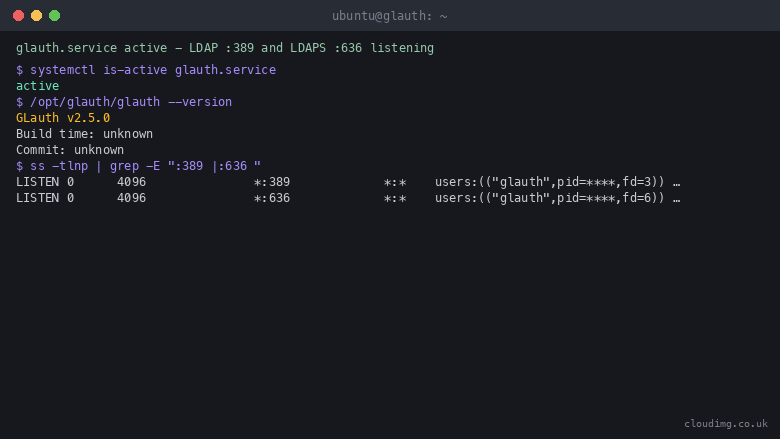
GLAuth service running
Image
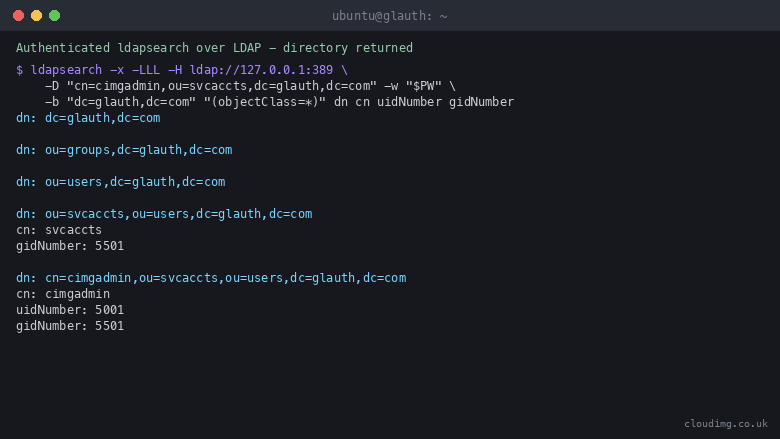
Authenticated LDAP search
Image
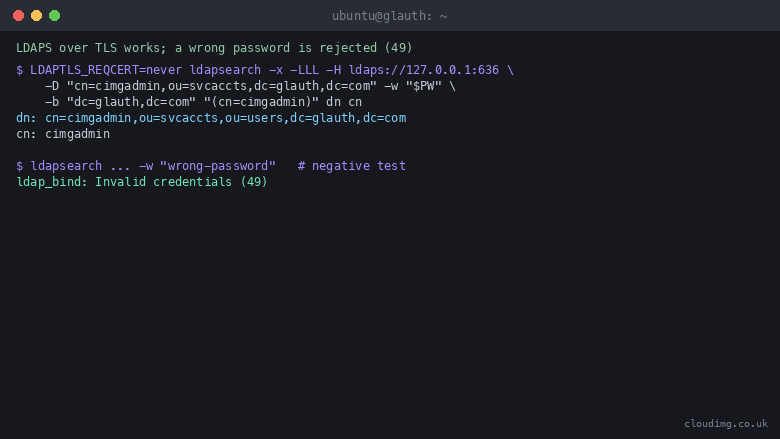
LDAPS over TLS and rejection
Image
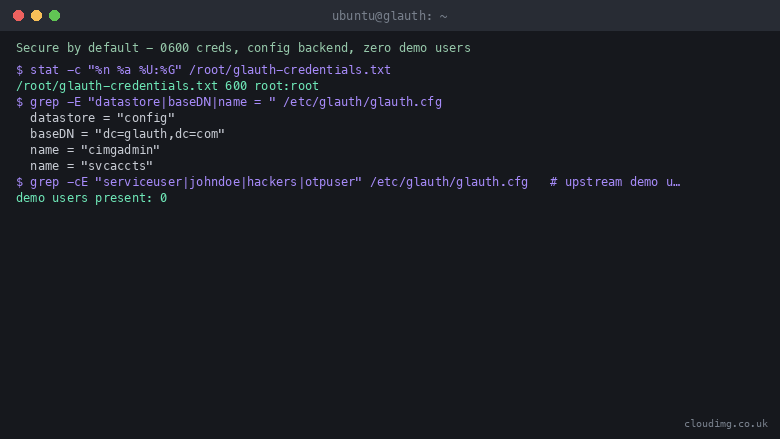
Secure by default
This is a repackaged open source software product wherein additional charges apply for cloudimg support services.
Overview
GLAuth is a lightweight LDAP authentication server that gives your services a simple, self-contained LDAP directory without the operational weight of a full directory server. Where traditional solutions like OpenLDAP require multi-step schema configuration, ACL management, and a separate database backend, GLAuth replaces all of that with a single readable configuration file. Point applications such as Grafana, Gitea, Jellyfin, Nextcloud, and Keycloak at it for LDAP authentication and manage the entire directory in one place. This image delivers GLAuth fully installed and running under systemd, so an LDAP and LDAPS endpoint is answering within minutes of launch.
Application Stack
GLAuth is a single self-contained Go binary that answers LDAP on port 389 and LDAPS with implicit TLS on port 636. It runs as a dedicated unprivileged system user and binds the standard directory ports through a narrowly scoped Linux capability. The directory is defined entirely by a single flat configuration file - there is no separate database to install, back up, or tune. systemd starts the service on boot and restarts it on failure, giving you a resilient authentication backend with minimal moving parts.
Directory as Configuration
The directory lives in one human-readable configuration file, which makes it easy to review, version-control, and reason about. Add users and groups by editing the file and reloading the service. Downstream services bind with a service account and search the directory over plain LDAP or over LDAPS. You get a working authentication backend for your stack with a fraction of the complexity of a traditional directory server - no schema files, no replication topology, and no database migrations.
Secure First Boot
The image ships with no usable credential and none of the well-known sample accounts found in many LDAP Docker images or default installations. On the first boot of your instance a one-shot service generates a fresh admin password unique to that instance, renders the working configuration from a template, generates a per-instance TLS certificate for LDAPS, and records the credentials in a file only the root user can read. No shared or default credentials ship in the image.
Ready To Use
Read the generated admin password, bind to the LDAP or LDAPS endpoint from your application or with standard LDAP client tools such as ldapsearch, and query the directory. A wrong password is rejected, so authentication works end to end from the moment the instance is up. Connect your first downstream application by configuring its LDAP settings to point at the instance's private IP or DNS name.
Getting Started
- Launch the AMI in your VPC with a security group allowing TCP 389 and 636 from your application subnets.
- SSH into the instance and read the generated credentials from the root-only file.
- Test connectivity with ldapsearch using the admin bind DN and password.
- Edit the configuration file to add your users and groups, then reload the service.
- Point your downstream application (Grafana, Gitea, Nextcloud, etc.) at the LDAP endpoint.
For a detailed walkthrough including sample configurations for popular applications, contact cloudimg support to request the quickstart guide.
Metered Support Model
This listing includes metered charges for cloudimg technical support services. You pay only for the support you use on top of standard AWS infrastructure costs. Contact support before or after purchase to discuss your deployment needs.
cloudimg Support
24/7 technical support by email and chat. Our engineers help with deployment, connecting downstream applications, extending the directory, replacing the TLS certificate for production, and upgrade planning. Book a deployment walkthrough by emailing the support team to get personalized guidance for your application stack before committing.
Use Cases
- A simple, self-hosted LDAP authentication backend for applications that support LDAP sign-in
- A lightweight alternative to OpenLDAP or FreeIPA for small teams, labs, and homelab stacks
- A single-file, version-controllable directory for consistent authentication across several services
- A quick LDAP endpoint for development and staging environments that mirrors production auth
Highlights
- Zero-config secure first boot - every instance generates its own unique admin password and TLS certificate automatically. No default credentials or sample accounts ship in the image, eliminating the well-known security gaps found in many LDAP Docker images and default directory server installations. Credentials are stored in a root-only file, so your directory is hardened from the moment it starts.
New
Introducing multi-product solutions
You can now purchase comprehensive solutions tailored to use cases and industries.

Features and programs
Financing for AWS Marketplace purchases
AWS Marketplace now accepts line of credit payments through the PNC Vendor Finance program. This program is available to select AWS customers in the US, excluding NV, NC, ND, TN, & VT.

Pricing
Free trial
Try this product free for 7 days according to the free trial terms set by the vendor. Usage-based pricing is in effect for usage beyond the free trial terms. Your free trial gets automatically converted to a paid subscription when the trial ends, but may be canceled any time before that.
Pricing is based on actual usage, with charges varying according to how much you consume. Subscriptions have no end date and may be canceled any time. Alternatively, you can pay upfront for a contract, which typically covers your anticipated usage for the contract duration. Any usage beyond contract will incur additional usage-based costs.
Additional AWS infrastructure costs may apply. Use the AWS Pricing Calculator to estimate your infrastructure costs.
If you are an AWS Free Tier customer with a free plan, you are eligible to subscribe to this offer. You can use free credits to cover the cost of eligible AWS infrastructure. See AWS Free Tier for more details. If you created an AWS account before July 15th, 2025, and qualify for the Legacy AWS Free Tier, Amazon EC2 charges for Micro instances are free for up to 750 hours per month. See Legacy AWS Free Tier for more details.
Dimension | Description | Cost/hour |
|---|---|---|
m5.large Recommended | m5.large | $0.08 |
t3.micro | t3.micro instance type | $0.04 |
t2.micro | t2.micro instance type | $0.04 |
r5b.12xlarge | r5b.12xlarge instance type | $0.24 |
m8i.xlarge | m8i.xlarge instance type | $0.12 |
r8i-flex.16xlarge | r8i-flex.16xlarge instance type | $0.24 |
m6idn.4xlarge | m6idn.4xlarge instance type | $0.24 |
p4d.24xlarge | p4d.24xlarge instance type | $0.24 |
i3.4xlarge | i3.4xlarge instance type | $0.24 |
m8id.8xlarge | m8id.8xlarge instance type | $0.24 |
Vendor refund policy
Refunds available on request.

Legal
Vendor terms and conditions
Upon subscribing to this product, you must acknowledge and agree to the terms and conditions outlined in the vendor's End User License Agreement (EULA) .
Content disclaimer
Vendors are responsible for their product descriptions and other product content. AWS does not warrant that vendors' product descriptions or other product content are accurate, complete, reliable, current, or error-free.
Delivery details
64-bit (x86) Amazon Machine Image (AMI)
Amazon Machine Image (AMI)
An AMI is a virtual image that provides the information required to launch an instance. Amazon EC2 (Elastic Compute Cloud) instances are virtual servers on which you can run your applications and workloads, offering varying combinations of CPU, memory, storage, and networking resources. You can launch as many instances from as many different AMIs as you need.
Version release notes
Initial release of GLAuth 2.5.0 as a ready-to-use lightweight LDAP authentication server with the admin password and TLS certificate generated on first boot.
Additional details
Usage instructions
Connect via SSH on port 22 as the default login user for your operating system variant (for the Ubuntu 24.04 variant the user is ubuntu). Retrieve the generated admin bind credentials with: sudo cat /root/glauth-credentials.txt. GLAuth is a headless LDAP server with no web interface. From an application or with standard LDAP tools, bind to the LDAP endpoint at ldap://<instance-public-ip>:389 (or LDAPS at ldaps://<instance-public-ip>:636) using the admin bind DN cn=cimgadmin,ou=svcaccts,dc=glauth,dc=com and the generated password, then search the base DN dc=glauth,dc=com, for example: ldapsearch -x -H ldap://<instance-public-ip>:389 -D 'cn=cimgadmin,ou=svcaccts,dc=glauth,dc=com' -w '<password>' -b 'dc=glauth,dc=com' '(objectClass=*)'. Add users and groups by editing /etc/glauth/glauth.cfg and running: sudo systemctl restart glauth. The instance security group opens ports 22 (SSH), 389 (LDAP) and 636 (LDAPS). The service runs under systemd: systemctl status glauth.
Resources
Vendor resources
Support
Vendor support
cloudimg provides 24/7 technical support for this product by email and live chat.
What We Help With
- Initial deployment and instance configuration
- Connecting downstream applications (Grafana, Gitea, Nextcloud, Keycloak, and others)
- Extending the directory with additional users and groups
- Replacing the auto-generated TLS certificate with your own production certificate
- Upgrade planning for new GLAuth releases
- Performance tuning and troubleshooting
- Guidance on security group rules and VPC configuration for LDAP traffic
Deployment Walkthrough
Before or after purchase, you can request a guided deployment walkthrough from our engineers. We will help you map GLAuth to your specific application stack and provide sample configurations tailored to your environment.
Refunds
If you experience issues with the product, contact support to discuss resolution options including refund requests.
Contact
Email: support@cloudimg.co.uk
Live chat is available around the clock through our support portal.
AWS infrastructure support
AWS Support is a one-on-one, fast-response support channel that is staffed 24x7x365 with experienced and technical support engineers. The service helps customers of all sizes and technical abilities to successfully utilize the products and features provided by Amazon Web Services.
Customer reviews
No customer reviews yet
Be the first to review this product . We've partnered with PeerSpot to gather customer feedback. You can share your experience by writing or recording a review, or scheduling a call with a PeerSpot analyst.