Sold by: Hyperglance
Deployed on AWS
Multi-cloud management platform. Optimize costs. Visualize inventory. Monitor compliance.
4.5
Overview

Discover why leading AWS professionals, worldwide, choose Hyperglance as their cloud management platform.
Optimize Costs & Reduce Your Bill
- Explore & analyze your costs, over time, in astonishing detail
- Monitor your costs in real-time, and create alerts
- Save up to 30% using cost-saving recommendations, from wastage to right-sizing and RIs
- Identify trends and anomalies, and review your projected cloud bill
- Optimize spend in real-time using customizable codeless automations
- More information
Visualize Your Entire Cloud
- A single dashboard for your multi-cloud architecture
- Explore enlightening real-time interactive architecture diagrams with metadata overlaid
- Search, filter and export your aggregated cloud inventory
- Automatically generate and export documentation
- Scales to any size
- More information
Stay Secure & Compliant
- Continuously scan your cloud inventory, looking for policy breaches, misconfiguration, and vulnerabilities
- Built-in monitoring complies with key frameworks, including AWS Well-Architected, NIST, CIS, HIPAA, PCI DSS & FedRAMP
- Create, customize and run as many rules as you like, as often as you like
- Trigger alerts, and remediate issues in real-time using codeless automations
- View issues, in context, in powerful interactive architecture diagrams
- More information
Automate To Save Time & Reduce Risk
- Trigger and customize rules using metadata, cost, metrics, alarms, and more
- Use automations to remediate issues as they occur
- Enforce organizational policies and implement a resource-tagging strategy
- More information
Plus...
- Multi-cloud, GovCloud & Kubernetes (including EKS) support
- Agentless & secure deployment, self-hosted on your VM
- SAML support and RESTful API access as standard
- Unlimited users at no extra cost
Our Pricing Explained
The cost of Hyperglance is based on the number of cloud resources ingested and inventoried by the Hyperglance app. Pricing is not charged as a percentage of your cloud bill, or on how many accounts/subscriptions you have (although they will count towards your overall resource limit).
Plans start as low as 500 resources, but Hyperglance can scale to tens of thousands, even millions, of resources. If you'd like a price for more than 5,000 resources, please request a quote . Alternatively, please get in touch if you would like to discuss anything related to deployment, contract or billing.
Want to Try Hyperglance or See More?
If you'd like to see Hyperglance in action, start a 14-day free trial , book a free no-obligation demo or explore our interactive product tours .
Highlights
- **REDUCE COSTS BY 30%:** Take FinOps to the next level with best-in-class cost optimization, analysis and forecasting tools that typically deliver 25-30% sustained cost savings.
- **VISUALIZE & OPTIMIZE:** Explore powerful interactive diagrams, and search or export your aggregated inventory. Utilize 200+ customizable rules, alerts, and automations.
- **AGENTLESS & SECURE:** Self-hosted as an EC2 Instance, mitigating the security concerns associated with a traditional SaaS solution. A compliance-friendly solution with no credential sharing.
Details
Sold by
Categories
Delivery method
Delivery option
Hyperglance Deployment
Latest version
Operating system
Ubuntu 22.04
Deployed on AWS
New
Introducing multi-product solutions
You can now purchase comprehensive solutions tailored to use cases and industries.

Features and programs
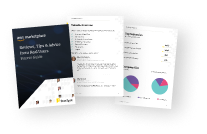
Buyer guide
Gain valuable insights from real users who purchased this product, powered by PeerSpot.
Financing for AWS Marketplace purchases
AWS Marketplace now accepts line of credit payments through the PNC Vendor Finance program. This program is available to select AWS customers in the US, excluding NV, NC, ND, TN, & VT.

Pricing
Pricing is based on the duration and terms of your contract with the vendor. This entitles you to a specified quantity of use for the contract duration. If you choose not to renew or replace your contract before it ends, access to these entitlements will expire.
Additional AWS infrastructure costs may apply. Use the AWS Pricing Calculator to estimate your infrastructure costs.
Dimension | Description | Cost/12 months |
|---|---|---|
Hyperglance (up to 500 resources) | Each "Unit" is a license plan for 500 resources | $10,780.00 |
Dimensions summary
This listing has one pricing dimension. You buy licenses in units, where each unit covers up to 500 cloud resources. A resource is a cloud object that gets inventoried, such as an instance, database, load balancer, or storage bucket. Pricing scales with the number of resources you track, not your cloud spend or the number of accounts you connect. Your license covers unlimited users across single-cloud or multi-cloud environments. You are billed on a contract term through your AWS Marketplace invoice.
Top-of-mind questions for buyers
A resource is a cloud object that Hyperglance ingests and inventories as a single entity. Examples include instances, virtual machines, databases, load balancers, gateways, storage buckets, disks, and serverless functions. Tags, metadata, interfaces, links, and chart data do not count as separate resources.
Each unit covers up to 500 resources. If your inventory grows past that, you need coverage for the higher count. Connecting more accounts does not add charges by itself, but the resources in those accounts contribute to your total count. Start a trial to see your live resource count.
No. Hyperglance does not charge by the number of accounts or subscriptions you connect. Those accounts simply add to your total resource count. Only the number of ingested resources determines coverage. Your license also includes unlimited users across single-cloud or multi-cloud environments.
www.hyperglance.com
Helpful?
Vendor refund policy
We do not currently support refunds, but you can cancel at any time.

Legal
Vendor terms and conditions
Upon subscribing to this product, you must acknowledge and agree to the terms and conditions outlined in the vendor's End User License Agreement (EULA) .
Content disclaimer
Vendors are responsible for their product descriptions and other product content. AWS does not warrant that vendors' product descriptions or other product content are accurate, complete, reliable, current, or error-free.
Delivery details
Hyperglance Deployment
Hyperglance deploys as a single EC2 Instance.
CloudFormation Template (CFT)
AWS CloudFormation templates are JSON or YAML-formatted text files that simplify provisioning and management on AWS. The templates describe the service or application architecture you want to deploy, and AWS CloudFormation uses those templates to provision and configure the required services (such as Amazon EC2 instances or Amazon RDS DB instances). The deployed application and associated resources are called a "stack."
Version release notes
Additional details
Usage instructions
Resources
Support
Vendor support
Documentation & Support:
AWS infrastructure support
AWS Support is a one-on-one, fast-response support channel that is staffed 24x7x365 with experienced and technical support engineers. The service helps customers of all sizes and technical abilities to successfully utilize the products and features provided by Amazon Web Services.
Similar products
Multi-cloud management platform. Optimize costs. Visualize inventory. Monitor compliance.
Multi-cloud management platform. Optimize costs. Visualize inventory. Monitor compliance.

Multi-cloud management platform. Optimize costs. Visualize inventory. Monitor compliance.
Multi-cloud management platform. Optimize costs. Visualize inventory. Monitor compliance.
Customer reviews
Abhinavpreet S.
Hyperglance Unifies Cloud Visibility, Health, and Cost Monitoring in One Local Dashboard
Reviewed on Nov 05, 2026
Review provided by G2
What do you like best about the product?
What I liked most about Hyperglance is how it brings cloud infrastructure visibility, resource discovery, connection health, and cost monitoring into one centralized dashboard. I tested the platform end to end with GCP environments and found the interface intuitive and easy to navigate. The ability to manage and monitor multiple environments from a single place makes it particularly useful.
What do you dislike about the product?
Some areas could benefit from more detailed error messages and troubleshooting guidance, particularly when configuring cloud connections. The initial setup could also be more guided for new users. Beyond that, the overall experience was quite smooth, and I would like to see further improvements in onboarding and usability.
What problems is the product solving and how is that benefiting you?
Hyperglance addresses the challenge of managing and monitoring cloud infrastructure across different environments. It provides centralized visibility into cloud resources, connection health, and infrastructure costs. During my end-to-end testing with GCP, I found it useful to have these insights in one place rather than switching between multiple consoles. This makes infrastructure monitoring more organized and helps simplify day-to-day management.
Utkarsh G.
Powerful Infrastructure Visualization with Built-In Cost and Security Insights
Reviewed on Nov 05, 2026
Review provided by G2
What do you like best about the product?
Infrastructure visualization is probably the strongest feature. The automatically generated diagrams make it much easier to understand the relationships and dependencies between cloud resources, without having to maintain everything manually. I also appreciate that cost optimization and security compliance checks are available right alongside the infrastructure view. Having all of these capabilities in one platform makes it simpler to investigate resource issues and quickly spot the areas that need attention.
What do you dislike about the product?
There are a few areas where the product could be improved. The initial setup can require a fair amount of technical knowledge, particularly when configuring cloud permissions, IAM roles, and multiple accounts. The interface can also feel crowded when you’re working with large infrastructure diagrams, which makes it harder to quickly locate specific resources.
In addition, some of the more advanced filtering, custom rules, and automation features come with a learning curve and would benefit from clearer, more guided onboarding. I’d also like to see more flexibility in dashboard customization, along with better diagram performance when handling very large environments.
In addition, some of the more advanced filtering, custom rules, and automation features come with a learning curve and would benefit from clearer, more guided onboarding. I’d also like to see more flexibility in dashboard customization, along with better diagram performance when handling very large environments.
What problems is the product solving and how is that benefiting you?
Hyperglance helps solve the challenge of understanding and managing resources that are spread across multiple cloud accounts and platforms. Its centralized inventory, along with interactive architecture diagrams, makes it easier to see resource relationships, spot dependencies, and identify unused infrastructure or potential configuration issues. The cost management and compliance features also support reviewing cloud spend and surfacing possible security concerns. Overall, it reduces the amount of manual investigation needed and improves visibility across cloud operations.
SaifSaif
Visual mapping has improved cloud risk monitoring and now makes complex environments manageable
Reviewed on Oct 29, 2026
Review from a verified AWS customer
What is our primary use case?
My main use case for Hyperglance is visualizing cold cloud infrastructure and monitoring resources across the environment to identify security risks or configuration issues. It helps make complex cloud environments easier to understand and manage.
A specific example of how I use Hyperglance for monitoring risks or managing my cloud environment is using it to visualize our cloud infrastructure and identify security misconfigurations such as storage resources exposed to the public internet. The visual maps help me understand how resources are connected, spot potential risks, and prioritize fixes. It also makes it easier to monitor infrastructure changes and keep cloud environments secure and organized.
I also find Hyperglance useful for getting a clear overview of cloud resources, understanding dependencies, and identifying unused or misconfigured resources. It helps teams attribute issues faster, improve visibility across the cloud environment, and manage infrastructure more efficiently.
How has it helped my organization?
Hyperglance has positively impacted my organization by improving cloud visibility, making it easier to understand infrastructure connections, investigate configuration issues, and identify potential security risks. It reduces the time spent manually checking resources and helps teams spot ideal infrastructure and potential cost savings. Although I haven't tracked exact savings or time reduction, the biggest benefit is having a clear overview of the cloud environment and being able to prioritize issues more efficiently.
Hyperglance has impacted my team's workflow by making collaboration easier through a shared visual view of cloud infrastructure. Instead of spending time checking resources separately, team members can understand dependencies, identify potential configuration issues, and focus on the same priorities. It speeds up troubleshooting by making it easier to trace problems across connected resources. Although I haven't measured a specific reduction in incidents, the improved visibility helps the team take a more proactive approach to cloud security and maintenance.
What is most valuable?
The best features that Hyperglance offers are its visual cloud infrastructure mapping, real-time resource visibility, security risk identification, and dependency tracking. I especially value how it makes complex cloud environments easier to understand, helps identify misconfiguration, and allows teams to troubleshoot issues faster. It also helps with cost optimization by highlighting underused resources and improving overall cloud management.
Hyperglance's visual mapping specifically helps my team by making it easier to understand how cloud resources are connected and quickly identify potential security risks or misconfigurations. For example, if a server is publicly exposed or has an unexpected connection, the visual view helps the team investigate the issues faster. Its cost visibility is also useful for spotting underutilized resources and opportunities to reduce unnecessary cloud spending.
What needs improvement?
I would like to see more advanced cost-saving recommendations, clearer alerts for critical security risks, and automated suggestions for fixing configuration issues. A feature that estimates potential cost savings before making changes would also be helpful. Overall, Hyperglance makes cloud infrastructure easier to visualize, monitor, and manage efficiently.
Hyperglance can be improved by adding more automated security remediations, smarter alerts for critical risks, and clear recommendations for reducing cloud costs. A dashboard showing cost trends, potential savings, and security issues in one place would be helpful. I would also appreciate better integration with popular cloud management ticketing tools, customizable reports, and easier tracking of improvements over time.
One feature that I would really appreciate is an AI-powered recommendation system that not only identifies cloud security risks and cost inefficiencies but also suggests step-by-step fixes. It would also be helpful to have customizable alerts based on risk severity, better reporting for management, and automatic tracking of resolved issues. These improvements could help the team spend less time on manual checks and more time on important cloud infrastructure tasks.
For how long have I used the solution?
I have been using Hyperglance for one year.
What do I think about the stability of the solution?
Hyperglance is stable, and I have had a good experience with it.
What do I think about the scalability of the solution?
The scalability of Hyperglance for managing growing cloud environments is evident through its visual mapping, which helps teams monitor resources and understand dependencies across multiple cloud accounts and environments from a centralized view. I would like to see continued improvements in dashboard performance, large-scale resource discovery, and filtering capabilities to make managing very large and complex environments even easier.
How are customer service and support?
The customer support was fantastic. I would rate the customer support 10 out of 10.
Which solution did I use previously and why did I switch?
We did not use any solutions before Hyperglance.
What was our ROI?
We have not measured Hyperglance's ROI in terms of money saved or staffing reduction. However, the main benefit appears to be the time saved when investigating cloud infrastructure issues, better visibility into security risks, and easier identification of underused resources. It has helped the team prioritize problems and manage the cloud environment more efficiently. Tracking investigation time and avoiding incidents and cloud spending before and after implementation would help with measuring quality and actual return on investment.
What's my experience with pricing, setup cost, and licensing?
My experience with pricing, setup cost, and licensing was good, and the setup was easy. Since I already have experience, it was easier for me to set up an account.
What other advice do I have?
I would recommend Hyperglance 9 out of 10.
I give Hyperglance 9 out of 10 because its visual cloud mapping, infrastructure visibility, and security monitoring make managing complex cloud environments much easier. It has helped me understand resource relationships and identify potential issues quickly. I did not give it a perfect 10 because I would appreciate more advanced AI-powered recommendations, smart alerts, and clear cost-saving recommendations with measurable savings. These improvements would make it an even more complete cloud management solution.
Regarding Hyperglance's AI capabilities, I think it could be valuable for identifying cloud security risks and improving infrastructure management. However, strong governance and security controls are essential, including role-based access, data privacy, audit logs, and clear expectations for AI-generated recommendations. I would also appreciate human approval before any high-impact changes are applied automatically. Overall, transparency, compliance, and control over automation would make me more confident in using its AI features in a production environment.
Regarding Hyperglance's AI capabilities, I think it can be useful for identifying potential cloud risks, analyzing infrastructure dependencies, and highlighting configuration issues. However, accuracy and reliability are critical, especially when dealing with security alerts and cost recommendations. I would appreciate clear explanations behind AI-generated findings, fewer false positives, and recommendations validated against real-time cloud data. Human verification for critical actions would also be helpful to build trust and ensure reliable results in a production environment.
Hyperglance is primarily deployed in my organization to visualize and manage infrastructure across public environments with support for multi-cloud and hybrid cloud visibility. In our setup, I would describe the deployment as public cloud, focusing on monitoring cloud resources, infrastructure dependencies, security risks, and costs from a centralized dashboard.
We use AWS as our cloud provider for public cloud deployment.
I would recommend Hyperglance to teams that need better visibility into complex cloud environments, especially those managing multiple accounts or cloud platforms.
Which deployment model are you using for this solution?
Public Cloud
If public cloud, private cloud, or hybrid cloud, which cloud provider do you use?
Amazon Web Services (AWS)
Divyanshi M.
Intuitive Cloud Visualization That Simplifies Complex Infrastructure
Reviewed on Oct 27, 2026
Review provided by G2
What do you like best about the product?
I like Hyperglance’s intuitive cloud visualization, which makes it easier to understand complex cloud infrastructure, monitor resources, and identify potential issues quickly
What do you dislike about the product?
The platform may take some time to learn initially, and more customization options for dashboards and reports could improve the overall experience.
What problems is the product solving and how is that benefiting you?
Hyperglance simplifies cloud infrastructure visibility by providing a clear visual overview of resources and dependencies, helping identify issues faster, improve resource management, and reduce operational complexity
Santhosh K.
Clear Cloud Infrastructure Visualization That Saves Time
Reviewed on Oct 26, 2026
Review provided by G2
What do you like best about the product?
What I like most about Hyperglance is how clearly it visualizes cloud infrastructure. It gives me an easy-to-grasp overview of how different cloud resources are connected, which helps me spot potential issues without having to jump between multiple dashboards. The visual representation is particularly helpful in complex environments, and having a centralized view saves time when monitoring and managing cloud resources.
What do you dislike about the product?
One area that could be improved is the learning curve for first-time users, particularly for those who aren’t familiar with cloud infrastructure and the related terminology. The interface can take a while to explore, and it may require some time before everything feels fully understood. More beginner-friendly tutorials, clearer explanations for certain features, and additional practical examples would help make the platform easier to navigate and use for new users.
What problems is the product solving and how is that benefiting you?
Hyperglance helps simplify the understanding of complex cloud infrastructure by presenting resources and their relationships in a clear, visual format. Rather than switching between multiple dashboards just to figure out how components connect, I can get a more centralized view of the environment in one place. That makes it easier to spot dependencies, understand the overall infrastructure layout, and troubleshoot potential issues more efficiently.