
Sold by: cloudimg
Deployed on AWS
Free Trial
AWS Free Tier
This product has charges associated with it for seller support. Go from raw sensor data to a live IoT dashboard with no code. StreamPipes is preinstalled with adapters, processors, and 24/7 cloudimg support.
Overview
Image
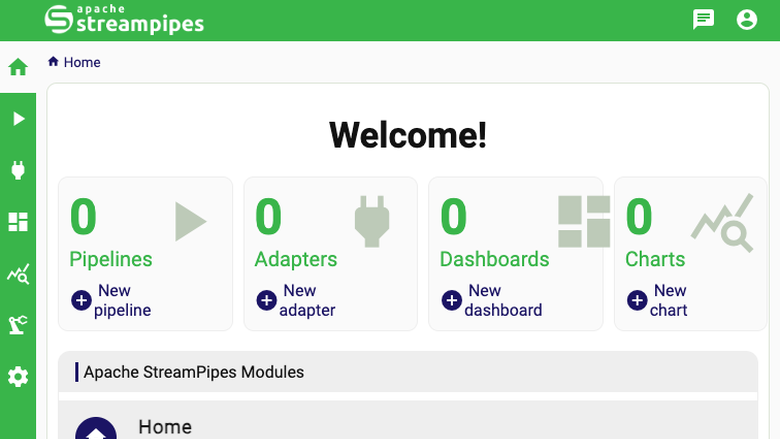
StreamPipes home
Image
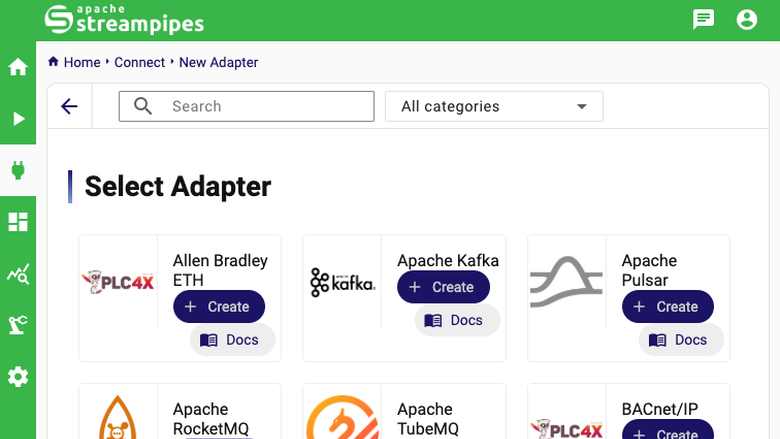
Adapter library
Image
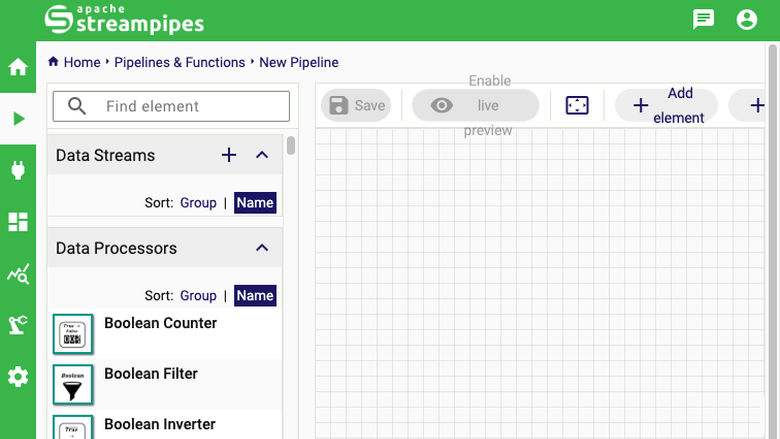
Visual pipeline editor
Image
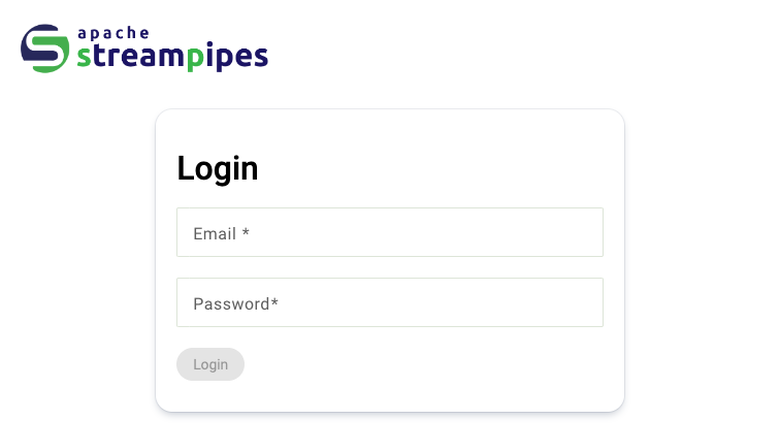
StreamPipes sign in
This is a repackaged open source software product wherein additional charges apply for cloudimg support services.
Why This Image Instead of Self-Installing
Installing Apache StreamPipes from source requires provisioning multiple containers, configuring a message broker, setting up time-series and metadata databases, hardening credentials, and relocating storage to a resizable volume - typically hours of engineering work and ongoing maintenance risk. This image eliminates that effort: launch an instance, retrieve your unique administrator credentials over SSH, and build your first pipeline in the browser. Every security decision, storage layout choice, and service dependency is already resolved, so you spend time on data insights rather than infrastructure plumbing.
Overview
Apache StreamPipes is a self-service toolbox that lets domain experts connect, analyse, and explore continuous data streams without writing code. A visual pipeline editor, a library of connectors for industrial and IoT protocols, a catalogue of data processors and sinks, and live dashboards are all reached through one web interface. An engineer can go from a raw sensor feed to a working alert or dashboard entirely in a browser.
Use Case: Predictive Maintenance in Manufacturing
A plant engineer needs to monitor vibration and temperature sensors across a production line, detect anomalies in real time, and trigger alerts before equipment fails. With this image the engineer launches an instance, connects OPC-UA or MQTT adapters to the sensor feeds using StreamPipes Connect, builds a processing pipeline with threshold and pattern-detection processors in the visual editor, and routes results to a live dashboard and email sink. The entire workflow - from raw sensor data to actionable alerts - requires no custom code and runs on a single EC2 instance.
Application Stack
This image runs the official StreamPipes self-hosted stack under Docker: the StreamPipes core backend, the web user interface, a CouchDB store holding users and pipeline and adapter metadata, an InfluxDB time-series sink, a NATS message broker, and the full industrial IoT extensions library of adapters, processors, and sinks. The whole multi-container stack is managed as a single systemd unit, so it starts and stops with the instance.
Network Exposure
Only SSH on port 22 and HTTP on port 80 are published. The message broker and both databases are reachable only on the internal Docker network, and the user interface container binds to the loopback interface, with nginx publishing it on port 80 and serving an unauthenticated health endpoint for load-balancer checks.
Secure First Boot
On the first boot a one-shot service generates a fresh administrator password, client secret, encryption passcode, and signing secret - all unique to that instance - provisions the administrator against an empty user store, and writes the login to a root-only file. No shared or default credentials ship in the image, so two instances launched from the same image never share a password.
Dedicated Data Volume
The Docker data root and the containerd image store are both relocated to a dedicated, independently resizable data volume before any container image is pulled. Every image layer and every container volume - including the CouchDB user store and the InfluxDB time-series data - lives on that volume rather than on the operating system disk. This lets you scale storage without resizing the root volume or redeploying.
Ready To Use
- Launch the instance from the AWS Marketplace listing.
- SSH in and retrieve the generated administrator credentials from the root-only file.
- Browse to the instance on port 80 and sign in.
- Use StreamPipes Connect to add an adapter for your data source.
- Build a pipeline in the visual editor and watch live data flow to a dashboard.
cloudimg Support
24/7 technical support by email and chat for deployment, adapter and pipeline configuration, sizing the stack, persistence and backup, TLS termination, and upgrades.
Apache, Apache StreamPipes, StreamPipes, and the Apache StreamPipes logo are trademarks of The Apache Software Foundation. All product and company names are trademarks or registered trademarks of their respective holders. Use of them does not imply any affiliation with or endorsement by them.
Highlights
- Launch and build your first IoT pipeline in minutes with no code - the visual editor, adapter library, and live dashboards are preinstalled as a production-ready Docker stack (core backend, CouchDB, InfluxDB, NATS broker, and the full industrial IoT extensions library) managed as a single systemd unit that starts and stops with the instance.
- Secure by default from the first boot - a one-shot service generates a unique administrator password, client secret, encryption passcode, and signing secret per instance, stored in a root-only file. The databases and message broker remain isolated on the internal Docker network with only SSH (port 22) and HTTP (port 80) exposed.
- Scale storage independently without redeployment - the Docker data root and containerd image store live on a dedicated, resizable EBS volume separate from the OS disk. Backed by 24/7 cloudimg technical support via email and chat covering deployment, configuration, sizing, backup, TLS termination, and upgrades.
Details
Sold by
Categories
Delivery method
Delivery option
64-bit (x86) Amazon Machine Image (AMI)
Latest version
Operating system
Ubuntu 24.04
Deployed on AWS
New
Introducing multi-product solutions
You can now purchase comprehensive solutions tailored to use cases and industries.

Features and programs
Financing for AWS Marketplace purchases
AWS Marketplace now accepts line of credit payments through the PNC Vendor Finance program. This program is available to select AWS customers in the US, excluding NV, NC, ND, TN, & VT.

Pricing
Free trial
Try this product free for 7 days according to the free trial terms set by the vendor. Usage-based pricing is in effect for usage beyond the free trial terms. Your free trial gets automatically converted to a paid subscription when the trial ends, but may be canceled any time before that.
Pricing is based on actual usage, with charges varying according to how much you consume. Subscriptions have no end date and may be canceled any time. Alternatively, you can pay upfront for a contract, which typically covers your anticipated usage for the contract duration. Any usage beyond contract will incur additional usage-based costs.
Additional AWS infrastructure costs may apply. Use the AWS Pricing Calculator to estimate your infrastructure costs.
If you are an AWS Free Tier customer with a free plan, you are eligible to subscribe to this offer. You can use free credits to cover the cost of eligible AWS infrastructure. See AWS Free Tier for more details. If you created an AWS account before July 15th, 2025, and qualify for the Legacy AWS Free Tier, Amazon EC2 charges for Micro instances are free for up to 750 hours per month. See Legacy AWS Free Tier for more details.
Dimension | Description | Cost/hour |
|---|---|---|
m5.large Recommended | m5.large | $0.08 |
t2.micro | t2.micro instance type | $0.04 |
t3.micro | t3.micro instance type | $0.04 |
p6-b200.48xlarge | p6-b200.48xlarge instance type | $0.24 |
vt1.6xlarge | vt1.6xlarge instance type | $0.24 |
g7e.4xlarge | g7e.4xlarge instance type | $0.24 |
g6f.2xlarge | g6f.2xlarge instance type | $0.24 |
c7i-flex.large | c7i-flex.large instance type | $0.08 |
c7i-flex.8xlarge | c7i-flex.8xlarge instance type | $0.24 |
c8id.96xlarge | c8id.96xlarge instance type | $0.24 |
Vendor refund policy
Refunds available on request.

Legal
Vendor terms and conditions
Upon subscribing to this product, you must acknowledge and agree to the terms and conditions outlined in the vendor's End User License Agreement (EULA) .
Content disclaimer
Vendors are responsible for their product descriptions and other product content. AWS does not warrant that vendors' product descriptions or other product content are accurate, complete, reliable, current, or error-free.
Delivery details
64-bit (x86) Amazon Machine Image (AMI)
Amazon Machine Image (AMI)
An AMI is a virtual image that provides the information required to launch an instance. Amazon EC2 (Elastic Compute Cloud) instances are virtual servers on which you can run your applications and workloads, offering varying combinations of CPU, memory, storage, and networking resources. You can launch as many instances from as many different AMIs as you need.
Version release notes
Initial release of Apache StreamPipes 0.98.0.
Additional details
Usage instructions
Connect via SSH on port 22 as the default login user for your operating system variant (the user guide lists it per variant; on Ubuntu it is 'ubuntu'). Retrieve the generated administrator login with: sudo cat /root/streampipes-credentials.txt. The StreamPipes web interface is served on port 80 through nginx; browse to http://<instance-public-ip>/ and sign in with the administrator email and password shown in that file. The unauthenticated health endpoint http://<instance-public-ip>/health returns 200 for load balancer checks. The whole container stack is managed as one systemd unit: use systemctl status streampipes, systemctl restart streampipes, and systemctl status docker and nginx for the supporting services. The compose project lives at /opt/streampipes/compose and all container data is stored on the dedicated data volume mounted at /var/lib/streampipes. To add a data source choose Connect in the interface, pick an adapter, then build a pipeline in the Pipeline Editor. StreamPipes serves plain HTTP; terminate TLS in front of it with your own domain before exposing it to production traffic, as described in the user guide.
Resources
Vendor resources
Support
Vendor support
cloudimg provides 24/7 technical support for this product by email and live chat.
What We Help With
- Deployment and initial configuration
- Adapter and pipeline setup
- Stack sizing and performance tuning
- Persistence, backup, and restore
- TLS termination and certificate management
- Upgrades to newer StreamPipes releases
- Troubleshooting and incident resolution
Response Times
Critical issues receive a one-hour average first response. Our engineers are available around the clock, including weekends and holidays.
Contact
Email: support@cloudimg.co.uk
For refund requests or billing questions, contact us at the same email address and we will respond within one business day.
AWS infrastructure support
AWS Support is a one-on-one, fast-response support channel that is staffed 24x7x365 with experienced and technical support engineers. The service helps customers of all sizes and technical abilities to successfully utilize the products and features provided by Amazon Web Services.
Similar products

Apache Hudi connector with shaded dependencies to work with AWS Glue.

Easily access Iceberg tables and operate DDLs, reads/writes, time-travels, streaming writes on the Iceberg tables.

Bansir offers this software product repackaged where additional charges apply for technical support provided by Bansir Cloud email support@bansircloud.com.

This is a repackaged open source software product wherein additional charges apply for technical support. Softwares included: Ubuntu and Apache Web Server
This product has a fee associated with the provision and deployment of the application and AMI support. Apache Superset is a modern, enterprise-ready business intelligence web application.
Customer reviews
No customer reviews yet
Be the first to review this product . We've partnered with PeerSpot to gather customer feedback. You can share your experience by writing or recording a review, or scheduling a call with a PeerSpot analyst.