Sold by: Paradime Labs, Inc.
Paradime Radar uses AI agents to cut Snowflake and BigQuery costs by 20% or more while monitoring dbt™ pipelines around the clock.
Overview
Image
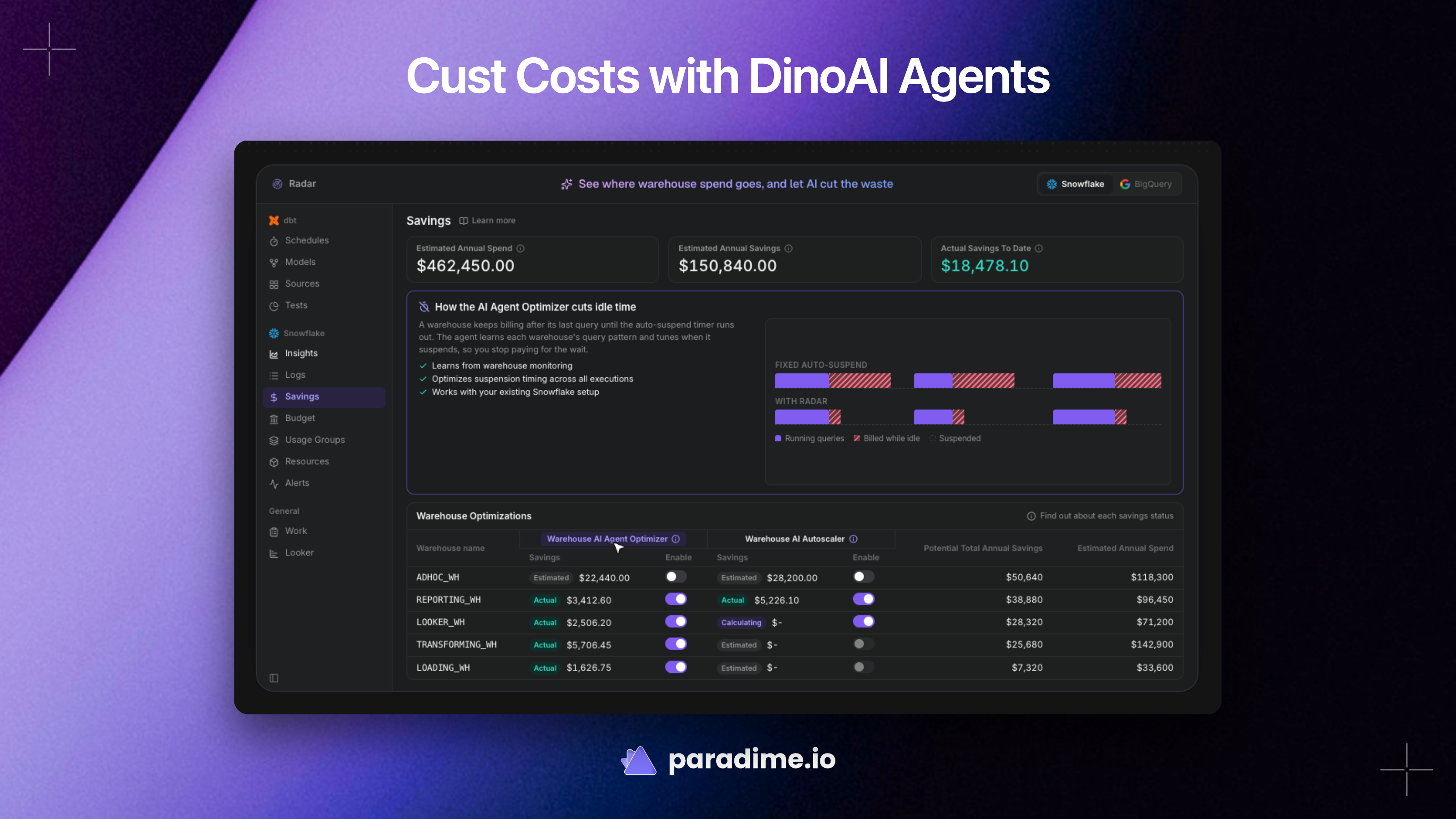
DinoAI Agents to Cut Costs
Image
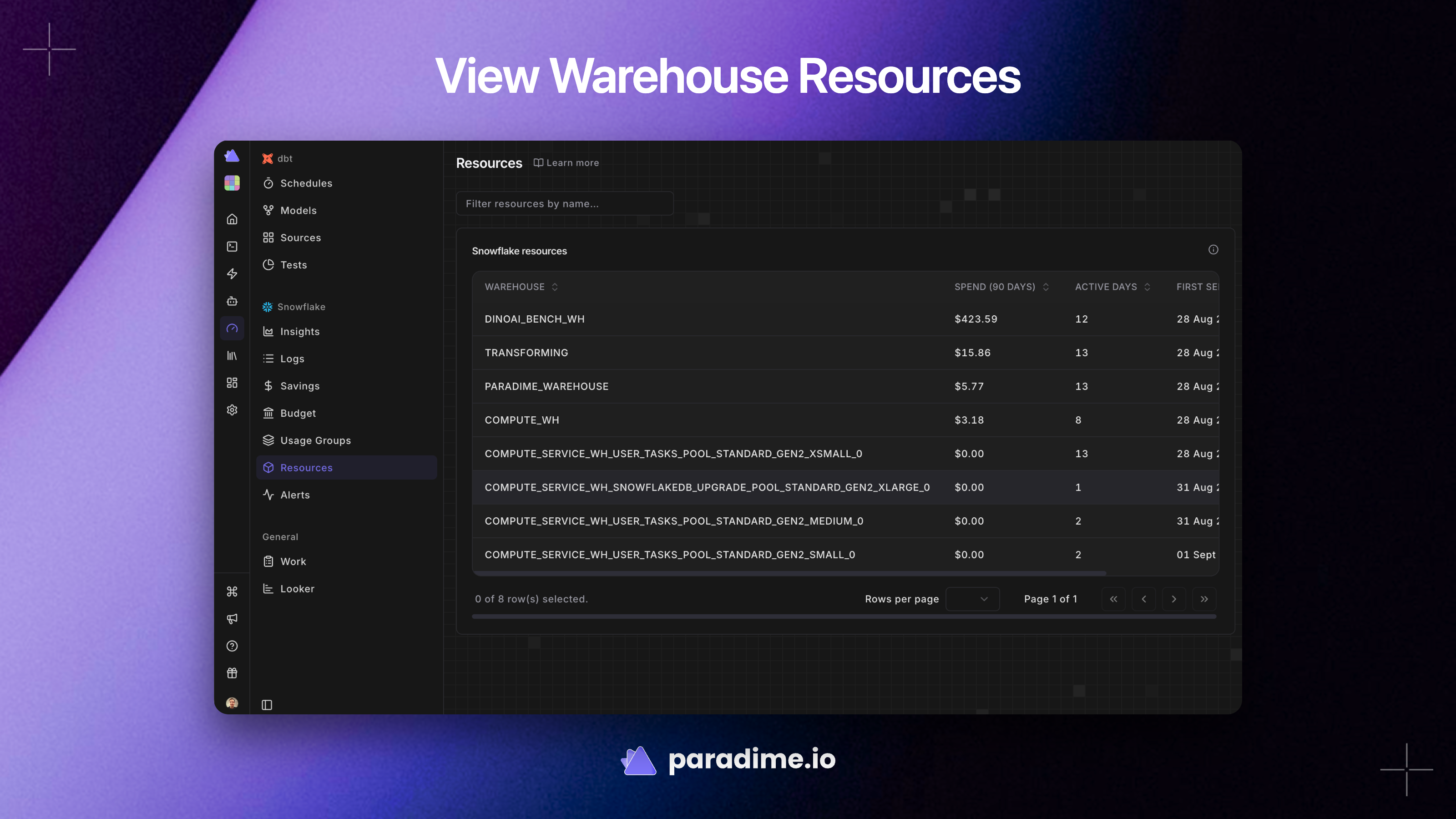
View Warehouse Resources
Image
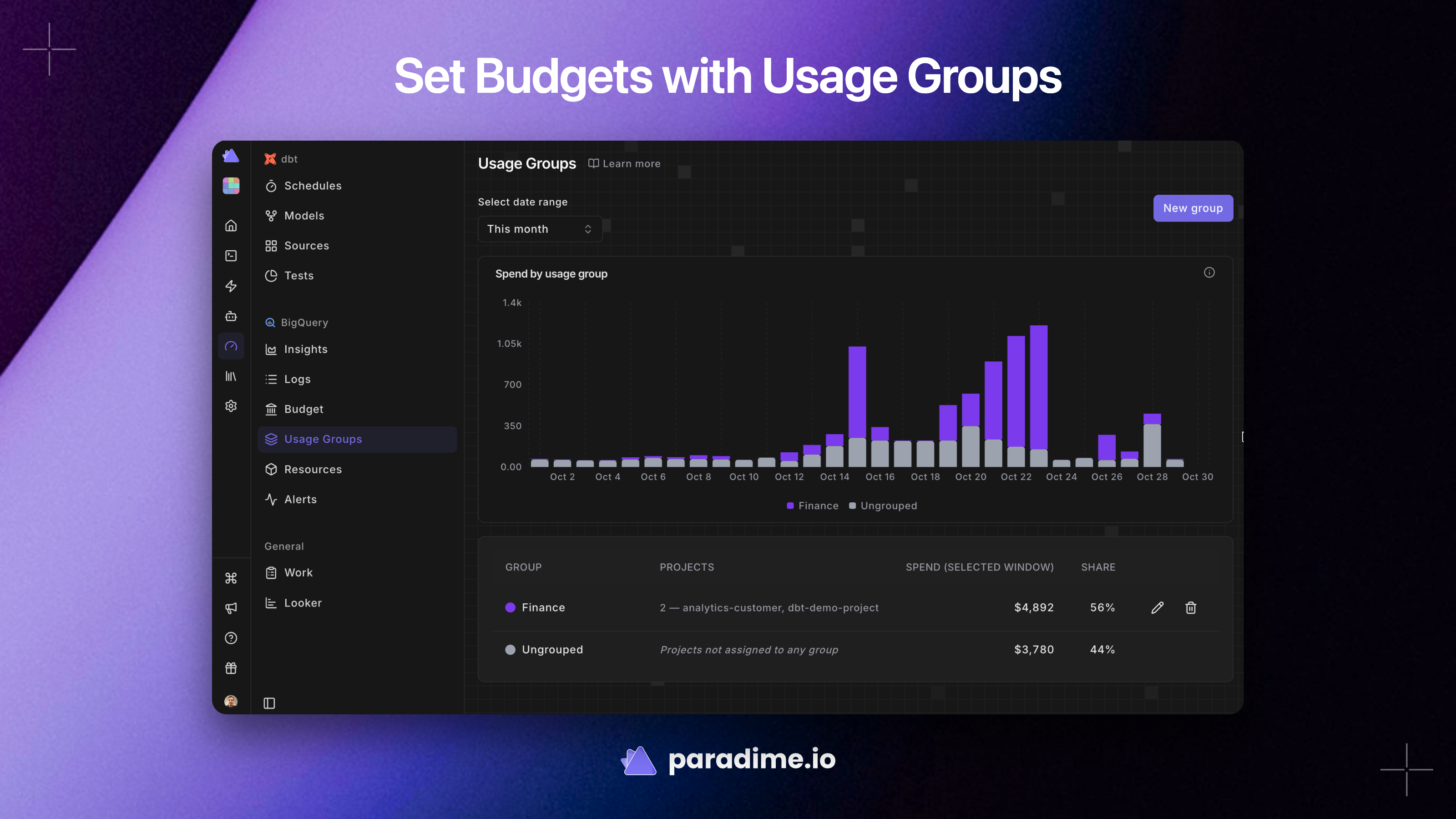
Set Budgets
Image
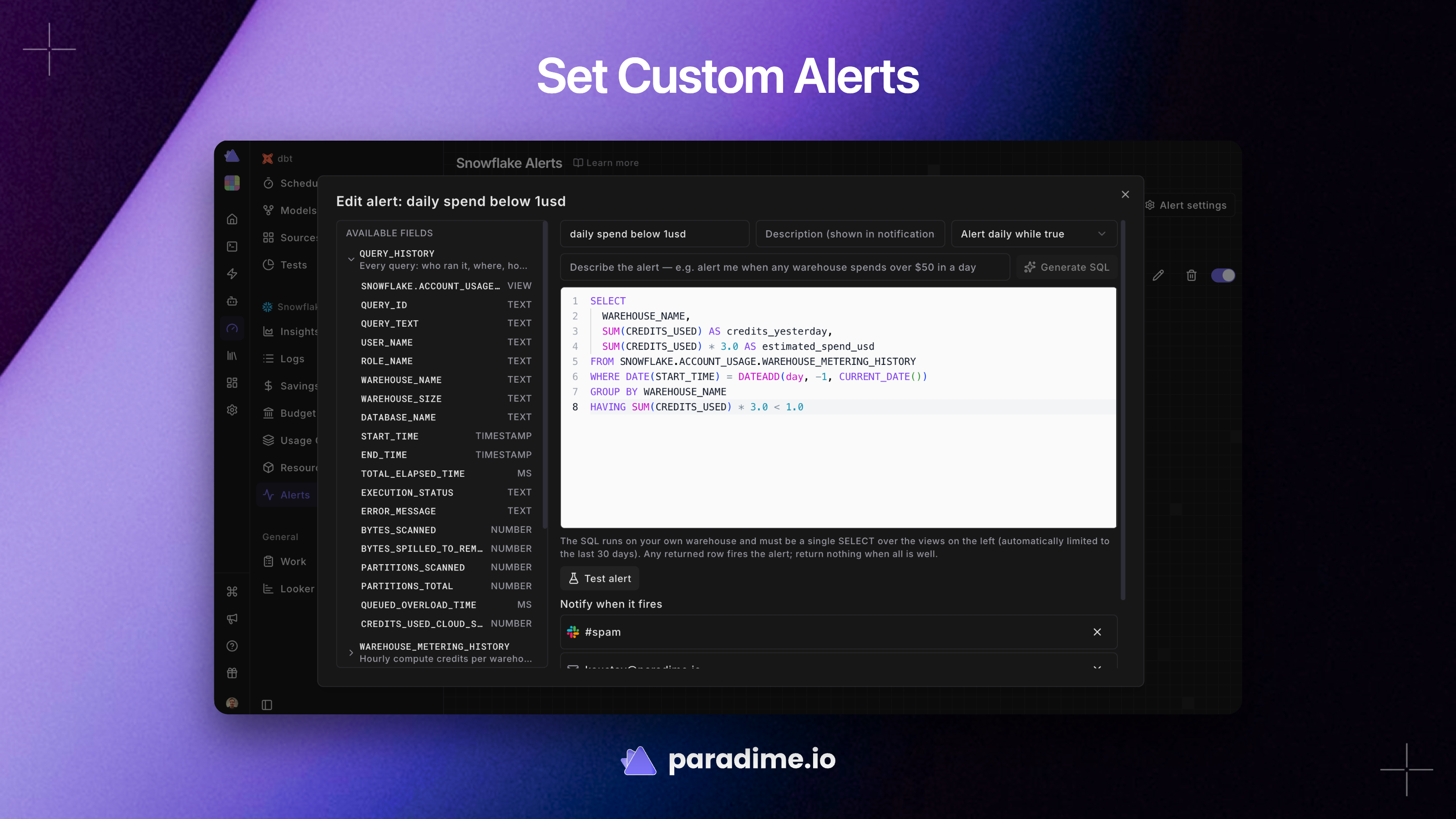
Create Custom Alerts
Paradime Radar: AI-Powered Cost Monitoring for Data Warehouses and dbt Pipelines
Paradime Radar, built by Paradime Labs - an AWS Partner - monitors and cuts costs in your dbt™ pipelines and data warehouses using AI agents that run 24/7. Radar is SOC 2 Type 2 certified and only collects warehouse usage metadata, with all data encrypted in transit and at rest.
Why Data Teams Choose Paradime Radar
- Slash Snowflake or BigQuery spend by 20% or more using AI agents that continuously analyze your warehouse usage patterns
- Get real-time alerts on expensive SQL and take timely action to reduce waste before costs spiral
- Monitor dbt™ pipelines running in Paradime Bolt and dbt Cloud™
- Detect idle and under-utilized warehouses that should be scaled down or switched off but are still running
- Set monthly budgets and receive automatic alerts at 80% and 100% thresholds
- Track team efficiency with metrics on pull requests, commits, and individual contributions
- Monitor Looker usage including dashboard costs, high-cost dashboard identification, and unused content detection
How Radar Works: A Real-World Example
When the cost on a particular Snowflake warehouse jumps by 20% in a day, Radar detects the anomaly and immediately alerts the recipients you have configured. AI agents then analyze the root cause and recommend optimizations - such as adjusting idle time, auto-scaling warehouses, or switching off under-utilized resources - so your team can act before waste accumulates.
Key Capabilities
AI-Driven Cost Management Radar provides AI-driven analysis to reduce costs on Snowflake, BigQuery, and other platforms while maintaining performance. Usage groups let you roll warehouses up into the teams and environments you budget by, giving you granular visibility into where spend is going.
dbt™ Pipeline Monitoring Gain in-depth insights into your dbt™ operations, covering schedules, models, sources, and tests. Radar monitors pipelines running in both Paradime Bolt and dbt Cloud™, enriching queries with metadata so you can trace costs back to specific models and runs.
Custom Alerts Write your own alert as a SQL query, or generate one from a plain-language description. Alerts cover cost anomalies, pipeline failures, and any custom condition you define.
Query Cost Logs and Resources Access raw per-query cost data over 90 days and maintain a complete inventory of your warehouses and resources.
Supported Platforms
- Data Warehouses: Snowflake and BigQuery (with documented setup guides for each)
- dbt™ Orchestration: Paradime Bolt and dbt Cloud™
- BI Tools: Looker monitoring for dashboard costs and usage optimization
Getting Started
Radar connects to your warehouse through a dedicated service account with read-only access to usage metadata.
For Snowflake: Create a dedicated Paradime cost role and user, set up an XS warehouse, configure an S3 storage integration, and add a dbt™ query comment macro. The connection uses key-pair authentication for security. Detailed setup instructions walk you through each step.
For BigQuery: Create a service account with BigQuery Resource Viewer and Job User roles, set up a cost analytics dataset, configure a Logs Routing Sink, and create a GCS bucket. A dbt™ query comment macro enriches your queries with metadata for cost attribution.
Both platforms require adding a short dbt macro to your project and updating your dbt_project.yml to enable query comment enrichment.
Security and Compliance
Paradime is SOC 2 Type 2 certified. Radar only collects warehouse usage metadata - it does not access your actual data. All information is encrypted in transit and at rest. Warehouse connections use secure authentication methods including key-pair authentication for Snowflake and service account JSON keys for BigQuery.
Ready to Reduce Your Data Warehouse Costs?
Subscribe to Paradime Radar on AWS Marketplace to start identifying cost savings across your Snowflake and BigQuery environments. Contact the Paradime team to learn more about how Radar can help your data team optimize spend while maintaining pipeline reliability.
Highlights
- AI agents that autonomously optimize your Snowflake and BigQuery spend - Radar detects under-utilized warehouses, optimizes idle time, and auto-scales resources to reduce costs by 20% or more. Unlike manual monitoring or native cloud dashboards, Radar's AI agents run 24/7 on autopilot, identifying anomalies such as sudden daily cost spikes and taking action to eliminate waste without requiring human intervention for routine optimizations.
- Unified dbt™ pipeline monitoring across Paradime Bolt and dbt Cloud™ - Track schedules, models, sources, and tests from a single pane of glass. Radar enriches warehouse queries with dbt™ model-level metadata, letting you trace cost back to specific models and pipeline runs. Set monthly budgets, organize warehouses into usage groups by team or environment, and get alerted at 80% and 100% thresholds.
- Real-time alerting and team efficiency tracking for data operations - Configure customizable alerts for cost anomalies, expensive SQL queries, and pipeline failures. Write custom alert rules using SQL or generate them from plain-language descriptions. Monitor team productivity with metrics on pull requests, commits, and individual contributions. Radar also provides Looker monitoring to identify high-cost dashboards and unused content.
Details
Sold by
Categories
Delivery method
Deployed on AWS
New
Introducing multi-product solutions
You can now purchase comprehensive solutions tailored to use cases and industries.

Features and programs
Trust center

Access real-time vendor security and compliance information through their Trust Center powered by Drata or Vanta. Review certifications and security standards before purchase.
Financing for AWS Marketplace purchases
AWS Marketplace now accepts line of credit payments through the PNC Vendor Finance program. This program is available to select AWS customers in the US, excluding NV, NC, ND, TN, & VT.

Pricing
Pricing is based on the duration and terms of your contract with the vendor. This entitles you to a specified quantity of use for the contract duration. If you choose not to renew or replace your contract before it ends, access to these entitlements will expire.
Additional AWS infrastructure costs may apply. Use the AWS Pricing Calculator to estimate your infrastructure costs.
Dimension | Description | Cost/12 months |
|---|---|---|
Radar Complete | Annual price of Radar - includes reporting and cost optimization AI agents | $10,000.00 |
Radar Lite | Annual price of Radar Lite - only reporting | $5,000.00 |
Dimensions summary
You buy Radar through an annual contract, priced per unit. Two options set what the subscription covers. Radar Lite gives you reporting only, so you monitor and see where warehouse spend goes. Radar Complete adds the cost optimization AI agents on top of that reporting. Both bill annually by unit quantity, so your total scales with the number of units you commit to. The two options are not stacked tiers you combine; you pick one based on whether you want reporting alone or reporting plus active optimization.
Top-of-mind questions for buyers
Radar connects to your warehouse cost data and tracks spend by warehouse, team, and query. Radar Complete adds AI agents that tune idle-time suspension and right-size warehouses to cut waste. Radar Lite gives you the monitoring, budgets, and alerting without the automatic optimization agents.
Both bill per unit on an annual contract, so the unit count you commit to sets the price. The choice between them does not add charges; it changes what the subscription covers. Radar Lite covers reporting only. Radar Complete covers reporting plus the cost optimization AI agents.
Radar connects to warehouse cost data and surfaces spend, slot usage, and per-query cost. Setup for one supported warehouse uses a service account, a dedicated cost dataset, and a logs routing sink. Each warehouse type has its own equivalent reporting views inside Radar.
docs.paradime.io+2
Helpful?
Vendor refund policy
All purchases are final and Paradime does not provide a refund policy.
Custom pricing options
Request a private offer to receive a custom quote.

Legal
Vendor terms and conditions
Upon subscribing to this product, you must acknowledge and agree to the terms and conditions outlined in the vendor's End User License Agreement (EULA) .
Content disclaimer
Vendors are responsible for their product descriptions and other product content. AWS does not warrant that vendors' product descriptions or other product content are accurate, complete, reliable, current, or error-free.
Delivery details
Software as a Service (SaaS)
SaaS delivers cloud-based software applications directly to customers over the internet. You can access these applications through a subscription model. You will pay recurring monthly usage fees through your AWS bill, while AWS handles deployment and infrastructure management, ensuring scalability, reliability, and seamless integration with other AWS services.
Resources
Vendor resources
Support
Vendor support
Support Channels
Paradime provides support through email (support@paradime.io ), in-app messaging, and Slack Connect. Our target initial response time is 10 minutes during business hours.
Business Hours
Support is available Monday through Friday, 9 AM to 6 PM across North America (EST, CST, MST, PST), Central Europe (CET), and United Kingdom (BST) time zones. Business hours exclude local holidays in each time zone.
Additional Support Options
Advisory Services and 24/7 dedicated support can be purchased separately for teams requiring around-the-clock coverage.
Getting Started
Paradime Radar connects to your Snowflake or BigQuery environment through a dedicated service account with read-only access to warehouse usage metadata. Setup involves creating a cost connection role and user in your warehouse, configuring an S3 storage integration (Snowflake) or GCS bucket and Logs Routing Sink (BigQuery), adding a dbt macro for query metadata enrichment, and completing the connection in Paradime workspace settings. Detailed step-by-step setup guides are available in the Paradime documentation for both Snowflake and BigQuery.
Security and Compliance
Paradime is an AWS Partner and SOC 2 Type 2 certified. Radar only collects warehouse usage metadata - it does not access your actual data. All data is encrypted in transit and at rest.
For setup assistance, troubleshooting, or refund requests, contact support@paradime.io or reach out through in-app messaging or Slack Connect.
AWS infrastructure support
AWS Support is a one-on-one, fast-response support channel that is staffed 24x7x365 with experienced and technical support engineers. The service helps customers of all sizes and technical abilities to successfully utilize the products and features provided by Amazon Web Services.
Similar products
Paradime is an AI-native platform for agentic data engineering. Deploy DinoAI agents to build, run, and heal dbt™ and Python pipelines 10X faster.

CostSage is an AI Powered platform that helps companies cut AWS cloud bills by up to 65% in under a minute. With instant setup, continuous monitoring, and safe one-click optimizations, it detects idle or oversized resources, rightsizes infrastructure, and eliminates waste. You remain in full control with approval workflows, audit logs, and rollback features. CostSage is risk-free, with no upfront cost; you only pay from verified savings. Fast, transparent, and secure, it transforms AWS cost management from a painful chore into a decisive competitive advantage.
Databricks Unified Analytics Platform is a cloud-based service for running your analytics in one place - from highly reliable and performant data pipelines to state-of-the-art machine learning.

Deploy Paradime's AI-native data engineering platform in your own AWS account. Build, run, and heal dbt and Python pipelines with full data sovereignty.
Customer reviews
No customer reviews yet
Be the first to review this product . We've partnered with PeerSpot to gather customer feedback. You can share your experience by writing or recording a review, or scheduling a call with a PeerSpot analyst.