Sold by: Tacnode
Let AI agents query the decision context in your Tacnode Context Lake with SQL, paid per query and billed to your AWS account.
Overview
Tacnode Context Lake™ gives AI agents and the services around them a complete, consistent and current view of the situation they're acting on: source data, the signals derived from it, and the decisions already made, in one place.
Tacnode Context Lake Query API lets an agent query that context with one HTTPS call: a read-only SQL statement and its database connection go in, and the rows come back as JSON. Each query is priced in USD and settled on the buyer's AWS bill through Amazon Bedrock AgentCore payments, with the spend limits and Cost Explorer visibility your AWS account already provides. A failed query doesn't use up the payment, and there are no prepaid balances or crypto wallets.
To get started, get a nodegroup by subscribing to Tacnode Context Lake on AWS Marketplace (or use one you already have), then give your agent a database user for the queries it will run.
Highlights
- Query the decision context in your Tacnode Context Lake with one HTTPS call: SQL in, rows out as JSON.
- Pay per query in USD on your AWS bill through AWS Marketplace, with no prepaid balances or crypto wallets.
- Every agent reads the same consistent, current context, so concurrent agents act on the same version of the situation.
Details
Features and programs
Financing for AWS Marketplace purchases
AWS Marketplace now accepts line of credit payments through the PNC Vendor Finance program. This program is available to select AWS customers in the US, excluding NV, NC, ND, TN, & VT.

Pricing
Pricing is based on actual usage, with charges varying according to how much you consume. Subscriptions have no end date and may be canceled any time.
Additional AWS infrastructure costs may apply. Use the AWS Pricing Calculator to estimate your infrastructure costs.
Dimension | Description | Cost/unit |
|---|---|---|
Agentic Commerce x402 | Agentic Commerce meters this unit to bill buyers the seller's x402 quote price. | $1.00 |
Vendor refund policy
Given the per-request, micro-transaction nature of Agent Pay (x402) usage, sales are generally final. If you believe you were billed in error, contact angela@tacnode.io within 30 days with your AWS account ID and the request details. We will review each case and issue a refund where warranted.

Legal
Vendor terms and conditions
Upon subscribing to this product, you must acknowledge and agree to the terms and conditions outlined in the vendor's End User License Agreement (EULA) .
Content disclaimer
Vendors are responsible for their product descriptions and other product content. AWS does not warrant that vendors' product descriptions or other product content are accurate, complete, reliable, current, or error-free.
Delivery details
API-Based Agents & Tools
API-Based Agents and Tools integrate through standard web protocols. Your applications can make API calls to access agent capabilities and receive responses.
Additional details
Usage instructions
API
How to pay for this API
This API is sold pay-per-request through AWS Marketplace using x402. Charges are billed in USD to your AWS account under AWS Marketplace. To call it, set up Amazon Bedrock AgentCore payments in your AWS account (a Payment Manager and a payment session with a spend limit), which your agent uses to obtain the AWS Marketplace payment token.
Send your request to the endpoint below. The API returns HTTP 402 Payment Required with an AWS Marketplace x402 price quote (extra.quoteToken) in the PAYMENT-REQUIRED header. Pass that 402 response to AgentCore payments (ProcessPayment, or the AgentCore payments plugin for Strands/LangGraph), then retry the same request with the payment token in the PAYMENT-SIGNATURE header. A successful call returns 200 with your result, and the PAYMENT-RESPONSE header contains your AWS Marketplace payment ID.
How to call this API
The Tacnode Context Lake Query API runs one read-only SQL statement against a database in your Tacnode Context Lake and returns the rows as JSON. Each query is priced individually: its price is in the 402 quote you get before paying.
Before your first call (one time)
- Get a nodegroup: subscribe to Tacnode Context Lake on AWS Marketplace (https://aws.amazon.com/marketplace/pp/prodview-ofzyfzpx52yni ) and create one; it's ready right away. You can also use a nodegroup you already have.
- Create a database user (username and password) for your agent. Queries run read-only, so the user needs read access only.
- Note your Context Lake ID (cl plus 8 lowercase letters or digits, for example cl1a2b3c4d), your nodegroup ID (ng plus 8, for example ng5e6f7g8h) and the database name. The Tacnode console shows all three.
- In your AWS account, set up AgentCore payments (a Payment Manager and a payment session with a spend limit), as described above.
Endpoint
POST <https://mcp-server.tacnode.io/api/v1/agent/query>
The payment authorizes the call. There's no API key, OAuth or Tacnode account token: the connection details in the request body select your database and log in to it.
Request
Headers
- Content-Type: application/json (required on every request)
- On the paid retry only: PAYMENT-SIGNATURE: <payment token>, plus every other header AgentCore payments returns for the retry, such as DPoP: <proof>
Body (JSON, up to 100 KB). Save it as query.json for the examples below:
{ "connection": { "contextlakeId": "cl1a2b3c4d", "nodegroupId": "ng5e6f7g8h", "database": "<database name>", "username": "<database user>", "password": "<database password>" }, "sql": "SELECT 1 AS one" }- All five connection fields and sql are required.
- sql is exactly one statement: a SELECT, VALUES, TABLE or WITH query, or SHOW / EXPLAIN. It runs in a read-only transaction. Writes, DDL, SET, PREPARE / EXECUTE and several statements in one call are rejected.
Make a paid call
1. Send the request without payment. The server answers 402 with the price quote in the PAYMENT-REQUIRED header:
curl -i -X POST <https://mcp-server.tacnode.io/api/v1/agent/query> \ -H "Content-Type: application/json" \ -d @query.json # HTTP/2 402 # payment-required: eyJ4NDAyVmVyc2lvbiI6Mi...Decoded (base64 JSON), the header looks like this:
{"x402Version":2,"accepts":[{"scheme":"exact","network":"aws:base", "amount":"0.000001","asset":"iso4217:USD", "payTo":"urn:x402:agentic-commerce:see-quote","maxTimeoutSeconds":300, "extra":{"quoteToken":"eyJhbGciOiJFUzM4NCIs..."}}]}amount is this query's price in USD. The quote is valid for 5 minutes.
2. Pay. Pass the whole 402 response to AgentCore payments (ProcessPayment, or the AgentCore payments plugin for Strands/LangGraph) within those 5 minutes. It returns the payment token and the headers for the retry.
3. Retry the identical request (same method, URL and body) with the payment headers:
curl -i -X POST <https://mcp-server.tacnode.io/api/v1/agent/query> \ -H "Content-Type: application/json" \ -H "PAYMENT-SIGNATURE: $PAYMENT_TOKEN" \ -H "DPoP: $DPOP_PROOF" \ -d @query.json # HTTP/2 200 # payment-response: ... (your AWS Marketplace payment ID) # # {"columns":["one"],"rows":[{"one":1}],"rowCount":1,"truncated":false}Response (200)
- columns: column names, in order.
- rows: one JSON object per row.
- rowCount: the number of rows returned.
- truncated: true if rows were cut off. Results are capped at 1,000 rows, about 10 MB, and 30 seconds of fetching; narrow the query (for example with LIMIT or a WHERE clause) to get everything.
Errors
Errors return JSON: {"error":{"code":"...","message":"..."}}.
| Status | code | What it means | What to do |
|---|---|---|---|
| 400 | invalid_json, invalid_connection, invalid_sql | Malformed body, connection fields or SQL statement | Fix the request and retry with the same payment token; the payment isn't used up |
| 400 | connection_failed | Couldn't connect with the connection details | Check the IDs, database name, username and password, then retry with the same token |
| 400 | query_failed | The SQL ran and failed; message has the database's error | Fix the SQL and retry with the same token |
| 402 | — | No payment, the token was rejected (for example reused after a success), or the quote expired | Start again at step 1 for a new quote |
| 413 | payload_too_large | Body over 100 KB | Shorten the request |
| 415 | unsupported_media_type | Body isn't application/json | Send Content-Type: application/json |
| 429 | rate_limited | Too many unpaid, rejected or failed-connection requests | Wait for the Retry-After header, then retry |
| 503 | database_busy | The database is busy or restarting | Retry shortly with the same token; this doesn't count against it |
Payment rules
- Each payment token pays for one successful query. Reusing it after a success is rejected with 402.
- A failed query doesn't use up the payment: retry with the same token. Request errors (connection_failed, query_failed) are allowed 3 times per token; after that, the token can't be used. 503 never counts.
- Quotes expire after 5 minutes. If yours has expired, start again at step 1.
- GET on the endpoint returns the same 402 quote as a price check; queries must use POST.
Tips
- Test your connection details with SELECT 1 AS one before running real queries.
- To see what's in your database, query information_schema (for example SELECT table_name FROM information_schema.tables WHERE table_schema = 'public'). Each query is paid like any other.
Support
Vendor support
For support, contact support@tacnode.io . We respond to email within one business day.
AWS infrastructure support
AWS Support is a one-on-one, fast-response support channel that is staffed 24x7x365 with experienced and technical support engineers. The service helps customers of all sizes and technical abilities to successfully utilize the products and features provided by Amazon Web Services.
Similar products

Tacnode Context Lake™ transforms live data into real-time context for AI. Learn the full definition in our Context Lake manifesto.

Tacnode Context Lake™ transforms live data into real-time context for AI. Learn the full definition in our Context Lake manifesto.
Query is an AI-powered Security Data Operations platform that connects your distributed data and gives you high-context answers for faster investigations, threat hunting, and incident response.
By ONEKQ
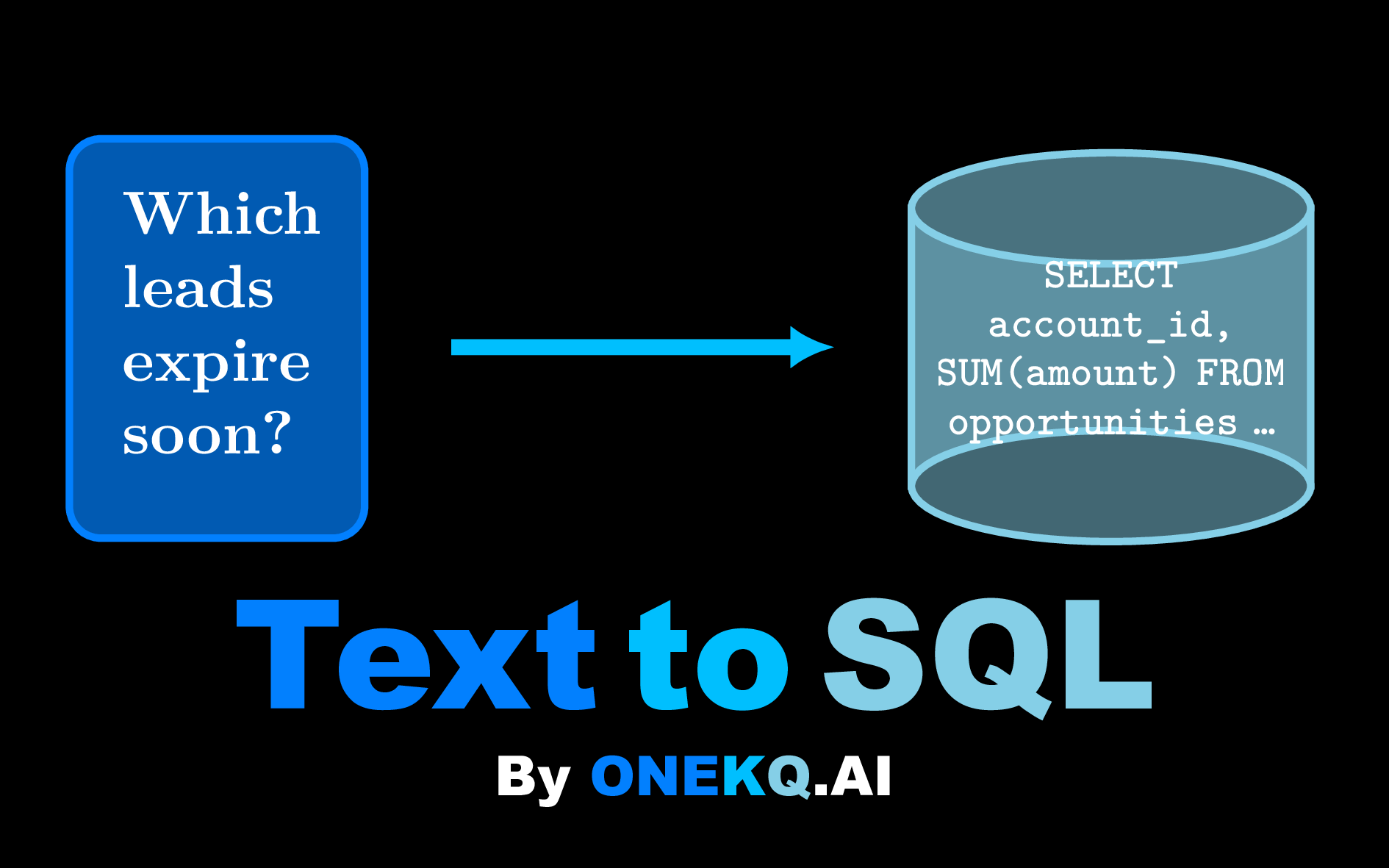
ONEKQ Text-to-SQL converts documents and questions into structured data and SQL queries via AI.
Extract tables from free-form text (FREE) and generate SQL from natural language (ONE CENT PER QUERY).
Available via REST and MCP, you can integrate the service to any agent workflow. The price is ONE CENT PER QUERY. Get instant refund for inaccurate queries.
Customer reviews
No customer reviews yet
Be the first to review this product . We've partnered with PeerSpot to gather customer feedback. You can share your experience by writing or recording a review, or scheduling a call with a PeerSpot analyst.